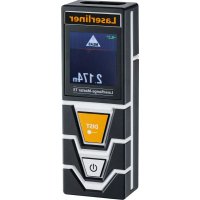
LaserRangeMaster T3 - Laser pointer Laserliner - Free user manual and instructions
Find the device manual for free LaserRangeMaster T3 Laserliner in PDF.


| Product type | Laser distance meter |
| Laser class | Class 2 (EN 60825-1:2014/AC:2017) |
| Laser wavelength | 650 nm |
| Laser power | < 1 mW |
| Measurement range (indoor) | 0.2 m - 30 m |
| Accuracy (typical) | ± 2 mm (up to 10 m) |
| Angle measurement range | ± 90° |
| Angle resolution | 0.1° |
| Angle accuracy | 0.1° |
| Measurement functions | Distance, area, volume, continuous measurement, Pythagoras 1 & 2, angle function 1 & 2 |
| Power supply | 2 AAA (LR03) 1.5 V batteries |
| Auto power off | Laser: 30 s to 5 min, Device: 3 min to 8 min |
| Operating conditions | 0°C to 40°C, max humidity 85% (non-condensing) |
| Storage conditions | -20°C to 70°C, max humidity 80% |
| Recommended calibration | Once per year |
| Cleaning | Slightly damp cloth, avoid solvents |
| Safety instructions | Do not look at the laser beam (class 2), avoid direct exposure |
Frequently Asked Questions - LaserRangeMaster T3 Laserliner
User questions about LaserRangeMaster T3 Laserliner
0 question about this device. Answer the ones you know or ask your own.
Ask a new question about this device
Download the instructions for your Laser pointer in PDF format for free! Find your manual LaserRangeMaster T3 - Laserliner and take your electronic device back in hand. On this page are published all the documents necessary for the use of your device. LaserRangeMaster T3 by Laserliner.
USER MANUAL LaserRangeMaster T3 Laserliner
LaserRange-Master T3
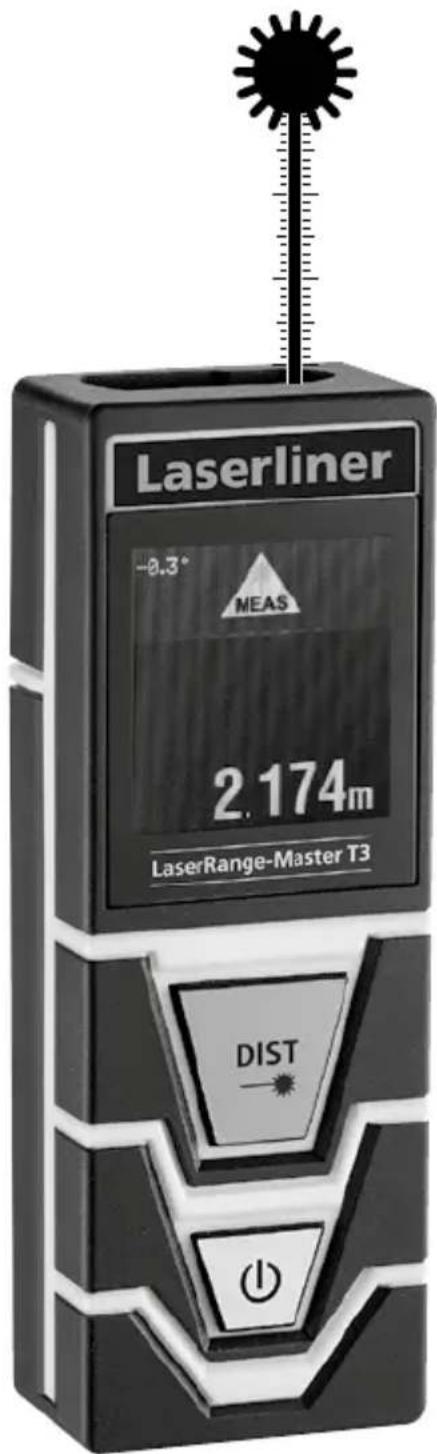

Laser
650 nm
SPEED
SHUTTER

Laserliner
| DE | 04 |
| EN | 11 |
| NL | 18 |
| DA | 25 |
| FR | 32 |
| ES | 39 |
| IT | 46 |
| PL | 53 |
| FI | |
| PT | |
| SV | |
| NO | |
| TR | |
| RU | |
| UK | |
| CS | |
| ET | |
| RO | |
| BG | |
| EL | |
| SL | |
| HU | |
| SK | |
| HR |
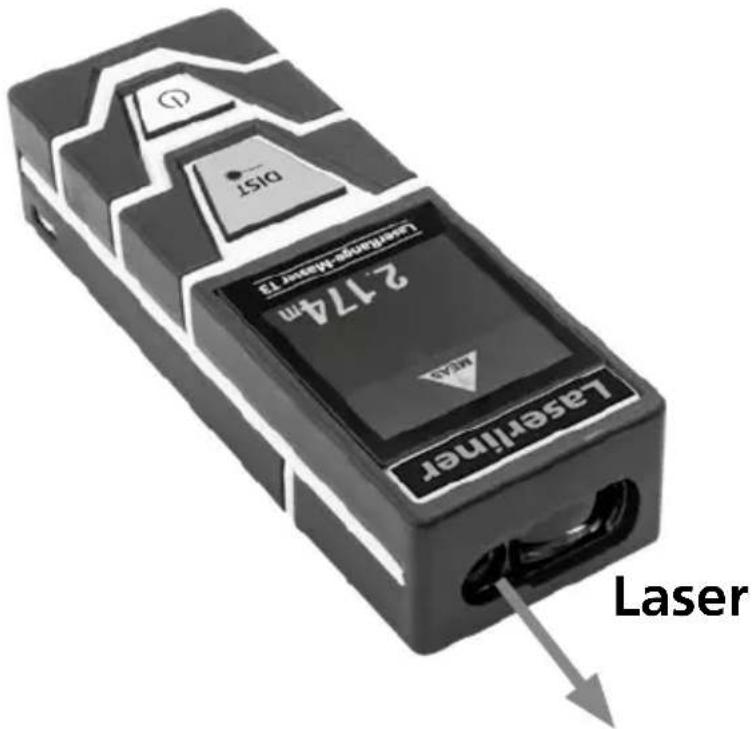
LaserRange-Master T3
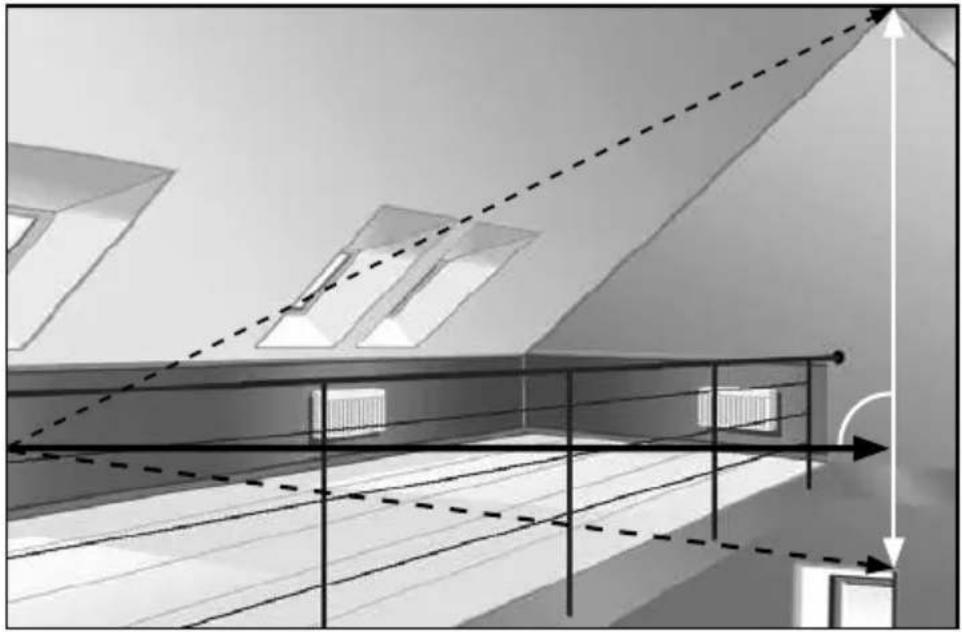
natural_image
Architectural sketch of a modern building with diagonal light beams and window patterns, no text or symbols present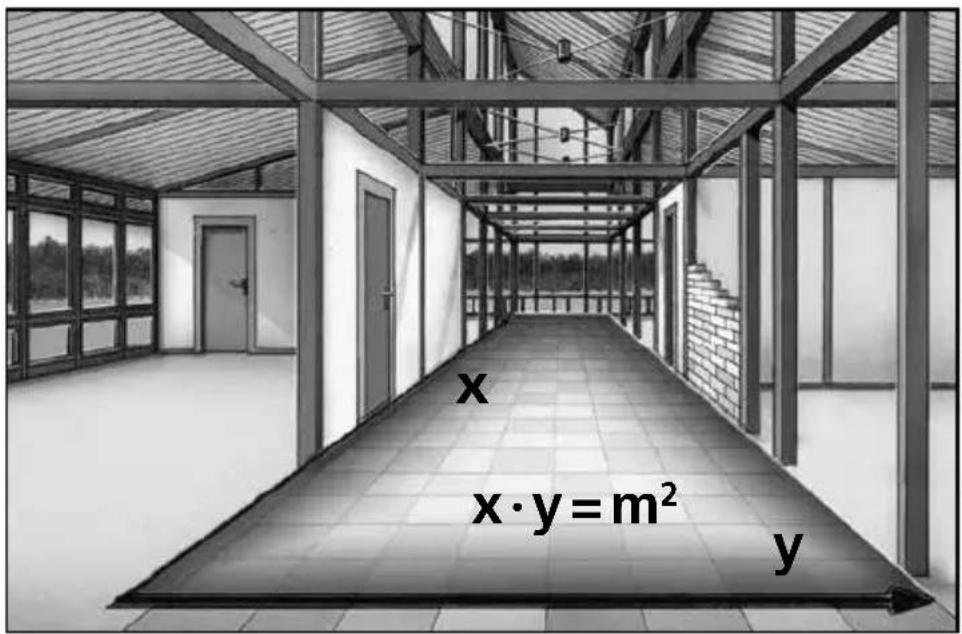
Laserliner
!
LaserRange-Master T3
m / ft / inch / _' _"
natural_image
Hand pointing at a black screen with a white arrow and number 2, no text or symbols present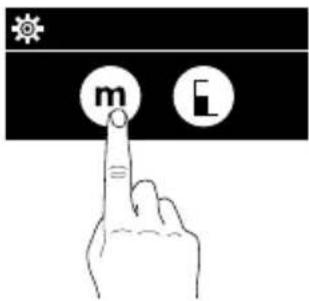
LaserRange-Master T3
Längenmessung:
Volumenmessung:
Volumen

Laserliner
Winkelfunktion 1:
Completely read through the operating instructions, the "Warranty and Additional Information" booklet as well as the latest information under the internet link at the end of these instructions. Follow the instructions they contain. This document must be kept in a safe place and if the laser device is passed on, this document must be passed on with it.
Function / Application
Laser distance meter – with red laser technology
- Functions: distances, area, volume, continuous measurement, pythagoras 1 + 2 , angle function 1 + 2
General safety instructions
- The device must only be used in accordance with its intended purpose and within the scope of the specifications.
- The measuring tools and accessories are not toys. Keep out of reach of children.
- Modifications or changes to the device are not permitted, this will otherwise invalidate the approval and safety specifications.
- Do not expose the device to mechanical stress, extreme temperatures, moisture or significant vibration.
- The device must no longer be used if one or more of its functions fail or the battery charge is weak.
- Please ensure compliance with the safety regulations set out by local and national authorities with regard to the correct and proper use of the device.
Safety instructions
Using class 2 lasers
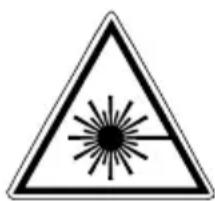
Laser radiation! Do not stare into the beam! Class 2 laser < 1 mW · 650 nm EN 60825-1:2014/AC:2017
- Attention: Do not look into the direct or reflected beam.
- Do not point the laser beam towards persons.
- If a person's eyes are exposed to class 2 laser radiation, they should shut their eyes and immediately move away from the beam.
- Tampering with (making changes to) the laser device is not permitted.
- Under no circumstances should optical instruments (magnifying glass, microscope, binoculars)
Safety instructions
Dealing with electromagnetic radiation
- The measuring device complies with electromagnetic compatibility regulations and limit values in accordance with EMC-Directive 2014/30/EU.
- Local operating restrictions – for example, in hospitals, aircraft, petrol stations or in the vicinity of people with pacemakers – may apply. Electronic devices can potentially cause hazards or interference or be subject to hazards or interference.
Laserliner
- The measuring accuracy may be affected when working close to high voltages or high electromagnetic alternating fields.
Inserting batteries
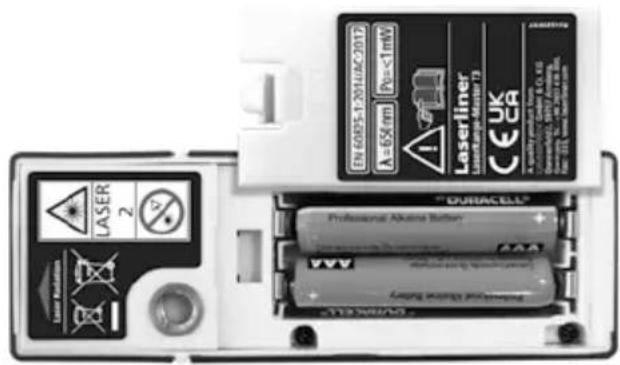
Open the battery compartment and insert batteries (2 x typ AAA) according to the symbols. Be sure to pay attention to polarity.
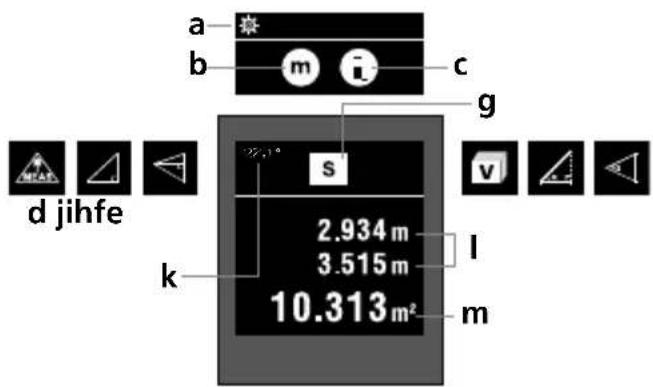
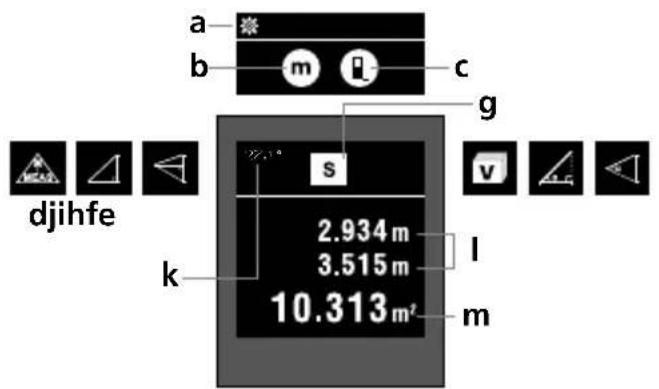
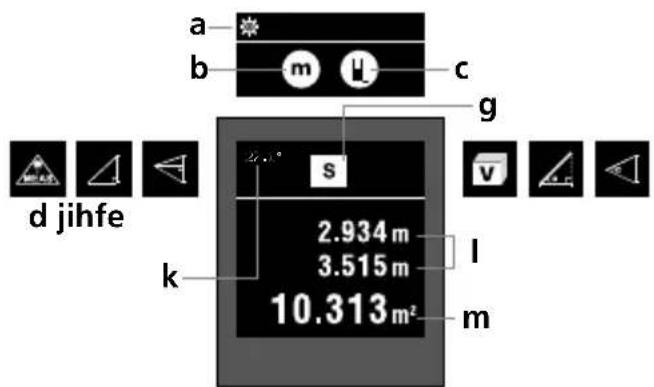
DISPLAY:
a Settings menu
b Unit of measure m / ft / inch / _' _"
c Measurement point (reference)
rear / thread / front
d Continuous measurement / Length measurement
e Pythagoras 1
f Pythagoras 2
1.
2.
g Area measurement
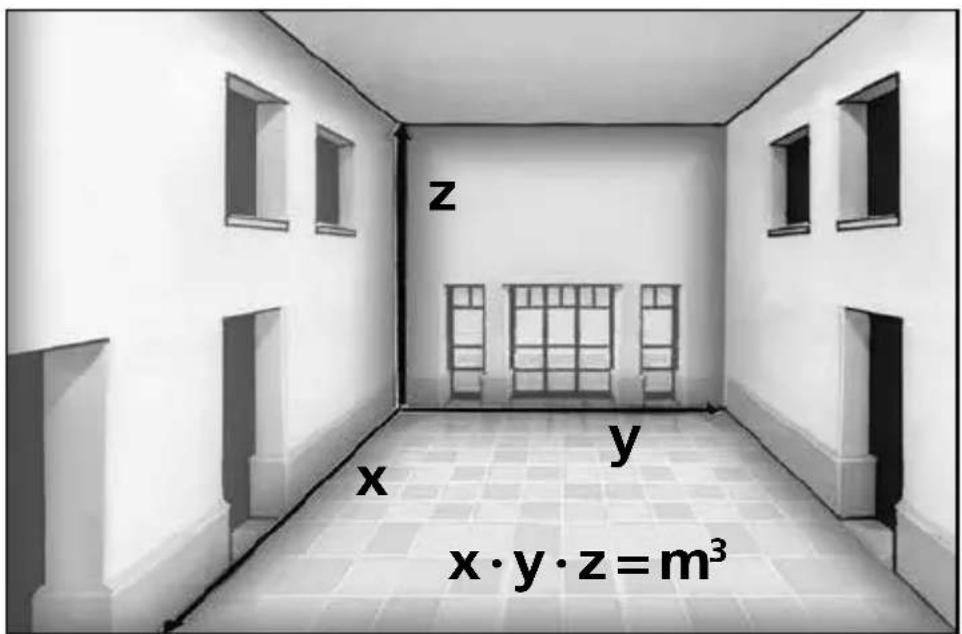
h Volume measurement
i Angle function 1
j Angle function 2
k Measured value, angle function
I Intermediate values
m Measurement values / Measurement results
Unit m / ft / inch / _' _"
KEYPAD:
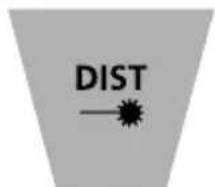
- Measure
- ON / OFF
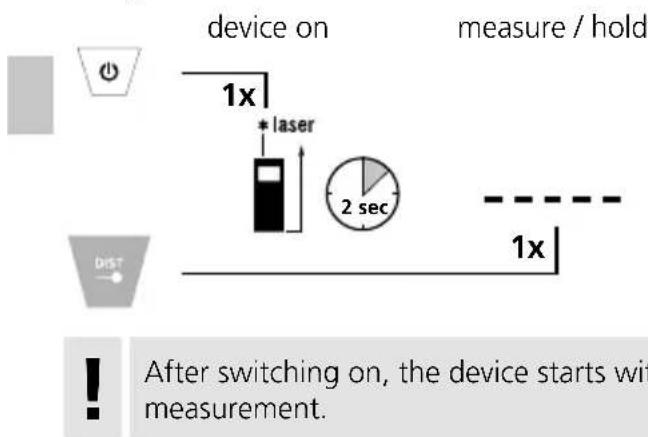
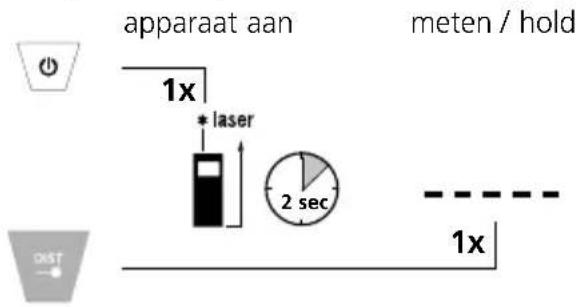
Switch on, measure and switch off:
device on measure device off
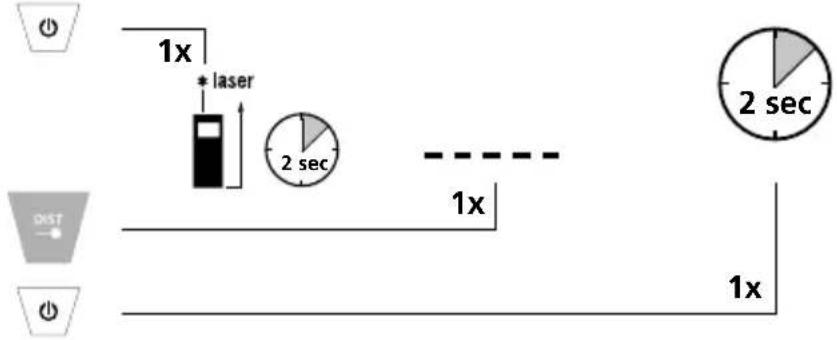

After switching on, the device starts with continuous measurement.
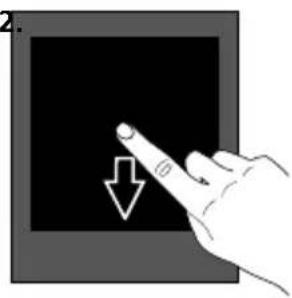
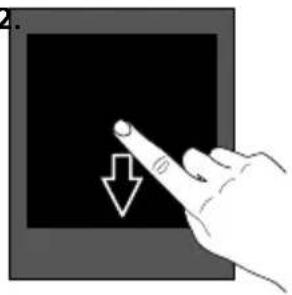
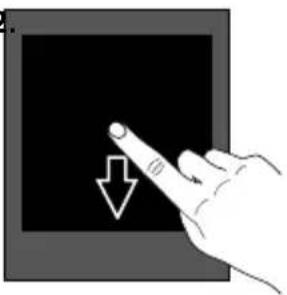
Change unit of measure:
m /ft/inch/_'_"
natural_image
Hand pointing at a screen with a downward arrow (no text or symbols)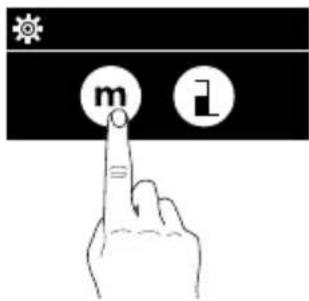
Change measurement point (reference):
rear / thread / front
1.2
natural_image
Hand pointing at a screen with a downward arrow icon (no text or symbols)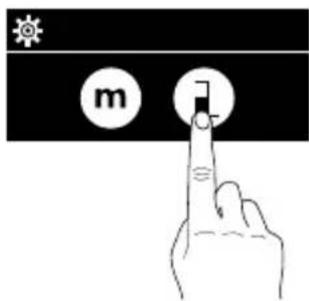
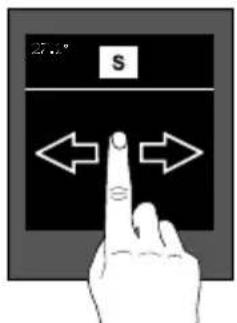
Change measurement function:
length pythagoras 1
pythagoras 2
area
volume Angle
function 1
Angle
function 2




Laserliner
Length measurement:
Pythagoras function 1:
pythagoras 1 1. measurement 2. measurement result
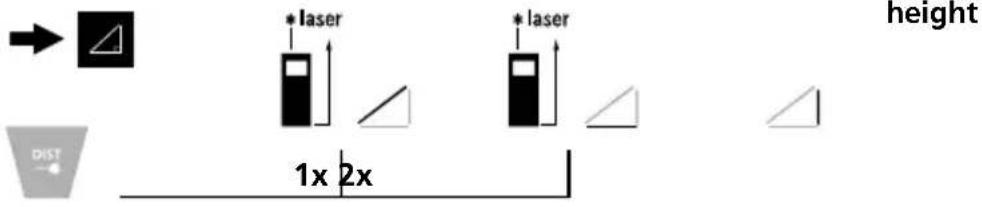
Pythagoras function 2:
pythagoras 2 1. measure- 2. measure- 3. measure- result
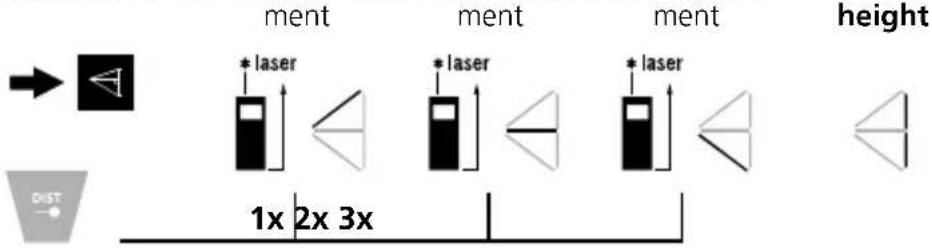
Area measurement:
area 1. measurement 2. measurement
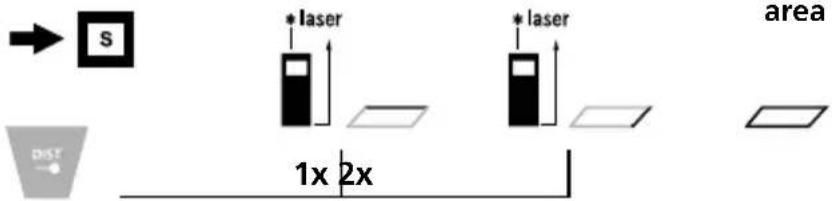
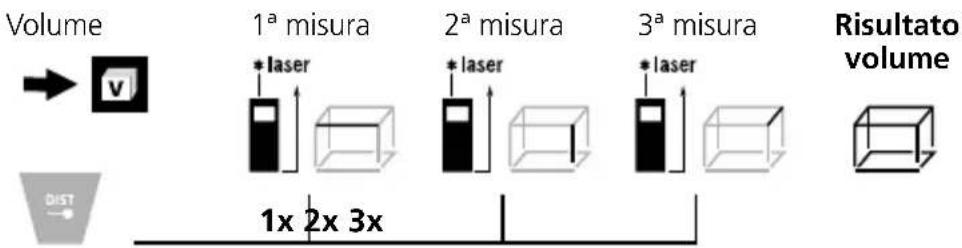
Volume measurement:
volume
- measure-
ment
- measure-
ment
- measure-
ment
result
height
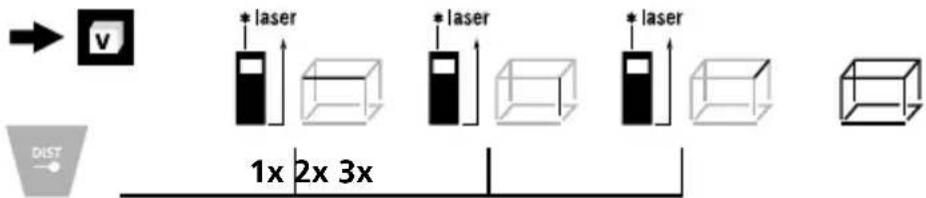
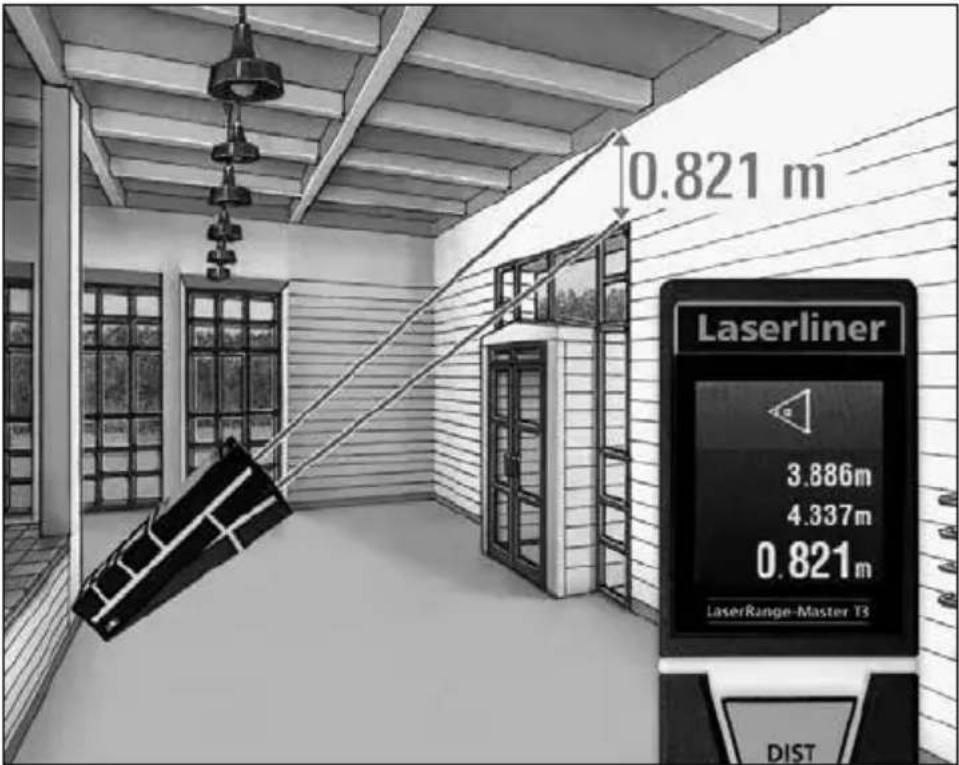
Angle function 1:
angle function 1 measurement
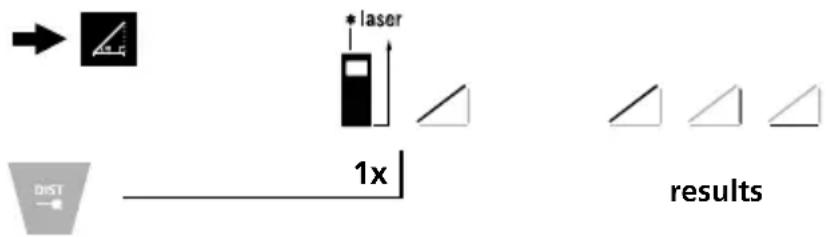
The measurement results are determined automatically by the 360^ inclination sensor.
The back of the device can be used as a reference surface for measuring angles.
Angle function 2:
Angle function 2 1. measurement 2. measurement result
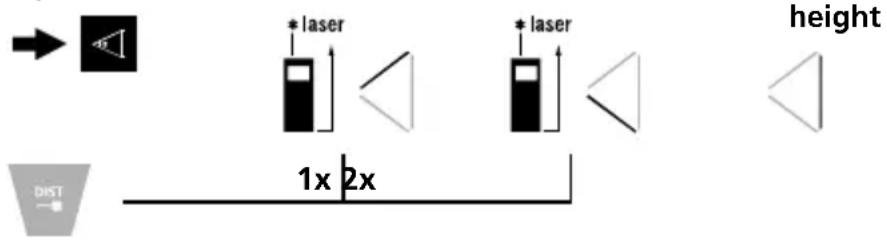
The measurement result is determined by the 360^ inclination sensor.
The back of the device can be used as a reference surface for measuring angles.
Important notices
- The laser points to the location that will be measured.
No objects may get into the laser's line of measurement. - The device compensates the measurement for different room temperatures. Therefore allow the device a brief adaptation period when changing locations with large temperature differences.
- The device is only conditionally useable in outdoor areas and cannot be used in strong sunlight.
- The measurement results of outdoor measurements may be influenced or falsified by rain, fog and snow.
- In unfavourable conditions, e.g. with poorly reflecting surfaces, the maximum deviation may be greater than 3 mm.
- Carpeting, upholstery or curtains will not reflect the laser optimally. Measure to flat surfaces.
- Measurements made through glass (window panes) can falsify measurement results.
- An energy-saving function switches the device off automatically.
- Clean with a soft cloth. Water may not be allowed to penetrate the housing.
Laserliner
Error codes:
Err204: Calculation error
Err208: Internal fault
Err220: Replace the battery
Err252: Temperature is too high: > 40°C
Err253: Temperature is too low: < 0°C
Err255: Received signal too weak or measuring time too long
Err256: Received signal too strong
Err261: Outside the measuring range
Err500: Hardware fault
Technical Data (Subject to technical changes without notice. 22W07)
| Distance measurement | |
| Precision (typical)* ± 2 mm | |
| Measurement range (inside) ** | 0.2 m - 30 m |
| Angle measurement | |
| Measuring range ± 90° | |
| Resolution 0.1° | |
| Precision 0.1° | |
| Laser class | 2 / < 1 mW (EN 60825-1:2014/AC:2017) |
| Laser wavelength 650 nm | |
| Operating conditions | 0°C ... 40°C, max. humidity20 ... 85% rH, no condensation,max. working altitude 2000 mabove sea level |
| Storage conditions | -20°C ... 70°C,max. humidity 80% rH |
| Automatic switch-off | Dynamic depending on measuring mode:Laser: 30 s - 5 minDevice: 3 min - 8 min |
| Power supply 2 x 1.5V LR03 (AAA) | |
| Dimensions (W x H x D) 32 x 100 x 23 mm | |
| Weight 82 g (incl. batteries) | |
* measuring distance up to 10 m with strongly reflective target surface and at room temperature. The measurement deviation may increase by ± 0.2 mm/m for greater distances and under unfavourable measuring conditions such as strong sunlight or weakly reflective target surfaces.
** at max. 5000 lux
Information on maintenance and care
Clean all components with a damp cloth and do not use cleaning agents, scouring agents and solvents. Remove the battery(ies) before storing for longer periods. Store the device in a clean and dry place.
Calibration
The meter needs to be calibrated and tested on a regular basis to ensure it produces accurate measurement results. We recommend carrying out calibration once a year.
EU and UK directives and disposal
This device complies with all necessary standards for the free movement of goods within the EU and UK.
This product is an electric device and must be collected separately for disposal according to the European and UK Directive on waste electrical and electronic equipment.
Further safety and supplementary notices at:
http://laserliner.com

Laserliner
!
LaserRange-Master T3
natural_image
Hand pointing at a black screen with a white arrow and number 2, no text or symbols present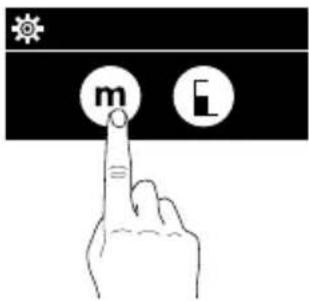
LaserRange-Master T3
Lengtemeting:
natural_image
Hand pointing at a black square with a white arrow and circle, no text or symbols present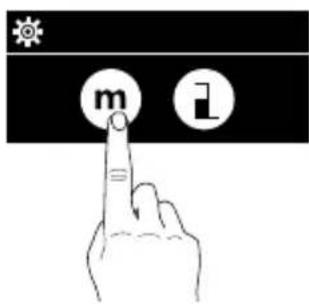
natural_image
Hand pointing at a screen with a downward arrow icon (no text or symbols)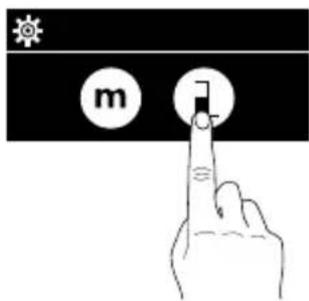

LaserRange-Master T3
AFFICHAGE :
natural_image
Hand pointing at a black screen with a white arrow and number 2, no text or symbols present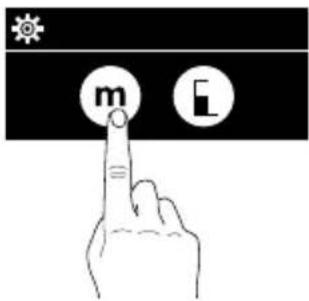
natural_image
Hand pointing at a black square with a white arrow symbol (no text or numbers present)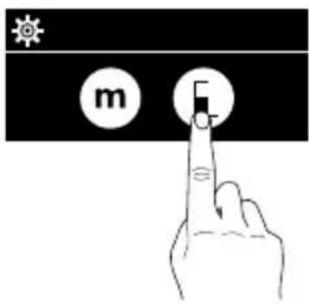
LaserRange-Master T3
Mesure du volume :
LaserRange-Master T3
Code erreur :
Err204: Erreur de calcul
Err208: Erreur interne
Err220: Echanger les piles
Dimensions (L x H x P) 32 x 100 x 23 mm
Poids 82 g (piles incluse)
natural_image
Hand pointing at a screen with a downward arrow, no text or symbols present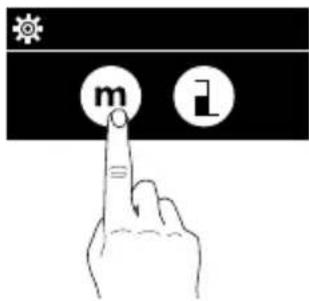
natural_image
Hand pointing at a screen with a downward arrow icon (no text or symbols)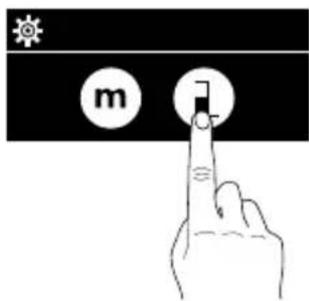

LaserRange-Master T3
DISPLAY:
natural_image
Hand pointing at a black screen with a downward arrow icon (no text or symbols)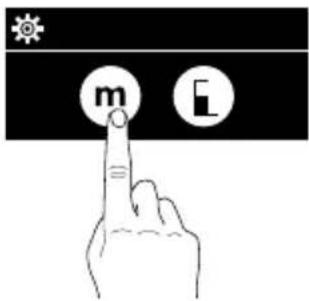
Misura del volume:
Laserliner
Funzione angoli 1:
Err500: Errore hardware
LaserRange-Master T3
natural_image
Hand pointing at a screen with a downward arrow, no text or symbols present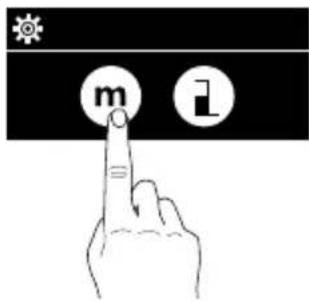
natural_image
Hand pointing at a screen with a downward arrow icon (no text or symbols)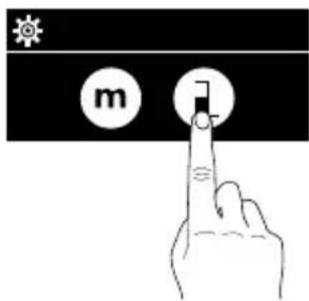

LaserRange-Master T3
SERVICE

Umarex GmbH & Co. KG
-Laserliner-
- LaserRange-Master T3
- Laserliner
- Längenmessung:
- Volumenmessung:
- Winkelfunktion 1:
- Function / Application
- General safety instructions
- Safety instructions
- Inserting batteries
- DISPLAY:
- KEYPAD:
- Switch on, measure and switch off:
- Change unit of measure:
- Change measurement point (reference):
- Change measurement function:
- Length measurement:
- Pythagoras function 1:
- Pythagoras function 2:
- Area measurement:
- Volume measurement:
- Angle function 1:
- Angle function 2:
- Important notices
- Error codes:
- Information on maintenance and care
- Calibration
- EU and UK directives and disposal
- !
- Lengtemeting:
- AFFICHAGE :
- Mesure du volume :
- Code erreur :
- Misura del volume:
- Funzione angoli 1:
- SERVICE
- Umarex GmbH & Co. KG
Brand : Laserliner
Model : LaserRangeMaster T3
Category : Laser pointer