
HP375 - Electric toothbrush PHILIPS - Free user manual and instructions
Find the device manual for free HP375 PHILIPS in PDF.



| Product type | Electric toothbrush |
| Brand | Philips |
| Model | HP375 |
| Power supply | Rechargeable via charger base |
| Initial charging time | At least 12 hours |
| Brushing motion | Double action: fast friction (4200/min) and slow rolling (120/min) |
| Pressure control system | Yes, with articulated position feedback (warns if pressure too strong) |
| Brush type | Contour: white tufts for gums, blue tufts for enamel |
| Recommended brushing duration | 2 minutes |
| Brush replacement | Every 3 months or when bristles are frayed |
| Cleaning the body | Soapy warm water |
| Cleaning the charger | Damp cloth, unplug first |
| Waterproofness | Waterproof body, usable in the shower |
| Spare parts | Removable brushes HP 5927 (children) |
| Environmental protection | Removal of rechargeable battery at end of life (fig. 19-25) |
Frequently Asked Questions - HP375 PHILIPS
User questions about HP375 PHILIPS
0 question about this device. Answer the ones you know or ask your own.
Ask a new question about this device
Download the instructions for your Electric toothbrush in PDF format for free! Find your manual HP375 - PHILIPS and take your electronic device back in hand. On this page are published all the documents necessary for the use of your device. HP375 by PHILIPS.
USER MANUAL HP375 PHILIPS
- Keep page 3 and pages 44, 45 and 46 open when reading these operating instructions.
Français Page 9
Clean and healthy teeth ... with Philips!
Important information for parents
Proper oral hygiene starts with taking good care of the milk teeth, since these are crucial for the further development of the jaws and the correct position of the permanent teeth.
Oral hygiene with children focuses mainly on the removal of dental plaque. For this reason, it is important for children to learn how to brush their teeth at an early age.
What is dental plaque?
Dental plaque is a soft sticky film which continually develops on teeth. It has almost the same colour as teeth and consists mainly of bacteria which occur normally in the mouth.
As long as plaque is still soft, it can easily be removed.
If not removed regularly, plaque will start to calcify. This hard, calcified plaque is called "tartar".
New soft plaque will readily adhere to the rough surface of tartar. As tartar is usually bound to the tooth, it must be removed by a dentist or dental hygienist.
Fig. 1 shows a section of a tooth. The root of the tooth is joined to the jawbone by strong tissue, called periodontium.
The jawbone is covered by gums or gingiva.
Gums, jawbone and periodontium together form the supporting tissue.
What are the effects of plaque?
The bacteria in the plaque produce an acid which can dissolve the enamel of the teeth and the dentine beneath it. This will cause dental decay (caries).
The bacteria also form substances which may cause inflammation of the gums (gingivitis) or decay of the supporting tissue (periodontitis).
This process is illustrated in fig. 2: the shallow groove around the tooth has become a deep pocket filled with plaque and tartar.
If the inflammation of the gums is allowed to continue for too long, it may lead to destruction of the periodontium and gradual loss of the jawbone. Inflamed gums are generally red and swollen and often bleed when the teeth are brushed.
Eventually, this may result in the tooth coming loose or falling out (fig. 3).
Thorough and regular removal of plaque will prevent gingivitis from starting and will help stop the spread of periodontitis.
Philips rechargeable toothbrush HP 375
Clean & Clear brush movement (fig. 4a)
The brush moves in two directions and at two speeds simultaneously:
-
Quick short stroke (4200 rpm) longitudinal scrubbing to dislodge the plaque material;
-
Slow long stroke (120 rpm) rolling movement to move the dislodged plaque away.
New "Soft Pressure Control" (fig. 4b)
Too much pressure may damage both gums and teeth, causes unnecessary wear of the brush and also reduces the effectiveness of the brushing operation.
The "Soft Pressure Control" system helps to control the pressure when brushing the teeth.
When pushed too hard against the teeth or gums, the brush will automatically warn by a sudden change in the position of its neck.
"Contour" brush profile (fig. 4c)
The ergonomic "Contour" bristle profile guarantees optimum cleaning. The soft white bristles brush the gumline and reach deeply between the teeth. The blue bristles especially clean the (chewing) surfaces.
Important
- First charging: at least 12 hours.
- The mains cord of this appliance cannot be replaced. If the cord is damaged, the appliance should be discarded.
- For optimum brushing efficiency and for hygiene: replace the click-on brushes as soon as the hairs begin to stand out or at least every three months.
- It is advisable to use the electric toothbrush twice a day for at least two minutes.
- The built-in rechargeable battery contains substances which may pollute the environment.
When eventually discarding the appliance please remove the built-in rechargeable battery (fig. 19-25) and dispose of it at an officially assigned refuse site or otherwise according to national regulations.
Please refer to section "Protecting the environment".
General Description (fig. 5)
A Toothbrush
Drive shaft
"Soft-Pressure" bending head
On/off switch. Press to switch on. Press again to switch off.
E Click-on brushes (colour-coded for personal use)
Charge unit with mains cord
Holder for click-on brushes
Mounting-plate, screws and rawlplugs for wall mounting
Bathroom use
- Mount to a wall or place the charge unit where it cannot accidentally fall into water.
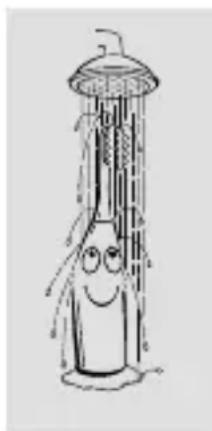
- As the toothbrush itself is waterproof it may be used while having a shower or bath.
Wall mounting (fig. 6-7)
How to charge (fig. 8-9)
- Ensure that the appliance is switched off when (re)charging.
- Before first use charge for at least 12 hours.
- In normal use, the toothbrush is recharged after each use by just placing it back into the connected charge unit.
How to use (fig. 10-15)
- Let the toothbrush do the work: just guide the bristles carefully along the teeth. Ensure that the brush touches the entire tooth surface as well as a small section of the gums.
- If the head clicks into a straight position during brushing, this means that too much pressure has been applied (fig. 14).
Minimum brushing time: 2 minutes (fig. 15)
Two minutes is regarded to be the minimum time required for effective plaque removal and gum massage.
For even better results you may decide to brush longer.
Remember that fluoride in toothpaste also needs some time to act.
After brushing the teeth (fig. 16-18)
Cleaning
- The toothbrush may be cleaned in lukewarm (soapy) water.
- The charge unit can be cleaned with a damp cloth. Unplug before cleaning!
Replacement click-on brushes
Colour-coded click-on brushes are available from your dealer under type n°. HP 5927 (especially for children).
Protecting the environment
To remove the built-in rechargeable battery when eventually discarding the appliance: see fig. 19-25.
- Please note: You can also take the appliance to a Philips Service Centre. The staff will be happy to help you.
- Before removing the battery should be completely empty of charge. Let the appliance run until the motor stops.
- Please note: Unscrew the base plate only for battery removal.
The toothbrush may not be watertight anymore after the base plate has been unscrewed.
For that reason the guarantee is void after opening the toothbrush.
For U.K. only:
Fitting a different plug
This appliance is fitted with a BS 1363 13 Amp. plug.
Should you need to replace the plug, connect the wires as follows:
Brown wire to the Live (L) terminal of the new plug.
Blue wire to the Neutral (N) terminal of the new plug.
Always fit the same value of fuse as that originally supplied with your appliance.
Use only BS 1362 approved fuses.
As a guide only: Appliances under 700 W can have a 3 Amp. fuse (red) and all others should have a 13 Amp. fuse (brown).
When disposing of an old plug (particularly the moulded type which has been cut from the mains cord) always remove the fuse as the plug could be dangerous if ever inserted in a live socket.
Français
Information important destinée aux parents
New "Soft Pressure Control" system (fig. 4b)



- Français Page 9
- Clean and healthy teeth ... with Philips!
- Important information for parents
- What is dental plaque?
- What are the effects of plaque?
- Philips rechargeable toothbrush HP 375
- Clean & Clear brush movement (fig. 4a)
- New "Soft Pressure Control" (fig. 4b)
- "Contour" brush profile (fig. 4c)
- Important
- General Description (fig. 5)
- Bathroom use
- How to charge (fig. 8-9)
- How to use (fig. 10-15)
- Minimum brushing time: 2 minutes (fig. 15)
- After brushing the teeth (fig. 16-18)
- Cleaning
- Replacement click-on brushes
- Protecting the environment
- For U.K. only:
- Fitting a different plug
- Français
- Information important destinée aux parents
- New "Soft Pressure Control" system (fig. 4b)
Brand : PHILIPS
Model : HP375
Category : Electric toothbrush