USER MANUAL ROC 240 THOMSON
This Universal Remote Control is compatible with most models of infrared-controlled TV sets and video recorders.
This remote control was programmed in the factory, so that you can use it to control most of the sets of the THOMSON group's make. For this reason, we recommend that prior to attempting to programme the remote control, you try it out by means of one of the methods described in this user manual. But first of all, you'll have to load the supplied batteries into the remote control.
Please keep this guide along with the code list (provided separately), so that you can subsequently programme your remote control for use with other sets.
1 - Description of the key functions
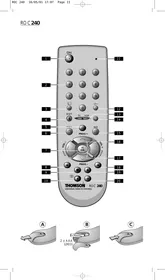
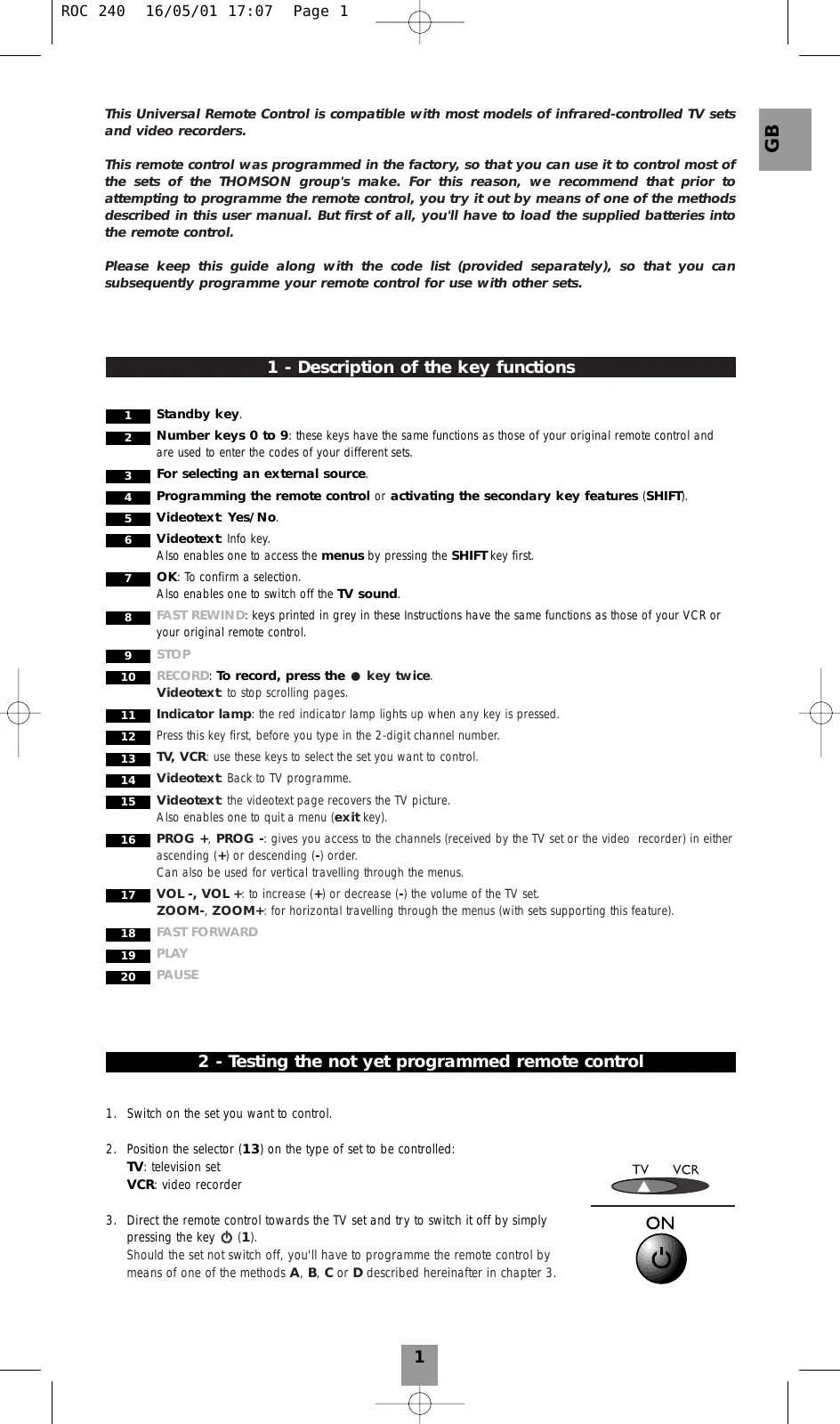
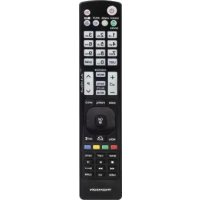
1 Standby key. 2 Number keys 0 to 9: these keys have the same functions as those of your original remote control and are used to enter the codes of your different sets. 3 For selecting an external source. 4 Programming the remote control or activating the secondary key features (SHIFT). 5 Videotext: Yes/No. 6 Videotext: Info key.
Also enables one to access the menus by pressing the SHIFT key first.
7 OK: To confirm a selection. Also enables one to switch off the TV sound. 8 FAST REWIND: keys printed in grey in these Instructions have the same functions as those of your VCR or your original remote control. 9 STOP 10 RECORD: To record, press the key twice.
Videotext: to stop scrolling pages.
11 Indicator lamp: the red indicator lamp lights up when any key is pressed. 12 Press this key first, before you type in the 2-digit channel number. 13 TV, VCR: use these keys to select the set you want to control. 14 Videotext: Back to TV programme. 15 Videotext: the videotext page recovers the TV picture.
Also enables one to quit a menu (exit key).
16 PROG ^+ ,PROG · : gives you access to the channels (received by the TV set or the video recorder) in either ascending (+) or descending (-) order.
Can also be used for vertical travelling through the menus.
17 VOL-,VOL ^+ : to increase (+) or decrease (-) the volume of the TV set. ZOOM-, ZOOM+: for horizontal travelling through the menus (with sets supporting this feature).
2 - Testing the not yet programmed remote control
- Switch on the set you want to control.
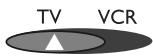
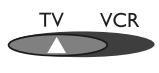
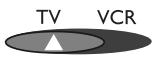
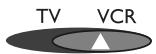
- Position the selector (13) on the type of set to be controlled:
TV: television set
VCR: video recorder
- Direct the remote control towards the TV set and try to switch it off by simply pressing the key 0 (1).
Should the set not switch off, you'll have to programme the remote control by means of one of the methods A, B, C or D described hereinafter in chapter 3.
ON
3 - Programming the remote control
Method A - Fast programming with 1-digit subcode
Before you start programming, you must find the subcode of the set to be controlled (TV set or video recorder).
Refer to the list provided with these instructions, page 1 of the subcodes.
- Switch on the set you want to control.
- Position the selector (13) on the type of set to be controlled: TV: television set, VCR: video recorder
- Hold down the key SHIFT (4) until the red indicator lamp (11) remains lit (the indicator lamp remains on for a couple of seconds, so that you have time enough to proceed with steps 4 to 6. The indicator lamp flashes to signal that this time is almost up, and then goes off).
- While the indicator is lit, type in the subcode (example: 1 for THOMSON).
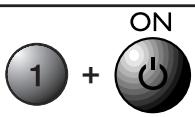
- Direct the remote control towards the set and try to switch it off by pressing the key (1).
- Immediately upon the switching-off of the set to be controlled, press OK (7) to store the subcode.
- Should the set not switch off, press key (1) repeatedly, until the set switches off. Between two subsequent key depressions, give the red indicator lamp (11) enough time to extinguish and light up again (about 1 second). Proceeding this way will enable you to see whether the set responds or not.
- Immediately upon the switching-off of the set to be controlled, press OK (7) to store the subcode.
Check of the programming
In principle, your set is ready for receiving the remote control commands.
Check your remote control for proper functioning by performing the test described on page 4.
SHIFT

Method B - 3-digit codes programming
Before you start programming, you must find the code of the set to be controlled (TV set or video recorder).
Refer to the list provided with these instructions, page II of the codes.
- Switch on the set you want to control.
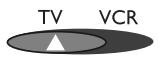
- Position the selector (13) on the type of set to be controlled: TV: television set, VCR: video recorder
- Hold down the key SHIFT (4) until the red indicator lamp (11) remains lit. The indicator lamp remains on for a couple of seconds, so that you have time enough to proceed with step 4. The indicator lamp flashes to signal that this time is almost up, and then goes off.
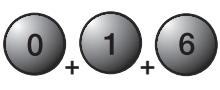
- While the indicator is lit, enter the first digit of the 3-digit code proposed for the set to be controlled (example: 016 for THOMSON). The red indicator then goes off or flashes, if the code is not on the list.
- Direct the remote control towards the set and try to switch it off by pressing the key (1).
- Should the set not switch off, repeat step 3. Then type in the next 3-digit code. Try to switch off the set by pressing key 0 (1) once. Repeat this procedure by trying out each of the 3-digit codes.
SHIFT
ON
Check of the programming
In principle, your set is ready for receiving the remote control commands.
Check your remote control for proper functioning by performing the test described on page 4.
Method C - Programming by means of code retrieval
Should none of the codes work, you still have the possibility of retrieving the appropriate code without having to perform any input.
- Switch on the set you want to control.
- Position the selector (13) on the type of set to be controlled:
TV: television set, VCR: video recorder
- Hold down the key SHIFT (4) until the red indicator lamp (11) remains lit.
- Direct the remote control towards the set and try to switch it off by pressing the key (1).
- Immediately upon the switching-off of the set to be controlled, press OK (7) to store the code.
- Should the set not switch off, press key Θ (1) as many times as required (up to 200 times), until the set switches off. Between two subsequent key depressions, give the red indicator lamp (11) enough time to extinguish and light up again (about 1 second). Proceeding this way will enable you to see whether the set responds or not.
- Immediately upon the switching-off of the set to be controlled, press OK (7) to store the code.
Check of the programming
In principle, your set is ready for receiving the remote control commands.
Perform the following tests to check proper functioning:
- For a TV set or satellite receiver: press for instance number key 2 to switch over to another channel or to switch the set on, in case it is off.
- Video recorder: load a tape and then press ▸.
Try out other remote control keys to find out the range of functions you can control. If you think that not all of the keys are active, repeat the procedure of this programming method to find out the code supporting a wider range of features.


Method D - Programming for control of a COMBO (combined TV-VCR set)
Setting up the remote control for control of a COMBO means that you first programme the television and then the video recorder subset, the combination of which makes up the COMBO set.
Before you start programming, you must find the subcode or code of the subset to be controlled (television or video recorder).
Refer to the list supplied with this user manual (see page subcodes or codes).
- Switch on the COMBO you want to control.
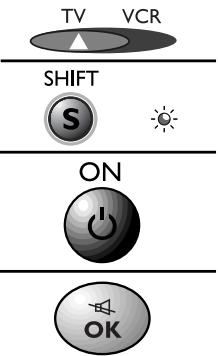
- Set the remote control selector (13) on TV, and then proceed with one of the programming methods A, B or C described above.
- Set the remote control selector (13) on VCR, and then proceed with one of the programming methods A, B or C described above.
4 - How to retrieve a programmed code
It may be useful to retrieve the code programmed in the remote control.
- Set the selector (13) on the type of set concerned (TV or VCR).
- Hold down the key SHIFT (4) until the red indicator lamp (11) remains lit.
- Press SHIFT (4) again briefly. The red indicator lamp flashes once.
- Press the number keys (0 to 9) in ascending order until the red indicator lamp (11) flashes once.
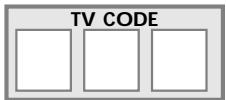
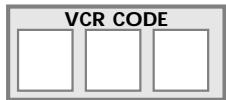
- The digit which made the red indicator lamp (11) flash is the first number of the 3-digit code. Please note it down below.
- Repeat step 4 to find out the two other numbers of the code.
- When the third number is found, the red indicator lamp (11) goes off.

SHIFT


5 - Check of the programming
- For a TV set: press for instance number key 2 to switch over to another channel or to switch the set on, in case it is off.
- Video recorder: load a tape and then press .
Try other remote control keys to find out the range of functions you can control. If you think that not all of the keys are active, try the programming Method B or C.
When you have retrieved the code of your set, jot it down so that you can use it whenever needed.
After battery replacement, you'll have to programme the remote control again.
6 - The NAVILIGHT system
The THOMSON NAVILIGHT system allows you easy access to the settings of your television (TV) or video recorder (VCR) including this feature.
- Switch on the set you want to control.
- Set the selector (13) on the type of set concerned (TV or VCR). In the VCR position, make sure that the AV mode is activated for the TV set (the SCART socket must be selected).
- Press the SHIFT key once and then menu (6).
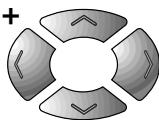
- To travel through the setting menus, press the SHIFT key once and then use the keys up, down, left and right (16 and 17).
- Validate with OK (7).
- To leave the menus, press SHIFT once and then the exit key (15).

SHIFT menu
SHIFT
exit
SHIFT
+


HELPLINE THOMSON
You can contact THOMSON by dialing: 0845 601 3093,
from 27 November 2000.
(For Great-Britain, all calls will be charged at local rate)
www.thomson-europe.com