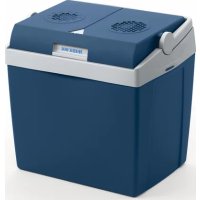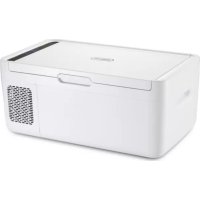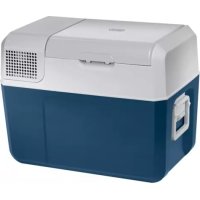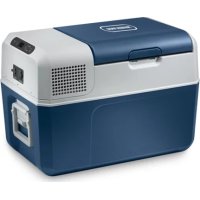
FR34 - Refrigerator Mobicool - Free user manual and instructions
Find the device manual for free FR34 Mobicool in PDF.



| Product type | Compression refrigerator |
| Brand | Mobicool |
| Model | FR34 |
| Gross capacity | 32.5 L |
| Usable capacity | 31 L |
| Temperature range | +10 °C to -10 °C |
| Power supply | 12/24 V DC (cigarette lighter socket) and 100-240 V AC (50/60 Hz) |
| Power consumption (12 V) | 4 A |
| Power consumption (24 V) | 2 A |
| Power consumption (230 V) | 1.0 - 0.4 A |
| Annual energy consumption | 83 kWh/year |
| Energy efficiency class | A+ |
| Dimensions (L x W x H) | 584 x 365 x 407 mm |
| Weight | 11.4 kg |
| Refrigerant | R134a (40 g) |
| Noise level | 49 dB(A) |
| Battery protector | 3 levels (LOW/MED/HIGH) with automatic shut-off |
| Display | Screen with temperature indicator (°C/°F) |
| Functions | Refrigeration, freezing, battery protection, manual defrost |
| Maintenance | Clean with a damp cloth; do not immerse |
| Safety | Reverse polarity protection, 8 A fuse, low voltage cut-off |
| Usage | Vehicle, boat, motorhome, mains power |
| Delivery contents | Cooler, DC cable, AC cable, manual |
Frequently Asked Questions - FR34 Mobicool
User questions about FR34 Mobicool
0 question about this device. Answer the ones you know or ask your own.
Ask a new question about this device
Download the instructions for your Refrigerator in PDF format for free! Find your manual FR34 - Mobicool and take your electronic device back in hand. On this page are published all the documents necessary for the use of your device. FR34 by Mobicool.
USER MANUAL FR34 Mobicool
Please read this manual carefully before starting the device. Keep it in a safe place for future reference. If the device is passed on to another person, this manual must be handed over to the user along with it.
The manufacturer cannot be held liable for damage resulting from improper usage or incorrect operation.
Contents
1 Explanation of symbols 6
2 Safety instructions 6
2.1 General safety 6
2.2 Operating the cooling device safely 8
3 Scope of delivery 8
4 Intended use 9
5 Function description 9
5.1 Scope of functions 9
5.2 Operating and display elements 10
6Operation 11
6.1 Before initial use. 11
6.2 Energy saving tips 12
6.3 Connecting the cooling device 12
6.4 Using the battery monitor 12
6.5 Using the cooling device 14
6.6 Latching the cooling device lid 15
6.7 Setting the temperature 15
6.8 Switching off the cooling device 15
6.9 Using the interior light (only FR60). 15
6.10 Defrosting the cooling device 16
6.11 Replacing the fuse. 16
7 Cleaning and maintenance 16
8 Guarantee 17
9 Troubleshooting 17
10 Disposal 18
11 Technical data 18
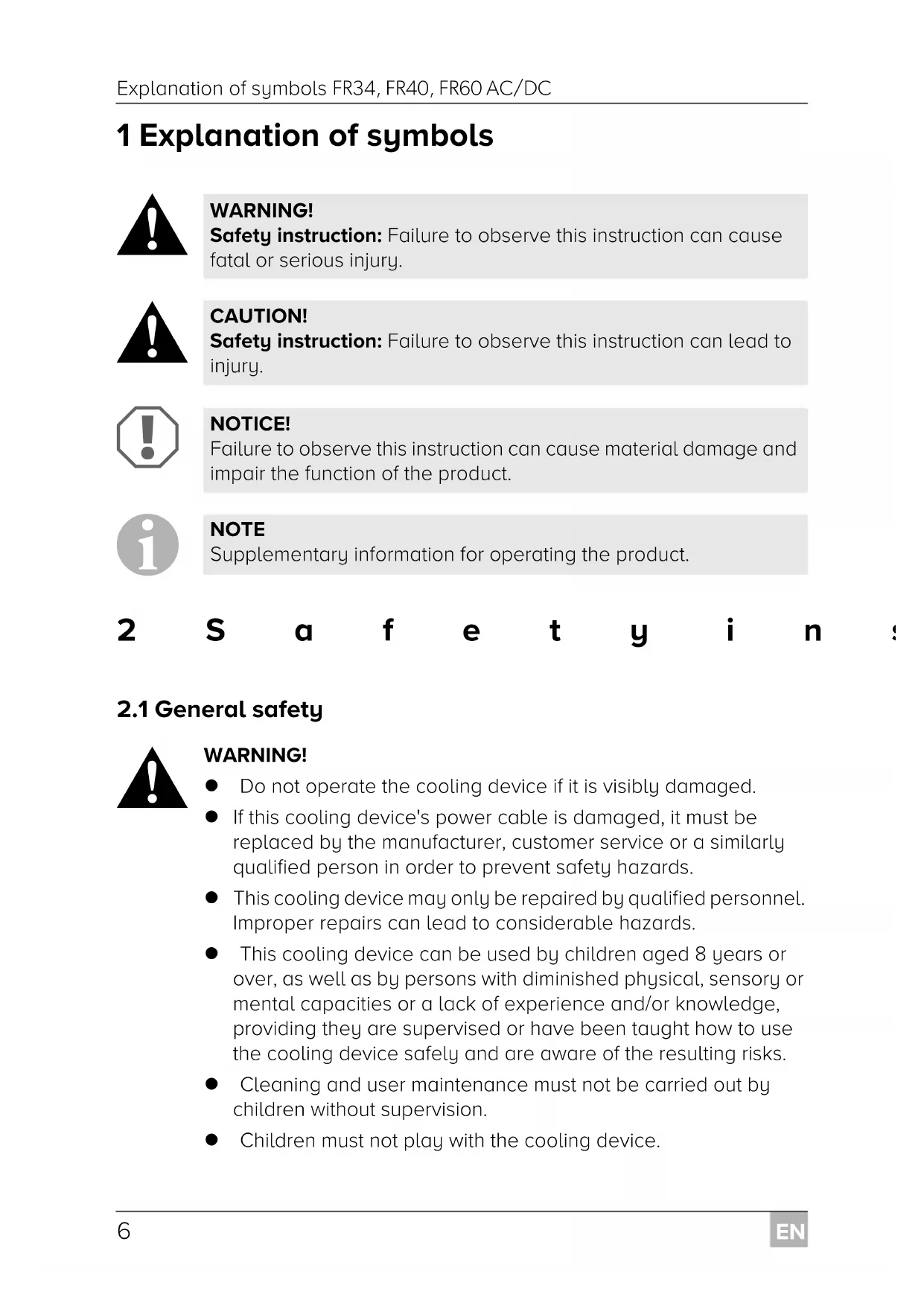
1 Explanation of symbols

WARNING!
Safety instruction: Failure to observe this instruction can cause fatal or serious injury.

CAUTION!
Safety instruction: Failure to observe this instruction can lead to injury.

NOTICE!
Failure to observe this instruction can cause material damage and impair the function of the product.

NOTE
Supplementary information for operating the product.
2 S a f e t y i n s
2.1 General safety

WARNING!
- Do not operate the cooling device if it is visibly damaged.
- If this cooling device's power cable is damaged, it must be replaced by the manufacturer, customer service or a similarly qualified person in order to prevent safety hazards.
- This cooling device may only be repaired by qualified personnel. Improper repairs can lead to considerable hazards.
- This cooling device can be used by children aged 8 years or over, as well as by persons with diminished physical, sensory or mental capacities or a lack of experience and/or knowledge, providing they are supervised or have been taught how to use the cooling device safely and are aware of the resulting risks.
- Cleaning and user maintenance must not be carried out by children without supervision.
Children must not play with the cooling device.
Children must be supervised to ensure that they do not play with the cooling device.
- Always keep and use the cooling device out of the reach of children under the age of 8 years.
- Do not store any explosive substances such as spray cans with a flammable propellant in the cooling device.

CAUTION!
- Disconnect the cooling device from the power supply
- before each cleaning and maintenance
- after every use
- Food may only be stored in its original packaging or in suitable containers.

NOTICE!
- Check that the voltage specification on the type plate corresponds to that of the energy supply.
- Only connect the cooling device as follows:
- With the DC connection cable to a DC power supply in the vehicle
- Or with the AC connection cable to an AC power supply
- Never pull the plug out of the socket by the cable.
- If the cooling device is connected to a DC outlet: Disconnect the cooling device and other power consuming devices from the battery before connecting a quick charging device.
- If the cooling device is connected to a DC outlet: Disconnect the cooling device or switch it off when you turn off the engine. Otherwise you may discharge the battery.
- The cooling device is not suitable for transporting caustic materials or materials containing solvents.
- The insulation of the cooling device contains flammable cyclopentane and requires special disposal procedures. Deliver the cooling device at the end of its life-cycle to an appropriate recycling center.
2.2 Operating the cooling device safely

CAUTION!
- Before starting the cooling device, ensure that the power supply line and the plug are dry.

NOTICE!
- Do not use electrical devices inside the cooling device unless they are recommended by the manufacturer for the purpose.
- Do not place the cooling device near naked flames or other heat sources (heaters, direct sunlight, gas ovens etc.).
Danger of overheating!
Ensure at all times that there is a minimum of 50~mm ventilation on all four sides of the cooling device. Keep the ventilation area free of any objects that could restrict the air flow to the cooling components.
Do not place the cooling device in closed compartments or areas with none or minimal air flow.
- Ensure that the ventilation openings are not covered.
- Do not fill the inner container with ice or fluids.
- Never immerse the cooling device in water.
- Protect the cooling device and the cable against heat and moisture.
3 S C O P E O F D
Quantity Description
1 Compressor cooler
1 DC connection cable
1 AC connection cable
1 Operating manual
4 Intended use
The compressor cooler is suitable for cooling and freezing foods. The compressor cooler is also suitable for use on boats.
The compressor cooler is designed to be operated from a DC power supply socket of a vehicle, boat or caravan or from an AC mains.

CAUTION! Health hazard!
Please check if the cooling capacity of the cooling device is suitable for storing the food or medicine you wish to cool.
5 Function description
The cooling device can chill products, keep them cool as well as freeze them.
A low maintenance refrigerant circuit with compressor provides the cooling. The foamed in place insulation and compact compressor ensure optimum cooling.
The cooling device is portable.
When used on boats, the cooling device can withstand a constant heel (inclination) of 30^ .
5.1 Scope of functions
- Three-level battery monitor to protect the vehicle battery switches off automatically at low battery voltage
- Display with temperature gauge
- Temperature setting: With two buttons in steps of 1^ ( 2^ )
5.2 Operating and display elements
Latch for lid: fig. 1, page 3
Operating panel (fig. 2, page 3)
| Item Description Explanation | |
| 1 ON OFF | Switches the cooling device on or off when the button is pressed for between one and two seconds |
| 2 POWER Status indication | |
| LED lights up green: Compressor is on | |
| LED lights up orange: Compressor is off | |
| LED flashes orange: Display switched off automatically due to low battery voltage | |
| 3 ERROR LED flashes red: | Cooling device is switched on but not ready for operation |
| 4 SET | Selects the input mode - Temperature setting - Celsius or Fahrenheit display - Set battery monitor |
| 5 - | Display, shows the information |
| 6 “+” | Press once to increase the value |
| 7 “-” | Press once to decrease the value |
| 8 • | Only FR60: If displayed, the interior light is switched on. |
Connectors (fig. 3, page 4)
| Item Description | |
| 1 | A C S O C K E T |
| 2 | Fuse holder |
| 3 | Cover AC socket |
| 4 | Cover DC socket |
| 5 | D C S O C K E T |
6 O p e r a t i o
6.1 Before initial use

NOTE
Before starting your new cooling device for the first time, you should clean it inside and outside with a damp cloth for hygienic reasons (please also refer to the chapter "Cleaning and maintenance" on page 16).
Selecting the temperature units
You can switch the temperature display between Celsius and Fahrenheit. Proceed as follows:
Switch on the cooling device.
Press the "SET" button twice.
▶Use the "+" and "-" buttons to select Celsius or Fahrenheit.
- The selected temperature units then appear in the display for a few seconds. The display flashes several times before it returns to the current temperature.
6.2 Energy saving tips
- Choose a well ventilated location which is protected from direct sunlight.
- Allow warm food to cool down first before placing it in the cooling device to keep cool.
- Do not open the cooling device more often than necessary.
- Do not leave the cooling device open for longer than necessary.
- Defrost the cooling device once a layer of ice forms.
- Avoid unnecessarily low temperatures.
6.3 Connecting the cooling device
The cooling device can be operated with DC or AC voltage.

NOTICE! Danger of damage!
Disconnect the cooling device and other consumer units from the vehicle battery before you connect the vehicle battery to a quick charging device.
Overvoltage can damage the electronics of the cooling device.
For safety reasons the cooling device is equipped with an electronic system to prevent the polarity reversal. This protects the cooling device against short-circuiting when connecting to a battery.
Plug the DC connection cable into the DC socket and connect it to a DC power socket or ...
... plug the AC connection cable into the AC voltage socket and connect it to an AC mains.
Close the covers of the sockets not in use to prevent accidentally touching the sockets. This also prevents dust, water and dirt from entering the socket.
6.4 Using the battery monitor
The cooling device is equipped with a multi-level battery monitor that protects your vehicle battery against excessive discharging when the cooling device is connected to the DC power supply.
If the cooling device is operated when the vehicle ignition is switched off, the cooling device switches off automatically as soon as the supply voltage falls below a set level. The cooling device will switch back on once the vehicle battery has been recharged to the restart voltage level.

NOTICE! Danger of damage!
When switched off by the battery monitor, the vehicle battery will no longer be fully charged. Avoid starting repeatedly or operating current consumers without longer charging phases. Ensure that the vehicle battery is recharged.
In "HIGH" mode, the battery monitor responds faster than at the levels "LOW" and "MED" (see the following table).
| Battery monitor mode LOW MED HIGH | |
| Switch-off voltage at 12 V | 10.1 V 11.4 V 11.8 V |
| Restart voltage at 12 V | 11.1 V 12.2 V 12.6 V |
| Switch-off voltage at 24 V | 21.5 V 24.1 V 24.6 V |
| Restart voltage at 24 V | 23.0 V 25.3 V 26.2 V |
Proceed as follows to select the battery monitor mode:
Switch on the cooling device.
Press the "SET" button three times.
Use the "+" and "-" buttons to select the battery monitor mode.
- The selected mode then appears in the display for a few seconds. The display flashes several times before it returns to the current temperature.

NOTE
When the cooling device is supplied by the vehicle battery, select the battery monitor mode "HIGH". If the cooling device is connected to a supply battery, the battery monitor mode "LOW" will suffice.
6.5 Using the cooling device

NOTICE! Danger of overheating!
Ensure at all times that there is sufficient ventilation so that the heat that generated during operation can dissipate. Ensure that the ventilation slots are not covered. Make sure that the cooling device is sufficiently far away from walls and other objects so that the air can circulate.
Place the cooling device on a firm foundation.

NOTE
Place the cooling device as shown (fig. 1, page 3). If you operate the cooling device in a different position it can be damaged.
Connect the cooling device, see chapter "Connecting the cooling device" on page 12.

NOTICE! Danger from excessively low temperature!
Ensure that only those objects are placed in the cooling device that are intended to be cooled at the selected temperature.
Press the "ON/OFF" button for between one and two seconds.
The "POWER" LED lights up.
The display switches on and shows the current cooling temperature.

NOTE
The temperature displayed is that of the middle of the interior. The temperatures elsewhere can deviate from this temperature.
The cooling device starts cooling the interior.

NOTE
When operating with the battery, the display switches off automatically if the battery voltage is low. The LED "POWER" flashes orange.
6.6 Latching the cooling device lid
Lift the latch (fig. 1, page 3) and close the lid.
Release the latch.
The latch audibly clicks in place and secures the cooling device lid.
6.7 Setting the temperature
Press the "SET" button once.
Use the "+" and "-" buttons to select the cooling temperature.
- The cooling temperature appears in the display for a few seconds. The display flashes several times and then the current temperature is displayed again.
6.8 Switching off the cooling device
Empty the cooling device.
Switch the cooling device off.
Pull out the connection cable.
If you do not want to use the cooling device for a longer period of time:
Leave the lid slightly open. This prevents odour build-up.
6.9 Using the interior light (only FR60)
Ensure the display shows the actual temperature.
Press the “-” button to switch the interior light on.
Press the “-” button again to switch the interior light off.
- The black dot (fig. 2 8, page 3) in the upper left corner of the display indicates whether the interior light is switched on or off.

NOTE
The interior light switches off automatically after 30 minutes.
6.10 Defrosting the cooling device
Humidity can form frost in the interior of the cooling device or on the evaporator. This reduces the cooling capacity. Defrost the cooling device in good time to avoid this.

NOTICE! Danger of damage!
Never use hard or pointed tools to remove ice or to loosen objects which have frozen in place.
To defrost the cooling device, proceed as follows:
Take out the contents of the cooling device.
If necessary, place them in another cooling device to keep them cool.
Switch off the cooling device.
Leave the lid open.
Wipe off the defrosted water.
6.11 Replacing the fuse
Replace the fuse (8 A 32 V) as shown (fig. 4, page 4).
7 Cleaning and maintenance

WARNING!
Always disconnect the device from the power supply before you clean and service it.

NOTICE! Risk of damage
- Never clean the cooler under running water or in dish water.
- Do not use abrasive cleaning agents or hard objects during cleaning as these can damage the cooler.
Occasionally clean the device interior and exterior with a damp cloth.
Make sure that the air inlet and outlet vents on the device are free of any dust and dirt, so that heat can be released and the device is not damaged.
8 Guarantee
The statutory warranty period applies. If the product is defective, please contact the manufacturer's branch in your country (see the back of the instruction manual for the addresses) or your retailer.
For repair and warranty processing, please include the following documents when you send in the device:
A copy of the receipt with purchasing date
A reason for the claim or description of the fault
9 Troubleshooting
Fault Possible cause Suggested remedy
| The cooling device does not function, “POWER” LED does not glow. | There is no voltage present in the DC power socket in your vehicle. | The ignition must be switched on in most vehicles to apply current to the DC power socket. |
| The cooling device does not cool (plug is inserted, “POWER” LED is lit). | Defective compressor. This can only be repaired by an authorised customer services unit. | |
| The cooling device does not cool (plug is inserted, “POWER” LED flashes orange, display is switched off). | Voltage of the vehicle battery is too low. | Test the vehicle battery and charge it as needed. |
| When operating from the DC power socket: The ignition is on and the cooling device is not working and the “POWER” LED is not lit. | The DC power socket is dirty. This results in a poor electrical contact. | If the plug of your cooling device becomes very warm in the DC power socket, either the DC power socket must be cleaned or the plug has not been assembled correctly. |
| The fuse of the DC plug has blown. | Replace the fuse (8 A) in the DC plug, see chapter “Replacing the fuse” on page 16. | |
| The vehicle fuse has blown. | Replace the vehicle’s DC power socket fuse (usually 15 A). Please refer to your vehicle’s operating manual. | |
| The display shows an error message (e.g. “Err1”) and the cooling device does not cool. | The cooling device has switched off due to an internal fault. | This can only be repaired by an authorised repair centre. |
10 Disposal
Place the packaging material in the appropriate recycling waste bins wherever possible.
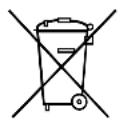
If you wish to finally dispose of the product, ask your local recycling centre or specialist dealer for details about how to do this in accordance with the applicable disposal regulations.
11 Technical data
| FR34 AC/DC FR40 AC/DC FR60 AC/DC | |||
| Ref. no.: 9600005001 960 | 0005000 9600001 | 702 | |
| Connection voltage: 12/24 | V=100 - 240 V~, 50/60 Hz | ||
| Power consumption: | 4 A (12 V=)2 A (24 V=)1.0 - 0.4 A (100 - 240 V~) | 6 A (12 V=)3 A (24 V=) | |
| Cooling capacity: +10 °C to -10 °C(+50 °F to +14 °F) | |||
| Category: | Category 1(Refrigerator with one or more fresh-food storage compartments) | ||
| Gross capacity: | 32.5 l | 40 l | 60 l |
| Usable capacity: | 31.0 l | 38 l | 58 l |
| Energy efficiency class: A+ | |||
| Energy consumption: | 83 kWh/annum | 102 kWh/annum | 98 kWh/annum |
| Climate class: | N | ||
| Ambient temperature: | +16 °C to +32 °C | ||
| Noise emission: | 49 dB(A) | ||
| Refrigerant quantity: | 40 g | 42 g | 58 g |
| CO2 equivalent: | 0.057 t | 0.060 t | 0.083 t |
| Global warming potential(GWP): | 1430 | ||
| Dimensions (L x W x H): 584 x 365 x 407 mm | 584 x 365 x 446 mm | 680 x 440 x 470 mm | |
| Weight: 11.4 kg 11.5 kg 18.4 kg | |||
| Test/certificates: | CE TÜFTENBEHLER ZEITUNITS ETCNORTIC | GS GINAVERI KONZERN | E9 |
| E4 | E9 | ||

NOTE
If the ambient temperature is above +32^ (+90^) , the minimum temperature cannot be attained.
The refrigerant circuit contains R134a.
Contains fluorinated greenhouse gases
Hermetically sealed equipment
6.7 Indstilling of temperature
PASS PÀ! Fare for overoppheting!
Ovladaci panel (obr. 2, strane 3)