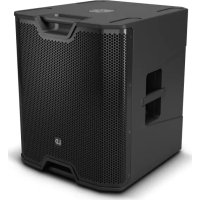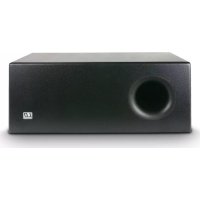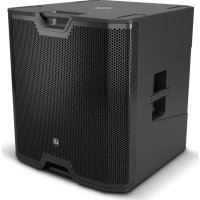
ICOA SUB 18 A - Subwoofer LD Systems - Free user manual and instructions
Find the device manual for free ICOA SUB 18 A LD Systems in PDF.



| Product Type | Active Subwoofer |
| Brand | LD Systems |
| Model | ICOA SUB 18 A |
| Speaker | 18" (457 mm), ferrite magnet, 4" (100 mm) voice coil |
| Amplifier | Class D |
| RMS / Peak Power | 600 W RMS / 2400 W Peak |
| Frequency Response | 29 Hz (depending on preset) - depends on preset |
| Max SPL (Peak) | 133 dB |
| Inputs | 2 × combo XLR/6.3 mm jack (balanced) |
| Outputs | 2 × XLR male (THRU) |
| Digital Processing (DSP) | 4 presets (80 Hz, 100 Hz, 120 Hz, Cardioid), adjustable delay (0-10 m), switchable polarity |
| Power Supply | SMPS, 100-240 V~, 50/60 Hz |
| Power Consumption | 675 W |
| Fuse | T8AL 250 V |
| Enclosure Material | 18 mm multiplex |
| Loading Type | Bass-reflex |
| Dimensions (W × H × D) | 626 × 672 × 637 mm |
| Weight | 44.3 kg |
| Included Accessories | Power cable |
| Additional Features | 4 rubber handles, robust front grille, stackable, M20 thread for pole, optional caster mounting |
| Integrated Protections | Clipper, RMS limiter, excursion limiter, thermal protection, overvoltage, overcurrent |
| Maintenance and Cleaning | Use a dry cloth; do not open the device |
Frequently Asked Questions - ICOA SUB 18 A LD Systems
User questions about ICOA SUB 18 A LD Systems
0 question about this device. Answer the ones you know or ask your own.
Ask a new question about this device
Download the instructions for your Subwoofer in PDF format for free! Find your manual ICOA SUB 18 A - LD Systems and take your electronic device back in hand. On this page are published all the documents necessary for the use of your device. ICOA SUB 18 A by LD Systems.
USER MANUAL ICOA SUB 18 A LD Systems
SAFETY INFORMATION 3
PROPERTIES
CONNECTIONS, CONTROL, AND DISPLAY ELEMENTS 5
CASTOR ASSEMBLY 6
OPERATION
CARDIOID SET-UP 9
CABLING/WIRING EXAMPLES 10
OPTIONAL ACCESSORIES 11
TECHNICAL SPECIFICATIONS 11
MANUFACTURER'S DECLARATIONS 12
DEUTSCH
ACCESSORIES OPTIONNELS
We have designed this product to operate reliably over many years. LD Systems stands for this with its name and many years of experience as a manufacturer of high-quality audio products. Please read this User's Manual carefully, so that you can begin making optimum use of your LD Systems product quickly.
You can find more information about LD-SYSTEMS at our Internet site WWW.LD-SYSTEMS.COM
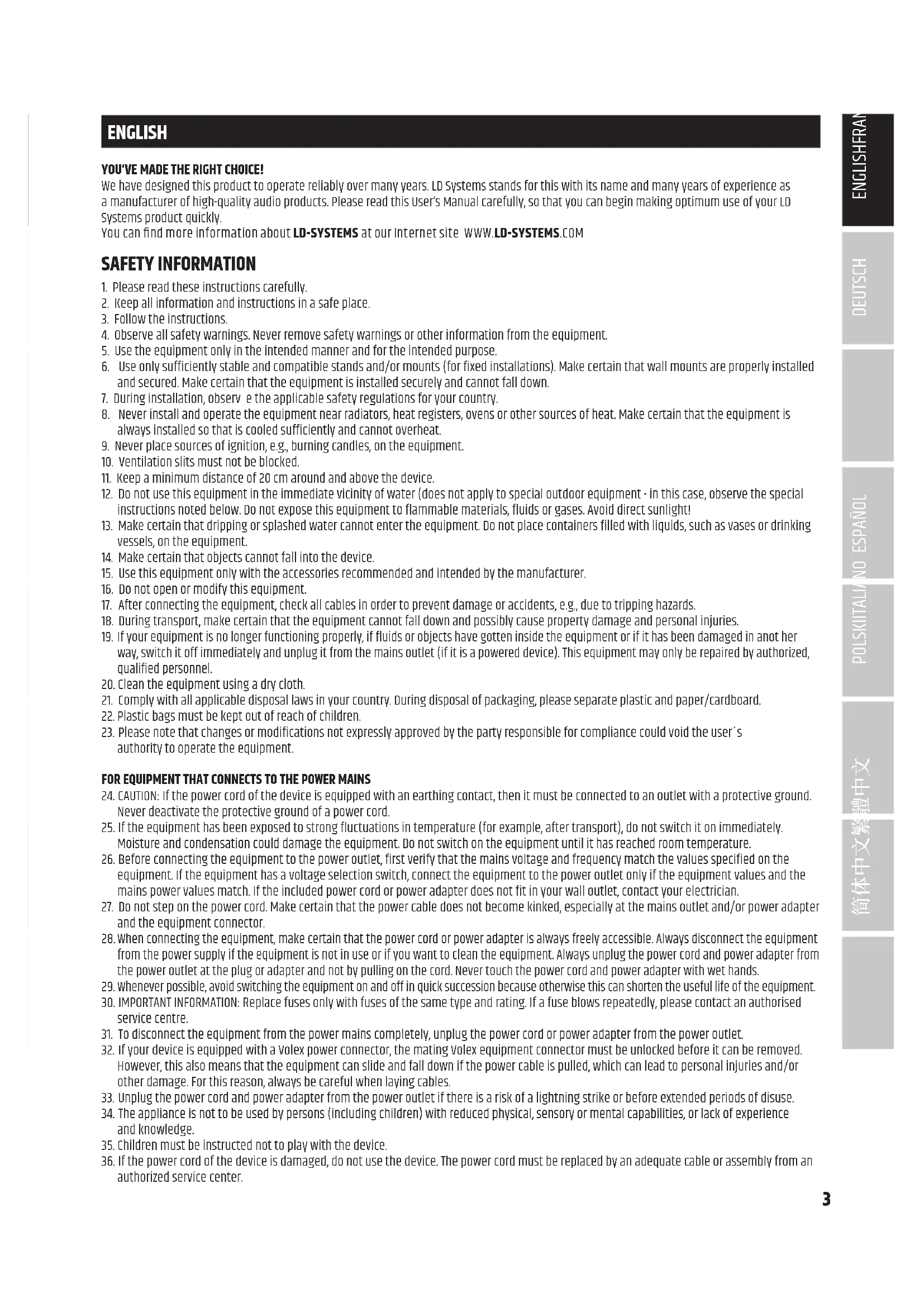
SAFETY INFORMATION
- Please read these instructions carefully.
- Keep all information and instructions in a safe place.
- Follow the instructions.
- Observe all safety warnings. Never remove safety warnings or other information from the equipment.
- Use the equipment only in the intended manner and for the intended purpose.
- Use only sufficiently stable and compatible stands and/or mounts (for fixed installations). Make certain that wall mounts are properly installed and secured. Make certain that the equipment is installed securely and cannot fall down.
- During installation, observe the applicable safety regulations for your country.
- Never install and operate the equipment near radiators, heat registers, ovens or other sources of heat. Make certain that the equipment is always installed so that is cooled sufficiently and cannot overheat.
- Never place sources of ignition, e.g., burning candles, on the equipment.
- Ventilation slits must not be blocked.
- Keep a minimum distance of 20cm around and above the device.
- Do not use this equipment in the immediate vicinity of water (does not apply to special outdoor equipment - in this case, observe the special instructions noted below. Do not expose this equipment to flammable materials, fluids or gases. Avoid direct sunlight!
- Make certain that dripping or splashed water cannot enter the equipment. Do not place containers filled with liquids, such as vases or drinking vessels, on the equipment.
- Make certain that objects cannot fall into the device.
- Use this equipment only with the accessories recommended and intended by the manufacturer.
- Do not open or modify this equipment.
- After connecting the equipment, check all cables in order to prevent damage or accidents, e.g., due to tripping hazards.
- During transport, make certain that the equipment cannot fall down and possibly cause property damage and personal injuries.
- If your equipment is no longer functioning properly, if fluids or objects have gotten inside the equipment or if it has been damaged in anot her way, switch it off immediately and unplug it from the mains outlet (if it is a powered device). This equipment may only be repaired by authorized, qualified personnel.
- Clean the equipment using a dry cloth.
- Comply with all applicable disposal laws in your country. During disposal of packaging, please separate plastic and paper/cardboard.
- Plastic bags must be kept out of reach of children.
- Please note that changes or modifications not expressly approved by the party responsible for compliance could void the user's authority to operate the equipment.
FOR EQUIPMENT THAT Connects TO THE POWER MAINS
- CAUTION: If the power cord of the device is equipped with an earthing contact, then it must be connected to an outlet with a protective ground. Never deactivate the protective ground of a power cord.
- If the equipment has been exposed to strong fluctuations in temperature (for example, after transport), do not switch it on immediately. Moisture and condensation could damage the equipment. Do not switch on the equipment until it has reached room temperature.
- Before connecting the equipment to the power outlet, first verify that the mains voltage and frequency match the values specified on the equipment. If the equipment has a voltage selection switch, connect the equipment to the power outlet only if the equipment values and the mains power values match. If the included power cord or power adapter does not fit in your wall outlet, contact your electrician.
- Do not step on the power cord. Make certain that the power cable does not become kinked, especially at the mains outlet and/or power adapter and the equipment connector.
- When connecting the equipment, make certain that the power cord or power adapter is always freely accessible. Always disconnect the equipment from the power supply if the equipment is not in use or if you want to clean the equipment. Always unplug the power cord and power adapter from the power outlet at the plug or adapter and not by pulling on the cord. Never touch the power cord and power adapter with wet hands.
- Whenever possible, avoid switching the equipment on and off in quick succession because otherwise this can shorten the useful life of the equipment.
- 101T t i t service centre.
- To disconnect the equipment from the power mains completely, unplug the power cord or power adapter from the power outlet.
- If your device is equipped with a Volex power connector, the mating Volex equipment connector must be unlocked before it can be removed. However, this also means that the equipment can slide and fall down if the power cable is pulled, which can lead to personal injuries and/or other damage. For this reason, always be careful when laying cables.
- Unplug the power cord and power adapter from the power outlet if there is a risk of a lightning strike or before extended periods of disuse.
- The appliance is not to be used by persons (including children) with reduced physical, sensory or mental capabilities, or lack of experience and knowledge.
- Children must be instructed not to play with the device.
- If the power cord of the device is damaged, do not use the device. The power cord must be replaced by an adequate cable or assembly from an authorized service center.

CAUTION: To reduce the risk of electric shock, do not remove cover (or back). There are no user serviceable parts inside. Maintenance and repairs should be exclusively carried out by qualified service personnel.

The warning triangle with lightning symbol indicates dangerous uninsulated voltage inside the unit, which may cause an electrical shock.

The warning triangle with exclamation mark indicates important operating and maintenance instructions.

Warning! This device is designed for use below 2000 metres in altitude.

Warning! This product is not intended for use in tropical climates.
CAUTION! HIGH VOLUMES IN AUDIO PRODUCTS!
This device is meant for professional use. Therefore, commercial use of this equipment is subject to the respectively applicable national accident prevention rules and regulations. As a manufacturer, Adam Hall is obligated to notify you formally about the existence of potential health risks. Hearing damage due to high volume and prolonged exposure: When in use, this product is capable of producing high sound-pressure levels (SPL) that can lead to irreversible hearing damage in performers, employees, and audience members. For this reason, avoid prolonged exposure to volumes in excess of 90 dB.
NOTE: This equipment has been tested and found to comply with the limits for a Class B digital device, pursuant to Part 15 of the FCC Rules. These limits are designed to provide reasonable protection against harmful interference in a residential installation. This equipment generates uses and can radiate radio frequency energy and, if not installed and used in accordance with the instructions, may cause harmful interference to radio communications. However, there is no guarantee that interference will not occur in a particular installation. If this equipment does cause harmful interference to radio or television reception, which can be determined by turning the equipment off and on, the user is encouraged to try to correct the interference by one or more of the following measures:
- Reorient or relocate the receiving antenna.
- Increase the separation between the equipment and receiver.
- Connect the equipment into an outlet on a circuit different from that to which the receiver is connected.
- Consult the dealer or an experienced radio/TV technician for help.
PROPERTIES
LDICOASUB15A
- 15 inch subwoofer for powerful low-end up to 36Hz
- 131 dB max. SPL and 1600 Watt peak power through highly efficient digital Class D power amplifier
- Optimized bass reflex ports
DynX DSP with four application presets (three crossover frequencies, cardioid mode) - Switchable signal polarity and adjustable delay line for up to 10 meters
- 2 x XLR/TRS "combok Jack" inputs and 2 x LR Output
- 18 mm rugged plywood housing and heavy-duty grill
- 4 Aluminum handles with ergonomic rubber surface
- Securely stackable with four stacking-grooves
M20 thread for distance pole
LDICOASUB18A
- 18 inch subwoofer for powerful low-end up to 29Hz
- 133 dB max. SPL and 2400 Watt peak power through highly efficient digital Class D power amplifier
- Optimized bass reflex ports
DynX DSP with four application presets (three crossover frequencies, cardioid mode) - Switchable signal polarity and adjustable delay line for up to 10 meters
- 2 x XLR/TRS "combok Jack" inputs and 2 XLR Output
- 18 mm rugged plywood housing and heavy-duty grill
- 4 Aluminum handles with ergonomic rubber surface
- Securely stackable with four stacking-grooves
M20 thread for distance pole
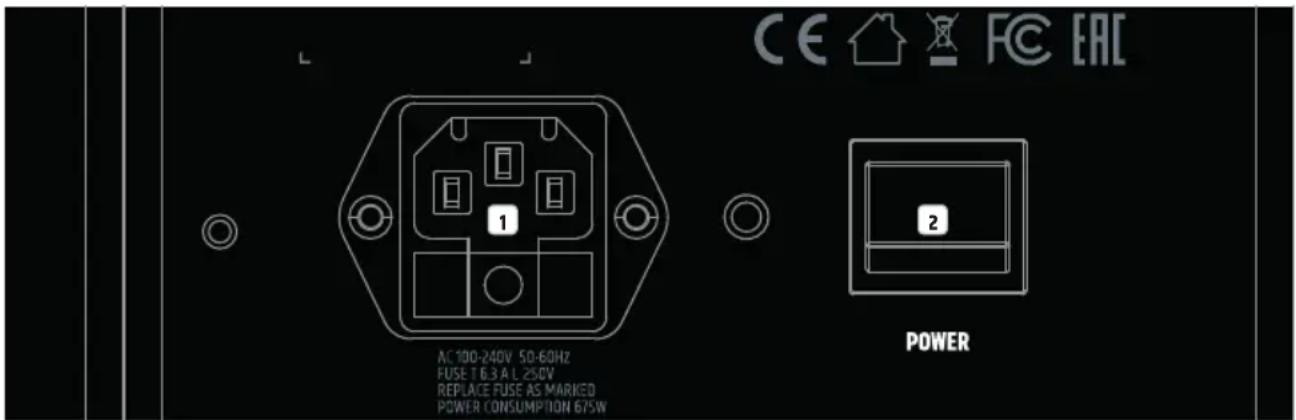
CONNECTIONS, CONTROL, AND DISPLAY ELEMENTS
1 POWER SOCKET AND FUSE HOLDER
IEC power socket with integrated fuse holder. A suitable power cable is included in delivery.
IMPORTANT NOTE: Only replace the fuse with a fuse of the same type and values. Please note the inscription on the housing. If a fuse trips repeatedly, please contact an authorized service center.
2 POWER
On/off switch. The speaker should always be the last device to be switched on in the signal chain, and the first to be switched off.
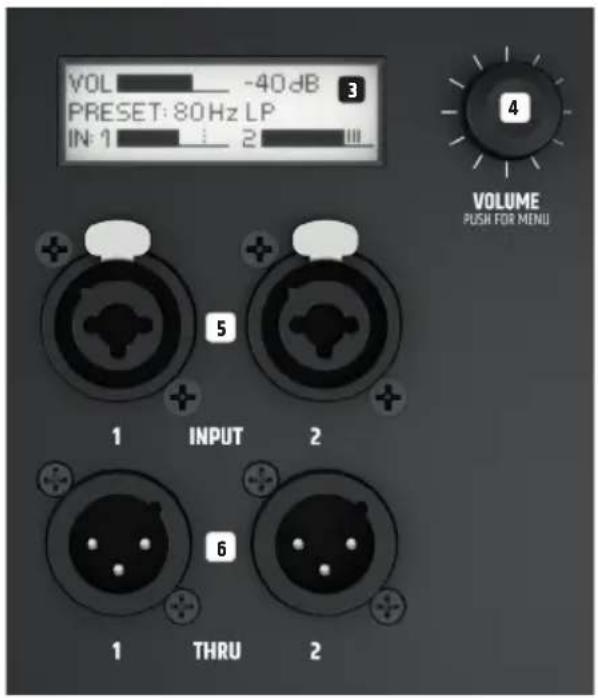
3 LC DISPLAY
Multifunctional graphic LC display for displaying the master volume, the DSP preset and the input level for channels 1 and 2 in the main menu. The menu items, submenu items, and corresponding editing options are displayed in the Editing menu.
4 VOLUME/PUSH FOR MENU
From the main menu, the master volume can be adjusted by turning the rotary-push encoder. Press the rotary-push encoder to access the Editing menu. Use the rotary-push encoder to navigate the Editing menu, adjust system settings, and change values in the respective menu items.
5 INPUT1-2
Balanced channel 1 and 2 line inputs with XLR/jack combo sockets A connected stereo signal is summed to mono internally.
6 THRU 1-2
Balanced line outputs with male 3-pin XLR sockets for forwarding the line input signal.
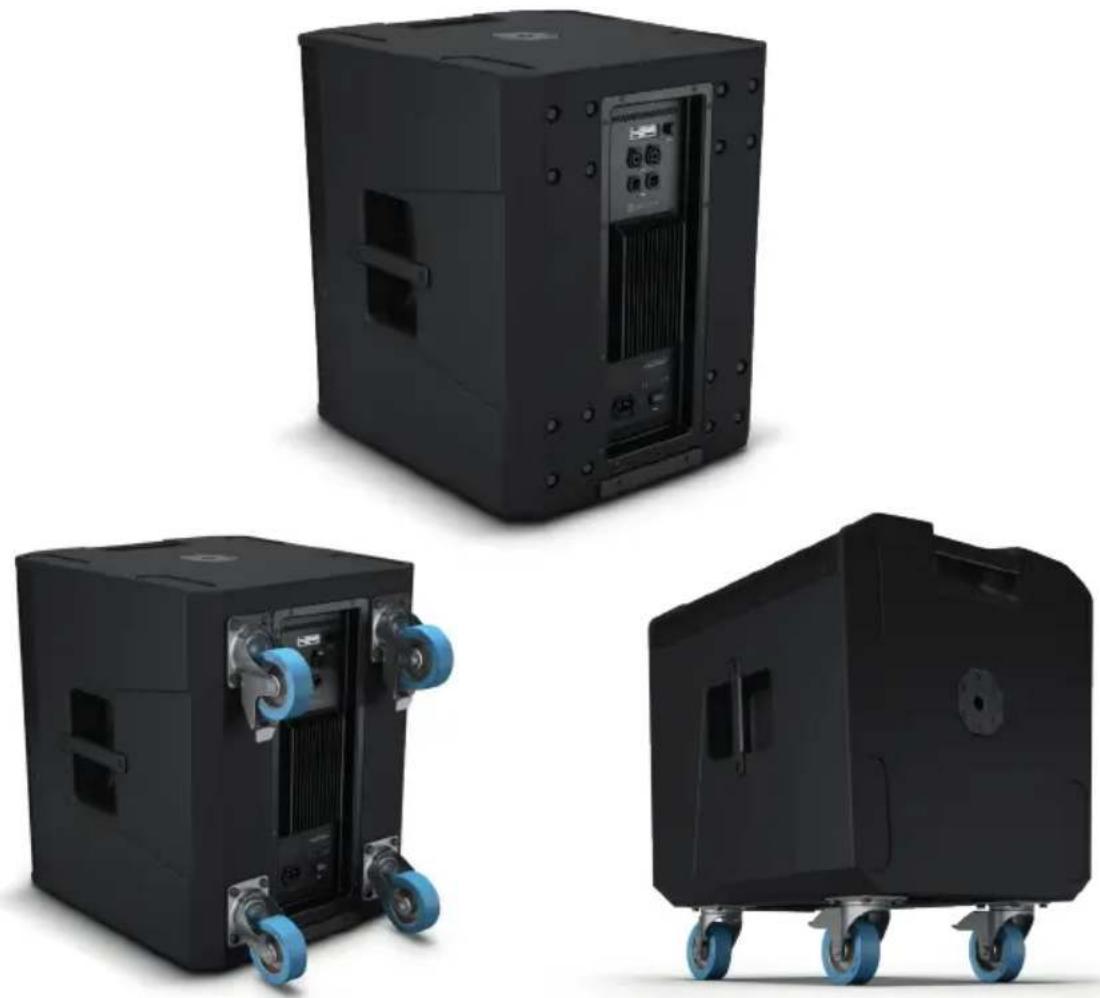
CASTOR ASSEMBLY
The back of the subwoofer is set up to attach four optionally available transport castors, each equipped with four ex works fastening screws and recessed. The hole spacing is standardized. A large selection of castors can be found at adamhall.com
OPERATION
NOTE:
The LD Systems logo briefly appears on the display as soon as the speaker is correctly connected to the power supply and switched on. All settings (e.g., Preset and Delay) resume the way they were as before the speaker was switched off. The speaker will be ready for use after completion of this process, which usually takes one second.
MAIN MENU DISPLAY
The main display is activated during normal operation. It shows the master volume setting, the activated speaker preset, and the input levels of channels 1 and 2 with peak display (see figure). Reduce the source device's output level (e.g., mixer) if the peak display shows that the input signal is too high.

VOLUME
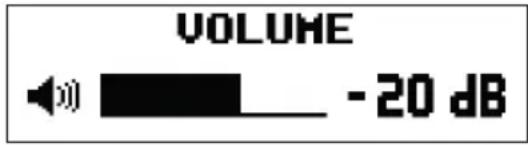
From the main menu, the volume can be directly adjusted by turning the rotary-push encoder VOLUME / PUSH FOR MENU from -60 to +10 dB. When the encoder is rotated, the display automatically changes to the corresponding symbol (see figure below). The main menu will automatically reappear after approx. 20 seconds of inactivity. Pressing the encoder immediately changes the display to the main menu.
AUDIO SETTINGS (AUDIO)
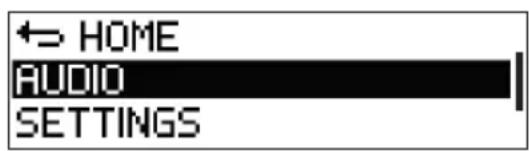
Press the rotary-push encoder to access the main menu and then turn the encoder to select the menu item AUDIO (dark background). Press the encoder again to access the submenu and then turn the encoder to select the desired submenu item. Confirm the selection by pressing the encoder.
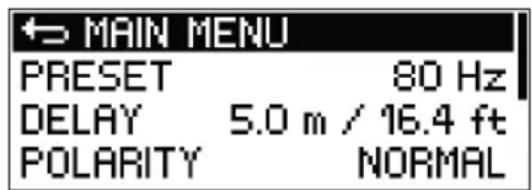
Refer to the table below for the menu items and the relevant setting options.
| SETTINGS (Change value or status = turn encoder, confirm value or status change = press encoder) | |||
| 主MAIN MENU Return to main menu | |||
| PRESET Selection of | the speaker preset 80 Hz Low-Pass Filter | at 80 Hz | |
| 100 Hz Low- Pass Filter at 100 Hz. Ideal setting in combination with ICOA loudspeakers in SATELLITE mode. | |||
| 120 Hz Low- Pass Filter at 120 Hz | |||
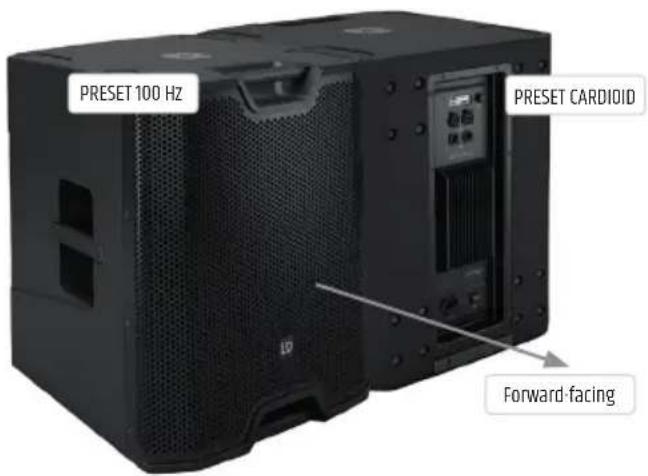
| CARDIOID Preset for configuring two ICOA subwoofer of the same model as a cardioid system. Rotate the subwoofer with the cardioid preset 180° and put it next to the main subwoofer. Then select the speaker preset 100 Hz in the main subwoofer. The delay time, polarity, and volume for the two subwoofer must all have the same setting. | |||
| DELAY | Time delay of the audio signal in 0.32 ft steps up to 32 ft (0 ft = OFF, display in meters and feet) | ||
| POLARITY Sets the polarity | polarity NORMAL Normal polarity | ||
| INVERTED Inverted polarity | |||
In the sub menu, select MAIN MENU and press the encoder to return to the main menu. In the main menu, select HOME and then press the encoder to confirm this selection and return to the main menu. The main menu will automatically be displayed after approx. 20 seconds of inactivity.
SYSTEM SETTINGS (SETTINGS)
Press the rotary-push encoder to access the main menu and then turn the encoder to select the menu item SETTINGS (dark background). Press the encoder again to access the submenu and then turn the encoder to select the desired submenu item. Confirm the selection by pressing the encoder.
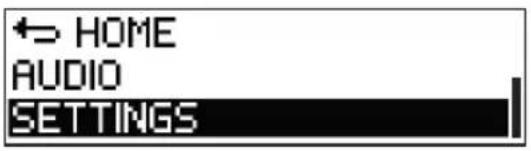
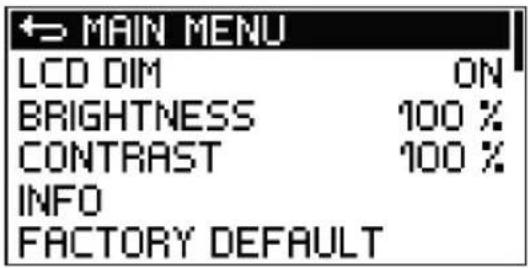
Refer to the table below for the menu items and the relevant setting options:
| SETTINGS (Change value or status = turn encoder, confirm value or status change or request information = press encoder) | ||||
| →MAIN MENU Return to main menu | ||||
| LCD DIM Automatic display dimming ON Display is dimmed after approx. 20 seconds of inactivity | ||||
| OFF Automatic display dimming switched off | ||||
| BRIGHTNESS Setting the display brightness (0-100%) | ||||
| CONTRAST Setting the display contrast (0-100%) | ||||
| INFO Display of model number and software version | ||||
| FACTORY DEFAULT Reset to factory default (AUDIO + SETTINGS) | CANCEL Cancel reset | |||
| RESET → | SURE? YES Execute | reset | ||
| CANCEL Cancel reset | ||||
In the sub menu, select MAIN MENU and press the encoder to return to the main menu. In the main menu, select HOME and then press the encoder to confirm this selection and return to the main menu. The main menu will automatically be displayed after approx. 20 seconds of inactivity.
CARDIOID SET-UP
The loudspeaker CARDIOID preset is complex DSP programming that enables a kidney-shaped radiation pattern (cardioid sound radiation) to be achieved by a combination of two LD ICOA subwoofoers of the same model.
In comparison to conventional subwoofer setups, it provides the following advantages:
- Reverse attenuation up to 20 dB
- More precise bass reproduction in the listening area
- Prevention of unwanted reflections from rear walls
- Reduction of diffuse sound in rooms
- Elimination of annoying bass frequencies on stage
- Differentiated sound pattern for stage sound reinforcement (monitoring)
- Reduction of feedback occurring with stage microphones
As ilated, p t h f i 100 Hz preset for the front-facing main subwoofer and ensure that the delay time, polarity, and volume settings for both subwooers are the same.
WHAT DOES LD SYSTEMS DYNX DSP MEAN?
DSP is an acronym that stands for digital signal processing. DynX® includes the Limiter, EQ, Compressor, and Low-Pass Filter. Digital signal processing ensures optimal audio bass reproduction with maximum clarity while protecting the subwoofer from overloading.
WHAT EXACTLY DOES DYNX® DSP DO?
The Limiter function protects the speaker and prevents overload-induced distortion. The subwoofer allows the system to be operated at an overall higher sound pressure since extreme signal peaks are automatically limited so that the master volume does not have to be reduced. The multi-band EQ handles the entire bass range and optimizes the subwoofer's overall sound.
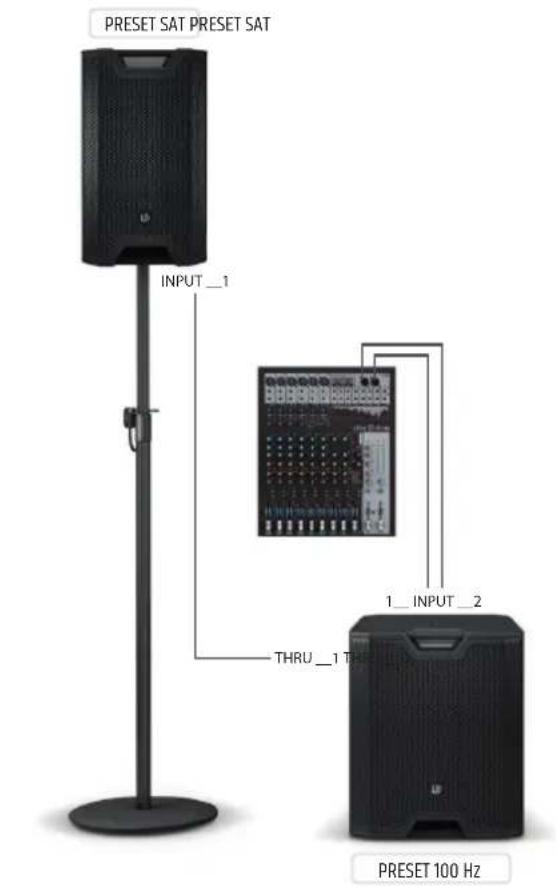
CABLING/WIRING EXAMPLES
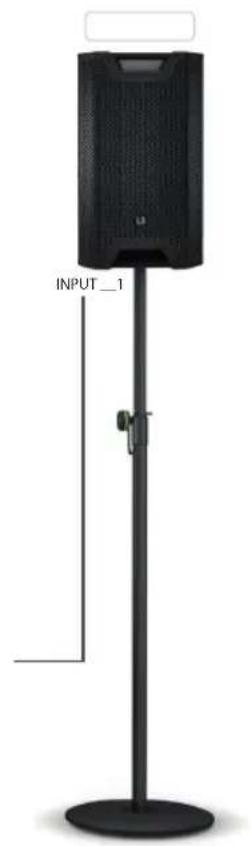
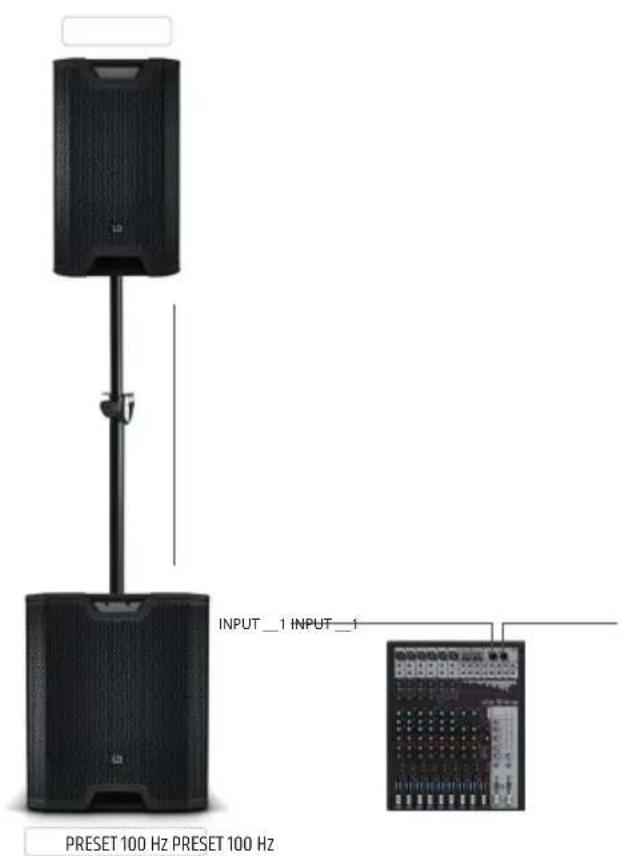
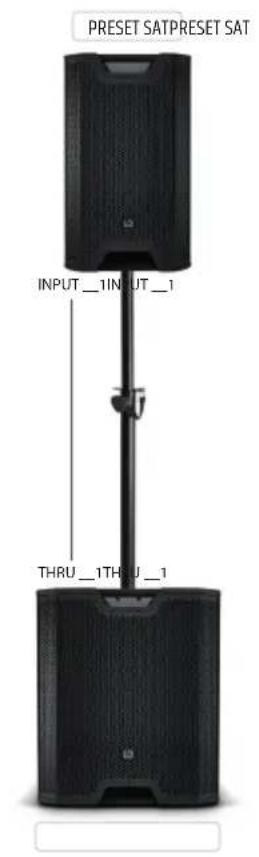
OPTIONAL ACCESSORIES
LDICOASUB15PC - protective cover for ICOA SUB 15 A
LDICOASUB18PC - protective cover for ICOA SUB 18 A
TECHNICAL SPECIFICATIONS
| Article number: LDICOASUB15A LDICOASUB18A | ||
| Product type: PA subwoofer | ||
| Type: Active | ||
| Large woofer: 15" 18" | ||
| Large woofer: 381 mm 457.2 mm | ||
| Woofer magnet: Ferrite | ||
| Woofer brand: Custom-made | ||
| Woofer voice coil: 3" 4" | ||
| Woofer voice coil: 76.5 mm | 100 mm | |
| Amplifier: | Class D | |
| Power (RMS): | 400 W | 600 W |
| Power (Peak): | 1600 W | 2400 W |
| Frequency response: | 36 Hz - preset dependent | 29 Hz - preset dependent |
| Max. SPL (Peak): | 131 dB | 133 dB |
| Protection circuits: | Peak Limiter, RMS Limiter, Excursion Limiter, Overheating, Overvoltage, Overcurrent | |
| Input impedance: | 18 kohm | |
| Input sensitivity: | 0.3 V | |
| Control elements: | On/Off switch, rotary-push encoder | |
| Display elements: | Backlit LC display | |
| Line inputs: | 2 | |
| Line input connections: | XLR/6.3mm jack combi sockets (balanced) | |
| Line outputs: | 2 | |
| Line output connections: | XLR | |
| AD/DA converter sampling frequency: 48 kHz | ||
| AD/DA converter resolution: | 24 bit | |
| Power supply: | SMPS | |
| Operating voltage: | 100 V-240 V AC 50-60 Hz | |
| Fuse: | T6.3AL 250 V | T8AL 250 V |
| Power consumption: | 675 W | |
| Ambient temperature (in operation): | 0 - 40°C | |
| Relative humidity: | <60% (non-condensing) | |
| Housing material: | 0.71 inch multiplex | |
| Housing design: | Bass reflex | |
| Installation flange for pole extension: | M20 internal thread | |
| Dimensions (W × H × D): 510 x 598 x 552 mm | 626 x 672 x 637 mm | |
Weight: 32.5 kg 44.3 kg
Accessories included: Power cable
Additional features:
4 handles - robust front grille - stackable - DSP with 4 presets, Delay function, and adjustable polarity
MANUFACTURER'S DECLARATIONS
MANUFACTURER'S WARRANTY & LIMITATIONS OF LIABILITY
You can find our current warranty conditions and limitations of liability at: https://cdn-shop.adamhall.com/media/pdf/MANUFACTURERS-DECLARATIONS_LD_SYSTEMS.pdf To request warranty service for a product, please contact Adam Hall GmbH, Adam-Hall-Str. 1, 61267 Neu Anspach / Email: Info@adamhall.com / +49 (0)6081 / 9419-0.

CORRECT DISPOSAL OF THIS PRODUCT
This symbol on the product, or on its documents indicates that the device may not be treated as household waste. This is to avoid environmental damage or personal injury due to uncontrolled waste disposal. Please dispose of this product separately from other waste and have it recycled to promote sustainable economic activity. Household users should contact either the retailer where they purchased this product, or their local government office, for details on where and how they can recycle this item in an environmentally friendly manner. Business users should contact their supplier and check the terms and conditions of the purchase contract. This product should not be mixed with other commercial waste for disposal.
CE COMPLIANCE
Adam Hall GmbH states that this product meets the following guidelines (where applicable):
R&TTE (1999/5/EC) or RED (2014/53/EU) from June 2017
Low voltage directive (2014/35/EU)
EMV directive (2014/30/EU)
RoHS (2011/65/EU)
The complete declaration of conformity can be found at www.adamhall.com.
Furthermore, you may also direct your enquiry to info@adamhall.com.
EU DECLARATION OF CONFORMITY
Hereby, Adam Hall GmbH declares that this radio equipment type is in compliance with Directive 2014/53/EU.
The full text of the EU declaration of conformity is available at the following
internet address: www.adamhall.com/compliance/
DEUTSCH
APPAREILS RELIÉS AU SECTEUR
QUE FAIT EXACTEMENT LE DYNXDSP?
ACCESSORIES OPTIONNELS
(valid in the European Union and other European countries with waste separation)