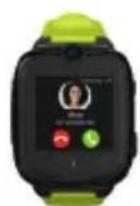
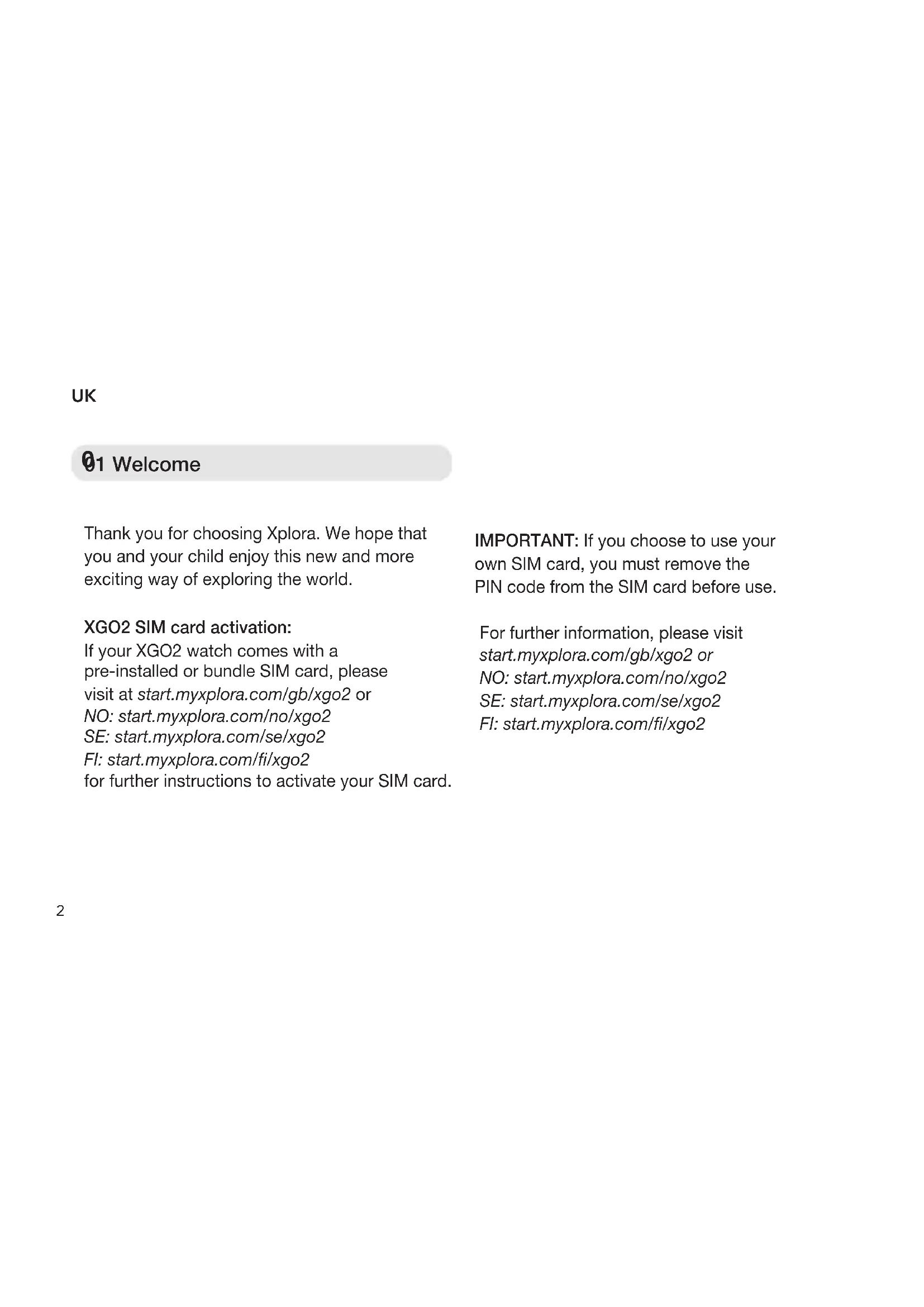
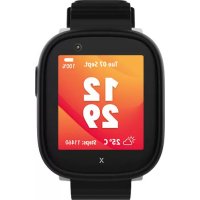
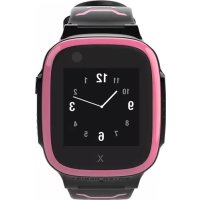
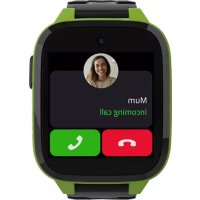
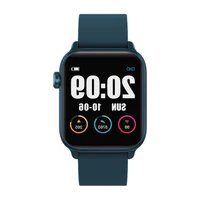
Xplora XGO2 - Smartwatch

XGO2 - Smartwatch Xplora - Free user manual and instructions

Find the device manual for free XGO2 Xplora in PDF.

📄 84 pages English EN 💬 AI Question
Notice Xplora XGO2 - page 3

Download the instructions for your Smartwatch in PDF format for free! Find your manual XGO2 - Xplora and take your electronic device back in hand. On this page are published all the documents necessary for the use of your device. XGO2 by Xplora.

USER MANUAL XGO2 Xplora

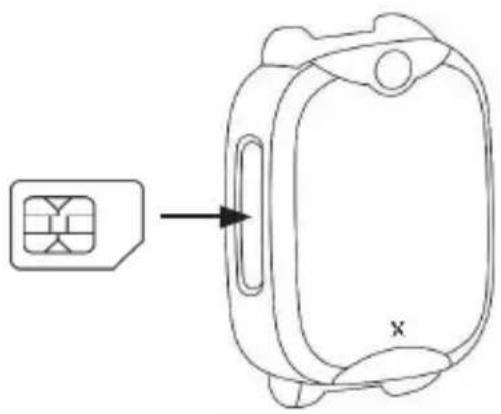
01 Welcome 05 Power Charge 02 Box contents 06 Download XPLORA app 07 Declaration of Conformity 03 SIM Card specification 04 Watch Button Thank you for choosing XPLORA. We hope that you and your child enjoy this new and more exciting way of exploring the world. SIM CARD ACTIVATION: If your XPLORA comes with a pre-installed or bundle SIM card, please visit at https://activate.myxplora.com or NO: https://xplora.no/aktiverSE: https://xplora.se/aktiveraFI: https://xplora.fi/aktivoifor further instruction to activate your SIM card. IMPORTANT: If you choose to use your own SIM card, you must remove PIN code from SIM card before use.For further information, please visit https://start.myxplora.com orNO: https://xplora.noSE: https://xplora.seFI: https://xplora.fi(1) Use only XPLORA authorized magnetic charging cable. (2) Connect the magnetic charger as shown below. (3) Charge for the watch more than 15 minutes from complete power off before use. Please use an output voltage of 5V and current above 500mA.Check the box contents:XPLORA 4 accepts only nano size SIM card. (1) With your nano SIM card’s gold contacts facing up, place card into SIM holder tray. (2) Make sure the tray is facing up so that your card doesn’t fall out. (3) Steadily slide the tray all the way into the slot. NOTE: Please use XPLORA authorized accessories. CAUTION: Risk of explosion if battery is re- placed by an incorrect type. Do not remove or attempt to remove the non-user-replaceable battery. If you have a problem with the battery, please contact the customer support.XPLORA app is available in Apple and Google app store. Search the app by “XPLORA”. NOTE: Please ensure that you download the correct app for your XPLORA watch. XPLORA Technologies AS hereby declares that this XPLORA smartwatch phone for kids (Model name: XPLORA 4) is in compliance with the essential requirements and other relevant provisions of Directive 2014/53/EU. XPLORA 4 complies with the RF (Radio Frequencies) standards by CE which is measured 10mm away from the body. A copy of the original declaration of conformity can be found in https://start.myxplora.com. Alternatively you may contact XPLORA customer support via support@myxplora.com orNO: kundeservice@xplora.noSE: kundservice@xplora.se FI: asiakaspalvelu@xplora.fiActivation procedure: (1) Ensure the SIM is active with sufficient voice and data allowance. (2) If necessary, charge the watch. (3) Open XPLORA app and create your guardian account if it is the first time. (4) From the app, scan QR code to be shown on the watch screen. (5) Provide your child’s profile information as well as the phone number of the watch. (6) Once it’s successfully connected, the watch may take a few minutes to fully synchronize with the app.NOTE: The service performance may vary by the mobile network coverage. Feel free to contact us via support@myxplora.com or NO: kundeservice@xplora.noSE: kundservice@xplora.se FI: asiakaspalvelu@xplora.fifor further assistance.Install SIM Card: XPLORA 4 Quick Charging Watch User Guide Cable Mini Micro Nano

Frequency PowerGSM 2/3/5/8 32dBmWCDMA 1/2/4/5/8 22dBm LTE-FDD 1/2/3/4/5/7/8/20 23dBm LTE-TDD 38/40 22dBm Bluetooth 4dBmBluetooth LE 0dBm2.4 b/g/n 17dBm EUT operating temperature range -10°C to 45°C Highest SAR value 2.0W/kg ICNIRP XGO2 SIM card activation:If your XGO2 watch comes with a pre-installed or bundle SIM card, please visit at start.myxplora.com/gb/xgo2 orNO: start.myxplora.com/no/xgo2SE: start.myxplora.com/se/xgo2FI: start.myxplora.com//xgo2for further instructions to activate your SIM card.For further information, please visitstart.myxplora.com/gb/xgo2 orNO: start.myxplora.com/no/xgo2SE: start.myxplora.com/se/xgo2FI: start.myxplora.com//xgo2Thank you for choosing Xplora. We hope thatyou and your child enjoy this new and more exciting way of exploring the world.IMPORTANT: If you choose to use your own SIM card, you must remove the PIN code from the SIM card before use.3 01 Welcome 01 Welcome 01 Welcome 01 Welcome 01 Welcome 01 Welcome 01 Welcome

01 Welcome 05 Power Charge 02 Box contents 06 Download XPLORA app 07 Declaration of Conformity 03 SIM Card specification 04 Watch Button Thank you for choosing XPLORA. We hope that you and your child enjoy this new and more exciting way of exploring the world. SIM CARD ACTIVATION: If your XPLORA comes with a pre-installed or bundle SIM card, please visit at https://activate.myxplora.com or NO: https://xplora.no/aktiverSE: https://xplora.se/aktiveraFI: https://xplora.fi/aktivoifor further instruction to activate your SIM card. IMPORTANT: If you choose to use your own SIM card, you must remove PIN code from SIM card before use.For further information, please visit https://start.myxplora.com orNO: https://xplora.noSE: https://xplora.seFI: https://xplora.fi(1) Use only XPLORA authorized magnetic charging cable. (2) Connect the magnetic charger as shown below. (3) Charge for the watch more than 15 minutes from complete power off before use. Please use an output voltage of 5V and current above 500mA.Check the box contents:XPLORA 4 accepts only nano size SIM card. (1) With your nano SIM card’s gold contacts facing up, place card into SIM holder tray. (2) Make sure the tray is facing up so that your card doesn’t fall out. (3) Steadily slide the tray all the way into the slot. NOTE: Please use XPLORA authorized accessories. CAUTION: Risk of explosion if battery is re- placed by an incorrect type. Do not remove or attempt to remove the non-user-replaceable battery. If you have a problem with the battery, please contact the customer support.XPLORA app is available in Apple and Google app store. Search the app by “XPLORA”. NOTE: Please ensure that you download the correct app for your XPLORA watch. XPLORA Technologies AS hereby declares that this XPLORA smartwatch phone for kids (Model name: XPLORA 4) is in compliance with the essential requirements and other relevant provisions of Directive 2014/53/EU. XPLORA 4 complies with the RF (Radio Frequencies) standards by CE which is measured 10mm away from the body. A copy of the original declaration of conformity can be found in https://start.myxplora.com. Alternatively you may contact XPLORA customer support via support@myxplora.com orNO: kundeservice@xplora.noSE: kundservice@xplora.se FI: asiakaspalvelu@xplora.fiActivation procedure: (1) Ensure the SIM is active with sufficient voice and data allowance. (2) If necessary, charge the watch. (3) Open XPLORA app and create your guardian account if it is the first time. (4) From the app, scan QR code to be shown on the watch screen. (5) Provide your child’s profile information as well as the phone number of the watch. (6) Once it’s successfully connected, the watch may take a few minutes to fully synchronize with the app.NOTE: The service performance may vary by the mobile network coverage. Feel free to contact us via support@myxplora.com or NO: kundeservice@xplora.noSE: kundservice@xplora.se FI: asiakaspalvelu@xplora.fifor further assistance.Install SIM Card: XPLORA 4 Quick Charging Watch User Guide Cable Mini Micro Nano

Frequency PowerGSM 2/3/5/8 32dBmWCDMA 1/2/4/5/8 22dBm LTE-FDD 1/2/3/4/5/7/8/20 23dBm LTE-TDD 38/40 22dBm Bluetooth 4dBmBluetooth LE 0dBm2.4 b/g/n 17dBm EUT operating temperature range -10°C to 45°C Highest SAR value 2.0W/kg ICNIRP NOTE: Please use Xplora authorised accessories.CAUTION: Do not remove or attempt to remove the sealed battery, there is a risk of explosion if the battery is tampered with. If you have a problem with the battery, please contact our Customer Support Service via support@myxplora.com. 01 Welcome 01 Welcome 01 Welcome 01 Welcome 01 Welcome 01 Welcome 01 Welcome

01 Welcome 05 Power Charge 02 Box contents 06 Download XPLORA app 07 Declaration of Conformity 03 SIM Card specification 04 Watch Button Thank you for choosing XPLORA. We hope that you and your child enjoy this new and more exciting way of exploring the world. SIM CARD ACTIVATION: If your XPLORA comes with a pre-installed or bundle SIM card, please visit at https://activate.myxplora.com or NO: https://xplora.no/aktiverSE: https://xplora.se/aktiveraFI: https://xplora.fi/aktivoifor further instruction to activate your SIM card. IMPORTANT: If you choose to use your own SIM card, you must remove PIN code from SIM card before use.For further information, please visit https://start.myxplora.com orNO: https://xplora.noSE: https://xplora.seFI: https://xplora.fi(1) Use only XPLORA authorized magnetic charging cable. (2) Connect the magnetic charger as shown below. (3) Charge for the watch more than 15 minutes from complete power off before use. Please use an output voltage of 5V and current above 500mA.Check the box contents:XPLORA 4 accepts only nano size SIM card. (1) With your nano SIM card’s gold contacts facing up, place card into SIM holder tray. (2) Make sure the tray is facing up so that your card doesn’t fall out. (3) Steadily slide the tray all the way into the slot. NOTE: Please use XPLORA authorized accessories. CAUTION: Risk of explosion if battery is re- placed by an incorrect type. Do not remove or attempt to remove the non-user-replaceable battery. If you have a problem with the battery, please contact the customer support.XPLORA app is available in Apple and Google app store. Search the app by “XPLORA”. NOTE: Please ensure that you download the correct app for your XPLORA watch. XPLORA Technologies AS hereby declares that this XPLORA smartwatch phone for kids (Model name: XPLORA 4) is in compliance with the essential requirements and other relevant provisions of Directive 2014/53/EU. XPLORA 4 complies with the RF (Radio Frequencies) standards by CE which is measured 10mm away from the body. A copy of the original declaration of conformity can be found in https://start.myxplora.com. Alternatively you may contact XPLORA customer support via support@myxplora.com orNO: kundeservice@xplora.noSE: kundservice@xplora.se FI: asiakaspalvelu@xplora.fiActivation procedure: (1) Ensure the SIM is active with sufficient voice and data allowance. (2) If necessary, charge the watch. (3) Open XPLORA app and create your guardian account if it is the first time. (4) From the app, scan QR code to be shown on the watch screen. (5) Provide your child’s profile information as well as the phone number of the watch. (6) Once it’s successfully connected, the watch may take a few minutes to fully synchronize with the app.NOTE: The service performance may vary by the mobile network coverage. Feel free to contact us via support@myxplora.com or NO: kundeservice@xplora.noSE: kundservice@xplora.se FI: asiakaspalvelu@xplora.fifor further assistance.Install SIM Card: XPLORA 4 Quick Charging Watch User Guide Cable Mini Micro Nano

01 Welcome 05 Power Charge 02 Box contents 06 Download XPLORA app 07 Declaration of Conformity 03 SIM Card specification 04 Watch Button Thank you for choosing XPLORA. We hope that you and your child enjoy this new and more exciting way of exploring the world. SIM CARD ACTIVATION: If your XPLORA comes with a pre-installed or bundle SIM card, please visit at https://activate.myxplora.com or NO: https://xplora.no/aktiverSE: https://xplora.se/aktiveraFI: https://xplora.fi/aktivoifor further instruction to activate your SIM card. IMPORTANT: If you choose to use your own SIM card, you must remove PIN code from SIM card before use.For further information, please visit https://start.myxplora.com orNO: https://xplora.noSE: https://xplora.seFI: https://xplora.fi(1) Use only XPLORA authorized magnetic charging cable. (2) Connect the magnetic charger as shown below. (3) Charge for the watch more than 15 minutes from complete power off before use. Please use an output voltage of 5V and current above 500mA.Check the box contents:XPLORA 4 accepts only nano size SIM card. (1) With your nano SIM card’s gold contacts facing up, place card into SIM holder tray. (2) Make sure the tray is facing up so that your card doesn’t fall out. (3) Steadily slide the tray all the way into the slot. NOTE: Please use XPLORA authorized accessories. CAUTION: Risk of explosion if battery is re- placed by an incorrect type. Do not remove or attempt to remove the non-user-replaceable battery. If you have a problem with the battery, please contact the customer support.XPLORA app is available in Apple and Google app store. Search the app by “XPLORA”. NOTE: Please ensure that you download the correct app for your XPLORA watch. XPLORA Technologies AS hereby declares that this XPLORA smartwatch phone for kids (Model name: XPLORA 4) is in compliance with the essential requirements and other relevant provisions of Directive 2014/53/EU. XPLORA 4 complies with the RF (Radio Frequencies) standards by CE which is measured 10mm away from the body. A copy of the original declaration of conformity can be found in https://start.myxplora.com. Alternatively you may contact XPLORA customer support via support@myxplora.com orNO: kundeservice@xplora.noSE: kundservice@xplora.se FI: asiakaspalvelu@xplora.fiActivation procedure: (1) Ensure the SIM is active with sufficient voice and data allowance. (2) If necessary, charge the watch. (3) Open XPLORA app and create your guardian account if it is the first time. (4) From the app, scan QR code to be shown on the watch screen. (5) Provide your child’s profile information as well as the phone number of the watch. (6) Once it’s successfully connected, the watch may take a few minutes to fully synchronize with the app.NOTE: The service performance may vary by the mobile network coverage. Feel free to contact us via support@myxplora.com or NO: kundeservice@xplora.noSE: kundservice@xplora.se FI: asiakaspalvelu@xplora.fifor further assistance.Install SIM Card: XPLORA 4 Quick Charging Watch User Guide Cable Mini Micro Nano SIM SIM SIM SIM slotNano SIMPlace SIM upwardPower / Home ButtonReturn / SOS Button(1) Press and hold for 10 sec to turn it on or off. (2) Short press to return the home menu.(1) Press and hold for 5 sec to initiate SOS. (2) Short press to return the previous menu.Power /HomeSOS /ReturnChargingPortConnectthe chargerXPLORA 4 + GO XPLORA 4 Smartwatch Phone for Kids

01 Welcome 05 Power Charge 02 Box contents 06 Download XPLORA app 07 Declaration of Conformity 03 SIM Card specification 04 Watch Button Thank you for choosing XPLORA. We hope that you and your child enjoy this new and more exciting way of exploring the world. SIM CARD ACTIVATION: If your XPLORA comes with a pre-installed or bundle SIM card, please visit at https://activate.myxplora.com or NO: https://xplora.no/aktiverSE: https://xplora.se/aktiveraFI: https://xplora.fi/aktivoifor further instruction to activate your SIM card. IMPORTANT: If you choose to use your own SIM card, you must remove PIN code from SIM card before use.For further information, please visit https://start.myxplora.com orNO: https://xplora.noSE: https://xplora.seFI: https://xplora.fi(1) Use only XPLORA authorized magnetic charging cable. (2) Connect the magnetic charger as shown below. (3) Charge for the watch more than 15 minutes from complete power off before use. Please use an output voltage of 5V and current above 500mA.Check the box contents:XPLORA 4 accepts only nano size SIM card. (1) With your nano SIM card’s gold contacts facing up, place card into SIM holder tray. (2) Make sure the tray is facing up so that your card doesn’t fall out. (3) Steadily slide the tray all the way into the slot. NOTE: Please use XPLORA authorized accessories. CAUTION: Risk of explosion if battery is re- placed by an incorrect type. Do not remove or attempt to remove the non-user-replaceable battery. If you have a problem with the battery, please contact the customer support.XPLORA app is available in Apple and Google app store. Search the app by “XPLORA”. NOTE: Please ensure that you download the correct app for your XPLORA watch. XPLORA Technologies AS hereby declares that this XPLORA smartwatch phone for kids (Model name: XPLORA 4) is in compliance with the essential requirements and other relevant provisions of Directive 2014/53/EU. XPLORA 4 complies with the RF (Radio Frequencies) standards by CE which is measured 10mm away from the body. A copy of the original declaration of conformity can be found in https://start.myxplora.com. Alternatively you may contact XPLORA customer support via support@myxplora.com orNO: kundeservice@xplora.noSE: kundservice@xplora.se FI: asiakaspalvelu@xplora.fiActivation procedure: (1) Ensure the SIM is active with sufficient voice and data allowance. (2) If necessary, charge the watch. (3) Open XPLORA app and create your guardian account if it is the first time. (4) From the app, scan QR code to be shown on the watch screen. (5) Provide your child’s profile information as well as the phone number of the watch. (6) Once it’s successfully connected, the watch may take a few minutes to fully synchronize with the app.NOTE: The service performance may vary by the mobile network coverage. Feel free to contact us via support@myxplora.com or NO: kundeservice@xplora.noSE: kundservice@xplora.se FI: asiakaspalvelu@xplora.fifor further assistance.Install SIM Card: XPLORA 4 Quick Charging Watch User Guide Cable Mini Micro Nano

Reset ButtonTorchPower/SOS/Home Screen ButtonResetUK (1) Use only Xplora authorised magnetic charging cable. (2) Connect the magnetic charger as shown. (3) Charge for the watch more than 15 minutes from empty before use. Please use an output voltage of 5V and a current of above 500mA. Charging Port The Xplora App is available in the Apple and Google App stores. Search ”Xplora” tondtheApp. NOTE: Please ensure that you download the correct App for your Xplora watch. 06 Download Xplora App05 Charging the Watch
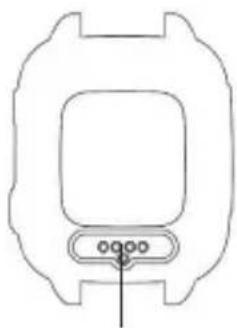
01 Welcome 05 Power Charge02 Box contents06 Download XPLORA app07 Declaration of Conformity 03 SIM Card specification 04 Watch ButtonThank you for choosing XPLORA. We hope that you and your child enjoy this new and more exciting way of exploring the world. SIM CARD ACTIVATION: If your XPLORA comes with a pre-installed or bundle SIM card, please visit at https://activate.myxplora.com or NO: https://xplora.no/aktiverSE: https://xplora.se/aktiveraFI: https://xplora.fi/aktivoifor further instruction to activate your SIM card. IMPORTANT: If you choose to use your own SIM card, you must remove PIN code from SIM card before use.For further information, please visit https://start.myxplora.com orNO: https://xplora.noSE: https://xplora.seFI: https://xplora.fi(1) Use only XPLORA authorized magnetic charging cable. (2) Connect the magnetic charger as shown below. (3) Charge for the watch more than 15 minutes from complete power off before use. Please use an output voltage of 5V and current above 500mA.Check the box contents:XPLORA 4 accepts only nano size SIM card. (1) With your nano SIM card’s gold contacts facing up, place card into SIM holder tray. (2) Make sure the tray is facing up so that your card doesn’t fall out. (3) Steadily slide the tray all the way into the slot. NOTE: Please use XPLORA authorized accessories. CAUTION: Risk of explosion if battery is re- placed by an incorrect type. Do not remove or attempt to remove the non-user-replaceable battery. If you have a problem with the battery, please contact the customer support.XPLORA app is available in Apple and Google app store. Search the app by “XPLORA”. NOTE: Please ensure that you download the correct app for your XPLORA watch. XPLORA Technologies AS hereby declares that this XPLORA smartwatch phone for kids (Model name: XPLORA 4) is in compliance with the essential requirements and other relevant provisions of Directive 2014/53/EU. XPLORA 4 complies with the RF (Radio Frequencies) standards by CE which is measured 10mm away from the body. A copy of the original declaration of conformity can be found in https://start.myxplora.com. Alternatively you may contact XPLORA customer support via support@myxplora.com orNO: kundeservice@xplora.noSE: kundservice@xplora.se FI: asiakaspalvelu@xplora.fiActivation procedure: (1) Ensure the SIM is active with sufficient voice and data allowance. (2) If necessary, charge the watch. (3) Open XPLORA app and create your guardian account if it is the first time. (4) From the app, scan QR code to be shown on the watch screen. (5) Provide your child’s profile information as well as the phone number of the watch. (6) Once it’s successfully connected, the watch may take a few minutes to fully synchronize with the app.NOTE: The service performance may vary by the mobile network coverage. Feel free to contact us via support@myxplora.com or NO: kundeservice@xplora.noSE: kundservice@xplora.se FI: asiakaspalvelu@xplora.fifor further assistance.Install SIM Card: XPLORA 4 Quick Charging Watch User Guide Cable Mini Micro Nano

01 Welcome 05 Power Charge02 Box contents06 Download XPLORA app07 Declaration of Conformity 03 SIM Card specification 04 Watch ButtonThank you for choosing XPLORA. We hope that you and your child enjoy this new and more exciting way of exploring the world. SIM CARD ACTIVATION: If your XPLORA comes with a pre-installed or bundle SIM card, please visit at https://activate.myxplora.com or NO: https://xplora.no/aktiverSE: https://xplora.se/aktiveraFI: https://xplora.fi/aktivoifor further instruction to activate your SIM card. IMPORTANT: If you choose to use your own SIM card, you must remove PIN code from SIM card before use.For further information, please visit https://start.myxplora.com orNO: https://xplora.noSE: https://xplora.seFI: https://xplora.fi(1) Use only XPLORA authorized magnetic charging cable. (2) Connect the magnetic charger as shown below. (3) Charge for the watch more than 15 minutes from complete power off before use. Please use an output voltage of 5V and current above 500mA.Check the box contents:XPLORA 4 accepts only nano size SIM card. (1) With your nano SIM card’s gold contacts facing up, place card into SIM holder tray. (2) Make sure the tray is facing up so that your card doesn’t fall out. (3) Steadily slide the tray all the way into the slot. NOTE: Please use XPLORA authorized accessories. CAUTION: Risk of explosion if battery is re- placed by an incorrect type. Do not remove or attempt to remove the non-user-replaceable battery. If you have a problem with the battery, please contact the customer support.XPLORA app is available in Apple and Google app store. Search the app by “XPLORA”. NOTE: Please ensure that you download the correct app for your XPLORA watch. XPLORA Technologies AS hereby declares that this XPLORA smartwatch phone for kids (Model name: XPLORA 4) is in compliance with the essential requirements and other relevant provisions of Directive 2014/53/EU. XPLORA 4 complies with the RF (Radio Frequencies) standards by CE which is measured 10mm away from the body. A copy of the original declaration of conformity can be found in https://start.myxplora.com. Alternatively you may contact XPLORA customer support via support@myxplora.com orNO: kundeservice@xplora.noSE: kundservice@xplora.se FI: asiakaspalvelu@xplora.fiActivation procedure: (1) Ensure the SIM is active with sufficient voice and data allowance. (2) If necessary, charge the watch. (3) Open XPLORA app and create your guardian account if it is the first time. (4) From the app, scan QR code to be shown on the watch screen. (5) Provide your child’s profile information as well as the phone number of the watch. (6) Once it’s successfully connected, the watch may take a few minutes to fully synchronize with the app.NOTE: The service performance may vary by the mobile network coverage. Feel free to contact us via support@myxplora.com or NO: kundeservice@xplora.noSE: kundservice@xplora.se FI: asiakaspalvelu@xplora.fifor further assistance.Install SIM Card: XPLORA 4 Quick Charging Watch User Guide Cable Mini Micro Nano

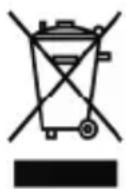
Activation procedure for XGO2 (1) EnsuretheSIMhassucientvoiceand data allowance. (2) If necessary, charge the watch. (3) Open Xplora App and create your guardian accountifusingforthersttime. (4) From the watch, click “QR code” menu in Setting menu. (5) From the App, scan the QR code shown on the watch screen. (6)Provideyourchild’sproleinformation as well as the phone number of the watch. (7) Follow the instructions to complete the activation on the App. NOTE: The service performance may vary depending on the mobile network coverage. Feel free to contact us via support@myxplora.com for further assistance.UK 07 Correct disposal of this product This marking on the product, accessories or literature indicates that the product and its electronic accessories (e.g. charger, headset, USB cable) should not be disposed of with other household waste. To prevent possible harm to the environment or human health from uncontrolled waste disposal, please separate these items from other types of waste and recycle them responsibly to promote the sustainable reuse of material resources. Household users should contact either the retailer where they purchased this product, or their local governmentoce,fordetailsofwhereandhow they can take these items for environmentally safe recycling. Business users should contact their supplier and check the terms and conditions of the purchase contract. This product and its electronic accessories should not be mixed with other commercial wastes for disposal. This product is RoHS compliant. (Waste Electrical & Electronic Equipment) 808 Declaration of Conformity
Xplora Technologies AS hereby declares that this Xplora smartwatch phone for kids (Model name: XGO2) is in compliancewith the essential requirements and other relevant provisions of Directive 2014/53/EU. XGO2 complies with the RF (Radio Fréquences) standards by CE, when used next to mouth at distance of 10mm and properly worn on the body. The highest SAR value reported for this device type when tested next to the mouth is 0.72W/kg (legal limit: 4W/kg (10g))and when properly worn on the body is 2/kg (legal limit: 4W/kg(10g)). A copy of the original declaration of conformity can be found in start.myxplora.com. Alternatively you may contact Xplora customer support via support@myxplora.com. Frequency Power GSM 2/3/5/8 32dBm WCDMA 1/8 22dBm LTE-FDD 1/3/7/8/20 22dBm Bluetooth 4dBm Bluetooth LE 0dBm

EUT operating temperature range -10°C to 45°C Highest SAR value 2.0W/kg ICNIRP 01 Welcome 01 Welcome 01 Welcome01 Welcome01 Welcome01 Welcome01 WelcomeUK 01 Welcome 05 Power Charge 02 Box contents06 Download XPLORA app07 Declaration of Conformity 03 SIM Card specification 04 Watch ButtonThank you for choosing XPLORA. We hope that you and your child enjoy this new and more exciting way of exploring the world. SIM CARD ACTIVATION: If your XPLORA comes with a pre-installed or bundle SIM card, please visit at https://activate.myxplora.com or NO: https://xplora.no/aktiverSE: https://xplora.se/aktiveraFI: https://xplora.fi/aktivoifor further instruction to activate your SIM card. IMPORTANT: If you choose to use your own SIM card, you must remove PIN code from SIM card before use.For further information, please visit https://start.myxplora.com orNO: https://xplora.noSE: https://xplora.seFI: https://xplora.fi (1) Use only XPLORA authorized magnetic charging cable. (2) Connect the magnetic charger as shown below. (3) Charge for the watch more than 15 minutes from complete power off before use. Please use an output voltage of 5V and current above 500mA.Check the box contents:XPLORA 4 accepts only nano size SIM card. (1) With your nano SIM card’s gold contacts facing up, place card into SIM holder tray. (2) Make sure the tray is facing up so that your card doesn’t fall out. (3) Steadily slide the tray all the way into the slot. NOTE: Please use XPLORA authorized accessories. CAUTION: Risk of explosion if battery is re- placed by an incorrect type. Do not remove or attempt to remove the non-user-replaceable battery. If you have a problem with the battery, please contact the customer support.XPLORA app is available in Apple and Google app store. Search the app by “XPLORA”. NOTE: Please ensure that you download the correct app for your XPLORA watch. XPLORA Technologies AS hereby declares that this XPLORA smartwatch phone for kids (Model name: XPLORA 4) is in compliance with the essential requirements and other relevant provisions of Directive 2014/53/EU. XPLORA 4 complies with the RF (Radio Frequencies) standards by CE which is measured 10mm away from the body. A copy of the original declaration of conformity can be found in https://start.myxplora.com. Alternatively you may contact XPLORA customer support via support@myxplora.com orNO: kundeservice@xplora.noSE: kundservice@xplora.se FI: asiakaspalvelu@xplora.fiActivation procedure: (1) Ensure the SIM is active with sufficient voice and data allowance. (2) If necessary, charge the watch. (3) Open XPLORA app and create your guardian account if it is the first time. (4) From the app, scan QR code to be shown on the watch screen. (5) Provide your child’s profile information as well as the phone number of the watch. (6) Once it’s successfully connected, the watch may take a few minutes to fully synchronize with the app.NOTE: The service performance may vary by the mobile network coverage. Feel free to contact us via support@myxplora.com or NO: kundeservice@xplora.noSE: kundservice@xplora.se FI: asiakaspalvelu@xplora.fifor further assistance.Install SIM Card: XPLORA 4 Quick Charging Watch User Guide Cable Mini Micro Nano

SIM slotNano SIMPlace SIM upwardPower / Home ButtonReturn / SOS Button(1) Press and hold for 10 sec to turn it on or off. (2) Short press to return the home menu.(1) Press and hold for 5 sec to initiate SOS. (2) Short press to return the previous menu.Power /HomeSOS /ReturnChargingPortConnectthe charger XPLORA 4 + GO XPLORA 4 Smartwatch Phone for Kids – QUICK USER GUIDE –Frequency PowerGSM 2/3/5/8 32dBmWCDMA 1/2/4/5/8 22dBm LTE-FDD 1/2/3/4/5/7/8/20 23dBm LTE-TDD 38/40 22dBm Bluetooth 4dBmBluetooth LE 0dBm2.4 b/g/n 17dBm EUT operating temperature range -10°C to 45°C Highest SAR value 2.0W/kg ICNIRP Xplora 01 Welcome 01 Welcome 01 Welcome01 Welcome01 Welcome01 Welcome01 WelcomeUK 01 Welcome 05 Power Charge 02 Box contents06 Download XPLORA app07 Declaration of Conformity 03 SIM Card specification 04 Watch ButtonThank you for choosing XPLORA. We hope that you and your child enjoy this new and more exciting way of exploring the world. SIM CARD ACTIVATION: If your XPLORA comes with a pre-installed or bundle SIM card, please visit at https://activate.myxplora.com or NO: https://xplora.no/aktiverSE: https://xplora.se/aktiveraFI: https://xplora.fi/aktivoifor further instruction to activate your SIM card. IMPORTANT: If you choose to use your own SIM card, you must remove PIN code from SIM card before use.For further information, please visit https://start.myxplora.com orNO: https://xplora.noSE: https://xplora.seFI: https://xplora.fi (1) Use only XPLORA authorized magnetic charging cable. (2) Connect the magnetic charger as shown below. (3) Charge for the watch more than 15 minutes from complete power off before use. Please use an output voltage of 5V and current above 500mA.Check the box contents:XPLORA 4 accepts only nano size SIM card. (1) With your nano SIM card’s gold contacts facing up, place card into SIM holder tray. (2) Make sure the tray is facing up so that your card doesn’t fall out. (3) Steadily slide the tray all the way into the slot. NOTE: Please use XPLORA authorized accessories. CAUTION: Risk of explosion if battery is re- placed by an incorrect type. Do not remove or attempt to remove the non-user-replaceable battery. If you have a problem with the battery, please contact the customer support.XPLORA app is available in Apple and Google app store. Search the app by “XPLORA”. NOTE: Please ensure that you download the correct app for your XPLORA watch. XPLORA Technologies AS hereby declares that this XPLORA smartwatch phone for kids (Model name: XPLORA 4) is in compliance with the essential requirements and other relevant provisions of Directive 2014/53/EU. XPLORA 4 complies with the RF (Radio Frequencies) standards by CE which is measured 10mm away from the body. A copy of the original declaration of conformity can be found in https://start.myxplora.com. Alternatively you may contact XPLORA customer support via support@myxplora.com orNO: kundeservice@xplora.noSE: kundservice@xplora.se FI: asiakaspalvelu@xplora.fiActivation procedure: (1) Ensure the SIM is active with sufficient voice and data allowance. (2) If necessary, charge the watch. (3) Open XPLORA app and create your guardian account if it is the first time. (4) From the app, scan QR code to be shown on the watch screen. (5) Provide your child’s profile information as well as the phone number of the watch. (6) Once it’s successfully connected, the watch may take a few minutes to fully synchronize with the app.NOTE: The service performance may vary by the mobile network coverage. Feel free to contact us via support@myxplora.com or NO: kundeservice@xplora.noSE: kundservice@xplora.se FI: asiakaspalvelu@xplora.fifor further assistance.Install SIM Card: XPLORA 4 Quick Charging Watch User Guide Cable Mini Micro Nano

SIM slotNano SIMPlace SIM upwardPower / Home ButtonReturn / SOS Button(1) Press and hold for 10 sec to turn it on or off. (2) Short press to return the home menu.(1) Press and hold for 5 sec to initiate SOS. (2) Short press to return the previous menu.Power /HomeSOS /ReturnChargingPortConnectthe charger XPLORA 4 + GO XPLORA 4 Smartwatch Phone for Kids– QUICK USER GUIDE –Frequency PowerGSM 2/3/5/8 32dBmWCDMA 1/2/4/5/8 22dBm LTE-FDD 1/2/3/4/5/7/8/20 23dBm LTE-TDD 38/40 22dBm Bluetooth 4dBmBluetooth LE 0dBm2.4 b/g/n 17dBm EUT operating temperature range -10°C to 45°C Highest SAR value 2.0W/kg ICNIRP Xplora 01 Welcome 01 Welcome 01 Welcome01 Welcome01 Welcome01 Welcome01 WelcomeUK01 Welcome 05 Power Charge02 Box contents06 Download XPLORA app07 Declaration of Conformity 03 SIM Card specification 04 Watch ButtonThank you for choosing XPLORA. We hope that you and your child enjoy this new and more exciting way of exploring the world. SIM CARD ACTIVATION: If your XPLORA comes with a pre-installed or bundle SIM card, please visit at https://activate.myxplora.com or NO: https://xplora.no/aktiverSE: https://xplora.se/aktiveraFI: https://xplora.fi/aktivoifor further instruction to activate your SIM card. IMPORTANT: If you choose to use your own SIM card, you must remove PIN code from SIM card before use.For further information, please visit https://start.myxplora.com orNO: https://xplora.noSE: https://xplora.seFI: https://xplora.fi(1) Use only XPLORA authorized magnetic charging cable. (2) Connect the magnetic charger as shown below. (3) Charge for the watch more than 15 minutes from complete power off before use. Please use an output voltage of 5V and current above 500mA.Check the box contents:XPLORA 4 accepts only nano size SIM card. (1) With your nano SIM card’s gold contacts facing up, place card into SIM holder tray. (2) Make sure the tray is facing up so that your card doesn’t fall out. (3) Steadily slide the tray all the way into the slot. NOTE: Please use XPLORA authorized accessories. CAUTION: Risk of explosion if battery is re- placed by an incorrect type. Do not remove or attempt to remove the non-user-replaceable battery. If you have a problem with the battery, please contact the customer support.XPLORA app is available in Apple and Google app store. Search the app by “XPLORA”. NOTE: Please ensure that you download the correct app for your XPLORA watch. XPLORA Technologies AS hereby declares that this XPLORA smartwatch phone for kids (Model name: XPLORA 4) is in compliance with the essential requirements and other relevant provisions of Directive 2014/53/EU. XPLORA 4 complies with the RF (Radio Frequencies) standards by CE which is measured 10mm away from the body. A copy of the original declaration of conformity can be found in https://start.myxplora.com. Alternatively you may contact XPLORA customer support via support@myxplora.com orNO: kundeservice@xplora.noSE: kundservice@xplora.se FI: asiakaspalvelu@xplora.fiActivation procedure: (1) Ensure the SIM is active with sufficient voice and data allowance. (2) If necessary, charge the watch. (3) Open XPLORA app and create your guardian account if it is the first time. (4) From the app, scan QR code to be shown on the watch screen. (5) Provide your child’s profile information as well as the phone number of the watch. (6) Once it’s successfully connected, the watch may take a few minutes to fully synchronize with the app.NOTE: The service performance may vary by the mobile network coverage. Feel free to contact us via support@myxplora.com or NO: kundeservice@xplora.noSE: kundservice@xplora.se FI: asiakaspalvelu@xplora.fifor further assistance.Install SIM Card: XPLORA 4 Quick Charging Watch User Guide Cable Mini Micro Nano

EUT operating temperature range -10°C to 45°C Highest SAR value 2.0W/kg ICNIRP

SIM slotNano SIMPlace SIM upwardPower / Home ButtonReturn / SOS Button(1) Press and hold for 10 sec to turn it on or off. (2) Short press to return the home menu.(1) Press and hold for 5 sec to initiate SOS. (2) Short press to return the previous menu.Power /HomeSOS /ReturnChargingPortConnectthe charger XPLORA 4 + GO XPLORA 4 Smartwatch Phone for Kids – QUICK USER GUIDE –Frequency PowerGSM 2/3/5/8 32dBmWCDMA 1/2/4/5/8 22dBm LTE-FDD 1/2/3/4/5/7/8/20 23dBm LTE-TDD 38/40 22dBm Bluetooth 4dBmBluetooth LE 0dBm2.4 b/g/n 17dBm EUT operating temperature range -10°C to 45°C Highest SAR value 2.0W/kg ICNIRP Xplora 01 Welcome 01 Welcome 01 Welcome01 Welcome01 Welcome01 Welcome01 WelcomeUK01 Welcome 05 Power Charge02 Box contents06 Download XPLORA app07 Declaration of Conformity 03 SIM Card specification 04 Watch ButtonThank you for choosing XPLORA. We hope that you and your child enjoy this new and more exciting way of exploring the world. SIM CARD ACTIVATION: If your XPLORA comes with a pre-installed or bundle SIM card, please visit at https://activate.myxplora.com or NO: https://xplora.no/aktiverSE: https://xplora.se/aktiveraFI: https://xplora.fi/aktivoifor further instruction to activate your SIM card. IMPORTANT: If you choose to use your own SIM card, you must remove PIN code from SIM card before use.For further information, please visit https://start.myxplora.com orNO: https://xplora.noSE: https://xplora.seFI: https://xplora.fi(1) Use only XPLORA authorized magnetic charging cable. (2) Connect the magnetic charger as shown below. (3) Charge for the watch more than 15 minutes from complete power off before use. Please use an output voltage of 5V and current above 500mA.Check the box contents:XPLORA 4 accepts only nano size SIM card. (1) With your nano SIM card’s gold contacts facing up, place card into SIM holder tray. (2) Make sure the tray is facing up so that your card doesn’t fall out. (3) Steadily slide the tray all the way into the slot. NOTE: Please use XPLORA authorized accessories. CAUTION: Risk of explosion if battery is re- placed by an incorrect type. Do not remove or attempt to remove the non-user-replaceable battery. If you have a problem with the battery, please contact the customer support.XPLORA app is available in Apple and Google app store. Search the app by “XPLORA”. NOTE: Please ensure that you download the correct app for your XPLORA watch. XPLORA Technologies AS hereby declares that this XPLORA smartwatch phone for kids (Model name: XPLORA 4) is in compliance with the essential requirements and other relevant provisions of Directive 2014/53/EU. XPLORA 4 complies with the RF (Radio Frequencies) standards by CE which is measured 10mm away from the body. A copy of the original declaration of conformity can be found in https://start.myxplora.com. Alternatively you may contact XPLORA customer support via support@myxplora.com orNO: kundeservice@xplora.noSE: kundservice@xplora.se FI: asiakaspalvelu@xplora.fiActivation procedure: (1) Ensure the SIM is active with sufficient voice and data allowance. (2) If necessary, charge the watch. (3) Open XPLORA app and create your guardian account if it is the first time. (4) From the app, scan QR code to be shown on the watch screen. (5) Provide your child’s profile information as well as the phone number of the watch. (6) Once it’s successfully connected, the watch may take a few minutes to fully synchronize with the app.NOTE: The service performance may vary by the mobile network coverage. Feel free to contact us via support@myxplora.com or NO: kundeservice@xplora.noSE: kundservice@xplora.se FI: asiakaspalvelu@xplora.fifor further assistance.Install SIM Card: XPLORA 4 Quick Charging Watch User Guide Cable Mini Micro Nano

01 Welcome 01 Welcome 01 Welcome01 Welcome01 Welcome01 Welcome01 WelcomeUK 01 Welcome 05 Power Charge 02 Box contents06 Download XPLORA app07 Declaration of Conformity 03 SIM Card specification 04 Watch ButtonThank you for choosing XPLORA. We hope that you and your child enjoy this new and more exciting way of exploring the world. SIM CARD ACTIVATION: If your XPLORA comes with a pre-installed or bundle SIM card, please visit at https://activate.myxplora.com or NO: https://xplora.no/aktiverSE: https://xplora.se/aktiveraFI: https://xplora.fi/aktivoifor further instruction to activate your SIM card. IMPORTANT: If you choose to use your own SIM card, you must remove PIN code from SIM card before use.For further information, please visit https://start.myxplora.com orNO: https://xplora.noSE: https://xplora.seFI: https://xplora.fi(1) Use only XPLORA authorized magnetic charging cable. (2) Connect the magnetic charger as shown below. (3) Charge for the watch more than 15 minutes from complete power off before use. Please use an output voltage of 5V and current above 500mA.Check the box contents:XPLORA 4 accepts only nano size SIM card. (1) With your nano SIM card’s gold contacts facing up, place card into SIM holder tray. (2) Make sure the tray is facing up so that your card doesn’t fall out. (3) Steadily slide the tray all the way into the slot. NOTE: Please use XPLORA authorized accessories. CAUTION: Risk of explosion if battery is re- placed by an incorrect type. Do not remove or attempt to remove the non-user-replaceable battery. If you have a problem with the battery, please contact the customer support.XPLORA app is available in Apple and Google app store. Search the app by “XPLORA”. NOTE: Please ensure that you download the correct app for your XPLORA watch. XPLORA Technologies AS hereby declares that this XPLORA smartwatch phone for kids (Model name: XPLORA 4) is in compliance with the essential requirements and other relevant provisions of Directive 2014/53/EU. XPLORA 4 complies with the RF (Radio Frequencies) standards by CE which is measured 10mm away from the body. A copy of the original declaration of conformity can be found in https://start.myxplora.com. Alternatively you may contact XPLORA customer support via support@myxplora.com orNO: kundeservice@xplora.noSE: kundservice@xplora.se FI: asiakaspalvelu@xplora.fiActivation procedure: (1) Ensure the SIM is active with sufficient voice and data allowance. (2) If necessary, charge the watch. (3) Open XPLORA app and create your guardian account if it is the first time. (4) From the app, scan QR code to be shown on the watch screen. (5) Provide your child’s profile information as well as the phone number of the watch. (6) Once it’s successfully connected, the watch may take a few minutes to fully synchronize with the app. NOTE: The service performance may vary by the mobile network coverage. Feel free to contact us via support@myxplora.com or NO: kundeservice@xplora.noSE: kundservice@xplora.se FI: asiakaspalvelu@xplora.fifor further assistance.Install SIM Card: XPLORA 4 Quick Charging Watch User Guide Cable Mini Micro Nano

SIM slotNano SIMPlace SIM upwardPower / Home ButtonReturn / SOS Button(1) Press and hold for 10 sec to turn it on or off. (2) Short press to return the home menu.(1) Press and hold for 5 sec to initiate SOS. (2) Short press to return the previous menu. Power /HomeSOS /ReturnChargingPortConnectthe charger XPLORA 4 + GO XPLORA 4 Smartwatch Phone for Kids – QUICK USER GUIDE –Frequency PowerGSM 2/3/5/8 32dBmWCDMA 1/2/4/5/8 22dBm LTE-FDD 1/2/3/4/5/7/8/20 23dBm LTE-TDD 38/40 22dBm Bluetooth 4dBmBluetooth LE 0dBm2.4 b/g/n 17dBm EUT operating temperature range -10°C to 45°C Highest SAR value 2.0W/kg ICNIRP Xplora 01 Welcome 01 Welcome 01 Welcome01 Welcome01 Welcome01 Welcome01 WelcomeUK 01 Welcome 05 Power Charge 02 Box contents06 Download XPLORA app07 Declaration of Conformity 03 SIM Card specification 04 Watch ButtonThank you for choosing XPLORA. We hope that you and your child enjoy this new and more exciting way of exploring the world. SIM CARD ACTIVATION: If your XPLORA comes with a pre-installed or bundle SIM card, please visit at https://activate.myxplora.com or NO: https://xplora.no/aktiverSE: https://xplora.se/aktiveraFI: https://xplora.fi/aktivoifor further instruction to activate your SIM card. IMPORTANT: If you choose to use your own SIM card, you must remove PIN code from SIM card before use.For further information, please visit https://start.myxplora.com orNO: https://xplora.noSE: https://xplora.seFI: https://xplora.fi(1) Use only XPLORA authorized magnetic charging cable. (2) Connect the magnetic charger as shown below. (3) Charge for the watch more than 15 minutes from complete power off before use. Please use an output voltage of 5V and current above 500mA.Check the box contents:XPLORA 4 accepts only nano size SIM card. (1) With your nano SIM card’s gold contacts facing up, place card into SIM holder tray. (2) Make sure the tray is facing up so that your card doesn’t fall out. (3) Steadily slide the tray all the way into the slot. NOTE: Please use XPLORA authorized accessories. CAUTION: Risk of explosion if battery is re- placed by an incorrect type. Do not remove or attempt to remove the non-user-replaceable battery. If you have a problem with the battery, please contact the customer support.XPLORA app is available in Apple and Google app store. Search the app by “XPLORA”. NOTE: Please ensure that you download the correct app for your XPLORA watch. XPLORA Technologies AS hereby declares that this XPLORA smartwatch phone for kids (Model name: XPLORA 4) is in compliance with the essential requirements and other relevant provisions of Directive 2014/53/EU. XPLORA 4 complies with the RF (Radio Frequencies) standards by CE which is measured 10mm away from the body. A copy of the original declaration of conformity can be found in https://start.myxplora.com. Alternatively you may contact XPLORA customer support via support@myxplora.com orNO: kundeservice@xplora.noSE: kundservice@xplora.se FI: asiakaspalvelu@xplora.fiActivation procedure: (1) Ensure the SIM is active with sufficient voice and data allowance. (2) If necessary, charge the watch. (3) Open XPLORA app and create your guardian account if it is the first time. (4) From the app, scan QR code to be shown on the watch screen. (5) Provide your child’s profile information as well as the phone number of the watch. (6) Once it’s successfully connected, the watch may take a few minutes to fully synchronize with the app. NOTE: The service performance may vary by the mobile network coverage. Feel free to contact us via support@myxplora.com or NO: kundeservice@xplora.noSE: kundservice@xplora.se FI: asiakaspalvelu@xplora.fifor further assistance.Install SIM Card: XPLORA 4 Quick Charging Watch User Guide Cable Mini Micro Nano

TRINN 3:Xplora’sAppnnesiApplesAppStoreogGoogle Play. Søk etter ”Xplora”. MERK: Vennligst forsikre deg om at du harlastet ned riktig App for din Xplora-klokke. 01 Welcome 01 Welcome 01 Welcome01 Welcome01 Welcome01 Welcome01 WelcomeUK 01 Welcome 05 Power Charge 02 Box contents 06 Download XPLORA app 07 Declaration of Conformity 03 SIM Card specification 04 Watch Button Thank you for choosing XPLORA. We hope that you and your child enjoy this new and more exciting way of exploring the world. SIM CARD ACTIVATION: If your XPLORA comes with a pre-installed or bundle SIM card, please visit at https://activate.myxplora.com or NO: https://xplora.no/aktiver SE: https://xplora.se/aktivera FI: https://xplora.fi/aktivoi for further instruction to activate your SIM card. IMPORTANT: If you choose to use your own SIM card, you must remove PIN code from SIM card before use. For further information, please visit https://start.myxplora.com or NO: https://xplora.no SE: https://xplora.se FI: https://xplora.fi (1) Use only XPLORA authorized magnetic charging cable. (2) Connect the magnetic charger as shown below. (3) Charge for the watch more than 15 minutes from complete power off before use. Please use an output voltage of 5V and current above 500mA. Check the box contents: XPLORA 4 accepts only nano size SIM card. (1) With your nano SIM card’s gold contacts facing up, place card into SIM holder tray. (2) Make sure the tray is facing up so that your card doesn’t fall out. (3) Steadily slide the tray all the way into the slot. NOTE: Please use XPLORA authorized accessories. CAUTION: Risk of explosion if battery is re- placed by an incorrect type. Do not remove or attempt to remove the non-user-replaceable battery. If you have a problem with the battery, please contact the customer support. XPLORA app is available in Apple and Google app store. Search the app by “XPLORA”. NOTE: Please ensure that you download the correct app for your XPLORA watch. XPLORA Technologies AS hereby declares that this XPLORA smartwatch phone for kids (Model name: XPLORA 4) is in compliance with the essential requirements and other relevant provisions of Directive 2014/53/EU. XPLORA 4 complies with the RF (Radio Frequencies) standards by CE which is measured 10mm away from the body. A copy of the original declaration of conformity can be found in https://start.myxplora.com. Alternatively you may contact XPLORA customer support via support@myxplora.com

NO: kundeservice@xplora.no SE: kundservice@xplora.se FI: asiakaspalvelu@xplora.fi Activation procedure: (1) Ensure the SIM is active with sufficient voice and data allowance. (2) If necessary, charge the watch. (3) Open XPLORA app and create your guardian account if it is the first time. (4) From the app, scan QR code to be shown on the watch screen. (5) Provide your child’s profile information as well as the phone number of the watch. (6) Once it’s successfully connected, the watch may take a few minutes to fully synchronize with the app. NOTE: The service performance may vary by the mobile network coverage. Feel free to contact us via support@myxplora.com or NO: kundeservice@xplora.no SE: kundservice@xplora.se FI: asiakaspalvelu@xplora.fi for further assistance. Install SIM Card: XPLORA 4 Quick Charging Watch User Guide Cable Mini Micro Nano

EUT operating temperature range -10°C to 45°C Highest SAR value 2.0W/kg ICNIRP Xplora 01 Welcome 01 Welcome 01 Welcome01 Welcome01 Welcome01 Welcome01 WelcomeUK 01 Welcome 05 Power Charge 02 Box contents 06 Download XPLORA app 07 Declaration of Conformity 03 SIM Card specification 04 Watch Button Thank you for choosing XPLORA. We hope that you and your child enjoy this new and more exciting way of exploring the world. SIM CARD ACTIVATION: If your XPLORA comes with a pre-installed or bundle SIM card, please visit at https://activate.myxplora.com or NO: https://xplora.no/aktiver SE: https://xplora.se/aktivera FI: https://xplora.fi/aktivoi for further instruction to activate your SIM card. IMPORTANT: If you choose to use your own SIM card, you must remove PIN code from SIM card before use. For further information, please visit https://start.myxplora.com or NO: https://xplora.no SE: https://xplora.se FI: https://xplora.fi (1) Use only XPLORA authorized magnetic charging cable. (2) Connect the magnetic charger as shown below. (3) Charge for the watch more than 15 minutes from complete power off before use. Please use an output voltage of 5V and current above 500mA. Check the box contents: XPLORA 4 accepts only nano size SIM card. (1) With your nano SIM card’s gold contacts facing up, place card into SIM holder tray. (2) Make sure the tray is facing up so that your card doesn’t fall out. (3) Steadily slide the tray all the way into the slot. NOTE: Please use XPLORA authorized accessories. CAUTION: Risk of explosion if battery is re- placed by an incorrect type. Do not remove or attempt to remove the non-user-replaceable battery. If you have a problem with the battery, please contact the customer support. XPLORA app is available in Apple and Google app store. Search the app by “XPLORA”. NOTE: Please ensure that you download the correct app for your XPLORA watch. XPLORA Technologies AS hereby declares that this XPLORA smartwatch phone for kids (Model name: XPLORA 4) is in compliance with the essential requirements and other relevant provisions of Directive 2014/53/EU. XPLORA 4 complies with the RF (Radio Frequencies) standards by CE which is measured 10mm away from the body. A copy of the original declaration of conformity can be found in https://start.myxplora.com. Alternatively you may contact XPLORA customer support via support@myxplora.com

NO: kundeservice@xplora.no SE: kundservice@xplora.se FI: asiakaspalvelu@xplora.fi Activation procedure: (1) Ensure the SIM is active with sufficient voice and data allowance. (2) If necessary, charge the watch. (3) Open XPLORA app and create your guardian account if it is the first time. (4) From the app, scan QR code to be shown on the watch screen. (5) Provide your child’s profile information as well as the phone number of the watch. (6) Once it’s successfully connected, the watch may take a few minutes to fully synchronize with the app. NOTE: The service performance may vary by the mobile network coverage. Feel free to contact us via support@myxplora.com or NO: kundeservice@xplora.no SE: kundservice@xplora.se FI: asiakaspalvelu@xplora.fi for further assistance. Install SIM Card: XPLORA 4 Quick Charging Watch User Guide Cable Mini Micro Nano

STEG 3:Ladda ned den tillhörande Appen genom att söka på “Xplora” i App Store eller i Google Play. Se till att du laddar ned den App som passar din modell - XGO2. 01 Welcome 01 Welcome 01 Welcome01 Welcome01 Welcome01 Welcome01 WelcomeUK 01 Welcome 05 Power Charge 02 Box contents 06 Download XPLORA app 07 Declaration of Conformity 03 SIM Card specification 04 Watch Button Thank you for choosing XPLORA. We hope that you and your child enjoy this new and more exciting way of exploring the world. SIM CARD ACTIVATION: If your XPLORA comes with a pre-installed or bundle SIM card, please visit at https://activate.myxplora.com or NO: https://xplora.no/aktiver SE: https://xplora.se/aktivera FI: https://xplora.fi/aktivoi for further instruction to activate your SIM card. IMPORTANT: If you choose to use your own SIM card, you must remove PIN code from SIM card before use. For further information, please visit https://start.myxplora.com or NO: https://xplora.no SE: https://xplora.se FI: https://xplora.fi (1) Use only XPLORA authorized magnetic charging cable. (2) Connect the magnetic charger as shown below. (3) Charge for the watch more than 15 minutes from complete power off before use. Please use an output voltage of 5V and current above 500mA. Check the box contents: XPLORA 4 accepts only nano size SIM card. (1) With your nano SIM card’s gold contacts facing up, place card into SIM holder tray. (2) Make sure the tray is facing up so that your card doesn’t fall out. (3) Steadily slide the tray all the way into the slot. NOTE: Please use XPLORA authorized accessories. CAUTION: Risk of explosion if battery is re- placed by an incorrect type. Do not remove or attempt to remove the non-user-replaceable battery. If you have a problem with the battery, please contact the customer support. XPLORA app is available in Apple and Google app store. Search the app by “XPLORA”. NOTE: Please ensure that you download the correct app for your XPLORA watch. XPLORA Technologies AS hereby declares that this XPLORA smartwatch phone for kids (Model name: XPLORA 4) is in compliance with the essential requirements and other relevant provisions of Directive 2014/53/EU. XPLORA 4 complies with the RF (Radio Frequencies) standards by CE which is measured 10mm away from the body. A copy of the original declaration of conformity can be found in https://start.myxplora.com. Alternatively you may contact XPLORA customer support via support@myxplora.com

NO: kundeservice@xplora.no SE: kundservice@xplora.se FI: asiakaspalvelu@xplora.fi Activation procedure: (1) Ensure the SIM is active with sufficient voice and data allowance. (2) If necessary, charge the watch. (3) Open XPLORA app and create your guardian account if it is the first time. (4) From the app, scan QR code to be shown on the watch screen. (5) Provide your child’s profile information as well as the phone number of the watch. (6) Once it’s successfully connected, the watch may take a few minutes to fully synchronize with the app. NOTE: The service performance may vary by the mobile network coverage. Feel free to contact us via support@myxplora.com or NO: kundeservice@xplora.no SE: kundservice@xplora.se FI: asiakaspalvelu@xplora.fi for further assistance. Install SIM Card: XPLORA 4 Quick Charging Watch User Guide Cable Mini Micro Nano

EUT operating temperature range -10°C to 45°C Highest SAR value 2.0W/kg ICNIRP Xplora 01 Welcome 01 Welcome 01 Welcome01 Welcome01 Welcome01 Welcome01 WelcomeUK 01 Welcome 05 Power Charge 02 Box contents 06 Download XPLORA app 07 Declaration of Conformity 03 SIM Card specification 04 Watch Button Thank you for choosing XPLORA. We hope that you and your child enjoy this new and more exciting way of exploring the world. SIM CARD ACTIVATION: If your XPLORA comes with a pre-installed or bundle SIM card, please visit at https://activate.myxplora.com or NO: https://xplora.no/aktiver SE: https://xplora.se/aktivera FI: https://xplora.fi/aktivoi for further instruction to activate your SIM card. IMPORTANT: If you choose to use your own SIM card, you must remove PIN code from SIM card before use. For further information, please visit https://start.myxplora.com or NO: https://xplora.no SE: https://xplora.se FI: https://xplora.fi (1) Use only XPLORA authorized magnetic charging cable. (2) Connect the magnetic charger as shown below. (3) Charge for the watch more than 15 minutes from complete power off before use. Please use an output voltage of 5V and current above 500mA. Check the box contents: XPLORA 4 accepts only nano size SIM card. (1) With your nano SIM card’s gold contacts facing up, place card into SIM holder tray. (2) Make sure the tray is facing up so that your card doesn’t fall out. (3) Steadily slide the tray all the way into the slot. NOTE: Please use XPLORA authorized accessories. CAUTION: Risk of explosion if battery is re- placed by an incorrect type. Do not remove or attempt to remove the non-user-replaceable battery. If you have a problem with the battery, please contact the customer support. XPLORA app is available in Apple and Google app store. Search the app by “XPLORA”. NOTE: Please ensure that you download the correct app for your XPLORA watch. XPLORA Technologies AS hereby declares that this XPLORA smartwatch phone for kids (Model name: XPLORA 4) is in compliance with the essential requirements and other relevant provisions of Directive 2014/53/EU. XPLORA 4 complies with the RF (Radio Frequencies) standards by CE which is measured 10mm away from the body. A copy of the original declaration of conformity can be found in https://start.myxplora.com. Alternatively you may contact XPLORA customer support via support@myxplora.com

NO: kundeservice@xplora.no SE: kundservice@xplora.se FI: asiakaspalvelu@xplora.fi Activation procedure: (1) Ensure the SIM is active with sufficient voice and data allowance. (2) If necessary, charge the watch. (3) Open XPLORA app and create your guardian account if it is the first time. (4) From the app, scan QR code to be shown on the watch screen. (5) Provide your child’s profile information as well as the phone number of the watch. (6) Once it’s successfully connected, the watch may take a few minutes to fully synchronize with the app. NOTE: The service performance may vary by the mobile network coverage. Feel free to contact us via support@myxplora.com or NO: kundeservice@xplora.no SE: kundservice@xplora.se FI: asiakaspalvelu@xplora.fi for further assistance. Install SIM Card: XPLORA 4 Quick Charging Watch User Guide Cable Mini Micro Nano

01 Welcome 05 Power Charge02 Box contents06 Download XPLORA app07 Declaration of Conformity 03 SIM Card specification 04 Watch ButtonThank you for choosing XPLORA. We hope that you and your child enjoy this new and more exciting way of exploring the world. SIM CARD ACTIVATION: If your XPLORA comes with a pre-installed or bundle SIM card, please visit at https://activate.myxplora.com or NO: https://xplora.no/aktiverSE: https://xplora.se/aktiveraFI: https://xplora.fi/aktivoifor further instruction to activate your SIM card. IMPORTANT: If you choose to use your own SIM card, you must remove PIN code from SIM card before use.For further information, please visit https://start.myxplora.com orNO: https://xplora.noSE: https://xplora.seFI: https://xplora.fi(1) Use only XPLORA authorized magnetic charging cable. (2) Connect the magnetic charger as shown below. (3) Charge for the watch more than 15 minutes from complete power off before use. Please use an output voltage of 5V and current above 500mA.Check the box contents:XPLORA 4 accepts only nano size SIM card. (1) With your nano SIM card’s gold contacts facing up, place card into SIM holder tray. (2) Make sure the tray is facing up so that your card doesn’t fall out. (3) Steadily slide the tray all the way into the slot. NOTE: Please use XPLORA authorized accessories. CAUTION: Risk of explosion if battery is re- placed by an incorrect type. Do not remove or attempt to remove the non-user-replaceable battery. If you have a problem with the battery, please contact the customer support.XPLORA app is available in Apple and Google app store. Search the app by “XPLORA”. NOTE: Please ensure that you download the correct app for your XPLORA watch. XPLORA Technologies AS hereby declares that this XPLORA smartwatch phone for kids (Model name: XPLORA 4) is in compliance with the essential requirements and other relevant provisions of Directive 2014/53/EU. XPLORA 4 complies with the RF (Radio Frequencies) standards by CE which is measured 10mm away from the body. A copy of the original declaration of conformity can be found in https://start.myxplora.com. Alternatively you may contact XPLORA customer support via support@myxplora.com orNO: kundeservice@xplora.noSE: kundservice@xplora.se FI: asiakaspalvelu@xplora.fiActivation procedure: (1) Ensure the SIM is active with sufficient voice and data allowance. (2) If necessary, charge the watch. (3) Open XPLORA app and create your guardian account if it is the first time. (4) From the app, scan QR code to be shown on the watch screen. (5) Provide your child’s profile information as well as the phone number of the watch. (6) Once it’s successfully connected, the watch may take a few minutes to fully synchronize with the app.NOTE: The service performance may vary by the mobile network coverage. Feel free to contact us via support@myxplora.com or NO: kundeservice@xplora.noSE: kundservice@xplora.se FI: asiakaspalvelu@xplora.fifor further assistance.Install SIM Card: XPLORA 4 Quick Charging Watch User Guide Cable Mini Micro Nano

01 Welcome 05 Power Charge02 Box contents06 Download XPLORA app07 Declaration of Conformity 03 SIM Card specification 04 Watch ButtonThank you for choosing XPLORA. We hope that you and your child enjoy this new and more exciting way of exploring the world. SIM CARD ACTIVATION: If your XPLORA comes with a pre-installed or bundle SIM card, please visit at https://activate.myxplora.com or NO: https://xplora.no/aktiverSE: https://xplora.se/aktiveraFI: https://xplora.fi/aktivoifor further instruction to activate your SIM card. IMPORTANT: If you choose to use your own SIM card, you must remove PIN code from SIM card before use.For further information, please visit https://start.myxplora.com orNO: https://xplora.noSE: https://xplora.seFI: https://xplora.fi(1) Use only XPLORA authorized magnetic charging cable. (2) Connect the magnetic charger as shown below. (3) Charge for the watch more than 15 minutes from complete power off before use. Please use an output voltage of 5V and current above 500mA.Check the box contents:XPLORA 4 accepts only nano size SIM card. (1) With your nano SIM card’s gold contacts facing up, place card into SIM holder tray. (2) Make sure the tray is facing up so that your card doesn’t fall out. (3) Steadily slide the tray all the way into the slot. NOTE: Please use XPLORA authorized accessories. CAUTION: Risk of explosion if battery is re- placed by an incorrect type. Do not remove or attempt to remove the non-user-replaceable battery. If you have a problem with the battery, please contact the customer support.XPLORA app is available in Apple and Google app store. Search the app by “XPLORA”. NOTE: Please ensure that you download the correct app for your XPLORA watch. XPLORA Technologies AS hereby declares that this XPLORA smartwatch phone for kids (Model name: XPLORA 4) is in compliance with the essential requirements and other relevant provisions of Directive 2014/53/EU. XPLORA 4 complies with the RF (Radio Frequencies) standards by CE which is measured 10mm away from the body. A copy of the original declaration of conformity can be found in https://start.myxplora.com. Alternatively you may contact XPLORA customer support via support@myxplora.com orNO: kundeservice@xplora.noSE: kundservice@xplora.se FI: asiakaspalvelu@xplora.fiActivation procedure: (1) Ensure the SIM is active with sufficient voice and data allowance. (2) If necessary, charge the watch. (3) Open XPLORA app and create your guardian account if it is the first time. (4) From the app, scan QR code to be shown on the watch screen. (5) Provide your child’s profile information as well as the phone number of the watch. (6) Once it’s successfully connected, the watch may take a few minutes to fully synchronize with the app.NOTE: The service performance may vary by the mobile network coverage. Feel free to contact us via support@myxplora.com or NO: kundeservice@xplora.noSE: kundservice@xplora.se FI: asiakaspalvelu@xplora.fifor further assistance.Install SIM Card: XPLORA 4 Quick Charging Watch User Guide Cable Mini Micro Nano

01 Welcome 05 Power Charge02 Box contents06 Download XPLORA app07 Declaration of Conformity 03 SIM Card specification 04 Watch ButtonThank you for choosing XPLORA. We hope that you and your child enjoy this new and more exciting way of exploring the world. SIM CARD ACTIVATION: If your XPLORA comes with a pre-installed or bundle SIM card, please visit at https://activate.myxplora.com or NO: https://xplora.no/aktiverSE: https://xplora.se/aktiveraFI: https://xplora.fi/aktivoifor further instruction to activate your SIM card. IMPORTANT: If you choose to use your own SIM card, you must remove PIN code from SIM card before use.For further information, please visit https://start.myxplora.com orNO: https://xplora.noSE: https://xplora.seFI: https://xplora.fi(1) Use only XPLORA authorized magnetic charging cable. (2) Connect the magnetic charger as shown below. (3) Charge for the watch more than 15 minutes from complete power off before use. Please use an output voltage of 5V and current above 500mA.Check the box contents:XPLORA 4 accepts only nano size SIM card. (1) With your nano SIM card’s gold contacts facing up, place card into SIM holder tray. (2) Make sure the tray is facing up so that your card doesn’t fall out. (3) Steadily slide the tray all the way into the slot. NOTE: Please use XPLORA authorized accessories. CAUTION: Risk of explosion if battery is re- placed by an incorrect type. Do not remove or attempt to remove the non-user-replaceable battery. If you have a problem with the battery, please contact the customer support.XPLORA app is available in Apple and Google app store. Search the app by “XPLORA”. NOTE: Please ensure that you download the correct app for your XPLORA watch. XPLORA Technologies AS hereby declares that this XPLORA smartwatch phone for kids (Model name: XPLORA 4) is in compliance with the essential requirements and other relevant provisions of Directive 2014/53/EU. XPLORA 4 complies with the RF (Radio Frequencies) standards by CE which is measured 10mm away from the body. A copy of the original declaration of conformity can be found in https://start.myxplora.com. Alternatively you may contact XPLORA customer support via support@myxplora.com orNO: kundeservice@xplora.noSE: kundservice@xplora.se FI: asiakaspalvelu@xplora.fiActivation procedure: (1) Ensure the SIM is active with sufficient voice and data allowance. (2) If necessary, charge the watch. (3) Open XPLORA app and create your guardian account if it is the first time. (4) From the app, scan QR code to be shown on the watch screen. (5) Provide your child’s profile information as well as the phone number of the watch. (6) Once it’s successfully connected, the watch may take a few minutes to fully synchronize with the app.NOTE: The service performance may vary by the mobile network coverage. Feel free to contact us via support@myxplora.com or NO: kundeservice@xplora.noSE: kundservice@xplora.se FI: asiakaspalvelu@xplora.fifor further assistance.Install SIM Card: XPLORA 4 Quick Charging Watch User Guide Cable Mini Micro Nano

01 Welcome 05 Power Charge02 Box contents06 Download XPLORA app07 Declaration of Conformity 03 SIM Card specification 04 Watch ButtonThank you for choosing XPLORA. We hope that you and your child enjoy this new and more exciting way of exploring the world. SIM CARD ACTIVATION: If your XPLORA comes with a pre-installed or bundle SIM card, please visit at https://activate.myxplora.com or NO: https://xplora.no/aktiverSE: https://xplora.se/aktiveraFI: https://xplora.fi/aktivoifor further instruction to activate your SIM card. IMPORTANT: If you choose to use your own SIM card, you must remove PIN code from SIM card before use.For further information, please visit https://start.myxplora.com orNO: https://xplora.noSE: https://xplora.seFI: https://xplora.fi(1) Use only XPLORA authorized magnetic charging cable. (2) Connect the magnetic charger as shown below. (3) Charge for the watch more than 15 minutes from complete power off before use. Please use an output voltage of 5V and current above 500mA.Check the box contents:XPLORA 4 accepts only nano size SIM card. (1) With your nano SIM card’s gold contacts facing up, place card into SIM holder tray. (2) Make sure the tray is facing up so that your card doesn’t fall out. (3) Steadily slide the tray all the way into the slot. NOTE: Please use XPLORA authorized accessories. CAUTION: Risk of explosion if battery is re- placed by an incorrect type. Do not remove or attempt to remove the non-user-replaceable battery. If you have a problem with the battery, please contact the customer support.XPLORA app is available in Apple and Google app store. Search the app by “XPLORA”. NOTE: Please ensure that you download the correct app for your XPLORA watch. XPLORA Technologies AS hereby declares that this XPLORA smartwatch phone for kids (Model name: XPLORA 4) is in compliance with the essential requirements and other relevant provisions of Directive 2014/53/EU. XPLORA 4 complies with the RF (Radio Frequencies) standards by CE which is measured 10mm away from the body. A copy of the original declaration of conformity can be found in https://start.myxplora.com. Alternatively you may contact XPLORA customer support via support@myxplora.com orNO: kundeservice@xplora.noSE: kundservice@xplora.se FI: asiakaspalvelu@xplora.fiActivation procedure: (1) Ensure the SIM is active with sufficient voice and data allowance. (2) If necessary, charge the watch. (3) Open XPLORA app and create your guardian account if it is the first time. (4) From the app, scan QR code to be shown on the watch screen. (5) Provide your child’s profile information as well as the phone number of the watch. (6) Once it’s successfully connected, the watch may take a few minutes to fully synchronize with the app.NOTE: The service performance may vary by the mobile network coverage. Feel free to contact us via support@myxplora.com or NO: kundeservice@xplora.noSE: kundservice@xplora.se FI: asiakaspalvelu@xplora.fifor further assistance.Install SIM Card: XPLORA 4 Quick Charging Watch User Guide Cable Mini Micro Nano

01 Welcome 05 Power Charge 02 Box contents 06 Download XPLORA app 07 Declaration of Conformity 03 SIM Card specification 04 Watch Button Thank you for choosing XPLORA. We hope that you and your child enjoy this new and more exciting way of exploring the world. SIM CARD ACTIVATION: If your XPLORA comes with a pre-installed or bundle SIM card, please visit at https://activate.myxplora.com or NO: https://xplora.no/aktiverSE: https://xplora.se/aktiveraFI: https://xplora.fi/aktivoifor further instruction to activate your SIM card. IMPORTANT: If you choose to use your own SIM card, you must remove PIN code from SIM card before use.For further information, please visit https://start.myxplora.com orNO: https://xplora.noSE: https://xplora.seFI: https://xplora.fi(1) Use only XPLORA authorized magnetic charging cable. (2) Connect the magnetic charger as shown below. (3) Charge for the watch more than 15 minutes from complete power off before use. Please use an output voltage of 5V and current above 500mA.Check the box contents:XPLORA 4 accepts only nano size SIM card. (1) With your nano SIM card’s gold contacts facing up, place card into SIM holder tray. (2) Make sure the tray is facing up so that your card doesn’t fall out. (3) Steadily slide the tray all the way into the slot. NOTE: Please use XPLORA authorized accessories. CAUTION: Risk of explosion if battery is re- placed by an incorrect type. Do not remove or attempt to remove the non-user-replaceable battery. If you have a problem with the battery, please contact the customer support.XPLORA app is available in Apple and Google app store. Search the app by “XPLORA”. NOTE: Please ensure that you download the correct app for your XPLORA watch. XPLORA Technologies AS hereby declares that this XPLORA smartwatch phone for kids (Model name: XPLORA 4) is in compliance with the essential requirements and other relevant provisions of Directive 2014/53/EU. XPLORA 4 complies with the RF (Radio Frequencies) standards by CE which is measured 10mm away from the body. A copy of the original declaration of conformity can be found in https://start.myxplora.com. Alternatively you may contact XPLORA customer support via support@myxplora.com orNO: kundeservice@xplora.noSE: kundservice@xplora.se FI: asiakaspalvelu@xplora.fiActivation procedure: (1) Ensure the SIM is active with sufficient voice and data allowance. (2) If necessary, charge the watch. (3) Open XPLORA app and create your guardian account if it is the first time. (4) From the app, scan QR code to be shown on the watch screen. (5) Provide your child’s profile information as well as the phone number of the watch. (6) Once it’s successfully connected, the watch may take a few minutes to fully synchronize with the app.NOTE: The service performance may vary by the mobile network coverage. Feel free to contact us via support@myxplora.com or NO: kundeservice@xplora.noSE: kundservice@xplora.se FI: asiakaspalvelu@xplora.fifor further assistance.Install SIM Card: XPLORA 4 Quick Charging Watch User Guide Cable Mini Micro Nano SIM SIM SIM SIM slotNano SIMPlace SIM upwardPower / Home ButtonReturn / SOS Button(1) Press and hold for 10 sec to turn it on or off. (2) Short press to return the home menu.(1) Press and hold for 5 sec to initiate SOS. (2) Short press to return the previous menu.Power /HomeSOS /ReturnChargingPortConnectthe chargerXPLORA 4 + GO XPLORA 4 Smartwatch Phone for Kids

01 Welcome 05 Power Charge02 Box contents06 Download XPLORA app07 Declaration of Conformity 03 SIM Card specification 04 Watch ButtonThank you for choosing XPLORA. We hope that you and your child enjoy this new and more exciting way of exploring the world. SIM CARD ACTIVATION: If your XPLORA comes with a pre-installed or bundle SIM card, please visit at https://activate.myxplora.com or NO: https://xplora.no/aktiverSE: https://xplora.se/aktiveraFI: https://xplora.fi/aktivoifor further instruction to activate your SIM card. IMPORTANT: If you choose to use your own SIM card, you must remove PIN code from SIM card before use.For further information, please visit https://start.myxplora.com orNO: https://xplora.noSE: https://xplora.seFI: https://xplora.fi(1) Use only XPLORA authorized magnetic charging cable. (2) Connect the magnetic charger as shown below. (3) Charge for the watch more than 15 minutes from complete power off before use. Please use an output voltage of 5V and current above 500mA.Check the box contents:XPLORA 4 accepts only nano size SIM card. (1) With your nano SIM card’s gold contacts facing up, place card into SIM holder tray. (2) Make sure the tray is facing up so that your card doesn’t fall out. (3) Steadily slide the tray all the way into the slot. NOTE: Please use XPLORA authorized accessories. CAUTION: Risk of explosion if battery is re- placed by an incorrect type. Do not remove or attempt to remove the non-user-replaceable battery. If you have a problem with the battery, please contact the customer support.XPLORA app is available in Apple and Google app store. Search the app by “XPLORA”. NOTE: Please ensure that you download the correct app for your XPLORA watch. XPLORA Technologies AS hereby declares that this XPLORA smartwatch phone for kids (Model name: XPLORA 4) is in compliance with the essential requirements and other relevant provisions of Directive 2014/53/EU. XPLORA 4 complies with the RF (Radio Frequencies) standards by CE which is measured 10mm away from the body. A copy of the original declaration of conformity can be found in https://start.myxplora.com. Alternatively you may contact XPLORA customer support via support@myxplora.com orNO: kundeservice@xplora.noSE: kundservice@xplora.se FI: asiakaspalvelu@xplora.fiActivation procedure: (1) Ensure the SIM is active with sufficient voice and data allowance. (2) If necessary, charge the watch. (3) Open XPLORA app and create your guardian account if it is the first time. (4) From the app, scan QR code to be shown on the watch screen. (5) Provide your child’s profile information as well as the phone number of the watch. (6) Once it’s successfully connected, the watch may take a few minutes to fully synchronize with the app.NOTE: The service performance may vary by the mobile network coverage. Feel free to contact us via support@myxplora.com or NO: kundeservice@xplora.noSE: kundservice@xplora.se FI: asiakaspalvelu@xplora.fifor further assistance.Install SIM Card: XPLORA 4 Quick Charging Watch User Guide Cable Mini Micro Nano

01 Welcome 05 Power Charge02 Box contents06 Download XPLORA app07 Declaration of Conformity 03 SIM Card specification 04 Watch ButtonThank you for choosing XPLORA. We hope that you and your child enjoy this new and more exciting way of exploring the world. SIM CARD ACTIVATION: If your XPLORA comes with a pre-installed or bundle SIM card, please visit at https://activate.myxplora.com or NO: https://xplora.no/aktiverSE: https://xplora.se/aktiveraFI: https://xplora.fi/aktivoifor further instruction to activate your SIM card. IMPORTANT: If you choose to use your own SIM card, you must remove PIN code from SIM card before use.For further information, please visit https://start.myxplora.com orNO: https://xplora.noSE: https://xplora.seFI: https://xplora.fi(1) Use only XPLORA authorized magnetic charging cable. (2) Connect the magnetic charger as shown below. (3) Charge for the watch more than 15 minutes from complete power off before use. Please use an output voltage of 5V and current above 500mA.Check the box contents:XPLORA 4 accepts only nano size SIM card. (1) With your nano SIM card’s gold contacts facing up, place card into SIM holder tray. (2) Make sure the tray is facing up so that your card doesn’t fall out. (3) Steadily slide the tray all the way into the slot. NOTE: Please use XPLORA authorized accessories. CAUTION: Risk of explosion if battery is re- placed by an incorrect type. Do not remove or attempt to remove the non-user-replaceable battery. If you have a problem with the battery, please contact the customer support.XPLORA app is available in Apple and Google app store. Search the app by “XPLORA”. NOTE: Please ensure that you download the correct app for your XPLORA watch. XPLORA Technologies AS hereby declares that this XPLORA smartwatch phone for kids (Model name: XPLORA 4) is in compliance with the essential requirements and other relevant provisions of Directive 2014/53/EU. XPLORA 4 complies with the RF (Radio Frequencies) standards by CE which is measured 10mm away from the body. A copy of the original declaration of conformity can be found in https://start.myxplora.com. Alternatively you may contact XPLORA customer support via support@myxplora.com orNO: kundeservice@xplora.noSE: kundservice@xplora.se FI: asiakaspalvelu@xplora.fiActivation procedure: (1) Ensure the SIM is active with sufficient voice and data allowance. (2) If necessary, charge the watch. (3) Open XPLORA app and create your guardian account if it is the first time. (4) From the app, scan QR code to be shown on the watch screen. (5) Provide your child’s profile information as well as the phone number of the watch. (6) Once it’s successfully connected, the watch may take a few minutes to fully synchronize with the app.NOTE: The service performance may vary by the mobile network coverage. Feel free to contact us via support@myxplora.com or NO: kundeservice@xplora.noSE: kundservice@xplora.se FI: asiakaspalvelu@xplora.fifor further assistance.Install SIM Card: XPLORA 4 Quick Charging Watch User Guide Cable Mini Micro Nano

Manual assistant
Powered by ChatGPT
Waiting for your message
Product information

Brand : Xplora

Model : XGO2

Category : Smartwatch