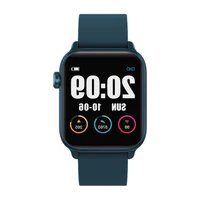
Xplora XGO3 - Smartwatch

XGO3 - Smartwatch Xplora - Free user manual and instructions

Find the device manual for free XGO3 Xplora in PDF.

📄 42 pages English EN Download 💬 AI Question 11 questions ⚙️ Specs
Notice Xplora XGO3 - page 2
View the manual : Français FR Deutsch DE English EN Español ES Svenska SV
Pick your language and provide your email: we'll send you a specifically translated version.
Product Type Children's smartwatch
Brand Xplora
Model XGO3
Mobile network GSM 900/1800, WCDMA 900/2100, LTE B1/B3/B7/B8/B20
Wireless connectivity WiFi, Bluetooth 4.2 (includes BLE)
SAR value (body) 0.808 W/kg (limit 4.0 W/kg)
SAR value (face) 0.651 W/kg (limit 2.0 W/kg)
Operating temperature -10°C to 45°C
Power supply Integrated lithium-ion battery (non-removable)
Water resistance Splash resistant (avoid immersion and chemicals)
Main functions Voice communication, data transmission, location tracking via network
Care and cleaning Clean with a soft cloth, avoid soaps, shampoos, perfumes
Safety Keep at least 15 cm from medical implants, do not remove battery, follow regulations in restricted areas
Certifications CE, UKCA, RED and RoHS compliance
Included accessories Xplora Connect SIM card (depending on version), magnetic charger
Interface languages Multilingual (French, English, German, Spanish, Swedish, etc.)
Warranty Legal warranty of conformity (refer to retailer)

Frequently Asked Questions - XGO3 Xplora

How to set up the Xplora XGO3?
To set up your XGO3, insert a compatible nano-SIM card, download the Xplora app on your smartphone, then follow the app instructions to activate the watch. You can also scan the QR code in the box or visit https://xgo3.xplora.com for a detailed guide.
Which SIM card to use?
The watch accepts a standard nano-SIM card. Make sure it is activated for voice and data services. If your watch comes with an Xplora Connect SIM card, it is already preconfigured.
Is the watch waterproof?
No, the XGO3 is not waterproof. It is splash and sweat resistant, but must not be immersed in water. Also avoid exposure to soaps, shampoos, sunscreens and perfumes, as they can reduce water resistance.
How to charge the battery?
Use the included magnetic charger. Plug it into a wall outlet or standard USB port. Do not attempt to remove the battery, as it is built-in and non-removable. Full charging takes about 2 hours.
What is the SAR value of the XGO3?
The maximum SAR (Specific Absorption Rate) measured is 0.808 W/kg for the body (limit 4.0 W/kg) and 0.651 W/kg for the head/face (limit 2.0 W/kg). These values comply with European standards.
Can I use the watch abroad?
Yes, the XGO3 supports GSM 900/1800, WCDMA 900/2100 and LTE B1/B3/B7/B8/B20 bands. Check compatibility with the local operator. Enable roaming if necessary.
How to clean the watch?
Use a soft, dry cloth to clean the watch. Avoid solvents, abrasive products and prolonged contact with water. For the band, refer to specific instructions.
What to do if the watch does not turn on?
First check that the battery is charged (plug in the charger). If nothing happens, try restarting by holding the power button for 10 seconds. If the problem persists, contact Xplora support at support.xplora.com.
Does the watch have GPS?
The XGO3 does not have built-in GPS. Location is based on cellular networks (LTE/GSM) and WiFi. It allows approximate tracking of the child via the Xplora app.
Where to find the full manual?
The full manual is available as a PDF on our website https://xgo3.xplora.com. You can also download it from the Xplora app or scan the QR code included in the box.

User questions about XGO3 Xplora

1 question about this device. Answer the ones you know or ask your own.

Ask a new question about this device

The email remains private: it is only used to notify you if someone responds to your question.

How to connect the Xplora XGO3 to WiFi?
Frequently Asked Questions - 06/19/2026
Response Notice-Facile

The Xplora XGO3 supports WiFi connection and must be configured via the official Xplora mobile app. Here are the detailed steps to connect your watch to WiFi:

Preparation: First, make sure you have downloaded the Xplora app (available on the App Store for iOS or Google Play for Android) and that you have created a user account. The watch must be turned on and close to your phone.

Step-by-step WiFi connection: Open the Xplora app and log in to your account. Go to the watch settings (usually accessible from the main menu). Select the Network or WiFi option. Tap on Add a WiFi network or Connect to WiFi. The app will then display the available WiFi networks nearby.

Network selection: Choose your WiFi network from the displayed list. If your network does not appear, make sure that WiFi is enabled on your router and that the watch is close enough. For secured networks, you will need to enter the password. Enter the exact password for your WiFi network (pay attention to case sensitivity).

Connection confirmation: Once the password is entered, tap on Connect or Validate. The app will confirm the successful connection by displaying a message or a WiFi symbol. The Xplora XGO3 can now use the WiFi connection to access the Internet, download updates, or sync data.

Important to note: The Xplora XGO3 will continue to use the cellular connection (mobile data) when it goes out of WiFi range. You can check the WiFi connection status in the Xplora app by checking the network settings. For further assistance, refer to the complete guide at https://xgo3.xplora.com/ or contact official technical support at support.xplora.com.

Respond (be the first)

Download the instructions for your Smartwatch in PDF format for free! Find your manual XGO3 - Xplora and take your electronic device back in hand. On this page are published all the documents necessary for the use of your device. XGO3 by Xplora.

USER MANUAL XGO3 Xplora

Thanks for choosing Xplora.

Here are the 3 key steps

to get your XG03 working

  1. Set up your SIM plan

(If your watch comes with an

Xplora Connect SIM Card inside)

  1. Download Xplora Mobile App

  2. Activate your XGO3

EN

Please scan the QR code below to get detailed instructions and customer support.
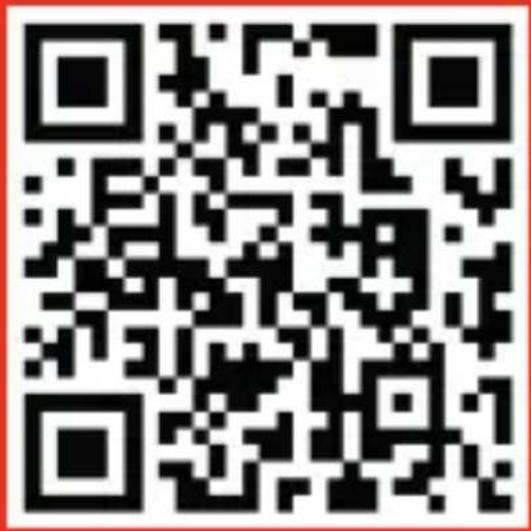
Xplora XGO3 - 1

Or visit https://xgo3.xplora.com/

EN

Important information

Before using your Xplora device, review the full user guide at https://xgo3.xplora.com. And retain the following documentation for future reference.

Safety Information

Read all safety information before using the device to ensure safe and proper use.

  • For your safety, you must not attempt to remove the battery and do not expose the device to physical impact or damage.
  • Some places (i.e. hospital, aircraft, blasting areas, explosive atmosphere but not limited to) may restrict or prohibit the use of mobile device. Please follow the rules and regulations regarding the use of device.
  • To avoid interference with a pacemaker or an implanted device, make sure to keep your watch at least 15cm (6 in)

EN

away from it. Additionally, it's advisable to consult with your doctor or the manufacturer of the medical device for specific instructions on how to operate your watch without causing any harm or disruption.

  • Use manufacturer-approved chargers, accessories, and supplies.
  • Water resistance isn't a permanent condition and may diminish over time. We recommend not exposing the watch to any chemicals such as soaps, shampoos, sunscreen oil, conditioners, lotions, and perfume. In addition, the following may affect the water resistance:

  • Impacting the watch (i.e. dropping)

  • Showering with high-velocity water
  • Any type of acidic foods
  • Hot humid places (i.e. sauna)

EN

Use of the radio system

The cellular network and radio system of this device are only used for voice communication and data transmission.

Battery and Charging

Don't attempt to replace the kids watch battery yourself. You may damage the product, which could cause overheating, fire and injury. The lithium-ion battery in the kids watch must be recycled or disposed of separately from household waste. Dispose of batteries according to your local environmental laws and guidelines.

Declaration of Conformity

Xplora Technologies AS hereby declares that this Xplora smartwatch phone for kids (Model name: XGO3) satisfies all the technical regulations applicable to the product within the scope of UK Radio Equipment Regulations 2017, UK Electrical Equipment (Safety) Regulations 2016, Directive 2014/53/EU and UK Electromagnetic Compatibility Regulations 2016.

EN

This device was tested for typical body-worn operations with the back of the kid watch kept 0mm from the body and 5mm from face. The highest SAR value reported for this device type when tested next to the mouth is 0.651W/kg (legal limit: 2.0W/kg (10g) ) and when properly worn on the wrist is 0.808W/kg (legal limit: 4.0W/kg (10g))

Although the front face SAR value is within the legal limit, it is recommended to maintain a minimum distance of 5mm to 15 mm between the mobile device and the face.

A copy of the original declaration of conformity can be found in https://support.xplora.com/hc/en-gb/articles/6324149220881-XGO3-Technical-Specifications-EU.

Alternatively you may visit our help center at support.xplora.com.

EN

Frequency Power
GSM90032.73dBm
GSM180029.79dBm
WCDMA90023.29dBm
WCDMA210023.32dBm
WIFI15.56dBm
Bluetooth2.87dBm
Bluetooth LE 0.50dBm
LTE B1 22.24dBm
LTE B3 22.51dBm
LTE B7 23.29dBm
LTE B8 23.26dBm
LTE B20 22.42dBm
EUT operating temperature range-10°C to 45°C
Hight SAR value (W/kg) 10g - Front of face0.651 W/kg (2.0W/kg)
Hight SAR value (W/kg) 10g - Limbs0.808 W/kg (4.0W/kg)

EN

Correct disposal of this product

(Waste Electrical & Electronic Equipment)
Xplora XGO3 - Correct disposal of this product - 1

This marking on the product, accessories or literature indicates that the product and its electronic accessories (e.g. charger, headset, USB cable) should not be disposed of with other household waste.

To prevent possible harm to the environment or human health from uncontrolled waste disposal, please separate these items from other types of waste and recycle them responsibly to promote the sustainable reuse of material resources.

Household users should contact either the retailer where they purchased this product, or their local government office, for details of where and how they can take these items for environmentally safe recycling.

Business users should contact their supplier and check the terms and conditions of the purchase contract. This product and its electronic accessories should not be mixed with other commercial wastes for disposal. This product is RoHS compliant.

DE

ramen for UK Radio Equipment Regulations 2017, UK Electrical

Equipment (Safety) Regulations 2016, Direktiv 2014/ 53/EU

och UK Electromagnetic Compatibility Regulations 2016.

SE
Manual assistant
Powered by Anthropic
Waiting for your message
Product information

Brand : Xplora

Model : XGO3

Category : Smartwatch