X6Pro - Mobile Phone Xplora - Free user manual and instructions
Find the device manual for free X6Pro Xplora in PDF.


| Product Type | Kids Smartwatch Phone |
| Brand | Xplora |
| Model | X6Pro |
| Network Support | 4G LTE (B1/B3/B7/B8/B20), 3G WCDMA (B1/B8) |
| Wireless Connectivity | Bluetooth, Wi-Fi |
| SIM Type | eSIM (no physical SIM slot) |
| Battery | Lithium-ion, non-removable |
| Operating Temperature Range | -15°C to 55°C |
| SAR Value (Head) | 1.128 W/kg (10g) |
| SAR Value (Limbs) | 1.979 W/kg (10g) |
| Bluetooth Power | 9 dBm |
| Bluetooth LE Power | 1.5 dBm |
| Wi-Fi Power | 12 dBm |
| WCDMA B1 Power | 24 dBm |
| WCDMA B8 Power | 24 dBm |
| LTE B1/B3/B7/B8/B20 Power | 23 dBm |
| Charging Method | Magnetic charging contacts |
| Display | Color touchscreen |
| Camera | Yes |
| GPS | Yes |
| SOS Button | Yes |
| App Compatibility | Xplora App (iOS/Android) |
| Compliance | UK Radio Equipment Regulations 2017, EU Directive 2014/53/EU, RoHS |
| Disposal | WEEE compliant |
Frequently Asked Questions - X6Pro Xplora
User questions about X6Pro Xplora
0 question about this device. Answer the ones you know or ask your own.
Ask a new question about this device
Download the instructions for your Mobile Phone in PDF format for free! Find your manual X6Pro - Xplora and take your electronic device back in hand. On this page are published all the documents necessary for the use of your device. X6Pro by Xplora.
USER MANUAL X6Pro Xplora
Here are the key steps, follow these instructions to use your X6Pro eSIM:
- Download the Xplora App on your smartphone and create your guardian account if using it for the first time
EN
- Activation of eSIM & watch
- Make sure the Bluetooth on your smartphone is on
- Switch on the watch and follow the instructions that will appear on the watch to find the QR code
- Use the Xplora App to scan the watch's QR code
- Scan the eSIM's QR code from your SIM provider after the Xplora app has found the watch
- Enter the eSIM's phone number when requested in the Xplora App
- Follow the instructions in the Xplora App to complete the activation
EN
Please scan the QR code to get detailed instructions and access the contact details for customer support.
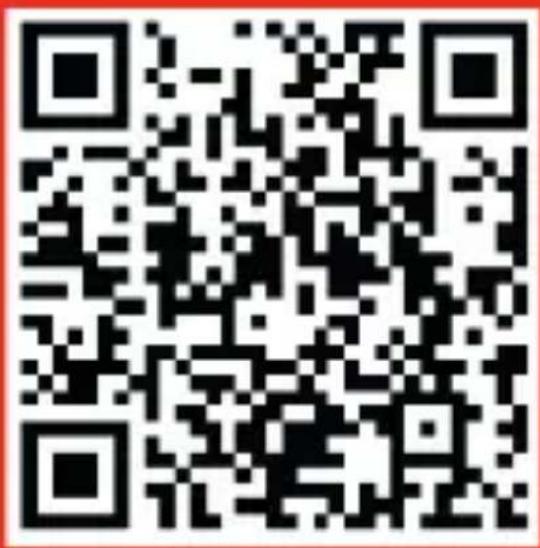
Or visit
https://start.xplora.com/X6Pro
EN
Important information
Please retain the following documentation for future reference.
Battery and Charging
Don’t attempt to replace the watch battery yourself. You may damage the product, which could cause overheating, fire and injury. The lithium-ion battery in the watch must be recycled or disposed of separately from household waste. Dispose of batteries according to your local environmental laws and guidelines.
EN
Declaration of Conformity
Xplora Technologies AS hereby declares that this Xplora smartwatch phone for kids (Model name: X6ProE) satisfies all the technical regulations applicable to the product within the scope of UK Radio Equipment Regulations 2017, UK Electrical Equipment (Safety) Regulations 2016, Directive 2014/53/EU and UK Electromagnetic Compatibility Regulations 2016.
EN
This device was tested for typical body-worn operations with the back of the kid watch kept 0mm from the body and 5mm from face. The highest SAR value reported for this device type when tested next to the mouth is 1.128W/kg (legal limit: 2.0W/kg (10g)) and when properly worn on the body is 1.979W/kg (legal limit: 4.0 W/kg (10g)).
A copy of the original declaration of conformity can be found at https://support.xplora.com/hc/articles/8996497718929. Alternatively, you may visit our help center at support.xplora.com.
EN
| Frequency | Power |
| Bluetooth | 9dBm |
| Bluetooth LE | 1.5dBm |
| WIFI | 12dBm |
| WCDMA B1 | 24dBm |
| WCDMA B8 | 24dBm |
| LTE B1 | 23dBm |
| LTE B3 | 23dBm |
| LTE B7 | 23dBm |
| LTE B8 | 23dBm |
| LTE B20 | 23dBm |
| EUT operation temperature range | -15°C to 55°C |
| Hight SAR value (W/kg) 10g-Front of face | 1.128 W/kg |
| Hight SAR value (W/kg) 10g-Limbs | 1.979 W/kg |
EN
Correct disposal of this product
(Waste Electrical & Electronic Equipment)

This marking on the product, accessories or literature indicates that the product and its electronic accessories (e.g. charger, headset, USB cable) should not be disposed of with other household waste.
To prevent possible harm to the environment or human health from uncontrolled waste disposal, please separate these items from other types of waste and recycle them responsibly to promote the sustainable reuse of material resources.
Household users should contact either the retailer where they purchased this product, or their local government office, for details of where and how they can take these items for environmentally safe recycling.
Business users should contact their supplier and check the terms and conditions of the purchase contract. This product and its electronic accessories should not be mixed with other commercial wastes for disposal. This product is RoHS compliant.
DE
Oder besuche https://start.xplora.com/X6Pro
DE
Ou visitez :
https://start.xplora.com/X6Pro
S
FR
Information importante
O visita https://start.xplora.com/X6Pro
ES
Eller besök https://start.xplora.com/X6Pro
SE
Viktig information
natural_image
A smiling child playing with a smartwatch outdoors, with bokeh lights in the background (no text or symbols visible)
natural_image
Person in white glove watching a blue water with bokeh lights in the background (no text or symbols visible)X6Pro eSIM
natural_image
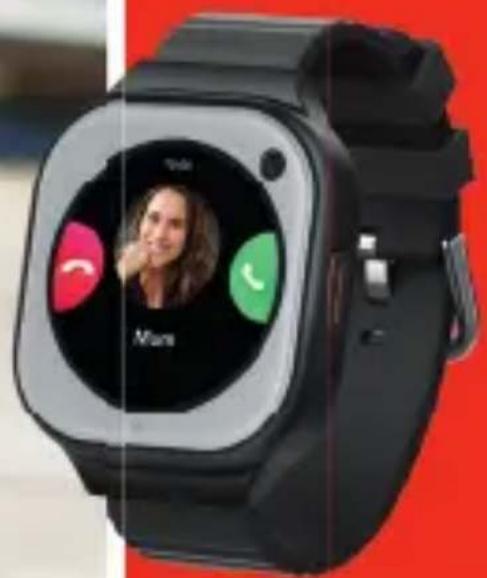
Black smartwatch with a circular display showing a woman's profile, no visible text or symbols on the device itself.43
Xplora
Xplora Technologies AS
Nedre Slottsgate 8, 0157 Oslo, Norway
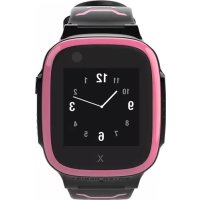
Brand : Xplora
Model : X6Pro
Category : Mobile Phone