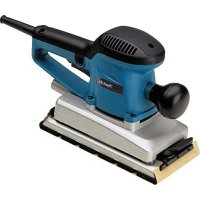
BO4901J - Sander MAKITA - Free user manual and instructions
Find the device manual for free BO4901J MAKITA in PDF.


| Product type | Belt sander |
| Brand | Makita |
| Model | BO4901J |
| Base dimensions | 115 mm x 229 mm |
| Abrasive paper dimensions | 115 mm x 280 mm |
| Overall length | 289 mm |
| Net weight | 2.9 kg |
| Power supply | Single-phase mains, double insulation (class II) |
| No-load speed | 4000 - 10,000 oscillations/min |
| Sanding stroke rate | 8000 - 20,000 min⁻¹ |
| Speed adjustment | Rotary dial from 1 to 5 |
| Abrasive paper type | Standard (with/without holes) and self-adhesive |
| Paper fastening system | Clamping levers and self-adhesive pad (optional) |
| Dust collection | Paper dust bag included |
| Vacuum connection | Possible via plug |
| Sound level | 71 dB(A) (uncertainty K = 3 dB) |
| Vibrations (sheet metal sanding) | 4.0 m/s² (uncertainty K = 1.5 m/s²) |
| Compatible materials | Wood, plastic, metal, painted surfaces |
| Safety | Double insulation, lock button, trigger |
| Maintenance | Regular cleaning; repairs only at Makita authorized service center |
| Included accessories | Standard abrasive paper, dust bag, clamping lever, screwdriver |
| Optional accessories | Self-adhesive pad, perforated plates, self-adhesive papers |
Frequently Asked Questions - BO4901J MAKITA
User questions about BO4901J MAKITA
0 question about this device. Answer the ones you know or ask your own.
Ask a new question about this device
Download the instructions for your Sander in PDF format for free! Find your manual BO4901J - MAKITA and take your electronic device back in hand. On this page are published all the documents necessary for the use of your device. BO4901J by MAKITA.
USER MANUAL BO4901J MAKITA
Explanation of general view
1 Speed adjusting dial
2 L o c k b u t
3 Switch trigger
4 Clamp lever
5 Conventional type of abrasive paper with pre-punched holes
6 Pad for conventional type of abrasive paper
7 Punch plate
8 Conventional type of abrasive
o paper without pre-punched holes
9Hook-and-loop type of abrasive paper with pre-punched holes
10 Pad for hook-and-loop type of abrasive paper
11 Pad
12 Screws
13 Screwdriver
14 Groove
15 Front fixing cardboard
16 Paper dust bag
17 Claws
18 Upper part
19Guide
20 Notch
21 Push button
22 Dust nozzle
23 Hook
24 Dust bag
SPECIFICATIONS
Model BO4900V BO4900 BO4901
Pad size 115 mm x 229 mm
115mmx229mm 115mmx229mm
Abrasive paper size 115 mm x 280 mm 115
mm x 280 mm 115 mm x 280 mm
Orbits per minute (^-1) 4,000-10,000
10,000 10,000
Sanding stroke rate (^-1) 8,000-20,000
20,000 20,000
Overall length 289 mm
289mm 289mm
Net weight 2.9kg
2.9kg 2.8kg
Safety class 1
回/II 回/II
- Due to our continuing program of research and development, the specifications herein are subject to change without notice.
- Specifications may differ from country to country.
Weight according to EPTA-Procedure 01/2014
ENE052-1
Intended use
The tool is intended for the sanding of large surface of wood, plastics and metal materials as well as painted surfaces.
ENF002-1
Power supply
The tool should be connected only to a power supply of the same voltage as indicated on the nameplate, and can only be operated on single-phase AC supply. They are double-insulated in accordance with European Standard and can, therefore, also be used from sockets without earth wire.
GEA010-2
General power tool safety warnings
WARNING: Read all safety warnings, instructions, illustrations and specifications provided with this power tool. Failure to follow all instructions listed below may result in electric shock, fire and/or serious injury.
Save all warnings and instructions for future reference.
The term "power tool" in the warnings refers to your mains-operated (corded) power tool or battery-operated (cordless) power tool.
GEB021-4
SANDER SAFETY WARNINGS
- Always use safety glasses or goggles. Ordinary eye or sun glasses are NOT safety glasses.
- Hold the tool firmly.
- Do not leave the tool running. Operate the tool only when hand-held.
- This tool has not been waterproofed, so do not use water on the workpiece surface.
- Ventilate your work area adequately when you perform sanding operations.
- Some material contains chemicals which may be toxic. Take caution to prevent dust inhalation and skin contact. Follow material supplier safety data.
- Use of this tool to sand some products, paints and wood could expose user to dust containing hazardous substances. Use appropriate respiratory protection.
- Be sure that there are no cracks or breakage on the pad before use. Cracks or breakage may cause a personal injury.
SAVE THESE INSTRUCTIONS.
WARNING: DO NOT let comfort or familiarity with product (gained from repeated use) replace strict adherence to safety rules for the subject product. MISUSE or failure to follow the safety rules stated in this instruction manual may cause serious personal injury.
FUNCTIONAL DESCRIPTION
CAUTION:
- Always be sure that the tool is switched off and unplugged before adjusting or checking function on the tool.
Switch action (Fig. 1)
CAUTION:
- Before plugging in the tool, always check to see that the switch trigger actuates properly and returns to the "OFF" position when released.
To start the tool, simply pull the switch trigger. Release the switch trigger to stop.
For continuous operation, pull the switch trigger and then push in the lock button.
To stop the tool from the locked position, pull the switch trigger fully, then release it.
Speed adjusting dial
For BO4900V only
CAUTION:
- If the tool is operated continuously at low speeds, the motor will get overloaded and heated up.
- The speed adjusting dial can be turned only as far as 5 and back to 1. Do not force it past 5 or 1, or the speed adjusting function may no longer work.
The tool speed can be infinitely adjusted between 4,000 and 11,000 orbits per minute by turning the speed adjusting dial, which is marked 1 to 5. Higher speed is obtained when the dial is turned in the direction of number 5, lower speed is obtained when it is turned in the direction of number 1. Adjust the desired tool speed for the kind of work.
ASSEMBLY
CAUTION:
- Always be sure that the tool is switched off and unplugged before carrying out any work on the tool.
Installing or removing abrasive paper
For conventional type of abrasive paper with prepunched holes (standard equipment):
Turn the clamp lever counterclockwise. Insert the paper end into the clamper, aligning the holes in the paper with those in the pad. Then return the clamp lever to the original position to secure the paper. Repeat the same process for the other end of the tool, maintaining the proper paper tension. (Fig. 2)
For conventional type of abrasive paper without prepunched holes (accessory):
Turn the clamp lever counterclockwise. Insert the paper end into the clamper, aligning the paper edges even and parallel with the sides of the base. Then return the clamp lever to the original position to secure the paper. Repeat the same process for the other end of the tool, maintaining the proper paper tension.
Place the punch plate (optional accessory) over the paper so that the guide of the punch plate is flush with the sides of the pad. Then press the punch plate to make holes in the paper. (Fig. 3)
For hook-and-loop type of abrasive paper with prepunched holes (accessory):
Remove all dirt or foreign matter from the pad. Attach the paper to the pad, aligning the holes in the paper with those in the pad. (Fig. 4)
CAUTION:
- Never use pressure-sensitive abrasive paper.
For BO4901 only
NOTE:
- To use the hook-and-loop type of abrasive paper, first replace the pad. Remove the pad for the conventional type of abrasive paper from the tool with a screwdriver. (Fig.5)
Install the pad for the hook-and-loop type of abrasive paper (optional accessory) on the tool. Tighten the screws firmly to secure the pad.
Installing paper dust bag (accessory)
For BO4900, BO4900V only
Place the paper dust bag on the paper dust bag holder with its front side upward. Insert the front fixing cardboard of the paper dust bag into the groove of the paper dust bag holder. (Fig.6)
Then press the upper part of the front fixing cardboard in arrow direction to hook it onto the claws. (Fig. 7)
Insert the notch of the paper dust bag into the guide of the paper dust bag holder. Then install the paper dust bag holder set on the tool. (Fig. 8 & 9)
Installing dust bag (accessory) (Fig. 10)
For BO4900, BO4900V only
Install the dust bag on the tool so that the arrow with "UP" indicated on the dust nozzle points upward.
Emptying dust bag
When the dust bag is about half full, switch off and unplug the tool. Hold the tool and remove the dust bag from the dust nozzle while pressing the push button. (Fig. 11 & 12)
After emptying the dust bag, insert the hook on the dust nozzle into the rectangular hole on one side of the dust bag frame until it clicks into place on the push button. (Fig. 13)
Connecting to vacuum cleaner (Fig. 14)
When you wish to perform cleaner operation, connect a vacuum cleaner to your tool. Connect a hose of vacuum cleaner to the dust nozzle.
OPERATION
CAUTION:
- Never run the tool without the abrasive paper. You may seriously damage the pad.
- Never force the tool. Excessive pressure may decrease the sanding efficiency, damage the abrasive paper and/or shorten tool life.
- The front grip is a screwed type one. Always be sure that the front grip is tightened securely before operation.
Turn the tool on and wait until it attains full speed. Then gently place the tool on the workpiece surface. Keep the base flush with the workpiece and apply a light pressure on the tool.
MAINTENANCE
CAUTION:
- Always be sure that the tool is switched off and unplugged before attempting to perform inspection or maintenance.
- Never use gasoline, benzine, thinner, alcohol or the like. Discoloration, deformation or cracks may result.
To maintain product SAFETY and RELIABILITY, repairs, carbon brush inspection and replacement, any other maintenance or adjustment should be performed by Makita Authorized Service Centers, always using Makita replacement parts.
OPTIONAL ACCESSORIES
CAUTION:
- These accessories or attachments are recommended for use with your Makita tool specified in this manual. The use of any other accessories or attachments might present a risk of injury to persons. Only use accessory or attachment for its stated purpose.
If you need any assistance for more details regarding these accessories, ask your local Makita Service Center.
- Abrasive paper (with pre-punched holes)
- Abrasive paper (without pre-punched holes)
- Hook-and-loop type of abrasive paper
Joint - Dust bag and dust nozzle
- Paper dust bag
- Paper dust bag holder
Dust bag - Punch plate
- Pad
(For use with hook-and-loop type of abrasive paper)
NOTE:
- Some items in the list may be included in the tool package as standard accessories. They may differ from country to country.
ENG905-1
Noise
The typical A-weighted noise level determined according to EN62841:
Sound pressure level (L_pA) : 71 dB (A)
Uncertainty (K): 3 dB (A)
The noise level under working may exceed 80dB (A).
ENG907-1
NOTE:
- The declared noise emission value(s) has been measured in accordance with a standard test method and may be used for comparing one tool with another.
- The declared noise emission value(s) may also be used in a preliminary assessment of exposure.
WARNING:
-
Wear ear protection.
-
The noise emission during actual use of the power tool can differ from the declared value(s) depending on the ways in which the tool is used especially what kind of workpiece is processed.
- Be sure to identify safety measures to protect the operator that are based on an estimation of exposure in the actual conditions of use (taking account of all parts of the operating cycle such as the times when the tool is switched off and when it is running idle in addition to the trigger time).
Vibration
The vibration total value (tri-axial vector sum) determined according to EN62841:
Model BO4900, BO4900V
Work mode: sanding metal plate
Vibration emission (_h) .. 2.5m / s^2 or less
Uncertainty (K): 1.5m / s^2
Model BO4901
Work mode: sanding metal plate
Vibration emission (a_h) .. 4.0~m / s^2
Uncertainty (K): 1.5m / s^2
ENG901-2
NOTE:
- The declared vibration total value(s) has been measured in accordance with a standard test method and may be used for comparing one tool with another.
- The declared vibration total value(s) may also be used in a preliminary assessment of exposure.
WARNING:
- The vibration emission during actual use of the power tool can differ from the declared value(s) depending on the ways in which the tool is used especially what kind of workpiece is processed.
- Be sure to identify safety measures to protect the operator that are based on an estimation of exposure in the actual conditions of use (taking account of all parts of the operating cycle such as the times when the tool is switched off and when it is running idle in addition to the trigger time).
EC DECLARATION OF CONFORMITY
For European countries only
The EC declaration of conformity is included as Annex A to this instruction manual.
Descriptif
ACCESSIONS EN OPTION
ATTENTION:
Model BO4900, BO4900V
OPTIONELE ACCESSOIRES
LET OP:
Model BO4900, BO4900V