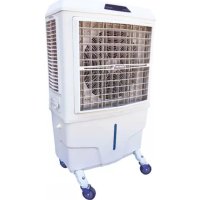
BC 80 - Air Conditioning Master - Free user manual and instructions
Find the device manual for free BC 80 Master in PDF.



| Product type | Air cooler (evaporative cooling) |
| Brand | Master |
| Model | BC 80 |
| Supply voltage | 220-240 V ~ |
| Frequency | 50 Hz |
| Number of speeds | 3 (LOW, MID, HIGH) |
| Functions | Cooling (COOL), Ionization (ANION), Oscillation (SWING) |
| Timer | Yes (delayed on/off by one-hour intervals) |
| Minimum safety distance | 0.5 m |
| Operating air temperature | 18 °C to 45 °C |
| Maximum water temperature | < 45 °C |
| Recommended water hardness | < 15 °f |
| Recommended water type | Drinking water (tap water) |
| Filter cleaning | Yes, regularly (mild detergent and soft cloth) |
| Tank cleaning | Yes, periodically (drain and sanitize) |
| Water circuit maintenance | Monthly disinfection cycle recommended |
| Assembly | Wheels provided (assembly required depending on model) |
| Safety | Mandatory grounding, do not cover, use on stable surface |
| Disposal | According to European Directive 2012/19/EU (do not dispose of with household waste) |
Frequently Asked Questions - BC 80 Master
User questions about BC 80 Master
0 question about this device. Answer the ones you know or ask your own.
Ask a new question about this device
Download the instructions for your Air Conditioning in PDF format for free! Find your manual BC 80 - Master and take your electronic device back in hand. On this page are published all the documents necessary for the use of your device. BC 80 by Master.
USER MANUAL BC 80 Master
natural_image
Icon of an open book with an exclamation mark, enclosed in a diamond shape with a yellow diagonal stripe (no text or symbols)USER AND MAINTENANCE MANUAL
BC 80
| en | it | de | es | fr | nl | pt | pl | ru | cs | hu | tr | ro | sk | bg | el |
NOTE:
TECHNICAL DATA - DATI TECNICI - TECHNISCHE DATEN - DATOS TÉCNICOS - DONNÉES TECHNIQUES - TECHNISCHE GEGEVENS - DADOS TÉCNICOS - TEKNISKE DATA - TEKNISET TIEDOT - TEKNISKE DATA - TEKNISKA DATA - DANE TECHNICZNE - TEXНИЧЕСКИЕ ДАННЫЕ - TECHNICKÉ ÚDAJE - MŰSZAKI ADATOK - TEHNIČNI PODATKI - TEKNÍK VERÍLER - TEHNIČKI PODACI - TECHNINIAI DUOMENYS - TEHNISKIE DATI - TEHNILISED ANDMED - DATE TEHNICE - TECHNICKÉ ÚDAJE - TEXНИЧЕСКИ ДАННИ - TEXHÍЧНІ ДАНІ - TEHNIČKI PODACI - TEXNIKA ĐΕΔΟΜΕΝΑ - 技术参数 - ТЕХНИКАЛЫК КОРСЕТКІШТЕР
| MODEL | BC 80 |
 | 8.000 m^3/h-M^3/ч |
 | 100 l-л |
 | 220-240 V-B 50 Hz-Гц1,5 A 380 W-Вт |
 | 35 kg-кг |
| IPX1 |

IMPORTANT: In order to have a correct function you must use an electrical generator in class G3 or more (frequency variation ±1%, tension variation ±2%). The maximum power of electrical generator must be three time the nominal power of device that you must connect.
NOTE:
FIGURES - FIGURE - ABBILDUNGEN - FIGURAS - FIGURES - FIGUREN
- FIGURAS - FIGURER - KUVAT - FIGURER - FIGURER - ILUSTRACJE
- ИЛЛЮСТРАЦИИ - OBRÁZKY - ÁBRÁK - SLIKE - ŞEKİLLER - SLIKE -
ILIUSTRACIJOS - ATTĚLI - JOONISED - IMAGINI - OBRÁZKY - CXEMI - ДАHI
- EIKONEΣ - 图示 - СУРЕТТЕМЕЛЕР

natural_image
Technical diagram showing mechanical assembly with arrows indicating motion and a magnified inset of a bolt (no text or symbols)1

natural_image
Diagram showing a hand holding a device with an arrow indicating motion, enclosed in a grid-like border (no text or symbols)2

3

4

natural_image
Simple line drawing of a hand holding a device with an arrow indicating motion (no text or symbols)5

natural_image
Line drawing of a plug inserted into an electrical outlet, with a symbol indicating a power outlet (no text or labels present)6

7

natural_image
Simple line drawing of a mobile phone with signal waves and a battery cell (no text or symbols)8
Figures and texts of this book are protected by COPYRIGHT.
FIGURES - FIGURE - ABBILDUNGEN - FIGURAS - FIGURES - FIGUREN
- FIGURAS - FIGURER - KUVAT - FIGURER - FIGURER - ILUSTRACJE
- ИЛЛЮСТРАЦИИ - OBRÁZKY - ÁBRÁK - SLIKE - ŞEKİLLER - SLIKE -
ILIUSTRACIJOS - ATTĚLI - JOONISED - IMAGINI - OBRÁZKY - CXEMI - ДАHI
- EIKONEΣ - 图示 - СУРЕТТЕМЕЛЕР

9

natural_image
Diagram of a mechanical device with a lever and adjustment knob, showing motion direction (no text or symbols)10

natural_image
Diagram showing a mechanical device with rotating wheels and a gear mechanism, no text or symbols present11

natural_image
Diagram showing a spray gun spraying water onto a cloud-shaped object, with a cart pulling a wheel (no text or symbols)12

natural_image
Diagram showing a mechanical device with a rotating wheel and a gear mechanism, no text or symbols present13

natural_image
Diagram of two server units with upward arrows indicating data flow or system movement (no text or symbols)14

natural_image
Illustration of a hand cleaning a large cylindrical object with floating particles and arrows, no text or symbols present.15

natural_image
Diagram of two server units with downward arrows indicating data flow or system states (no text or symbols present)16
Figures and texts of this book are protected by COPYRIGHT.
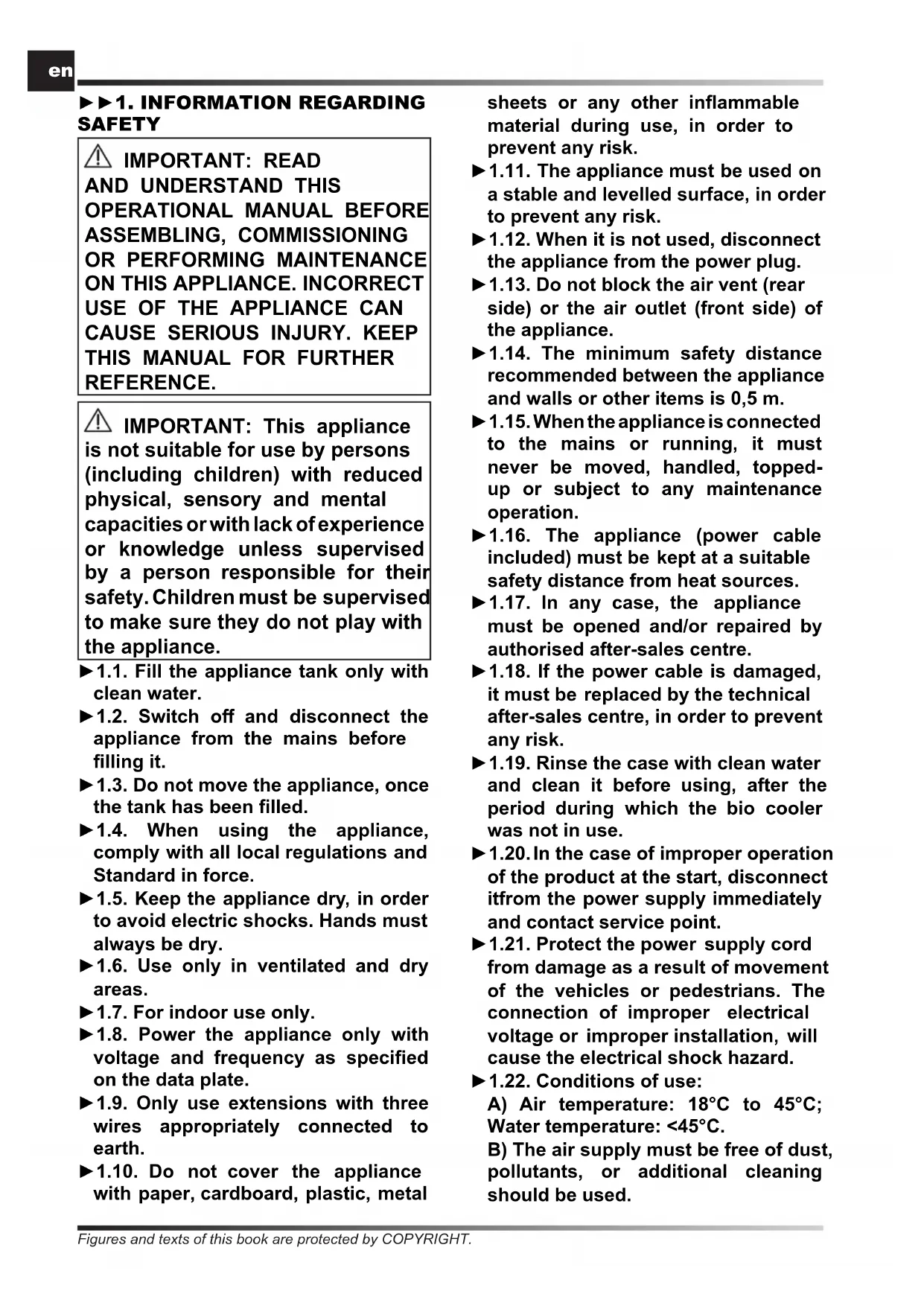
▶▶1. INFORMATION REGARDING SAFETY

IMPORTANT: READ AND UNDERSTAND THIS OPERATIONAL MANUAL BEFORE ASSEMBLING, COMMISSIONING OR PERFORMING MAINTENANCE ON THIS APPLIANCE. INCORRECT USE OF THE APPLIANCE CAN CAUSE SERIOUS INJURY. KEEP THIS MANUAL FOR FURTHER REFERENCE.

IMPORTANT: This appliance is not suitable for use by persons (including children) with reduced physical, sensory and mental capacities or with lack of experience or knowledge unless supervised by a person responsible for their safety. Children must be supervised to make sure they do not play with the appliance.
▶1.1. Fill the appliance tank only with clean water.
▶1.2. Switch off and disconnect the appliance from the mains before filling it.
▶1.3. Do not move the appliance, once the tank has been filled.
▶1.4. When using the appliance, comply with all local regulations and Standard in force.
▶1.5. Keep the appliance dry, in order to avoid electric shocks. Hands must always be dry.
▶1.6. Use only in ventilated and dry areas.
▶1.7. For indoor use only.
▶1.8. Power the appliance only with voltage and frequency as specified on the data plate.
▶1.9. Only use extensions with three wires appropriately connected to earth.
▶1.10. Do not cover the appliance with paper, cardboard, plastic, metal
sheets or any other inflammable material during use, in order to prevent any risk.
▶1.11. The appliance must be used on a stable and levelled surface, in order to prevent any risk.
▶1.12. When it is not used, disconnect the appliance from the power plug.
▶1.13. Do not block the air vent (rear side) or the air outlet (front side) of the appliance.
▶1.14. The minimum safety distance recommended between the appliance and walls or other items is 0,5 m.
▶1.15. When the appliance is connected to the mains or running, it must never be moved, handled, topped-up or subject to any maintenance operation.
▶1.16. The appliance (power cable included) must be kept at a suitable safety distance from heat sources.
▶1.17. In any case, the appliance must be opened and/or repaired by authorised after-sales centre.
▶1.18. If the power cable is damaged, it must be replaced by the technical after-sales centre, in order to prevent any risk.
▶1.19. Rinse the case with clean water and clean it before using, after the period during which the bio cooler was not in use.
▶1.20. In the case of improper operation of the product at the start, disconnect it from the power supply immediately and contact service point.
▶1.21. Protect the power supply cord from damage as a result of movement of the vehicles or pedestrians. The connection of improper electrical voltage or improper installation, will cause the electrical shock hazard.
▶1.22. Conditions of use:
A) Air temperature: 18°C to 45°C; Water temperature: <45°C.
B) The air supply must be free of dust, pollutants, or additional cleaning should be used.
▶1.23. The water used to fill the cooler tank must come from an aqueduct. If it is not possible to draw from an aqueduct, the water introduced must be subjected to a sanitation treatment, according to European Directive 98/83/EC.
-We recommend using water with a hardness of less than 15^ f.
-The cooler tank must be emptied and sanitised periodically depending on the use.
-The cooling pad surfaces must be periodically inspected and sanitised depending on the use.
-For sanitation operations, biocidal products that comply with European regulation no. 582/2012 must be used.
▶▶2. UNPACKING
▶2.1. Remove all packaging materials used to wrap and deliver the appliance and dispose of them in compliance with the Standards in force.
▶2.2. Extract all items from the packaging.
▶2.3. Verify if damage undergone during transport. If the appliance appears damaged, inform the dealer, where the purchase was made, immediately.
▶▶3. ASSEMBLY
The device is equipped with wheels to facilitate handling. Depending on the model, wheels can be found already installed or not. Components equipped with relative nuts and bolts are found inside the packaging (Fig. 1).
▶▶4. OPERATION
WARNING: Thoroughly read the "INFORMATION REGARDING SAFETY", before switching the appliance on.
WARNING: Only use clean water to prevent failures or other anomalies.
WARNING: Verify if your electronic system is earthed correctly.
Connection to the mains must be made in compliance with the National Standards in force. Power the appliance only with voltage and frequency as specified on the data plate.
NOTE: These models can be connected to the water mains, by connecting the pipe to the fitting (Fig. 10).
▶▶4.1. SWITCHING ON:
▶4.1.1. Open the tank door (Fig. 2).
▶4.1.2. Fill the tank with water (Fig. 3); water level must be within MIN and MAX level of the graduated scale, placed at the side of the appliance (Fig. 4), in order to prevent risks.
▶4.1.3. Close the tank door (Fig. 5).
▶4.1.4. Connect the power plug to the mains (Fig. 6).
CAUTION: When the supply plug is connected to the power mains, the display shows the approximate room temperature.
▶4.1.5. Press the ON/OFF button to switch on the appliance (Fig. 9).
▶▶4.2. CONTROL PANEL, USE AND FUNCTIONS (Fig. 7-8):
▶ ON/OFF: It allows switching ON or OFF the appliance.
▶SPEED: Allows increasing or decreasing the appliance ventilation speed. Three speeds can be selected - LOW, MID and HIGH.
▶COOL: It enables or disables the cooling mode.
▶ SWING: It enables or disables the automatic vertical oscillation of the flaps to direct the air flow.
▶ANION: It enables or disables the ionisation mode, i.e. release of negative ions into the environment, in order to make air healthier.
▶TIMER: If the device is off, it allows programming the delayed start. You can choose between one-hour intervals.
▶TIMER: If the device is on, it allows programming the automatic switch-off. You can choose between one-hour intervals.
NOTE: When the control panel display shows the icon "DROP" (flashing), it means that the tank is empty and must be refilled to reactivate the "COOL" function.
▶▶4.3. SWITCHING OFF:
▶4.3.1. Press the ON/OFF button to switch off the appliance (Fig. 9).
▶4.3.2. Empty the tank using the drain cap (Fig. 11-12-13).
▶▶5. CLEANING AND MAINTENANCE
WARNING: BEFORE PERFORMING ANY MAINTENANCE OR REPAIR, DISCONNECT THE POWER CABLE FROM THE MAINS.
DEPENDING ON THE ENVIRONMENT WHERE THE APPLIANCE IS USED, DUST, DIRT OR WATER QUALITY CAN AFFECT THE PERFORMANCE OF THE UNIT. THEREFORE, CLEANING THE FOLLOWING COMPONENTS CAN BE NECESSARY:
▶▶5.1. TANK:
We recommend changing the water frequently.
▶5.1.1. Switch off the appliance and remove the plug from the mains (Fig. 9-6).
▶5.1.2. Remove the drain plug in order to empty the tank (Fig. 11-12-13).
▶▶5.2. FILTERS:
We recommend cleaning filters frequently.
WARNING: Dirty filters can affect the performance of the appliance.
▶5.2.1. Switch off the appliance and disconnect the plug from the mains (Fig. 9-6).
▶5.2.2. Remove the filters upwards (Fig. 14).
▶5.2.3. Clean the filters using a mild detergent and a clean cloth (Fig. 15). Ensure the filter is fully dry.
▶5.2.4. Place the filter back into its housing (Fig. 16).
▶▶5.3. WATER CIRCUIT:
▶5.3.1. To ensure proper operation of the cooler, turn off COOL mode a few minutes before completely switching off the appliance, in order to avoid stagnant water.
▶5.3.2. Once a month we recommend performing a complete cycle using clean water and appropriate disinfection products, running the cooler outdoors.
IMPORTANT:
-The cooler tank must be emptied and sanitised periodically depending on the use.
-The cooling pad surfaces must be periodically inspected and sanitised depending on the use.
-For sanitation operations, biocidal products that comply with European regulation no. 582/2012 must be used.
▶▶6. TROUBLESHOOTING
| FUNCTIONING ANOMALIES | CAUSES SOLUTIONS | |
| The display doesn’t work | 1. No power supply2. Defective equipment | 1a. Check whether the device is connected to power supply1b. Contact service point2. Contact service point |
| No air flow or too low | 1. Obstruction of the air intake on the back2. Defective equipment | 1a. Keep the back side far from walls that can block air inlet1b. Remove objects from inlet air section1c. Contact service point2. Contact service point |
| The device does not respond to commands | 1. Defective equipment 1. Contact service point | |
| The device leak water | 1. The drain cap is loose2. The drain is dirty and the cap doesn’t fit3. The tank leak4. The panel drip | 1. Close the drain cap2. Clean the drain and close the cap3. Contact service point4. Contact service point |
▶▶4.1. INBETRIEBNAHME:
▶▶5.3. KYKΛΩMA NEPOY:
▶ en - DISPOSAL OF THE PRODUCT
-This product has been designed and manufactured with top-quality materials and components, which can be re-cycled and re-used. -When a crossed-wheely bin symbol is attached to the product, it means that the product is protected by the, 2012/19/UE European Directive.
-Please obtain information regarding the local differentiated collection system for electrical and electronic products.
-Respect local Standards in force and do not dispose of old products as normal domestic waste. Correct disposal of the product helps to prevent possible negative consequences for health, the environment and mankind.
▶pl - UTYLIZACJA PRODUKTU
▶ Iv - PRODUKTA IZNĪCINĀŠANA
natural_image
Abstract geometric composition with yellow and black blocks (no text or symbols)Dantherm S.p.A.
Via Gardesana 11
37010 Pastrengo (VR)
Italy
t.: +39 045 6770533
e.: info.it@danthermgroup.com

DOWNLOAD CATALOGUE

SEND US YOUR FEEDBACK

REGISTER FOR 3-YEAR WARRANTEE


- USER AND MAINTENANCE MANUAL
- NOTE:
- ▶▶1. INFORMATION REGARDING SAFETY
- ▶▶2. UNPACKING
- ▶▶3. ASSEMBLY
- ▶▶4. OPERATION
- ▶▶4.1. SWITCHING ON:
- ▶▶4.2. CONTROL PANEL, USE AND FUNCTIONS (Fig. 7-8):
- ▶▶4.3. SWITCHING OFF:
- ▶▶5. CLEANING AND MAINTENANCE
- ▶▶5.1. TANK:
- ▶▶5.2. FILTERS:
- WARNING: Dirty filters can affect the performance of the appliance.
- ▶▶5.3. WATER CIRCUIT:
- IMPORTANT:
- ▶▶4.1. INBETRIEBNAHME:
- ▶▶5.3. KYKΛΩMA NEPOY:
- ▶ en - DISPOSAL OF THE PRODUCT
- ▶pl - UTYLIZACJA PRODUKTU
- ▶ Iv - PRODUKTA IZNĪCINĀŠANA
Brand : Master
Model : BC 80
Category : Air Conditioning