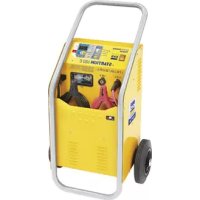
Startium 680E - Battery charger GYS - Free user manual and instructions
Find the device manual for free Startium 680E GYS in PDF.



| Product type | Battery charger / starter with starter function |
| Brand | GYS |
| Model | Startium 680E |
| Supply voltage | 230 V ~ single-phase |
| Mains protection | 16 A (20 A recommended for heavy truck starting) |
| Charging power | 2000 W |
| Starting power | 10000 W |
| Charging capacity (12 V) | 20 - 675 Ah |
| Charging capacity (24 V) | 20 - 525 Ah |
| Use modes | Charger, starter (START ENGINE), alternator test |
| Compatible battery types | Liquid, Gel, AGM, Start/Stop, Universal |
| TIMER function | Programmed charge from 10 to 120 minutes in 10-minute steps |
| Automatic restart | Yes (activation by long press on START/STOP) |
| Display | LED: voltage, charge percentage, remaining time (min), error |
| Built-in protections | Reverse polarity, short circuit, thermal overheating (LED "th"), internal fuse |
| Maintenance | Dust with compressed air after removing the cover; clean surfaces with a dry cloth |
| Safety of use | Do not charge non-rechargeable batteries; use in a ventilated area; wear gloves and goggles |
| Electrical connection | Grounded power outlet; recommended extension cord cross-section: 3 x 2.5 mm² |
| Warranty | 2 years (parts and labor) |
Frequently Asked Questions - Startium 680E GYS
User questions about Startium 680E GYS
0 question about this device. Answer the ones you know or ask your own.
Ask a new question about this device
Download the instructions for your Battery charger in PDF format for free! Find your manual Startium 680E - GYS and take your electronic device back in hand. On this page are published all the documents necessary for the use of your device. Startium 680E by GYS.
USER MANUAL Startium 680E GYS
natural_image
Line drawing of a mechanical device casing with ventilation grilles and control panel (no text or symbols)
natural_image
Line drawing of a portable electric water heater with wheels and control panel (no text or symbols)FR 2-11 / 60-64
EN 5 / 12-19 / 60-64
DE 5 / 20-27 / 60-64
ES 5 / 28-35 / 60-64
RU 5 / 36-43 / 60-64
NL 5 / 44-51 / 60-64
IT 5 / 52-59 / 60-64
STARTIUM 330E
STARTIUM 480E
STARTIUM 680E
STARTIUM 980E
INSTRUCTIONS DE SÉCURITÉ

text_image
Diagram showing three types of electrical contact devices: battery, eyeglasses, and test tube with heating effect.text_image
Technical diagram showing three views of an electrical fuse device with labeled components and directional arrows indicating assembly or connection.ALIMENTATION ÉLECTRIQUE
ANOMALIES, CAUSES, REMÈDES
CONDITIONS DE GARANTIE
This manual includes guidelines on the operation of your device and the precautions to follow for your own safety. Ensure it is read carefully before first use and keep it handy for future reference. These instructions should be read and understood before anyone operates the product. Any modifications or maintenance that are not specified in the manual should not be undertaken. The manufacturer is not liable for any injury or damage due to non-compliance with the instruction manual. In case of problems or uncertainties, please consult a qualified person that is able to handle the device correctly. This device should only be used for charging, start-up within the limits indicated on the device and in the manual. The safety instructions must be followed. In case of improper or unsafe use, the manufacturer cannot be held responsible
Device suitable for indoor use only. Do not expose to rain or excessive moisture.
This device may be used by children from age 8 and by persons with reduced physical, sensory or mental capabilities or lack of experience and knowledge, provided that they are under supervision or have been told how to use the device safely and are aware of the potential risks. Children must not use the device as a plaything. Cleaning and servicing tasks may not be carried out by children unless they are supervised.
Do not use for charging non-rechargeable batteries
Do not operate the device with a damaged power supply cord or a damaged mains plug.
Do not use the device if the charging cable appears to be damaged or assembled incorrectly in order to avoid any risk of short circuiting the battery.
Never charge a frozen or damaged battery.
Do not cover the device
Do not place the device near a fire or subject it to heat or to longterm temperatures exceeding 60^ C
Do not obstruct the cooling vents. Refer to the installation section before operating the machine.
The automatic mode of operation and usage restrictions are explained below in these operating instructions.
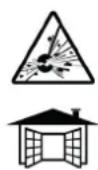

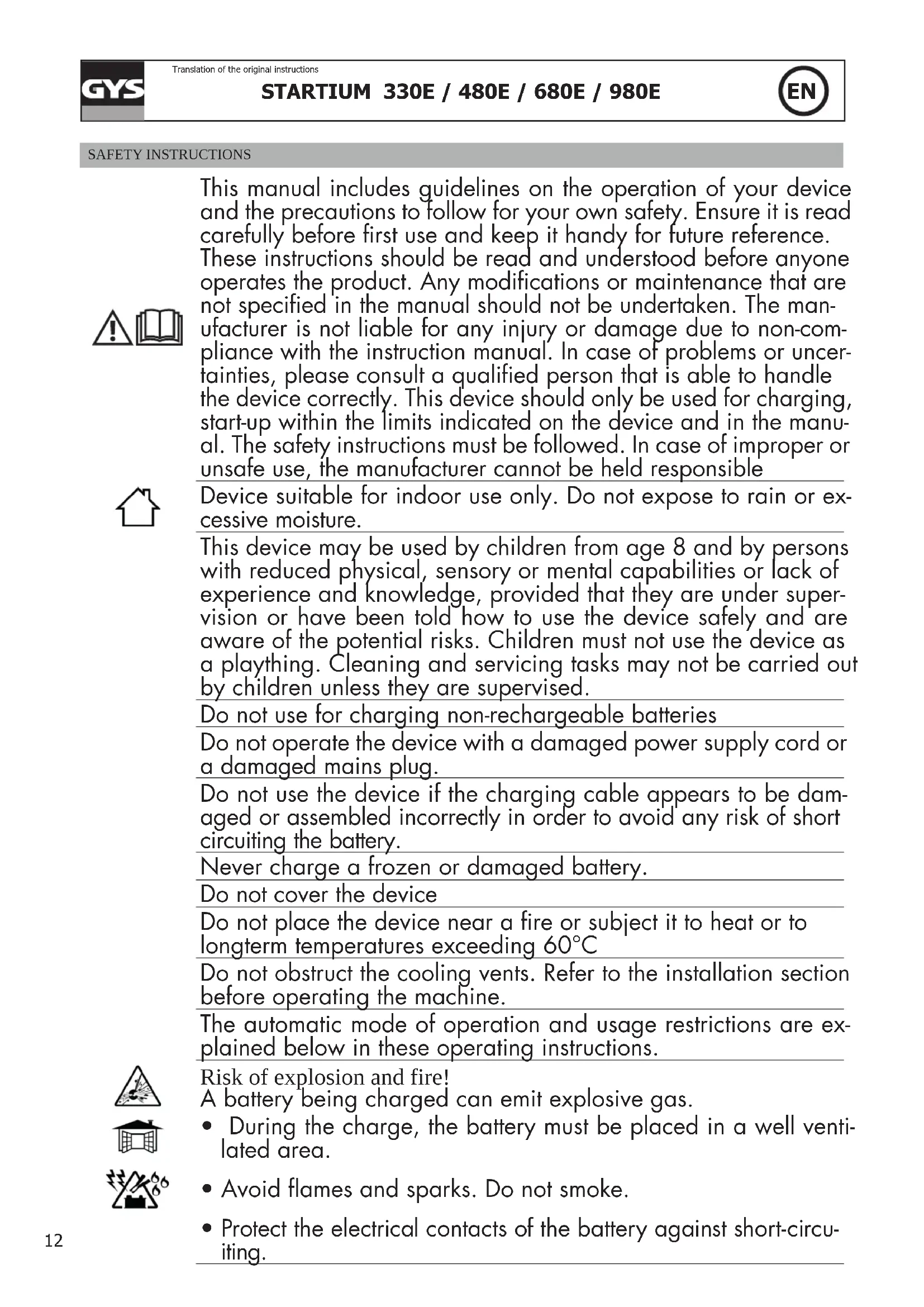
Risk of explosion and fire!
A battery being charged can emit explosive gas.
- During the charge, the battery must be placed in a well ventilated area.
- Avoid flames and sparks. Do not smoke.
- Protect the electrical contacts of the battery against short-circuiting.

natural_image
Three symbolic illustrations: a battery with smoke, three glasses and gloves, and a test tube with liquid (no text or labels)Do not leave a charging battery unattended for a long time
Acid projection hazard!
- Wear safety goggles and protective gloves.
- If your eyes or skin come into contact with battery acid, rinse the affected part of the body with plenty of water and seek immediate medical assistance.
Connection / disconnection:
- Disconnect the power supply before connecting/disconnecting the device to/from the battery
- The terminal of the battery that is not connected to the car frame must be connected first. The other connection must be made on the car frame, far from the battery and the fuel line. The battery charger must be connected to the power supply network.
- After the charging process, disconnect the battery charger from the power supply network and remove the connector from the car frame and then the connector from the battery, in this order.
Connection:
- This device must be connected to an earthed power supply.
- This equipment is intended for industrial environments (class A) and not for residential sites where the electric current is supplied by the public low-voltage power supply network. There may be potential difficulties in ensuring electromagnetic compatibility on these sites, because of the conducted interferences, as well as radiated radioelectrical frequency.
- This product does not comply with IEC 61000-3-12 and is intended to be connected to private low voltage networks which are connected to public supply network only at the medium and high voltage level. If connected to a public low-voltage supply network, it is the responsibility of the installer or user of the equipment to ensure, by consulting the operator of the electrical distribution network, that the hardware can be connected.
Maintenance:
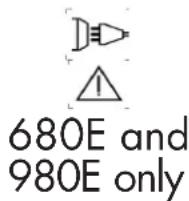
- If the power supply cable is damaged, it must be replaced by the manufacturer, its service agent or an equally qualified person.
• Service should be performed by a qualified person. - Warning! Always remove the power plug from the wall socket before carrying out any work on the device.
- If the internal fuse is blown, it must be replaced by the manufacturer, its after-sales service or an equally qualified person.


680E and 980E only


text_image
CE EAC UK CA- Regularly take off the cover and remove dust with an air gun. Take the opportunity to have a qualified person check the electrical connections with an insulated tool.
- Under no circumstances should solvents or other aggressive cleaning agents be used.
- Clean the device's surfaces with a soft, dry cloth.
Regulations
- The device complies with European Directive.
- The certificate of compliance is available on our website.
• EAC conformity mark (Eurasian Economic Commission) - Equipment in compliance with British requirements. The British Declaration of Conformity is available on our website (see home page).
• Equipment in conformity with Moroccan standards. - The declaration C_ (CMIM) of conformity is available on our website (see cover page).
Disposal:
- This product should be disposed of at an appropriate recycling facility. Do not dispose of in domestic waste.
GENERAL DESCRIPTION
The STARTIUM range is designed to charge and start all common batteries including lead-acid, electrolyte or gel batteries, 12V et 24V.
Assembling the handle and the wheels (only for 480E, 680E and 980E):

text_image
Technical diagram showing three views of an electrical fuse with labeled components and directional arrows indicating motion or assembly.POWER SUPPLY
Check that the power supply and its protection (fuses) are compatible with the current required by the machine. The device must be positioned so that the socket is easily accessible. The machine must be connected to a socket WITH earth according to the following recommendations:
| STARTIUM 330E | STARTIUM 480E | STARTIUM 680E | STARTIUM 980E | ||
| Mains voltage | 230V - 1 ph | 230V - 1 ph | 230V - 1 ph | 230V - 1 ph | |
| Protection | 16 A | 16 A | 16 A | 16 A* | |
| Charging power | charge | 800 W | 1 700 W | 2 000 W | 2 000 W |
| Starting | 6 500 W | 9 000 W | 10 000 W | 12 000 W | |
*In the event that starting a HGV proves difficult, use a 20A plug (optional).
The recommended cross-section for an extension is : 3 × 2.5 mm^2 .
CONNECTION AND DISCONNECTION (cf p.5)
Before any connection
 | Before any connection to a vehicle battery, make sure that the booster isn't connected to the mains and that the booster's switch is set to OFF.Locate the + and - battery terminals. (polarity reversal can damage the fuse).Keep the cables away from hot or sharp surfaces. Separate the 2 cables properly and avoid pinching them.Check that the battery capacity (Ampere hour Ah) and the voltage (Volt V) are compatible with your charger (see table above). |  |
| STARTIUM 330E | STARTIUM 480E | STARTIUM 680E | STARTIUM 980E | ||
| Charging capacity | 12V 20 | -375 Ah 20 - 600 Ah | 20 - 675 Ah 20 - 750 Ah | ||
| 24V 20 | -300 Ah 20 - 450 Ah | 20 - 525 Ah 20 - 525 Ah | |||
Connection

12 V

24 V


12V

24 V
- Plug the connector into the «12 V» or «24 V» position of the STARTIUM according to the battery to be charged or started.
- Connect the clamps (several possible cases):
a. The negative terminal is plugged onto the car's chassis :
- Connect the red clamp to the battery's positive terminal.
- Connect the black clamp to the vehicle's chassis, make sure it is a safe distance from the battery and the fuel/exhaust pipe.
b. The positive terminal plugged onto the car chassis, in this event :
- Connect the black clamp to the battery's negative terminal.
- Connect the red clamp to the vehicle's chassis, make sure it is a safe distance from the battery and the fuel/exhaust pipe.
c. Battery disconnected from the vehicle :
Connect the red clamp to the battery's positive terminal and the black clamp to the battery's negative terminal.
- Connect the device to the mains.
- Press the ON / OFF button.
A LED, (8) or (10) switches on under the corresponding interface to confirm the selected voltage input. If the selected voltage does not match the battery voltage, the charge cannot start.

text_image
STARTIUM 330E GYS STARTIUM 330 E +12V +24V
text_image
STARTIUM 480E-680E- 980E GYS • STARTIUM 480 E CE 12V +12V +24VOnce connected, the STARTIUM provides information on the battery's health status. The display (2) alternately indicates the actual voltage (4) and the percentage of charge (5).
| 12V 24V | ||
| 100% | >12,8 V >25,6 V | |
| ... | 11,8 V < tension < 12,8 V 23 | 6 V < tension < 25,6 V |
| 0% | <11,8 V < 23,6 V | |
- Use the STARTIUM in charger, starter or alternator test mode.
Disconnection


- After use, carry out the exact reverse operation for the disconnection phase in order.
USE IN CHARGER MODE (cf p.5)
-
Connection (p.15).
-
Select the appropriate parameters: adapt the STARTIUM charge to the battery to be recharged.
a. Select the charge speed ( ≡ 13) with respect to the battery capacity (see table below).
| STARTIUM 330E STARTIUM 480E STARTIUM 680E STARTIUM 980E | ||||||||
| 12V 24V 1 | 12V 24V 12V 24V | 12V 24V | ||||||
| Charge 1 | 20-75Ah(5A) | 20-75Ah(5A) | 20-75Ah(5A) | 20-75Ah(5A) | 20-75Ah(5A) | 20-75Ah(5A) | 20-75Ah(5A) | 20-75Ah(5A) |
| Charge 2 | 40-150Ah(10A) | 40-150Ah(10A) | 60-225Ah(15A) | 40-150Ah(10A) | 60-225Ah(15A) | 60-225Ah(15A) | 85-300Ah(20A) | 60-225Ah(15A) |
| Charge 3 | 60-225Ah(15A) | 60-225Ah(15A) | 130-450Ah(30A) | 60-225Ah(15A) | 130-450Ah(30A) | 100-375Ah(25A) | 170-600Ah(40A) | 130-450Ah(30A) |
| Charge 4 | 100-375Ah(25A) | 85-300Ah(20A) | 170-600Ah(40A) (boost) | 130-450Ah(30A) (boost) | 200-675Ah(45A) (boost) | 150-525Ah(35A) (boost) | 210-750Ah(50A) (boost) | 150-525Ah(35A) (boost) |
b. Choose the battery type (≡ 12): Liquide, Gel, AGM, Start/Stop. In the event that the battery type is unknown (Liquid, Gel, AGM, Start/Stop), select the UNIVERSAL mode.
3. Press the START/STOP button (⚡ - 9) to start the charge.
Three indicators show that the battery is charging :
- The charge LED (7).
- The display (2) : It alternates between the battery voltage and the percentage of charge (an evolution of both values should be noticed).
- The voltage and percentage LEDs (4 and 5). They remain on and alternate at the same time as the display.
The charge progression is shown in percentage (%).
| % Battery charge level Phase | ||
| 0% | Battery charge level | Testing phase |
| 25% | Charge start | Boost |
| 50% | Charge at 50% | |
| 75% | Charging the remaining % | Absorption |
| 100% | Charged battery | Floating |
4. Blocked and charge stop.
The battery charge does not start when :
- The battery voltage is inferior to 1V.
- The battery voltage does not match the voltage that is selected on the charger.
The battery charge stops when :
- The START/STOP button is pressed again.
- The continuous charge duration reaches 16h.

Once the battery is charged, the STARTIUM performs a floating/maintenance charge. The charge does not stop to compensate for self-discharge and maintain the battery at a 100%.
If it is a sealed battery and if the liquid boils, it means the battery is damaged. Is this occurs, it is recommended to stop the charge to prevent any risk of explosion.
- The charger will stop if the « automatic restart » has not been activated.
5. Charger mode functions
a. Automatic restart feature:
In the event of a power cut :
- During a normal charge, the STARTIUM switches off. When it switches back on, it does not resume the charge. It must be manually resumed.
- During a charge with the «Automatic restart» feature on, the STARTIUM switches off. When it switches back on, it automatically resumes the charge.
To use the «Automatic restart» mode :
- Perform steps 1 and 2 of normal loading.
- When starting the charge (step 3), press the START/STOP button (-9) for a long time (>5 sec.). (4 - 9).
An indicator helps to check if the charge is indeed in «Automatic restart» mode :
- The voltage and percentage LEDs (4 and 5). They do not stay on but will blink.

In this mode, Press the START/STOP button to stop the charge. ( - 9).
A power supply cut will not stop the charge from resuming.
b. TIMER feature
The TIMER feature (n°14) is used to set a charging time from 10 to 120 min (by steps of 10 min).

The charge when using the TIMER feature is manual. This has the following consequences :
- Whatever is the battery health status (sulfated, short circuited, voltage < 1V), the charge will always be triggered.
- The charge starts even if the battery connection is faulty: clamps disconnected or in short circuit There is a risk of sparks if the connection instructions are not observed.
To use the «TIMER» function:
- Perform step 1 of normal loading.
- In step 2, choose the charging rate (≡ - 13) while respecting the battery capacity. Then select the «TIMER» function with the selection button (≡ - 12).
- The button (14) allows you to select the desired charging time from 10 to 120 min in 10 min steps.
- Press the START / STOP button (⚡ 9) to start the charge.
Two indicators can help to check that the charge has started :
- The display (n°2). -It alternates between the battery voltage and the remaining time in minutes.
- The voltage and minutes LEDs (3 and 4). They remain on and alternate at the same time as the display.
The charge may be be stopped in several ways :
- At the end of the selected time.
- When there is a power supply cut
- By pressing the START/STOP button.
c. charging several batteries simultaneously.
It is possible to charge several batteries simultaneously by connecting them in parallel. The positive terminals connected to the red clamp and the negative terminals connected to the black clamp. These batteries or battery groups must be of the same voltage, 12V or 24V.
Charging batteries in series is not recommended.
USE IN STARTER MODE (INTERFACE, P.5)

Do not disconnect the battery from the vehicle. Connecting the battery can lead to the vehicle's memory loss and a potential impossibility to restart it.
- Connection (p.15).
- Press the selection button (≡ - 13) until you reach the START ENGINE mode (1).
- Start the preload by pressing the START / STOP button (← 9).
- The «START ENGINE» mode detects sulfated batteries and will thus refuse to start the vehicle. The machine will automatically start the desulfating procedure in order to protect on-board electronics.
- If the battery is excessively damaged (e.g. sulfated), the charger will block the start. In this event, the startium intermittently indicates « CIP » (Charge in Progress) and 0%. This means that battery recovery is in progress. As long as «CIP» appears on the display, it is not possible to start the vehicle.
Make sure to follow the recommended precharge time, depending on the battery capacity.
| Product Battery capacity Starting Battery capacity Starting | |||
| STARTIUM 330E | 40 - 80 Ah Instantaneous 80 - 120 Ah 10 min pre charge | ||
| STARTIUM 480E | 40 - 120 Ah Instantaneous 120 -160 Ah 10 min pre charge | ||
| STARTIUM 680E | 50 - 180 Ah Instantaneous 180 - 200 Ah 10 min pre charge | ||
| STARTIUM 980E | 50 - 240 Ah Instantaneous - - | ||
- Once the precharge is done, go to the vehicle's dashboard. The «start» feature will activate when the first attempt to start is initiated (by turning the key). The attempt time must be for 10 secs maximum (a countdown appears on the display).
If your engine does not start, wait 2 minutes between each start attempt.

Nb : If the vehicle does not start, it may be a problem other than a faulty battery e.g. alternator, glowplug...
ALTERNATOR TEST
If the vehicle battery is regularly out of order, the problem may come from the alternator.
The STARTIUMS have an «alternator test» feature (€ - 12). It can show the alternator's charge capacity by intermittently displaying the voltage and the percentage.
To use this feature, the vehicle must be started :
- Connection (p.15).
- Select the «Test Alternator» function with the selection button (≡ - 12).
- The display shows a percentage. It provides information on the alternator's state of health according to the following table:
| Between 0 and a 100% | Undercharge fault, the battery is not correctly charged. |
| At a 100% | Alternator all good. |
| Between a 100% and 200% | Overcharge fault. |
PROTECTIONS
These clamps have been designed for maximum protection :
- The charging clamps are fully insulated.
- A fuse guarantees protection against polarity inversion and short circuits. Replacing it requires manual intervention.
STARTIUM 330E | STARTIUM 480E / 680E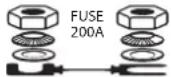 | STARTIUM 980E |
- The thermal protection is monitored by a thermostat (cooling for approximately 1/4h). The fault indicator switches on, the display shows «th».
- If the machine is faulty, an extra thermal protection cuts the machine's power supply without further indications for the user. Place the machine in a well ventilated area and wait 15 minutes.
- In the event of power supply fault, the machine will enter fault protection mode, The error LED switches on and the display shows «dEF». If the fault is major, an internal fuse protects the machine. This fuse must be replaced by an aftersales technician.
TROUBLESHOOTING
| Symptoms Causes Remedies | ||
| The error LED switches on | Power supply problem. | Check your mains power supply. |
| The error LED switches on and the buzzer | Clamps in short circuit or polarity inversion. | Check that the fuses have not melted. |
| Do not put the clamps in short circuit. Reverse polarities. | ||
| The battery that you are trying to charge is faulty. | Check the terminals' voltage with a voltmeter. If this voltage jumps instantaneously to 2.5V per element, the battery may be sulfated or damaged. | |
| Voltage error (12 -24 V) | Check that the clamps are properly connected in 12V or 24V. | |
| Battery not connected or <1V. Display: «BAt HS» | Connect a battery. | |
| Select TIMER if the battery voltage is <1V. | ||
| Following intensive use, your device has entered thermal protection mode. Display: «th» | Wait 1/4h so the device can cool down. | |
| Desulphation charging time > 1h The battery cannot be recovered. Change the battery. | ||
| No LED switches on | Major power supply fault Check your mains | power supply. |
| Machine overheat, the thermal protection «th» activates. | Ventilate the area. | |
| The start/stop button is not pressed. Press | the start/stop button. | |
| In START ENGINE mode, the display shows 0%. The start is impossible. | The battery is sulfated, the machine will automatically block the start in order to protect on-board electronics. | Charge the battery before re attempting a START ENGINE. |
| The battery boils. | The voltage selection 12V or 24V is incorrect. | Charge the battery before re attempting a START ENGINE. |
| Your battery has elements in short circuit. | The battery cannot be recovered, it must be changed. | |
| Sparks at the clamps | Polarity reversal | Connect the clamps the correct way (+/+;-/-) |
| Timer mode active Cf. Connection and disconnection | ||
WARRANTY
The warranty covers faulty workmanship for 2 years from the date of purchase (parts and labour).
The warranty does not cover:
- Transit damage.
- Normal wear of parts (eg. : cables, clamps, etc..).
- Damages due to misuse (power supply error, dropping of equipment, disassembling).
- Environment related failures (pollution, rust, dust).
In case of failure, return the unit to your distributor together with:
- The proof of purchase (receipt etc ...)
- A description of the fault reported
natural_image
Illustration of four different hand and foot symbols: a battery, eyeglasses, gloves, and a test tube (no text or labels)text_image
CE EAC UK CAtext_image
Warning symbol image showing a wrench above a triangular warning triangle with an exclamation mark.natural_image
Front view of an electrical fuse unit with control panel and indicator lights (no text or symbols visible)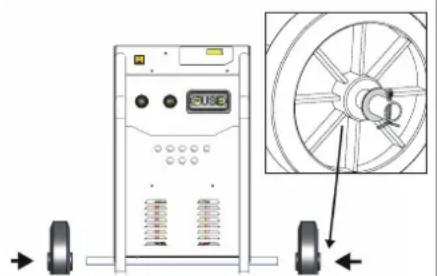
natural_image
Technical diagram of a mechanical device with wheels and a wheel rim, showing no text or symbols.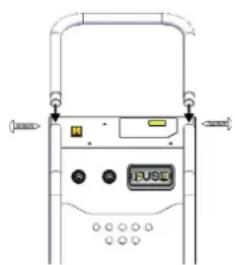
natural_image
Line drawing of a device front panel with buttons and connectors (no text or symbols)STARTIUM 330E STARTIUM 480E STARTIUM 680E STARTIUM 980E