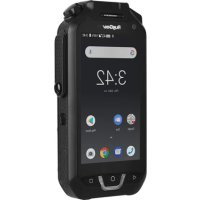
RG725 - Smartphone RugGear - Free user manual and instructions
Find the device manual for free RG725 RugGear in PDF.



| Product type | Rugged smartphone |
| Brand | RugGear |
| Model | RG725 |
| Dimensions (approx.) | 150 x 75 x 15 mm |
| Weight (approx.) | 250 g |
| Screen (approx.) | 5.5 inches, HD resolution |
| Operating system | Android |
| Battery | Removable, charging 5V/2A via USB-C |
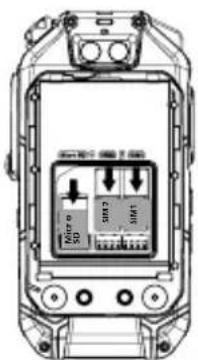
| SIM cards | Dual Nano-SIM |
| Expandable storage | Micro SD up to 64 GB |
| Connectors | USB Type-C, 13-pin headphone jack |
| Specific buttons | SOS, rotary FM, customization, camera |
| Special functions | Multifunction alarm (fall, movement, low battery), PTT intercom |
| Water and dust resistance | Yes (rubber covers) |
| Operating temperature | -10°C to 50°C |
| SAR (head) | 0.58 W/kg |
| SAR (body) | 1.50 W/kg |
| Cameras | Front and rear |
| Warranty | Check RugGear website |
| Cleaning | Soft antistatic cloth dampened, no chemicals |
| Repairability | Repairs by authorized specialists only |
Frequently Asked Questions - RG725 RugGear
User questions about RG725 RugGear
0 question about this device. Answer the ones you know or ask your own.
Ask a new question about this device
Download the instructions for your Smartphone in PDF format for free! Find your manual RG725 - RugGear and take your electronic device back in hand. On this page are published all the documents necessary for the use of your device. RG725 by RugGear.
USER MANUAL RG725 RugGear
text_image
RugGear gear your life.Short guide
CONTENT
English 4
Deutsch 9
Česky 14
Dansk 19
Español 24
Suomi 29
Français 34
Magyar 39
Italiano 44
Nederlands 49
Norsk 54
Polski 59
Portuguesa 64
Русский 69
Svenska 74
العربية 79
(c) 2018 RugGear
Version: 2018-12-10
RugGear Ltd.
Unit 1301, 13/F., Wing Tuck
Commercial Centre
Hong Kong
www.RugGear.com
Note:
This manual applies to RG725/PSM01E
ENGLISH
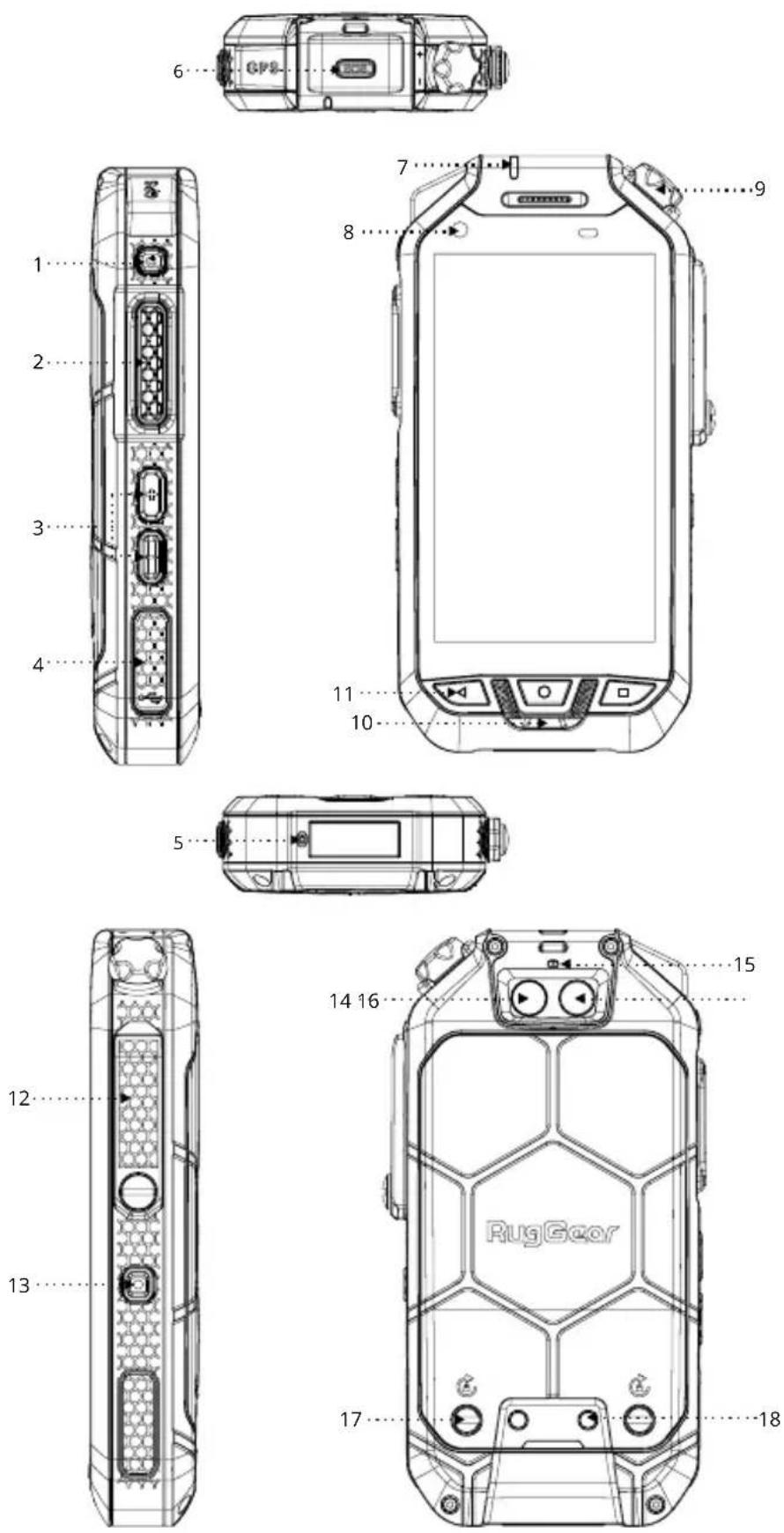
1. APPEARANCE DIAGRAM
1_Power Button: When the power is on, long press this key to select Power Off/Restart; Short press it to turn off/turn on the screen.
2 Custom Button: Open the specified application/switch quickly with the "Custom Button" setting in the system. See 10.3 for more details.
3 Volume Button: Adjust the volume.
4_USB Interface: Type-C interface for mobile phone charging and data transmission.
5 Main MIC
6_SOS key: Alarm using one key, which will be used after setting in the multi-function alarm application. See 10.2 for more details.
7_LED Indicators: Instructions for mobile phone status. See 9.4 for more details.
8 Front Camera
9\_FM Knob: Software intercom channel switching. See 10.1 for more details.
10\_Front Speaker
11_Return Button/Home Button/"Recently Opened Applications" Button: Return to the previous menu/return to home screen/display the pending programs set in the background.
12_Professional talkback headphone or microphone interface: 13-pin headphone interface, compatible with MOTO PMMN4022A talkback microphone.
13_Camera Button: In other applications, long press to enable camera function. In camera application: Short press to use the camera function, and long press for continuous shooting.
14_Flashlight: 4-flashing highlighted.
15 Secondary MIC
16 Rear Camera
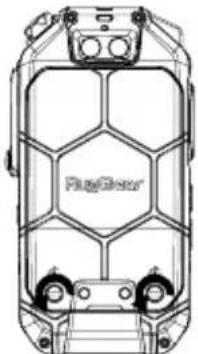
17_Battery Cover Screw: Rotate anticlockwise to loosen and clockwise to tighten the battery cover.
18_Mount Charging Contact: Connect the charger.
2. INTRODUCTION
This document contains information and safety regulations which are to be observed without fail for safe operation of the device RG725 under the described conditions. Non-observance of this information and instructions can have serious consequences and / or may violate regulations.
Please read the manual and these safety instructions before using the device. In case of any doubt, the English version shall apply.
The current EU-declaration of conformity, certificates, safety instructions and manuals can be found at www.RugGear.com, or requested from RugGear Ltd..
3. RESERVATION
The content of this document is presented as it currently exists. RugGear Ltd. Does not provide any explicit or tacit guarantee for the accuracy or completeness of the content of this document, including, but not restricted to, the tacit guarantee of market suitability or fitness for a specific purpose unless applicable laws or court decisions make liability mandatory.
RugGear Ltd. reserves the right to make changes to this document or to withdraw it any time without prior notice. Changes, errors and misprints may not be used as a basis for any claim for damages. All rights reserved.
RugGear Ltd. cannot be held responsible for any data or other loss and direct or indirect damages caused by any improper use of this device.
4. EU-DECLARATION OF CONFORMITY
The EU-declaration of conformity can be found at the end of this manual.

5. FAULTS AND DAMAGES
If there is any reason to suspect that the safety of the device has been compromised, it must be withdrawn from use immediately.
Measures must be taken to prevent any accidental restarting of the device. The safety of the device may be compromised, if, for example:
- Malfunctions occur.
• The housing of the device shows damage. - The device has been exposed to excessive loads.
• The device has been stored improperly - Markings or labels on the device are illegible.
We recommend that a device displaying errors or in which an error is suspected be sent back to RugGear Ltd. to be checked.
6. FURTHER SAFETY ADVICE
- Do not touch the screen of the device with sharp objects. Dust particles and nails may scratch the screen.
Please maintain the screen clean. Remove dust on the screen with a soft cloth gently, and do not scratch the screen. - Do not put the device in environments with excessive temperatures, as this could lead to heating of the battery, resulting in fire or explosion.
- Do not charge the device near any flammable or explosive substances.
- Charge the device under dry indoor conditions only.
- Do not charge the device in environments with much dust or humidity.
- Do not use the device in areas where regulations or legislatives prohibit the use.
- Do not expose the device or charger to strong magnetic fields, such as are emitted from induction ovens or
microwaves.
- Do not attempt to open or repair the device. Improper repair or opening can lead to the destruction of the device, fire or explosion. Only authorized personnel are allowed to repair the device.
- Only use accessories approved by RugGear Ltd.
- Power off the device in hospitals or other places where the use of mobile phones is prohibited. This device may affect proper work of medical equipment, such as pacemakers. Always keep a distance of at least 15 cm between the device and these devices.
- Make sure the volume level is not set too high when plugging earphones and headphones to protect your hearing.
- Observe all corresponding laws that are in force in the respective countries regarding the use of devices while operating a vehicle.
- Please power off the device and disconnect the charging cable before cleaning the device.
- Do not use any chemical cleaning agents to clean the device or the charger. Use a damp and anti-static soft cloth for cleaning.
- Adapter shall be installed near the equipment and shall be easily accessible.
• The product shall only be connected to a USB interface of version USB2.0. - Do not discard old and abandoned lithium batteries into the trash, send them to designated waste disposal locations.
- The user alone is responsible for any and all damages and liabilities caused by malware down-loaded when using the network or other data-exchange functions of the device. RugGear Ltd. cannot be held responsible for any of those claims.
Warning
RugGear Ltd. will not assume any liability for damages caused by disregarding any of these advices or by any inappropriate use of the device.
7. MAINTENANCE/REPAIR
Please note any legal requirements for periodic inspection. The device itself has no user-serviceable parts. It is recommended to perform inspections according to the safety regulations and advises. If there is a problem with the device, please contact your vendor or consult the service center. If your device is in need of repair, you can either contact the service center or your vendor.
8. BATTERY
The battery is not fully charged when the device is purchased, but it contains enough energy to power on the device. To obtain best battery performance and battery life, let the battery discharge completely before charging it completely for the first three charging cycles.
Caution:
RG725 supports 5V/2A charging, using any higher charging current may damage your phone.
Risk of explosion if battery is replaced by an incorrect type. Dispose used batteries according to the instructions.
9. PREPARATION
9.1 Battery Installation and Removal; Nano-SIM Card and Micro SD Card Installation
9.1.1 Rotate the battery cover screw anticlockwise as shown until the battery cover is unscrewed.
natural_image
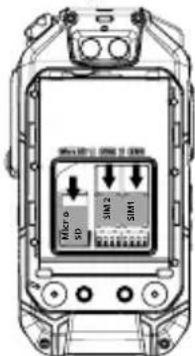
Top-down line drawing of a car's front view showing internal compartments and wheels (no text or symbols)9.1.2. Install the Nano-SIM card and Micro SD card in the direction as shown.
text_image
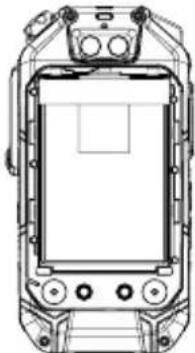
SCH-16 Micro SD SMT SMT9.1.3 After the cards are inserted, press the battery into the battery compartment.
natural_image
Technical line drawing of a vehicle front view showing dashboard, steering wheel, and control panel (no text or symbols)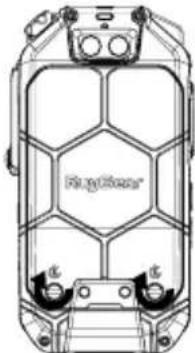
text_image
Regulator®9.1.4 Close the battery cover and rotate the battery cover screw clockwise.
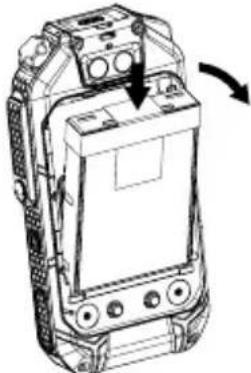
9.1.5 Battery removal: Remove the battery cover first, as shown, with the screwdriver sticking out of the battery top until the battery pops out.
natural_image
Line drawing of a mobile phone casing with an arrow indicating rotation (no text or symbols)Note:
After installation, please make sure that the headphone and USB port rubber plug of the whole phone are intact and closed to be waterproof and dust-proof. In this regard, no further special statement will be made in later chapters.
Memory Card Installation/Removal:
A memory card must be inserted to store additional multimedia data. This device can accept up to 64GB Micro SD memory card.
9.2 Waist Clip Installation
natural_image
Technical line drawing of a mechanical device with no visible text or symbols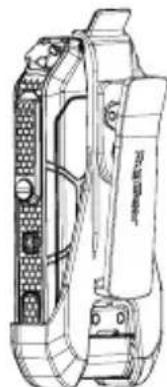
natural_image
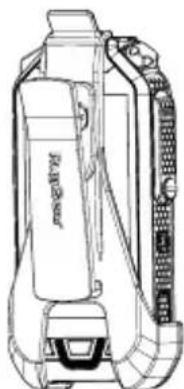
Technical line drawing of a mechanical device with internal components (no text or symbols)The RG725 Waist Clip can be mounted inward with the battery cover or the display screen as shown.
9.3 Charging
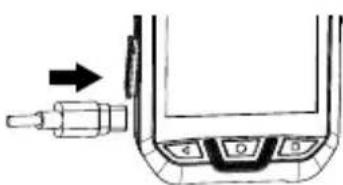
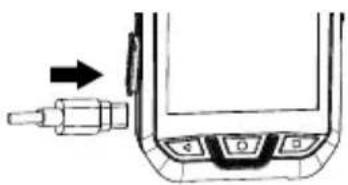
Pull out the USB rubber plug in the direction as shown in the figure and connect the cable to this mobile phone to start charging.
Only use RugGear wide licensed chargers and cables because unlicensed products may cause battery explosion or damage your device.
You can only charge the device at ambient temperature range of +0°C to +45°C. The normal operating temperature of this mobile phone is -10°C to 50°C. It is recommended to use your mobile phone within this temperature range.
9.4 Instructions for LED Indicators
If the battery is not charged:
• The blue light will be on:
When the intercom is online and the network is good.
• The blue light will go out:
When the network is interrupted or exits abruptly.
natural_image
Diagram of a mechanical component with a valve and adjustment knob (no text or symbols)• The green light will be on:
When receiving intercom voices.
• The green light will flicker:
When receiving intercom messages.
• The red light will be on:
Initiating talkback.
Charging:
• Red light flashes (every 5 seconds):
The phone is charging and talkback is offline.
- Red/green/blue light is on, and the red light flashes every 5 seconds:
The phone is charging and talkback is online. The indicator light is on and the colour same as above.
- Red light is off during charging:
Charging complete.
10. FUNCTION INTRODUCTION
10.1 Instructions of FM Knob
The knob is continuous and rotatable.
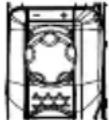
Clockwise Rotation:
Channels increase gradually, Mobile mobile phone's voice broadcasts the current channel.
Counter-clockwise Rotation:
Channels decline, mobile phone voice's broadcasts the current channel.
10.2 Multifunctional Alarm (LWP)
Multifunctional alarm refers to the feature that detects the mobile phone status during motion and rest and automatically notifies the emergency contact via phone call/SMS.
-
Default password: 1122.
-
After opening the application for the first time, you need to set a default phone number for the alarm.
-
If the mobile phone uses two SIM cards, you need to set a default phone number for dialling/SMS.
-
Any aborted operation will cause the application process to be interrupted and it needs to [close/open] the application again in order to reset the alarm process.
-
The alarm will not be triggered when the mobile phone is connected to a USB charger.
Alarm trigger mode:
- One-button Alarm:
Click the SOS key to directly trigger the alarm process.
- Low Battery Alarm:
An alarm is triggered when the mobile phone's battery drops below 20%.
- Motion Alarm:
Vertical tilt 45°:
An alarm is triggered when the angle between the mobile phone and the vertical direction is greater than 45°.
Drop:
An alarm is triggered when the mobile phone is dropped.
Not moving:
An alarm is triggered when the mobile phone does not move for a certain period of time.
- Alarm Process:
Trigger alarm – Pre-alarm – Call the alarm phone number – Call the other contact – ..... – (sending an SMS link with coordinates to the contact).
10.3 Instructions for Use of Custom Button:
Your phone supports custom buttons, so you can use them to use quick applications.
The main function of the custom button is to quickly open the application you specify.
"PTT" in the list means: Long press the custom key to enable software talkback.
11. RECYCLING
The crossed-out wheeled-bin symbol on your product, battery, literature, or packaging reminds you that all electrical and electronic products, batteries, and accumulators must be taken to separate collection at the end of their working life. This requirement applies in the European Union. Do not dispose of these products as unsorted municipal waste. Always return your used electronic products, batteries, and packaging materials to dedicated
collection points. This way you help prevent uncontrolled waste disposal and promote the recycling of materials. More detailed information is available from the product retailer, local waste authorities, national producer responsibility organisations, or your local RugGear Ltd. representative.

12. INFORMATION CONCERNING CE SAR CERTIFICATION
(SPECIFIC ABSORBATION RATE)
The SAR limit of Europe is 2.0 W/kg. The device has also been tested against this SAR limit. The highest SAR value reported under this standard during product certification for use at the ear is 0.58 W/kg and when properly worn on the body is 1.50 W/kg. This device was tested for typical body-worn operations with the back of the handset kept 5mm from the body. The device complies with RF specifications when the device used at 5mm from your body. The use of belt clips, holsters and similar accessories should not contain metallic components in its assembly. The use of accessories that do not satisfy these requirements may not comply with RF exposure requirements, and should be avoided.
13. TRADEMARKS
- Google™ is a trademark of Google LLC.
- All other trademarks and copyrights are the properties of their respective owners.
14. WARRANTY
- For European customers please check: https://ruggear.com/warranty-terms/
For Customers in Americas please check: https://ruggear.com/terms-and-conditions-americas/ - For FCC information, please go to www.RugGear.com and find it under the "Support" section.
DEUTSCH
natural_image
Top-down line drawing of a car chassis with visible structural components (no text or symbols)natural_image
Technical line drawing of a vehicle front view showing dashboard, steering wheel, and control buttons (no text or labels)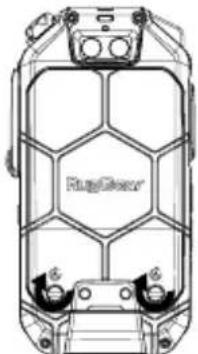
natural_image
Top-down technical line drawing of a car interior with no visible text or symbolsnatural_image
Line drawing of a mobile phone casing with an arrow indicating rotation (no text or symbols)Hinweis:
natural_image
Line drawing of a portable air purifier device (no text or symbols)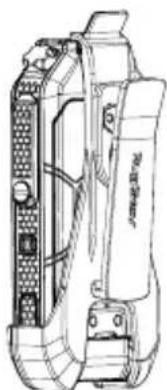
natural_image
Technical line drawing of a mechanical device with no visible text or symbols- For European customers please check: https://ruggear.com/warranty-terms/
For Customers in Americas please check: https://ruggear.com/terms-and-conditions-americas/
natural_image
Top-down technical line drawing of a vehicle chassis with no visible text or symbolsnatural_image
Technical line drawing of a device front view with control buttons and display screen (no text or symbols)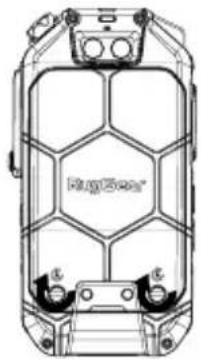
natural_image
Technical line drawing of a mechanical housing or enclosure with hexagonal panels and mounting holes (no text or symbols)natural_image
Line drawing of a mobile phone with an open screen and buttons, showing a scroll wheel (no text or symbols)Poznámka:
natural_image
Technical line drawing of a portable device with no visible text or symbols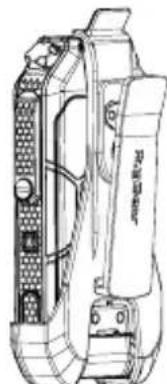
natural_image
Technical line drawing of a mechanical device with internal components (no text or symbols)natural_image
Technical line drawing of a vehicle chassis frame with no visible text or symbolsnatural_image
Line drawing of a mobile phone with an arrow indicating rotation (no text or symbols)Bemærk:
natural_image
Top-down technical line drawing of a vehicle chassis with no visible text or symbolsnatural_image
Technical line drawing of a mechanical device with no visible text or symbols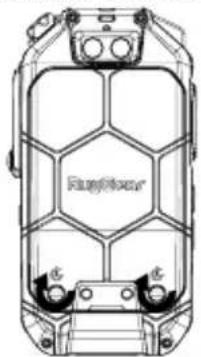
natural_image
Technical line drawing of a mechanical component with hexagonal lattice structure (no text or symbols)natural_image
Technical line drawing of a mobile phone casing with an arrow indicating rotation (no text or symbols)Nota:
natural_image
Line drawing of a mechanical device with no visible text or symbols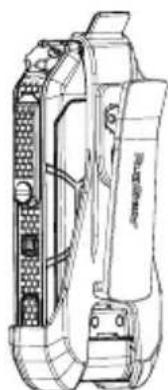
natural_image
Technical line drawing of a mechanical device with internal components (no text or symbols)natural_image
Top-down line drawing of a car chassis frame with no visible text or symbolsnatural_image
Top-down line drawing of a vehicle's front view showing dashboard, steering wheel, and control buttons (no text or symbols)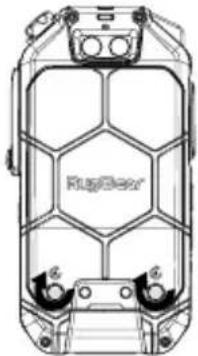
natural_image
Technical line drawing of a mechanical component with no visible text or symbolsFI
natural_image
Technical line drawing of a mobile phone device with an arrow indicating rotation (no text or symbols present)Huomaa:
natural_image
Line drawing of a portable electronic device with attached ports and buttons (no text or symbols)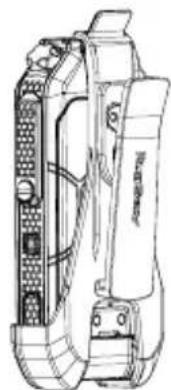
natural_image
Technical line drawing of a mechanical device with internal components (no text or symbols)natural_image
Diagram of a mechanical component with a tool and directional arrow, no visible text or symbols14 Flash: 4 flashes.
15 MICRO secondaire
4. DÉCLARATION DE CONFORMITÉ CE
natural_image
Top-down line drawing of a car's front view showing internal structure and wheels (no text or symbols)natural_image
Top-down line drawing of a vehicle chassis with front-mounted sensors and control buttons (no text or symbols)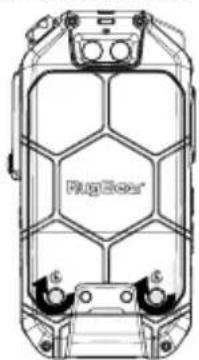
natural_image
Technical line drawing of a vehicle chassis with hexagonal grid pattern and mounting brackets (no text or symbols)natural_image
Line drawing of a mobile phone casing with an arrow indicating rotation (no text or symbols)Remarque :
natural_image
Technical line drawing of a portable scientific instrument with control panel (no text or symbols)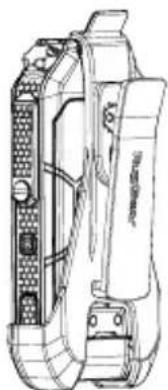
natural_image
Technical line drawing of a mechanical device with no visible text or symbolsnatural_image
Top-down line drawing of a vehicle chassis with no visible text or symbolsnatural_image
Technical line drawing of a vehicle front view showing dashboard, steering wheel, and control buttons (no text or symbols)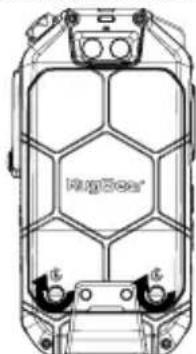
natural_image
Technical line drawing of a car's top view showing internal structural components (no text or symbols)natural_image
Line drawing of a mobile phone casing with an arrow indicating rotation (no text or symbols)Megjegyzés:
natural_image
Line drawing of a mechanical device with no visible text or symbols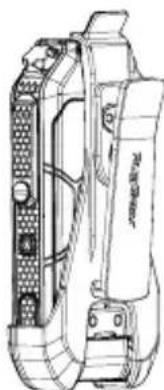
natural_image
Technical line drawing of a mechanical component with no visible text or symbolsnatural_image
Top-down technical line drawing of a vehicle chassis with hexagonal grid pattern and two wheels (no text or symbols)natural_image
Top-down line drawing of a mobile phone chassis showing front panel, keypad, and display screen (no text or symbols)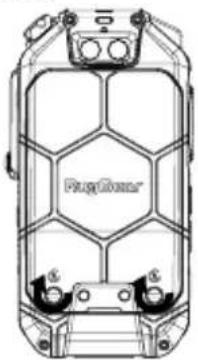
natural_image
Top-down technical line drawing of a mechanical component with hexagonal lattice structure (no text or symbols)natural_image
Line drawing of a mobile phone casing with buttons and a scroll wheel (no text or symbols)Nota:
natural_image
Technical line drawing of a portable device with attached control panel (no text or symbols)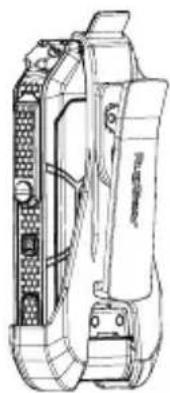
natural_image
Technical line drawing of a mechanical device with no visible text or symbolsnatural_image
Diagram of a mechanical component with a tool inserted, showing no text or symbolsIT
natural_image
Top-down technical line drawing of a vehicle chassis with no visible text or symbolsnatural_image
Top-down line drawing of a vehicle chassis frame with no visible text or symbols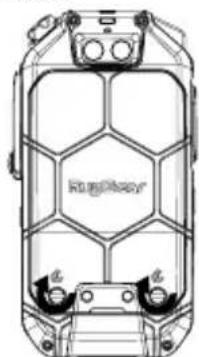
natural_image
Top-down line drawing of a car's front panel showing internal compartments and structural elements (no text or symbols)natural_image
Line drawing of a mobile phone casing with an arrow indicating rotation (no text or symbols)Opmerking:
natural_image
Technical line drawing of a mechanical device with no visible text or symbols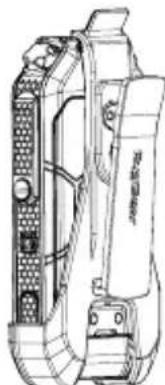
natural_image
Technical line drawing of a mechanical device with internal components (no text or symbols)natural_image
Diagram of a mechanical component with a pipe fitting and control buttons (no text or symbols)7. VEDLIKEHOLD / REPARASJON
natural_image
Technical line drawing of a car chassis with visible structural components (no text or symbols)9.1.2. Installer Nano SIM-kort og Micro SD-kort i retningen som vist.
text_image
Micro SP SIM2 SIM1natural_image
Top-down line drawing of a vehicle chassis with front panel and control buttons (no text or symbols)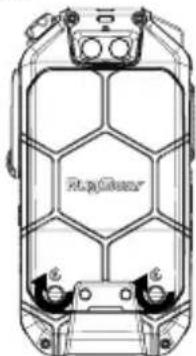
natural_image
Top-down technical line drawing of a vehicle chassis with hexagonal grid pattern and mounting feet (no text or symbols)9.1.4 Lukk batteridekselet og drei batteridekselskruen med klokken.
natural_image
Line drawing of a mobile phone casing with an arrow indicating rotation (no text or symbols)Merk:
natural_image
Technical line drawing of a portable electronic device with attached buttons and ports (no text or symbols)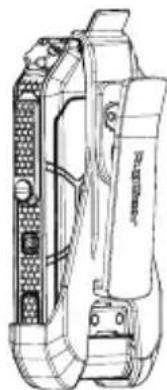
natural_image
Technical line drawing of a mechanical device with no visible text or symbolsnatural_image
Top-down technical line drawing of a car's front panel showing engine, wheels, and structural components (no text or symbols)natural_image
Top-down line drawing of a vehicle front view showing dashboard, steering wheel, and control buttons (no text or symbols)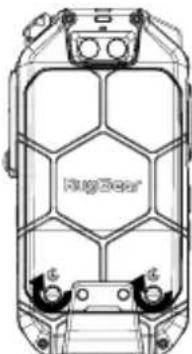
natural_image
Technical line drawing of a car interior with hexagonal window patterns and mounting feet (no text or symbols)natural_image
Line drawing of a mobile phone casing with an arrow indicating rotation (no text or symbols)Uwaga:
natural_image
Technical line drawing of a mechanical device with no visible text or symbols
natural_image
Technical line drawing of a mechanical device with no visible text or symbolsnatural_image
Top-down line drawing of a car's front panel showing hexagonal grid pattern and two wheels (no text or symbols)natural_image
Top-down line drawing of a vehicle front view showing dashboard, steering wheel, and control buttons (no text or symbols)
natural_image
Technical line drawing of a mechanical housing or enclosure with internal grid structure (no text or symbols)natural_image
Technical line drawing of a mobile phone casing with an arrow indicating rotation (no text or symbols)Nota:
natural_image
Line drawing of a portable electronic device with front panel and control panel (no text or symbols)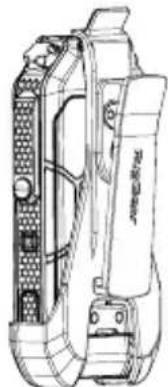
natural_image
Technical line drawing of a mechanical device with internal components (no text or symbols)natural_image
Top-down technical line drawing of a car chassis with no visible text or symbolsnatural_image
Technical line drawing of a vehicle front view showing dashboard, steering wheel, and control buttons (no text or labels)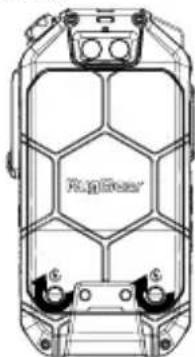
natural_image
Technical line drawing of a vehicle chassis with hexagonal panel structure (no text or symbols)natural_image
Line drawing of a mobile phone casing with an arrow indicating rotation (no text or symbols)Примечание.
natural_image
Technical line drawing of a portable electronic device with control panel and buttons (no text or symbols)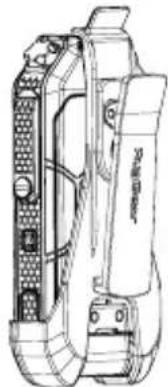
natural_image
Technical line drawing of a mechanical device with no visible text or symbolsnatural_image
Top-down technical line drawing of a car chassis with visible structural components (no text or symbols)natural_image
Technical line drawing of a mechanical device with no visible text or symbols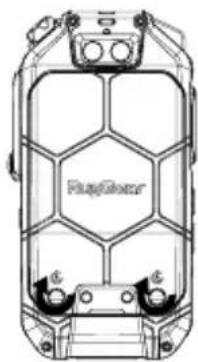
natural_image
Top-down technical drawing of a vehicle chassis frame with hexagonal mesh structure (no text or symbols)natural_image
Line drawing of a mobile phone device with an arrow indicating rotation (no text or symbols)Notera:
natural_image
Line drawing of a handheld device with no visible text or symbols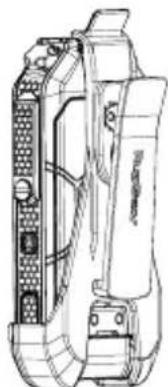
natural_image
Technical line drawing of a mechanical device with internal components (no text or symbols)natural_image
Top-down line drawing of a vehicle chassis with hexagonal grid pattern and two wheels (no text or symbols)natural_image
Top-down line drawing of a vehicle front view showing dashboard, camera, and control buttons (no text or symbols)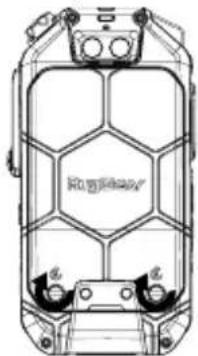
natural_image
Technical line drawing of a vehicle chassis with no visible text or symbolsnatural_image
Line drawing of a mobile phone casing with an arrow indicating rotation (no text or symbols)ملاحظة:
natural_image
Technical line drawing of a portable device with attached sensor array (no text or symbols)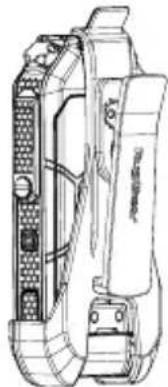
natural_image
Technical line drawing of a mechanical device with no visible text or symbolsتركيب مشük الخصر
natural_image
Diagram of a mechanical component with a pipe fitting and a U-shaped housing (no text or symbols)Restrictions in the 5 GHz band:
According to Article 10 (10) of Directive 2014/53/EU, the packaging shows that this radio equipment will be subject to some restrictions when placed on the market in Belgium (BE), Bulgaria (BG), the Czech Republic (CZ), Denmark (DK), Germany (DE), Estonia (EE), Ireland (IE), Greece (EL), Spain(ES), France (FR), Croatia (HR), Italy (IT), Cyprus (CY), Latvia (LV), Lithuania(LT), Luxembourg (LU), Hungary (HU), Malta (MT), Netherlands (NL), Austria(AT), Poland (PL), Portugal (PT), Romania (RO), Slovenia (SI), Slovakia (SK), Finland (FI), Sweden (SE), the United Kingdom (UK), Turkey (TR), Norway(NO), Switzerland (CH), Iceland (IS), and Liechtenstein (LI). The WLAN function for this device is restricted to indoor use only when operating in the 5150 to 5350 MHz frequency range.
 | AT | BE | BG | CH | CY | CZ | DE |
| DK | EE | EL | ES | FI | FR | HR | |
| HU | IE | IS | IT | LI | LT | LU | |
| LV | MT | NL | PL | PT | RO | SE | |
| SI | SK | TR | UK |
EU – Declaration of Conformity
according to directives 2014/53/EU and 2011/65/EU
The company RugGear Ltd. declares under its sole responsibility that the product to which this declaration relates is in accordance with the provisions of the following data, directives and standards:
| Name & address of the manufacturer | RUGGEAR LIMITEDRM1301,13/F WING TUCK COMM CTR 177-183WING LOK ST SHEUNG WAN |
| Description of the device: LTE SMARTPHONE | |
| Type designatin(s): RG725, PSM01E | |
| Trademark: | RugGear |
| Conformity statement 2014/53/EU issued by | CETECOM GmbHIM Teelbruch 116,45219 EssenGermany |
| Conformity statement 2011/65/EU issued by | SGS-CSTCStandards Technical Services Co., Ltd.Guangzhou Branch198 Kezhu Road, Scientech Park Guangzhou510663 Guangzhou, China |
| Applied harmonized standardsEN 301 908-1 V11.1.1 (2016-07); EN 301 908-2 V11.1.2 (2017-08); EN 301 908-13 V11.1.2 (2017-07)EN 301 511 V 12.5.1(2017-03); EN 303 413 V1.1.1 (2017-06); EN 300 328 V2.1.1 (2016-11); EN 301 893V2.1.1 (2017-05); EN 300 440 V2.2.1 (2018-07); EN 55032:2015+AC:2016Class B; EN 55035:2017; EN 301489-1 V2.2.0 (2017-03) Draft; EN 301 489-3 V2.1.1 (2017-03) Final Draft; EN 301 489-17 V3.2.0 (2017-03) Draft; EN 301489-19 V2.1.0 (2017-03)Draft; EN 301 489-52 V1.1.0 (2016-11) Draft; EN 50360:2017EN 50566:2017; EN 62209-1:2016; EN 62209-2:2010-03; EN 62479:2010; EN 60950-1:2006+A11:2009+A1:2010+A12:2011+A2:2013 | |
Signed for and on behalf of:
HONG KONG, 2018-12-06
Place and date of issue
Alex Ma, R&D Director

natural_image
Two perpendicular right-angle lines forming an L-shape on a white background (no text or symbols)
natural_image
Blank white image with no visible content, text, or symbols.
natural_image
Blank white image with no visible content, text, or symbols
natural_image
Blank white image with no visible content, text, or symbols.
natural_image
Blank white image with no visible content, text, or symbols.
natural_image
Blank white image with no visible content, text, or symbols.
natural_image
Blank white image with no visible content, text, or symbols.
natural_image
Blank white image with no visible content, text, or symbols
natural_image
Blank white image with no visible content, text, or symbols.
natural_image
Blank white image with no visible content, text, or symbols.
natural_image
Blank white image with no visible content, text, or symbols.
natural_image
Blank white image with no visible content, text, or symbols.
natural_image
Blank white image with no visible content, text, or symbols.
natural_image
Blank white image with no visible content, text, or symbols
natural_image
Blank white image with no visible content, text, or symbols.
natural_image
Blank white image with no visible content, text, or symbols.
natural_image
Blank white image with no visible content, text, or symbols
natural_image
Blank white image with no visible content, text, or symbols.
natural_image
Blank white image with no visible content, text, or symbols
natural_image
Blank white image with no visible content, text, or symbols.
natural_image
Blank white image with no visible content, text, or symbols.
natural_image
Blank white image with no visible content, text, or symbols.
natural_image
Blank white image with no visible content, text, or symbols.
natural_image
Blank white image with no visible content, text, or symbols.
natural_image
Blank white image with no visible content, text, or symbols.
natural_image
Blank white image with no visible content, text, or symbols.
natural_image
Blank white image with no visible content, text, or symbols.
natural_image
Blank white image with no visible content, text, or symbols
natural_image
Blank white image with no visible content, text, or symbols
natural_image
Blank white image with no visible content, text, or symbols.
natural_image
Blank white image with no visible content, text, or symbols.
natural_image
Blank white image with no visible content, text, or symbols.
natural_image
Blank white image with no visible content, text, or symbols.
natural_image
Blank white image with no visible content, text, or symbols.
natural_image
Blank white image with no visible content, text, or symbols.
natural_image
Blank white image with no visible content, text, or symbols.
natural_image
Blank white image with no visible content, text, or symbols.
natural_image
Blank white image with no visible content, text, or symbols.
natural_image
Blank white image with no visible content, text, or symbols.
natural_image
Blank white image with no visible content, text, or symbols
natural_image
Blank white image with no visible content, text, or symbols
natural_image
Blank white image with no visible content, text, or symbols.
natural_image
Blank white image with no visible content, text, or symbols
natural_image
Blank white image with no visible content, text, or symbols.
natural_image
Blank white image with no visible content, text, or symbols
natural_image
Blank white image with no visible content, text, or symbols.
natural_image
Blank white image with no visible content, text, or symbols
natural_image
Blank white image with no visible content, text, or symbols
natural_image
Blank white image with no visible content, text, or symbols.
natural_image
Blank white image with no visible content, text, or symbols
natural_image
Blank white image with no visible content, text, or symbols.
natural_image
Blank white image with no visible content, text, or symbols
natural_image
Blank white image with no visible content, text, or symbols.
natural_image
Two parallel horizontal black lines on a white background, no text or symbols present.| 2017 | 2016 | |
| Cash and cash equivalents | 3,459 | 3,459 |
| Short-term borrowings | (1,800) | (1,800) |
| Long-term borrowings | (1,800) | (1,800) |
| Total debt | 1,800 | 1,800 |

natural_image
Blank white image with no visible content, text, or symbols$$ \left|\begin{array}{c}1\ 1 \end{array}\right| $$

natural_image
Blank white image with no visible content, text, or symbols.
natural_image
Two perpendicular right-angle lines forming an L-shape on a white background (no text or symbols)
natural_image
Blank white image with no visible content, text, or symbols.
natural_image
Blank white image with no visible content, text, or symbols.
natural_image
Blank white image with no visible content, text, or symbols.
natural_image
Blank white image with no visible content, text, or symbols.
natural_image
Blank white image with no visible content, text, or symbols.
natural_image
Blank white image with no visible content, text, or symbols.
natural_image
Blank white image with no visible content, text, or symbols.
natural_image
Blank white image with no visible content, text, or symbols.
natural_image
Blank white image with no visible content, text, or symbols.
natural_image
Blank white image with no visible content, text, or symbols.
natural_image
Blank white image with no visible content, text, or symbols.
natural_image
Blank white image with no visible content, text, or symbols.
natural_image
Blank white image with no visible content, text, or symbols.
natural_image
Blank white image with no visible content, text, or symbols.
natural_image
Blank white image with no visible content, text, or symbols.
natural_image
Blank white image with no visible content, text, or symbols.
natural_image
Blank white image with no visible content, text, or symbols.
natural_image
Blank white image with no visible content, text, or symbols.
natural_image
Blank white image with no visible content, text, or symbols.
natural_image
Blank white image with no visible content, text, or symbols
natural_image
Blank white image with no visible content, text, or symbols
natural_image
Blank white image with no visible content, text, or symbols.
natural_image
Blank white image with no visible content, text, or symbols.
natural_image
Blank white image with no visible content, text, or symbols.
natural_image
Blank white image with no visible content, text, or symbols
natural_image
Blank white image with no visible content, text, or symbols.
natural_image
Blank white image with no visible content, text, or symbols
natural_image
Blank white image with no visible content, text, or symbols.
natural_image
Blank white image with no visible content, text, or symbols.
natural_image
Blank white image with no visible content, text, or symbols
natural_image
Blank white image with no visible content, text, or symbols.
natural_image
Blank white image with no visible content, text, or symbols
natural_image
Blank white image with no visible content, text, or symbols
natural_image
Blank white image with no visible content, text, or symbols.
natural_image
Blank white image with no visible content, text, or symbols
natural_image
Blank white image with no visible content, text, or symbols.
natural_image
Blank white image with no visible content, text, or symbols
natural_image
Blank white image with no visible content, text, or symbols.
natural_image
Blank white image with no visible content, text, or symbols
natural_image
Blank white image with no visible content, text, or symbols
natural_image
Blank white image with no visible content, text, or symbols.
natural_image
Blank white image with no visible content, text, or symbols.
natural_image
Blank white image with no visible content, text, or symbols.
natural_image
Blank white image with no visible content, text, or symbols
natural_image
Blank white image with no visible content, text, or symbols
natural_image
Blank white image with no visible content, text, or symbols.
natural_image
Blank white image with no visible content, text, or symbols.
natural_image
Blank white image with no visible content, text, or symbols
natural_image
Blank white image with no visible content, text, or symbols.
natural_image
Blank white image with no visible content, text, or symbols.
natural_image
Blank white image with no visible content, text, or symbols.
natural_image
Blank white image with no visible content, text, or symbols.
natural_image
Two parallel horizontal black lines on white background, no text or symbols present| 2017 | 2016 | |
| Cost of sales | 3,459 | 3,380 |
| Gross profit | 1,046 | 1,038 |
| Net profit | 1,046 | 1,038 |

natural_image
Blank white image with no visible content, text, or symbols$$ \left|\begin{array}{c}1\ 1 \end{array}\right| $$

natural_image
Blank white image with no visible content, text, or symbols.gear your life.
RugGear Ltd.
Unit 1301, 13/F, Wing Tuck Commercial Centre 177 Wing Lok Street, Sheung Wan, Hong Kong Hong Kong
www.RugGear.com