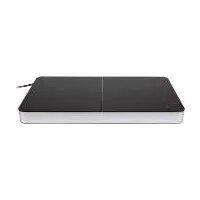
SDI 2800 D4 - Hob SILVERCREST - Free user manual and instructions
Find the device manual for free SDI 2800 D4 SILVERCREST in PDF.


| Product type | Induction cooktop |
| Brand | SilverCrest |
| Model | SDI 2800 D4 |
| Number of burners | 2 |
| Total power | 3500 W |
| Left burner power | 2000 W (10 power levels) |
| Right burner power | 1500 W (8 power levels) |
| Temperature ranges | 60 °C to 240 °C (19 levels) |
| Mains voltage | 220-240 V ~, 50/60 Hz |
| Protection class | II (double insulation) |
| Special functions | Boost (30 s), Keep warm (2 h), Milk (20 min), Timer (1-180 min), Child lock |
| Display | Digital screen with indicator lights |
| Compatible pot types | Magnetic base (steel, cast iron), diameter 10-22 cm |
| Pan detection | Yes (automatic shutdown if removed) |
| Safety shutdown | Yes (auto-off after 30 s without pot) |
| Ventilation | Built-in fan (bottom suction) |
| Cleaning | Damp cloth; scraper for stubborn dirt |
| Warranty | 3 years |
| Maximum weight per burner | 10 kg |
| Dimensions (W x D x H) | Approximately 56 x 35 x 6 cm (estimated) |
| Weight | Approximately 4 kg (estimated) |
Frequently Asked Questions - SDI 2800 D4 SILVERCREST
User questions about SDI 2800 D4 SILVERCREST
0 question about this device. Answer the ones you know or ask your own.
Ask a new question about this device
Download the instructions for your Hob in PDF format for free! Find your manual SDI 2800 D4 - SILVERCREST and take your electronic device back in hand. On this page are published all the documents necessary for the use of your device. SDI 2800 D4 by SILVERCREST.
USER MANUAL SDI 2800 D4 SILVERCREST
DOUBLE INDUCTION HOB DOPPEL-INDUKTIONSPLATTE
PLAQUE À INDUCTION DEUX FOYERS SDI 3500 D4
GB IE
DOUBLE INDUCTION HOB
Operating instructions
FR BE
PLAQUE À INDUCTION DEUX FOYERS
Mode d'emploi
CZ
INDUKČNÍ DESKA
Návod k obsluze
SK
DVOJITÁ INDUKČNÁ VARNÁ DOSKA
Návod na obsluhu
DK
DOBBELT INDUKTIONSKOGEPLADE
DUBBELE INDUCTIEKOOKPLAAT
Gebruiksaanwijzing
PL
PODWÓJNA INDUKCYJNA PŁYTA KUCHENNA
Instrukcja obstugi
ES
Before reading, unfold the page containing the illustrations and familiarise yourself with all functions of the device.
DE AT CH
GB/IE Operating instructions Page 1
Disposal of the packaging 2
Controls and displays 3
Technical specifications....4
Safety information 4
Function 8
Suitable cookware 8
Energy-efficient cooking 8
Setting up 9
Electrical connection 9
Operation 10
The induction fields 10
Safety cut-off 10
Operation 11
Timer 12
Automatic programmes 13
Child lock 14
Cleaning 15
Storage 15
Troubleshooting 16
Disposal of the device 17
Information on this hotplate 18
Kompernass Handels GmbH warranty 19
Service 20
Importer 20
Introduction
Congratulations on the purchase of your new appliance!
You have chosen a modern, high-quality product. These operating instructions are part of the product. They contain important information about safety, usage and disposal. Before using the product, please familiarise yourself with all operating and safety instructions. This product may only be used as described and for the purposes indicated. Please also pass these operating instructions on to any future owner.
Intended use
This appliance is intended exclusively for heating up foodstuffs and keeping them warm. This appliance is intended solely for use in private households. Do not use it for commercial purposes.
Use the appliance only in dry places, and never use it outdoors.
Package contents
The appliance is supplied with the following components as standard:
- Double induction hob
- Operating instructions
1) Remove all parts of the appliance and the operating instructions from the box.
2) Remove all packaging material.
NOTE
▶ Check the package for completeness and signs of visible damage.
▶ If the delivery is incomplete or damage has occurred as a result of defective packaging or during transport, contact the Service hotline (see section Service).
Disposal of the packaging
The packaging protects the appliance from damage during transport. The packaging materials have been selected for their environmental friendliness and ease of disposal and are therefore recyclable.

Returning the packaging to the material cycle conserves raw materials and reduces the amount of waste that is generated. Dispose of packaging materials that are no longer needed in accordance with the applicable local regulations.
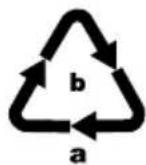
Dispose of the packaging in an environmentally friendly manner.
Note the labelling on the packaging and separate the packaging material components for disposal if necessary. The packaging material is labelled with abbreviations (a) and numbers (b) with the following meanings:
1-7: plastics,
20-22: paper and cardboard,
80-98: composites.
NOTE
▶ If possible, keep the original packaging of the appliance during the warranty period so that it can be properly packaged for return in the event of a warranty claim.
Controls and displays
See figure A on the fold-out page: overview of the appliance
① Left induction field
② Ventilation slits (on rear)
③ Right induction field
4 Control panel (for right induction field)
⑤ Control panel (for left induction field)
Figure B on the fold-out page: Control panel ④ and ⑤ (the same for both induction fields)
6 Child lock control lamp
⑦ Power control lamp P
⑧ Temperature control lamp ℃
⑨ Keep warm control lamp 🏠
10 On/Off control lamp
⑪ On/Off button
⑫ Keep warm button
13 Mode button ← (Power P/Temperature °C)
14 button
15 Display
16 - button
⑰ Milk button
18 Boost button
19 Timer button
20 Timer control lamp
21 Boost control lamp
22 Milk control lamp
Technical specifications
| Power supply 220-240 V | ~, 50/60 Hz |
| Total rated power 3500 W | |
| Rated power of left induction field 1 | 2000 W |
| Rated power of right induction field 3 | 1500 W |
| Protection class | II/□ double insulation |
| Noise emission level <70 dB (A) |
Safety information

WARNING! RISK OF ELECTROCUTION!
▶ Make sure that the mains cable never gets wet or damp when the appliance is in use. Route the cable so that it cannot be trapped or damaged in any way.
- Ensure that the mains plug is connected exclusively to a properly installed, easily accessible mains socket that has a voltage corresponding to the specifications on the rating plate. The mains socket must remain easily accessible after the appliance is plugged in.
▶ After use, always disconnect the plug from the mains power socket. When unplugging the appliance, always pull on the plug, not the mains cable.
▶ Simply switching off the appliance is not sufficient because mains voltage is still present in the appliance as long as the mains plug is in the mains socket.

WARNING! RISK OF ELECTROCUTION!
- Protect the induction field from damage: Do not load it unevenly and do not allow objects to fall onto it. Stop using the appliance if either the induction field or the housing is damaged. If this is the case, remove the plug from the mains power socket immediately and arrange for the appliance to be repaired.
▶ To avoid potential risks, damaged mains cables should be replaced by the manufacturer, their customer service department or someone similarly qualified
If the surface of the induction field is cracked, disconnect the plug from the mains power socket to avoid receiving an electric shock.

Ensure that the appliance, the cable and the plug are never immersed in water or other liquids.

WARNING! RISK OF INJURY!
- Do not touch the surface where a hot cooking pot has just been standing. Directly after cooking, this surface can be very hot.
This appliance may be used by children aged 8 years or older and by persons with reduced physical, sensory or mental capabilities or lack of experience and/or knowledge, as long as they are being supervised or have been instructed on how to use the appliance safely and are aware of the potential risks.
▶ Do not allow children to play with the appliance.
- Cleaning and user maintenance must not be performed by children unless they are older than 8 years of age and are supervised.

WARNING! RISK OF INJURY!
▶ Children younger than 8 years must be kept away from the appliance and the power cable.
▶ Do not heat sealed tins or other sealed containers.

Caution! Hot surface!

This symbol warns you not to touch the induction field right after use. Risk of burns!

Risk for and caused by livestock and pets
Electrical appliances can cause hazards to livestock and pets. Furthermore, animals can also damage the appliance itself. You should therefore always keep animals away from electrical appliances.

WARNING! RISK OF FIRE!
▶ Overheated foods could burn! Never leave the appliance unsupervised while it is in use.
▶ Additionally, never position the appliance below flammable objects, especially not below curtains.
▶ Never heat a securely closed container. Heat expansion can quickly cause an explosion.
▶ Never heat an empty container. It could overheat very quickly, leading to a risk of fire and serious damage to the induction field.
- Do not place any metallic objects, such as kitchen utensils or cutlery, on the induction field. They can become very hot in the induction field.

WARNING! RISK OF FIRE!
▶ Be careful when heating small amounts of oil! Do not use a high power or temperature level. Otherwise, the oil can burn and catch fire! Never use water to extinguish burning oil! Smother the flames by covering them with a suitable lid or plate.
▶ Never operate the appliance on a metal table or other metallic surface. It could heat up and cause a fire. Or the appliance could become irreparably damaged.
▶ Never operate the appliance on a textile surface such as a tablecloth.
- Do not operate the appliance using an external time switch or a separate remote control system.
The appliance is fitted with a ventilation fan on the bottom. Make sure that the air intake is never obstructed. Ensure a minimum clearance of 10 cm around the appliance and 60 cm above it.

To avoid hazards caused by electromagnetic fields:
- Maintain a minimum distance of 1 m from appliances that are sensitive to electromagnetic fields (e.g. screens, clocks, magnetic storage media, electronic appliances, etc.).
▶ Medical devices such as pacemakers, hearing aids and other devices may need to be kept at a greater distance. If in doubt, consult the manufacturer of the medical device!
NOTE
▶ No user action is required to switch the product between 50 and 60 Hz. The product adapts automatically to either 50 or 60 Hz.
Function
Whilst standard hotplates heat up themselves, the heat in an induction hotplate is created in the base of the cookware. The induction field itself does not heat up - it becomes hot when food is heated up on it in a pan and the heat from the pan reflects onto the induction field (reverse heating).
This is caused by an energy field that generates heat only in magnetically conductive materials, for example, pans made of iron. In other materials, such as porcelain, glass or ceramic, the energy field cannot generate any heating effect.
Suitable cookware
Only use cookware that is suitable for induction fields:
Suitable cookware consists of pots and pans with a base made of steel or cast iron. You can identify them by means of the markings on the pan or by ascertaining whether a magnet clings to the base of the pan.
■ Unsuitable cookware is made from any kind of non-magnetic metals such as aluminium, copper, some types of stainless steel as well as non-metallic containers made of porcelain, glass, etc. If you place unsuitable cookware on the induction fields ①/③, "E0" appears in the relevant display ⑮.
- Thin pan bases are better suited to induction cooking than thick sandwich bases. The very short response times to modifications in the settings (short preheating period, rapid and controllable browning) are not possible with pans with thick bases.
Only use cookware that is suitable for the size of the induction field ①/③. This the only way to ensure fault-free functioning of the induction field. Do not use a pan with an uneven base; the pan must sit flat on the induction field.
To ensure that the energy field works properly, the pot diameter may not be less than 10 cm. Do not use pans with a base diameter larger than 22 cm.
Never try to use both induction fields ①/③ together to heat one large cooking vessel.
Energy-efficient cooking
In order to use the energy that is needed for heating food in the most environmentally friendly way, we recommend using a pan with a wide diameter and low height instead of a deep pan with a small diameter. The food is heated more quickly since the surface area being heated is greater in a pan with a large diameter. Do not use pans with a base diameter larger than 22 cm.
■ If you want to heat food quickly, place a lid on the pan. This ensures that less heat escapes.
Setting up
The appliance requires unrestricted ventilation to prevent overheating. Therefore, set up the appliance so that ...
- there is an all-round clearance of at least 10 cm, e.g. to the nearest wall,
- at least 60 cm clearance above, e.g. to a suspended wall cabinet.
For cooling purposes, the appliance draws in air through openings on the base. Do not place it on textiles or fleecy surfaces, such as tablecloths. Operate it only on smooth surfaces.
- Do not place it adjacent to curtains or other textiles that could be drawn against or onto the appliance due to the airflow.
■ Do not place it on surfaces that may contain ferric or steel materials. They may become very hot.
- Maintain a minimum distance of 1 m from appliances that are sensitive to electromagnetic fields (e.g. screens, clocks, magnetic storage media, electronic appliances, etc.).
■ Wipe the induction fields ①/③ with a damp cloth to remove soiling sustained during transportation.
Electrical connection
When you have unpacked and set up the appliance as described, connect the plug to a mains power socket.
■ Before you connect the appliance, ensure that the connection data (voltage and frequency) specified on the type plate matches that specified on your mains power supply.
■ The mains power socket must be protected by a 16 A circuit breaker.
- Do not use an extension cable to connect the appliance. In the event of an emergency, the plug must be quickly accessible.
■ Do not route the power cable over the appliance or over hot and/or sharp-edged surfaces.
■ Ensure that the power cable cannot become trapped.
Operation The induction fields
The induction fields ①/③ have the following output levels:
| Power levels L01 L02 L03 L04 L05 L06 L07 L08 L09 L10 | |||||||||
| Left induction field 1 (in watts) | 200 | 400 | 600 | 800 | 1000 | 1200 | 1400 | 1600 | 1800 |
| Right induction field 3 (in watts) | 200 | 400 | 600 | 800 | 1000 | 1250 | 1500 | —— | |
Both induction fields ①/③ have 19 temperature levels:
| Temperature levels in °C | 60 70 80 90 100 110 120 130 140 150 | ||
| 160 170 180 190 200 210 220 230 240 - |
Although the two induction fields ①/③ are optically identical, the left induction field ① is more powerful than the right one ③. Therefore, bear in mind that you can cook the same amount of food more quickly on the left induction field ① and it can also burn onto the pan more quickly.
Safety cut-off
For safety reasons, the pan detection function automatically switches the appliance into standby mode when you remove the pan from the induction field ①/③ or do not place a pan on it at all.
If you remove the pan from the induction field ①/③, you will hear a beep after a few seconds which will repeat for approx. 1 minute. The display ⑮ shows the error "E0". If you place the pan back on the induction field ①/③ within this time, the previously defined settings will be retained. Otherwise, the "E0" message will disappear after 1 minute and the appliance will switch to standby mode.
NOTE
As long as the temperature of the induction field ①/③ remains above 60°C, "-H-" will be shown on the display ⑮.
Operation
CAUTION! DAMAGE TO APPLIANCE!
▶ Make sure that the total weight of the pan (including contents) does not exceed 10 kg, as this could damage the induction fields ①/③.
▶ Do not pull the mains plug out of the mains socket until the fans have stopped working, as this could damage the appliance.
NOTE
The cooker beeps every time you make an entry.
1) Place a suitable pan with contents in the middle of one of the induction fields ①/③.
2) Insert the plug into the mains power socket.
√ All the control lamps light up briefly. The appliance is now in standby mode.
√ The display ⑮ shows "-L-" if the temperature of the induction field ①/③ is less than 60°C.
√ If a cooking process has already taken place and the induction field ①/③ temperature is still above 60°C, the display ℓ will read "-H-".
3) Press the On/Off button ⏻ 11.
√ON" appears on the display 15 and the On/Off control lamp 10 lights up.
NOTE
If you do not place a suitable pan on the induction fields ①/③ or make any settings within 30 seconds, the appliance will beep and switch to standby mode.
4) You can use the power level mode or the temperature level mode to cook. To do so, press the Mode button 13.
√ In power level mode, the preset power level appears on the display ⑮ (for the left induction field ① "L05", for the right induction field ③ "L04"). The control lamp P ⑦ lights up.
In power level mode, the pan is heated at varying speeds. The higher the selected power level, the faster the pan is heated.
√ In temperature level mode, the preset temperature of 120^ C appears on the display ⑮. The control lamp ^ C ⑧ lights up.
You can raise or lower the temperature in increments of 10^ C by using the +14 or -16 button.
When you are cooking in temperature level mode, the appliance heats the pan to the set temperature. As soon as the temperature falls below the set temperature, the appliance heats up again. The temperature is thus maintained at the desired level.
NOTE
If there is no suitable pan on the induction field ①/③, you will hear a beep after a few seconds which will repeat for approx. 1 minute. The display ⑮ shows the error "E0". Place a suitable pan with contents on the induction field ①/③ to continue cooking (see section Safety cut-off).
5) Press the + 14 or -16 button repeatedly until the required power level or temperature is shown on the display 15.
6) To switch off the induction field ①/③, press the "On/Off" button ⏻⑪.
√ All control lamps switch off. The appliance is now in standby mode.
7) Pull the mains plug out of the mains socket if you no longer wish to use the appliance.
Timer
You can preselect a cooking time from 1 - 180 minutes, after which the respective induction field ①/③ will switch off.
1) Start cooking (in power or temperature mode) as explained above.
2) Press the Timer button ⏰ 19.
√ "☐" appears on the display 15. The Timer control lamp √ 20 lights up.
3) Set the desired time by pressing the + 14 or - 16 buttons.
√ The time shown on the display ⑮ increases or decreases in steps of 1 minute. The timer will start if no entries are made within 5 seconds.
NOTE
▶ Hold down the + 14 or — 16 button to scroll through the values more quickly.
√ The display 15 now alternates between the set power/temperature level and the remaining time until switch-off.
√ When the timer is up, the respective induction field ①/③ switches off automatically and the appliance switches back into standby mode.
Automatic programmes
Boost
Use the "Boost" programme to speed up the cooking process.
1) Press the "Boost" button B ⑱ while cooking.
√ The appliance will switch to the highest output level for around 30 seconds. The display 15 shows the maximum power level for the active induction field 1/3. The Boost control lamp B 21 lights up.
2) To cancel the programme prematurely, press the "Boost" button B 18 again. Otherwise, the appliance will automatically revert to the previous power or temperature level after 30 seconds. The Boost control lamp B 21 will switch off.
Milk
Use the "Milk" programme to heat milk without it boiling over. The milk is heated to around 60^ at a low power level and kept at that temperature for around 20 minutes.
1) Press the "Milk" button ⑰ during operation. √ The Milk control lamp ⑫ lights up. The display ⑮ now alternates between 60 and the remaining time until the end of the programme, starting at 20.
NOTE
▶ You can activate the "Boost" programme at the same time. The "Milk" programme is stopped for about 30 seconds and then resumed afterwards.
If you activate the "Keep warm" programme at the same time, the "Milk" programme will be cancelled.
2) Press the Mode button ③ to stop the "Milk" programme and return to normal operation.
Keep warm
The "Keep warm" programme keeps the content of the pan at around 60^ for 2 hours. The appliance will switch off the respective induction field ①/③ as soon as it reaches 60^ . If the temperature falls below 60^ , the appliance will heat up again.
1) Press the Keep warm button 🎯 ⑫ during operation.
√ The display 15 now alternates between the temperature 60 and the remaining time until the end of the programme, starting at 120. The Keep warm control lamp 📋 lights up.
NOTE
▶ You can activate the "Boost" programme at the same time. The "Keep warm" programme is stopped for about 30 seconds and then resumed afterwards.
If you activate the "Milk" programme at the same time, the "Keep warm" programme will be cancelled.
2) Press the Mode button 13 to stop the "Keep warm" programme and return to normal operation.
Child lock
To prevent unauthorised switching on or changes to the settings, for instance by children, this appliance is fitted with a child lock. Each induction field has its own child lock. If you want to make sure that children cannot interfere with the appliance, you need to lock both induction fields ①/③ with the corresponding child lock.
NOTE
▶ You can also use the child lock as a wipe protect function: Before you wipe over the buttons with a damp cloth, activate the child lock. This helps prevent any of the buttons from being pressed unintentionally.
1) To activate the child lock, press the + 14 and - 16 buttons simultaneously.
√ You will hear a beep, the Child lock control lamp lights up and the display 15 shows "-L-".
2) To switch off the child lock, hold down the +14 and -16 buttons for about 3 seconds.
√ You will hear a beep and the Child lock control lamp switches off.
NOTE
▶ If you activate the child lock while the appliance is running, the appliance can be switched off but not switched on again.
Cleaning
WARNING - RISK OF ELECTRIC SHOCK!
▶ Always remove the plug from the mains power socket before cleaning the appliance.
Under no circumstances should the appliance or any parts thereof be immersed in liquids! This could result in a potentially fatal electric shock, and the appliance could be damaged.
▶ Never open the appliance housing. Otherwise, there is a risk of an electric shock.
WARNING - RISK OF INJURY!
▶ Allow the appliance to cool down completely before cleaning it. Risk of burns!
CAUTION - PROPERTY DAMAGE!
▶ Do not use solvents or abrasive cleaners. They could damage the induction fields ①/③ of the appliance.
▶ Do not use aggressive, chemical or abrasive cleaning agents! They could irreparably damage the surface!
■ Use only a lightly moistened cloth to clean all surfaces and the power cable.
■ Always dry the appliance properly before using it again.
You can remove burnt-on soiling on the induction fields ①/③ using a scraper specifically designed for ceramic hobs (available in most shops selling household equipment).
If there is any soiling around the ventilation slots on the base of the appliance, try and remove it from the outside using a vacuum cleaner.
Storage
■ Store the cleaned and dried appliance in a dust-free and clean location.
Troubleshooting
| PROBLEM POSSIBLE CAUSE POSSIBLE SOLUTIONS | ||
| The appliance is not working. The On/Off indicator lamp 10 does not light up. | The plug is not connected. | Connect the appliance to a mains power socket. |
| The appliance is damaged. | Contact the Customer Service department. | |
| The appliance does not start cooking. | There is no cooking vessel on the respective induction field 1/3. | Place a suitable pot/pan on the respective induction field 1/3. |
| The pot/pan is not suitable for induction cookers. | Use a suitable pot (see the "Suitable cookware" section). | |
| The child lock is activated | Hold down the + 14 and -16 buttons for about 3 seconds. | |
| "E0" appears on one of the displays 15. | There is no vessel on the respective induction field 1/3 or the pot/pan is too small. | Place a suitable pot/pan on the respective induction field 1/3. |
| The pot/pan is not suitable for induction cookers. | ||
| "E2" appears on one of the displays 15. | The temperature sensor underneath the induction field 1/3 is defective. | Disconnect the plug from the mains power socket and contact the Customer Service department. Enter the error code. |
| "E3" appears on one of the displays 15. | The appliance is being supplied with excessively high voltage (>275 V). | Make sure that the appliance is connected to a properly installed mains power socket supplying 220-240 V ~, 50/60 Hz. |
| "E4" appears on one of the displays 15. | The appliance is not being supplied with enough voltage (<150 V). | Make sure that the appliance is connected to a properly installed mains power socket supplying 220-240 V ~, 50/60 Hz. |
| "E5" appears on one of the displays 15. | The temperature sensor beneath the induction field 1/3 is defective or there is a short circuit. | Disconnect the plug from the mains power socket and contact the Customer Service department. Enter the error code. |
| "E6" appears on one of the displays 15. | The electronics have overheated | Check to see whether the fans on the bottom of the appliance are working correctly and whether they can take in a sufficient volume of air. |
Disposal of the device
Never dispose of the appliance in your normal domestic waste. This product is subject to the provisions of European Directive 2012/19/EU.
Dispose of the appliance via an approved disposal company or your municipal waste facility. Please comply with all applicable regulations. Please contact your waste disposal facility if you are in any doubt.

Your local community or municipal authorities can provide information on how to dispose of the worn-out product.

The product is recyclable, subject to extended producer responsibility and is collected separately.
Information on this hotplate
| Symbol Value Unit | |||
| Model name FS-IRC111S, SDI 3500 D4 | |||
| Hotplate type - Household hotplate - | |||
| Number of induction fields and/or cooking areas | - | 2 | - |
| Heating technology (induction fields and ranges, radiant heat hobs, hotplates) | - Induction fields - | ||
| In the case of circular hobs or ranges: Diameter of effective area per induction field, rounded up to the nearest 5 mm | ∅ | 22.0/22.0 | cm |
| In the case of non-circular induction fields or cooking ranges: Length and width of effective area per electrically heated induction field or cooking range rounded up to the nearest 5 mm | LN/A cm | ||
| BN/A cm | |||
| Energy consumption per cooking zone or surface per kg | EC_electric cookers | 183.7/189.8 Wh/kg | |
| Energy consumption of the hob per kg | EC_hob | 186.8 Wh/kg | |
Test method as per Test Standard EN 60350-2: 2018: Household cooking appliances, Part 2: Hobs - Method of measuring performance (tested according to Regulation (EU) No 66/2014 - Annex I, sections 1.2 and 2.2).
This appliance has a 3-year warranty valid from the date of purchase. If this product has any faults, you, the buyer, have certain statutory rights. Your statutory rights are not restricted in any way by the warranty described below.
Warranty conditions
The warranty period starts on the date of purchase. Please keep your receipt in a safe place. This will be required as proof of purchase.
If any material or manufacturing fault occurs within three years of the date of purchase of the product, we will either repair or replace the product for you or refund the purchase price (at our discretion). This warranty service requires that you present the defective appliance and the proof of purchase (receipt) within the three-year warranty period, along with a brief written description of the fault and of when it occurred.
If the defect is covered by the warranty, your product will either be repaired or replaced by us. The repair or replacement of a product does not signify the beginning of a new warranty period.
Warranty period and statutory claims for defects
The warranty period is not prolonged by repairs effected under the warranty. This also applies to replaced and repaired components. Any damage and defects present at the time of purchase must be reported immediately after unpacking. Repairs carried out after expiry of the warranty period shall be subject to a fee.
Scope of the warranty
This appliance has been manufactured in accordance with strict quality guidelines and inspected meticulously prior to delivery.
The warranty covers material faults or production faults. The warranty does not extend to product parts subject to normal wear and tear or to fragile parts which could be considered as consumable parts such as switches, batteries or parts made of glass.
The warranty does not apply if the product has been damaged, improperly used or improperly maintained. The directions in the operating instructions for the product regarding proper use of the product are to be strictly followed. Uses and actions that are discouraged in the operating instructions or which are warned against must be avoided.
This product is intended solely for private use and not for commercial purposes. The warranty shall be deemed void in cases of misuse or improper handling, use of force and modifications / repairs which have not been carried out by one of our authorised Service centres.
Warranty claim procedure
To ensure quick processing of your case, please observe the following instructions:
■ Please have the till receipt and the item number (IAN) 374031_2104 available as proof of purchase.
■ You will find the item number on the type plate on the product, an engraving on the product, on the front page of the operating instructions (below left) or on the sticker on the rear or bottom of the product.
If functional or other defects occur, please contact the service department listed either by telephone or by e-mail.
■ You can return a defective product to us free of charge to the service address that will be provided to you. Ensure that you enclose the proof of purchase (till receipt) and information about what the defect is and when it occurred.
You can download these instructions along with many other manuals, product videos and installation software at www.lidl-service.com.
This QR code will take you directly to the Lidl service page (www.lidl-service.com) where you can open your operating instructions by entering the item number (IAN) 374031_2104.
Service
GB Service Great Britain
Tel.: 0800 404 7657
E-Mail: kompernass@lidl.co.uk
IE ServiceIreland
Tel.: 1890 930 034
(0,08 EUR / Min., (peak))
(0,06 EUR / Min., (off peak))
E-Mail: kompernass@lidl.ie
IAN 374031_2104
Importer
Please note that the following address is not the service address. Please use the service address provided in the operating instructions.
KOMPERNASS HANDELS GMBH
BURGSTRASSE 21
44867 BOCHUM
GERMANY
www.kompernass.com
Inhaltsverzeichnis
Einleitung 22
⚠️ WARNUNG! BRANDGEFAHR!
KOMPERNASS HANDELS GMBH
BURGSTRASSE 21
44867 BOCHUM
DEUTSCHLAND
www.kompernass.com
Sommaire
Introduction 42
KOMPERNASS HANDELS GMBH
BURGSTRASSE 21
44867 BOCHUM
ALLEMAGNE
www.kompernass.com
Inhoud
Inleiding 68
WAARSCHUWING! LETSELGEVAAR!
WAARSCHUWING! LETSELGEVAAR!
WAARSCHUWING! BRANDGEVAAR!
⚠ WAARSCHUWING! BRANDGEVAAR!
WAARSCHUWING - LETSELGEVAAR!
KOMPERNASS HANDELS GMBH
BURGSTRASSE 21
44867 BOCHUM
DUITSLAND
www.kompernass.com
Obsah
Úvod....88
POZOR! HMOTNÉ ŠKODY!
POZOR – HMOTNÉ ŠKODY!
KOMPERNASS HANDELS GMBH
BURGSTRASSE 21
44867 BOCHUM
NĚMECKO
www.kompernass.com
Spis treści
W step 108
KOMPERNASS HANDELS GMBH
BURGSTRASSE 21
44867 BOCHUM
NIEMCY
www.kompernass.com
Obsah
Úvod....128
KOMPERNASS HANDELS GMBH
BURGSTRASSE 21
44867 BOCHUM
NEMECKO
www.kompernass.com
Índice
Introducción....148
Uso previsto 148
KOMPERNASS HANDELS GMBH
BURGSTRASSE 21
44867 BOCHUM
ALEMANIA
www.kompernass.com
Indholdsfortegnelse
Indledning 170
Anvendelsesområde 170
Pakkens indhold....170
KOMPERNASS HANDELS GMBH
BURGSTRASSE 21
44867 BOCHUM
TYSKLAND
www.kompernass.com

KOMPERNASS HANDELS GMBH
BURGSTRASSE 21
44867 BOCHUM
GERMANY
www.kompernass.com
Last Information Update · Stand der Informationen · Version des informations · Stand van de informatie
Stav informaci · Stan informacji · Stav informacií · Estado de las informaciones · Tilstand af information:
08 / 2021 · Ident.-No.: SDI3500D4-062021-3
