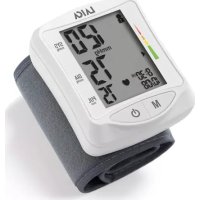
BM1006 - Sphygmomanometer LAICA - Free user manual and instructions
Find the device manual for free BM1006 LAICA in PDF.



| Product Type | Automatic oscillometric wrist blood pressure monitor |
| Brand | Laica |
| Model | BM1006 |
| Power Supply | 2 AAA alkaline 1.5 V batteries (LR03) |
| Battery Life | About 2 months with 3 measurements per day |
| Measurement Method | Oscillometric with automatic inflation |
| Measurement Range | Pressure: 0 to 300 mmHg, Pulse: 30 to 180 beats/min |
| Accuracy | Pressure: ±3 mmHg, Pulse: ±5% of reading |
| Memory | 60 measurements per zone (2 zones) |
| Wrist Circumference | 13.5 to 21.5 cm |
| WHO Classification | Yes, with colored segments (green, yellow, orange, red) |
| Arrhythmia Detection | Yes, symbol (♥) displayed |
| Operating Conditions | Temperature: +10°C to +40°C, Humidity: 15% to 93% RH |
| Storage Conditions | Temperature: -25°C to +70°C, Humidity: ≤93% RH |
| Atmospheric Pressure | 700 hPa to 1060 hPa |
| Estimated Service Life | 3 years (with 10 measurements per day) |
| Cleaning | Soft dry cloth or slightly dampened with water/disinfectant. Cuff: dry cloth or 75-90% alcohol |
| Warranty | 2 years from delivery |
| Maintenance | Check performance every 2 years or after repair |
| Included Accessories | Cuff, storage case |
Frequently Asked Questions - BM1006 LAICA
User questions about BM1006 LAICA
0 question about this device. Answer the ones you know or ask your own.
Ask a new question about this device
Download the instructions for your Sphygmomanometer in PDF format for free! Find your manual BM1006 - LAICA and take your electronic device back in hand. On this page are published all the documents necessary for the use of your device. BM1006 by LAICA.
USER MANUAL BM1006 LAICA
36048 Barbara Mccaro (VI) - Italy
Tel. +39 0424.795314
Made in China
www.laica.it

ISTRUZIONI E GARANZIA
DBP-2220
MISURATORE DI PRESSIONDA POLSO
EN Instructions and warranty page 22 WRIST BLOOD PRESSURE MONITOR
Instructions et garantie page 38 TENSIOMETRE DE POIGNET
ES Instruetiones y garantia pagina 54 MEDIDOR DE PRESION DE PULSO
PT Instruções e garantia página 70 MEDIDOR DE PRESSão DE PULSO
DE Anleitungen und Garantie Seite 86 HANDGELENK-BLUTDRUCKMESSGERAT
O8nyiec kal eyyunon 0k102 TIEZOMETPO KAPNOY
RO Instruetişi garantie pagina 118 TENSIOMETRU DE INCHEIETURA
CS Navod a záruka strana 134 TLAKOMER NA ZAPESTI
SK Navod a záruka strana 150 TLAKOMER NA ZAPASTIE
HsNZalati Utstafok es garancia oldal 166 CSUKLO VERNYMOSMERO

Correct reading position
Swtn theon yia th n tepnon
Positie corecta de masurare
Il prodotti risponde ai segui standardi: IEC 60601-1:2005+A1:2012(E)/EN 60601-1:2006/A11:2011 (Medical electrical equipment - Part 1: General requirements for basic safety and essential performance), IEC 60601-1-2:2007/EN 60601-1-2:2007/AC:2010 (Medical electrical equipment - Part 1-2: General requirements for basic safety and essential performance - Collateral standard: Electromagnetic compatibility - Requirements and tests), IEC 80601-2-30:2009-AMD1:2013/EN 80601-2-30:2010/A1:2015 (Medical electrical equipment - Part 2-30: Particular requirements for the basic safety and essential performance of automated non-invasive sphygmomanometers) EN 1060-1:1995 + A2:2009 (Non-invasive sphygmomanometers - Part 1: General requirements), EN 1060-3:1997+ A2:2009 (Non-invasive sphygmomanometers - Part 3: Supplementary requirements for electro-mechanical blood pressure measuring systems).

Produto da: JOYTECH Healthcare Co., Ltd., No.365, Wuzhou Road, Yuhang Economic Development Zone, 311100 Hangzhou, China

SEP Shanghai International Corp. GmbH (Europe) Effnestasse 80, 20537 Hamburg, Germany

MedEnvoy Switzerland Gottharstrasse 28 6302 Zug - Switzerland
Dear customer, Laica would like to thank you for choosing one of our products, designed according to strict performance and quality criteria in order to ensure total satisfaction.
IMPORTANT
READ CAREFULLY BEFORE USE
KEEP IN A SAFE PLACE FOR FUTURE REFERENCE

The instruction manual must be considered an integral part of the product and must be kept for its entire life, if the product is transferred to another owner, its documentation must also be transferred in its entirety.
To ensure the safe and correct use of the product, the user must carefully read the instructions and warnings contained in the manual insular as they provide important information regarding safety, user and maintenance instructions.
Should the instruction manual get misplaced or you require additional information or clarifications, please fill in the relevant form on the website: https://www.laica.it/ in the FAQ and Support section.
This completely automatic and non-invasive device measures and checks blood pressure (systolic and diastolic), the heart rate and checks for arrhythmias.
CONTENTS
| KEY TO SYMBOLS | pag. 23 |
| SAFETY WARNINGS | pag. 23 |
| CLASSIFICATION OF BLOOD PRESSURE READINGS | pag. 25 |
| PRODUCT DESCRIPTION | pag. 26 |
| INSTRUCTIONS FOR USE | pag. 27 |
| MAINTENANCE | pag. 30 |
| TROUBLESHOOTING | pag. 30 |
| DISPOSAL PROCEDURE | pag. 32 |
| WARRANTY | pag. 32 |
| STANDARDS | pag. 33 |
22 23
English EN
ELECTROMAGNETIC COMPATIBILITY
pag.34

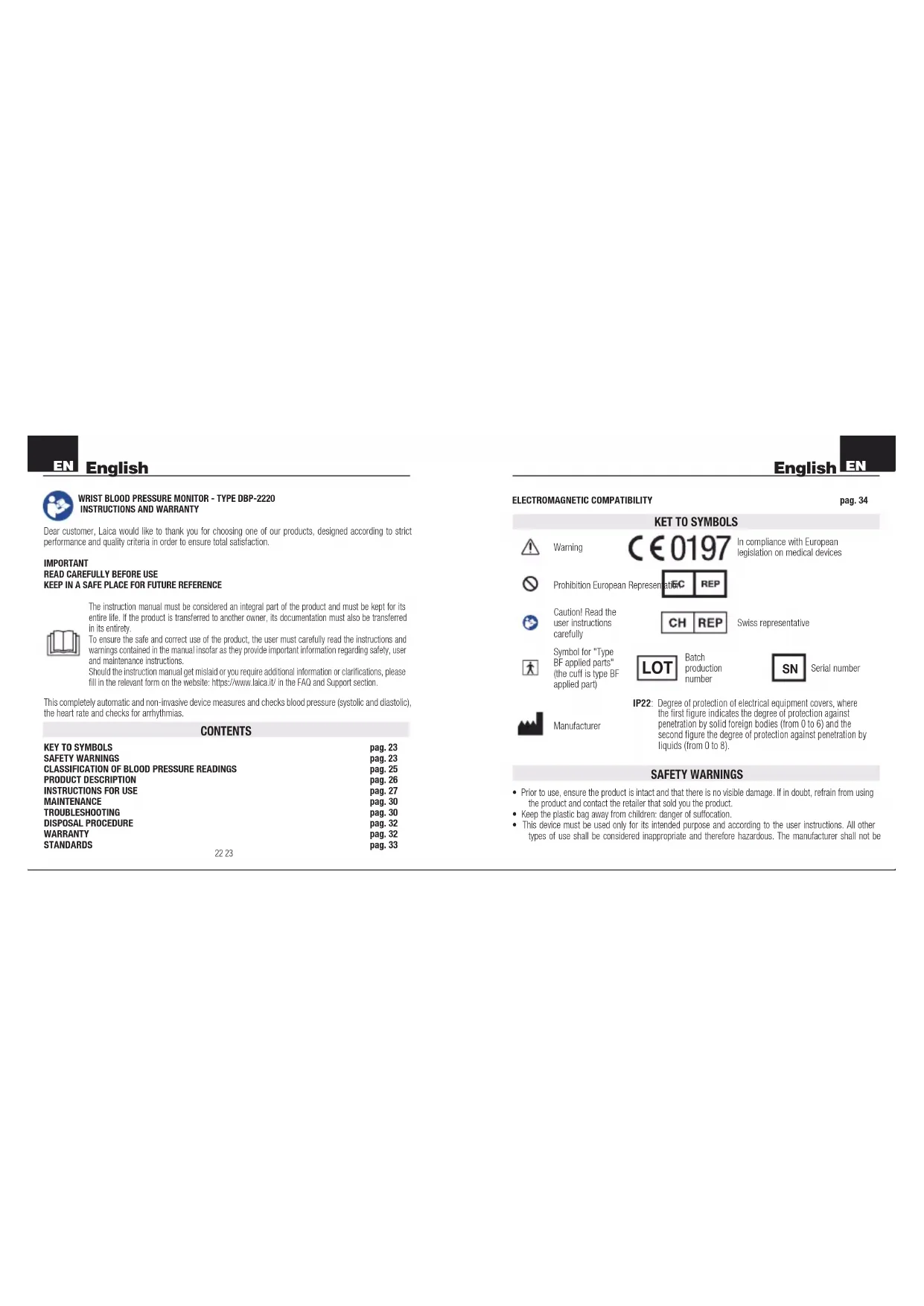
Warning

In compliance with European legislation on medical devices

Caution! Read the user instructions carefully

Swiss representative

Symbol for "Type BF" applied parts (the cuff is type BF applied part)

Batch production number

Serial number

Manufacturer
IP22: Degree of protection of electrical equipment covers, where the first figure indicates the degree of protection against penetration by solid foreign bodies (from 0 to 6) and the second figure the degree of protection against penetration by liquids (from 0 to 8).
SAFETYWARNINGS
- Prior to use, ensure the product is intact and that there is no visible damage. If in doubt, refrain from using the product and contact the retailer that sold you the product.
- Keep the plastic bag away from children: danger of suffocation.
- This device must be used only for its intended purpose and according to the user instructions. All other types of use shall be considered inappropriate and therefore hazardous. The manufacturer shall not be
EN
deemed liable for any damage caused by inappropriate or incorrect use.
- People with physical, sensory or mental disabilities or unskilled people, may use and perform maintenance on the product only under adult supervision. Children must not play with the device.
- To prevent the possibility of accidental strangulation, keep the device away from children and avoid wrapping the cuff around the neck.
- Handle the product with care, protect it against accidental impact, extreme temperature fluctuations, humidity, dust, direct sunlight and sources of heat.
- In the event of a failure and/or malfunction, turn off the device without tampering with it. Always contact your retailer for repairs.
- Ensure hands are dry when using the on and off key.
NEVER submerge the product in water or any other liquids.
#
CAUTION! PRIOR TO USING THIS DEVICE
- This device can measure blood pressure in adults, 18 years and older (wrist circumference from approx. 13.5 to 21.5 cm). To measure a child's blood pressure, consult your physician.
To measure a child's blood pressure, consult your physician.
DO NOT use this device if you are affected by severe arrhytmias.
- Measuring your own blood pressure is a way of monitoring it and must not be considered a diagnosis or treatment.
Unusual readings must always be discussed with your physician. Under no circumstances should you alter the dosages of any medication prescribed by your physician.
- Consult your physician prior to using the device in the following cases.
patients with heart pacemakers,
patients with an irregular heartbeat (arhythmia).
pregnant women
- when applying the device on an arm wound or injury,
- when applying the device on a limb where there may be an intravascular access device or arteriovenous shunt (A-V).
- when applying the device on a person that has had a mastectomy,
- when using the blood pressure monitor at the same time as other medical monitoring devices already being used on the same limb.
EnglishLag
- when undergoing dialysis treatment.
- when taking anticoagulants, antiplatelets or steroids.
- In the following cases, the reading may be lower or imprecise: arteriosclerosis, upper limb spasticity, low blood circulation, cardiovascular system disorders, very low blood pressure, blood flow disorders, arrhythmias and other pre-pathological conditions.
- The device may give inaccurate readings if it is used in temperatures or humidity levels outside the limits indicated in the "Technical Socifications" paragraph.
Do not use near strong magnetic fields and therefore keep away from radio or mobile phone systems (for more information on interferences, see the paragraph "Electromagnetic compatibility"). - Use only with the original manufacturer's cuff. Use of non-original cuffs may lead to incorrect readings.
SAFE USE OF BATTERIES
- Remove the batteries if the device is not used for long periods of time and keep them in a well-ventilated
and dry place, at room temperature.
Do NOT mix old and new batteries. - Use alkaline batteries only.
Do NOT recharge the batteries if they are not rechangable.
DO NOT charge rechargeable batteries using methods other than those indicated in the manual or using unsuitable equipment.
NEVER expose the batteries to sources of heat or direct sunlight. Failure to observe these instructions may result in damage to and/or the explosion of the batteries.
Do NOT throw the batteries into an open flame. - Batteries must always be removed or replaced by adults only.
- Keep batteries out of reach of children: the ingestion of batteries can cause serious harm and death. If a battery is swallowed, seek urgent medical care.
The acid in batteries is corrosive.
Avoid contact with the skin, eyes or garments.
CLASSIFICATION OF BLOOD PRESSURE READINGS
Blood pressure varies from person to person, rising and falling in each individual every day. It tends to rise with age and also depends on the individual's lifestyle. After each blood pressure reading, the values will be compared with the following table prepared by the World Health Organization (WHO), the United Nations
EN
English
specialised health agency.
The segments on the left of the display indicate the classification of blood pressure readings
| BLOOD PRESSURE CLASSIFICATION | SYSTOLIC (mmHg) | DIASTOLIC (mmHg) | SEGMENT COLOR |
| OPTIMAL | <120 | <80 Green | |
| Normal | 120 - 129 | 80 - 84 Green | |
| Normal - High 130 - 139 85 - 89 Green | |||
| Ipertension 1st grade - Light 140 - 159 | 90 - 99 Yellow | ||
| Ipertension 2nd grade - Moderate | 160 - 179 | 100 - 109 | Orange |
| Ipertension 3rd grade - Severe | ≥180 | ≥110 | Red |
Values below 105 mmHg (systolic) and 60 mmHg (diastolic) indicate hypotension. We recommend seeking medical advice. This device is able to detect irregular heartbeats, or arrhythmia, indicating them on the cisplay with the symbol Arhythmia may be caused by frequent anxiety, certain emotional states, excessive alcohol use, genetic predisposition, age or other. It can be a symptom of a particular physical or mental condition (temporary disturbance) or an actual heart problem. Always seek medical advice if the monitor displays the irregular heartbeat symbol.
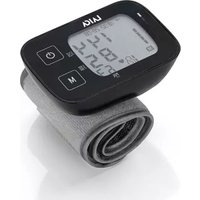
PRODUCT DESCRIPTION (SEE FIG.1)
1)LCDDISPLAY
21 "M" key
3) "0/1" key
4) Cuff
5) Battery compartment
61 Batteries
71 Case
TECHNICAL SPECIFICATIONS
Product name: Blood pressure monitor
Commercial name:BM1006
Classification: Internally powered, Type BF applied part, IP22, No AP or APG, Continuous operating mode
English EN
Method: oscilometric, automatic air inflation and measurement
Measurement range: from 0 to 300mmHg (cuff pressure).
from 30 to 180 beats/min (heart rate)
- Precision: systolic, diastolic ± 3 mmHg heart rate ± 5% of reading
Memories: 60 memories per area (2 areas)
- Wrist circumference: between approx. 135 and 215 mm
Power supply: 2 x 1.5V AAA alkaline batteries (LR03)
Battery autonomy: approx. 2 months at 3 tests per day
Environmental conditions for use: from +10^ to +40^ ; relative humidity between 15% and 93% RH
Environmental conditions for storage: from -25^ to +70^; relative humidity ≤ 93% RH
- Atmospheric pressure for use and storage: 700 hPa - 1060 hPa
- The blood pressure monitor has been designed to maintain its performance and safety characteristics for approx 3 years at 10 test per day.
INSTRUCTIONS FOR USE
BATTERY INSERTION/REPLACEMENT
The blood pressure monitor works with 2 disposable 1.5V AAA alkaline batteries.
At first use and when the display shows the battery symbol insert and/or replace the batteries
Open the battery compartment using the tab on the cover, then insert the batteries according to the indicated poles and close the cover. Dispose of worn batteries as described in the "Disposal procedure" paragraph.
SETTING MEMORY ZONE AND DATE/TIME
1) With the unit off, press the "O/I" button for 3 seconds, the display will flash the last memory zone selected ("") or "..." To select the memory zone desired, press the "M" key and confirm your choice by pressing the "O/I" button. At this point, the display flashes the number for the year (fig.2). Use the "M" key to adjust the figure, holding it down will speed up the scrolling of the numbers. Press the "O/I" button to confirm it.
2) Now the month flashes: adjust with the "M" key and confirm by pressing the "O/I" button.
3) Now the day flashes: adjust with the "M" key and confirm by pressing the "O/A" button.
4) Now the hour flashes: adjust with the "M" key and confirm by pressing the "O/I" button (the display shows the time in 12 and 24 hour formats, see step 6 to select the desired format).
5) Now the minute flashes: adjust with the "M" key and confirm by pressing the "O/I" button.
EN
6) At this point, the display shows "US" or "EU" that indicates the format of date and time (US = 12-hour format: EU = 24-hour format). Select the format with the "M" key and confirm by pressing the "O/A" button.
7) Press the "O/A" button for 3 seconds to confirm the data and turn off the display.
When you insert or replace the batteries you need to reset the memory zone, date and time as described in steps 1 to 7.
WRAPPING THE CUFF
1) Open the velcro wrist strap.
2) Wrap the cuff around the bare wrist as shown in the "Wrapping the cuff" figure and block it by closing the velcro strap. The edge of the cuff should be about 1-2 cm from the palm of your hand, which should be facing upward, resting on a surface. The cuff should fit snugly around the wrist but should not be pulled too tightly, leave enough room to insert a finger between the cuff and wrist. If the cuff is too tight or too loose, the blood pressure readings will be inaccurate.
Never roll sleeves up or the blood flow will be obstructed and the reading will not be accurate.
Make sure that the supplied cuff (13.5 - 21.5 cm) corresponds to the wrist circumference.
PROPER READING METHOD
For accurate blood pressure readings, follow these instructions:
1) Sit down, relax and keep still for at least 5 minutes before taking the reading.
2) Remove sleeves and jewellery from the arm and wrist before applying the cuff.
3) Avoid eating, smoking, drinking and exercising before taking the reading.
4) Always use the same arm (preferably the left one) to take the reading. Rest the arm on a hard surface so that the cuff is level with the heart. Use the case or similar object to support the forearm. The arm must be stretched out and relaxed. When the reading is being taken, do not move any part of the body or the blood pressure monitor.
5) Rest both feet on the floor without crossing legs or feet.
6) Readings should always be taken at the same time to allow a comparison of blood pressure readings.
7) Do not rely on a single reading. We recommend taking at least two readings at least 10/15 minutes apart. It is important to rest the arm during this time as blood congestion may result in false readings.
8) If unpleasant sensations are experienced during a reading, immediately turn the device off using the "OK" button.
English
TAKING A READING
1) Keep the "O/I" key pressed until you hear an acoustic signal. On the display, all function symbols switch on, just for few seconds. The symbol indicates that the device is ready for the measurement. If there is still air in the cuff from the previous reading, the symbol will flash on the display for a few seconds.
2) The cuff will automatically inflate and will stop when it reaches the right level. Try to stay relaxed, without speaking or moving. If the preset pressure (190 mmHg) is considered insufficient or if a hand movement is made, the device will start inflation over again (until a maximum of 280 mmHg).
3) The cuff will automatically inflate and the display will show the systolic and diastolic pressure, heart rate, date and time of the reading. The (♥) symbol appears only in the event of an irregular heartbeat (arrhythmia). The segments on the left of the display indicate the classification of blood pressure readings.
4) The device will turn off automatically after about 3 minutes of non-use. Otherwise, it can be turned off by pressing the "O/I" key. The reading can be interrupted by pressing the "O/I" key.

Make sure the batteries are charged: worn or low batteries compromise the efficiency of the pump, which is subsequently unable to provide sufficient inflation pressure within the preset time range. For this reason, the monitor will display the ERR message. Therefore, replace the batteries.
MEMORY FUNCTION
This unit has the capacity to store up to 60 measurements in each memory zone (2 memory zones). After each measurement, the following values will be stored automatically: diastolic, systolic, pulse rate, date and time, memory number, segments for classifying blood pressure values (see "CLASSIFICATION OF BLOOD PRESSURE VALUES" section) and the possible presence of irregular heartbeat (arhythmias) (一 一) when the heart symbol is shown. To recall the stored measurements in the last memory zone selected, you must press the "M" key. On the display will appear or To scroll through the data in memory press the "M" key again (each press of the key scrolls through the data) and there will appear in succession:
the word "AVG" which indicates the average of the last 3 measurements
- in the lower right of the display the memory number
the stored values
The number "60" is the oldest measurement, while the number "1" indicates the most recent value. Switch off the appliance by pressing the "ON" button. After more than 60 measurements, the oldest data are automatically cancelled. To recall the memory area other than the last one selected before the last measurement, with the unit off it is necessary to hold the "ON" button for 3 seconds. On the display the last memory zone selected will flash or Press the "M" key to select one of the two memory zones and
EN
confirm the selection by pressing the "0/1" button. At this point, turn off the unit by pressing and holding the "0/1" button for about 3 seconds.
DELETION OF STORED DATA
Deleting all data stored in a memory zone.
When the appliance is turned off recall your memory zone by pressing the "0/I" button for 3 seconds and then the "M" key to select the memory zone and confirm by pressing the "0/I" button. Then switch off the unit, holding down the "0/I" button for about 3 seconds. At this point, press the "M" key and then the "0/I" button for about 3 seconds, the unit will emit a short beep and the display will show "...". Now all the data in the previously selected memory zone will have been deleted.
MAINTENANCE
- Store the device in its case in a well-ventilated and dry place without wrapping the hose too tightly and without resting any heavy objects on top of it.
- Clean the blood pressure monitor using a soft cloth, either dry or moistened with water and a liquid disinfectant.
Never use chemicals or abrasives.
NEVER wash the cuff in the washing machine and do not rub it vigorously, but rather delicately wipe the surface with a soft cloth, either dry or moistened with ethyl alcohol (75-90%) and leave it to dry naturally. Do NOT press the "O/I" key if the cuff is not wrapped around the wrist.
Do NOT disassemble the device.
- It is recommended to check the performance of the device every 2 years or after repairs. Contact Laica service assistance (activities excluded from the warranty).
TROUBLESHOOTING
| Problem Possible cause Solution | ||
| After pressing the "0/1" key the reading does not start. | The batteries have not been inserted properly. | Check the correct positioning of the batteries. |
| The batteries are worn. Replace them. | ||
English
| Problem Possible | cause Solution | |
| After pressing the "O/I" key the reading does not start. | Strong electromagnetic interference. | Remove the batteries for 5 minutes and take the reading again. |
| The display shows the dead battery symbol | The batteries are worn. If normal zinc-carbon batteries are used, they will need to be replaced more often. | Replace them. Use alkaline batteries to increase operating autonomy. |
| The readings are very low or very high. | The cuff is not correctly positioned. | Re-read the "Wrapping the cuff" paragraph. |
| Incorrect posture while taking the reading. | Re-read the "Proper reading method" paragraph. | |
| During the reading, the person made a movement or spoke, or the reading was taken at a time when the person was particularly anxious or nervous. | ||
| The heart rate readings are too low or too high. | A movement was made during the reading. | Re-read the "Proper reading method" paragraph. |
| The reading was taken after exercise. | ||
| The Heartsymbol appears on the display. | An irregular heartbeat was detected (arrhythmia). | Repeat the reading, if the symbol appears again, seek medical advice. |
| The display reads "Err". | The blood pressure monitor was unable to detect the systolic or diastolic pressure | Do not move during readings. |

English
DISPOSAL PROCEDURE

The symbol on the bottom of the device indicates the separated collection of electric and electronic equipment (Dr. 2012/19/Eu-WEEE). At the end of life of the device, do not dispose it as mixed solid municipal waste, but dispose it referring to a specific collection centre located in your area or returning it to the distributor, when buying a new device of the same type to be used with the same functions.
If the appliance to be disposed of is less than 25~cm , it can be returned to a retail location that is over 400 m^2 without having to purchase a new, similar device. This procedure of separated collection of electric and electronic devices is carried out forecasting a European environmental policy aiming at safeguarding, protecting and improving environment quality, as well as avoiding potential effects on human health due to the presence of hazardous substances in such equipment or to an improper use of the same or of parts of the same.
Caution! The wrong disposal of electric and electronic equipment may involve sanctions. To correctly dispose of batteries (Dir. 2013/56/Eu) do not throw them into household waste but rather dispose of them as special waste at specialised recycling centres. For more information about disposal of used batteries, contact the store where you purchased the equipment containing the batteries, the municipality or the local waste disposal service.
WARRANTY
This appliance is guaranteed for 2 years from the time of delivery of the goods, or another longer term envisaged by the national legislation of the consumer's residence. This provision complies with Italian and European legislation. The Laica products are designed for home use and must not be used in public venues. The warranty only covers manufacturing defects and does not apply if the damage is caused by an accidental event, incorrect use, negligence or misuse of the product. Use only the accessories supplied; the use of different accessories may result in invalidity of the warranty. Do not open the unit for any reason; in the case of opening or tampering, the warranty is definitively voided. This warranty does not apply to parts subject to wear or to the batteries when supplied. After 2 years from delivery, or another longer term envisaged by the national legislation of the consumer's residence, the warranty expires; in this case, the technical assistance interventions will be carried out against a fee. Information on technical assistance, whether under warranty or for a fee, can be requested by contacting info@laica.com.
No payment will be due for repairs or replacements of products that fall within the terms of the warranty. In
the event of faults, contact the retailer. Do NOT send the appliance directly to LAICA. All the operations under warranty (including those of replacement of the product or part thereof) will not prolong the duration of the original period of warranty of the product replaced. The manufacturer declines any liability for any damage that may, directly or indirectly, be caused to persons, property or animals as a result of the non-observance of all the requirements established in the relevant instructions manual and concerning, especially, warnings relating to installation, use and maintenance of the appliance. LAica, in its constant commitment to improving its products, is entitled to changing without any notice, in whole or in part, its products in relation to production requirements, without this entailing any liability for LAica towards its dealers. For further information: www.laica.it.
STANDARDS
The product corresponds to the below standards: IEC 60601-1:2005 +A1:2012(E)EN 60601-1:2006/ A11:2011 (Medical electrical equipment - Part 1:General requirements for basic safety and essential performance), IEC 60601-1-2:2007/EN 60601-1-2:2007/AC:2010 (Medical electrical equipment - Part 1-2: General requirements for basic safety and essential performance - Collateral standard: Electromagnetic compatibility - Requirements and tests), IEC 80601-2-30:2009+AMD1:2013/EN 80601-2-30:2010/A1:2015 (Medical electrical equipment - Part 2-30: Particular requirements for the basic safety and essential performance of automated non-invasive sphygmomanometers) EN 1060-1:1995 +A2:2009 (Non-invasive sphygmomanometers - Part 1: General requirements), EN 1060-3:1997 +A2:2009 (Non-invasive sphygmomanometers - Part 3: Supplementary requirements for electro-mechanical blood pressure measuring systems).

Manufactured by:JOYTECHHealthcare Co.Ltd.No.365WuzhouRoad,YuhangEconomicDevelopmentZone 311100,Hangzhou,China

Shanghai International Corp. GmbH
(Europe) Elfeestrasse 80, 20537
Hamburg, Germany
MedEnvoy Switzerland
Gotthardstrasse 28
6302 Zug - Switzerland
Distributed by: Laicla S.p.A. Viale del Laboro, 10 - 36048 Barbarano Mossano (Vi) - Italy Phone +39 0444.795314 - Info@laica.com - www.laica.it
Made in China
ELECTROMAGNETIC COMPATIBILITY Table 1 - For all ME EQUIPMENT and ME SYSTEMS
| Guidance and manufacture's declaration electromagnetic emissions | ||
| The DEVICE is intended for use in the electromagnetic environment specified below. The customer or the user of the DEVICE should assure that it is used in such an environment. | ||
| Emissions test Compliance Electromagnetic environment - guidance | ||
| RF emissions CISPR 11 | Group 1 | The DEVICE is suitable for use in all establishments other than domestic and those directly connected to the public low-voltage power supply network that supplies buildings used for domestic purposes. |
| RF emissions CISPR 11 | N/A | The DEVICE is suitable for use in all establishments domestic included and those directly connected to the public low-voltage power supply network that supplies buildings used for domestic purposes. |
| Harmonic emissions IEC 61000-3-2 | N/A | |
| Voltage fluctuations/ flicker emissions IEC 61000-3-3 | N/A | |
Table 2 - For all ME EQUIPMENT and ME SYSTEMS
| Guidance and manufacturer's declaration electromagnetic immunity | |||
| The DEVICE is intended for use in the electromagnetic environment specified below. The customer or the user of the DEVICE should assure that it is used in such an environment. | |||
| Immunity test IEC 60601 test | level Compliance level | Electromagnetic environment - guidance | |
| Electrostatic discharge (ESD) IEC 61000-4-2 | ±8 kV contact +2 kV, ±4 kV, ±8 kV, ±15 kV air | ±8 kV contact +2 kV, ±4 kV, ±8 kV, ±15 kV air | Floors should be wood, concrete or ceramic tile. If floors are covered with synthetic material, the relative humidity should be at least 30 %. |
| Power frequency (50/60 Hz) magnetic field IEC 61000-4-8 | 3 A/m; 50 Hz or 60 Hz 3 A/m; | 50 Hz or 60 Hz | Power frequency magnetic fields should be at levels characteristic of a typical location in a typical commercial or hospital environment. |
Table 3 - For ME EQUIPMENT and ME SYSTEMS that are not LIFE-SUPPORTING
| Guidance and manufacturer's declaration electromagnetic immunity | |||
| The DEVICE is intended for use in the electromagnetic environment specified below. The customer or the user of the DEVICE should assure that it is used in such an environment. | |||
| Immunity test | IEC 60601 test level | Compliance level | Electromagnetic environment - guidance |
| Radiated RF IEC 61000-4-3 | 385MHz,27Wm450MHz,28Wm710MHz,745MHz,780MHz9Wm810MHz,870MHz,930MHz28Wm1720MHz,1845MHz,1970MHz28Wm2450MHz,28Wm5240MHz,5500MHz,5785MHz8Wm | 385MHz,27Wm450MHz,28Wm810MHz,870MHz930MHz28Wm1720MHz,1845MHz,1970MHz28Wm2450MHz,28Wm5240MHz,5500MHz,5785MHz8Wm | Portable and mobile RF communications equipment should be used no closer to any part of the DEVICE, including cables, than the recommended separation distance calculated from the equation applicable to the frequency of the transmitter.Recommended separation distance:d=[3.5]√P80 MHz to 800 MHzd=[7]√P800 MHz to 2.7 GHzWhere P is the maximum output power rating of the transmitter in watts (W), according to the transmitter manufacturer and d is the recommended separation distance in meters (m).Field strengths from fixed RF transmitters, as determined by an electromagnetic site survey, a should be less than the compliance level in each frequency range.bInterference may occur in the vicinity of equipment marked with the following symbol:(▲) |
Table 4 - For ME EQUIPMENT and ME SYSTEMS that are not LIFE-SUPPORTING
| Recommended separation distances between portable and mobile RF communications equipment and the DEVICE | ||
| The DEVICE is intended for use in an electromagnetic environment in which radiated RF disturbances are controlled. The customer or the user of the DEVICE can help prevent electromagnetic interference by maintaining a minimum distance between portable and mobile RF communications equipment (transmitters) and the DEVICE as recommended below, according to the maximum output power of the communications equipment. | ||
| Rated maximum output power of transmitter W | Separation distance according to frequency of transmitter m | |
| 80 MHz to 800 MHzd=[3.5/Es]/√P | 800 MHz to 2,7 GHzd=[7/Es]/√P | |
| 0,01,0,12,0,23 | ||
| 0,1,0,38,0,73 | ||
| 1,1,2,2,3 | ||
| 10,3,8,7,3 | ||
| 100,12,23 | ||
| For transmitters rated at a maximum output power not listed above, the recommended separation distance d in meters (m) can be determined using the equation applicable to the frequency of the transmitter, where P is the maximum output power rating of the transmitter in watts (W) according to the transmitter manufacturer. NOTE 1: All 80 MHz and 800 MHz, the separation distance for the higher frequency range applies. NOTE 2 These guidelines may not apply in all situations. Electromagnetic propagation is affected by absorption and reflection from structures, objects and people. | ||

TENSIOMÉTURE DE POIGNET - TYPE DBP-2220 INSTRUCTIONS ET GARANTIE
Le produit repoucd aux normes suivantes: IEC 60601-1:2005 +A1:2012(E)/EN 60601-1:2006/A11:2011 (Medical electrical equipment - Part 1:General requirements for basic safety and essential performance), IEC 60601-1:2:2007/EN 60601-1:2:2007/AC:2010 (Medical electrical equipment - Part 1-2: General requirements for basic safety and essential performance - Collateral standard: Electromagnetic compatibility - Requirements and tests). IEC 80601-2:30:2009+AMD1:2013/EN 80601-2:30:2010/A1:2015 (Medical electrical equipment - Part 2-30: Particular requirements for the basic safety and essential performance of automated non-invasive sphygmomanometers) EN 1060-1:1995 + A2:2009 (Non-Invasive sphygmomanometers - Part 1: General requirements), EN 1060-3:1997+A2:2009 (Non-invasive sphygmomanometers - Part 3: Supplementary requirements for electro-mechanical blood pressure measuring systems).

Product part: JOYTECH Healthcare Co., Ltd., No.365, Wuzhou Road, Yufang Economic Development Zone, 311100, Hangzhou, China

REPA Shanghai International Corp, GmbH (Europe) Eiflestrasse 80,20537 Hamburg, Germany CH REP Gotthardstrasse 28 6302 Zug-Switzerland
Distribué par: LaLca S.p.A. Viale del Lavoro, 10 - 36048 Barbarano Mossano (VI) - Italy Phone +39 0444,795314 - info@laica.com - www.laica.it
Made in China
El producto cumple con las figueras normas: IEC 60601-1:2005+A1:2012(FyEN 60601-1:2006/A11:201 (Medical electrical equipment - Part 1: General requirements for basic safety and essential performance), IEC 60601-1-2:2007/ EN 60601-1-2:2007/AC 2010 (Medical electrical equipment - Part 1-2: General requirements for basic safety and essential performance - Collateral standard: Electromagnetic compatibility - Requirements and tests), IEC 80601- 2-30:2009+AMD1:2013/EN 80601-2-30:2010/A1:2015 (Medical electrical equipment - Part 2-30: Particular requirements for the basic safety and essential performance of automated non-invasive sphygmomanometers) EN 1060-1:1995 + A2:2009 (Non-invasive sphygmomanometers - Part 1: General requirements), EN 1060- 3:1997+A2:2009 (Non-invasive sphygmomanometers - Part 3: Supplementary requirements for electro-mechanical blood pressure measuring systems).

Producdo por:JOYTECH Healthcare Co., Ltd.,No 365, Wuzhou Road,Yihang Economic Development Zone, 311100,Hangzhou, China.

REPA Shanghai International Corp. GmbH (Europe) Effestrasse 80,20537 Hamburg, Germany

MedEnyswitzerland Gotthardstrasse 28 6302 Zug- Switzerland
Distribuito por: Lalca S.p.A. Viale del Laboro, 10 - 36048 Barbarano Mossano (Vi) - Italy - Phone +39 0444, 795314 - Info@lalca.com - www.lalca.it
Made in China
COMPATIBILIDAD ELECTROMAGNETICA
O producto attende as seguiertes normas: IEC 60601-1:2005+A1:2012(E)/EN 60601-1:2006/A11:2011 (Medical electrical equipment - Part 1:General requirements for basic safety and essential performance), IEC 60601-1:2-2007/EN 60601-1:2-2007/AC:2010 (Medical electrical equipment - Part 1:2: General requirements for basic safety and essential performance - Collateral standard): Electromagnetic compatibility - Requirements and tests), IEC 80601-2-30:2009+AMD1:2013/EN 80601-2-30:2010/A1:2015 (Medical electrical equipment - Part 2-30: Particular requirements for the basic safety and essential performance of automated non-invasive sphygmomanometers) EN 1060-1:1995 +A2:2009 (Non-invasive sphygmomanometers - Part 1: General requirements), EN 1060-3:1997+A2:2009 (Non-invasive sphygmomanometers - Part 3: Supplementary requirements for electro-mechanical blood pressure measuring systems).

Produzido por: JOYTECH Healthcare Co., Ltd., No.365, Wuzhou Road, Yuhang Economic Development Zone, 311100, Hangzhou, China

REPA Shanghai International Corp. GmbH (Europe) Eiflestrasse 80, 20537 Hamburg, Germany


MenEnoy Switzerland
Gothardstrasse 28
6302 Zug - Switzerland
Distribu do: Laica S.p.A. Viale del Lavoro, 10 - 36048 Barbarano Mossano (Vi) - Italy - Phone +39 0444.795314 - info@laica.com - www.laica.it
Made in China
COMPATIBILIDADE ELETROMAGNÉTICA
Mesa 1 - Para todos os APARELHOS ME e SISTemas ME
Das Produkt erflit die folgenden Standards: IEC 60601-1:2005+A1:2012(E)/EN 60601-1:2006/A11:2011 (Medical electrical equipment - Part 1: General requirements for basic safety and essential performance), IEC 60601-1-2:2007/ EN 60601-1-2:2007/AC/2010 (Medical electrical equipment - Part 1-2: General requirements for basic safety and essential performance - Collateral standard: Electromagnetic compatibility - Requirements and tests), IEC 80601-2:30:2009+AMD1:2013/EN 80601-2:30:2010/A1:2015 (Medical electrical equipment - Part 2-30: Particular requirements for the basic safety and essential performance of automated non-invasive sphygmomanometers) EN 10601-1:1995 + A2:2009 (Non-invasive sphygmomanometers - Part 1: General requirements), EN 10601-3:1997-A2:2009 (Non-invasive sphygmomanometers - Part 3: Supplementary requirements for electro-mechanical blood pressure measuring systems).

Hergestellt von: JOYTECH Healthcare Co., Ltd, No.365, Wuzhou Road, Yuhang Economic Development Zone, 311100, Hangzhou, China

Shanghai International Corp., GmbH (Europe) Eiffelstrasse 80, 20537 Hamburg, Germany

MedEmpow Switzerland
Gothardstrasse 28
6302 Zug - Switzerland
Vertrieben von: Laica S.p.A. Viale del Lavoro, 10 - 36048 Barbarano Mossano (VI) - Italy - Phone +39 0444.795314 - info@laica.com - www.laica.it Made in China
ELEKTROMAGNETISCHE VERTRAGLICHKEIT
MAEETHSE IPIOXETXI KTPIN THXPHN NA PHYAASETAI JIA MEAAONTIKH ANAOFOPA

To yeyepio oyoyu npTei va Boeayei Avonocnto lepoc Tou npoiovtoc kai npetie va biatipteai koo' an Tn biapkeia cng Tou npoivtoc,
2e nepitno meteabiganc nTc oukeoei o ao katoxio npaooate kai oao Ta uovoeukta Kyyoopa. Iia iia oaoaui Ka oouti xpnH Tou npoivtoc, O xonotn,
Uanpeoutou vua DooaipooNkTO CIOyndic Kni pnoooteionic nTou Tepeovotai ot To evyipio kaiBac npexyov onnavntke nnpoopoeic oxetika meyn oaoaiaox, onnyi
OyohnckKaouvtnponc,
2e nepitno nou xooote to eyepio oyoyiv n xpeiaote npootepeis npoopoeic in
Bekivioecic aumnpwote to eyekyo EvtuOnu Bpioketai otny iotoaealb. https://www. laica.it ovTvnt Fag Kai Ynootpiej.
Aun t oukeur i eivai vteiaac autouotqti kai xpanoeuii teit paoenki ton kai rav Eeayoi n en tne Bapuokto tropon, Tnct optnipniak tieneo (ouotaiKtio Kbi KaotaiO), Tou mIoUcTic KApoiBic Kai Tnv Tnpauopua aappuBliou
EYPETHPIO
Pnoooyi△iaoae me npnoooyiTc,cbnyic

avtnpaoanoc ts EAberic

To pnoivnpoi Tc ookouoeoepoooypoc: IEC 60601-1:2005+A1:2012(E)EN 60601-1:2006/A11:2011 (Medical electrical equipment - Part 1: General requirements for basic safety and essential performance), IEC 60601-1:2-2007/EN 60601-1:2-2007/AC-2010 (Medical electrical equipment - Part 1-2: General requirements for basic safety and essential performance - Collateral standard: Electromagnetic compatibility - Requirements and tests), IEC 80601-2:30:2009+AMD1:2013/EN 80601-2:30:2010/A1:2015 (Medical electrical equipment - Part 2-30: Particular requirements for the basic safety and essential performance of automated non-invasive sphygmomanometers) EN 1060-1:1995 +A2:2009 (Non-invasive sphygmomanometers - Part 1: General requirements), EN 1060-3:1997+A2:2009 (Non-invasive sphygmomanometers - Part 3: Supplementary requirements for electro-mechanical blood pressure measuring systems).

Korokouoetoi:JOYTECH Healthcare Co., Ltd., No.365, Wuzhou Road, Yuhang Economic Development Zone, 311100, Hangzhou, China

Shanghai International Corp., Gmt. (Europe) Eiflesstrasse 80, 20537 Hamburg, Germany

Medlowry Switzerland
Gothardstrasse 28
6302 Zug - Switzerland
Aioe eet o: Laica S.p.A. Viale del Lavoro, 10 - 36048 Barbarano Mossano (VI) - Italy Phone +39 0444.795314 - info@laica.com - www.laica.it Made in China
HAEKTPOMAΓNHTIKH ΣYMBATOTHTA
NivaKac1 - Tia oAeTic SYKEYEe Kai Ta SYETHMATA ME
INSTRUCTIONSI GARANTIE
Stimate cliente, societea Laica va multoeste pour c a tais aces ecasto realizat conform unor criteri de fiabilitate si calitate, pour predlina satisfactie a clientelor nostri.
IMPORTANT
CITITICATENTIEINAINTEDEAUTILIZAPRODUSUL
PASTRATI INSTRUCTION PENTRU A LE PUTEA CONSULTA PE VIITOR

Conformitate under constitutions of the European Union, which are not yet applicable to the United States.

Produsul indeplineste urmatoarele standarde: IEC 60601-1:2005+A1:2012(E)/EN 60601-1:2006/ A11:2011 (Medical electrical equipment - Part 1:General requirements for basic safety and essential performance). IEC 60601-1-2:2007/EN 60601-1-2:2007/AC:2010 (Medical electrical equipment - Part 1-2: General requirements for basic safety and essential performance - Collateral standard: Electromagnetic compatibility - Requirements and tests). IEC 80601-2-30:2009+AMD1:2013/EN 80601-2-30:2010/A1:2015 (Medical electrical equipment - Part 2-30: Particular requirements for the basic safety and essential performance of automated non-invasive sphygmomanometers) EN 1060- 1:1995 +A2:2009 (Non-invasive sphygmomanometers - Part 1: General requirements). EN 1060- 3:1997+A2:2009 (Non-invasive sphygmomanometers - Part 3: Supplementary requirements for electro-mechanical blood pressure measuring systems).

Produs de: JOYTECH Healthcare Co., Ltd., No.365, Wuzhou Road, Yuhang Economic Development Zone, 311100, Hangzhou, China

Shanghai International Corp. GmbH (Europe) Eiffestrasse 80, 20537 Hamburg, Germany

MedErweSwitzerland
Gothardstrasse 28
6302 Zug - Switzerland
Distribuţ de: Laica S.p.A. Viale del Lavoro, 10 - 36048 Barbarano Mossano (VI) - Italy Phone +39 0444.795314 - info@laica.com - www.laica.it Made in China
COMPATIBILITATE ELECTROMAGNETICA
Plansa 1 - Pentru toate ECHIPAMENTE ME si SISTEMELE ME
NASTAVENI OBLASTI PAMETI A DATA/CASU
SPRAVNY ZPUSOB MERENI
Tento Produkt sphijue naseledujicnormy:: IEC 60601-1:2005+A1:2012(E)/EN 60601-1:2006/ A11:2011 (Medical electrical equipment - Part 1:General requirements for basic safety and essential performance), IEC 60601-1-2:2007/EN 60601-1-2:2007/AC:2010 (Medical electrical equipment - Part 1-2: General requirements for basic safety and essential performance - Collateral standard: Electromagnetic compatibility - Requirements and tests), IEC 80601- 2-30:2009-AMD1:2013/EN 80601-2-30:2010/A1:2015 (Medical electrical equipment - Part 2-30: Particular requirements for the basic safety and essential performance of automated non-invasive sphygmomanometers) EN 1060-1:1995 + A2:2009 (Non-invasive sphygmomanometers - Part 1: General requirements), EN 1060-3:1997+A2:2009 (Noninvasive sphygmomanometers - Part 3: Supplementary requirements for electro-mechanical blood pressure measuring systems).

Vyrobec: JOYTECH Healthcare Co., Ltd., No.365, Wuzhou Road, Yuhang Economic Development Zone, 311100, Hangzhou, China

Shanghai International Corp. GmbH (Europe) Eiffestrasse 80, 20537 Hamburg, Germany

MedErway Switzerland
Gotthardstrasse 28
6302 Zug - Switzerland
Distributor: Laica S.p.A. Viale del Lavoro, 10 - 36048 Barbarano Mossano (VI) - Italy Phone +39 0444.795314 - Info@lalca.com - www.lalca.it Made in China
ELEKTROMAGNETICKÁ KOMPATIBILITA
Tabulka 1 - Pro všechna ZARIZENI ME a SYSTÉMY ME
Izdelok izoolnijue naslednje standarde: IEC 60601-1:2005+A1:2012(E)/EN 60601-1:2006/ A11:2011 (Medical electrical equipment - Part 1:General requirements for basic safety and essential performance), IEC 60601-1:2:2007/EN 60601-1:2:2007/AC:2010 (Medical electrical equipment - Part 1:2: General requirements for basic safety and essential performance - Collateral standard: Electromagnetic compatibility - Requirements and tests), IEC 80601-2:30:2009+AMD1:2013/EN 80601-2:30:2010/A1:2015 (Medical electrical equipment - Part 2:30: Particular requirements for the basic safety and essential performance of automated non-invasive sphygmomanometers) EN 1060-1:1995 + A2:2009 (Non-invasive sphygmomanometers - Part 1: General requirements), EN 1060-3:1997+A2:2009 (Noninvasive sphygmomanometers - Part 3: Supplementary requirements for electro-mechanical blood pressure measuring systems).

Vyrobene:JOYTECH Healthcare Co., Ltd., No.365, Wuzhou Road, Yuhang Economic Development Zone, 311100, Hangzhou, China

EP Shanghai International Corp, GmbH (Europe) Eifestrasse 80, 20537 Hamburg, Germany

MedErwy Switzerland
Gothardstrasse 28
6302 Zug - Switzerland
Distribuca: Laica S.p.A. Viale del Laboro, 10 - 36048 Barbarano Mossano (VI) - Italy Phone +39 0444.795314 - info@laica.com - www.laica.it Made in China
ELEKTROMAGNETICKA KOMPATIBILITA
Tabulka 1 - Pre vsetky PRISTROJE ME a SYSTÉMY ME
a kijelz o jobb also sarkaban a memoria szama
- a mentett ertekek.
TÁROLT ADATOK TÖRLESE
A termek megfele az alabbi szabvanyoknak: IEC 60601-1:2005+A1:2012(E)/EN 60601-1:2006/ A11:2011 (Medical electrical equipment - Part 1:General requirements for basic safety and essential performance), IEC 60601-1:2:2007/EN 60601-1:2:2007/AC:2010 (Medical electrical equipment - Part 1-2: General requirements for basic safety and essential performance -Collateral standard: Electromagnetic compatibility - Requirements and tests), IEC 80601-2:30:2009+AMD1:2013/EN 80601-2:30:2010/A1:2015 (Medical electrical equipment - Part 2-30: Particular requirements for the basic safety and essential performance of automated noninvasive sphygmomanometers) EN 1060-1:1995 + A2:2009 (Non-invasive sphygmomanometers - Part 1: General requirements), EN 1060-3:1997+A2:2009 (Non-invasive sphygmomanometers - Part 3: Supplementary requirements for electro-mechanical blood pressure measuring systems).

Gyarottla; JOYTECH Healthcare Co., Ltd., No.365, Wuzhou Road, Yuhang Economic Development Zone, 311100, Hangzhou, China

Shanghai International Corp. GmbH (Europe) Eiffestrasse 80, 20537 Hamburg, Germany

ModEnvoy Switzerland Gotthandstrasse 28 6302 Zug - Switzerland
Forgalmazza: Laica S.P.A. Viale del Laboro, 10 - 36048 Barbarano Mossano (VI) - Italy Phone +39 0444.795314 - info@laica.com - www.laica.it - Made in China


- ISTRUZIONI E GARANZIA
- MISURATORE DI PRESSIONDA POLSO
- IMPORTANT
- READ CAREFULLY BEFORE USE
- KEEP IN A SAFE PLACE FOR FUTURE REFERENCE
- English EN
- ELECTROMAGNETIC COMPATIBILITY
- SAFETYWARNINGS
- EN
- #
- CAUTION! PRIOR TO USING THIS DEVICE
- EnglishLag
- SAFE USE OF BATTERIES
- CLASSIFICATION OF BLOOD PRESSURE READINGS
- English
- PRODUCT DESCRIPTION (SEE FIG.1)
- TECHNICAL SPECIFICATIONS
- INSTRUCTIONS FOR USE
- BATTERY INSERTION/REPLACEMENT
- SETTING MEMORY ZONE AND DATE/TIME
- WRAPPING THE CUFF
- PROPER READING METHOD
- TAKING A READING
- MEMORY FUNCTION
- DELETION OF STORED DATA
- Deleting all data stored in a memory zone.
- MAINTENANCE
- DISPOSAL PROCEDURE
- WARRANTY
- STANDARDS
- TENSIOMÉTURE DE POIGNET - TYPE DBP-2220 INSTRUCTIONS ET GARANTIE
- COMPATIBILIDAD ELECTROMAGNETICA
- ELEKTROMAGNETISCHE VERTRAGLICHKEIT
- EYPETHPIO
- HAEKTPOMAΓNHTIKH ΣYMBATOTHTA
- NivaKac1 - Tia oAeTic SYKEYEe Kai Ta SYETHMATA ME
- NASTAVENI OBLASTI PAMETI A DATA/CASU
- SPRAVNY ZPUSOB MERENI
- TÁROLT ADATOK TÖRLESE
Brand : LAICA
Model : BM1006
Category : Sphygmomanometer