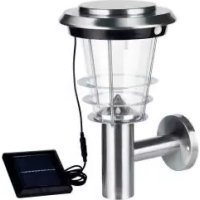
HG00513A - Lighting Livarno Lux - Free user manual and instructions
Find the device manual for free HG00513A Livarno Lux in PDF.



User questions about HG00513A Livarno Lux
0 question about this device. Answer the ones you know or ask your own.
Ask a new question about this device
Download the instructions for your Lighting in PDF format for free! Find your manual HG00513A - Livarno Lux and take your electronic device back in hand. On this page are published all the documents necessary for the use of your device. HG00513A by Livarno Lux.
USER MANUAL HG00513A Livarno Lux
Assembly, operating and safety instructions
FR BE
BALISE SOLAIRE À LED
GB / IE Assembly, operating and safety instructions Page 12
● = Problem
= Ursache
O = Lösung
Intended use....Page 13
Parts description....Page 13
Technical Data Page 13
Scope of delivery....Page 14
General safety instructions......Page 14
Safety instructions for rechargeable batteries....Page 14
Function......Page 14
Before use
Charging the rechargeable batteries....Page 15
Assembly
Mounting the light....Page 15
Start-up Page 15
Maintenance / changing batteries......Page 16
Winter-time use......Page 16
Cleaning and Care Page 16
Troubleshooting Page 16
Disposal Page 17
Warranty Page 17
- Introduction
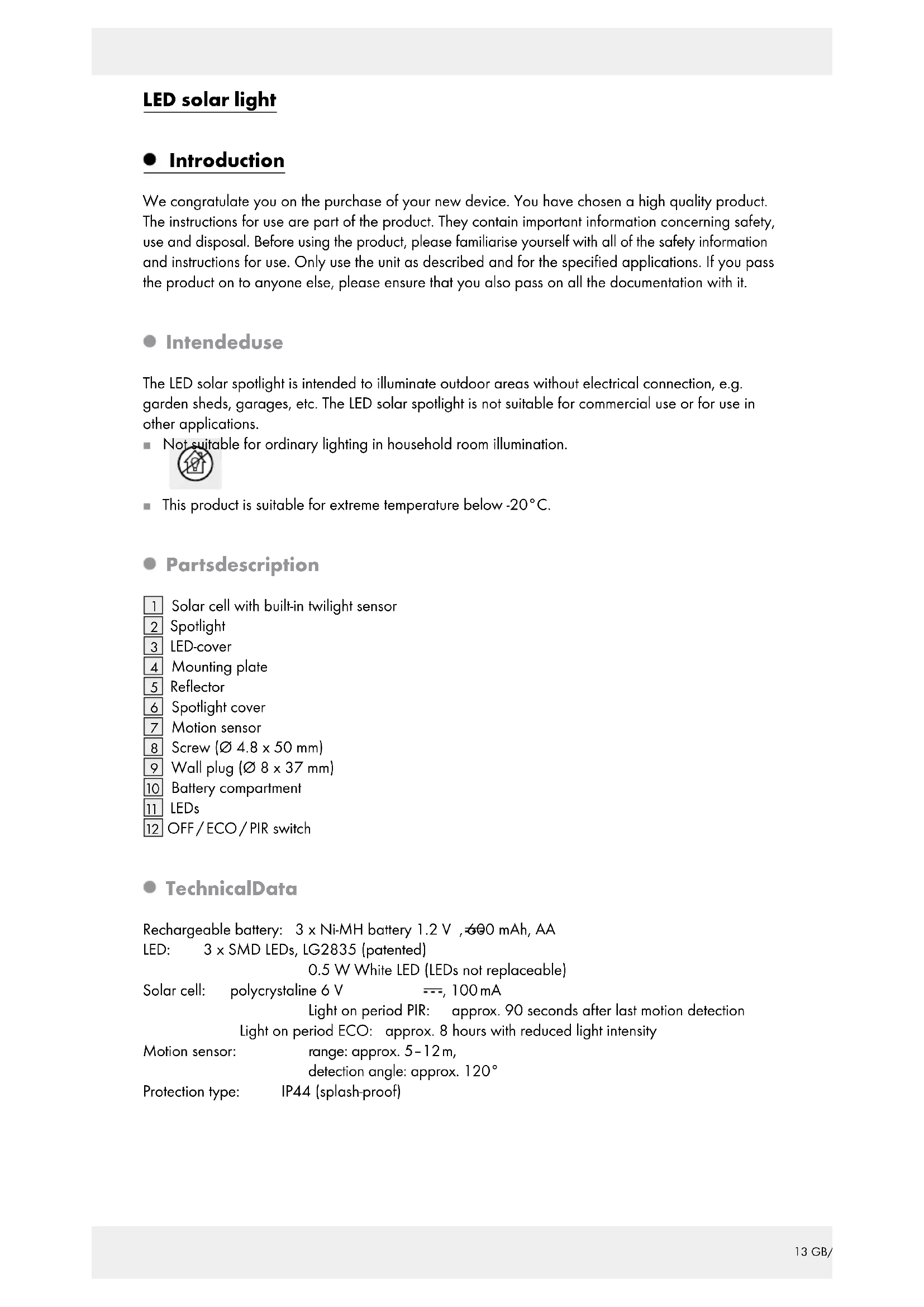
We congratulate you on the purchase of your new device. You have chosen a high quality product. The instructions for use are part of the product. They contain important information concerning safety, use and disposal. Before using the product, please familiarise yourself with all of the safety information and instructions for use. Only use the unit as described and for the specified applications. If you pass the product on to anyone else, please ensure that you also pass on all the documentation with it.
Intendeduse
The LED solar spotlight is intended to illuminate outdoor areas without electrical connection, e.g. garden sheds, garages, etc. The LED solar spotlight is not suitable for commercial use or for use in other applications.
■ Not suitable for ordinary lighting in household room illumination.

This product is suitable for extreme temperature below -20°C.
Partsdescription
1 Solar cell with built-in twilight sensor
2 Spotlight
3 LED-cover
4 Mounting plate
5 Reflector
6 Spotlight cover
7 Motion sensor
8 Screw (∅ 4.8 x 50 mm)
9 Wall plug (∅ 8 x 37 mm)
10 Battery compartment
11 LEDs
12 OFF/ECO/PIR switch
- TechnicalData
Rechargeable battery: 3 x Ni-MH battery 1.2 V, 600 mAh, AA
LED: 3 x SMD LEDs, LG2835 (patented)
0.5 W White LED (LEDs not replaceable)
Solar cell: polycrystaline 6 V ---, 100 mA
Light on period PIR: approx. 90 seconds after last motion detection
Light on period ECO: approx. 8 hours with reduced light intensity
Motion sensor: range: approx. 5-12m,
detection angle: approx. 120°
Protection type: IP44 (splash-proof)
- Scope of delivery
1 LED solar light
2 Screws (∅ 4.8 × 50 mm)
2 Wall plugs (∅ 8 x 37 mm)
1 Instructions for assembly and use

General safety instructions
Before using the product, please familiarise yourself with all of the safety information and instructions for use! When passing this product on to others, please also include all the documents!
This appliance can be used by children aged from 8 years and above and persons with reduced physical, sensory or mental capabilities or lack of experience and knowledge if they have been given supervision or instruction concerning use of the appliance in a safe way and understand the hazards involved. Children shall not play with the appliance. Cleaning and user maintenance shall not be made by children without supervision.
- Never leave children unsupervised with the packaging material. The packaging material represents a danger of suffocation. Children frequently underestimate the dangers.
- Keep children out of the area you are working in. A large number of screws and other small parts are included with delivery. These may prove life-threatening if swallowed or inhaled.
- Do not use this article if you notice any damage!

Safety instructions for rechargeable batteries
WARNING! DANGER TO LIFE! Keep rechargeable batteries away from children. If accidentally swallowed seek immediate medical attention!
CAUTION! EXPLOSION HAZARD!
■ Never throw rechargeable batteries into fire or water!
- Do not exert mechanical loads to batteries!
- Do not use single-use batteries.
■ Never short-circuit or open rechargeable batteries.
Risk of property damage
■ Only use the specified battery type!
- When inserting the battery ensure that it is inserted the right way round! This is shown in the battery compartment!
If necessary, clean the battery and device contacts before inserting the battery!
Function
The solar cell 1 converts energy from sunlight into electricity. This recharges the battery inside the battery compartment 10 via the power cable.
These batteries store the electricity fed by the solar cell. Fully charged batteries will provide about 2 hours of light on the „PIR“ setting, and about 8 hours on „ECO“.
In summer completely drained batteries take about 2 to 4 days to fully recharge in constant sunlight.
The batteries must be charged prior to initial use (see „Charging rechargeable batteries“).
- Before use
● Charging the rechargeable batteries
Note: The rechargeable batteries inside the main unit are fully charged at delivery. However, they may already have lost charge during transport from the manufacturer to the retail location. Therefore charge the batteries prior to use. During summer, initial charging will take at least one day in constant sunlight.
☐ Set the switch 12 to the „OFF“ position.
Note: In constant sunlight (depending on the season) drained batteries should take two to ten days to charge.
Note: the built-in charging controller of the LED solar spotlight prevents the rechargeable batteries from overcharging.
Replace the rechargeable batteries if light output does not improve after charging (Fig. C).
- Assembly
☐ Select a suitable place for installation.
☐ Ensure that the motion detector will not be functionally inhibited at the desired place of installation due to obstacles or constantly moving objects.
☐ Ensure that the light is mounted in a place with direct sunlight.
☐ Ensure that the spotlight is not installed where there are strong temperature fluctuations, e.g. due to heating devices.
☐ Ensure that the spotlight is installed far away from unnatural light sources and in southern direction.
☐ Ensure that the supplied screws and wall plugs are suitable for the type of wall. If not, use other suitable screws and wall plugs. The manufacturer is not responsible for improper use of wall connections.
- Mounting the light
☐ Ensure that the light is placed with the spotlight head upwards. Do not install the spotlight in any other position.
- Secure the light to a stable and solid surface according to the instruction in Fig. A
Note: The enclosed mounting material is suitable for ordinary masonry construction. Other wall substrates may require other fastening materials. Seek specialist advice when in doubt.
☐ After mounting, check that the main unit is fitted securely.
- Start-up
Note:
☐ The solar cell 1 also works as a twilight sensor, while the motion sensor 7 only responds to movement.
☐ When selecting the setup location for the solar cell 1 be sure the solar cell, just as the twilight sensor, are not affected by other light sources, e.g. street lighting.
The switch 12 on the spotlight 2 (Fig. A) features the following functions:
Position „OFF“: Sensor 7 and spotlight 2 are off. In direct sunlight the rechargeable batteries are charged by the solar cell 1. Use this setting to charge drained batteries (see „Charging the rechargeable batteries”).
Position „ECO“: The spotlight automatically switches on or off once the solar cell 1 detects dusk or dawn. To ensure a long life the LEDs will not be fully powered in this setting,
but only provide approx. 25 % of their full light power (eco mode). When fully charged, the batteries will provide approx. 8 hours of light in this setting.
Position „PIR“: The solar cell charges the batteries in sunlight. The solar cell 1 automatically switches the spotlight on in twilight or the dark when the motion sensor 7 detects movement. The light ON time is preset to approx. 1.5 minutes. If additional movement is detected during these 1.5 minutes, the light ON time will reset. In this setting the LEDs will be fully powered. With the batteries fully charged the charge on this setting will provide light for a total of approx. 2 hours.
● Maintenance / changing batteries
To ensure good solar cell 1 performance the solar cell must be cleaned regularly (see „Cleaning and care“).
Change the batteries according to the instruction in Fig. B and C.
☐ Slide the switch 12 to the „OFF“ position.
☐ Remove the batteries from the battery compartment 10 and replace with new rechargeable batteries with the same technical data. Be sure to insert the batteries in the correct direction. The correct polarity is shown inside the battery compartment.
- Winter-time use
The low amount of sunlight may reduce the light ON time at night depending on the on-time. Due to the low position of the sun please also verify the solar cell 1 is out of shade throughout the day in winter and remove ice and snow as necessary.
If the light ON time is inadequate due to the weather, recharge or replace the batteries (see „Charging the rechargeable batteries“ or „changing batteries“).
- Cleaning and Care
☐ Switch off the LED solar spotlight before cleaning.
☐ Use a slightly dampened, lint-free cloth and mild cleaning agent to clean.
☐ Regular check the sensor 7 and solar cell 1 particularly for dirt.
☐ Regularly clean the sensor and solar cell to ensure proper functionality.
☐ Especially keep the solar cell free of snow and ice in winter.
- Troubleshooting
● = Problem
● = Cause
O = Solution
● Light doesn't come on.
Switch 12 set to "OFF" position.
○ Set switch to "ECO" / "PIR" position.
● Dirty sensor 7.
○ Clean motion detector.
● Batteries are drained.
- Charge batteries (see „Charging the rechargeable batteries“).
- Spotlight is flickering.
● Batteries are almost drained. - Charge batteries (see „Charging the rechargeable batteries“).
● Battery quickly loses its charge.
The solar cell is dirty.
- Clean the solar cell.
- Solar cell is positioned incorrectly.
○ Reposition the light (see „Mounting the light“).
Poor weather conditions.
○ See „Winter-time use“.
- Defective batteries.
○ Replace batteries (see „Maintenance / changing batteries“).
●Disposal
The packaging is made of environmentally friendly materials, which may be disposed of through your local recycling facilities.
Contact your local community or municipal administration for more details on how to dispose your worn-out product.

To help protect the environment, please dispose of the product properly, and not in household waste, when it has reached the end of its useful life. Please contact your local authority for information on collection points and their opening hours.
Faulty or used batteries must be recycled in accordance with Directive 2006 / 66 / EC and its amendments. Return rechargeable batteries and / or the appliance using the recycling facilities provided.

Environmental damage through incorrect disposal of the rechargeable batteries!
Rechargeable batteries may not be disposed of with the usual domestic waste. Therefore dispose of used batteries through your municipal collection site.
- Warranty
The device has been manufactured to strict quality guidelines and meticulously examined before delivery. In the event of product defects you have legal rights against the retailer of this product. Your legal rights are not limited in any way by our warranty detailed below.
The warranty for this device is 3 years from the date of purchase. Should this device show any fault in materials or manufacture within three years from the date of purchase, we will repair or replace it – at our choice – free of charge to you.
The warranty period begins on the date of purchase. Please keep the original sales receipt in a safe location. This document is required as your proof of purchase. This warranty becomes void if the device has been damaged or improperly used or maintained.
The warranty applies to faults in material or manufacture. This warranty does not cover product parts subject to normal wear, thus possibly considered consumables (e.g. batteries) or for damage to fragile parts, e.g. switches, rechargeable batteries or glass parts.
CE IP44
Introduction
Utilisation conforme....Page 19