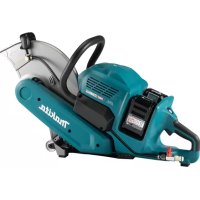
CE001G - Grinder MAKITA - Free user manual and instructions
Find the device manual for free CE001G MAKITA in PDF.
Download the instructions for your Grinder in PDF format for free! Find your manual CE001G - MAKITA and take your electronic device back in hand. On this page are published all the documents necessary for the use of your device. CE001G by MAKITA.
USER MANUAL CE001G MAKITA

Cordless Power Cutter INSTRUCTION MANUAL 10
Rated voltage D.C. 72 V - 80 V max Recommended air volume of the vacuum cleaner Equal to or more than 1.8 m
- Specicationsmaydierfromcountrytocountry.
- Theweightmaydierdependingontheattachment(s),includingthebatterycartridge.Thelightestandheavi- estcombinations,accordingtoEPTA-Procedure01/2014,areshowninthetable. Applicable battery cartridge and charger Batterycartridge BL4040 / BL4050F* / BL4080F* *:Recommendedbattery Charger DC40RA/DC40RB/DC40RC
- Someofthebatterycartridgesandchargerslistedabovemaynotbeavailabledependingonyourregionof residence.
WARNING: Only use the battery cartridges and chargers listed above.Useofanyotherbatterycartridges
andchargersmaycauseinjuryand/orre. Symbols Thefollowingsshowthesymbolswhichmaybeused fortheequipment.Besurethatyouunderstandtheir meaningbeforeuse. Read instruction manual. Wearsafetyglasses. Donotuseabrasivecut-owheel. Onlydiamondwheelisapplicable. Do not cut metal. Do not feed water. Ni-MH Li-ion OnlyforEUcountries Due to the presence of hazardous com- ponents in the equipment, waste electrical and electronic equipment, accumulators andbatteriesmayhaveanegativeimpact on the environment and human health. Do not dispose of electrical and electronic appliancesorbatterieswithhousehold waste! In accordance with the European Directive on waste electrical and electronic equip- mentandonaccumulatorsandbatteries andwasteaccumulatorsandbatteries, as well as their adaptation to national law, wasteelectricalequipment,batteriesand accumulatorsshouldbestoredseparately and delivered to a separate collection point for municipal waste, operating in accor- dance with the regulations on environmen- tal protection. Thisisindicatedbythesymbolofthe crossed-outwheeledbinplacedonthe equipment. Intended use Thetoolisintendedforcuttinginmasonrymaterials with a diamond wheel.11 ENGLISH Noise ThetypicalA-weightednoiseleveldeterminedaccordingtoEN60745-2-22: Soundpressurelevel(L
WARNING: Wear ear protection.
WARNING: The noise emission during actual use of the power tool can dier from the declared val-
ue(s) depending on the ways in which the tool is used especially what kind of workpiece is processed.
WARNING: Be sure to identify safety measures to protect the operator that are based on an estimation
of exposure in the actual conditions of use (taking account of all parts of the operating cycle such as the times when the tool is switched o and when it is running idle in addition to the trigger time). Vibration Work mode: concrete cutting Left hand Right hand Applicable standard
WARNING: The vibration emission during actual use of the power tool can dier from the declared
value(s) depending on the ways in which the tool is used especially what kind of workpiece is processed.
WARNING: Be sure to identify safety measures to protect the operator that are based on an estimation
of exposure in the actual conditions of use (taking account of all parts of the operating cycle such as the times when the tool is switched o and when it is running idle in addition to the trigger time). Declarations of Conformity For European countries only TheDeclarationsofconformityareincludedinAnnexA to this instruction manual. SAFETY WARNINGS General power tool safety warnings WARNING Read all safety warnings, instruc- tions, illustrations and specications provided with this power tool. Failure to follow all instructions listed belowmayresultinelectricshock,reand/orserious injury. Save all warnings and instruc- tions for future reference. Theterm"powertool"inthewarningsreferstoyour mains-operated(corded)powertoolorbattery-operated (cordless)powertool. Cordless power cutter safety warnings Cut-o machine safety warnings
1. The guard provided with the tool must be
securely attached to the power tool and positioned for maximum safety, so the least amount of wheel is exposed towards the oper- ator. Position yourself and bystanders away from the plane of the rotating wheel. The guard helpstoprotectoperatorfrombrokenwheelfrag- ments and accidental contact with wheel.
2. Use only diamond cut-o wheels for your
power tool.Justbecauseanaccessorycanbe attachedtoyourpowertool,itdoesnotassure safe operation.
3. The rated speed of the accessory must be at
least equal to the maximum speed marked on the power tool. Accessoriesrunningfasterthan theirratedspeedcanbreakandyapart.
4. Wheels must be used only for recommended
applications. For example: do not grind with the side of cut-o wheel.Cut-owheelsare intended for peripheral grinding, side forces appliedtothesewheelsmaycausethemto shatter.12 ENGLISH
5. Always use undamaged wheel anges that are
of correct diameter for your selected wheel. Properwheelangessupportthewheelthus reducingthepossibilityofwheelbreakage.
6. The outside diameter and the thickness of your
accessory must be within the capacity rating of your power tool.Incorrectlysizedaccessories cannotbeadequatelyguardedorcontrolled.
7. The arbour size of wheels and anges must
properly t the spindle of the power tool. Wheelsandangeswitharbourholesthatdonot match the mounting hardware of the power tool willrunoutofbalance,vibrateexcessivelyand maycauselossofcontrol.
8. Do not use damaged wheels. Before each
use, inspect the wheels for chips and cracks. If power tool or wheel is dropped, inspect for damage or install an undamaged wheel. After inspecting and installing the wheel, position yourself and bystanders away from the plane of the rotating wheel and run the power tool at maximum no load speed for one minute. Damagedwheelswillnormallybreakapartduring this test time.
Wear personal protective equipment. Depending on application, use face shield, safety goggles or safety glasses. As appropri- ate, wear dust mask, hearing protectors, gloves and shop apron capable of stopping small abrasive or workpiece fragments. Theeyepro- tectionmustbecapableofstoppingyingdebris generatedbyvariousoperations.Thedustmask orrespiratormustbecapableofltratingparticles generatedbyyouroperation.Prolongedexposure tohighintensitynoisemaycausehearingloss.
10. Keep bystanders a safe distance away from
work area. Anyone entering the work area must wear personal protective equipment. Fragmentsofworkpieceorofabrokenwheelmay yawayandcauseinjurybeyondimmediatearea of operation.
11. Hold the power tool by insulated gripping
surfaces only, when performing an operation where the cutting accessory may contact hid- den wiring.Cuttingaccessorycontactinga“live” wiremaymakeexposedmetalpartsofthepower tool“live”andcouldgivetheoperatoranelectric shock.
12. Never lay the power tool down until the acces-
sory has come to a complete stop. The spinning wheelmaygrabthesurfaceandpullthepower tooloutofyourcontrol.
13. Do not run the power tool while carrying it at
your side.Accidentalcontactwiththespinning accessorycouldsnagyourclothing,pullingthe accessoryintoyourbody.
14. Regularly clean the power tool’s air vents. The
motor’s fan will draw the dust inside the housing and excessive accumulation of powdered metal maycauseelectricalhazards.
15. Do not operate the power tool near ammable
materials. Sparks could ignite these materials.
16. Do not use accessories that require liquid
coolants. Using water or other liquid coolants mayresultinelectrocutionorshock. Kickback and related warnings Kickbackisasuddenreactiontoapinchedorsnagged rotatingwheel.Pinchingorsnaggingcausesrapid stalling of the rotating wheel which in turn causes the uncontrolledpowertooltobeforcedinthedirection opposite of the wheel’s rotation at the point of the binding. Forexample,ifawheelissnaggedorpinchedbythe workpiece, the edge of the wheel that is entering into the pinch point can dig into the surface of the material causingthewheeltoclimboutorkickout.Thewheel mayeitherjumptowardorawayfromtheoperator, depending on direction of the wheel’s movement at the pointofpinching.Wheelsmayalsobreakunderthese conditions. Kickbackistheresultofpowertoolmisuseand/or incorrectoperatingproceduresorconditionsandcanbe avoidedbytakingproperprecautionsasgivenbelow.
1. Maintain a rm grip on the power tool and
position your body and arm to allow you to resist kickback forces. Always use auxiliary handle, if provided, for maximum control over kickback or torque reaction during start-up. The operator can control torque reactions or kick- backforces,ifproperprecautionsaretaken.
2. Never place your hand near the rotating acces-
sory.Accessorymaykickbackoveryourhand.
3. Do not position your body in line with the
rotating wheel.Kickbackwillpropelthetoolin direction opposite to the wheel’s movement at the point of snagging.
4. Use special care when working corners, sharp
edges etc. Avoid bouncing and snagging the accessory.Corners,sharpedgesorbouncing haveatendencytosnagtherotatingaccessory andcauselossofcontrolorkickback.
5. Do not attach a saw chain, woodcarving blade,
segmented diamond wheel with a peripheral gap greater than 10 mm (3/8") or toothed saw blade.Suchbladescreatefrequentkickbackand loss of control.
6. Do not “jam” the wheel or apply excessive
pressure. Do not attempt to make an excessive depth of cut. Overstressing the wheel increases theloadingandsusceptibilitytotwistingorbinding ofthewheelinthecutandthepossibilityofkick- backorwheelbreakage.
7. When wheel is binding or when interrupting
a cut for any reason, switch o the power tool and hold the power tool motionless until the wheel comes to a complete stop. Never attempt to remove the wheel from the cut while the wheel is in motion otherwise kickback may occur. Investigate and take corrective action to eliminatethecauseofwheelbinding.
8. Do not restart the cutting operation in the
workpiece. Let the wheel reach full speed and carefully re-enter the cut.Thewheelmaybind, walkuporkickbackifthepowertoolisrestartedin the workpiece.
9. Support panels or any oversized workpiece to
minimize the risk of wheel pinching and kick- back. Large workpieces tend to sag under their ownweight.Supportsmustbeplacedunderthe workpiece near the line of cut and near the edge oftheworkpieceonbothsidesofthewheel.13 ENGLISH
10. Use extra caution when making a “pocket cut”
into existing walls or other blind areas. The protrudingwheelmaycutgasorwaterpipes,elec- tricalwiringorobjectsthatcancausekickback. Additional Safety Warnings:
excessiveheatingmaycauseburninjury.
3. Before using a segmented diamond wheel,
make sure that the diamond wheel has the peripheral gap between segments of 10 mm (3/8") or less, only with a negative rake angle.
4. Never attempt to cut with the tool held upside
down in a vise. This can lead to serious acci- dents, because it is extremely dangerous.
5. Some material contains chemicals which may
be toxic. Take caution to prevent dust inhala- tion and skin contact. Follow material supplier safety data.
Store wheels as per manufacturer recommenda- tions. Improper storage may damage the wheels.
7. Always use the wheel suitable for your work
and the material to be cut.
8. Examine the material to be cut before cutting.
is jammed between the wheel cover and the wheel.Inthiscase,uninstallthebatterycartridge andremovetheforeignobject.
10. Use clamps or similar to support the work-
piece whenever possible.
Always wear hearing protection during operation.
12. Do not cut wood materials with this tool.
13. The outside diameter and the thickness of the
wheel must be within the capacity rating of your power tool.Incorrectlysizedwheelscannot beadequatelyguardedorcontrolled.
14. When operating the power tool, maintain a rm
grip with both hands on the power tool and position your body and arm to allow you to resist kickback forces.
15. Keep your hands or face away from the rotat-
16. Adjust the wheel cover to a position suitable
17. Do not wet the tool with water, rain, mud, and
18. Do not leave the tool unattended outdoors.
19. When storing the tool, avoid direct sunlight
and rain, and store it in a place where it does not get hot or humid.
20. Clean the lter of vacuum cleaner regularly.
SAVE THESE INSTRUCTIONS.
WARNING: DO NOT let comfort or familiarity
with product (gained from repeated use) replace strict adherence to safety rules for the subject product. MISUSE or failure to follow the safety rules stated in this instruction manual may cause serious personal injury. Important safety instructions for battery cartridge
1. Before using battery cartridge, read all instruc-
tions and cautionary markings on (1) battery charger, (2) battery, and (3) product using battery.
2. Do not disassemble or tamper with the battery
cartridge.Itmayresultinare,excessiveheat, or explosion.
3. If operating time has become excessively
shorter, stop operating immediately. It may result in a risk of overheating, possible burns and even an explosion.
4. If electrolyte gets into your eyes, rinse them
out with clear water and seek medical atten- tion right away. It may result in loss of your eyesight.
5. Do not short the battery cartridge:
(1) Do not touch the terminals with any con- ductive material. (2) Avoid storing battery cartridge in a con- tainer with other metal objects such as nails, coins, etc. (3) Do not expose battery cartridge to water or rain. A battery short can cause a large current ow, overheating, possible burns and even a breakdown.
6. Do not store and use the tool and battery car-
tridge in locations where the temperature may reach or exceed 50 °C (122 °F).
7. Do not incinerate the battery cartridge even if
it is severely damaged or is completely worn out. The battery cartridge can explode in a re.
8. Do not nail, cut, crush, throw, drop the battery
cartridge, or hit against a hard object to the battery cartridge.Suchconductmayresultina re,excessiveheat,orexplosion.
9. Do not use a damaged battery.
10. The contained lithium-ion batteries are subject
to the Dangerous Goods Legislation require- ments. Forcommercialtransportse.g.bythirdparties, forwarding agents, special requirement on pack- agingandlabelingmustbeobserved. Forpreparationoftheitembeingshipped,consult- ing an expert for hazardous material is required. Pleasealsoobservepossiblymoredetailed national regulations. Tapeormaskoopencontactsandpackupthe batteryinsuchamannerthatitcannotmove around in the packaging.
11. When disposing the battery cartridge, remove
it from the tool and dispose of it in a safe place. Follow your local regulations relating to disposal of battery.
12. Use the batteries only with the products
specied by Makita.Installingthebatteriesto non-compliantproductsmayresultinare,exces- siveheat,explosion,orleakofelectrolyte.
13. If the tool is not used for a long period of time,
the battery must be removed from the tool.14 ENGLISH
14. During and after use, the battery cartridge may
take on heat which can cause burns or low temperature burns. Pay attention to the han- dling of hot battery cartridges.
15. Do not touch the terminal of the tool imme-
diately after use as it may get hot enough to cause burns.
16. Do not allow chips, dust, or soil stuck into the
terminals, holes, and grooves of the battery cartridge.Itmaycauseheating,catchingre, burstandmalfunctionofthetoolorbatterycar- tridge,resultinginburnsorpersonalinjury.
17. Unless the tool supports the use near
high-voltage electrical power lines, do not use the battery cartridge near high-voltage electri- cal power lines.Itmayresultinamalfunctionor breakdownofthetoolorbatterycartridge.
18. Keep the battery away from children.
SAVE THESE INSTRUCTIONS. CAUTION: Only use genuine Makita batteries. Useofnon-genuineMakitabatteries,orbatteriesthat havebeenaltered,mayresultinthebatterybursting causingres,personalinjuryanddamage.Itwill alsovoidtheMakitawarrantyfortheMakitatooland charger. Tips for maintaining maximum battery life
1. Charge the battery cartridge before completely
discharged. Always stop tool operation and charge the battery cartridge when you notice less tool power.
2. Never recharge a fully charged battery car-
tridge. Overcharging shortens the battery service life.
3. Charge the battery cartridge with room tem-
perature at 10 °C - 40 °C (50 °F - 104 °F). Let a hot battery cartridge cool down before charging it.
4. When not using the battery cartridge, remove
it from the tool or the charger.
5. Charge the battery cartridge if you do not use
it for a long period (more than six months). Important safety instructions for wireless unit
1. Do not disassemble or tamper with the wire-
2. Keep the wireless unit away from young chil-
dren. If accidentally swallowed, seek medical attention immediately.
3. Use the wireless unit only with Makita tools.
4. Do not expose the wireless unit to rain or wet
5. Do not use the wireless unit in places where
the temperature exceeds 50 °C (122 °F).
6. Do not operate the wireless unit in places
where medical instruments, such as heart pace makers are nearby.
7. Do not operate the wireless unit in places
where automated devices are nearby. If oper- ated,automateddevicesmaydevelopmalfunction or error.
8. Do not operate the wireless unit in places
under high temperature or places where static electricity or electrical noise could be generated.
9. The wireless unit can produce electromagnetic
elds (EMF) but they are not harmful to the user.
10. The wireless unit is an accurate instrument. Be
careful not to drop or strike the wireless unit.
11. Avoid touching the terminal of the wireless
unit with bare hands or metallic materials.
12. Always remove the battery on the product
when installing the wireless unit into it.
13. When opening the lid of the slot, avoid the
place where dust and water may come into the slot. Always keep the inlet of the slot clean.
on the wireless unit too hard and/or press the button with an object with a sharp edge.
17. Do not remove the wireless unit from the slot
while the power is being supplied to the tool. Doingsomaycauseamalfunctionofthewireless unit.
18. Do not remove the sticker on the wireless unit.
19. Do not put any sticker on the wireless unit.
20. Do not leave the wireless unit in a place where
static electricity or electrical noise could be generated.
21. Do not leave the wireless unit in a place sub-
ject to high heat, such as a car sitting in the sun.
22. Do not leave the wireless unit in a dusty or
powdery place or in a place corrosive gas could be generated.
23. Sudden change of the temperature may bedew
the wireless unit. Do not use the wireless unit until the dew is completely dried.
24. When cleaning the wireless unit, gently wipe
with a dry soft cloth. Do not use benzine, thin- ner, conductive grease or the like.
25. When storing the wireless unit, keep it in the
supplied case or a static-free container.
26. Do not insert any devices other than Makita
wireless unit into the slot on the tool.
PARTS DESCRIPTION ►Fig.1 1 Diamond wheel 2 Wheel cover 3 Wheel cover grip 4 Dust nozzle 5 Front grip 6 Lamp 7 Batterycartridge 8 Lock-obutton 9 Wireless activation lamp 10 Wireless activation button 11 Lower guard 12 Caster 13 Shaftlockbutton 14 Cover 15 Clamp holder 16 Handle 17 Switch trigger 18 Lampbutton 19 Overload indicator 20 HoseclampA 21 Hose clamp B 22 Box wrench - - - - FUNCTIONAL DESCRIPTION CAUTION: Always be sure that the tool is switched o and the battery cartridge is removed before adjusting or checking function on the tool. Installing or removing battery cartridge CAUTION: Always switch o the tool before installing or removing of the battery cartridge. CAUTION: Hold the tool and the battery car- tridge rmly when installing or removing battery cartridge.Failuretoholdthetoolandthebattery cartridgermlymaycausethemtoslipoyourhands andresultindamagetothetoolandbatterycartridge andapersonalinjury. Toinstallthebatterycartridge,alignthetongueonthe batterycartridgewiththegrooveinthehousingandslip itintoplace.Insertitallthewayuntilitlocksinplace withalittleclick.Ifyoucanseetheredindicatoras showninthegure,itisnotlockedcompletely. Toremovethebatterycartridges,liftthebatterycar- tridgewhilepushingthebuttononthefrontofthe cartridge. ►Fig.2: 1. Red indicator 2. Button 3.Batterycartridge CAUTION: Always install the battery cartridge fully until the red indicator cannot be seen. If not, itmayaccidentallyfalloutofthetool,causinginjuryto youorsomeonearoundyou. CAUTION: Do not install the battery cartridge forcibly.Ifthecartridgedoesnotslideineasily,itis notbeinginsertedcorrectly. NOTE:Thetooldoesnotworkwithonlyonebattery cartridge. Indicating the remaining battery capacity Pressthecheckbuttononthebatterycartridgetoindi- catetheremainingbatterycapacity.Theindicatorlamps light up for a few seconds. ►Fig.3: 1. Indicator lamps 2.Checkbutton Indicator lamps Remaining capacity Lighted O Blinking 75% to 100% 50% to 75% 25% to 50% 0% to 25% Charge the battery. Thebattery mayhave malfunctioned. NOTE: Depending on the conditions of use and the ambienttemperature,theindicationmaydierslightly fromtheactualcapacity. NOTE:Therst(farleft)indicatorlampwillblinkwhen thebatteryprotectionsystemworks. Tool / battery protection system Thetoolisequippedwithatool/batteryprotectionsys- tem.Thissystemautomaticallycutsopowertothe motortoextendtoolandbatterylife.Thetoolwillauto- maticallystopduringoperationifthetoolorbatteryis placed under one of the following conditions. Overload protection Whenthetool/batteryisoperatedinamannerthat causesittodrawanabnormallyhighcurrent,thetool automaticallystops.Inthissituation,turnthetoolo andstoptheapplicationthatcausedthetooltobecome overloaded. Then turn the tool on to restart.16 ENGLISH Overheat protection Whenthetool/batteryisoverheated,thetoolstops automatically,andthelampblinks.Inthissituation,let thetoolcooldownbeforeturningthetoolonagain. Overdischarge protection Whenthebatterycapacitybecomeslow,thetoolstops automatically,andtheindicatorlampofbatterycar- tridgeblinks.Ifthetooldoesnotoperateevenwhenthe switchesareoperated,removethebatteriesfromthe toolandchargethebatteries. Protections against other causes Protectionsystemisalsodesignedforothercauses that could damage the tool and allows the tool to stop automatically.Takeallthefollowingstepstoclearthe causes,whenthetoolhasbeenbroughttoatemporary halt or stop in operation.
2. Chargethebattery(ies)orreplaceit/themwith
rechargedbattery(ies).
3. Letthetoolandbattery(ies)cooldown.
Ifnoimprovementcanbefoundbyrestoringprotection system,thencontactyourlocalMakitaServiceCenter. NOTICE: If the tool stops due to a cause not described above, refer to the section for troubleshooting. Overload alert If the tool is operated with excessive load, the overload indicatorwillblinkinred.Inthissituation,reducethe loadonthetool.Then,theindicatorstopsblinking. ►Fig.4: 1. Overload indicator Switch action
WARNING: Before installing the battery car-
tridge into the tool, always check to see that the switch trigger actuates properly and returns to the "OFF" position when released.
WARNING: NEVER defeat the lock-o button
by taping down or some other means.Aswitchwith anegatedlock-obuttonmayresultinunintentional operationandseriouspersonalinjury.
WARNING: NEVER use the tool if it runs when
you simply pull the switch trigger without press- ing the lock-o button.Aswitchinneedofrepair mayresultinunintentionaloperationandserious personalinjury.ReturntooltoaMakitaservicecenter for proper repairs BEFORE further usage. Topreventtheswitchtriggerfrombeingaccidentally pulled,alock-obuttonisprovided.Tostartthetool, depressthelock-obuttonandpulltheswitchtrigger. Release the switch trigger to stop. ►Fig.5: 1. Switch trigger 2.Lock-obutton NOTICE: Do not pull the switch trigger hard without pressing in the lock-o button. This can causeswitchbreakage. Lighting the lamp CAUTION: Do not look in the light or see the source of light directly. Toturnonthelamp,pressthelampbutton.Toturno, pressthelampbuttonagain. ►Fig.6: 1.Lampbutton2. Lamp NOTE:Thelampwillautomaticallybeturnedoif there is no operation with the tool for one minute. Adjusting the wheel cover Holdthewheelcovergripandadjustthepositionofthe wheelcoversuitableforyourwork. ►Fig.7: 1. Wheel cover grip Active feedback sensing technology Thetoolelectronicallydetectssituationswherethe wheelmaybeatrisktobebound.Inthesituation,the toolisautomaticallyshutotopreventfurtherrotation ofthespindle(itdoesnotpreventkickback). Torestartthetool,switchothetoolrst,removethe cause of sudden drop in the rotation speed, and then turn the tool on. Electric brake Electricbrakeisactivatedafterthetoolisswitchedo. Thebrakedoesnotworkwhenthepowersupplyisshut down,suchasthebatteryisremovedaccidentally,with the switch still on. ASSEMBLY CAUTION: Always be sure that the tool is switched o and the battery cartridge is removed before carrying out any work on the tool. Installing or removing diamond wheel CAUTION: Use only the Makita wrench to install or remove the wheel. CAUTION: When installing the wheel, be sure to tighten the bolt securely. CAUTION: Do not press the shaft lock button when the wheel is rotating. Toremovethewheel,presstheshaftlockbuttonand rotate the wheel until the wheel cannot revolve. While theshaftlockisfullylocked,turnthehexboltcounter- clockwiseusingtheboxwrench.Thenremovethehex bolt,ange,wheel,ring,andangeinorder. ►Fig.8: 1.Shaftlockbutton2. Box wrench 3. Tighten
►Fig.9: 1.Hexbolt2. Flange 3. Ring 4. Diamond wheel 5.Arrow(rotationdirectionofthe wheel)17 ENGLISH To install the wheel, follow the removal procedure in reverse. BE SURE TO TIGHTEN THE HEX BOLT SECURELY. CAUTION: Always install the wheel so that the arrow on it points in the same direction as the arrow on the wheel cover. Otherwise the wheel rotatesinreverse,itmaycausepersonalinjury. CAUTION: Only use the wheel that are marked with a speed equal or higher than the speed marked on the tool. NOTE:Wheninstallingthewheel,besuretoattach theangessothattheatsideofangefacesthe wheel, and attach the ring that matches the inner diameter of the wheel. ►Fig.10: 1.Hexbolt2. Flange 3. Ring 4. Diamond wheel Connecting a vacuum cleaner NOTICE: Always close the cap when not con- necting a vacuum cleaner. Whenyouwishtoperformcleancuttingoperation, connectaMakitavacuumcleanertoyourtool. Open the cap and connect a hose of the vacuum cleaner. ►Fig.11: 1. Cap 2. Dust nozzle 3. Hose 4. Vacuum cleaner You can change the angle of the dust nozzle as shown inthegure. ►Fig.12 Hose clamp NOTICE: Always remove the hose clamp from the tool when not in use. NOTICE: Do not open or close the hose clamp excessively.Otherwisethehoseclampmaybe broken. Foreasyhandlingofthehoseofvacuumcleaner,hose clampcanbeattached
2. Insert the pins of hose clamp into the holes of
clamp holder. Makesurethetwopinsaretintheholes. ►Fig.14: 1.Pin2. Hole 3. Clamp holder
3. To remove the hose clamp, follow the installation
procedure in reverse. Box wrench storage Whennotinuse,storetheboxwrenchasshowninthe guretokeepitfrombeinglost. ►Fig.15: 1. Box wrench OPERATION Checking the lower guard function Removethebatterycartridge. Retractthelowerguardmanuallytotheendand releaseit.Thelowerguardisproperlyfunctioningif; — itisretractedwithoutanyhindranceand; — itautomaticallyreturnstotheoriginalposition. ►Fig.16: 1. Lower guard Ifthelowerguardisnotfunctioningproperly,checkif dust is accumulated inside of the wheel cover. Somedustmayberemovedbyretractingandreturning the lower guard several times. Ifthelowerguardisnotfunctioningproperlyevenafter removingdust,haveyourmachineservicedataMakita service center. Notication about the abnormal noise NOTICE: Do not use distorted or old diamond wheel.Otherwisemalfunction,abnormalnoise,or breakagemayoccur. Even if the diamond wheel is new and without distortion, thediamondwheelmaymakeabnormalnoisesuchas metal friction when the tool is running at low speed. This is not malfunction of the tool. Somekindofdiamondwheelmaymakeabnormalnoise whenthetoolrunningatlowspeed.Itisbecausethe diamondwheelandthewheelcoverarepositionedvery closeforecientdustcollection. Run the tool at full speed and operate proper cut- ting.Theabnormalnoisewillberelieved. Cutting operation CAUTION: Be sure to hold the workpiece rmly down on a stable bench or table during operation. CAUTION: Do not twist or force the tool in the cut, or the motor may be overloaded or the work- piece may break. CAUTION: During operation, do not bring the tool higher than your shoulder height. ►Fig.17
2. Switch on the tool without the diamond wheel
makinganycontactandwaituntilthediamondwheel attains full speed.
3. Gentlyinsertthediamondwheelstraightintothe
workpiece,andslidethetoolbackwardsmoothlyuntil the cutting is completed.
- Keepcuttinglinestraightandslidingspeed uniform.
- Slide the tool in the direction of the arrow on the lower guard. Ifyoumovethetoolforward(Ifyouslidethetoolinthe oppositedirectionofthearrow),thedustcollection eciencywillsignicantlydecrease. ►Fig.19: 1.Arrow
- Keepapplyingthelowerguardtotheworkpiece. Ifthereisaclearancegapbetweenthelowerguard and the workpiece, dust will leak and the dust collection eciencywilldecrease. ►Fig.20: 1. Lower guard NOTE:Whenthebatterycartridgetemperatureis low,thetoolmaynotworktoitsfullcapacity.Atthis time,forexample,usethetoolforalight-dutycutfor awhileuntilthebatterycartridgewarmsupashigh as room temperature. Then, the tool can work to its fullcapacity. NOTE: If the cutting action of the diamond wheel beginstodiminish,dressthecuttingedgeofthe wheelusinganolddiscardedcoarsegritbench grinderwheelorconcreteblock.Dressbypressing lightlyontheouteredgeofthediamondwheel. WIRELESS ACTIVATION FUNCTION Optional accessory NOTICE: Install the optional dust cover and accessories before using this function. What you can do with the wireless activation function Thewirelessactivationfunctionenablescleanandcom- fortableoperation.Byconnectingasupportedvacuum cleanertothetool,youcanrunthevacuumcleaner automaticallyalongwiththeswitchoperationofthetool. ►Fig.21 To use the wireless activation function, prepare follow- ing items:
- Awirelessunit(optionalaccessory)
- Avacuumcleanerwhichsupportsthewireless activation function The overview of the wireless activation function setting is as follows. Refer to each section for detail procedures.
1. Installing the wireless unit
2. Tool registration for the vacuum cleaner
3. Starting the wireless activation function
Installing the wireless unit Optional accessory CAUTION: Place the tool on a at and stable surface when installing the wireless unit. NOTICE: Clean the dust and dirt on the tool before installing the wireless unit. Dust or dirt maycausemalfunctionifitcomesintotheslotofthe wireless unit. NOTICE: To prevent the malfunction caused by static, touch a static discharging material, such as a metal part of the tool, before picking up the wireless unit. NOTICE: When installing the wireless unit, always be sure that the wireless unit is inserted in the correct direction and the lid is completely closed.
2. Insert the wireless unit to the slot and then close
the lid. Wheninsertingthewirelessunit,aligntheprojections with the recessed portions on the slot. ►Fig.23: 1. Wireless unit 2.Projection3. Lid
Whenremovingthewirelessunit,openthelidslowly. Thehooksonthebackofthelidwillliftthewirelessunit asyoupullupthelid. ►Fig.24: 1. Wireless unit 2. Hook 3. Lid Afterremovingthewirelessunit,keepitinthesupplied case or a static-free container. NOTICE: Always use the hooks on the back of the lid when removing the wireless unit. If the hooks do not catch the wireless unit, close the lid completelyandopenitslowlyagain. Tool registration for the vacuum cleaner NOTE:AMakitavacuumcleanersupportingthe wireless activation function is required for the tool registration. NOTE: Finish installing the wireless unit to the tool beforestartingthetoolregistration. NOTE: During the tool registration, do not pull the switch trigger or turn on the power switch on the vacuum cleaner. NOTE: Refer to the instruction manual of the vacuum cleaner, too. Ifyouwishtoactivatethevacuumcleaneralongwith theswitchoperationofthetool,nishthetoolregistra- tionbeforehand.
uum cleaner for 3 seconds until the wireless activation lampblinksingreen.Andthenpressthewirelessacti- vationbuttononthetoolinthesameway. ►Fig.26: 1.Wirelessactivationbutton2. Wireless activation lamp If the vacuum cleaner and the tool are linked success- fully,thewirelessactivationlampswilllightupingreen for2secondsandstartblinkinginblue. NOTE:Thewirelessactivationlampsnishblinking ingreenafter20secondselapsed.Pressthewireless activationbuttononthetoolwhilethewirelessacti- vationlamponthecleanerisblinking.Ifthewireless activationlampdoesnotblinkingreen,pushthewire- lessactivationbuttonbrieyandholditdownagain. NOTE: When performing two or more tool registra- tionsforonevacuumcleaner,nishthetoolregistra- tiononebyone. Starting the wireless activation function NOTE: Finish the tool registration for the vacuum cleaner prior to the wireless activation. NOTE: Refer to the instruction manual of the vacuum cleaner, too. Afterregisteringatooltothevacuumcleaner,the vacuumcleanerwillautomaticallyrunsalongwiththe switch operation of the tool.
1. Install the wireless unit to the tool.
2. Connect the hose of the vacuum cleaner with the
briey.Thewirelessactivationlampwillblinkinblue. ►Fig.29: 1.Wirelessactivationbutton2. Wireless activation lamp
5. Turn on the tool. Check if the vacuum cleaner runs
while the tool is operating. To stop the wireless activation of the vacuum cleaner, pushthewirelessactivationbuttononthetool. NOTE: The wireless activation lamp on the tool will stopblinkinginbluewhenthereisnooperationfor 2hours.Inthiscase,setthestand-byswitchonthe vacuumcleanerto"AUTO"andpushthewireless activationbuttononthetoolagain. NOTE:Thevacuumcleanerstarts/stopswithadelay. There is a time lag when the vacuum cleaner detects a switch operation of the tool. NOTE: The transmission distance of the wireless unit mayvarydependingonthelocationandsurrounding circumstances. NOTE: When two or more tools are registered to onevacuumcleaner,thevacuumcleanermaystart runningevenifyoudonotturnonyourtoolbecause another user is using the wireless activation function.20 ENGLISH Description of the wireless activation lamp status ►Fig.30: 1. Wireless activation lamp Thewirelessactivationlampshowsthestatusofthewirelessactivationfunction.Refertothetablebelowforthe meaning of the lamp status. Status Wireless activation lamp Description Color
Blinking Duration Standby Blue 2 hours Thewirelessactivationofthevacuumcleanerisavailable.The lampwillautomaticallyturnowhennooperationisperformed for 2 hours. When the tool is running. Thewirelessactivationofthevacuumcleanerisavailableandthe tool is running. Tool registration Green 20 seconds Readyforthetoolregistration.Waitingfortheregistrationbythe vacuum cleaner. 2 seconds Thetoolregistrationhasbeennished.Thewirelessactivation lampwillstartblinkinginblue. Cancelling tool registration Red 20 seconds Readyforthecancellationofthetoolregistration.Waitingforthe cancellationbythevacuumcleaner. 2 seconds Thecancellationofthetoolregistrationhasbeennished.The wirelessactivationlampwillstartblinkinginblue. Others Red 3 seconds The power is supplied to the wireless unit and the wireless activa- tion function is starting up. O - - The wireless activation of the vacuum cleaner is stopped. Cancelling tool registration for the vacuum cleaner Performthefollowingprocedurewhencancellingthe tool registration for the vacuum cleaner.
uumcleanerfor6seconds.Thewirelessactivation lampblinksingreenandthenbecomered.Afterthat, pressthewirelessactivationbuttononthetoolinthe sameway. ►Fig.32: 1.Wirelessactivationbutton2. Wireless activation lamp Ifthecancellationisperformedsuccessfully,thewire- less activation lamps will light up in red for 2 seconds andstartblinkinginblue. NOTE:Thewirelessactivationlampsnishblinkingin redafter20secondselapsed.Pressthewirelessacti- vationbuttononthetoolwhilethewirelessactivation lamponthecleanerisblinking.Ifthewirelessacti- vationlampdoesnotblinkinred,pushthewireless activationbuttonbrieyandholditdownagain.21 ENGLISH Troubleshooting for wireless activation function Beforeaskingforrepairs,conductyourowninspectionrst.Ifyoundaproblemthatisnotexplainedinthemanual, donotattempttodismantlethetool.Instead,askMakitaAuthorizedServiceCenters,alwaysusingMakitareplace- ment parts for repairs. State of abnormality Probable cause (malfunction) Remedy The wireless activation lamp does notlight/blink. The wireless unit is not installed into the tool. Thewirelessunitisimproperlyinstalled into the tool. Installthewirelessunitcorrectly. The terminal of the wireless unit and/or theslotisdirty. Gentlywipeodustanddirtontheterminalofthe wireless unit and clean the slot. Thewirelessactivationbuttononthe toolhasnotbeenpushed. Pushthewirelessactivationbuttononthetool briey. Thestand-byswitchonthevacuum cleanerisnotsetto"AUTO". Setthestand-byswitchonthevacuumcleanerto "AUTO". Nopowersupply Supplythepowertothetoolandthevacuumcleaner. Cannotnishtoolregistration/can- cellingtoolregistrationsuccessfully. The wireless unit is not installed into the tool. Thewirelessunitisimproperlyinstalled into the tool. Installthewirelessunitcorrectly. The terminal of the wireless unit and/or theslotisdirty. Gentlywipeodustanddirtontheterminalofthe wireless unit and clean the slot. Thestand-byswitchonthevacuum cleanerisnotsetto"AUTO". Setthestand-byswitchonthevacuumcleanerto "AUTO". Nopowersupply Supplythepowertothetoolandthevacuumcleaner. Incorrect operation Pushthewirelessactivationbuttonbrieyandperform the tool registration/cancellation procedures again. Thetoolandvacuumcleanerareaway fromeachother(outofthetransmission range). Get the tool and vacuum cleaner closer to each other. The maximumtransmissiondistanceisapproximately10m howeveritmayvaryaccordingtothecircumstances. Beforenishingthetoolregistration/cancellation; -theswitchofthetoolisturnedonor; -thepowerbuttononthevacuum cleaner is turned on. Pushthewirelessactivationbuttonbrieyand perform the tool registration/cancellation procedures again. The tool registration procedures for the toolorvacuumcleanerhavenotnished. Performthetoolregistrationproceduresforboththe tool and the vacuum cleaner at the same timing. Radiodisturbancebyotherappliances whichgeneratehigh-intensityradio waves. Keepthetoolandvacuumcleanerawayfromthe appliances such as Wi-Fi devices and microwave ovens. The vacuum cleaner does not run along with the switch operation of the tool. The wireless unit is not installed into the tool. Thewirelessunitisimproperlyinstalled into the tool. Installthewirelessunitcorrectly. The terminal of the wireless unit and/or theslotisdirty. Gentlywipeodustanddirtontheterminalofthe wireless unit and clean the slot. Thewirelessactivationbuttononthe toolhasnotbeenpushed. Pushthewirelessactivationbuttonbrieyandmake surethatthewirelessactivationlampisblinkinginblue. Thestand-byswitchonthevacuum cleanerisnotsetto"AUTO". Setthestand-byswitchonthevacuumcleanerto "AUTO". More than 10 tools are registered to the vacuum cleaner. Performthetoolregistrationagain. If more than 10 tools are registered to the vacuum cleaner,thetoolregisteredearliestwillbecancelled automatically. The vacuum cleaner erased all tool registrations. Performthetoolregistrationagain. Nopowersupply Supplythepowertothetoolandthevacuumcleaner. Thetoolandvacuumcleanerareaway fromeachother(outofthetransmission range). Get the tool and vacuum cleaner closer each other. The maximumtransmissiondistanceisapproximately10m howeveritmayvaryaccordingtothecircumstances. Radiodisturbancebyotherappliances whichgeneratehigh-intensityradio waves. Keepthetoolandvacuumcleanerawayfromthe appliances such as Wi-Fi devices and microwave ovens. The vacuum cleaner runs while the tool is not operating. Other users are using the wireless activation of the vacuum cleaner with their tools. Turnothewirelessactivationbuttonoftheother tools or cancel the tool registration of the other tools.22 ENGLISH MAINTENANCE CAUTION: Always be sure that the tool is switched o and the battery cartridge is removed before attempting to perform inspection or maintenance. NOTICE: Never use gasoline, benzine, thinner, alcohol or the like. Discoloration, deformation or cracks may result. TomaintainproductSAFETYandRELIABILITY, repairs,anyothermaintenanceoradjustmentshould beperformedbyMakitaAuthorizedorFactoryService Centers,alwaysusingMakitareplacementparts. Cleaning the tool NOTICE: Do not wash the tool with water. Aftereachuse,removethebatterycartridgesandthe wheel, and then clean dust or dirt accumulated inside thewheelcover.Cleanthetoolbodybywipingodust, dirtwithadryclothoronedippedinsoapywaterand wrungout.Useadryclothtowipethedirtothelensof the lamp. Be careful not to scratch the lens of lamp, or it maylowertheillumination. ►Fig.33: 1. Wheel cover 2. Lens of the lamp Cleaning the air vent Regularlycleanthetool'sairventsorwheneverthe ventsstarttobecomeobstructed. ►Fig.34: 1.Airvent Replacing the synchro-belt
boltsusingthetipoftheboxwrench. ►Fig.42: 1. Box wrench 2.Hexsocketbolt3. Cover23 ENGLISH TROUBLESHOOTING Beforeaskingforrepairs,conductyourowninspectionrst.Ifyoundaproblemthatisnotexplainedinthemanual, donotattempttodismantlethetool.Instead,askMakitaAuthorizedServiceCenters,alwaysusingMakitareplace- ment parts for repairs. State of abnormality Probable cause (malfunction) Remedy Motor does not run. Batterycartridgesarenotinstalled. Installtwobatterycartridges.Thistooldoesnot workwithonebatterycartridge. Batteryproblem(undervoltage) Rechargethebattery.Ifrechargingisnoteective, replacethebatterycartridge. Thedrivesystemdoesnotwork correctly. Askyourlocalauthorizedservicecenterforrepair. Motor stops running after a little use. Battery'schargelevelislow. Rechargethebattery.Ifrechargingisnoteective, replacethebatterycartridge. Overheating. Stop using of tool to allow it to cool down. The wheel rotation does not acceler- ateproperlyevenafterrunningthe tool without load for 20 seconds. Batteryisinstalledimproperly. Installthebatterycartridgesasdescribedinthis manual. Batterypowerisdropping. Rechargethebatterycartridges.Ifrechargingisnot eective,replacethebatterycartridge. Thesynchro-beltisslipping. Replacethesynchro-beltwithnewone. Thedrivesystemdoesnotwork correctly. Askyourlocalauthorizedservicecenterforrepair. Wheel does not rotate: Stopthemachineimmediately! Thesynchro-beltisslipping. Replacethesynchro-beltwithnewone. Foreignobjectisjammedbetweenthe wheel cover and the wheel. Uninstallthebatterycartridgesandthenremovethe foreignobject. Thedrivesystemdoesnotwork correctly. Askyourlocalauthorizedservicecenterforrepair. Abnormalvibration: Stopthemachineimmediately! Improper attachment of the wheel. Install the wheel as instructed in this manual. Tightenthebolttosecurethewheelrmly. Thedrivesystemdoesnotwork correctly. Askyourlocalauthorizedservicecenterforrepair. Cutting tool and motor cannot stop: Removethebatterycartridge immediately! Electric or electronic malfunction. Removethebatterycartridges,andaskyourlocal authorized service center for repair. Poorcuttingperformance It is time to replace the wheel. Replace the wheel with new one. Weak suction power of the vacuum cleaner. Thelterofthevacuumcleaneris clogged. Cleanthelter. Ifcleaningthelterdoesnotsolvetheproblem, replacethelter. Thelowerguardisnotproperly functioning. Dust is accumulated inside of the wheel cover. Retract and return the lower guard several times. OPTIONAL ACCESSORIES CAUTION: These accessories or attachments are recommended for use with your Makita tool specied in this manual.Theuseofanyother accessories or attachments might present a risk of injurytopersons.Onlyuseaccessoryorattachment for its stated purpose. Ifyouneedanyassistanceformoredetailsregard- ingtheseaccessories,askyourlocalMakitaService Center.
ManualGo.com