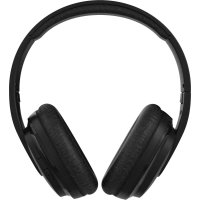
WHP101 - Headphones NOKIA - Free user manual and instructions
Find the device manual for free WHP101 NOKIA in PDF.



| Product Type | Bluetooth Audio Headset |
| Brand | Nokia |
| Model | WHP101 |
| Frequency Band | 2402 MHz - 2480 MHz |
| Maximum Radio Frequency Power | 3.23 dBm |
| Power Supply | Built-in rechargeable battery, charging via cable (2-3 hours) |
| Battery Life | Not specified, but full charge in 2-3 hours |
| Main Functions | Bluetooth pairing, music controls (play/pause, volume, tracks), calls, voice assistant, reset |
| Connection | Bluetooth, range up to 10 meters |
| Care and Cleaning | Use a soft, clean, dry cloth. Do not use liquids. |
| Safety | Do not listen at high volume for long periods; do not use in hazardous areas; keep out of reach of young children. |
| Recommended Operating Temperature | 15°C - 25°C for the battery |
| Repairability | Non-removable battery; do not open the device. In case of defect, return to the point of sale. |
| General Information | Manufacturer: HMD Global Oy, Finland. CE marking. Compliant with Directive 2014/53/EU. |
Frequently Asked Questions - WHP101 NOKIA
User questions about WHP101 NOKIA
0 question about this device. Answer the ones you know or ask your own.
Ask a new question about this device
Download the instructions for your Headphones in PDF format for free! Find your manual WHP101 - NOKIA and take your electronic device back in hand. On this page are published all the documents necessary for the use of your device. WHP101 by NOKIA.
USER MANUAL WHP101 NOKIA
Nokia Wireless Headphones
WHP-101
Quick Start Guide / J
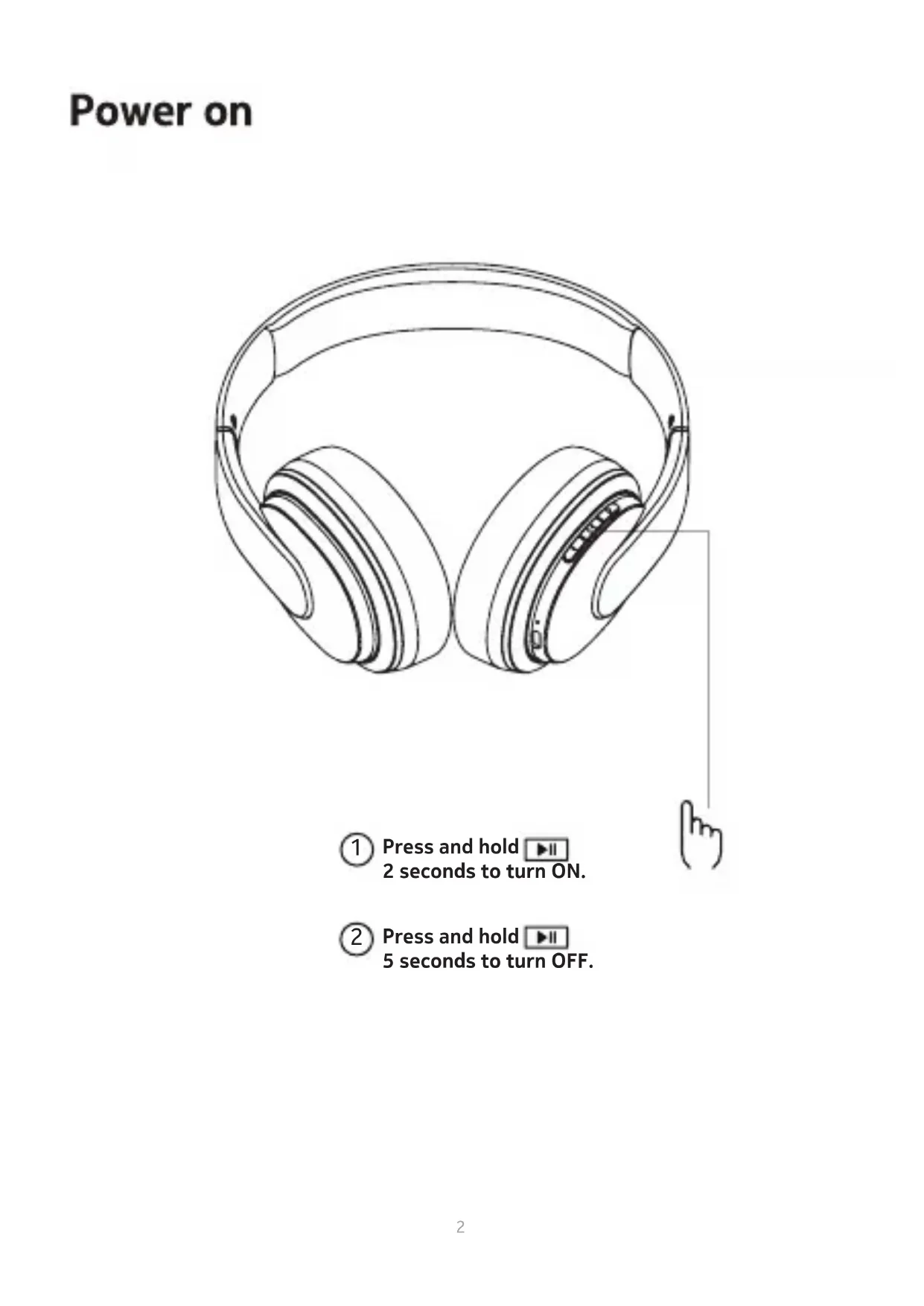
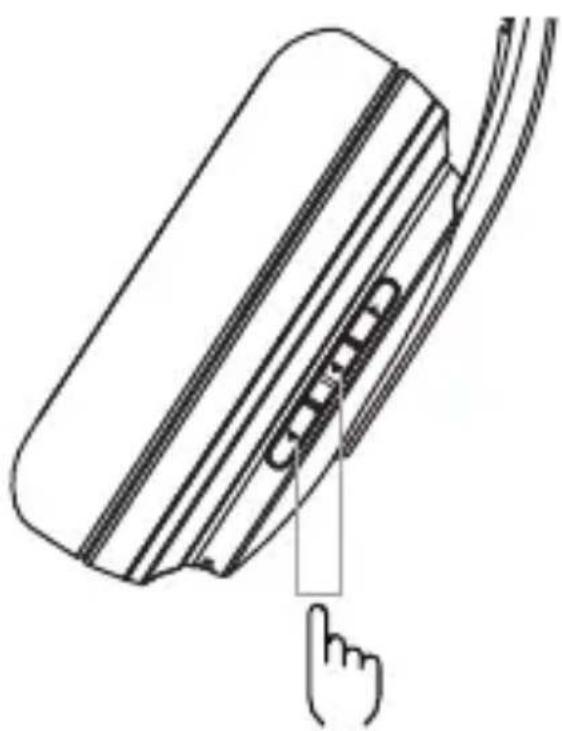
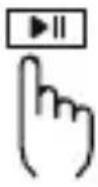
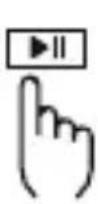
1 Press and hold 2 seconds to turn ON.
② Press and hold 5 seconds to turn OFF.
Pairing
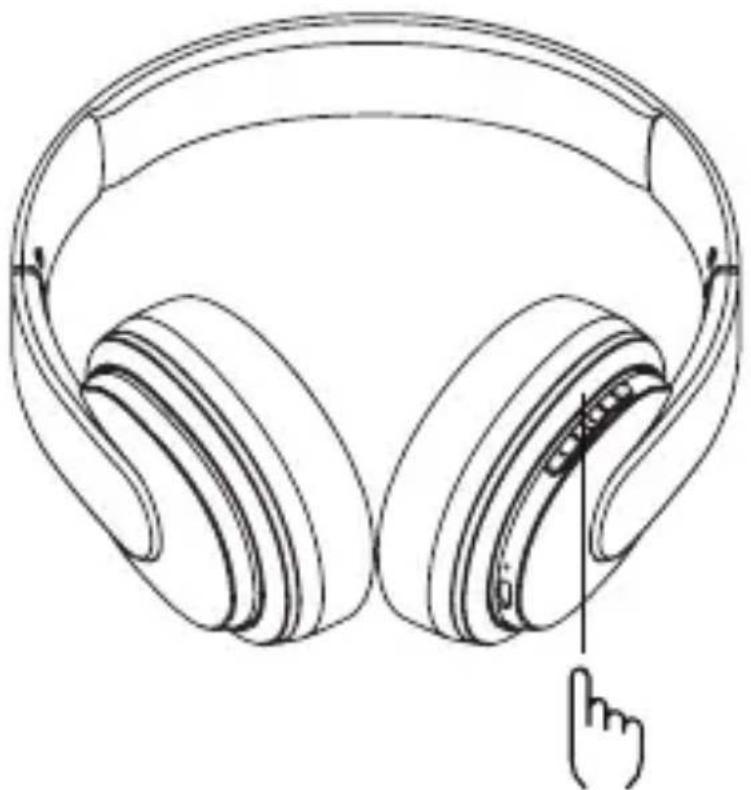
3 Press and hold 7s to enter pairing mode.
4
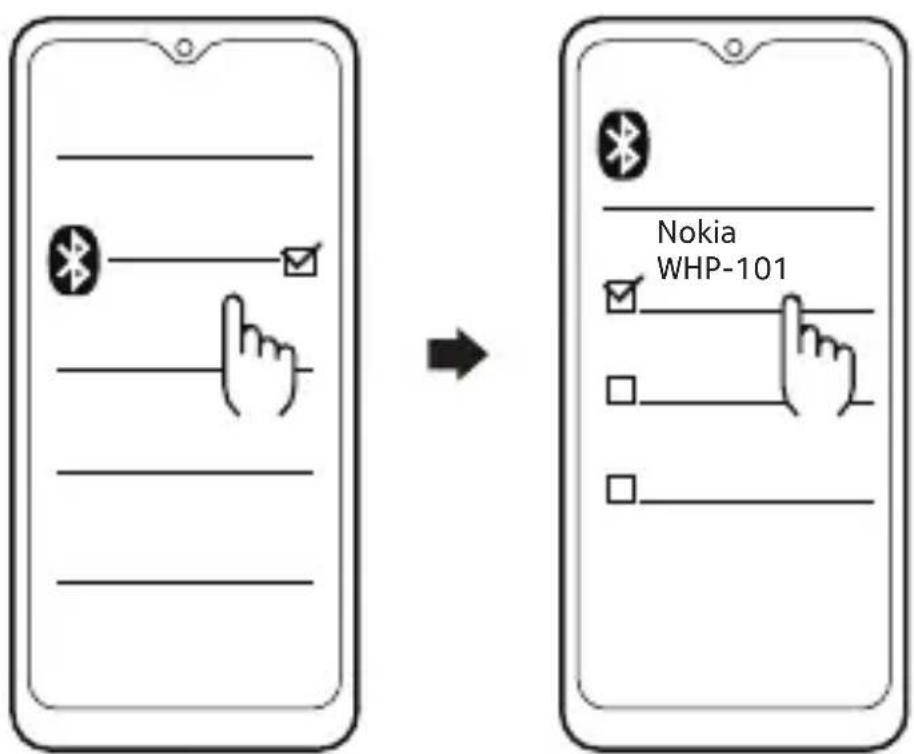
The LED indicator lights of the headphone will flash blue every 10 seconds when they are successfully connected via Bluetooth .
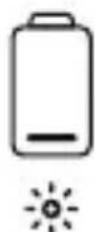
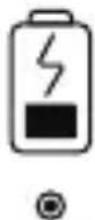
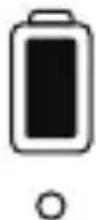
Charging
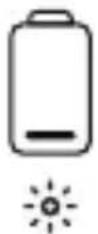
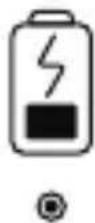
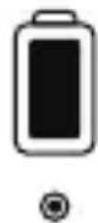
Red flash Red on Blue on
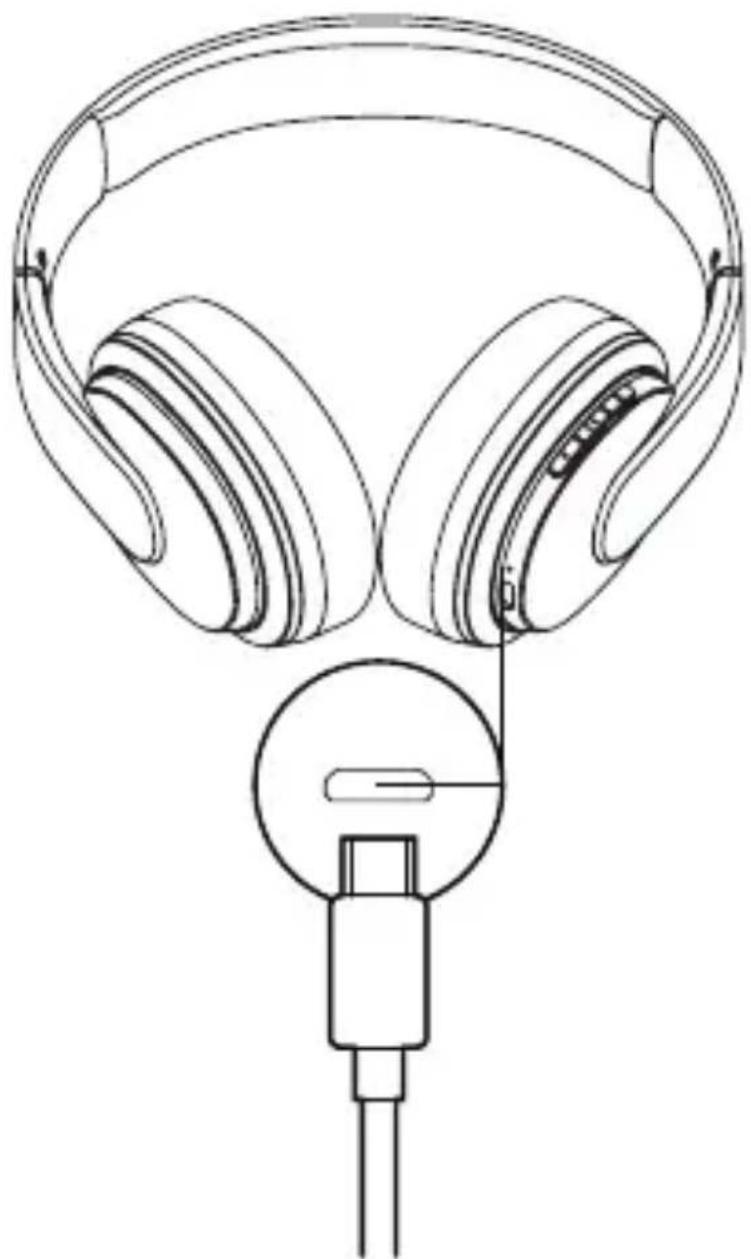
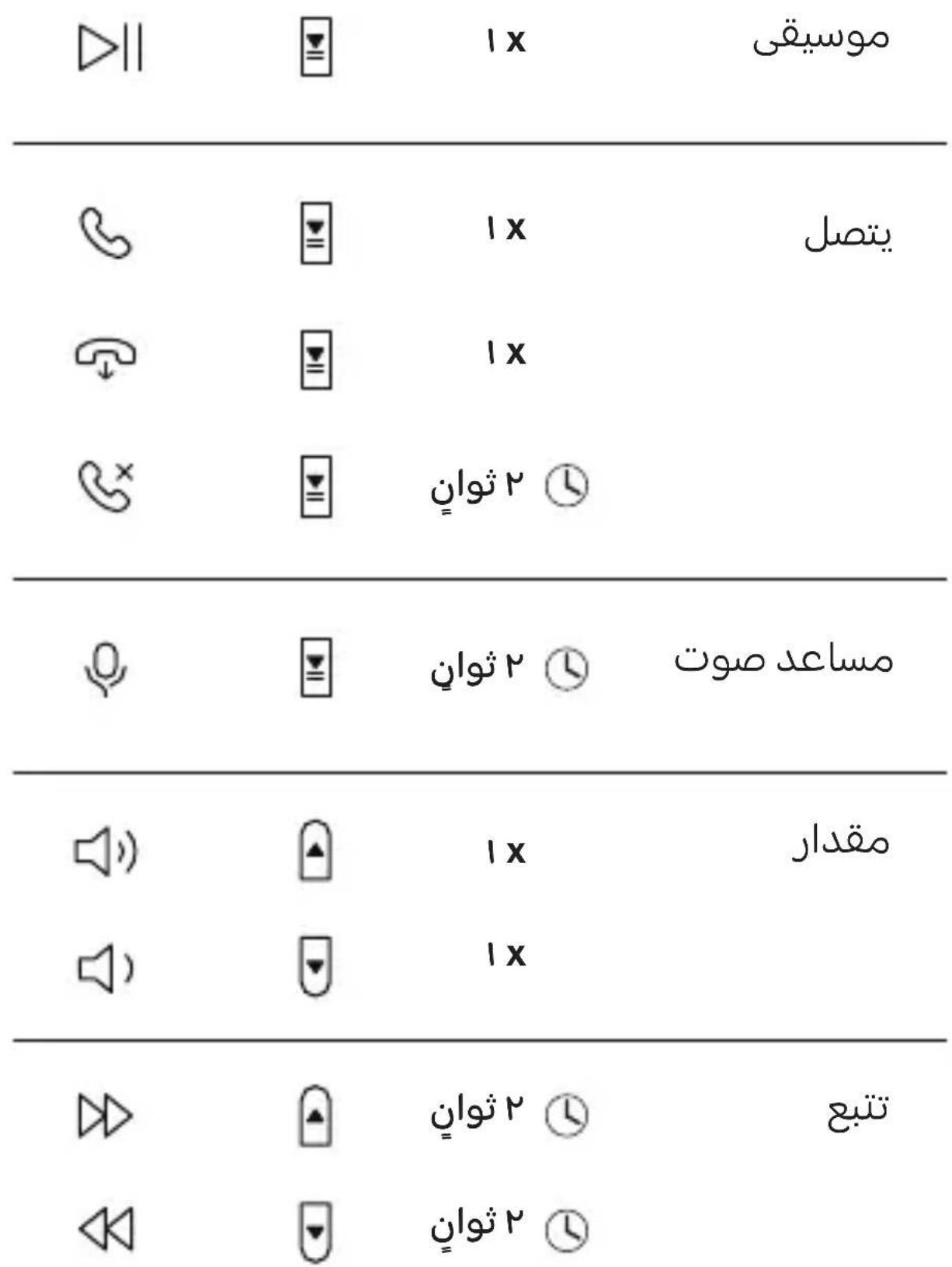
Button Controls
| Music | ◇|| | x 1 | |
| Call | x 1 | ||
| x 1 | |||
| 2 sec | |||
| Voice Assistant | 2 sec | ||
| Volume | x 1 | ||
| x 1 | |||
| Tracking | 2 sec | ||
| 2 sec |
Reset
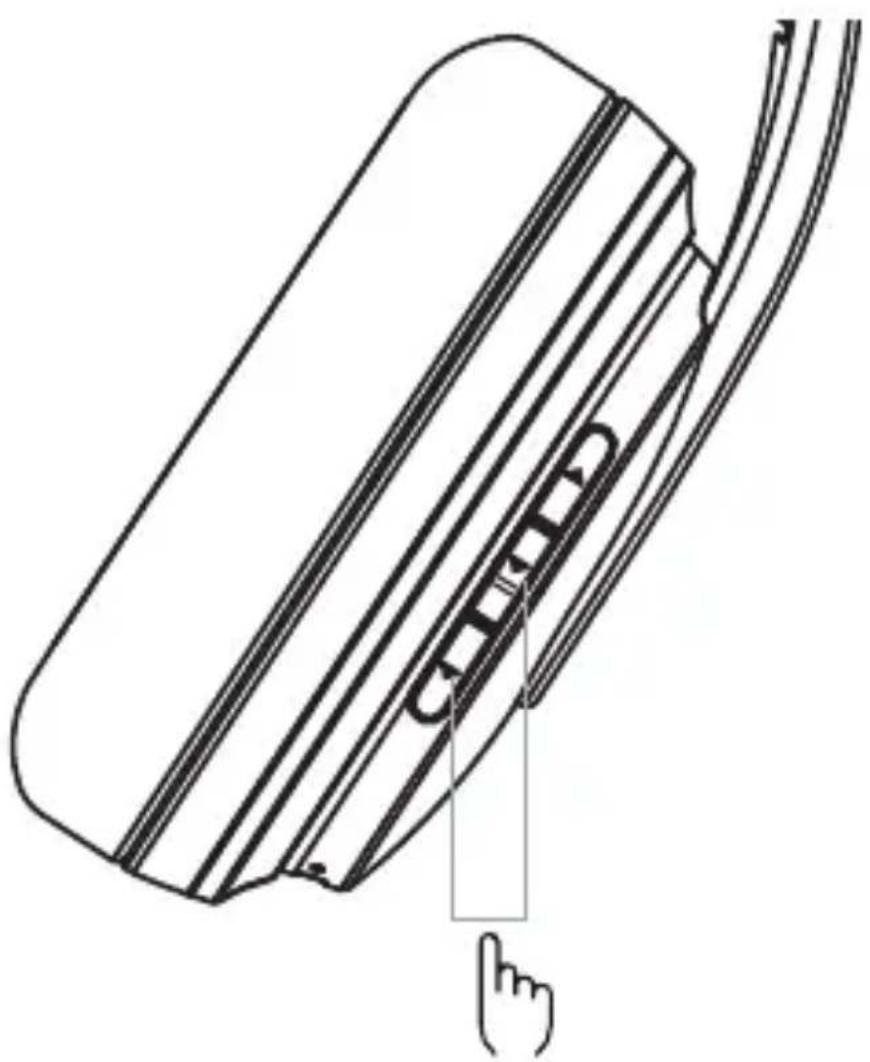
5 Press and hold at the same time for 5s to reset
Troubleshooting
Problem Reason Solutions
| Unable to turn on earbuds | Battery is low Charge the headphones for 2 - 3 hours and restart the headphones | |
| No sound after paired | Not pairing properly Pair the headphones again or reset the headphones | |
| Turn off automatically | Battery is low | Charge the headphones for 2 - 3 hours |
| Red light flashes on headphones | Battery is low | Charge the headphones |
| Failing to charge | Error with power supply Perform a hardware reset | |
| No light when charging | Error with power supply | Check whether the charging cable is plugged in. Ensure the switch button is turned on. |
| Hearing echoes | Volume is too loud or the environment is too noisy | Adjust the volume or go to a quieter place |
| Having noise during a call | Environmental interference or out of Bluetooth transmission range | Change location or reduce the distance between the headphones and devices |
| Sound skips frequently | Environmental interference or out of Bluetooth transmission range | Change location to the place with less signal interference or reduce the distance between the headphones and device |
Sound is too soft Low volume Increase the volume
Safety Guide
Product and safety information
Remote control functions may vary depending on the model of your device and application. Sound track instructions do not respond to iOS devices. Since devices with Bluetooth wireless technology communicate using radio waves, they do not need to be in direct line-of-sight. Bluetooth devices must, however, be within 10 meters (33 feet) of each other, although the connection may be subject to interference from obstructions such as walls or from other electronic devices.
Frequency Band: 2402 MHz - 2480 MHz
Maximum Radio Frequency Power: 3.23dBm
For your safety

Important: Read these simple guidelines. Not following them may be dangerous or against local laws and regulations. For further info, read the complete user guide.

Switch off in restricted areas
Switch the device off when a Bluetooth headset use is not allowed or when it may cause interference or danger, for example, in aircraft, in hospitals or near medical equipment, fuel, chemicals, or blasting areas. Obey all instructions in restricted areas.

Interference
All wireless devices may be susceptible to interference, which could affect performance.

Batteries, chargers, and other accessories
Use only batteries, chargers, and other accessories approved by HMD Global Oy for use with this device. Do not connect incompatible products.

Protect your hearing
To prevent possible hearing damage, do not listen at high volume levels for long periods.

Hearing
Warning: When you use the headset, your ability to hear outside sounds may be affected.
Do not use the headset where it can endanger your safety.

Small children
Your device and its accessories are not toys. They may contain small parts. Keep them out of the reach of small children.
Take care of your device
Handle your device with care. The following suggestions help you keep your device operational.
- Keep the device dry. Precipitation, humidity, and all types of liquids or moisture can contain minerals that corrode electronic circuits.
- Do not use or store the device in dusty or dirty areas.
- Do not store the device in high temperatures. High temperatures may damage the device or battery.
- Do not store the device in cold temperatures. When the device warms to its normal temperature, moisture can form inside the device and damage it.
- Do not open the device other than as instructed in the user guide.
- Do not drop, knock, or shake the device or the battery. Rough handling can break it.
- Only use a soft, clean, dry cloth to clean the surface of the device.
- Do not paint the device. Paint can prevent proper operation.
Recycle
Always return your used electronic products, batteries and packaging materials to dedicated collection points. This way you help prevent uncontrolled waste disposal and promote the recycling of materials. Electrical and electronic products contain a lot of valuable materials, including metals (such as copper, aluminium, steel, and magnesium) and precious metals (such as gold, silver, and palladium). All materials of the device can be recovered as materials and energy.
Crossed-out wheelie bin symbol

The crossed-out wheelie bin symbol on your product, battery, literature, or packaging reminds you that all electrical and electronic products and batteries must be taken to separate collection at the end of their working life.
Do not dispose of these products as unsorted municipal waste: take them for recycling. For info on your nearest recycling point, check with your local waste authority.
Battery info
your device has an internal, non-removable, rechargeable battery. Do not attempt to remove the battery, as you may damage the device. The battery can be charged and discharged hundreds of times, but it will eventually wear out. Charging time can vary depending on device capability.
Battery Safety
If left unused, a fully charged battery will lose its charge over time. Always keep the battery between 15ircC and 25ircC (59°F and 77°F) for optimal performance. Extreme temperatures reduce the capacity and lifetime of the battery. A device may
temporarily stop working if its battery is too hot or too cold.
Do not dispose of batteries in a fire as they may explode. Obey local regulations.
Recycle when possible. Do not dispose as household waste.
Use the battery and charger for their intended purposes only. Improper use, or use of unapproved or incompatible batteries or chargers may present a risk of fire, explosion, or other hazard, and may invalidate any approval or warranty. If you believe the battery or charger is damaged, take it to a service centre or your local shop before continuing to use it. Never use a damaged battery or charger. Only use the charger indoors. Do not charge your device during a lightning storm.
Implanted medical devices
To avoid potential interference, manufactures of implanted medical devices recommend a minimum separation of 15.3 centimetres (6 inches) between a wireless device and the implanted medical device. Persons who have such devices should:
- Always keep the wireless device more than 15.3 centimetres (6 inches) from the medical device.
- Not carry the wireless devise in a breast pocket.
- Switch the wireless device off if there is any reason to suspect that interference is taking place.
- Follow the manufacturer directions for the implanted medical device.
If you have any questions about using your wireless device with an implanted medical device, consult your health care provider.
Copyrights and other notices
The availability of products, features, apps, and services may vary by region. For more info, contact your dealer or your service provider. This device may contain commodities, technology or software subject to export laws and regulations from the US and other countries. Diversion contrary to law is prohibited.
The contents of this document are provided "as is". Except as required by applicable law, no warranties of any kind, either express or implied, including, but not limited to, the implied warranties of merchantability and fitness for a particular purpose, are made in relation to the accuracy, reliability or contents of this document. HMD Global reserves the right to revise this document or withdraw it at any time without prior notice.
Reproduction, transfer or distribution of part or all of the contents in this document in any form without the prior written permission of HMD Global is prohibited. HMD Global operates a policy of continuous development. HMD Global reserves the right to make changes and improvements to any of the products described in this document without prior notice.
Manufacturer and importer in EU: HMD Global Oy, Bertel Jungin aukio 9, 02600 Espoo, Finland. HMD Global Privacy Policy, available at http://www.nokia.com/phones/privacy, applies to your use of the device.
In the unlikely event that this product is faulty, please return it to the store where you purchased it with your proof of purchase. For more information on this or other products please visit http://www.nokia.com/phones/support.
© 2022 HMD Global. All rights reserved. HMD Global Oy is the exclusive licensee of the Nokia brand for phones & tablets. Nokia is a registered trademark of Nokia Corporation.
The Bluetooth word mark and logos are owned by the Bluetooth SIG, Inc. and any use of such marks by HMD Global is under license.
Declaration of conformity
Hereby, HMD Global Oy declares that this product is in compliance with the essential requirements and other relevant provisions of Directive 2014/53/EU. A copy of the Declaration of Conformity can be found at: www.nokia.com/mobile-declaration-of-conformity.
FCC Notice to users
The following statement applies to all products that bear the FCC logo and/or FCC ID on the product label.
This equipment has been tested and found to comply with the limits for a Class B digital device, pursuant to part 15 of the FCC Rules. See 47 CFR Sec. 15.105(b).
These limits are designed to provide reasonable protection against harmful interference in a residential installation. This equipment generates, uses and can radiate radio frequency energy and, if not installed and used in accordance with the instructions, may cause harmful interference to radio communications. However, there is no guarantee that interference will not occur in a particular installation. If this equipment does cause harmful interference to radio or television reception, which can be determined by turning the equipment off and on, the user is encouraged to try to correct the interference by one or more of the following measures:
- Reorient or relocate the receiving antenna.
- Increase the separation between the equipment and the receiver.
- Connect the equipment into an outlet on a different circuit from that to which the receiver is connected.
- Consult the dealer or an experienced radio/TV technician for help.
This device complies with part 15 of the FCC Rules.
Operation is subject to the following two conditions:
(1) This device may not cause harmful interference, and
(2) This device must accept any interference received, including interference that may cause undesired operation. See 47 CFR Sec. 15.19(a)(3). HMD Global has not approved any changes or modification to this device by the user. Any changes or modification could void the user's authority to operate the equipment. See 47 CFR Sec. 15.21
Industry Canada notice to users
This device complies with Industry Canada license-exempt RSS standard(s). Operation is subject to the following two conditions: (1) This device may not cause interference and (2) This device must accept any interference, including interference that may cause undesired operation of the device. See RSS-Gen, Section 8.4. This device complies with ICES-003 requirements for Class B ITE (Information Technology Equipment). CAN ICES-3 (B)/NMB-3(B) This device meets the IC requirements.
Jusill Jusill 2o Jusll gobssol Jusill O Jusill 2o Jusll go bsol
①
②
Jg 1000000000000000000000000000000000000000000
J
③
joojoo
JyU|OlaI
- CiooJcJrWyI go bsiol
(5)
5 5
claww LED
PooLooic 1JgJ JgJyJnJnJy
g>10g c b<| 1
JU
JcI JbBbBbBbBbBbBbBbBbBbBbBbBbBbBbBbBbBbBbBbBbBbBbBbBbBbBbBbBbBbBbBbBbBbBbBbBbBbBbBbBbBbBbBbBbBbBbBbBbBbBb

jLxUy dUyU
gJlglllgjI gagbjlglboJIy jckn JgJgJgJc bJg. dJgRjUJgUJgUJgUJgUJgUJgUJgU
.21ggl 1jglgblio g jg jlgj
gJjlll lI dssrnnn oJrnn nn n nn n nn n nn n nn n nn n nn n nn n nn n nn n nn n nn n nn n nn n nn n nn n nn n nn n nn n nn n nn n nn n nn n nn n nn n nn n nn n nn n nn n nn n nn n nn n nn n nn n nn n nn n nn n nn n nn n nn n nn n nn n nn n nn n nn n nn n nn n nn n nn n nn n nn
d,duuul dJrJgJgJgJgJgJgJgJgJgJgJgJgJgJgJgJgJgJgJgJgJgJgJgJgJgJgJgJgJgJgJgJgJgJgJgJgJgJgJgJgJgJg
.
jglggoJolalgsd.1aogjgIagulc gllgI jlgblawy .0
jIgJJI baw aabw b6aag aobig daclig glj wlaq aobp
.
gduI ola
Jd aasssssssssssssssssssssssssssssssssssssssssssssssssssssssssssssssssssssssssssssssssssssssssssssssssssssssssssssssssssssssssssssssssssssssssssssssssssssssssss

J 1000000000000000000000000000000000000000000000000000000
aoc aiai gaoabio gagaaiai bllg 11111111111111111111111111111111111111111
. ä9 lbjdaogdiwl
aJbUJgO
Jl JgL. 1.0000000000000000000000000000000000000000000000000000000000
.1gJlAaaw 1ybnnwnnnn nn nnnn nn nnnnnnnnnnnnnnnnnnnnnnnnnnnnnnnnnnnnnnnnnnnnnnnnnnnnnnnnnnnnnnnnnnnnnnnnnnnnnnnnnnnnnnnnnnnnnnnnnnnnnnnnnnnnnnnnnnnnnnnnnnnnn
auiuui aouw
l51d 1. c0gll brrgwh dddw, pdln nn dn wll alol aiaa bpaal 15 g 59) aagdo 25g ago do 15 bi jn 2j ohr a jd aiaa lglj 77
15 l 100000000000000000000000000000000000000000000000000000
1 0j bgl daiw djiyblk
. www . nokia . com / mobile - declaration - of - conformity
Einschalten
DE
www.nokia.com/mobile-declaration-of-conformity.
Allumer
FR
www.nokia.com/mobile-declaration-of-conformity.
Accensione
www.nokia.com/mobile-declaration-of-conformity.
開機
TC
He BnKOpncToBvIe Ta He 36epiraTe npilaY nIIbHnx a6o 6pydHnx 30hax.
He 36epiraTe npnlaD npn Bncoki Te mnepaTpyi. BncoKi Te mnepaTpyn moKyTB nozkodntn npnaD a6o akymyIaTOpHy 6aTapeIo.
He 36epiraTe npnilad npn Hn3bki TeMnepaTpyi. Pnp HarpibaHni npncTroo do HopmaIbHOiTempeAtpu BCEpeDHHI HbOro MOKe yTBOPIOBaTnCBAJORA, IO npn3BeDe Do IORO NOsKOJKeHHa.
He BiDkPnBaIe npncTpiB iHmN cnoci6 hIX Toi, 0o 6yB OnPcAHN B KepiBnTBI KopnCTyBaHa.
CTeXTe, 06 npictpi qn akymyIopHa 6aTape He 3a3HaBaN naHb, ydapib a6o ctpuyBaHH. Heo6epexHe CTabJIeHH MoKe ix noWKoDHTN.
BvKOpncToBvIe IInSe M'ky, YnCTy Ta cyxu cepBeTKy dny OunueHnnoBepXhi npicTpoJ.
He φ ap6yIte npictri. ap6yBaHnJa MoKe 3aXKOJNTu Ioro HopMaJIbHi po60ti.
Пepepo6ka

3aBxNIOBepTaIe BnKOpncTahi eJeKtpoHNI npOdyKTn, akyMylAToPHi 6aTapei Ta naKyBaJIbHI MaTePIaII Do BiIDNoBIDHnx NyHKTIb 36npaHHa. TaKIM YHOM BN 3MOXeTe 3anO6irTu HeKOHTpoJbOBAHIn yTNlI3aui BiIXoDiB Ta IocpnaTe nepepo6uMaTePiAlIB. EJeKtpuHIn Ta eJeKtpoHNI npOdyKTn MiCTaTB BeINKy KIlbKiCTb ciHHNX MaTePiAlIB, B TOMy YncIi MeTALN (HaNPnkJa, MiDb, aIbOMini, cTaNb Ta marHIn), a TAKOX DOPOROciHHi MeTALN (HaNPnkJa, 30IoTO, cpi6lo Ta naLAdi). Yci MaTePiAnu boro npicTpO MoKByt 6yTN BiINHOJIenHi kMaTePiAnu Ta eHepri.
3aKpeCJIeHn CmB0J cMIITcBOrO KOHTeHepa

CnMBoJ 3aKpeCJIeHOro CmTTEBOrO KOHTeHepa Ha BaUOMy npOdyKTi,
akymyIaTOpHi 6bataei, IitepaTypi a60 naKyBaIbHNx MaTePiaJax NOBInHeH
HaRaIaTn Bam, 10 yci eJeKTPuHi Ta eJeKTPoHHi BInpO6n Ta akymyIaTOpHi
6bataei nICJ3aBepWeHHI x TepMHy cIyX6n NiIJaRAIoTB po3dIbHOMy
3bnpaHnIO. He BnKnJaTe 1c BiPo6n Do HecOPTOBaHO rO MicbKOro CmITra:
pepeaIte ix Ha nepepo6kY. JIra OTpIMaHHI INΦOpMaQII 10do Na6JInxKQoro
DO Bac NynKtY nepepo6Kn 3BepHiTbcra DO CBOIX MlCeBHX OprAHIB BlaDiN.
InΦopMaця npo akymyIaTOp
Baw npncptpi ochaueho BnytpiHIM nepe3apraHnM akymyJrTOpOM, 1o He BnMaTbCra. 3a6opOHaTbCra BnMaTH akymyJrTOp, OCKJIbKn 1e MoKe npn3BeCTN Do N0wkoJxehnnpocpo. Pecypc akymyJrTOpa po3paxOBaHn Ha KJIbKa cOTehb UnkIIB 3apraJxahnn Ta po3praJxahnn, npote 3 yacom BIn 3MeHxuETbcra. Yac 3apraJxAHn MOKe 3mIHIOBaTncb 3aJeXHo BiD 3apydu npncptpoHO.
Бezпека akумлаятора
www.nokia.com/mobile-declaration-of-conformity.


- Nokia Wireless Headphones
- WHP-101
- Pairing
- Charging
- Button Controls
- Reset
- Troubleshooting
- Problem Reason Solutions
- Safety Guide
- Product and safety information
- For your safety
- Take care of your device
- Recycle
- Crossed-out wheelie bin symbol
- Battery info
- Battery Safety
- Implanted medical devices
- Copyrights and other notices
- Declaration of conformity
- FCC Notice to users
- Industry Canada notice to users
- g>10g c b<| 1
- aJbUJgO
- auiuui aouw
- Einschalten
- Allumer
- Accensione
- 開機
- Пepepo6ka
- 3aKpeCJIeHn CmB0J cMIITcBOrO KOHTeHepa
- InΦopMaця npo akymyIaTOp
- Бezпека akумлаятора
Brand : NOKIA
Model : WHP101
Category : Headphones