USER MANUAL MADTA10BT MADISON
Imported from China by LOTRONIC SA
Av. Z. Gramme 9 - B-1480 Saintes

Important Safety Precautions :
Congratulations on your purchase and thank you for choosing our audio system. To achieve the utmost in enjoyment and performance from your new system and in order to become familiar with its features, please read this manual carefully before operation. This will ensure years of faithful, trouble free performance and listening pleasure.
Important Notes :
- These safety and operating instructions should be retained for future reference.
- This appliance must not be exposed to dripping or splashing liquids. No objects filled with liquids, such as vases or glasses should be placed on or near this appliance.
- Avoid installing this unit in locations such as :
o Places exposed to direct sunlight or close to heat radiating appliances such as electric heaters.
On top of other stereo equipment that radiate a lot of heat.
Enclosed spaces which block ventilation or overly dusty places.
Places subject to constant vibration.
Humid or moist places.
- No naked flame sources such as lit candles should be placed on or near the unit.
- Before turning on the power for the first time, make sure the power cord is properly installed, and fully uncoiled.
- For safety reasons, do not remove any covers or screws or attempt to gain access to the inside of the product for any reason. Doing so will expose you to dangerous voltage, and will void your warranty immediately.
Refer any servicing to qualified and properly authorized service personnel.
There are no user serviceable parts anywhere inside this unit.
- Where the MAINS plug or an appliance coupler is used as the disconnect device, the disconnect device shall remain readily operable;
- Batteries (battery pack or batteries installed) shall not be exposed to excessive heat such as sunshine, fire or the like.

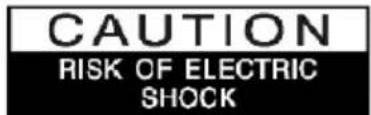

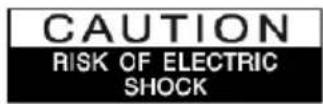
CAUTION : TO REDUCE THE RISK OF ELECTRIC SHOCK DO NOT REMOVE COVER OR BACK. NO USER SERVICEABLE PARTS INSIDE, REFER SERVICING TO QUALIFIED SERVICE PERSONNEL.
DANGEROUS VOLTAGE :

Dangerous Voltages, that may be of sufficient magnitude to constitute a risk of electric shock to persons is present within this product's enclosure.
ATTENTION :
The owner's manual contains important operating and maintenance instructions, for your safety, it is necessary to refer to the manual.
WARNING : TO PREVENT FIRE OR SHOCK HAZARD, DO NOT EXPOSE THIS APPLIANCE TO DRIPPING OR SPLASHING.
Excessive sound pressure from earphones and headphones can cause hearing loss.
NOTE : This unit will become warm when used for a long period of time. This is normal and does not indicate a problem with the unit.
GENERAL PRECAUTIONS :
Some Do’s and Don’ts on the safe use of this electrical appliance :
This equipment has been designed and manufactured to meet international safety standards, but like any electrical equipment care must be taken if you are to obtain the best results and safety is to be assured.
DO read the operating instruction before you attempt to use the equipment.
DO ensure that all electrical connections (including the mains plug, extension leads and enter-connections between the pieces of equipment) are properly made and in accordance with the manufacturer's instructions.
DO switch off and remove the mains plug before making or changing any connections to this unit.
DO consult your dealer if you are ever in doubt about the installation, operating or safety of your equipment.
DON'T remove any fixed cover as this may expose you to dangerous and potentially deadly voltages.
DON'T overheat the unit which can cause damage and shorten the life of the equipment.
DON'T allow electrical equipment to be exposed to dripping or splashing, or objects filled with liquids, such as vases, to be placed on the equipment.
DON'T place hot objects or naked flame sources such as lit candles or nightlights on, or close to equipment. High temperatures can melt plastic and lead to fires.
DON'T listen at very high volume. Doing so can permanently damage your hearing.
DON'T leave equipment switched on when it is unattended. Switch off using the switch on the equipment.
DON'T continue to operate the equipment if you are in any doubt about if it's working normally or if it's damaged in any way. Switch it off and remove the mains plug and consult your dealer immediately.
ESD Remark: In case of malfunction due to electrostatic discharge, simply reset the system by disconnecting the mains power from the wall outlet for a period of 5 minutes. Reconnect to the mains power to resume normal operation.
NOTE : Do not open any covers and do not attempt to repair this system in any way yourself. Qualified personnel must carry out repair work.
Package Contents :
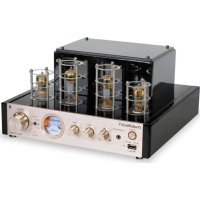
- Tube amplifier
- Users Guide
Tube Amplifier Front Panel Overview:
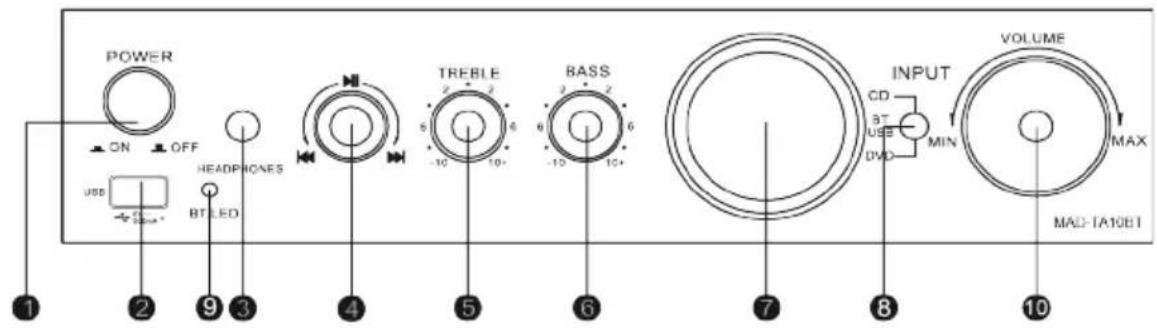
1 Power Button
MP3 controls
Vu meter
10 Volume control
USB interface
5 Treble control
Input selector
3 Earphone socket
Bass control
9 Bluetooth LED light
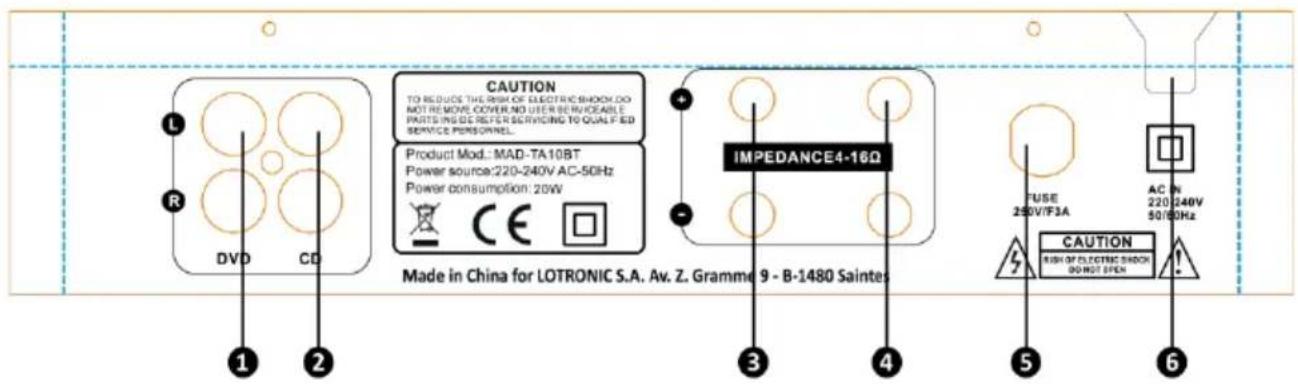
Rear Panel Overview
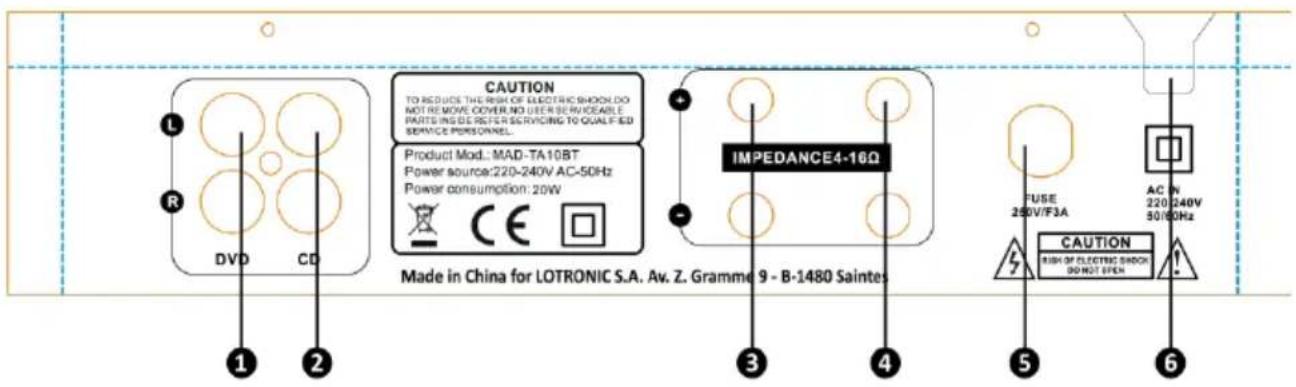
DVD input
Left speaker output
CD input
Fuse
Right speaker output
AC power cord
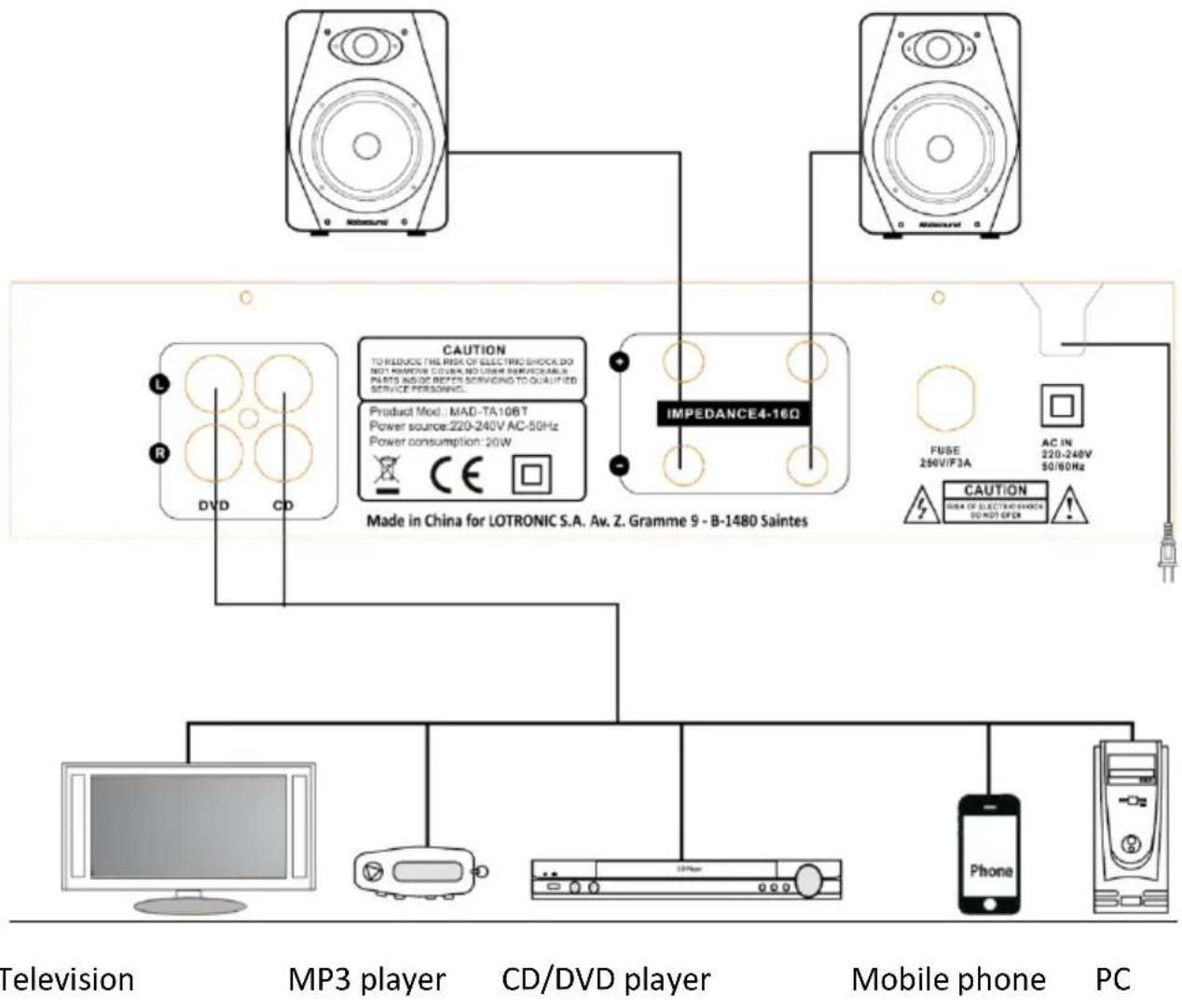
Rear Panel Connections :
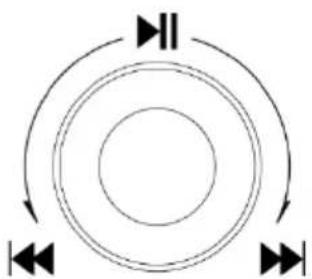
Control Panel Operation
- Press this button to Play or Pause
- Left turn to select previous track
- Right turn to select next track
- Turn the button slowly to select more tracks
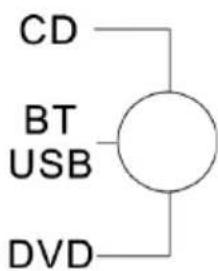
There are 3 input positions. In BT/USB mode, the unit is in USB mode when a USB stick is connected. When no USB stick is plugged in or the USB stick is unplugged, the unit will scan automatically for Bluetooth devices.
This system has a L/R stereo RCA line input on the rear panel. It is compatible with any common line output signal audio component such as a TV set, CD/DVD player or MP3 player.
- Connect the RCA stereo leads from your home audio component to the red and white LINE IN jacks on the rear panel.
Control the volume via the volume control on the front panel.
Earphone Connection
This system has a 3.5mm stereo earphone output. It is a direct Plug & Play connection
Volume and track can be controlled via the control panel of this system.
- When an earphone is plugged in, the speaker output is disabled.
Playing a Bluetooth device
This system can connect to a Bluetooth compatible device such as a smartphone or portable music player and play wirelessly audio tracks that are stored in your smartphone or music player.
Basic operation steps :
- Turn the system on.
- Set the input switch to BLUETOOTH. The BT LED is now flashing.
Make sure that no USB stick is inserted!
Pairing a new device
The MAD-TA10BT is only discoverable when the input selected is Bluetooth. After selecting Bluetooth input mode on the MAD-TA10BT, turn on the Bluetooth function on the cell phone and search the MAD-TA10BT. Its Bluetooth device name is "MAD-TA10BT". Pair and connect after search. There is no pairing code.
Reconnect to an existing paired device
The system automatically reconnects to the last connected device.
- Enter the Bluetooth menu of your smartphone or music player and select 'MAD-TA10BT' from the list of previously connected devices and select CONNECT.
- Your device is now reconnected to your system.
Playback control
The remote can control following functions:
Volume up/down
- Next/previous track
- Play/pause
Notes:
If pairing fails the first time, turn off your system and back on. Then follow the procedure from the beginning of this section.
If you are unable to reconnect to a previously connected device, remove or erase the TA10BT from the list of paired devices from your smartphone and follow the instructions of 'Pairing a new device'.
Specifications :
| ITEM | SPECIFICATIONS |
| Description : | Tube amplifier |
| Power Requirements : | AC 220-240V/ 50/60 HZ 80W |
| Bluetooth specification | Version 2.1
Receiver support : HFP 1.5, HSP, A2DP 1.0 , AVRCP 1.0,
OPP, PBAP
Frequencies : 2402-2480MHz
Max. RF emission power: 2.95dBm
Range : 10m |
| Amplifier output | 40W |
| Impedance | 47kOhms |
| Sensitivity | <600mV |
| Trible/Bass | +/-10dB |
| Signal to Noise Ratio : | >85dB |
| Main Channel (1KHz) : | 0.01% |
| Frequency | 20Hz-20KHz+2dB |
| Dimensions : | 270 x 280 x 140mm |
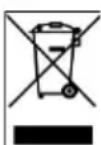
Electric products must not be put into household waste. Please bring them to a recycling centre. Ask your local authorities or your dealer about the way to proceed.

ATTENTION: AFIN D'EVITER TOUT RISQUE D'ELECTROCUTION, NE PAS OUVRIR LE


BOITIER. AUCUNE PIECE DE L'APPAREIL N'EST REUTILISABLE, VEUILLEZ CONTACTER VOTRE REVENDEUR EN CAS DE PROBLEME.
TENSION DANGEREUSE :

1 Interruptor
MP3 controls
Vumeter
Volume control
Interface USB
5 Controlo dos agudos
8 Selector de entrada
3 Auscultadores
Controlo dos graves
9 LED BLUETOOTH
Painel traseiro
Ligaçao DVD
Ligaçao CD
Altifalante direito
Certify and declare under our sole responsibility that the following product:
Trade name:

Product name: TUBE AMPLIFIER WITH BLUETOOTH
Type or model: MAD-TA10BT
Conforms with the essential requirements of
RED 2014/53/EU - ROHS 2011/65/EU & ERP 2009/125/EC
Based on the following specifications applied:
EN 60065:2014
EN 62479:2010
and therefore, complies with the essential requirements and provisions of the RED, ROHS and ERP Directive.
Place and date of issue: Saintes (Belgium), on 20/12/2018
Manuel De Sousa
Quality manager

CE