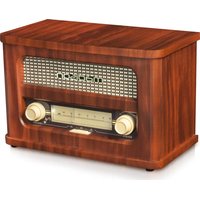
MAD-RETRORADIO - Radio MADISON - Free user manual and instructions
Find the device manual for free MAD-RETRORADIO MADISON in PDF.


| Product type | Retro Bluetooth radio |
| Brand | Madison |
| Model | MAD-RETRORADIO |
| Category | Radio |
| Dimensions (L x W x H) | 300 x 165 x 198 mm |
| Weight | 2.12 kg |
| Power supply | Lithium battery 3.7 V / 1500 mAh |
| Charging | USB-C, 5 V / 1 A |
| Estimated battery life | About 8 hours |
| Output power | 10 W |
| Frequency response | 80 Hz – 18 kHz |
| Signal-to-noise ratio | >65 dB |
| FM tuner | 87.5 – 108 MHz |
| Bluetooth version | 5.3 |
| Bluetooth frequency | 2402 – 2480 MHz |
| Max Bluetooth RF power | 3.48 dBm |
| AUX input | 3.5 mm jack |
| Functions | FM radio, Bluetooth, AUX, frequency lighting, analog tuning |
| Package contents | Radio, USB-C cable, 3.5 mm AUX cable, manual |
| Usage | Indoor only |
| Operating temperature | 5 °C to 35 °C |
| Humidity | Do not expose to humidity |
| Maintenance | Clean with a soft dry cloth |
| Recycling | Compliant with WEEE directive |
Frequently Asked Questions - MAD-RETRORADIO MADISON
User questions about MAD-RETRORADIO MADISON
0 question about this device. Answer the ones you know or ask your own.
Ask a new question about this device
Download the instructions for your Radio in PDF format for free! Find your manual MAD-RETRORADIO - MADISON and take your electronic device back in hand. On this page are published all the documents necessary for the use of your device. MAD-RETRORADIO by MADISON.
USER MANUAL MAD-RETRORADIO MADISON
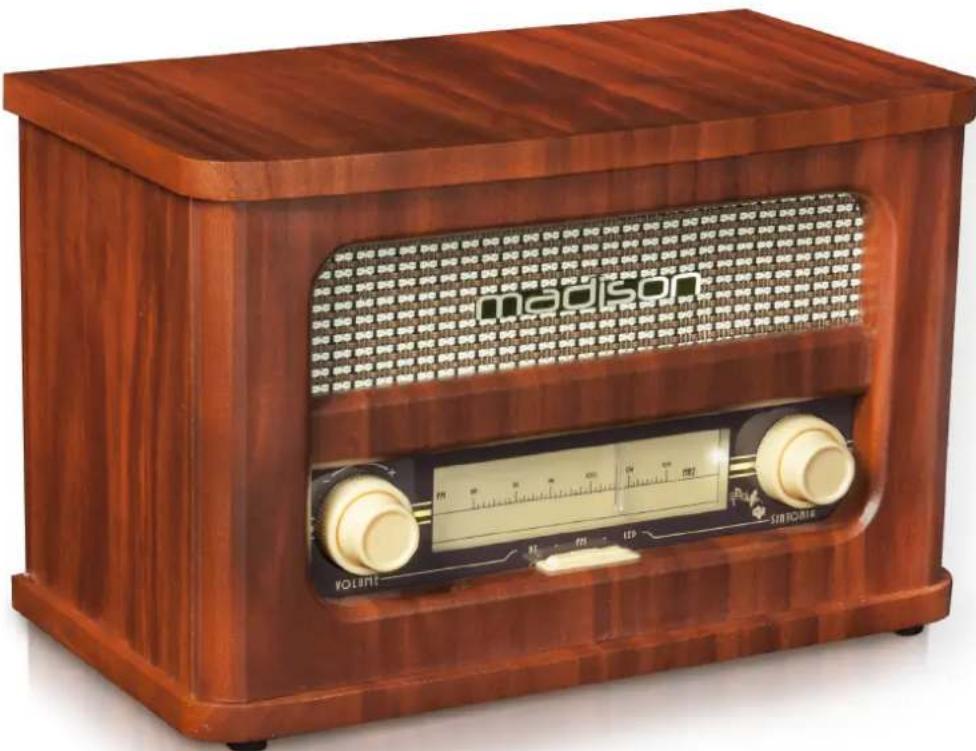
VINTAGE RADIO WITH BLUETOOTH & FM RADIO
MANUAL
EN- Instruction Manual - p. 3
PLEASE READ THE MANUAL CAREFULLY AND KEEP IT FOR FUTURE REFERENCE.

In accordance with the requirements of UK standards

The product is for indoor use only

To avoid hearing loss, do not expose yourself to high volume levels for long periods of time.
IMPORTANT SAFETY INSTRUCTIONS AND DANGER WARNINGS
- All safety instructions and warnings must be adhered to. They are part of the manual and must be kept with the manual.
- The appliance is approved for operation in dry, closed rooms only. Do not operate the device nearby water, such as in bathrooms or nearby swimming pools.
- The appliance may not be exposed to extreme temperatures (< +5^ / > +35^) in operation.
- The appliance may not be subjected to strong vibrations or heavy mechanical strain.
- The appliance may not be exposed to excessive moisture (due to dripping or sprayed water, for example).
- Do not place any recipients filled with liquids, such as glasses or vases, on top of or directly next to the appliance. They could fall over, causing water to enter the appliance. Never pour out liquids above the appliance. Do not place any small objects, such as coins or paper clips, on the appliance since they could fall inside the appliance.
- Never place the appliance on an unstable or movable surface. Persons could be injured or the appliance damaged by it falling down.
- Do not place any naked flames such as those of burning candles on or next to the appliance.
- Only use the appliance in a moderate climate, not in tropical environments.
Contents of the carton
- 1x vintage radio
- 1x USB-C charger lead
- 1x3.5mm AUX lead
- 1x manual
CHARGING THE BATTERY
Plug the mini-USB connector of the USB charging lead into the 5V DC socket on the rear panel of the radio and the other end into a suitable USB port or a mains adaptor.
NOTE: Please shut down the power switch after you have finished using the system.
IMPORTANT NOTE ON LITHIUM-ION BATTERIES
- PRIOR to using the unit for the first time, please charge fully the battery
- Charge the battery regularly after each use. Don't wait until it is discharged!
- DON'T allow the battery to discharge completely, otherwise it will lose 20% of its capacity or even be totally damaged! If the voltage becomes too low, the internal circuits are not powered anymore and it will become impossible to recharge the battery!
- If you don't use the unit for a longer period of time, it is recommended to charge it at 40% of its capacity and check/charge it once per month.
** BATTERIES ARE NOT COVERED BY THE WARRANTY **
We cannot be held responsible for damaged batteries further to the non-observation of these basic rules.
LOCATION OF CONTROLS
- Volume control
- Bluetooth mode : Short press for Bluetooth mode, long press for AUX mode
- FM mode
- Frequency scale illumination
- FM frequency adjustment
- ON/OFF switch
- Antenna
- USB-C charging port
- LED indicator
- AUX IN jack
FM FUNCTION
Prior to using the unit for the first time, please fully charge the built-in battery. Push the ON/OFF switch ⑥ to the ON position. The unit will be set to radio mode. Press button ④ to light up the frequency dial. Rotate the frequency adjustment knob ⑤ to search a radio station. Control the volume via the dial ① . If the radio reception is not clear, move the unit near to a window or a balcony to get a stronger signal. Adjust the position of the antenna.
PAIRING THE SPEAKER WITH A BLUETOOTH ENABLED DEVICE
To use Bluetooth function, shortly press the BT key ② . A tone is heard and the Bluetooth LED indicator will flash green. Set your mobile phone or other Bluetooth enabled device to search for Bluetooth devices. When the Bluetooth device finds the radio, select "MADISON" in the list of found devices. After successful pairing, a tone will be heard and the Bluetooth LED indicator will slowly flash green.
(If a previously paired device is within the range when the speaker is turned ON, the speaker will connect to it automatically).
USING AS A WIRED SPEAKER
To use the speaker as a wired device, plug one end of the 3.5 auxiliary lead into the AUX jack on the back panel of the unit and the other end into your device or computer's headphone jack. Use the volume control ① to set the desired volume.
SPECIFICATIONS
Output power 10W
S/N ratio. >65dB
Frequency range . 80Hz - 18kHz
FM frequency band 87.5-108MHz
Bluetooth version. 5.3
Transmission frequency 2402-2480MHz
Max. RF output power: 3.48dBm
Input power. 5V=1A
Battery. Lithium 3.7V=1500mAh
Dimensions 300 x 165 x 198mm
Weight 2.12kg
Correct disposal of the product

This marking indicates that this product should not be disposed with other household wastes throughout the EU. To prevent possible harm to the environment or human health from uncontrolled waste disposal, recycle it responsibly to promote the sustainable reuse of material resources. To return your used device, please use the return and collection systems or contact the retailer where the product was purchased. They can take this product for environmental safe
recycling.
RADIO VINTAGE AUTONOME AVEC BLUETOOTH & FM 10W
MANUEL D'INSTRUCTION
MANUAL DE INSTRUCTIUNI
EXPLICATIA SIBBOLURILOR
EU Declaration of Conformity
Hereby we, LOTRONIC SA
Avenue Zénobe Gramme, 9
1480 SAINTES
Belgique
+32.2.390.91.91
Certify and declare under our sole responsibility that the following product:
madison
Trade name:
Product name: BLUTOOTH VINTAGE RADIO SPEAKER
Type or model: MAD-RETRORADIO
Conforms to the essential requirements of the RED directive 2014/53/EU, 2011/65/EU RoHS directive and the Commission Delegated Directive (EU) 2015/863
Based on the following specifications applied:
ENIEC62368-1:2020+A11:2020
EN 62479:2010
EN 50663:2017
ETSI EN 301 489-1 V2.2.3 : 2019-11
ETSI EN 301 489-17 V3.2.4 : 2020-09
EN 55032:2015+A1:2020
EN 55035:2017+A11:2020
ETSI EN 300 328 V2.2.2 : 2019-07
Place and date of issue: Saintes (Belgium), on 03/08/2023
M. De Sousa
Quality manager
CE
EN IEC 62368-1:2020+A11:2020
EN62479:2010
EN 50663 : 2017
ETSI EN 301 489-1 V2.2.3 : 2019-11
ETSI EN 301 489-17 V3.2.4 : 2020-09
EN55032:2015+A1:2020
EN55035:2017+A11:2020
ETSI EN 300 328 V2.2.2 : 2019-07
Download the manual in other languages
Assembled in PRC · Designed by LOTRONIC S.A.
Rue F. Englert 17·Bt 2·1480 Tübize·Belgium
info@lotronic.net
www.lotronic.net

- MANUAL
- IMPORTANT SAFETY INSTRUCTIONS AND DANGER WARNINGS
- Contents of the carton
- CHARGING THE BATTERY
- IMPORTANT NOTE ON LITHIUM-ION BATTERIES
- LOCATION OF CONTROLS
- FM FUNCTION
- PAIRING THE SPEAKER WITH A BLUETOOTH ENABLED DEVICE
- USING AS A WIRED SPEAKER
- SPECIFICATIONS
- Correct disposal of the product
- RADIO VINTAGE AUTONOME AVEC BLUETOOTH & FM 10W
- MANUEL D'INSTRUCTION
- MANUAL DE INSTRUCTIUNI
- EXPLICATIA SIBBOLURILOR
- EU Declaration of Conformity
- madison
- CE
Brand : MADISON
Model : MAD-RETRORADIO
Category : Radio