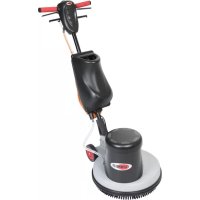
DS350 - Foam generator NILFISK - Free user manual and instructions
Find the device manual for free DS350 NILFISK in PDF.



| Product type | Foam generator for carpet cleaning |
| Brand | Nilfisk |
| Model | DS350 (reference DF-100A-EU) |
| Supply voltage | 220-240 V ~ |
| Frequency | 50 Hz |
| Power | 150 W |
| Rated current | 1.0 A |
| IP protection rating | IP 44 |
| Solution tank capacity | 6 liters |
| Sound pressure level | 68 dB(A) |
| Weight | 6 kg |
| Power cord length | 1.0 m |
| Main functions | Foam generation for carpet shampooing; foam volume adjustment; solution and foam filtration |
| Intended use | Carpet cleaning with detergent solution, suitable for professional use by trained personnel |
| Maintenance and cleaning | Clean filters regularly (foam and solution); drain the tank after each use; unplug before any maintenance |
| Safety | Mandatory grounding; unplug before maintenance; do not use in explosive atmosphere; do not expose to rain |
| Spare parts and repairability | Use only original Viper parts; contact an authorized service center for repairs |
| General information | Operating temperature: 0°C to +40°C; humidity: 30% to 95%; vibrations < 2.5 m/s² |
| Compliance | CE certified; declaration of conformity included |
Frequently Asked Questions - DS350 NILFISK
User questions about DS350 NILFISK
0 question about this device. Answer the ones you know or ask your own.
Ask a new question about this device
Download the instructions for your Foam generator in PDF format for free! Find your manual DS350 - NILFISK and take your electronic device back in hand. On this page are published all the documents necessary for the use of your device. DS350 by NILFISK.
USER MANUAL DS350 NILFISK
User Manual
FOAM GENERATOR
DF-100A-EU
natural_image
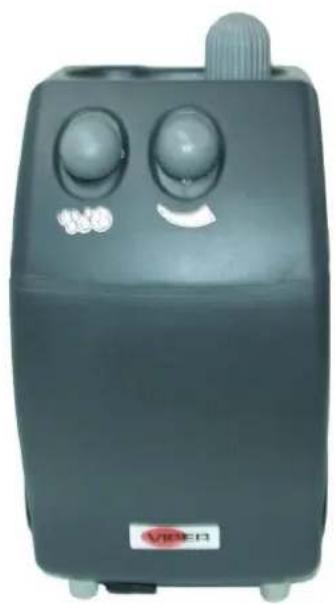
Black industrial vacuum cleaner with two circular control knobs and a rotary knob (no visible text or symbols)english Operating Instructions ....1
Company information:
www.vipercleaning.eu
info-eu@vipercleaning.com
TABLE OF CONTENTS
INTRODUCTION ....2
MANUAL PURPOSE AND CONTENTS 2
TARGET 2
HOW TO KEEP THIS MANUAL....2
DECLARATION OF CONFORMITY 2
OTHER REFERENCE MANUALS....2
SPARE PARTS AND MAINTENANCE....2
CHANGES AND IMPROVEMENTS....3
GENERAL INSTRUCTIONS ....4
MACHINE DESCRIPTION ....6
MACHINE STRUCTURE....6
TECHNICAL DATA....7
WIRING DIAGRAM....8
OPERATION OF FOAM GENERATOR....9
BASIC OPERATION 9
MAINTENANCE....10
STORAGE....10
INTRODUCTION

NOTE
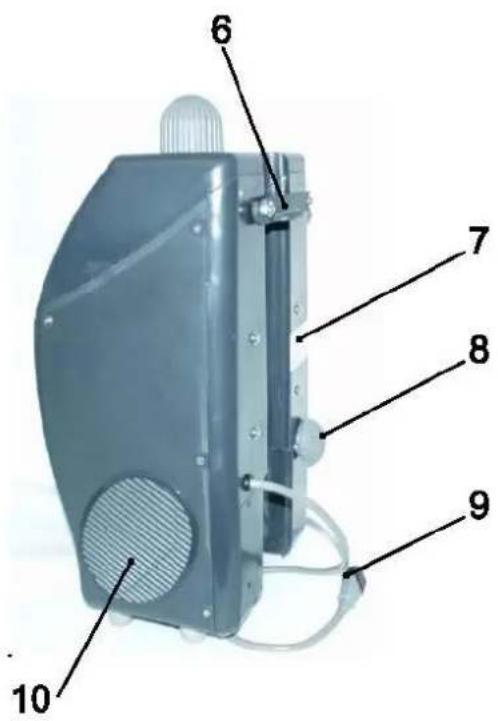
The numbers in brackets refer to the components shown in Machine Description chapter.
MANUAL PURPOSE AND CONTENTS
The purpose of this Manual is to provide the operator with all necessary information to use the machine properly, in a safe and autonomous way. It contains information about technical data, safety, operation, storage, maintenance, spare parts and disposal. Before performing any procedure on the machine, the operators and qualified technicians must read this Manual carefully. Contact Viper in case of doubts concerning the interpretation of the instructions and for any further information.
TARGET
This Manual is intended for operators and technicians qualified to perform the machine maintenance.
The operators must not perform procedures reserved for qualified technicians. Viper will not be answerable for damages coming from the non-observance of this prohibition.
HOW TO KEEP THIS MANUAL
The User Manual must be kept near the machine, inside an adequate case, away from liquids and other substances that can cause damage to it.
DECLARATION OF CONFORMITY
The declaration of conformity, supplied with the machine, certifies the machine conformity with the law in force.

NOTE
Two copies of the original declaration of conformity are provided together with the machine documentation. CE-declaration is print in Quick Start Guide
IDENTIFICATION DATA
The machine model and serial number are marked on the serial number label (7).
The machine model year is written in the declaration of conformity and it is also indicated on the serial number label.
This information is useful when requiring machine spare parts. Use the following table to write down the machine identification data.
MACHINE model
MACHINE serial number
OTHER REFERENCE MANUALS
– Service Manual (that can be consulted at Viper Service Centers)
– Spare Parts List (see www.viperclearing.eu)
SPARE PARTS AND MAINTENANCE
All necessary operating, maintenance and repair procedures must be performed out by qualified personnel or by Viper Service Centers. Only original spare parts and accessories must be used.
Contact Viper for service or to order spare parts and accessories, specifying the machine model and serial number.
CHANGES AND IMPROVEMENTS
Viper constantly improves its products and reserves the right to make changes and improvements at its discretion without being obliged to apply such benefits to the machines that were previously sold.
Any change and/or addition of accessories must be approved and performed by Viper.
These machines are used to clean carpet, under safe operation conditions by a qualified operator.
CONVENTIONS
Forward, backward, front, rear, left or right and up are intended with reference to the operator's position, that is to say in working position with the Holding Handle (6).
UNPACKING/DELIVERY
To unpack the machine, carefully follow the instructions on the packing.
When the machine is delivered, check that the packing and the machine were not damaged during transportation. In case of visible damages, keep the packing and have it checked by the carrier that delivered it. Call the carrier immediately to fill in a damage claim. Check that the machine is equipped with the following features:
- Technical documents:
• Foam generation User Manual
• Foam generation Spare Parts List
SAFETY
The following symbols indicate potentially dangerous situations. Always read this information carefully and take all necessary precautions to safeguard people and property.
The operator's cooperation is essential in order to prevent injury. No accident prevention program is effective without the total cooperation of the person responsible for the machine operation. Most of the accidents that may occur in a factory, while working or moving around, are caused by failure to comply with the simplest rules for exercising prudence. A careful and prudent operator is the best guarantee against accidents and is essential for successful completion of any prevention program.
SYMBOLS

DANGER!
It indicates a dangerous situation with risk of death for the operator.

WARNING!
It indicates a potential risk of injury for people or damage to objects.

CAUTION!
It indicates a caution related to important or useful functions. Pay careful attention to the paragraphs marked by this symbol.

NOTE
It indicates the necessity to refer to the User Manual before performing any procedure.
GENERAL INSTRUCTIONS
Specific warnings and cautions to inform about potential damages to people and machine are shown below.

DANGER!

- Always disconnect the power supply cable when the machine is not in use, before performing maintenance procedures and before opening any access panel.
- This machine must be used by properly trained and authorised personnel only. Children or disabled people cannot use this machine.
- Do not wear jewels when working near electrical components.
– Do not work under the lifted machine without supporting it with safety stands. - Do not operate the machine near toxic, dangerous, flammable and/or explosive powders, liquids or vapours.

WARNING!

- The machine power supply cable is grounded and the relevant plug is grounded too. In case of machine malfunction or breakdown, grounding connection reduces the risk of electric shock.
- The power supply cable plug must be connected to an appropriate outlet, which is grounded according to law in force.
- Improper connection can cause electric shock. Consult a qualified technician to make sure that the outlet is properly grounded.
- Do not tamper with the power supply cable plug. If the power supply cable plug cannot be connected to the outlet, have new grounded outlet installed by a qualified technician, according to the law in force.
Before connecting the power supply cable to the electrical mains, check that frequency and voltage, shown on the machine serial number plate, match the electrical mains voltage. - Regularly check the power supply cable for damages, cracks, cuts, etc. If the power supply cable is damaged, replace it immediately.
- To avoid any risk, if the power supply cable is damaged, contact Viper Service Center or a qualified technician.
- Do not pull or carry the machine by the power supply cable and never use the power supply cable as a handle. Do not close a door on the power supply cable, or pull the power supply cable around sharp edges or corners. Do not run the machine on the power supply cable.
- Keep the power supply cable away from heated surfaces.
- To reduce the risk of fire, electric shock, or injury, do not leave the machine unattended when it is plugged in. Disconnect the machine from the electrical mains when not in use and before performing maintenance procedures.
- To avoid electric shock, do not expose the machine to rain or other bad weather conditions. Store the machine indoors, in a dry place.
— Do not allow to be used as a toy. Close attention is necessary when used near children.
– Use only as shown in this Manual. Use only Viper's recommended accessories.
Take all necessary precautions to prevent hair, jewels and loose clothes from being caught by the machine moving parts. - Do not leave the machine unattended without being sure that it cannot move independently.
- Do not use the machine on slopes with a gradient exceeding the specifications.
— Do not use the machine in particularly dusty areas.
– While using this machine, take care not to cause damage to people or objects. - Do not bump into shelves or scaffoldings, especially where there is a risk of falling objects.
- Do not put any can containing fluids on the machine.
- The machine working temperature must be between 0^ and +40^ .
- The machine storage temperature must be between 0^ and +40^ .
– The humidity must be between 30% and 95%.
- Do not use the machine as a means of transport.
– In case of fire, use a powder fire extinguisher, not a water one.
- Do not tamper with the machine safety guards and follow the ordinary maintenance instructions scrupulously.
- Do not allow any object to enter into the openings. Do not use the machine if the openings are clogged. Always keep the openings free from dust, hairs and any other foreign material which could reduce the air flow.
- Do not remove or modify the plates affixed to the machine.
- If the machine is used according to the instructions, the vibrations are not dangerous. The machine vibration level is less than 2.5 ~m / s^2 (98/37/EEC-EN 1033/1995).
- This machine cannot be used on roads or public streets.
In case of machine malfunctions, ensure that these are not due to lack of maintenance. If necessary, request assistance from the authorised personnel or from an authorised Service Center.
- If the machine
• does not work properly
- is damaged
• has water or foam leaks
• has been left outdoors exposed to bad weather conditions
• is wet or has been dropped into water
turn it off immediately and contact Viper Service Center or a qualified technician.
- If parts must be replaced, require ORIGINAL spare parts from an Authorised Dealer or Retailer.
- To ensure machine proper and safe operation, the scheduled maintenance shown in the relevant chapter of this Manual, must be performed by the authorised personnel or by an authorised Service Center.
- Carefully read all the instructions before performing any maintenance/repair procedure.
- Do not wash the machine with direct or pressurised water jets, or with corrosive substances.
- The machine must be disposed of properly, because of the presence of toxic-harmful materials (batteries, electrical components, etc.), which are subject to standards that require disposal in special centres (see Scrapping chapter).
MACHINE DESCRIPTION
MACHINE STRUCTURE
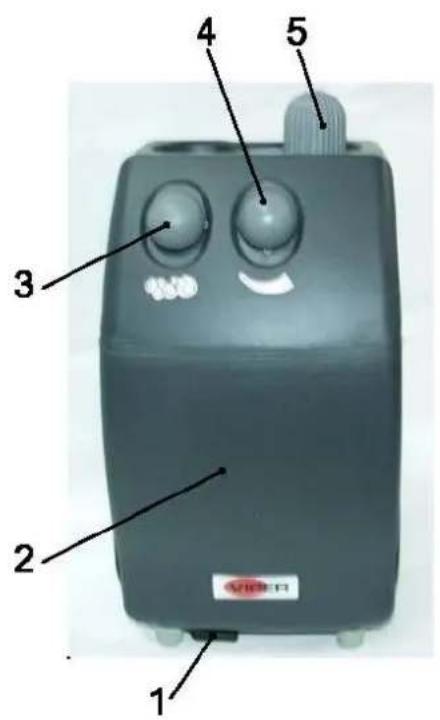
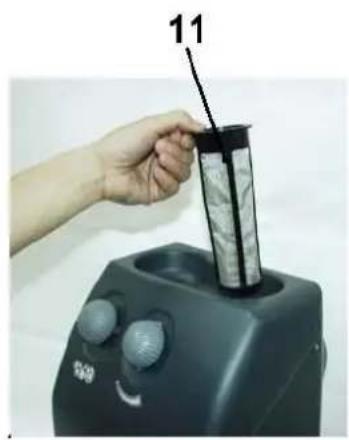
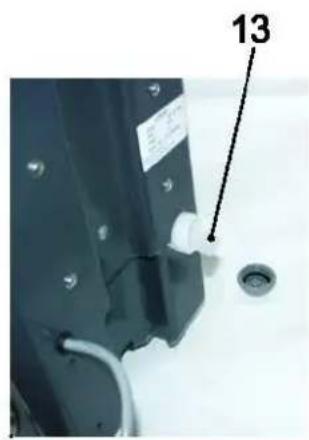
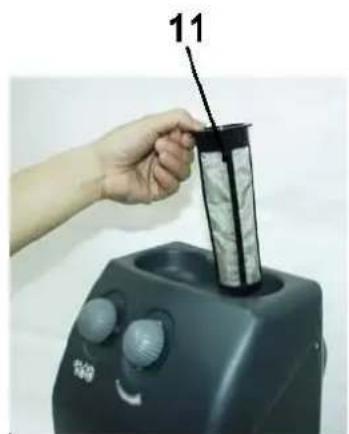
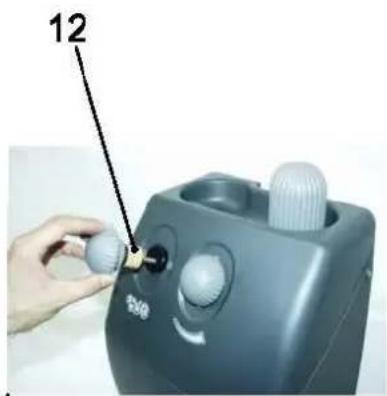
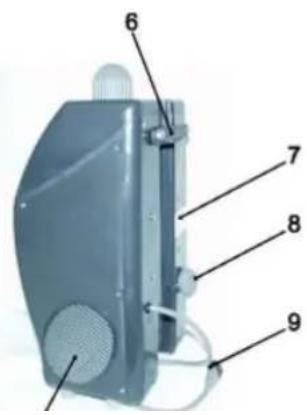
- Foam Outlet
- Body, Foam Generator
- Knob, Foam Filter
- Knob, Foam Adjusting
- Solution Inlet
- Holding Handle
-
Serial Number Label
-
Knob, Filter
- Power Supply Cord
- Grid
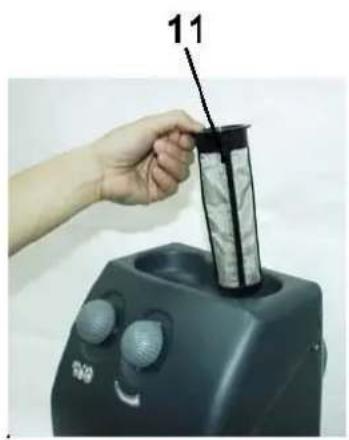
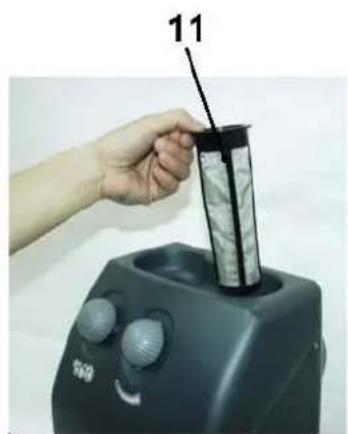
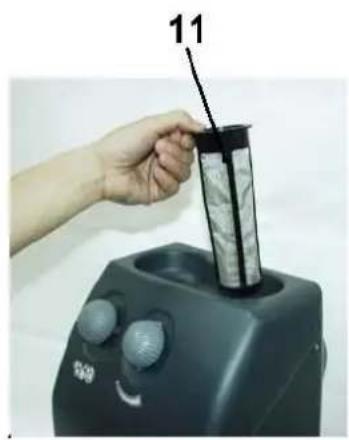
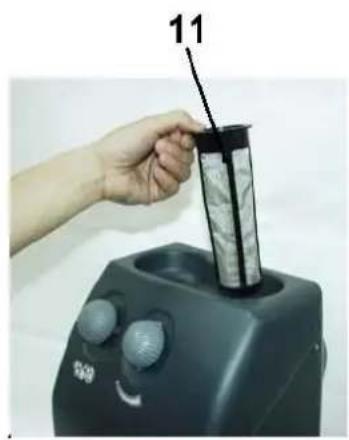
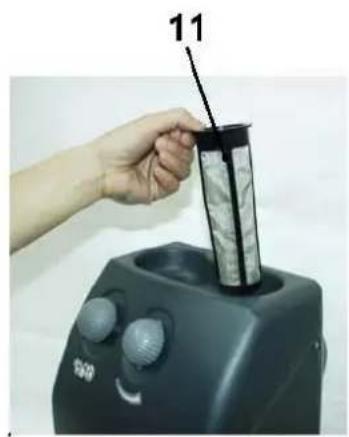
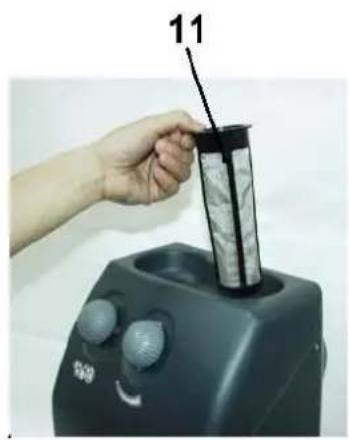
- Mesh, Inlet Filter
- Foam Filter
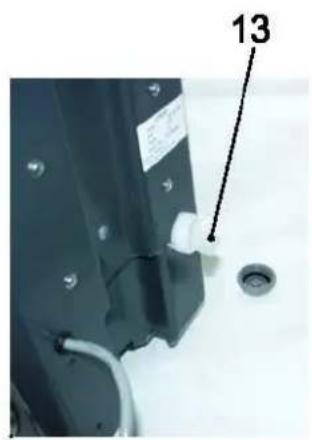
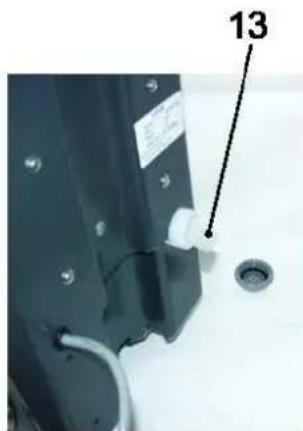
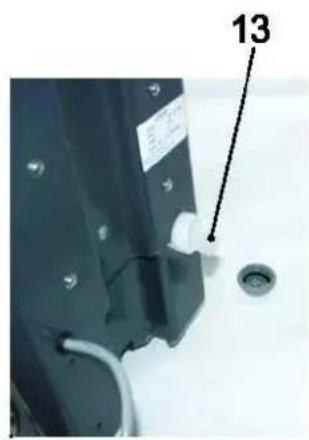
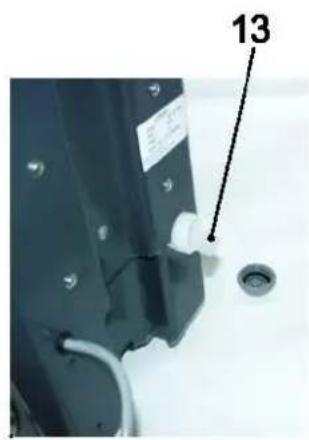
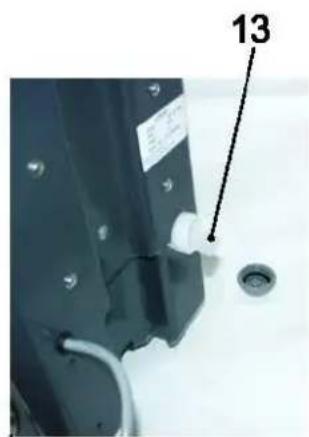
- Solution Filter
natural_image
Hand holding a cylindrical device with a black pointer and gray filter material, next to a black industrial machine (no visible text or symbols)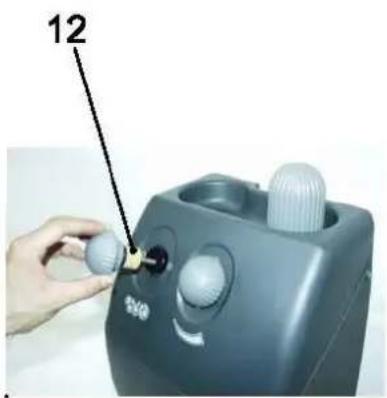
natural_image
Close-up of a mechanical component with a labeled part (13) and a circular hole, no readable text or symbols present.TECHNICAL DATA
| Model | DF-100A-EU |
| Voltage | 220-240V ~ |
| Frequency | 50HZ |
| Power | 150W |
| Current | 1.0 A |
| IP Class | IP 44 |
| Volume of solution tank | 6 Liters |
| Sound pressure level at workstation | 68dB(A) |
| Weight | 6kg |
| Length of Power cord | 1.0m |
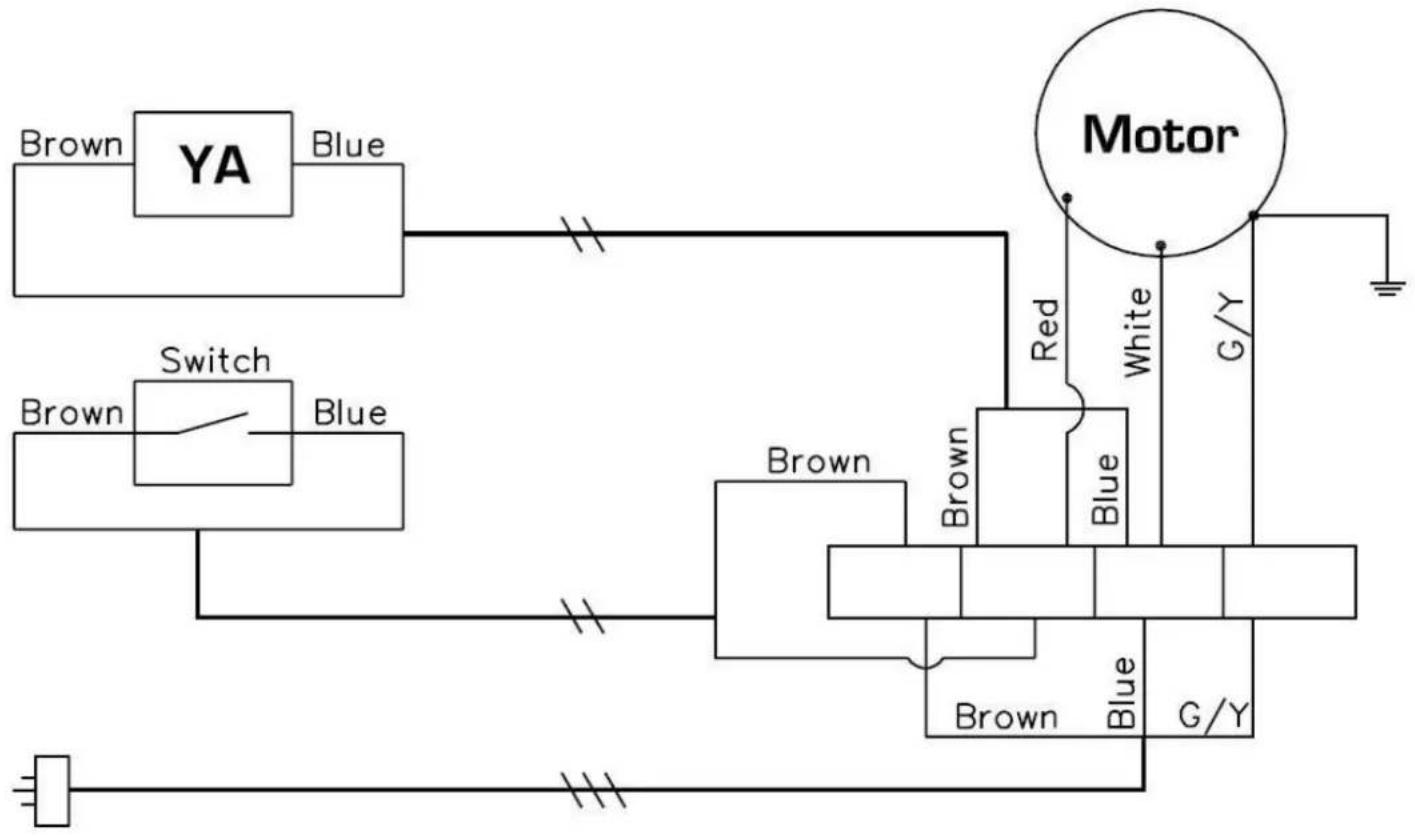
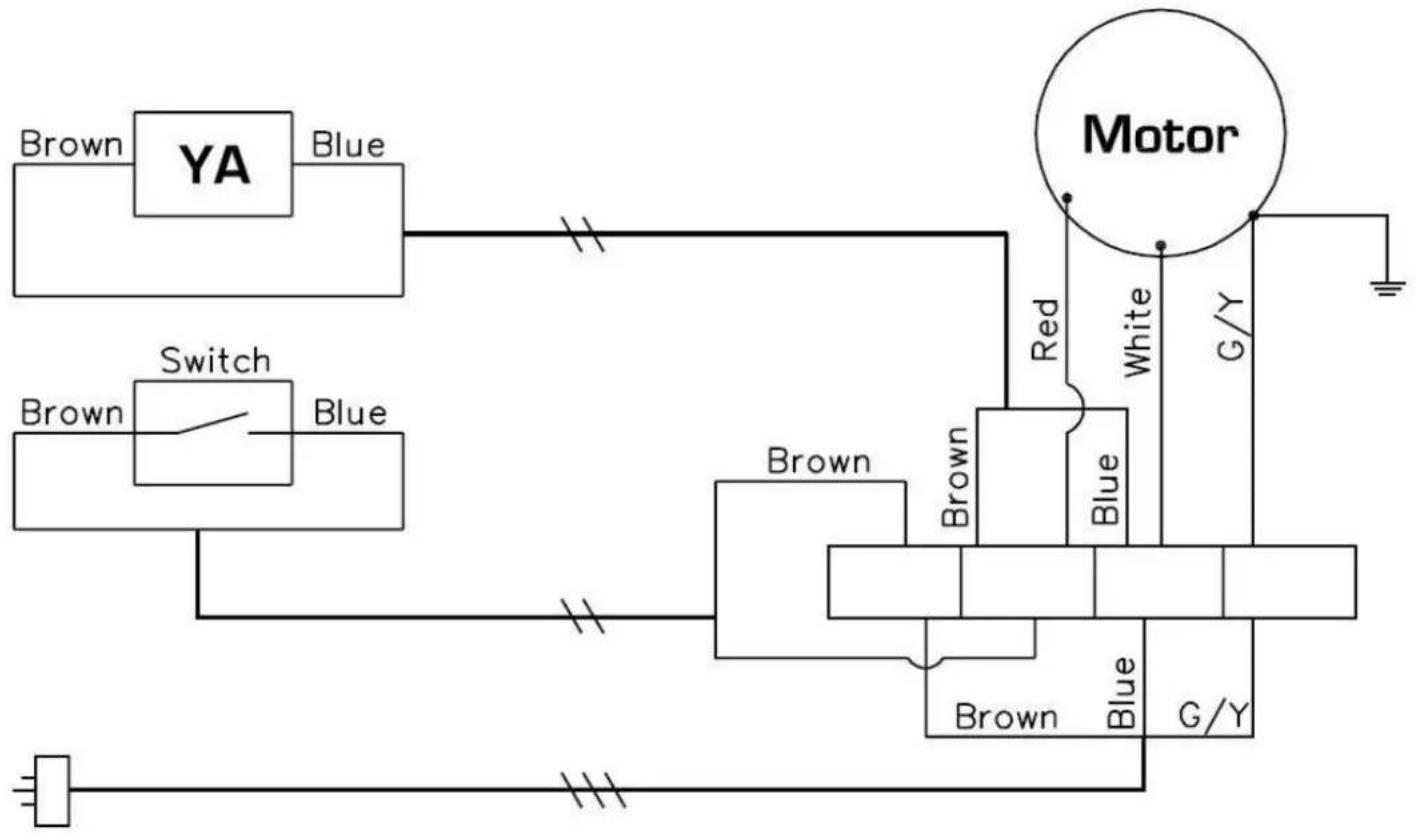
WIRING DIAGRAM FOR DF-100A-EU
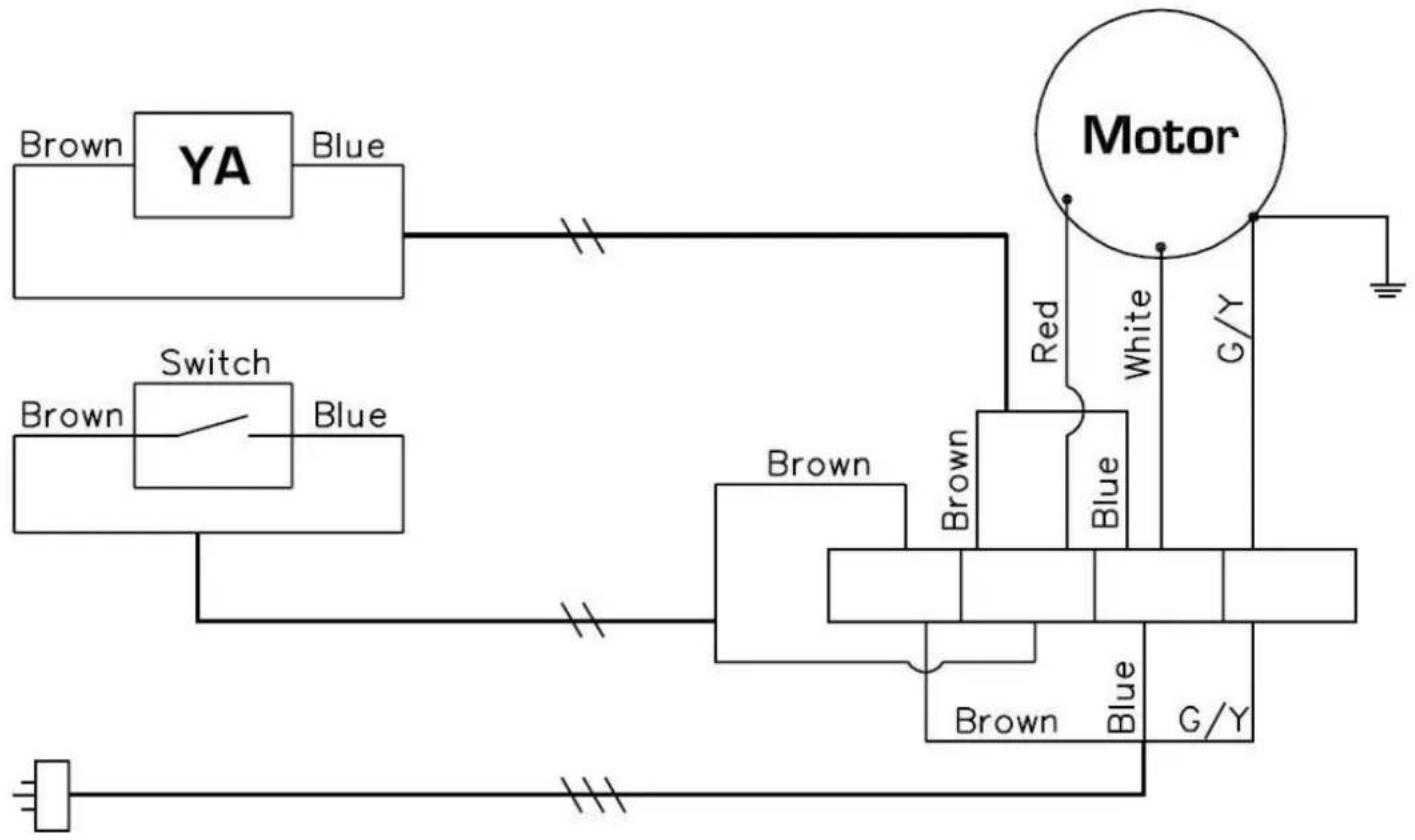
flowchart
graph TD
    A["Power Source"] --> B["Switch"]
    B --> C["Blue"]
    C --> D["Yellowing Pin 1"]
    D --> E["Blue"]
    E --> F["Red"]
    F --> G["Motor"]
    G --> H["G/Y"]
    H --> I["Ground"]
    J["Brown"] --> K["Yellowing Pin 2"]
    L["Blue"] --> M["Blue"]
    N["Yellowing Pin 3"] --> O["Blue"]
    P["Blue"] --> Q["Red"]
    Q --> R["White"]
    S["Red"] --> T["Blue"]
    U["Blue"] --> V["Blue"]
    W["Blue"] --> X["Blue"]
    Y["Blue"] --> Z["G/Y"]
OPERATION OF FOAM GENERATOR
BASIC OPERATION
Please follow the instructions to achieve the top performance.
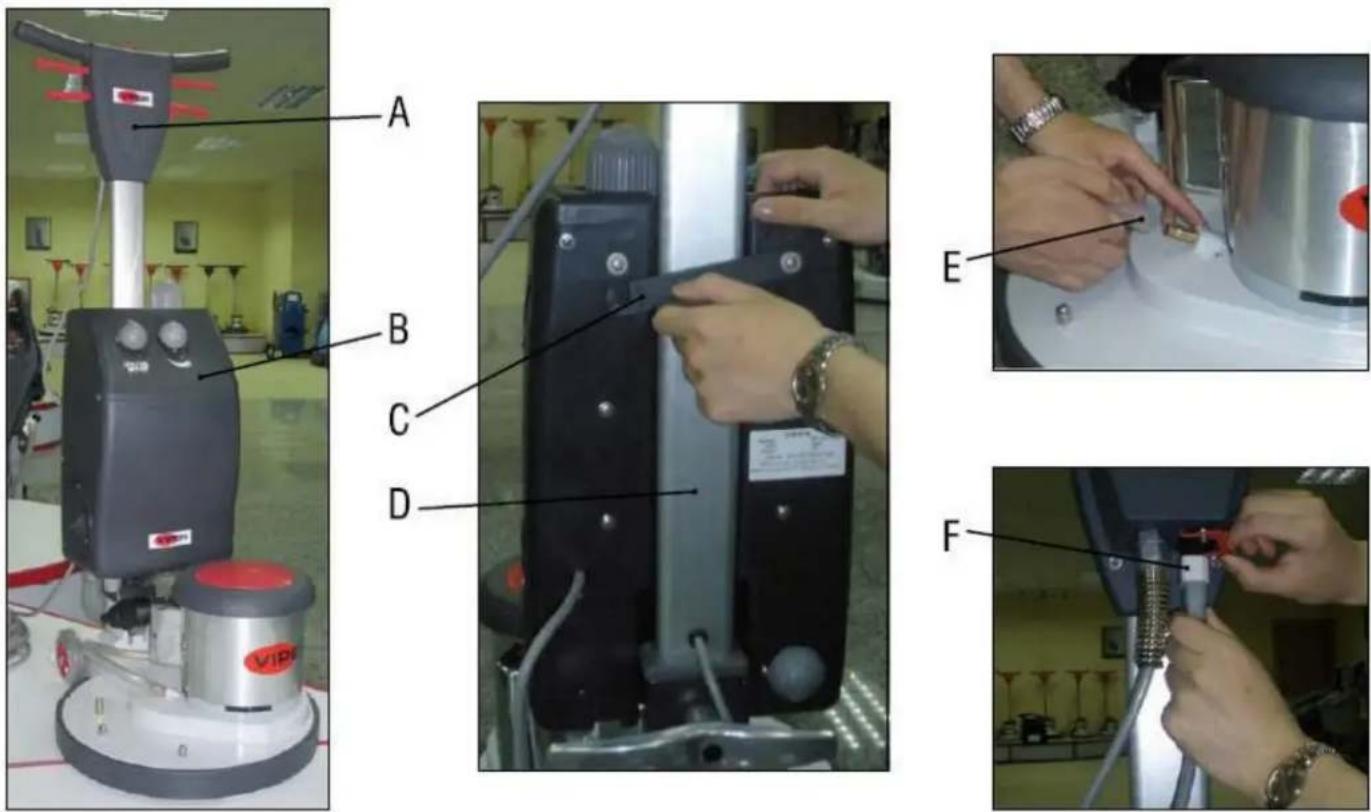
1] Installation:
a. Set Viper EZ-DF-17A polisher (A) at the up-right position.
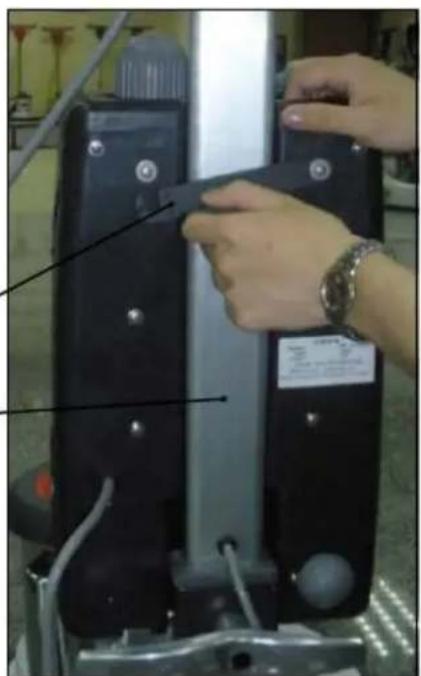
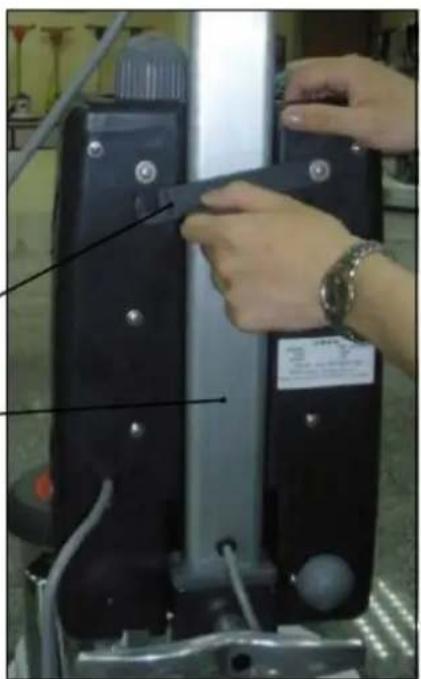
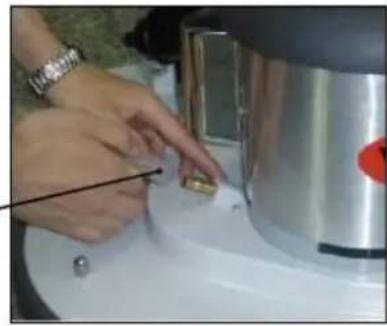
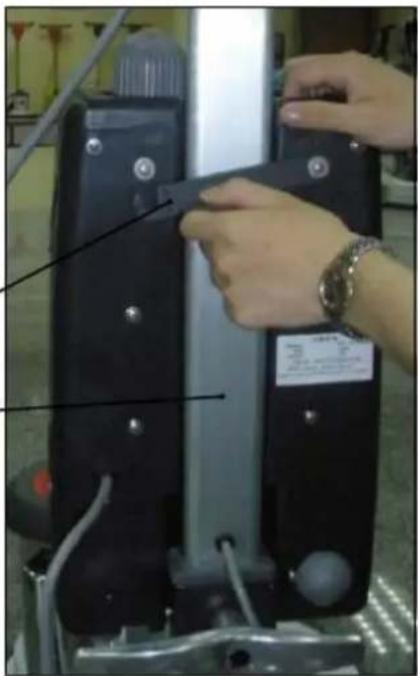
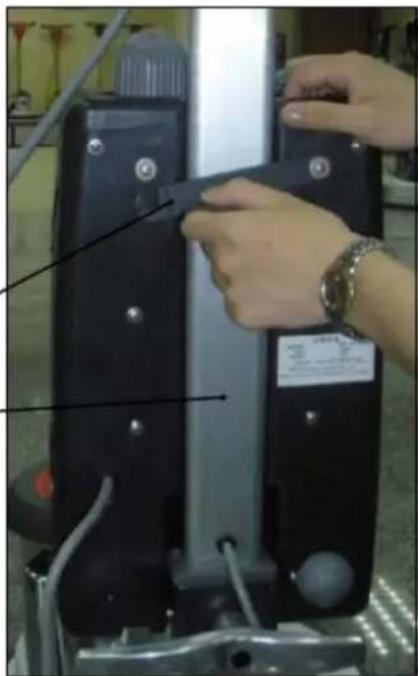
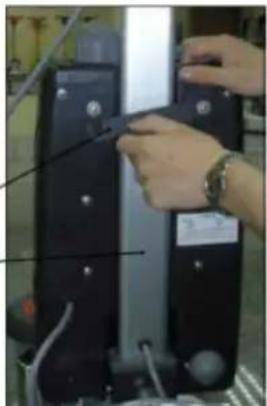
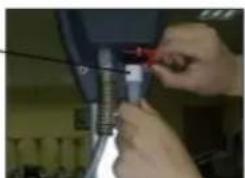
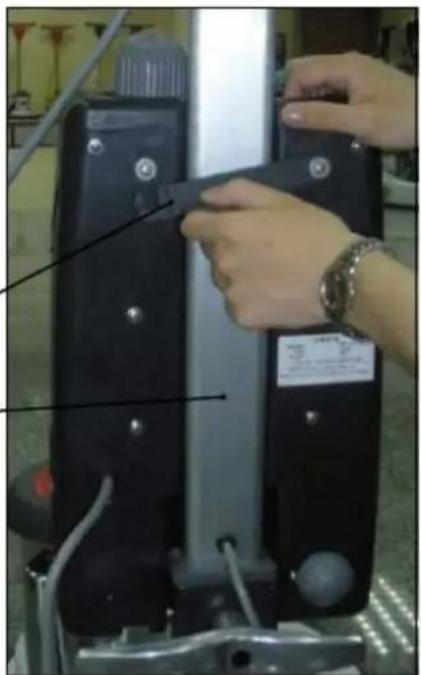
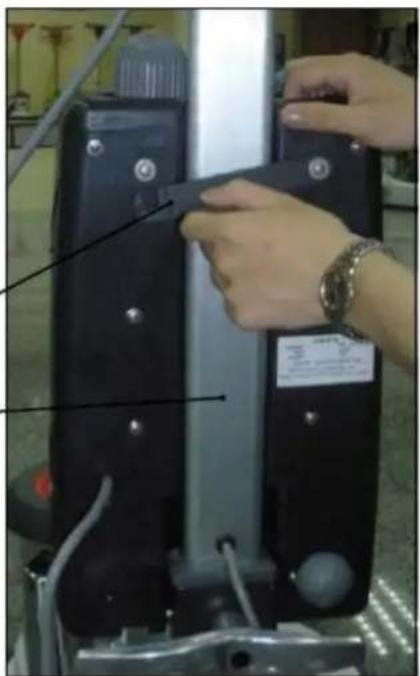
b. Install the foam generator (B) on the handle tube (D) of the polisher and lock the holding handle (C) in position.
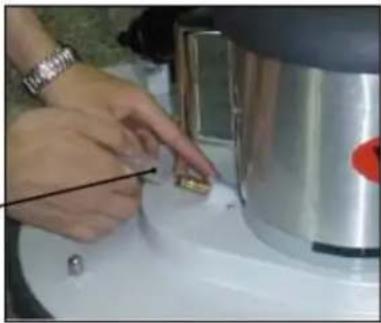
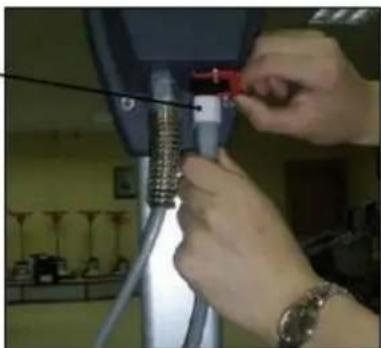
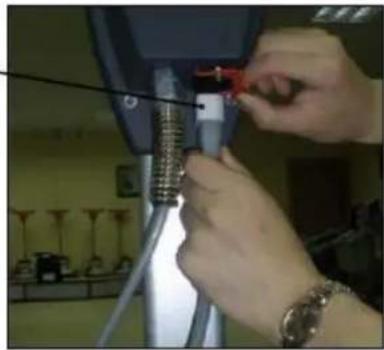
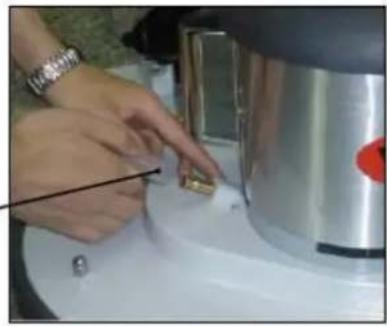
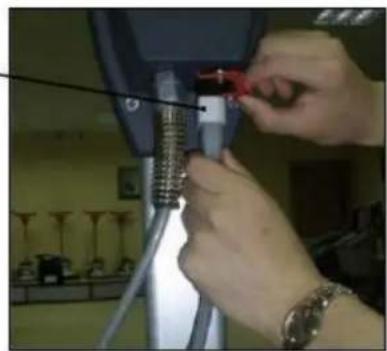
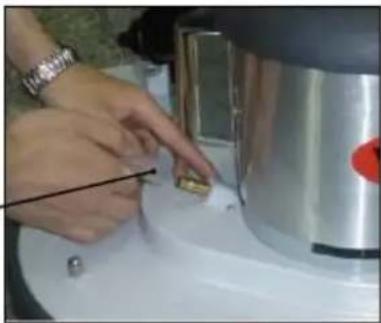
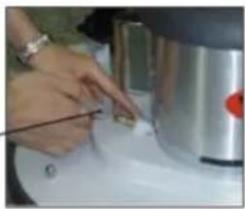
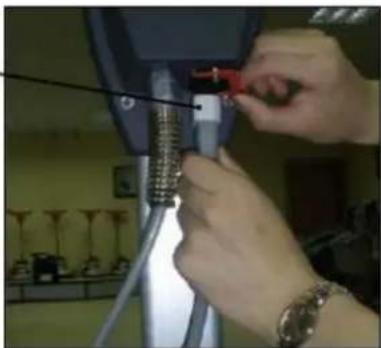
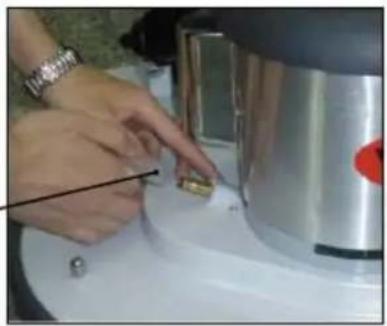
c. Connect the foam outlet hose (E) to the fitting on the polisher.
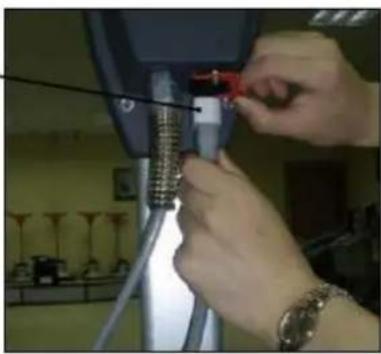
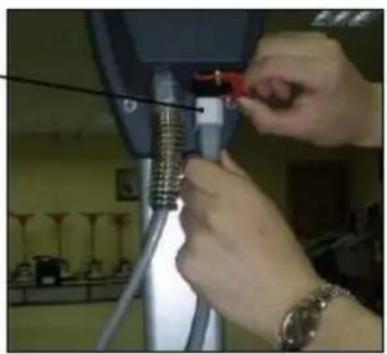
d. Connect the power supply cord (F) to the socket on the polisher rear handle housing.
2] Solution:
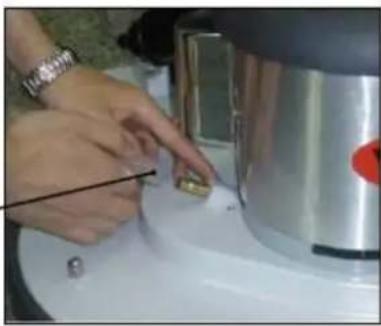
Mix the Viper "508" carpet cleaner with water (Ratio 1:15). Pour into the Solution Inlet (5) gently.

NOTE
Solution tank capacity is 6 Liters.
3] Carpet Cleaning:
Set the polisher in working position (lowering the handle). Turn the Foam Adjusting Knob (4) 180°, wait for 3-5 seconds, adjust the Foam Adjusting Knob (4) for desired foam volume. Turn the Foam Adjusting Knob (4) to 0 position to switch off the machine.

NOTE
DO NOT turn on the Polisher until seeing the foam coming out of the shampoo brush.
USER MANUAL
MAINTENANCE
To keep the machine performing well for many years, please follow the following maintenance procedures.
DGNGER!
Always confirm that the machine is unplugged prior to performing any maintenance or repairs.
1] Unplug machine as soon as you are not using it.
2] Check machine for loose or missing nuts and bolts, and replace as necessary.
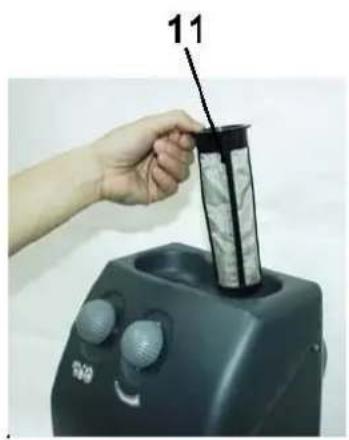
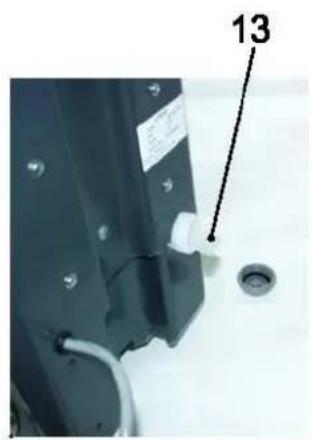
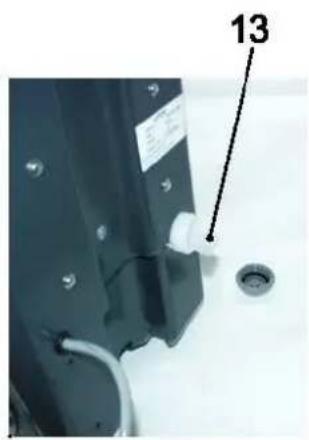
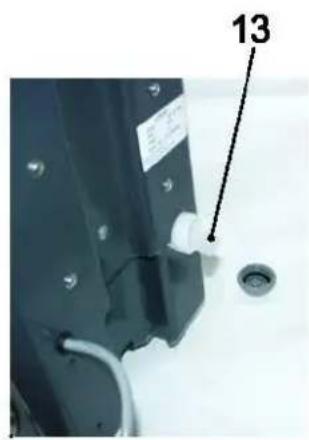
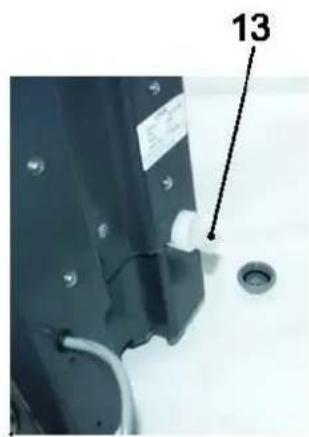
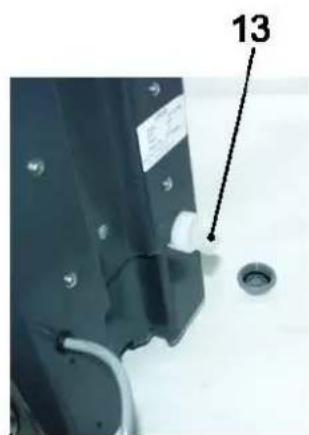
3] Foam filter (12), Inlet Filter (11) and Solution Filter (13) need to be cleaned periodically.
4] Please check up the filters if foam volume is less than normal.
5] Please empty the tank after each usage. Remaining chemical may cause chemical residue and operating failure.
STORAGE
1] Unplug machine from power source.
2] Store machine in upright position and in a dry area.
Do not dispose of electrical appliances as unsorted municipal waste, use separate collection facilities.
INHALT
EINLEITUNG 12
natural_image
Hand holding a cylindrical object with a black pointer labeled '11' inserted, next to a dark industrial machine (no visible text or symbols on the device itself)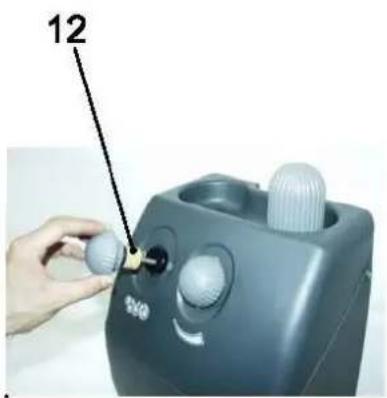
natural_image
Close-up of a mechanical component with a labeled part (13) and a circular hole, no readable text or symbols present.TECHNISCHE DATEN
natural_image
Interior view of a medical or industrial testing machine with control panel and base (no visible text or symbols)A
B
D
natural_image
Close-up of hands adjusting a black electronic device with a label and wiring (no readable text or symbols)E
natural_image
Close-up of a person interacting with a small object on a white surface, possibly a tool or device (no visible text or symbols)F
natural_image
Close-up of hands adjusting a mechanical component with a red tool (no visible text or symbols)COMMENT GARDER CE MANUEL....22
DÉCLARATION DE CONFORMITÉ....22
STRUCTURE DE LA MACHINE....26
DONNÉES TECHNIQUES....27
SCHÉMA DE CÂBLAGE 28
FONCTIONNEMENT DU GÉNÉRATEUR DE MOUSSE....29
FONCTIONNEMENT DE BASE....29
MAINTENANCE 30
ENTREPOSAGE 30
INTRODUCTION

REMARQUE
COMMENT GARDER CE MANUEL
DÉCLARATION DE CONFORMITÉ
STRUCTURE DE LA MACHINE
natural_image
Hand holding a cylindrical device with a black pointer labeled '11' inserted, next to a black industrial machine (no visible text or symbols on the device itself)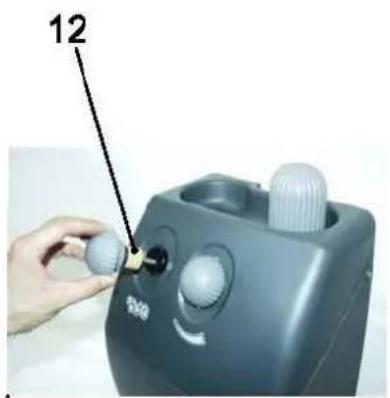
natural_image
Close-up of a mechanical component with a labeled part (13) and a circular hole, no readable text or symbols present.DONNÉES TECHNIQUES
natural_image
Interior view of a medical or industrial facility with a Viper cleaning machine and control panel (no visible text or symbols)A
B
D
natural_image
Close-up of hands operating a black industrial machine with visible wiring and control panel (no text or symbols)E
natural_image
Close-up of a hand pressing down on a metallic mechanical component (no visible text or symbols)F
natural_image
Close-up of hands adjusting a mechanical component with a red tool (no visible text or symbols)2] Solution:
natural_image
Hand holding a cylindrical object with a black pointer and gray material inside a device (no visible text or symbols)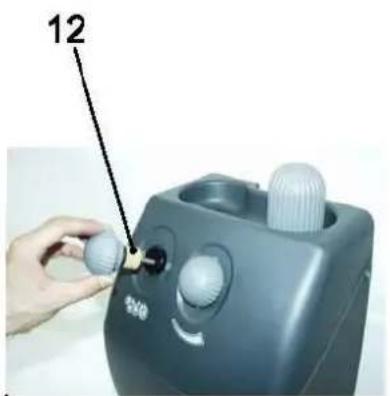
natural_image
Close-up of a mechanical component with a circular drain and a numbered label (13), no readable text or symbols present.GEBRUIKERSHANDLEIDING
TECHNISCHE GEGEVENS
natural_image
Hand holding a cylindrical device with a label '11' pointing to it, next to a black industrial machine (no readable text or symbols)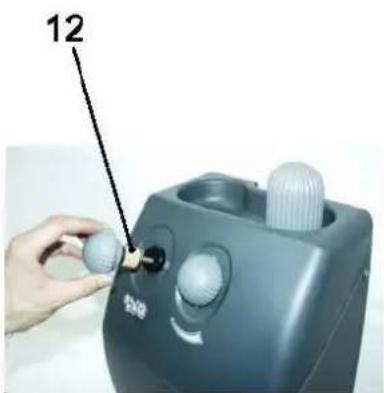
natural_image
Close-up of a mechanical component with a white plastic clip and a circular hole, no visible text or symbolsMANUALE UTENTE
DATI TECNICI
natural_image
Interior view of a medical or industrial facility with a Viper cleaning machine and control panel (no visible text or symbols)A
B
C
D
natural_image
Close-up of hands adjusting a black mechanical device with a label, no visible text or symbols on the device itself.E
natural_image
Close-up of hands using a tool to press or inspect a small object on a white surface, with no visible text or symbols.F
natural_image
Close-up of hands adjusting a mechanical component with a red tool (no visible text or symbols)2] Soluzione:
natural_image
Hand holding a cylindrical device with a black pointer labeled '11' inserted, next to a black industrial machine (no visible text or symbols on the device itself)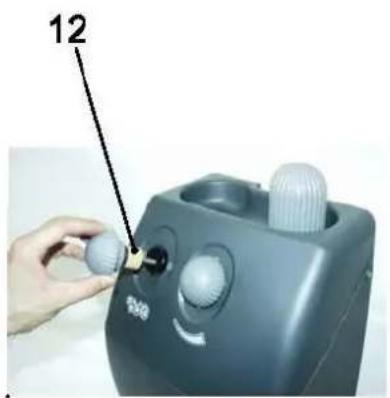
natural_image
Close-up of a mechanical component with a labeled part (13) and a circular hole, no readable text or symbols present.DATOS TÉCNICOS
flowchart
graph TD
    A["Power Source"] --> B["Switch"]
    B --> C["Blue"]
    C --> D["Yellowing Loop"]
    D --> E["Motor"]
    E --> F["Red"]
    E --> G["White"]
    E --> H["G/Y"]
    I["Brown"] --> J["Blue"]
    K["Yellowing Loop"] --> L["Blue"]
    M["Blue"] --> N["Red"]
    O["Yellowing Loop"] --> P["Blue"]
    Q["Blue"] --> R["Red"]
    S["Yellowing Loop"] --> T["Blue"]
    U["Blue"] --> V["Red"]
    W["Yellowing Loop"] --> X["Blue"]
    Y["Blue"] --> Z["Red"]
    AA["Yellowing Loop"] --> AB["Blue"]
    AC["Blue"] --> AD["Red"]
    AE["Yellowing Loop"] --> AF["Blue"]
    AG["Blue"] --> AH["Red"]
    AI["Yellowing Loop"] --> AJ["Blue"]
    AK["Blue"] --> AL["Red"]
    AM["Yellowing Loop"] --> AN["Blue"]
    AO["Blue"] --> AP["Red"]
    AQ["Yellowing Loop"] --> AR["Blue"]
    AS["Blue"] --> AT["Red"]
    AU["Yellowing Loop"] --> AV["Blue"]
    AW["Blue"] --> AX["Red"]
    AY["Brown"] --> AZ["YA"]
| Motor | Motor |
| Brown | Marrón |
| Blue | Azul |
| Switch | Interruptor |
| Red | Rojo |
| White | Blanco |
| G/Y (Green/Yellow) | V/A (Verde/Amarillo) |
FUNCIONAMIENTO DEL GENERADOR DE ESPUMA
natural_image
Industrial cleaning machine with VIP logo and control panel, displayed indoors (no visible text or symbols on device)A
B
C
D
natural_image
Person adjusting a black mechanical device with a label, no visible text or symbols on the device itselfE
natural_image
Close-up of a hand using a tool to press or inspect a small object on a white surface, with no visible text or symbols.F
natural_image
Close-up of hands installing or adjusting a mechanical component with wires (no visible text or symbols)2] Solución:
natural_image
Hand holding a cylindrical device with a black pointer labeled '11' inserted, next to a black industrial machine (no visible text or symbols on the device itself)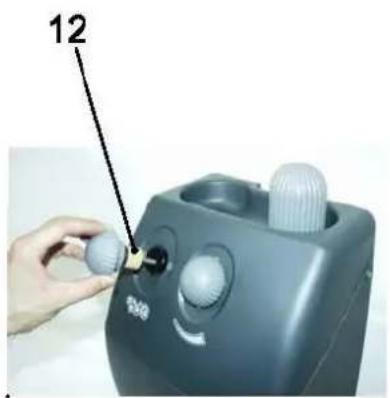
![NILFISK DS350 - 2] Solución: - 2](/content/2026/03/562712/images/cf27b1797d0248a97d7749e79f3f7198fd68418ee0fb47af3741fe0df88f1264.jpg)
natural_image
Close-up of a mechanical component with a labeled part (13) and a circular hole, no readable text or symbols present.DADOS TÉCNICOS
natural_image
Industrial cleaning machine with red control panel and VIP logo, displayed indoors (no visible text or symbols on device)A
B
C
D
![NILFISK DS350 - 2] Solución: - 3](/content/2026/03/562712/images/16669e995f0850e66bd40ee305784723cfb1bd71632656e5f88090009de24801.jpg)
natural_image
Close-up of hands operating a black industrial machine with visible wiring and control buttons (no text or symbols)E
![NILFISK DS350 - 2] Solución: - 4](/content/2026/03/562712/images/217b1d4116e86611cca5b933ee9c9903f9e068be235752dc7f441023e68893dd.jpg)
natural_image
Close-up of hands using a tool to press or inspect a small object on a white surface, with a metallic cylindrical container and red button visible (no text or symbols)F
![NILFISK DS350 - 2] Solución: - 5](/content/2026/03/562712/images/ed4ab1c54db8bf00f4d07a6bbd781df3c6f177909468b8ff8c1e7328616c4473.jpg)
natural_image
Close-up of hands adjusting a mechanical component with a red tool (no visible text or symbols)2] Solução:
![NILFISK DS350 - 2] Solución: - 8](/content/2026/03/562712/images/8e8c2cb8cf686bc3d162c0ed4cd754115e8f4ad1e88d75e211d7c0431988fffc.jpg)
natural_image
Close-up of a mechanical component with a labeled part (13) and a circular hole, no readable text or symbols present.TEXNIKA ΔΕΔΟΜΕΝΑ
natural_image
Interior view of a medical or industrial facility with a large cylindrical device and a red VIPS logo on a circular base (no readable text or symbols)A
B
C
D
![NILFISK DS350 - 2] Solución: - 9](/content/2026/03/562712/images/c7d5622ac2deacfb893df4724a21c253b6b43f2873895d34dbff23f426a5ebd0.jpg)
natural_image
Close-up of hands adjusting a black electronic device with a label and wiring (no visible text or symbols)E
![NILFISK DS350 - 2] Solución: - 10](/content/2026/03/562712/images/97f7f372b2c5057d0990051a3daf6321a1281ae9ef8536644e7f54504aa4f5bd.jpg)
natural_image
Close-up of a hand pressing down on a metallic cylindrical object on a white surface (no visible text or symbols)F
![NILFISK DS350 - 2] Solución: - 11](/content/2026/03/562712/images/390b7b307db5f4bc6e2e26f4e8ccbfc244b38f730d5813fceb6bfc222ddce6a7.jpg)
natural_image
Close-up of hands installing a mechanical component on a tripod (no visible text or symbols)2] Διάλυμα:
TEKNİK VERİLER
Model DF-100A-EU
Voltaj
220-240 V \~
Frekans 50 Hz
Güç 150 W
Akım 1,0 A
IP Sınıfı IP 44
natural_image
Interior view of a laboratory or industrial facility with a large cylindrical device and control panel (no visible text or symbols)A
B
D
natural_image
Close-up of hands installing or adjusting black electronic components with wires and a device (no visible text or symbols)E
natural_image
Close-up of hands cleaning a white surface with a metallic object in the background (no visible text or symbols)F
natural_image
Close-up of hands using a tool to adjust or install a mechanical component (no visible text or symbols)BAKIM
Viper Cleaning Equipment Co. Ltd.
Viper Industrial Estate
Liangbian, Liaobu,
Dongguan, Guangdong
CHINA
Tel: +86-769 83283988
Fax: +86-769-8328 0104
İthalatçı Bilgisi
Nilfisk-Advance Profesyonel
natural_image
Hand holding a cylindrical device with a black pointer labeled '11' inserted, next to a black industrial machine (no visible text or symbols on the device itself)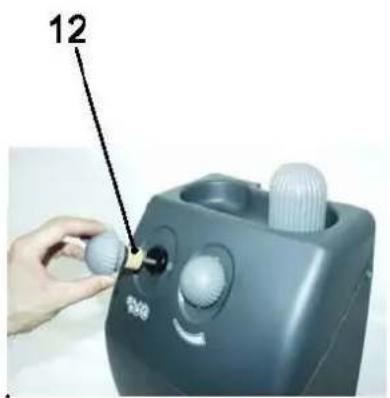
natural_image
Close-up of a mechanical component with a labeled part (13) and a circular hole, no readable text or symbols present.TECHNICKÉ ÚDAJE

natural_image
Hand holding a cylindrical object with a black pointer labeled '11' above it, next to a black industrial machine (no visible text or symbols on the device itself)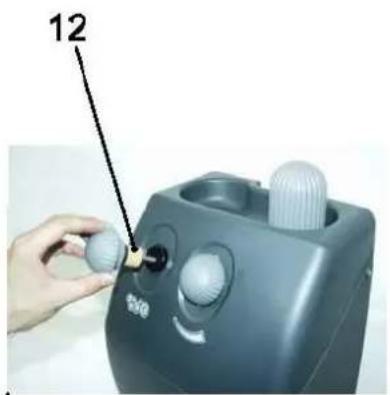
natural_image
Close-up of a mechanical component with a labeled part (13) and a circular hole, no readable text or symbols present.DANE TECHNICZNE
OBSŁUGA GENERATORA PIANY
PODSTAWY OBSŁUGI
natural_image
Interior view of a medical or industrial testing machine with visible control panel and branding (no readable text or symbols)A
B
C
D
natural_image
Close-up of hands adjusting a black mechanical device with a white panel and cable, no visible text or symbolsE
natural_image
Close-up of a hand pressing down on a metallic cylindrical object with a red circular mark (no visible text or symbols)F
natural_image
Close-up of hands adjusting a mechanical component with a red tool, no visible text or symbols2] Roztwór:
natural_image
Hand holding a cylindrical device with a black pointer labeled '11' inserted, next to a black industrial machine (no visible text or symbols on the device itself)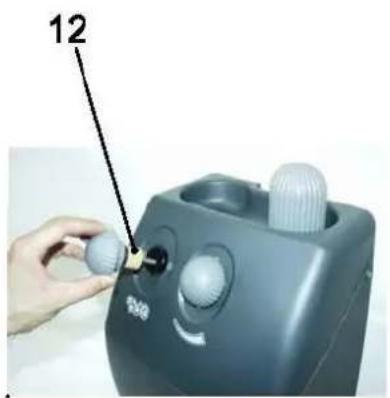
natural_image
Close-up of a mechanical component with a labeled part (13) and a circular hole, no readable text or symbols present.KEZELÉSI ÚTMUTATÓ
TECHNIKAI ADATOK
A DF-100A-EU KAPCSOLÁSI RAJZA
flowchart
graph TD
    A["Power Source"] --> B["Switch"]
    B --> C["Blue"]
    C --> D["Yellowing Loop"]
    D --> E["Motor"]
    E --> F["Red"]
    E --> G["White"]
    E --> H["G/Y"]
    I["Brown"] --> J["Blue"]
    K["Yellowing Loop"] --> L["Blue"]
    M["Blue"] --> N["Red"]
    O["Red"] --> P["Blue"]
    Q["Blue"] --> R["Blue"]
    S["Blue"] --> T["Blue"]
    U["Blue"] --> V["G/Y"]
2] Oldat:
natural_image
Hand holding a cylindrical device with a label '11' pointing to it, next to a black industrial machine (no readable text or symbols)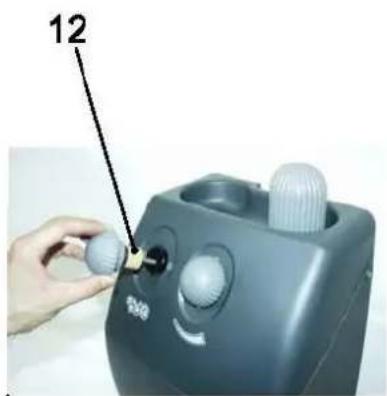
natural_image
Close-up of a mechanical component with a labeled part (13) and a circular hole, no readable text or symbols present.MANUALUL UTILIZATORULUI
DATE TEHNICE
DIAGRAMĂ CABLAJ PENTRU DF-100A-EU
flowchart
graph TD
    A["Power Source"] --> B["Switch"]
    B --> C["Blue"]
    C --> D["Yellowing Loop"]
    D --> E["Motor"]
    E --> F["Red"]
    E --> G["White"]
    E --> H["G/Y"]
    I["Brown"] --> J["Blue"]
    K["Yellowing Loop"] --> L["Blue"]
    M["Blue"] --> N["Red"]
    O["Red"] --> P["Blue"]
    Q["Blue"] --> R["Blue"]
    S["Blue"] --> T["Blue"]
    U["Blue"] --> V["G/Y"]
| Motor | Motor |
| Brown | Maro |
| Blue | Albastru |
| Switch | Comutator |
| Red | Roşu |
| White | Alb |
| G/Y (Green/Yellow) | V/G (Verde/Galben) |
OPERAREA GENERATORULUI DE SPUMĂ
OPERAREA DE BAZĂ
natural_image
Hand holding a cylindrical device with a black handle, next to a black industrial machine (no visible text or symbols)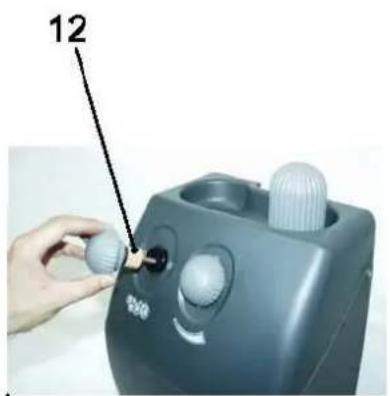
natural_image
Close-up of a mechanical component with a labeled part (13) and a circular hole, no readable text or symbols present.ТЕХНИЧЕСКИЕ ДАННЫЕ
natural_image
Industrial cleaning machine with red control panel and VIP1 logo, displayed indoors (no visible text or symbols on device)A
B
C
D
natural_image
Person adjusting a black mechanical device with a tool, no visible text or symbolsE
natural_image
Person using a tool on a white surface next to a metallic container (no visible text or symbols)F
natural_image
Close-up of hands adjusting a mechanical component with a red tool, no visible text or symbols2] Раствор:
EC Declaration of Conformity

The undersigned, representing the following:
| Manufacturer | the authorised representative established within the European Economic Area: |
| Company name:Viper Cleaning Equipment Co., LtdAddress:Liang Bian Village, Liao Bu town, Dongguan City, Guangdong Province, China | Viper EUROPENilfisk-Advance A/S |
| Business name: Viper Cleaning Equipment Co., Ltd | |
| Name and address of person/Company authorised to compile the technical file established in the EU Community: Viper EUROPE/Nilfisk-Advance A/S Sognevej 25 DK-2605 Brondby,Denmark | |
herewith declare that the following machinery:
| Description of machinery |
| Generic denomination: Foam generator |
| Function: The machine is available for foam generating, works as an accessory for a single disc or polisher. |
| Model/s: DF-100A-EU ; 11294A |
Fulfill the relevant provisions of European Directive 2006/42/EC (MD) and 2006/95/EC (LVD). The harmonized standards used in order to obtain compliance to 2006/42/EC (MD) and 2006/95/EC (LVD) are the following:
EN 60335-1 Safety of household and similar electrical appliances
EN 60335-2-67 Particular requirements for floor treatment for commercial use
Place: Dongguan
Date: 2014-3-13
Identity and Signature:


- User Manual
- FOAM GENERATOR
- DF-100A-EU
- TABLE OF CONTENTS
- INTRODUCTION ....2
- MACHINE DESCRIPTION ....6
- OPERATION OF FOAM GENERATOR....9
- INTRODUCTION
- MANUAL PURPOSE AND CONTENTS
- TARGET
- HOW TO KEEP THIS MANUAL
- DECLARATION OF CONFORMITY
- IDENTIFICATION DATA
- OTHER REFERENCE MANUALS
- SPARE PARTS AND MAINTENANCE
- CHANGES AND IMPROVEMENTS
- CONVENTIONS
- UNPACKING/DELIVERY
- SAFETY
- SYMBOLS
- DANGER!
- WARNING!
- CAUTION!
- NOTE
- GENERAL INSTRUCTIONS
- MACHINE DESCRIPTION
- MACHINE STRUCTURE
- OPERATION OF FOAM GENERATOR
- BASIC OPERATION
- Please follow the instructions to achieve the top performance.
- MAINTENANCE
- DGNGER!
- STORAGE
- INHALT
- EINLEITUNG 12
- FONCTIONNEMENT DU GÉNÉRATEUR DE MOUSSE....29
- COMMENT GARDER CE MANUEL
- DÉCLARATION DE CONFORMITÉ
- STRUCTURE DE LA MACHINE
- GEBRUIKERSHANDLEIDING
- MANUALE UTENTE
- FUNCIONAMIENTO DEL GENERADOR DE ESPUMA
- 2] Solución:
- TEKNİK VERİLER
- Model DF-100A-EU
- BAKIM
- İthalatçı Bilgisi
- OBSŁUGA GENERATORA PIANY
- PODSTAWY OBSŁUGI
- KEZELÉSI ÚTMUTATÓ
- MANUALUL UTILIZATORULUI
- OPERAREA GENERATORULUI DE SPUMĂ
- OPERAREA DE BAZĂ
- EC Declaration of Conformity
Brand : NILFISK
Model : DS350
Category : Foam generator