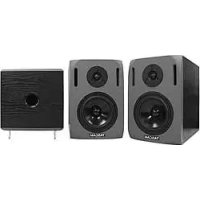
VLA4 - Speaker TASCAM - Free user manual and instructions
Find the device manual for free VLA4 TASCAM in PDF.



User questions about VLA4 TASCAM
0 question about this device. Answer the ones you know or ask your own.
Ask a new question about this device
Download the instructions for your Speaker in PDF format for free! Find your manual VLA4 - TASCAM and take your electronic device back in hand. On this page are published all the documents necessary for the use of your device. VLA4 by TASCAM.
USER MANUAL VLA4 TASCAM
TEAC Professional Division
VL-A4/VL-A5
VL-A8/LF-S8
BI-AMPLIFIED NEARFIELD STUDIO MONITOR
OWNER'S MANUAL
| CAUTION: TO REDUCE THE RISK OF ELECTRIC SHOCK, DO NOT REMOVE COVER (OR BACK). NO USER-SERVICEABLE PARTS INSIDE. REFER SERVICING TO QUALIFIED SERVICE PERSONNEL. | |
| The lightning flash with arrowhead symbol, within equilateral triangle, is intended to alert the user to the presence of uninsulated “dangerous voltage” within the product's enclosure that may be of sufficient magnitude to constitute a risk of electric shock to persons. | |
| The exclamation point within an equilateral triangle is intended to alert the user to the presence of important operating and maintenance (servicing) instructions in the literature accompanying the appliance. |
This appliance has a serial number located on the rear panel. Please record the model number and serial number and retain them for your records.
Model number
Serial number
WARNING: TO PREVENT FIRE OR SHOCK HAZARD, DO NOT EXPOSE THIS APPLIANCE TO RAIN OR MOISTURE.
For U.S.A.
TO THE USER
This equipment has been tested and found to comply with the limits for a Class B digital device, pursuant to Part 15 of the FCC Rules. These limits are designed to provide reasonable protection against harmful interference in a residential installation. This equipment generates, uses, and can radiate radio frequency energy and, if not installed and used in accordance with the instruction manual, may cause harmful interference to radio communications.
However, there is no guarantee that interference will not occur in a particular installation. If this equipment does cause harmful interference to radio or television reception, which can be determined by turning the equipment off and on, the user is encouraged to try to correct the interference by one or more of the following measures.
a) Reorient or relocate the receiving antenna.
b) Increase the separation between the equipment and receiver.
c) Connect the equipment into an outlet on a circuit different from that to which the receiver is connected.
d) Consult the dealer or an experienced radio/TV technician for help.
CAUTION
Changes or modifications to this equipment not expressly approved by TEAC CORPORATION for compliance could void the user's authority to operate this equipment.
IMPORTANT SAFETY INSTRUCTIONS
1 Read these instructions.
2 Keep these instructions.
3 Heed all warnings.
4 Follow all instructions.
5 Do not use this apparatus near water.
6 Clean only with dry cloth.
7 Do not block any ventilation openings. Install in accordance with the manufacturer's instructions.
8 Do not install near any heat sources such as radiators, heat registers, stoves, or other apparatus (including amplifiers) that produce heat.
9 Do not defeat the safety purpose of the polarized or grounding-type plug. A polarized plug has two blades with one wider than the other. A grounding type plug has two blades and a third grounding prong. The wide blade or the third prong are provided for your safety. If the provided plug does not fit into your outlet, consult an electrician for replacement of the obsolete outlet.
10 Protect the power cord from being walked on or pinched particularly at plugs, convenience receptacles, and the point where they exit from the apparatus.
11 Only use attachments/accessories specified by the manufacturer.
12 Use only with the cart, stand, tripod, bracket, or table specified by the manufacturer, or sold with the apparatus. When a cart is used, use caution when moving the cart/apparatus combination to avoid injury from tip-over.

13 Unplug this apparatus during lightning storms or when unused for long periods of time.
14 Refer all servicing to qualified service personnel. Servicing is required when the apparatus has been damaged in any way, such as power-supply cord or plug is damaged, liquid has been spilled or objects have fallen into the apparatus, the apparatus has been exposed to rain or moisture, does not operate normally, or has been dropped.
- Do not expose this apparatus to drips or splashes.
- Do not place any objects filled with liquids, such as vases, on the apparatus.
- Do not install this apparatus in a confined space such as a book case or similar unit.
- The apparatus draws nominal non-operating power from the AC outlet with its POWER switch in the off position.
- The apparatus should be located close enough to the AC outlet so that you can easily grasp the power cord plug at any time.
- An apparatus with Class I construction shall be connected to an AC outlet with a protective grounding connection.
- Excessive sound pressure from earphones and headphones can cause hearing loss.
- The apparatus draws nominal non-operating power from the AC outlet with its STANDBY/ON in the Standby position.
Table of contents
1- INTRODUCTION 4
Main Features 4
Supplied Accessories 4
Environmental Precautions 5
Product Care 5
2- CONNECTION AND INSTALLATION. 6
Precautions for Connection 6
Connection 6
Installation 6
Installing the VL-A's. 6
Installing a Subwoofer 7
Surround Setup 7
Tweeter Output Unit Protective Function
(VL-A5/VL-A8) 7
3-NAMES AND FUNCTIONS 8
VL-A4/VL-A5/VL-A8. 8
LF-S8 9
Dimensions 50
Specifications 51
Block Diagram 52
1-INTRODUCTION
Thank you for your purchase of the TASCAM VL-A series, Bi-amplified Nearfield Studio Monitor, and LF-S8, Amplified Subwoofer Monitor. Before connecting and using the unit, please take time to read this manual thoroughly to ensure you understand how to properly set up and connect the VL-A's, as well as the operation of its many useful and convenient functions. After you have finished reading this manual, please keep it in a safe place for future reference.
Main Features
VL-A4
HF12 W / LF16 W (Instant Maximum) Active Bi-amplified Nearfield Studio Monitor System
0.8" tweeter
4" woofer
VL-A5
HF30 W / LF60 W (Instant Maximum) Active Bi-amplified Nearfield Studio Monitor System
0.8" tweeter
5.25"woofer
LF cut function (500 Hz)
- LF correction function: 1.5 dB boost/cut at 150 Hz or 800 Hz
HF correction function: 1.5 dB boost/cut at 3kHz or 8 kHz
VL-A8
HF50 W / LF90 W (Instant Maximum) Active Bi-amplified Nearfield Studio Monitor System
- 1" tweeter
8"woofer
- LF cut function (500 Hz)
- LF correction function: 1.5 dB boost/cut at 150 Hz or 800 Hz
HF correction function: 1.5 dB boost/cut at 3kHz or 8 kHz
LF-S8
- LF50 W (Instant Maximum) Amplified Subwoofer System
8^ woofer
HF cut function (40-120 Hz, variable) - Phase switching function
Supplied Accessories
This unit was packed in its carton with special materials in order to prevent any damage during shipment. Please keep the carton and packing materials in the event you need to transport the unit in the future.
VL-A's has been packed with the following:
| VL-A4 VL-A5V L-A8 LF-S8 | ||||
| Main unit 2 (1 pair) 2 (1 pair) 2 (1 pair) 1 | ||||
| Power cable | 2 (1 pair) 2 (1 pair) 2 (1 pair) | |||
| Owner's manual | 1 | 1 | ||
| Warranty 1 | 1 | 1 | ||
If any of these items are missing, please contact your TASCAM supplier.
Environmental Precautions
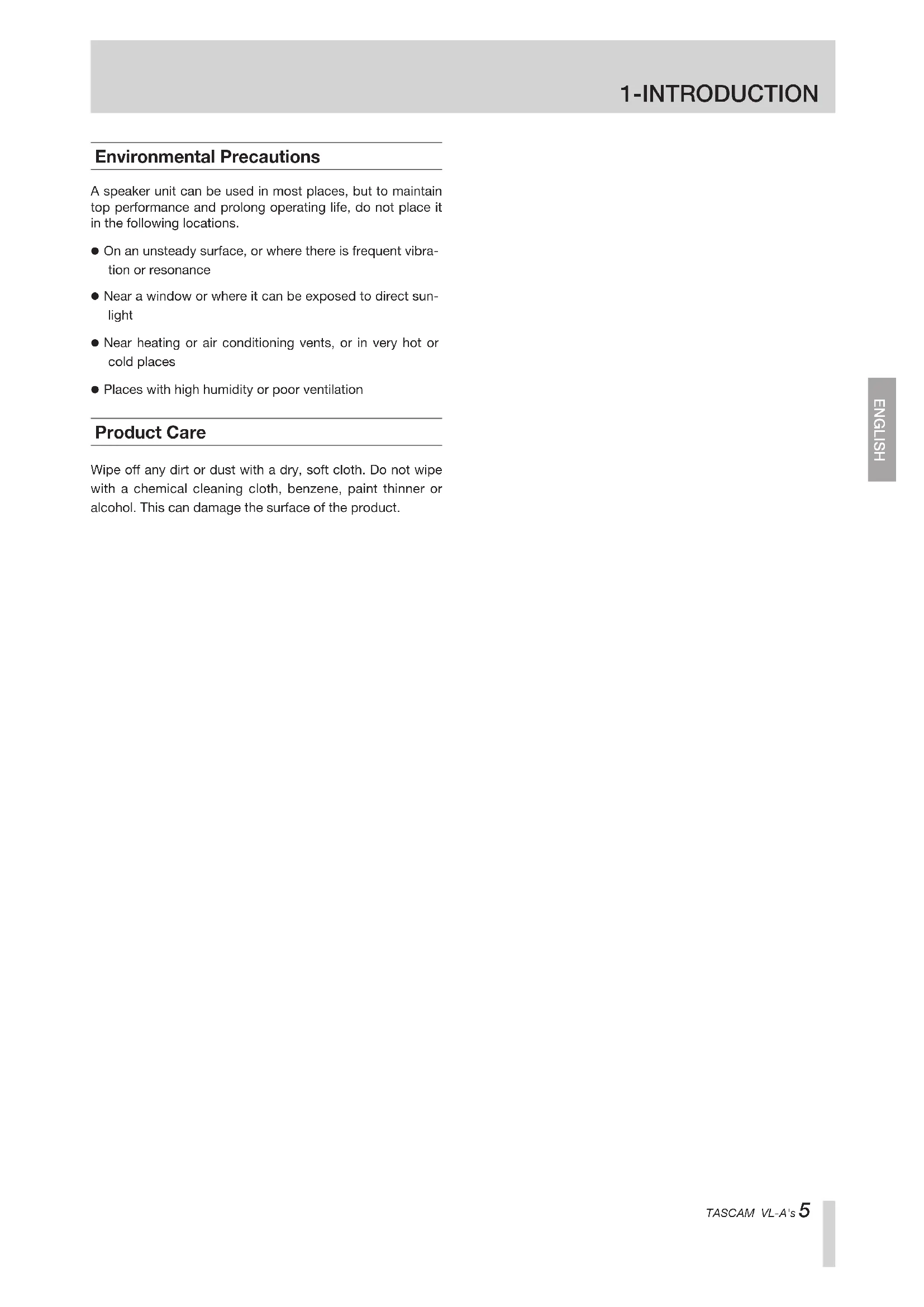
A speaker unit can be used in most places, but to maintain top performance and prolong operating life, do not place it in the following locations.
- On an unsteady surface, or where there is frequent vibration or resonance
- Near a window or where it can be exposed to direct sunlight
- Near heating or air conditioning vents, or in very hot or cold places
- Places with high humidity or poor ventilation
Product Care
Wipe off any dirt or dust with a dry, soft cloth. Do not wipe with a chemical cleaning cloth, benzene, paint thinner or alcohol. This can damage the surface of the product.
Precautions for Connection
- When unpacking, do not grab by the front of the unit where the drivers are mounted as this may result in damage to the cone.
- Turn off the power switch on the rear panel before connecting the power cord to the unit.
- Be sure that the connection is made securely to avoid accidental disconnection.
- Adjust the input signal levels on your audio device to the minimum or zero before turning on the power on the rear panel to prevent possible damage to the unit.
- Do not use the system continuously for long periods of time at high volume levels to avoid any possible damage to your hearing.
- Depending on the TV monitor used with the system, the speaker system may affect the quality of the picture on the monitor. In this case, try various positions to find best place to install the speaker system.
- The voltage supplied to the unit should match the voltage as printed on the rear panel.
- Use audio cables that are free of damage.
- Do not send signals other than audio signals to the unit.
The polarity of an audio cable connected to the unit should match the pin assignments explained in "Connection."
Connection
- Turn off the power switch.
- Connect the supplied power cord to the main unit and make sure the plug is inserted completely to prevent it from coming off. Connect the other end of the power cord to an AC outlet.
- Connect the XLR balanced cable or TRS cable to your audio system to send audio signals. The pin assignments of the XLR balanced cable are shown below.
1: Ground, 2: Hot, 3: Cold
The pin assignments of the TRS balanced cable are shown below.
Tip: Hot, Ring: Cold, Sleeve: Ground
Installation
The speaker placement is important to monitor correct sound.
To get best performance of the speaker system, please follow the instruction explained below.
Installing the VL-A's
- The unit should be placed at least 60~cm (100 cm recommended) away from obstacle to the rear and at least 40 cm (60 cm recommended) from any obstacle on either side.

- Basically, two units and the listener should align to form a regular triangle.

- The height of units, more precisely, the top of the woofer should come up to where your ears are in normal listening environment.

- Placing the unit vertically is recommended. If you place the unit horizontally, refer to the diagram below.


Installing a Subwoofer
Adding a subwoofer to the monitor system lets you enjoy rich bass sounds.
The optimum placement of the subwoofer varies according to the placement of the other speakers and the room environment.
The following section explains one of the ways to place the subwoofer.
Surround Setup
This shows the subwoofer placed at the same distance from the listening position as the other speakers.
The example is the placement of the 5.1 channel surround monitor system.

L:Main Front Lch Speaker
R:Main Front Rch Speaker
C:Center Speaker
LS: Left Surround Speaker
RS:Right Surround Speaker
NOTE
This setup is recommended by ITU, International Telecommunications Union, according to ITU-R BS.775-2 "Multichannel stereophonic sound system with and without accompanying picture."
DO NOT place any obstacles that may block the flow of air, which is medium of the sound, or create reflected sound, especially, the material of high reflection tendency including glass, mirror or metal. Place those materials away from the path of the sound from VL-A's.
Tweeter Output Unit Protective Function (VL-A5/VL-A8)
The VL-A5 and VL-A8 tweeter output units use a temperature-sensitive polymer switch as a protective device against excessively high output.
Once this protective function has been activated, the tweet-er output will be muted until the temperature of the polymer switch returns to normal.
When treble sounds (output from the tweeter speaker) can not be heard, turn off the power and wait two to three minutes before turning on the power again. Check if the treble sound is output from the speaker.
3-NAMES AND FUNCTIONS

VL-A4 Rear Panel Front Panel


VL-A5 Rear Panel Front Panel


VL-A8 Rear Panel Front Panel


① ~ IN jack
This IN jack is used to connect the supplied power cord.
② FUSE holder
This unit is equipped with a fuse. If the unit does not work, disconnect the power plug from the AC outlet and then contact the nearest qualified service personnel.
③ POWER switch
This is used to turn the power on and off.
④ INPUT jack
This is a balanced input terminal that uses an XLR balanced cable and TRS PHONE balanced cable combination jack. This INPUT jack connects the unit to an external device.
LEVEL CONTROL knob
This is used to adjust the output volume.
⑥ POWER indicator (Front Panel/Rear Panel)
This indicator lights up when the power switch is turned on and AC power is supplied to the IN jack.
HF CONT switch (VL-A5, VL-A8 only)
This is used to adjust the treble level.
+1.5 dB 8k: Boosts the 8 kHz frequency by 1.5 dB.
+1.5 dB 3k: Boosts the 3 kHz frequency by 1.5 dB.
-1.5 dB 8k: Cuts the 8kHz frequency by 1.5 dB.
-1.5 dB 3k: Cuts the 3kHz frequency by 1.5 dB.
LF CONT switch (VL-A5, VL-A8 only)
This is used to adjust the bass level.
LF+ Boosts the 150Hz or 800Hz frequency by 1.5 dB.
LF-: Cuts the 150Hz or 800Hz frequency by 1.5 dB.
LF CUT: Cuts bass sounds at a frequency of 500Hz or lower.

LF-S8 Rear Panel Front Panel


① POWER switch
This is used to turn the power on and off.
② FUSE holder
This unit is equipped with a fuse. If the unit does not work, disconnect the power plug from the AC outlet and then contact the nearest qualified service personnel.
③ ~IN jack
This IN jack is used to connect the supplied power cord.
④ INPUT CH1/CH2 JACKS
These balanced input jacks suit for both XLR balanced and TRS PHONE balanced connectors, and are typically connected to output jacks on a mixer.
CROSS FREQ knob
This control is used to set a cutoff frequency between 40 to 120Hz to cut high or low frequency output from the subwoofer.
⑥ OUTPUT CH1/CH2 JACKS
These output jacks connect XLR balanced connectors. High frequency signals are output through the jack (low-frequency is cut according to the cutoff frequency set with the CROSS FREQ knob). An external device such as a power amplifier is connected to the jack.
When you use the LF-S8 with the VL-A4, VL-A5 or VL-A8, connect both the left (CH1) and right (CH2) INPUT jacks.
⑦ OUTPUT SUB LF jack
This output jack connects XLR balanced connector. Low frequency signals are output through the jack (high frequency is cut according to the cutoff frequency set with the CROSS FREQ knob). The second subwoofer is connected to this jack.
LEVEL CONTROL knob
This is used to adjust the output level of the subwoofer speaker.
⑨ PHASE switch (0^ / 180^)
This is used to switch the output phase of the subwoofer speaker. Depending on speaker placement, or the combination of speaker systems, bass sounds may be heard differently. If so, try to adjust the output phase using this switch to make bass sounds better for you.
10 POWER indicator
This indicator lights up when the power switch is turned on and AC power is supplied to the IN jack.

L:Main Front Lch Speaker
R:Main Front Rch Speaker
C:CenterSpeaker
LS: Left Surround Speaker
RS:RightSurroundSpeaker
HINWEIS
L:Main Front Lch Speaker
R:Main Front Rch Speaker
C:Center Speaker
LS:Left Surround Speaker
RS:Right Surround Speaker
REMARQUE
⑦ Prise OUTPUT SUB LF
L:Main Front Lch Speaker
R:Main Front Rch Speaker
C:Center Speaker
LS:Left Surround Speaker
RS:RightSurroundSpeaker
NOTA
L:Main Front Lch Speaker
R:Main Front Rch Speaker
C:Center Speaker
LS:Left Surround Speaker
RS:Right Surround Speaker
NOTA
L:Main Front Lch Speaker
R:Main Front Rch Speaker
C:Center Speaker
LS:Left Surround Speaker
RS:Right Surround Speaker
| MODEL VL-A4 VL-A5 VL-A8 LF-S8 | ||||||
| TYPE | HF | 4" Studio Monitoring Speakers | 5.25" Studio Monitoring Speakers | 8" Studio Monitoring Speakers | 8" multipurpose subwoofer | |
| LF | 0.8" soft dome tweeter | 0.8" soft dome tweeter | 1" soft dome tweeter | - | ||
| HF | Diaphragm | direct radiating bassreflex 4" woofersrear air port | direct radiating bassreflex 5.25" woofersfront dual air port | direct radiating bassreflex 8" woofersfront dual air port | direct radiating bassreflex 8" woofer | |
| ResourceMaterials | HF | voice coil | 0.8" soft dome | 0.8" soft dome | 1" soft dome | - |
| 20mm, kapton,CCAW, 8Ω | 20mm, kapton,CCAR, 8Ω | 25mm, kapton,CCAR, 4Ω | - | |||
| LF | cone | 4" p.p cone | 5.25" paper cone | 8" paper cone | 8" paper cone | |
| frame | steel | steel | steel | steel | ||
| voice coil | 25mm, kapton,SVW, 4Ω | 25mm, kapton,SVW, 8Ω | 35mm, kapton,SVW, 4Ω | 25mm, kapton,SVW, 8Ω | ||
| Amplifier MaximumPower [Typical] | HF | Rated | 9W [AC120V/AC230V]6W [AC100V] | 15W [AC120V/AC230V]12W [AC100V] | 25W [AC120V/AC230V]18W [AC100V] | - |
| Instant | THD <5% at 8Ω load8KHz12W [AC120V/AC230V]9W [AC100V] | THD <0.1% at 8Ω load8KHz30W [AC120V/AC230V]22W [AC100V] | THD <0.1% at 4Ω load8KHz50W [AC120V/AC230V]37W [AC100V] | - | ||
| LF | Rated | 10W [AC120V/AC230V]7W [AC100V] | 30W [AC120V/AC230V]22W [AC100V] | 45W [AC120V/AC230V]33W [AC100V] | 30W [AC120V/AC230V]22W [AC100V] | |
| InstantMaximum | 16W [AC120V/AC230V]12W [AC100V]THD <5% at 4Ω load 500Hz | 60W [AC120V/AC230V]45W [AC100V]THD <0.1% at 8Ω load 500Hz | 90W [AC120V/AC230V]67W [AC100V]THD <0.1% at 4Ω load 500Hz | 50W [AC120V/AC230V]37W [AC100V]THD <5% at 8Ω load 100Hz | ||
| S/N (30KHz LPF) | 85dB | 90dB | 90dB | - | ||
| Output Power HF | 100dB at 12W | 106dB at 30W | 110dB at 50W | - | ||
| 1m/SPL LF | 99dB at 20W | 105dB at 60W | 110dB at 90W | 106dB at 50W | ||
| Crossover Frequency | 3kHz (-18dB/oct) | 3kHz (-18dB/oct) | 2.2kHz (-18dB/oct) | 45~120 (-18dBoct) | ||
| Overall Frequency Response | 70Hz~26KHz (-6dB) | 30Hz~26KHz (-6dB) | 25Hz~23KHz (-6dB) | 25Hz~128Hz (-6dB) | ||
| Control LF adjustment | - | 3KHz/8KHz+1.5dB/-1.5dB | 3KHz/8KHz+1.5dB/-1.5dB | - | ||
| - | 150Hz/800Hz+1.5dB/-1.5dB | 150Hz/800Hz+1.5dB/-1.5dB | - | |||
| LF Cut | 500Hz (-12dB/oct) | 500Hz (-12dB/oct) | - | |||
| Phase Switch | - | - | 0°/ 180° | |||
| Input | Connectors | XLR3-31 and 1/4"balanced combinationJack | <---- | <---- | XLR3-31 and 1/4"balanced combinationJack x 2 | |
| input signal | input impedance 10KΩ | <---- | <---- | <---- | ||
| input level +11dBu fullpower output variablefrom -13dB to +10dB | input level +8dBu fullpower output variablefrom -14dB to +16dB | <---- | input level -10dBu fullpower output | |||
| Output output signal | XLR3-32 balanced x3impedance 120ΩOutput MAX+22dBVadjustment crossoverpoint 45Hz~120Hz(-18dBoct) | |||||
| Weight (kg) | 3.6kg | 7.4kg | 11.2kg | 12.0kg | ||
| Dimensions (H x W x D mm) | 245x152x193 | 290x198x300 | 380x243x330 | 340x340x3404pcs Foot 45x28x20 | ||
| Powers | power source | AC100~120V,AC220~240V, 50/60Hz | AC100~120V,AC220~240V, 50/60Hz | AC100~120V,AC220~240V, 50/60Hz | AC100~120V,AC220~240V, 50/60Hz | |
| power consumption | 11W at AC100V | 22W at AC100V | 38W at AC100V | 10W at AC100V | ||
| 11W at AC120V | 38W at AC120V | 65W at AC120V | 18W at AC120V | |||
| 11W at AC230V | 38W at AC230V | 65W at AC230V | 18W at AC230V | |||
Block Diagram


Note
TASCAM
TEAC Professional Division
VL-A4/VL-A5/VL-A8/LF-S8
TEAC CORPORATION
Phone: +81-42-356-9143 www.tascam.com
1-47, Ochiai, Tama-shi, Tokyo 206-8530, Japan
TEAC AMERICA, INC.
Phone: +1-323-726-0303 www.tascam.com
7733 Telegraph Road, Montebello, California 90640
TEAC CANADA LTD.
Phone: +1905-890-8008 Facsimile: +1905-890-9888 www.tascam.com
5939 Wallace Street, Mississauga, Ontario L4Z 1Z8, Canada
TEAC MEXICO, S.A. De C.V
Phone: +52-555-581-5500 www.tascam.com
Campesinos No. 184, Colonia Granjes Esmeralda, Delegation Iztapalapa CP 09810, Mexico DF
TEAC UK LIMITED
Phone: +44-8451-302511 www.tascam.co.uk
Unit 19 & 20, The Courtyards Hatters Lane, Watford, Hertfordshire. WD18 8TE, U.K.
TEAC EUROPE GmbH
Phone: +49-611-71580 www.tascam.de