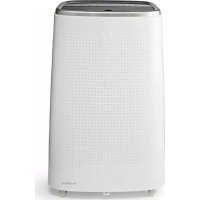
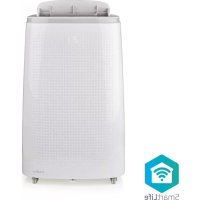
WIFIACMB1WT14 - Air conditioner NEDIS - Free user manual and instructions
Find the device manual for free WIFIACMB1WT14 NEDIS in PDF.



| Product type | Smart mobile air conditioner (Smart) |
| Brand | Nedis |
| Model | WIFIACMB1WT14 |
| Dimensions (L x W x H) | 480 x 760 x 390 mm |
| Weight | 33.5 kg |
| Input voltage | 220 – 240 V ~ 50 Hz |
| Required power | 1610 W |
| Energy class | A |
| Energy Efficiency Ratio (EER) | 2.6 |
| Adjustable temperature range | 16 – 31 °C |
| Noise level | ≤ 65 dB(A) |
| Cooling capacity | 14000 BTU |
| Maximum room area | 28 – 42 m² (volume 120 m³) |
| Air circulation | 500 m³/h |
| Dehumidification | 40 l/day |
| Refrigerant | R290 / 280 g |
| Power plug | Schuko CEE 7/7 |
| Remote control batteries | 2x AAA (not included) |
| Operating modes | Cooling / Dehumidification / Fan |
| Fan speeds | High / Medium / Low |
| Connectivity | Wi-Fi 802.11b/g/n (2.4 GHz) |
| Application | Nedis SmartLife (compatible with Alexa, Google Home) |
| Protection | Anti-freeze, compressor (3-minute delayed start), overflow |
| Maintenance | Filter cleaning (EVA frame and CON frame), manual and continuous drainage |
| Safety | Flammable refrigerant R290, room ≥ 14 m², children > 8 years under supervision |
| Repairability | By a qualified technician only |
| Package contents | Air conditioner, exhaust hose, nozzle, window kit, fixings, remote control, manual |
Frequently Asked Questions - WIFIACMB1WT14 NEDIS
User questions about WIFIACMB1WT14 NEDIS
0 question about this device. Answer the ones you know or ask your own.
Ask a new question about this device
Download the instructions for your Air conditioner in PDF format for free! Find your manual WIFIACMB1WT14 - NEDIS and take your electronic device back in hand. On this page are published all the documents necessary for the use of your device. WIFIACMB1WT14 by NEDIS.
USER MANUAL WIFIACMB1WT14 NEDIS
Smart Air Conditioner
with thermostat app and voice control
WIFIACMB1WT14

Quick start guide 4

Kurzanleitung 7

The Nedis WIFIACMB1WT14 is a local air conditioner used for cooling and dehumidifying rooms.
The product is exclusively intended as a local air conditioner for domestic, indoor use.
The product is not intended for professional use.
This product can be used by children aged from 8 years and above and persons with reduced physical, sensory or mental capabilities or lack of experience and knowledge if they have been given supervision or instruction concerning use of the product in a safe way and understand the hazards involved. Children shall not play with the product. Cleaning and user maintenance shall not be done by children without supervision.
The product is intended for use in household environments for typical housekeeping functions that may also be used by non-expert users for typical housekeeping functions, such as: shops, offices other similar working environments, farm houses, by clients in hotels, motels and other residential type environments and/or in bed and breakfast type environments.
Any modification of the product may have consequences for safety, warranty and proper functioning.
Specifications
| Product Smart Air Conditioner | |
| Article number WIFIACMB1WT14 | |
| Dimensions (I x w x h) 480 x 760 x | 390 mm |
| Weight 33.5 kg | |
| Input voltage 220 - 240 V ~ 50 Hz | |
| Required power 1610 W | |
| Energy class A | |
| Energy efficiency ratio (EER) 2.6 | |
| Adjustable temperature range 16 | - 31 °C |
| Noise level ≤ 65 dB(A) | |
| Cooling capacity 14000 BTU | |
| Room size capacity 28-42 m² |
| Air circulation 500 m3/h | |
| Dehumidification 40 l/day | |
| Refrigerant R290 / 280 g | |
| Power plug Schuko CEE 7/7 | |
| Battery type 2x AAA (not included) | |
| Permissible excessive operating pressure | Suction 0.6 MPa Discharge 1.8 MPa |
| Max. allowable pressure | 3.0 MPa |
| Room coverage | 120 m3* |
| Operation modes Cooling / Dehumidifying / Fan | |
| Fan speed levels | High / Middle / Low |
| Max. radio transmit power | 802.11b 17.5 dBm 802.11g 14.5 dBm 802.11n 13.5 dBm |
| Antenna gain 2.5 dBi | |
| Used frequency band | 2412 - 2472 MHz |
| Channels | 1-13 |
| Modulation method | DSSS, OFDM, 64QAM |
- The performance of an air conditioner is subjected to many factors, such as floor space, ceiling height, level of isolation and number of windows. The data mentioned is based on a space with low heat loads.
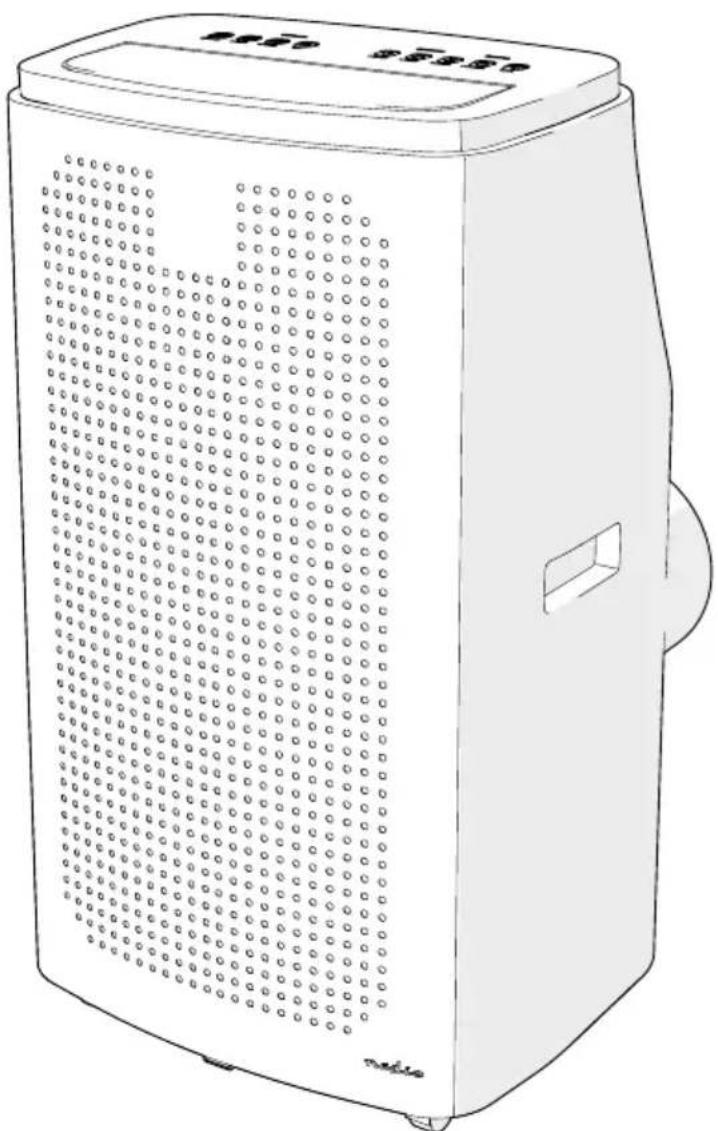
Main parts (image A)
Swing louvers
2 Display
3 Handle
4 Exhaust nozzle
5 Exhaust hose
6 Window kit
Window kit fasteners
8 Control panel
EVA-filter frame
EVA-filter screen
11 Continuous drainage outlet
Air outlet
CON-filter frame
14 Manual drainage outlet
15 Power cable
16 Exhaust hose connector
Remote control
18 Exhaust nozzle screw
Control panel and remote control (image B)
1 Timer button
2 Mirage button
Mode selection button
4 Sleep mode button
5 Temperature up button
6 Display
7 Temperature down button
8 Fan speed button
Swing button
10 Power button
Wi-Fi indicator LED
12 Temperature button
Safety instructions
WARNING

Contains one or more (extremely/highly) flammable components.

Contains one or more (extremely/highly) flammable components.
- Ensure you have fully read and understood the instructions in this document before you install or use the product. Keep the packaging and this document for future reference.
- Only use the product as described in this document.
- Close supervision is necessary when the product is used by or near children, animals or infirm persons. Do not allow children to play with it or touch it.
- Keep the product out of reach from children.
- Do not use a damaged or defective product, but return it for repair or replacement.
- Do not expose the product to water, rain, moisture or high humidity.
If the product is immersed in water, do not touch the product or the water. - Shut off the main power grid and carefully remove the plug from the power outlet.
- After the product has been immersed or covered in water or other liquids, do not use the product again.
- Keep the product away from heat sources. Do not place the product on hot surfaces or near open flames.
- Do not insert any objects into the product.
- Do not drop the product and avoid bumping.
- Do not obstruct or cover the product's air inlet or outlet grid.
- Do not dismantle, open or shred batteries.
- Do not expose cells or batteries to heat or fire. Avoid storage in direct sunlight.
- Do not store cells or batteries haphazardly in a box or drawer where they may short-circuit each other or be short-circuited by other metal objects.
- Do not subject cells or batteries to mechanical shock.
- In the event of a cell leaking, do not allow the liquid to come in contact with the skin or eyes. If contact has been made, wash the affected area with copious amounts of water and seek medical advice.
- Do not mix cells of different manufacture, capacity, size or type within a product.
- Only use the battery type(s) recommended in this document.
- Keep cells and batteries clean and dry.
- Retain the original product literature for future reference.
- When possible, remove the battery from the product when not in use.
- Do not remove a cell or battery from the original packaging until required for use.
- Do not use any cell or battery that is not designed for use with the product.
- Use only the cell or battery in the application for which it was intended.
- Wipe the cell or battery terminals with a clean dry cloth if they become dirty.
- Battery usage by children should be supervised.
- Observe the plus (+) and minus (-) marks on the battery and the product to ensure correct placement
- Dispose of the cell or battery properly.
-
Seek medical advice immediately if a cell or a battery has been swallowed.
-
The appliance shall be installed in accordance with national wiring.
- Always disconnect the product from the power outlet when cleaning or moving the product
- Do not pull the power cable to move the product.
- Unplug the product from the power outlet and other equipment if problems occur.
- Do not unplug the product by pulling on the cable. Always grasp the plug and pull.
- Switch off the main power switch before unplugging the power cord.
- Do not use the product when the cord or plug is damaged.
- Make sure that the electrical supply in your area matches a voltage of 220 - 240 VAC and a frequency of 50Hz .
- Connect to a grounded outlet only.
- If necessary, use an earthed extension cable of a suitable diameter.
- Fully extend the power cord and make sure the power cord does not contact the product.
- When using an extension cord, use one which is as short as possible and fully extended.
- Do not use external timers or remote control systems to switch the product on or off.
- Ensure people do not trip over the cord.
- Make sure that the power cable cannot become entangled and does not hang over the edge of a worktop.
- Do not leave the product unattended when switched on.
R290 is a refrigerant gas that complies with the European directives on the environment. - Be aware that refrigerants can be odorless.
- Place the product in an area without any continuous sources of ignition (for example: open flames, gas or electrical appliances in operation).
- Only install, operate and store the product in a room with a floor area above 14m^2
- Only store the product in a well-ventilated area.
- Store the product in such a way as to prevent mechanical failure.
- When the product is installed, operated or stored in a non-ventilated area, make sure the room is designed to prevent the accumulation of refrigerant leaks resulting in a risk of fire or explosion due to ignition of the refrigerant caused by electric heaters, stoves, or other sources of ignition.
- Only persons with a current valid certificate from an industry-accredited assessment authority, which authorizes their competence to handle refrigerants safely in accordance with an industry recognized assessment specification, can work on or break into a refrigerant circuit.
Servicing can only be performed as recommended by the equipment manufacturer. Maintenance and repair requiring the assistance of other skilled personnel can only be carried out under the supervision of the person competent in the use of flammable refrigerants. - When defrosting and cleaning the product, do not use any means other than those recommended by the manufacturing company.
- Do not puncture or heat any part of the refrigerant circuit.
- This product may only be serviced by a qualified technician for maintenance to reduce the risk of electric shock.
Installing the product
Ae the product on a stable and flat surface.
Any move the product in an upright position.
1.5 have a minimum of 0.5m space around the air inlet and outlet to allow a good circulation of airflow.
The product has been tilted, allow it to stand upright for 2 hours before plugging it in.
Can't install, operate and store the product in a room with a floor area above 14m^2
help the product at a distance from flammable objects such as furniture, curtains and similar.
not block ventilation openings and make sure that there is enough space around the product.
- Plug the power cable A15 into the power outlet.
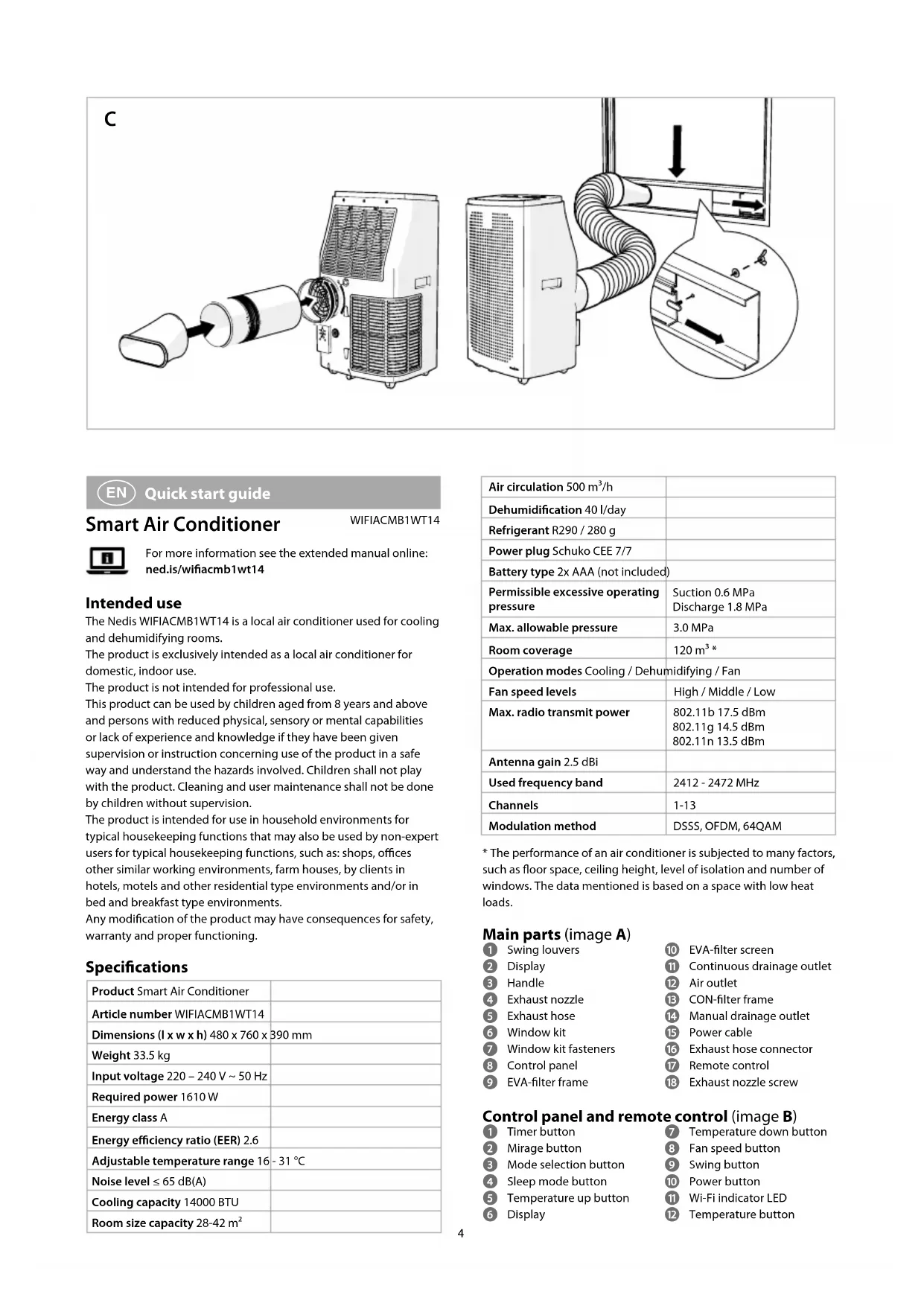
Assembling the exhaust (image C)
Any use the provided exhaust hose.
Anot block the exhaust hose, this may cause overheating.
- Assemble the exhaust hose A 5, the exhaust nozzle A 4 and the exhaust hose connector A 16.
- Connect A16 to the air outlet A12.
- Extend A up to 1500mm
not twist the exhaust hose.
I sure that the exhaust hose does not kink.
- Assemble the window kit A6 the fasteners A7.
- Install A6 in the window opening.
The window kit can be placed in horizontal and vertical direction.
- Tighten A7
- Snap A4 into A 6 and fasten with the exhaust nozzle screw A 18.
Assembling the continuous drainage (optional)
Waks only in dehumidifying and heating mode.
- Open the continuous drainage outlet A 11
- Connect A to a water container or drainage system (not included).
Placing the batteries in the remote control
- Slide the battery cover off the back of the remote control A
- Insert 2 type AAA batteries.
- Slide the battery cover back in place on A17
Installing the Nedis SmartLife app
- Download the Nedis Smartlife app for Android or iOS on your phone via Google Play or the Apple App Store.
- Open the Nedis Smartlife app on your phone.
- Create an account with your mobile phone number or your e-mail address and tap Continue.
- You will receive a verification code on your mobile phone or e-mail address.
- Enter the received verification code.
- Create a password and tap Done.
- Tap Add Home to create a SmartLife Home.
- Set your location, choose the rooms you want to connect with and tap Done.
Adding a product to the Nedis SmartLife app
- Switch on the product.
- Tap + in the Nedis SmartLife app.
- Select the device type you want to add from the list.
- Confirm the Wi-Fi indicator LED B11 is blinking fast, or hold the Fan speed button B8 for 5 seconds to reset the product.
- Follow the instructions in the Nedis SmartLife app.
Make sure you connect to the product after the product has been found and added. - Rename the product after it has been found and added.
- After confirming you can control the product with your smartphone.
To connect your SmartLife account to Amazon Alexa and/or Google Home, set it up using the "Smart Life" action or skill. For more details check the instruction on either Amazon or Google.
Using the control panel and remote control (image B)
| Button Function | |
| Timer button B1 | Press to set the timer. Use B5 and B7 to set the duration of cooling. |
| Mirage Button B2 | Press to switch on the hidden display on the front. Press again to turn off the display. |
| Mode selection button B3 | Repeatedly press the button to select the mode: Cooling mode / Dehumidifying mode / Fan mode. |
| Sleep mode button B4 | Activate sleep mode. Only works in cooling mode. After one hour the set temperature increases 1 °C and again after 2 hours. |
| Temperature up button B5 | Increase values. |
| Temperature down button B7 | Decrease values. |
| Fan speed button B8 | Press repeatedly to select the fan speed. (Not available in sleep and dehumidifying mode). |
| Swing button B9 | Switch the oscillation on or off. Change the orientation of the louvers. |
| Power button B10 | Switch the product on or off. |
| Temperature button B12 | Switch between Celsius and Fahrenheit. |
Frost protection function
- The product automatically enters the frost protection status if the temperature of the exhaust pipe is too low. (only works in cooling mode).
- The product automatically reverts to the normal operation if the temperature of the exhaust pipe rises to a certain temperature.
Protection function of the compressor
- To increase the lifetime of the compressor, it has a 3 minute delay booting protection function after the compressor is switched off.
Overflow protection function
- If water exceeds the warning level, the product emits a tone, and the 'water full' indicator starts flashing. (See next paragraphs how to empty the water reservoir of the product.)
Manual drainage
- The 'water full' indicator flashes and the product emits an alarm sound to indicate that the water reservoir is full.
- Switch off the product using B10
3.Unplug A15. - Place a water container underneath A 14
- Remove the water plug of A14
- Slightly tilt the product backwards to ensure all water leaves the reservoir.
- Put the water plug back on A14
Declaration of Conformity
We, NEDIS, as manufacturer, declare that product WIFIAcMB1WT14 from the brand Nedis, produced in China was tested according to all relevant CE standards / regulations and passed all tests.
The complete Declaration of Conformity (+ safety datasheet if applicable) can be found and downloaded via http://webshop.nedis.com
For other compliant-related information, please contact customer service desk for support:
via website: http://www.nedis.com
via e-mail: service@nedis.com
NEDIS B.V., De Tweeling 28,
5215 MC's-Hertogenbosch, THE NETHERLANDS

Kurzanleitung
Smart-Klimaanlage
WIFIACMB1WT14

Colocar as baterias no controlo remoto
Installation of Nedis SmartLife-appen
- Smart Air Conditioner
- Specifications
- Main parts (image A)
- Control panel and remote control (image B)
- Safety instructions
- WARNING
- Installing the product
- Assembling the exhaust (image C)
- Assembling the continuous drainage (optional)
- Placing the batteries in the remote control
- Installing the Nedis SmartLife app
- Adding a product to the Nedis SmartLife app
- Using the control panel and remote control (image B)
- Frost protection function
- Protection function of the compressor
- Overflow protection function
- Manual drainage
- Declaration of Conformity
- Kurzanleitung
- Smart-Klimaanlage
- Colocar as baterias no controlo remoto
- Installation of Nedis SmartLife-appen
Brand : NEDIS
Model : WIFIACMB1WT14
Category : Air conditioner