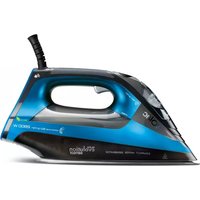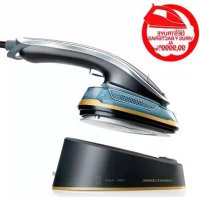
Yosemite Ceramic PC1510 - Iron SOLAC - Free user manual and instructions
Find the device manual for free Yosemite Ceramic PC1510 SOLAC in PDF.



User questions about Yosemite Ceramic PC1510 SOLAC
0 question about this device. Answer the ones you know or ask your own.
Ask a new question about this device
Download the instructions for your Iron in PDF format for free! Find your manual Yosemite Ceramic PC1510 - SOLAC and take your electronic device back in hand. On this page are published all the documents necessary for the use of your device. Yosemite Ceramic PC1510 by SOLAC.
USER MANUAL Yosemite Ceramic PC1510 SOLAC
natural_image
Black and white photo of a steam iron with a partially open base, showing its handle and platter (no text or symbols visible)PLANCHA HORIZONTAL Y VERTICAL INSTRUCCIONES DE USO
HORIZONTAL AND VERTICAL IRON INSTRUCTIONS FOR USE
FER À REPASSER HORIZONTAL ET VERTICAL MODE D'EMPLOI
Thank you for deciding to purchase a SOLAC brand product.
Thanks to its technology, design and operation and the fact that it exceeds the strictest quality standards, a fully satisfactory use and long product life can be assured.
DESCRIPCIÓN
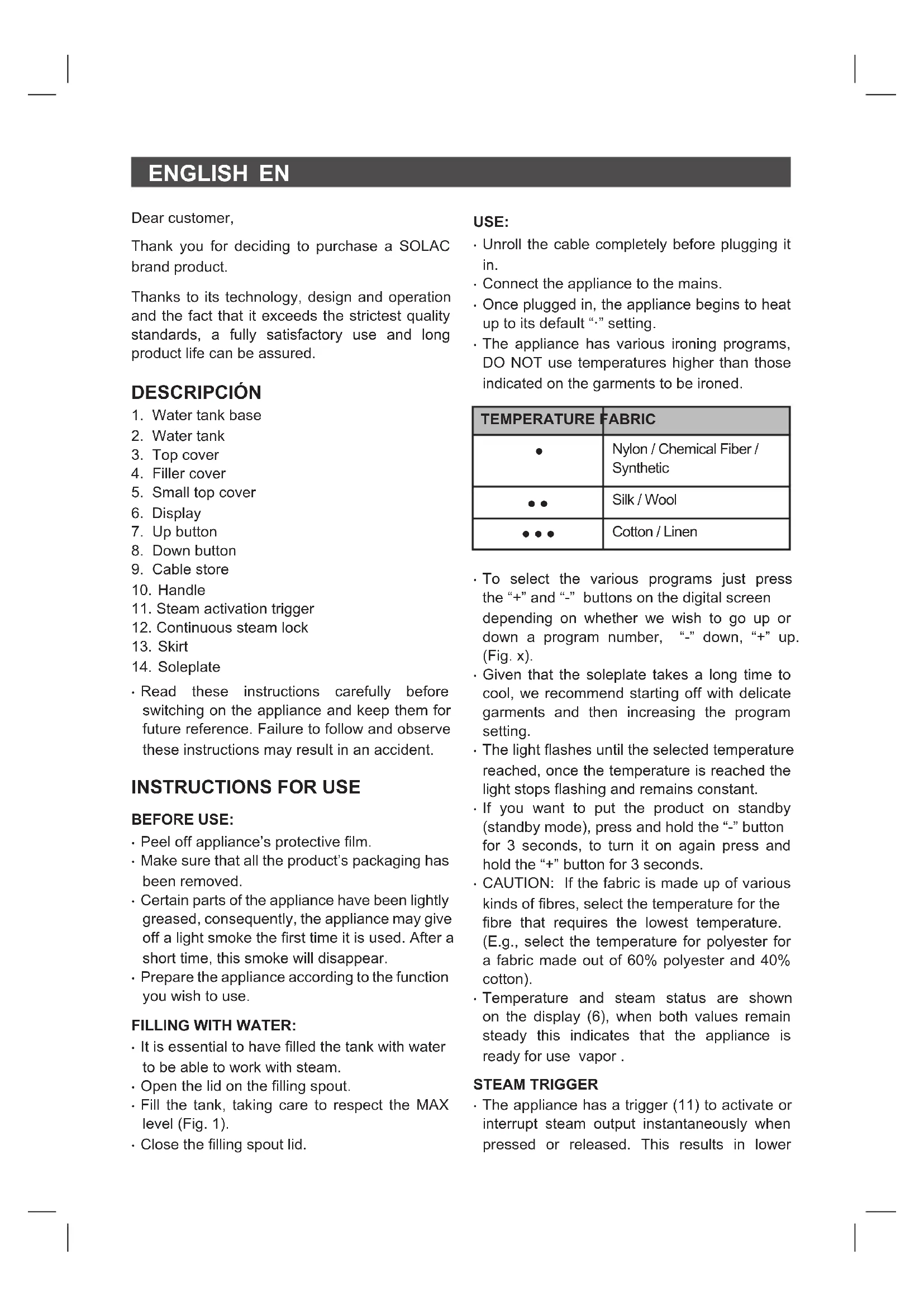
- Water tank base
- Water tank
- Top cover
- Filler cover
- Small top cover
- Display
- Up button
- Down button
- Cable store
- Handle
- Skirt
-
Soleplate
-
Steam activation trigger
-
Continuous steam lock
- Read these instructions carefully before switching on the appliance and keep them for future reference. Failure to follow and observe these instructions may result in an accident.
INSTRUCTIONS FOR USE
BEFORE USE:
- Peel off appliance's protective film.
- Make sure that all the product's packaging has been removed.
- Certain parts of the appliance have been lightly greased, consequently, the appliance may give off a light smoke the first time it is used. After a short time, this smoke will disappear.
- Prepare the appliance according to the function you wish to use.
FILLING WITH WATER:
- It is essential to have filled the tank with water to be able to work with steam.
- Open the lid on the filling spout.
- Fill the tank, taking care to respect the MAX level (Fig. 1).
- Close the filling spout lid.
USE:
- Unroll the cable completely before plugging it in.
- Connect the appliance to the mains.
- Once plugged in, the appliance begins to heat up to its default “·” setting.
- The appliance has various ironing programs, DO NOT use temperatures higher than those indicated on the garments to be ironed.
| TEMPERATURE | FABRIC |
| ● | Nylon / Chemical Fiber / Synthetic |
| ●● | Silk / Wool |
| ●●● | Cotton / Linen |
- To select the various programs just press the “+” and “-” buttons on the digital screen depending on whether we wish to go up or down a program number, “-” down, “+” up. (Fig. x).
- Given that the soleplate takes a long time to cool, we recommend starting off with delicate garments and then increasing the program setting.
- The light flashes until the selected temperature reached, once the temperature is reached the light stops flashing and remains constant.
- If you want to put the product on standby (standby mode), press and hold the “-” button for 3 seconds, to turn it on again press and hold the “+” button for 3 seconds.
- CAUTION: If the fabric is made up of various kinds of fibres, select the temperature for the fibre that requires the lowest temperature. (E.g., select the temperature for polyester for a fabric made out of 60% polyester and 40% cotton).
- Temperature and steam status are shown on the display (6), when both values remain steady this indicates that the appliance is ready for use vapor.
STEAM TRIGGER
- The appliance has a trigger (11) to activate or interrupt steam output instantaneously when pressed or released. This results in lower
EN
energy consumption, as well as longer use from the water tank (lower water consumption).
DRY AND/OR STEAM IRONING:
- The appliance has a steam control trigger (11) which, if not pressed, allows dry ironing (without steam)).
- Temperature setting 2 or 3 should be selected in order to iron with steam
- Steam flow depends on the selected temperature: the higher the temperature, the greater the steam flow.
- Ironing can be done horizontally or vertically.
- To activate automatic continuous steam, engage the lock (12) on the steam trigger (11) for greater convenience while ironing.
VERTICAL IRONING:
- It is possible to iron hanging curtains, items of clothing on their own hanger, etc. To do so, follow these instructions:
- Iron from top to bottom, if you wish to use steam press the steam control (11), follow the instructions given in the steam ironing section.
- Important: for cotton and linen, it is recommended to put the base of the iron in contact with the material. For other more delicate fabrics, it is recommended to keep the base of the iron a few centimetres away.
AUTO-OFF FUNCTION (AUTO-OFF):
- In order to save energy, the appliance switches to auto-off mode if it is not moved for 3 minutes or more. When this happens, 6 beeps are emitted and the auto-off indicator light flashes, indicating that this function is activated.
- To resume operation just touch any button on the appliance.
LOW WATER WARNING:
- When the appliance has run out of water, a red light flashes and it beeps 3 times, press the steam button again and the low water warning will disappear
ONCE YOU HAVE FINISHED USING THE APPLIANCE:
- Unplug the appliance from the mains.
- Remove the water from the water tank.
- Clean the appliance
CLEANING
- Unplug the appliance from the mains and let it cool down before performing any cleaning task.
- Clean the appliance using a damp cloth with a few drops of detergent and then dry it.
- Do not use solvents, or products with an acid or base pH such as bleach, or abrasive products, to clean the appliance.
- Do not immerse the appliance in water or any other liquid, or place it under a running tap.
\*HOW TO DEAL WITH LIME SCALE INCRUSTATIONS:
- For the appliance to work correctly it should be kept free of lime scale or magnesium incrustations caused by the use of hard water.
- To prevent this kind of problem, we recommend the use of water with low lime or magnesium mineralisation.
- Homemade solutions, such as the use of vinegar, are not recommended for de-scaling this appliance and will result in the loss of product warranty.
FAULTS AND REPAIR
- In the event of a fault take the appliance to an authorised Technical Support Service. Do not try to dismantle or repair it, as this may be dangerous.
- If the mains cable has been damaged, it must be replaced, proceed as in the case of a fault.
- Do not use scented water, as this damages the coating inside the steamer.
FOR EU PRODUCT VERSIONS AND/OR IN THE CASE THAT IT IS REQUESTED IN YOUR COUNTRY:
ECOLOGY AND RECYCLABILITY OF THE PRODUCT
- The packaging materials for this appliance are included in a collection, classification and recycling system. Should you wish to dispose of them, use the appropriate public containers for each type of material.
- The product does not contain concentrations of substances that could be considered harmful to the environment
EN

This symbol means that if you wish to dispose of the product once its useful life has ended, it must be deposited with an orised waste management agent for the tive collection of Waste Electrical and tronic Equipment (WEEE)

This symbol indicates that the surface may heat up during use.
This appliance complies with Directive 2014/35/EU on Low Voltage, with Directive 2014/30/EU on Electromagnetic Compatibility, with Directive 2011/65/EU on restrictions on the use of certain dangerous substances in electrical and electronic appliances and with Directive 2009/125/EC on the ecological design requirements applicable to products related to energy.
FRANÇAIS FR
Cher Client,
WAARSCHUWING TE WEINIG WATER:
NIEPRAWIDŁOWOŚCI I NAPRAWA
This product enjoys the recognition and protection of the legal guarantee in accordance with current legislation. To enforce your rights or interests you must go to any of our official technical assistance services.
You can find the closest one by accessing the following web link: http://solac.com
You can also request related information by contacting us by phone.
You can download this instruction manual and its updates at http://solac.com
DE) GARANTIE UND TECHNISCHER SERVICE
Unit 25 & 26, San Croy Office Park, Die Agora Road,
Croydon, Kempton Park, 1619
Johannesburg
(+27) 011 392 5652