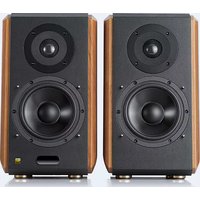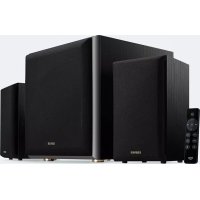
M601DB - Speaker EDIFIER - Free user manual and instructions
Find the device manual for free M601DB EDIFIER in PDF.



User questions about M601DB EDIFIER
0 question about this device. Answer the ones you know or ask your own.
Ask a new question about this device
Download the instructions for your Speaker in PDF format for free! Find your manual M601DB - EDIFIER and take your electronic device back in hand. On this page are published all the documents necessary for the use of your device. M601DB by EDIFIER.
USER MANUAL M601DB EDIFIER
Important safety instruction
- Please read the instructions carefully. Keep it in safe place for future reference.
- Use only accessories approved by the manufacturer.
- Install the instrument properly by following the instructions in the device connection section.
- Using the product in a 0-35°C environment is recommended.
- To reduce the risk of fire and electric shock, do not expose the product to rain or moisture.
- Do not use this product near water. Do not immerge the product into any liquid or have it exposed to dripping or splashing.
- Do not install or use this product near any heat source (e.g. radiator, heater, stove, or other devices that generate heat).
- Do not place any object filled with liquids, such as vases on the product; neither should any open fire, such as lighted candles be placed on the product.
- Do not block any ventilation openings. Do not insert any object into ventilation openings or slots. It may cause fire or electric shock.
- Keep sufficient clearance around the product to maintain good ventilation (minimum 5cm is recommended).
- Do not force a plug into the jack. Before connection, check for blockage in the jack and whether the plug matches the jack and is oriented to the right direction.
- Keep the provided accessories and parts (such as screws) away from children to prevent from being swallowed by mistake.
- Do not open or remove the housing yourself. It may expose you to dangerous voltage or other hazardous risks. Regardless the cause of damage (such as damaged wire or plug, exposure to liquid splash or foreign object falling in, exposure to rain or moisture, product not working or being dropped, etc.), the repair has to be performed by an authorized service professional immediately.
- Before cleaning the product with dry cloth, always turn off the product and disconnect the power plug first.
- Never use strong acid, alkali, gasoline, alcohol, or other chemical solvents to clean the product surface. Use only neutral solvent or clear water for cleaning.
The statements for 5.8G module:
This device complies with Part 15 of the FCC Rules. Operation is subject to the following two conditions:
(1) this device may not cause harmful interference, and
(2) this device must accept any interference received, including interference that may cause undesired operation.
Changes or modifications do not expressly approved by the party responsible for compliance could void the user's authority to operate the equipment.
Please notice that if the FCC identification number is not visible when the module is installed inside another device, then the outside of the device into which the module is installed must also display a label referring to the enclosed module. This exterior label can use wording such as the following: "Contains FCC ID: 2ABA2ATM200" any similar wording that expresses the same meaning may be used.
This equipment complies with FCC radiation exposure limits set forth for an uncontrolled environment. This equipment should be installed and operated with a minimum distance of 20cm between the radiator & your body. This transmitter must not be co-located or operating in conjunction with any other antenna or transmitter. The module is limited to OEM installation ONLY.
The OEM integrator is responsible for ensuring that the end-user has no manual instruction to remove or install module.
The module is limited to installation in mobile application;
A separate approval is required for all other operating configurations, including portable configurations with respect to Part 2.1093 and difference antenna configurations.
There is requirement that the grantee provide guidance to the host manufacturer for compliance with Part 15B requirements.
This device contains licence-exempt transmitter(s)/receiver(s) that comply with Innovation, Science and Economic Development Canada's licence-exempt RSS(s). Operation is subject to the following two conditions:
(1) This device may not cause interference.
(2) This device must accept any interference, including interference that may cause undesired operation of the device.
Important safety instruction
Please notice that if the IC identification number is not visible when the module is installed inside another device, then the outside of the device into which the module is installed must also display a label referring to the enclosed module. This exterior label can use wording such as the following: "Contains IC: 11534A-ATM200" any similar wording that expresses the same meaning may be used.

Excessively loud music may lead to hearing loss. Please keep the volume in a safe range.
Correct Disposal of this product. This marking indicates that this product should not be disposed with other household wastes throughout the EU. To prevent possible harm to the environment or human health from uncontrolled waste disposal, recycle it responsibly to promote the sustainable reuse of material resources. To return your used device, please use the return and collection systems or contact the retailer where the product was purchased. They can take this product for environmental safe recycling.

Use only with the cart, stand, tripod, bracket, or table specified by the manufacturer, or sold with the apparatus. When a cart is used, use caution when moving the cart/apparatus combination to avoid injury from tip-over.
Power warning:
- Place the product near the power outlet for easy use.
- Before use, make sure that the operating voltage is the same as your local power supply. Correct operating voltage can be found on the product plate.
- For safety purpose, unplug the product during lightning storms or when unused for extended periods of time.
- Under normal conditions, the power supply may get hot. Please keep good ventilation in the area and exercise caution.
- Safety warning labels on the housing or bottom of the product or power adaptor.

This symbol is to alert the user to the presence of un-insulated dangerous voltage within the product's enclosure that may be of sufficient magnitude to constitute a risk of electric shock to persons.

This symbol is to warn the user not to disassemble the enclosure of the product and there is no user-replaceable part inside. Take the product to an authorized service center for repair.

This symbol indicates that the product is for indoor use only.

This symbol indicates that the product is a CLASS II or double insulated electrical device with no earth requirement.
The MAINS plug is used as the disconnect device, the disconnect device shall remain readily operable.
For wireless product:
- Wireless product may generate shortwave radio frequencies and interfere with the normal use of other electronic devices or medical equipment.
- Turn off the product when it's disallowed. Do not use the product in medical facilities, on airplane, at gas stations, near automatic gates, automatic fire alarm system or other automated devices.
- Do not use the product in the vicinity of a pacemaker within a 20cm range. The radio waves may affect the normal operation of the pacemaker or other medical devices.
Box contents
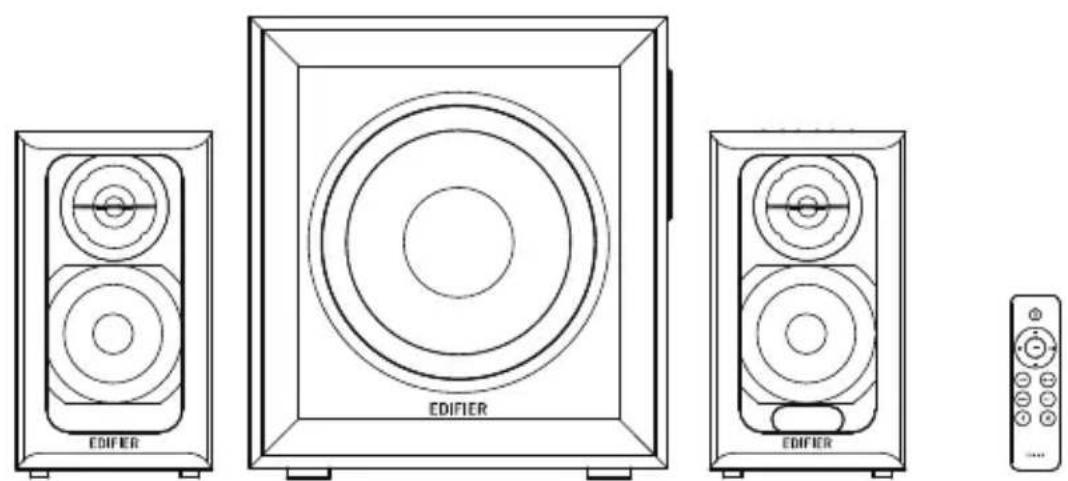
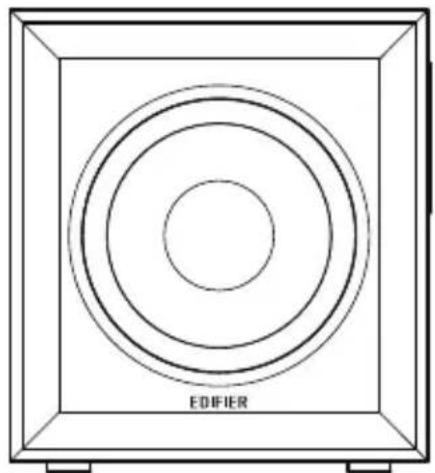
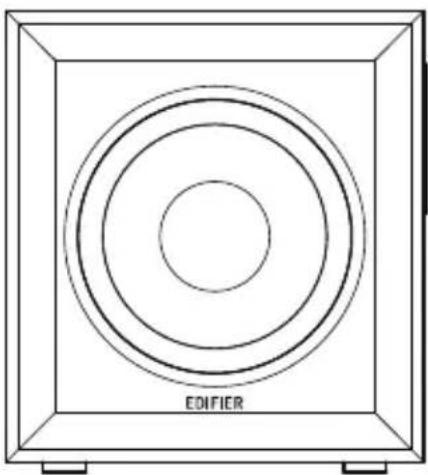
Passive speaker Subwoofer Active speaker Remote control

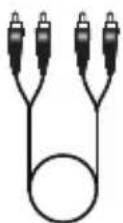
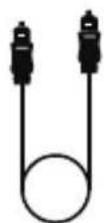
3.5mm-RCA audio cable FibRCApRCAaudiocablePower cable User manual
Note: Images are for illustrative purposes only and may differ from the actual product.
Illustration
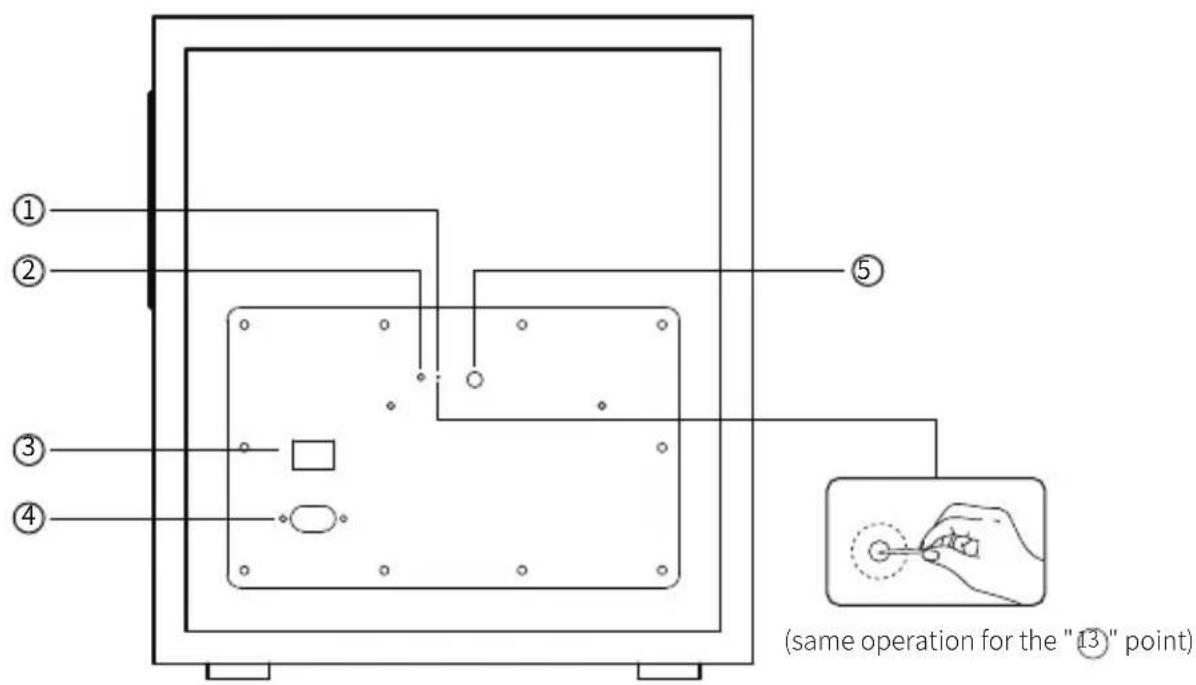
text_image
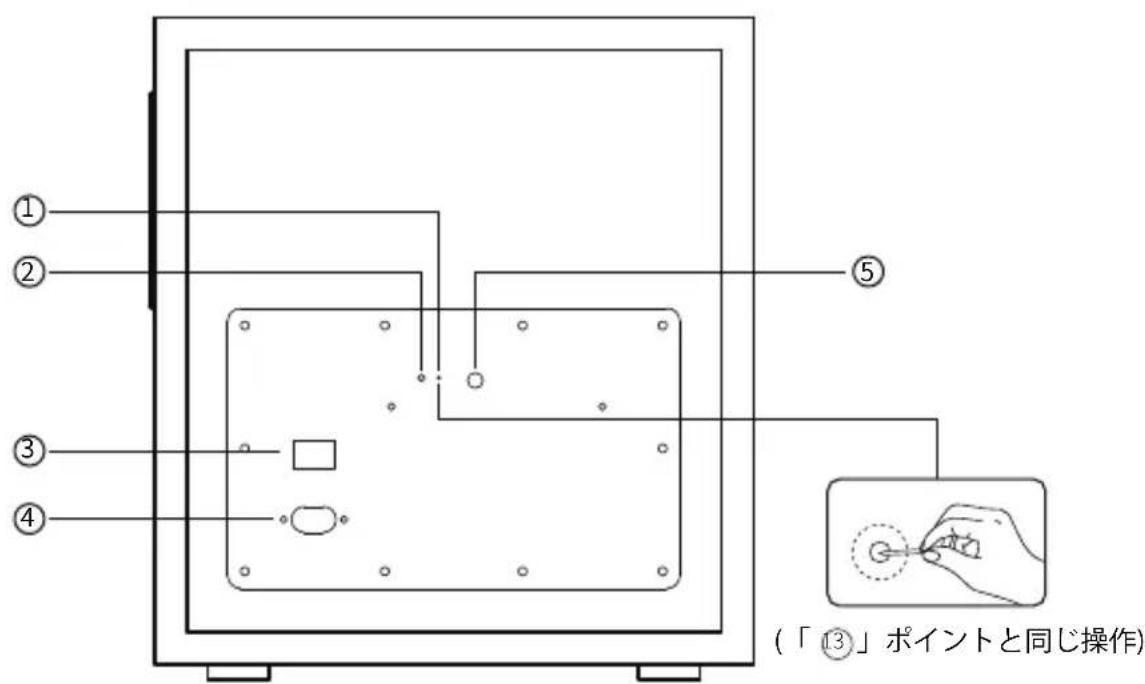
① ② ③ ④ ⑤ (same operation for the "13" point)- Pairing button (subwoofer pairing with active speaker)
The active speaker has been paired with the subwoofer before leaving factory. The wireless connection is supposed to resume automatically when both active speaker and subwoofer are powered on, and the red indicator will be constantly lit. If the wireless connection fails to resume, please follow the steps below to complete the pairing again.
- Power on the subwoofer, the status indicator should blink slowly, which means no active wireless connection;
- Press the "Pair" button on the back panel of the subwoofer to put it into pairing mode. The status indicator will blink rapidly;
- Press the "Pair" button on the back panel of the active speaker to put it into pairing mode;
-
Wait until the status indicator is lit constantly. Then the pairing is done and wireless connection is made.
-
Status indicator
-
Power switch
-
Power cable
-
Bass adjustment
Illustration
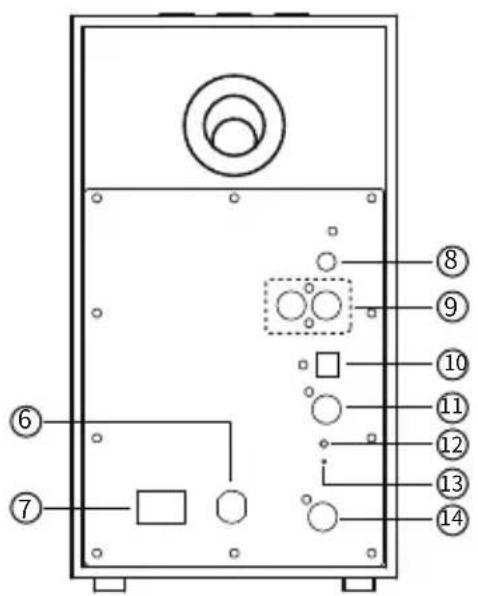
text_image
Technical diagram of a device panel with numbered components and circular features
text_image
15 16 17 - + +- Power cable
- Power switch
- AUX input
- Line In input
- Optical input
- Coaxial input
- Status indicator
- Pairing button (subwoofer pairing with active speaker)
-
Connect to passive speaker
-
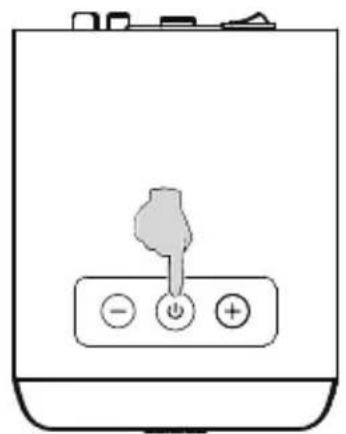
Volume down button
Press: volume down
Press and hold for around 3 seconds to disconnect Bluetooth (Bluetooth mode) -
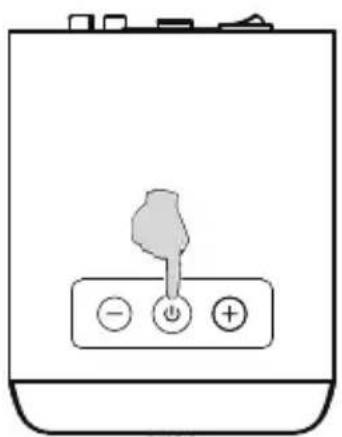
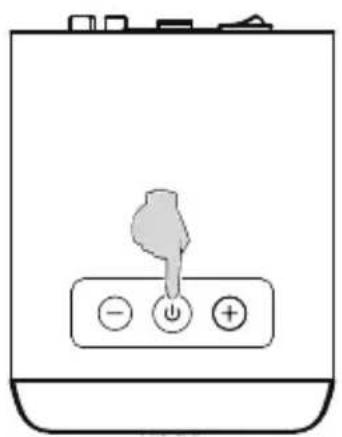
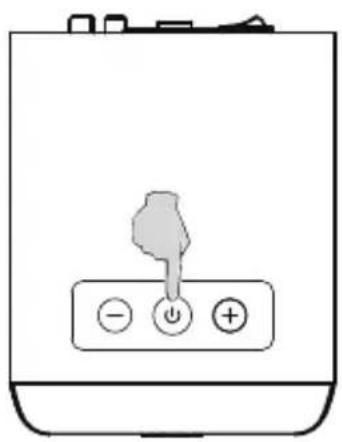
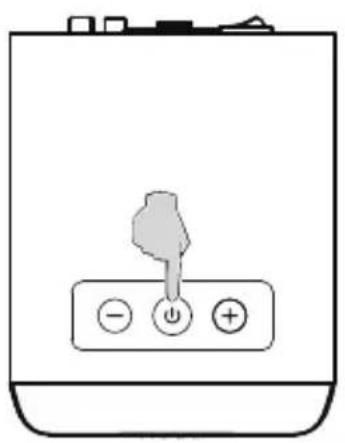
Power on/off / mode switch / mode indicator
Press: mode switch
Bluetooth: blue light flashes
AUX: green light flashes once
Line In: green light flashes twice
Optical: red light flashes once
Coaxial: red light flashes twice
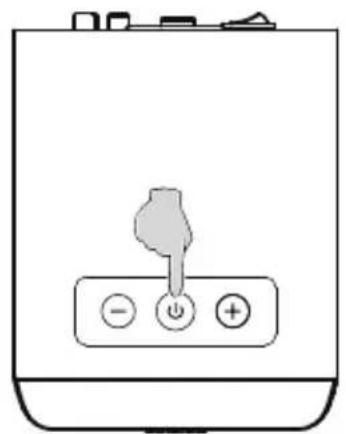
Press and hold: power on/off -
Volume up button
Press: volume up
Remote control
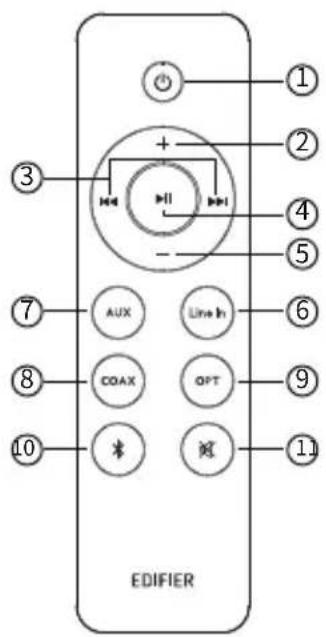
text_image
EDIFIER ① ② ③ ④ ⑤ ⑦ AUX Line In ⑥ ⑧ COAX OPT ⑨ ⑩ ⑪- Power on/off
- Volume up
- Previous track/next track (Bluetooth mode)
- Play/pause (Bluetooth mode)
- Volume down
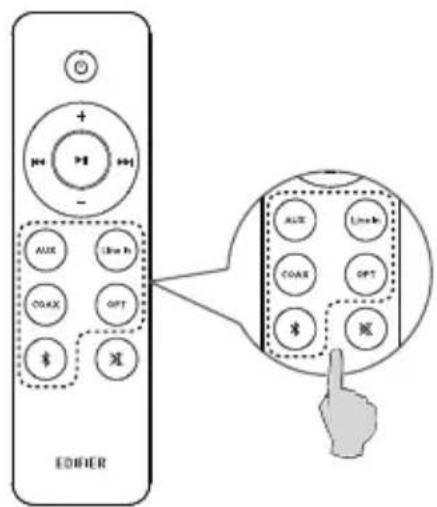
- Line In mode
Battery loading:
Please refer to the illustration to open the battery compartment, insert the CR2032 battery and close the compartment.
- AUX mode
- Coaxial mode
- Optical mode
- Bluetooth mode
Press: Bluetooth mode Press and hold: disconnect Bluetooth (Bluetooth mode)
- Mute/mute off
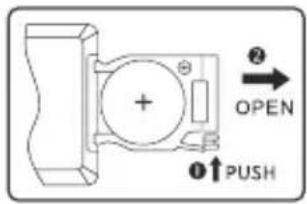
text_image
OPEN PUSH
WARNING!
- Don't swallow the battery; danger of chemical burn.
- The product includes a wafer battery. Swallowing this battery may lead to injury or death. Do not place the new or old battery in where children can get to it.
- Don't use the product if the battery cover is missing or not closed, and keep the remote inaccessible to children.
- Please go to the hospital immediately if the battery is swallowed.
Note:
- Do not place the remote control in places that are hot and humid.
- Do not charge the batteries.
- Remove the batteries when unused for a long period of time.
- The battery should not be exposed to excessive heat such as direct sun, fire or similar.
- Danger of explosion if battery is incorrectly replaced. Replace only with the same or equivalent type.
Connection
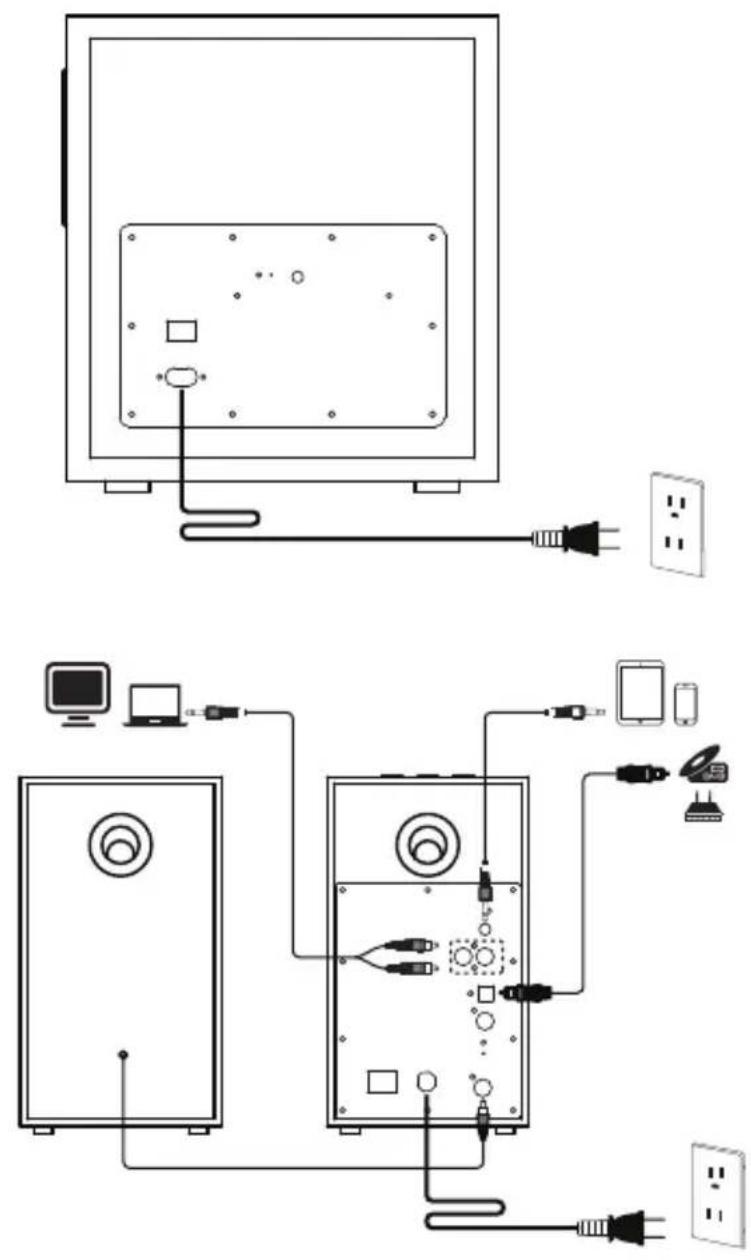
text_image
Diagram showing connections between a computer monitor, desktop computer, and audio equipment with labeled components.Audio inputs
natural_image
Simple line drawing of a battery with three buttons (no text or symbols)or
text_image
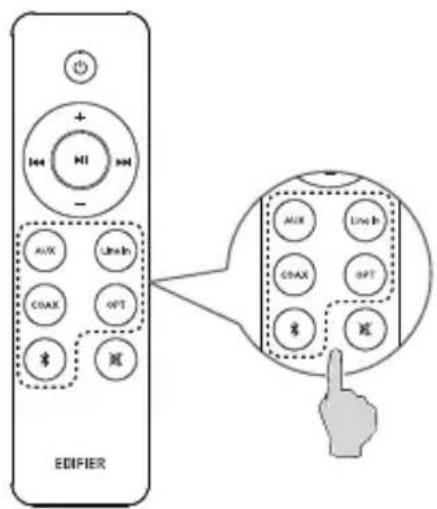
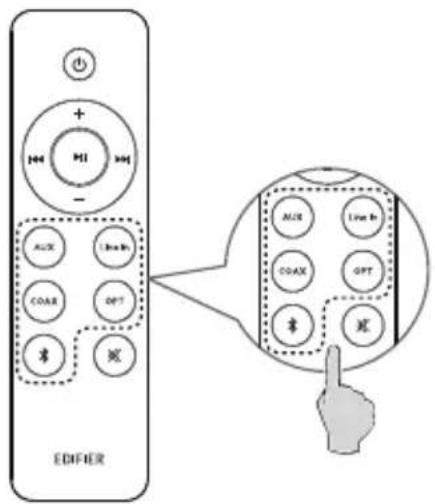
EDIFIER + HI - AUX Line-In COAX OPT $ 返1. AUX/Line In mode
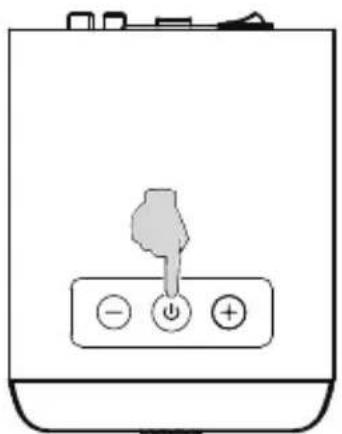
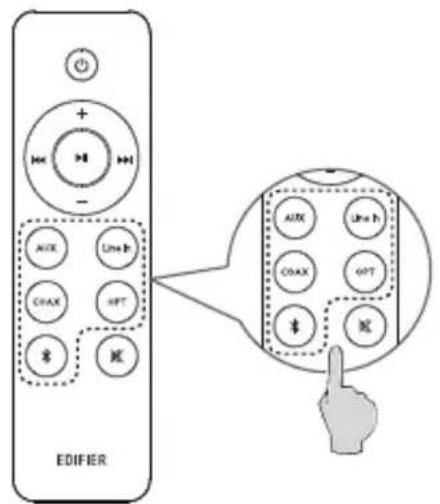
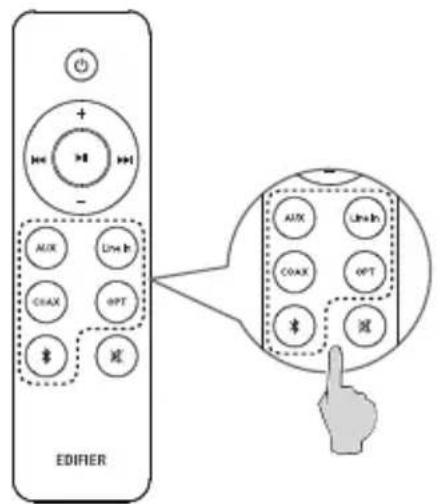
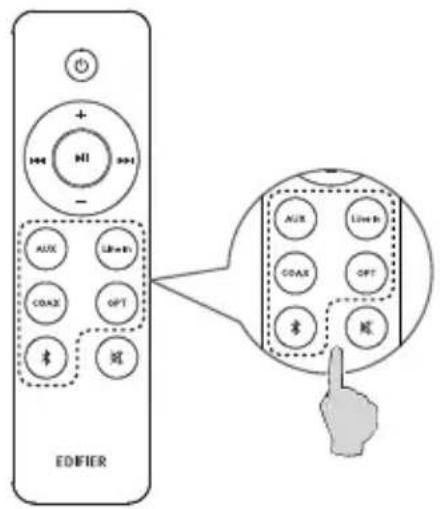
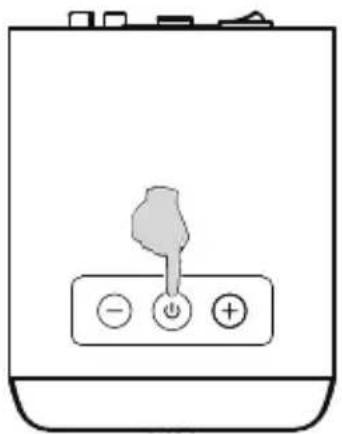
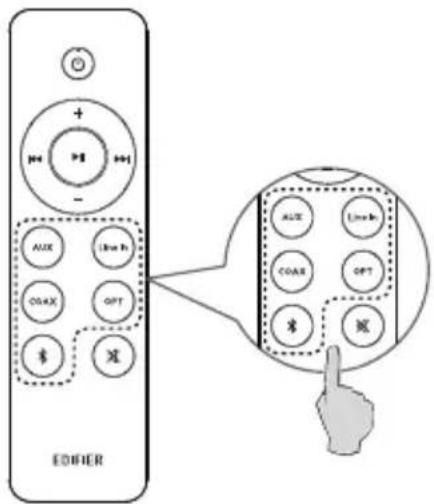
- Press the " ⏻" button on the active speaker, or press the " AUX " or " Line In " button on the remote control to switch to AUX or Line In mode (the green indicator will flash and then will be steady lit):
- Connect audio source (mobile phone, tablet, etc.) to the "AUX" or "Line In" input port (note color matching) on the rear panel of the active speaker using audio cable;
- Play music on the connected device and adjust the settings to a desired level.
2. Optical mode
- Press the " ⏻" button on the active speaker, or press the " OPT " button on the remote control to switch to optical mode (the red indicator will flash once and then will be steady lit):
- Connect audio source (DVD, Set Top Box, etc.) to the "OPT" input port on the rear panel of the active speaker using fiber optic audio cable:
- Play music on the connected device and adjust the settings to a desired level.
3. Coaxial mode
- Press the " ⏻" button on the active speaker, or press the " COAX" button on the remote control to switch to coaxial mode (the red indicator will flash twice and then will be steady lit);
- Connect audio source to the "COAX" input port on the rear panel of the active speaker using coaxial cable (coaxial cable not included):
- Play music on the connected device and adjust the settings to a desired level.
Audio inputs
4. Bluetooth mode
- It is Bluetooth mode by default when powered on for the first time; You can also press the " ⏻" button on the active speaker, or press the " ✗" button on the remote control to switch to Bluetooth mode (the blue indicator will flash rapidly);
- Set your Bluetooth device to search for and connect to "EDIFIER M601DB", after pairing is successful, the blue indicator will be steady lit.
- Play music on the connected device and adjust the settings to a desired level.
- To disconnect Bluetooth, please press and hold "─" on the active speaker for around 3 seconds, or press and hold the "*" button on the remote control.
Note:
- To enjoy all Bluetooth functions of this product, please ensure your audio source device has A2DP (Advanced Audio Distribution Profile) and AVRCP(Audio Video Remote Control Profile) profiles.
- Bluetooth connectivity and compatibility may differ amongst different source devices, depending on the software versions of source devices.
- Only the standard PCM audio signals (44.1KHz/48KHz) function in optical/coaxial mode.
Specifications
Total watts (peak): 220W
Total watts (RMS): 110W (R/L: 20W+20W SW: 70W)
Frequency response: R/L: 140Hz-20KHz
SW: 50Hz-170Hz
Audio inputs: Line In, AUX, Optical, Coaxial, Bluetooth
Declaration for EU
Frequency Band: 2.402GHz \~ 2.480GHz
RF Power output: ≤20 dBm (EIRP)
There is no restriction of use.
Troubleshooting
No sound
- Check if the speaker is ON.
- Try to turn up the volume using the volume control or remote control.
- Ensure the audio cables are firmly connected and the input is set correctly on the speaker.
- Check if there is a signal output from the audio source.
Cannot connect via Bluetooth
- Make sure the speaker is switched to Bluetooth input. If it is in other audio input modes, Bluetooth will not connect.
Disconnect from any Bluetooth device by pressing and holding the " * " button, then try again. - Effective Bluetooth transmission range is 10 meters; please ensure that operation is within that range.
- Try another Bluetooth device for connection.
The M601DB does not turn on
- Check if main power is connected, or if the wall outlet is switched on.
Noise coming from speakers
- EDIFIER speakers generate little noise, while the background noise of some audio devices are too high. Please unplug audio cables and turn the volume up, if no sound can be heard at 1 meter away from the speaker, then there is no problem with this product.
To learn more about EDIFIER, please visit www.edifier.com
For EDIFIER warranty queries, please visit the relevant country page on www.edifier.com and review the section titled Warranty Terms.
USA and Canada: service@edifier.ca
South America: Please visit www.edifier.com (English) or www.edifierla.com (Spanish/Portuguese) for local contact information.
Consignes de securite importantes
text_image
Technical diagram of a device panel with numbered components and circular features highlighted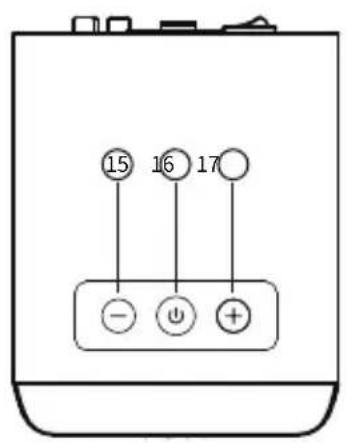
text_image
15 16 17 - + +text_image
Diagram showing connections between a computer monitor, audio equipment, and power supply via cable and socket devicesEntrée audio
natural_image
Simple line drawing of a battery with three buttons (no text or symbols)ou
text_image
EDIFIER + - AUX Line Rx COAX OPT $ 减 AUX Line Rx COAX OPT $ 减Watts totaux (pic): 220W
Watts totaux (RMS): 110W (R/L: 20W+20W SW: 70W)
text_image
Technical diagram of a device panel with numbered components and circular features, likely for assembly or labeling.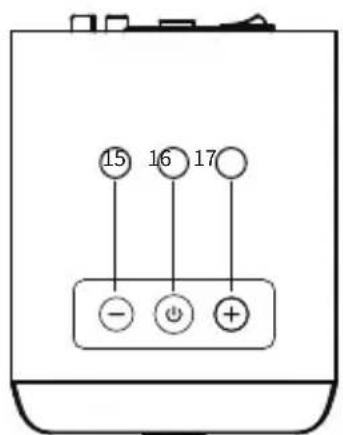
text_image
15 16 17 - + +text_image
EDIFIER ① ② ③ ④ ⑤ ⑦ AUX Line In ⑥ ⑧ COAX OPT ⑨ ⑩ × × ⑪text_image
Diagram showing connections between a monitor, audio equipment, and connected devices with labeled components.Entradas de audio
natural_image
Simple line drawing of a battery with a handle and three buttons (no text or symbols)0
text_image
EDIFIER + MI - AUX Line In COAX OPT $ $ $ AUX Line In COAX GPT $ $ $text_image
Technical diagram of a device panel with numbered components and labeled parts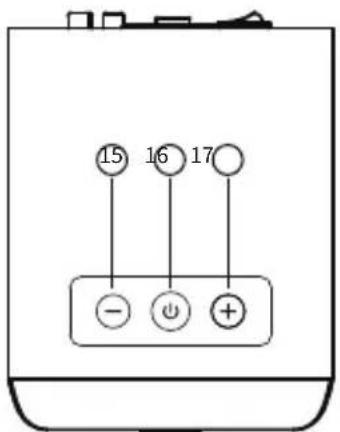
text_image
15 16 17 - + +text_image
EDIFIER ① ② ③ ④ ⑤ ⑦ AUX Line In ⑥ ⑧ COAX OPT ⑨ ⑩ × × ⑪text_image
OPEN PUSH
WARNUNG!
text_image
Diagram showing connections between a computer monitor, audio equipment, and connected devices via cables and power lines.Audioeingänge
natural_image
Simple line drawing of a battery with three buttons (no text or symbols)oder
text_image
EDIFIER AUX Line h COAX 6PT #2 #3 CX Line In CHAX HPT #4 #5 CX Line Innatural_image
Line drawing of a speaker with two circular speakers and an 'EDIFIER' label (no other text or symbols)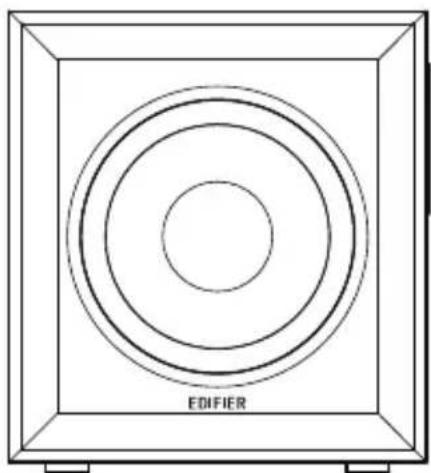
natural_image
Diagram of concentric circles inside a square frame labeled 'EDIFIER' (no other text or symbols)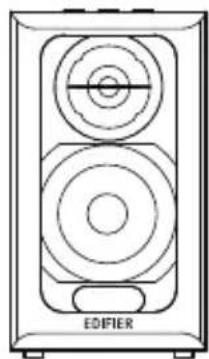
natural_image
Line drawing of a speaker with two circular speakers and an EDIFIER label (no text or symbols on the diagram itself)
text_image
Technical diagram of a device panel with numbered components and labeled circular featurestext_image
EDIFIER ① ② ③ ④ ⑤ ⑥ ⑦ AUX Line In ⑧ COAX OPT ⑨ ⑩ ⑪text_image
Diagram showing connections between a TV and audio equipment system with labeled components and wiring paths51 Italiano
Ingresso audio
natural_image
Simple line drawing of a battery with three buttons (no text or symbols)oppure
text_image
EDIFIER + - AUX Live In CAX OPT $ $ $ AUX Live In COAX OPT $ $ $text_image
Technical diagram of a device rear panel with numbered components and labeled circular features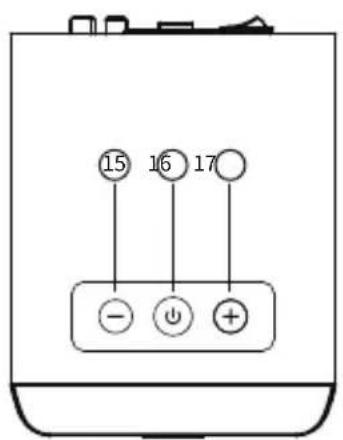
text_image
15 16 17 - + + +text_image
① ② OPEN ①↑PUSH
AVISO!
text_image
Diagram showing connections between a computer monitor, desktops, and audio equipment with labeled components.Entrada de áudio
natural_image
Simple line drawing of a battery with a handle and three buttons (no text or symbols)ou
text_image
EDIFIER Aux Lift+R1 COAX OPT #2 #3 #4 Aux Live+R COAX OPT #2 #3natural_image
Line drawing of a speaker with two circular speakers and an EDIFIER label (no text or symbols on the speaker itself)パッシブスピーカー
natural_image
Technical diagram of a square speaker with concentric circles and 'EDIFIER' label (no other text or symbols)natural_image
Line drawing of a speaker with two circular speakers and an EDIFIER label (no text or symbols on the device itself)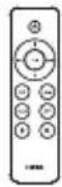

3.5mm-RCAオ
ーディオケーブル
RCA-RCAオーディオケーブル
光角型ケーブル
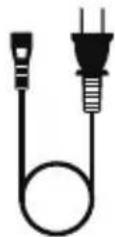
電源ケーブル ユーザーズガイド
注記:画像は参照用です。
各部の名称と主な機能
text_image
Technical diagram of a device panel with numbered components and circular features, likely for assembly or labeling.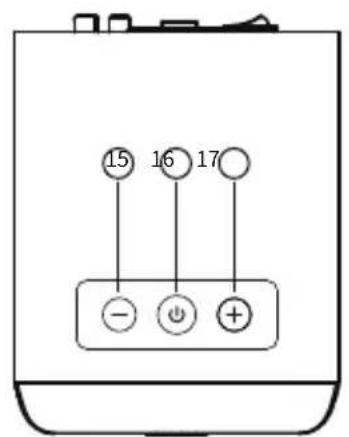
text_image
15 16 17 - + +text_image
① ② OPEN ①↑PUSH
ご警告
text_image
Diagram showing connections between a computer monitor, two audio equipment units, and power outlets with labeled components.オーディオ入力
natural_image
Simple line drawing of a battery with a knob and three buttons (no text or symbols)または

text_image
EDIFIER + - AUX COAS $ Line OPT $ $ $1. AUX/ラインモード
natural_image
Line drawing of a speaker with two circular speakers and an 'EDIFIER' label (no other text or symbols)Пассивная колонка
natural_image
Simple line drawing of a square frame with concentric circles and the word 'EDIFIER' at the bottom (no other text or symbols)natural_image
Line drawing of a speaker with two circular speakers and an 'EDIFIER' label (no other text or symbols)
управления (ДУ)
text_image
Technical diagram of a device panel with numbered components and labeled parts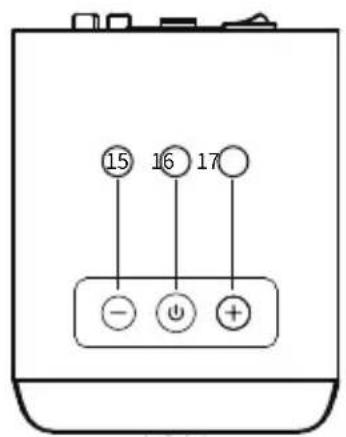
text_image
15 16 17 - + +text_image
Diagram showing connections between a computer monitor, two audio equipment monitors, and connected devices via cable and power lines.Аудиовход
natural_image
Simple line drawing of a battery with three buttons (no text or symbols)ИЛИ
text_image
EDIFIER + 100 - AUX Line Rx COAX OPT $ 减 AUX Line Rx COAX OPT $ 减Manual Edition 1.0, February 2021
IB-200-M06010-00



@Edifier_Global @Edifier_Global@Edifierglobal
Model: EDF100009
FCC ID: Z9G-EDF125
IC: 10004A-EDF125
Contain FCC ID: Z9G-EDF54
Contain IC: 10004A-EDF54
Edifier International Limited
P.O. Box 6264
General Post Office
Hong Kong
Tel: +852 2522 6989
Fax: +852 2522 1989
www.edifier.com
© 2021 Edifier International Limited. All rights reserved.
Printed in China
NOTICE:
For the need of technical improvement and system upgrade, information contained herein may be subject to change from time to time without prior notice.
Products of EDIFIER will be customized for different applications. Pictures and illustrations shown on this manual may be slightly different from actual product. If any difference is found, the actual product prevails.