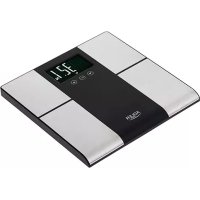
AD 8165 - Scale ADLER - Free user manual and instructions
Find the device manual for free AD 8165 ADLER in PDF.



| Product Type | Body Composition Scale (Bioelectrical Impedance) |
| Brand | Adler |
| Model | AD 8165 |
| Platform | Tempered Glass |
| Maximum Capacity | 150 kg |
| Accuracy | 100 g (0.1 kg) |
| Measurement Units | kg, lb, st.lb |
| Display | LCD Screen |
| Power Supply | 2 AAA batteries (1.5 V) |
| User Memory | 10 profiles (P-1 to P-10) |
| Measurement Functions | Weight, BMI, Body Fat %, Body Water %, Muscle Mass %, BMR (kcal) |
| Automatic User Recognition | Yes (by weight, deviation +/- 3 kg) |
| Athlete Mode | Yes (athletic male/female) |
| Activity Levels | 5 levels (sedentary to extremely active) |
| Age Range | 18 to 80 years |
| Height Range | 100 to 220 cm |
| Safety | Not recommended for pregnant women, pacemaker wearers, etc. |
| Usage | Indoor use only, on a flat, hard surface |
| Cleaning | Soft dry or slightly damp cloth |
| Repairability | Do not repair yourself, contact a professional |
Frequently Asked Questions - AD 8165 ADLER
User questions about AD 8165 ADLER
0 question about this device. Answer the ones you know or ask your own.
Ask a new question about this device
Download the instructions for your Scale in PDF format for free! Find your manual AD 8165 - ADLER and take your electronic device back in hand. On this page are published all the documents necessary for the use of your device. AD 8165 by ADLER.
USER MANUAL AD 8165 ADLER
SAFETY CONDITIONS. IMPORTANT INSTRUCTIONS ON SAFETY OF USE PLEASE READ CAREFULLY AND KEEP FOR FUTURE REFERENCE
- Before using the product please read carefully and always comply with the following instructions. The manufacturer is not responsible for any damages due to any misuse.
- The product is only to be used indoors. Do not use the product for any purpose that is not compatible with its application.
- Please be cautious when using around children. Do not let the children to play with the product. Do not let children or people who do not know the device to use it without supervision.
- WARNING: This device may be used by children over 8 years of age and persons with reduced physical, sensory or mental capabilities, or persons without experience or knowledge of the device, only under the supervision of a person responsible for their safety, or if they were instructed on the safe use of the device and are aware of the dangers associated with its operation. Children should not play with the device. Cleaning and maintenance of the device should not be carried out by children, unless they are over 8 years of age and these activities are carried out under supervision.
5.Never put whole device into the water. Never expose the product to the atmospheric conditions such as direct sun light or rain, etc.. Never use the product in humid conditions. - Never use the product if it was dropped or damaged in any other way or if it does not work properly. Do not try to repair the defected product yourself because it can lead to electric shock. Damaged device always turn to a professional service location in order to repair it. All the repairs can be done only by authorized service professionals. The repair that was done incorrectly can cause hazardous situations for the user.
- Never put the product on or close to the hot or warm surfaces or the kitchen appliances like the electric oven or gas burner.
8.Never use the product close to combustibles.
9.Never use this device close to water, e.g.: Under shower, in bathtub or above sink filled with water. - Do not touch the device with wet hands.
- The batteries may leak if they are flat or were not used for an extended period of time. To protect the device and your health, replace them regularly and avoid skin contact with leaking batteries.
- The device should be turned off each time it is put aside.
- Please use the device on a stable and flat surface.
- Please keep the device away from the influence of strong electromagnetic fields.
- Please ensure that the surface on which the device is used is not damp or slippery.
- Please ensure that heavy objects do not fall on the display and glass part of the device.
17.If product is not used for an extended period, please remove the battery.
18.DO NOT strike, DO NOT shake and DO NOT drop the device. - Stand still on the scale while the measurement is being taken.
20.Do not use for commercial or medical purposes.
21. It is recommended that you weigh yourself at the same time each day.
22. The measurements given by the scale can be misleading if you weigh yourself after intense exercise, during a strict diet or if you are dehydrated.
23. People under 18 years of age and the elderly may use only the weight measurement option. The results of measurement options (amount of water, fat or muscle) can be misleading for people over 80 years of age and people who practice bodybuilding.
24. The device is not intended for pregnant women, people undergoing dialysis, people with heart pacemakers and other medical implants.
25.If your measurements differ from the norm, consult a physician.
26. The scale will not calculate body fat unless you have bare feet.
27. For an accurate body fat estimate, do not bend your knees, and keep your legs/thighs apart and straight when standing on the scale.
28. The body fat function is not recommended for use by pregnant women, people with fever, swollen legs or other edemas, as well as a person who is over hydrated or dehydrated.
29. Body fat percentages may be slightly higher or lower for users with diabetes and other health conditions.
30. Women naturally store approximately 5% more body fat than men.
DESCRIPTION OF THE DEVICE (Fig. 1)
1.1 - Function keys:
a) Up button b) Down Button c) On button / SET button
1.2 - LCD display 1.3 - Measurement plates 1.4 - Scale platform
LCD DISPLAY (Fig. 3):
3.1-BMI readout 3.2-Body fat % reading 3.3-Body water % reading
3.4 - Muscle mass % reading 3.5 - Calories 3.6 - Athlete mode icon/activity level icon
3.7 - Male icon 3.8 - Female icon 3.9 - Height displayed in feet/inches (for lb readout only)
3.10-Weightin kg 3.11-Weightin Ib 3.12-Weightin st
BEFORE FIRST USE
Insert the correct batteries into the compartment (See "Replacing the battery").
WEIGHING
1) Place the scale on a hard and flat surface (avoid carpets and soft surfaces).
2) Gently step on the scale. Stand on the scale evenly distributing your weight and do not move until your weight reading shown on the display. If you are in socks display will show ERR-1 mark as is unable to start body composition measurements.
SETTING MEASUREMENT PARAMETERS
You can set: user number, gender (and body type), activity level, height and age
1) Press SET (c) button. An option to set the user memory number will appear blinking.
3) Use arrows (a) and (b) buttons to choose a user memory number (10 memories available: P-1 - P-10).
4) Press SET (c) to confirm your choice.
5) An option to set the gender and body type will appear blinking.
6) Use arrows (a) and (b) buttons to choose your type between: female, male, female athletic type, male athletic type.
NOTE: Athletic type is a type who consistently trains minimum 3 times per week for two hours each time, in order to improve specific skills required in the performance of their specific sport and/or activity.
7) Press SET (c) to confirm your choice.
8) Select your activity level according to the following guidelines:
Level-1 Sedentary/very inactive: little or no exercise
Level-2 Limited activity: exercise/sports 1-3 days a week
Level-3 Moderate activity: exercise/sports 4-5 days a week
Level-4 Very active: exercise/sports 6-7 days a week
Level-5 Extremely active" physically demanding exercise/sports or athletic training.
9) Press SET (c) to confirm your choice.
10) Select your height (between 100 - 220cm tall)
NOTE: device is showing weight in kilograms and height in centimeters.
11) Press SET (c) to confirm your choice.
12) Select your age A-18 - A-80 (individuals aged 18 to 80)
13) Press SET (c) to confirm your choice. Scale will show "0.0" on the screen ready to measure weight. Your personal information is saved in memory.
WEIGHING WITH MEASUREMENT
1) Place the scale on a hard and flat surface. Take off socks, position your feet with maximum contact on the metal plate of the platform.
2) Press the SET (c) button. The last user's memory number and parameters will appear. If you want to change the user or parameters use the
(a) and (b) buttons once parameters are blinking. Wait until the display shows "0" and is ready to weigh.
3) Gently step on the scale platform with bare feet. Both feet should touch the measurement plates (1.3). Stand on the scales evenly distributing your weight and do not move until your weight reading shown on the display stops changing and the measurement sign:
0000 appears. Once done, the scale will show results in the following sequence: BMI readout, body fat %, body water %, muscle mass %, basal metabolic rate (kcal), weight (kg, lb, st). Results will be repeated 2 times then scale will turn off automatically.
AUTOMATIC USER IDENTIFICATION
While you have programmed your personal data into memory and weighted yourself once, the scale will recognize you by your weight. It will detect all profiles within +/-3 kilograms (6.6lbs). Just step on the platform with bare foot and wait until scale recognizes your weight and compare them with memorized programs. Your weight will display for 2 seconds and then scale will start body composition measurements.
If there is more than one user profile whose weight is close to the person being weighed (within 3kgs) scale will show 2 closest programs that are conflicting (for example: P1P2). Step off the scale and press down and up buttons to choose your profile.
NOTE: you can delete programs from the memory if they are in conflict. While scale is showing conflicting programs select one of them by pressing arrows (a or b). Then hold SET button for 3 seconds. Display will show "dEL". Next time the scale is turned on, profile will be deleted from the memory.
SELECTING UNITS OF MEASURE (Fig.2):
UNIT button is at the back of the scale. Press the UNIT button to change the units of measure. Units of measure: "LB", "KG", "ST.LB". The unit will be visible on the display.
MESSAGE
Lo - Low battery
Err-Excessive scale load
0000 - During measurement
REPLACING THE BATTERY (Fig.2):
Remove the lid of the battery compartment at the bottom of the scale. Remove the old battery. Insert the new battery of the right type.
Close the lid of the battery compartment.
CLEANING AND MAINTENANCE
Gently wipe the scale with a dry or slightly damp cloth.
TECHNICAL DATA
Power: 3x 1.5V LR03 (AAA) battery
Capacity: 225kg
Accuracy: 100g
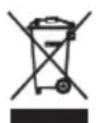
To protect your environment: please separate carton boxes and plastic bags and dispose them in corresponding waste bins. Used appliance should be delivered to the dedicated collecting points due to hazardous components, which may effect the environment. Do not dispose this appliance in the common waste bin.
DEUTSCH
OPIS UREDAJA (SI. 1)
1.1 - Funkcijske tipke:
a) Dugme za gore b) Dugme za dolje c) Dugme za uključivanje / dugme SET
1.2 - LCD displej 1.3 - Merne pločice 1.4 - Platforma za skaliranje
LCD DISPLAY (SI. 3):
3.1 - Očitavanje BMI 3.2. - Tjelesna masnoća% Čitanja 3.3- Čitanje vode u tijelu%
3.4 - Misicna masa% Čitanja 3.5 - Kalorije 3.6 - Ikona za mod sportaša / ikona nivoa aktivnosti
3.7 - Muska ikona 3.8 - Zenska ikona 3,9 - Visina prikazana u stopalima / incima (samo za citanje u funti)
3.10 - Tezina u kg 3.11 - Tezina u kilogramima 3.12 - Tezina u st
PRE PRIMENE
Umetnite odgovarajuce baterije u pretinac (pogledajte „Zamena baterije").
TEZINA
1) Postavite vagu na tvrdu i ravnu povrsinu (izbjugavajte tepihe i meke povrsine).
2) Nežno zakoračite na vagu. Stojte na vagi ravnomjerno rasporedujuci svoju težin i ne pomicite se doknice prikazano Čitanje težine displej. Ako ste u Čarapama, na ekranu ce se pojaviti oznaka ERR-1 jer不同程度 zapoceti mjerenja sastava tijela.
PYOMIISHAPAMETPQN METPHH
BmetheToHnTe 6aTeepn BO OndeIOT (BnTe "3aMeHa Ha 6aTepnjata").
TeKHa
1) NocTabeTe ja cKaIaTa Ha TbPda n paMaHa NOBpuHnA (n36erHyBaJte TeINcN m MeKn NOBpUHH).
2) HeXHo YekOp Ha cKaJaTa. 3acTaHeTe Ha cKaJaTa paMHomepHo pacPpeJeLyBajKn ja BaJaTa TeXHa n He DnXKeTe ce DokeKa He Ce npKae YHTaHbETo TeXHa
Icnnejot. Ako cte BO yapann, ekpaHOT ke ce nokaxe ERR-1 mapka, 6ndejkHe e BO MOxHOCT da rN 3anoHHe MepeBaTa Ha
IOCTABYBA PARE HA IAPMETEPITE HA MEPKI
Mokete da noctabite: Kopuchnuk 6poj, non (H TINOT Ha TeNtOTo), HIBOTO Ha AKTUBHOCT, BNCHaTa N BO3pacta
1)ПиTuTicHeTe ro konuTeTo CET (B). Ce noJaByBa onuJia 3a noctaByBaHbHe Ha 6poJoT Ha MemOpnJa Ha KopncHikOt.
3) KopncTeTe rKoNnHbTa co cTpeKn (a) n (6) 3a da n36epTe KOpncnHcKn 6poj Ha Memopja (10 doCTaHn cekBaHa: P-1 - P-10).
4)Пи捜снete CET (В) 3a Да ro notврдte BaшлnotИЗбор.
5) Onuja 3a OnpedyBaHe Ha NOnOT N BnOTo HA TeNoTo Ke ce Nojabn KaKo TpeNka.
6) Kopnctete Tn KOnHbata co cTpeJIkn (a) n (6) 3a da n36epTe Baunot TnI NOMEy: JeHcN, MaUKN, JeHcN aTJETCKN TnI, MaUKN aTJETCKN TnI.
3A6EJIeIKA:ATnTcKnot Tn e Tn Koj nocTojano TpeHpa MNHMym naTn HeJeNHO Da yaca cekoj nT, co zen da rno noo6pn CneuunHNTe BwTNn Notpe6HN 3a N3BpUyBaHe Ha HNBnOT CNEUdHcHcNOpT n / nn AKTNBHOCT.
7)Пи捜снete CET (В) 3a Да Го Notврдte Baшлnot n3бор.
8)Изберето Га Baшето НИВHA akTNBHOCT CNopeД,CпДнИБуЯТСТВА:
HnBO-1 CeIeHTapeH / MHOrHy HeakTnBEH: MaIKy IIN HnKaKBO BeX6aBe
Hnbo-2 orpaHueHa AKTNBHOCT: BEx6aHe / cnopt 1-3 DeHa HeJeHIO
HnBO-3 Ymepena aKTINBHOCT:Bex6aHe / cnopt 4-5 DeHa BO HeJeJaTa
HnBO-4 Mhory aKTHBHO:Bex6aHe / cnopt 6-7 deHa HeJeHIO
HnBO-5 EkTpeMHOAKTNBHN "fN3uK KO 6apaaT fN3uK BEK6n / cnoptckn nIN CNoPcTK TpeHHr.
9)Пи捜снete CET (В) 3a Да Го Notврдte Baшлnot n3бор.
10)Изберете ja BaшаТа Всинa (ВИСОКA od 100do220cm)
3A6EJIeIKA: ypeoT nokkyBa TeKHa BO KINOrpam N BucnHa Bo CaHTmEptn.
11)Пи捜нше CET (В) 3aда ro notврдпte BaшиOT n3бор.
12)ИЗбере te ja Bo3pacTa A-18 -A-80 (ица Na Bo3pacTo od 18do 80 roДин)
13) PnTncHe CET (B) 3a da ro notbnpnte Baunot n36op. CkaJata ke ce npKaeke 0,0^ Ha ekpaHOT noIrotBeHa 3a Mepebe Ha TeKHHa. Baunte NmHN HOpmauin Ce 3aYByBaat BO Memopjata.
Texinha co Mepehe
1) Ctabete ja ckaJATA ha TBpda n pamHa noBpuHnHa. Co6JeTe rH opaHnTe, NOCTabeTe rH Ho3eTe CO MAKCImaJIeH KOHTAHT Ha MeTaNHa TIOOHa H IJaTDPoPMata.
2)ПиTNCHeTe ro konTuTo CET (В). Numbere ce nojabat 6pojOT u napaMeTpIte Ha nocneHnOT KOpNCnK. Ako cakate da ro npomHeTe KOpNCnKOT uJn npaMeTpIte, KopncTeTe rKoNunbata (a) u (6) wTom Ke ce cBeTHaT napaMeTpIte. IouekajTe dokeKa dncJIpejOT He nokaKe ,0" u e noJroTBen Da TeKu.
3) Hexho CTanHeTe Ha nnatopMaTa co pa3rOleHn Ho3e. DBeTe CTanana Tpe6a da rN Doonpat MePHnte nIoou (1.3). 3actaHete HaCKaJIte paAMHOmePHo
IInCTPn6ynpajte ja BaWata TeKHa I He DnXKeTe Ce DoEka BaWeTo YHTaHe TeKHa npKaKaHo Ha ekpaHOT He pecTaHe da ce MeHyBa 3HaKOT 3a MpeHe:
Ce nojabyba 0000. Otkako ke ce 3abpun, ckanata ke nokaxe pezyltaTn BO cneHaba H3a: YtTaBe Ha BMI, TeNecHa mact%, TeNecHa Boda%, Myckylnha maca%, CTanka Ha 6a3aIeH Meta6oIIN3am (kcal), Tekina (kg, lb, st). PezyltaTne Ke ce nobTopat 2 naTn, toraw ckanata aBTOMATcKn Ce NCKnyuBa.
NdeHTnФнKaUJaHa aBtOMaTcKn KOpnCHNK
Iodeka cTe rN nporpaHapale Baunte JnuchnnoaTO BO MemOpna n ce 6pojaTcebe edha,ckaanata Ke Be npeno3hae cnopei TeKHaTa. Wille ng otKpne cnte npocnbo pamknte Ha +/- 3 KInoRpaMn (6,6 KInoRpaMn).Camo 3actane He nnatopmata co rola Hora n noyekajTe Idoeka cKaJATA He ja npeno3Haete Baata TeXHa n cnopeDeTe rN co 3anaMeTeHn nporpaMn. Baata TeXHa ke ce npinkaxe 2 cekyHn n noToa cKaJATA Ke 3anoHHe CO MepeBa HA CoCTABOT HA TENoTO.
Ako nBaKe oEeH npOuHn Ha KopucnU, uJa TeKHa e 6n3y do nueTo Koe ce Mepn (Bo paMKnTe Ha 3Kr), Ke ce npKacat 2 Haj6nckn nporpamn To ce cnpotnbctabyaat (Ha npMep: P1P2). NocTabete ro od cKaIata n npNTncHeTe rKoNHBata HadoNy n Harope 3a da ro n3bepTe Baunot npOuHn.
Beneuka: Moxete da rH n36pniuTe nporpaMITE od Memopjata aKO Tne CE BO cydnp. Odoeka cKaIaTa NOKaKyBa KOHΦnKTHnporpaMn n36epeTe eHa oN HVB co npTnckaBe Ha CTpeN (a nn 6). ITooa, dpxeTe ro konyeTO CET 3 cekyn. Ekaphot Ke ce npikkae ,dEL". CneHnot nat kora ke ce Bknyu cKaIATA, npoФnOt ke ce n36pniuTe od Memopjata.
136OPHNA EINHUNTE 3A MEPKN (Cn.2):
KorcheTo UNIT e Ha 3aHnOt dIe OI cKaIATA. PpHTncHeTe ro KOnHeTo UNT 3a Da Ia IINPOMeHInTe MePHInTe eHNuN. EHNuN3a Mepka: J5, KΓ, CT.J5. EHNuIcata Ke 6Ie BUNIbHa ha ekpaHOT.
IIPAUAA
Lo - Hncka 6aTepejna
「pelska - Pperonem TOBap Ha ckana
0000-3aBpeMeHaMepeHbeto
PEAKUPAE HA BATEPUJA (Cn.2):
OCTpaHete ro kanaKOT ha 6atepujata Ha dHOTo Ha cKaJATA. OTePaHete ja cTapaTa 6atepuJa. BMeTHeTe ja HOBATA 6atepuJa od BnCTNHCKNOT TIN.
3aTbOpTe ro kanaKoT Ha 6aTepujata.
CHCTEEIOOPYBAE
Hexho n36pnweTe ja ckaIaTa co cyBa nn MaIky BnaKHa Kpna.
TEXHNUKIPOADATOLU
Mokhoct:3,5V LR03 (AAA) 6aTepuja
Kanauntet:225 K
ToHocT:100rp
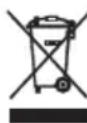
Ce rpnKIMe 3a npnpOHaTcpeDnHa. KapTOHCKNTe NaOKBm MOJIme da ce HameHaT 3a peuKNipAhe. TOnneTInHeOBHTe Kecn (PE) da ce cPnAT BO KOHTeHep 3a nnactka. NcKOpNCTeHnot ypeI Tpe6a da ce npeJaTe BO COoDBeTHNOt CKJaNpaQKn nyHK, 6nDejKn He636EHNTE COCTojkn KOn CE HAOraaT BO ypeOT MoKaT da 6nDaT 3arpo3yBaHe 3a CpeINHaTa. EJIeKTPnuHnot ypeI Tpe6a Da ce npeJaTe Ha HauH Koj Ke OHeBO3MOxN HeROBa IOBtOpHa YIOtpe6a NcKOpNCTyBaHe. Iokolky BO ypeIOT mMa 6atepnn, Tpe6a da ce n3BaadT nOce6Ho Da ce npeJaTaT BO CKJaNpaUckNoT pyHKT.
CESKY
BEZPECNOSTNI PODMINKY. DULEZITE POKNY PRO BEZPECNOST POUZIVANI PRECTETESI POZORNE PRECTETESIA UCHOVÁVAJTE PRO BUDOUCI
REFERENCE
B3BeUBAHnC n3MepeHnEM
1)IomeCTHeBcHnTBepyIOIIOCKyIOIOBepxHOCTb.CHIMITE HOCKN,IOCTaBBTe HOrnCMKcMajHBiM KOHTAKOM Ha METaJIINueCKyIOIIaCTHyIITaTOOPMbI.
2) Haxmte KhoNky SET (c). NOBrTcHomep n npametpbI namrtn NoCneHero noJb3ObaTeJI. Ecn bXOTNE u3MeHnTB NOJb3ObaTeJI INI npametpbI, nCIOJIb3yIe KhoNkn (a) n (b), KOra npametpbI mraot. IooKdnte, noka Ha dncnnee He noRbNTcR «0» n OH He 6ydet rOtB K B3BeuBaHnIO.
3) Octopoxho HacTyHne Ha IIaTphiOpMy BecOB 6ocbIMn HOramn. Obe HOrn DOJXhbl KacaTbcr NImepnteJIbHbIX PnactnH (1.3). CToarTb Ha Becax paBHomepHo
pacnpedeJIaTe CBOB BEc N He DnBraTecb, Ioka NOKa3aHnBaWero BEca, NOKa3aHHbIe Ha DCnPee, He nepeCTaHT N3MeHrTbcrN 3HaK n3MepenH:
0000 noBnTc. nOcIe 3TOrO shkana nokaxet pe3yNbTaTbI B cIeDyUoSei NOCneIOBaTeNbHOCTn: CHTbIBaHne IMT, % Xnpa B opraHn3Me, % BObl B oprAHn3Me, % MbIweHOn MaCbI, CKOpOCTb OCHOBHOro 6MeHa (KKn), BEc (Kr, fYHTbl, ). Pe3yNbTaTbI 6yDyT nobTopeHb 2 pa3a, nocIe Yero shkana ABTomATuWeCKN OTKnIOHTcR.
ABTOMATUUECKA INDEHTNOKAUJI NIOJB3OBATEJI
XotBbI 3anporpammpoBaan CBOI NnHbIe daHHbIe B nAmrTb I B3BeCnII CE6b OIN pa3, BeCb y3HaOT Bac no BaWemy Becy. OH o6hApjKHT Bce npOoPmN B npdeJax +/- 3 KInorpaMMA (6,6 cyntOB). PpocTo HAcTyPiTe Ha nnatopmy BoCbIMn HOrAMn I NoOxDiTe, noka BeCbI He paCno3HaIoT Baw BC IN CpaBHTe IN C 3ayehHbIMn Iporpammam. BaW Bec 6ydet OTobpaKaTbcra B TeueHne 2 cekyHd, a 3aTeM uKana NaHET n3MepeHncoCTaba TeJa.
Ecni cyuectbyet 6oone oHoro npoqnna noIb3OBateJRA, BEc KOTOPORO 6n3OK K BEcy B3BeuNBAEMORA yeNoBeka (B npeDenax 3 Kr), 6ydyT POKa3AHb IBe HAn6OJIee KOHpNIKTyUOUIne nporpaMMbI (HaNPIMep, P1P2). OTrtyNTe OT WkaJIb N HaxmMaTe KNKn BN3 IN BBepx, YTO6bl Bb6paTB CBOI npoqnbl.
PIMMEAHHE: Bb moKeTe ydaIaIb npOrpaMMbI n3 naMn, ecnn OHn KOHpNIKkTyOJ. Noka shkaIa Noka3bIbAeT KOHpNIKkTyOJIe
PpRMMbl, Bb6epnte OndHy n3 HnX, Haxmamc TpeKn (a nn b). 3aTeM yedePxBaIte KhoNkY SET B TeueHne 3 ckyHd. Dncnne POKaKeT «dEL>. Pnp CneDyUoE m BKnOuChEnn Becob npoOpnl 6ydt Eyaen Hn naMaTn.
BbIBOP EDINHILN3MEPEHENA (Pnc.2):
KhoNka UNIT haoNTcB 3aHeuacTn kKaIbI. HaxMnte KhoNky UNIT, YTo6bI n3MeHntb eDHHu bI n3MepeHna. EHNu bI n3MepeHna: , , . . YcToPcTBo 6yTe BnHO Ha DnCnnee.
COOBUH
Lo-Hn3Km3apd6atapeu
Err- Ype3mepna Harpy3ka Ha shkany
0000-BOBpemn3mpeHn
3AMEHA BATAPEN (pnc.2):
CHMMTe KpbIshky 6aTapeHoro OTeKa B HnKHeu cactn ShkaJIb. YdaIITe CTapyIO 6aTapeIO. BCTaBBte HOByIO 6aTapeIO npabINbHorO Tnna.
3aKpOTe KpbIuKy 6aTapeHOro OTCeKa.
UICTKA IN OBCJLYKINBAHNE
AkkypaTHO IpoTpIe BeCbI CyXoI nn CJIeKa BJIaxHoi TkaHbIO.
TEXHUNECKNE DAHHbIE
Питанne:3x1,5B LR03(AAA)aKKyMnyTOp
BmectHMOCTb:225K
Toohoctb: 100r
3a6otc6b6 Okpykaioe Cpe. ..ynakobky n3 KapToHa nepeaTe, noXaIyNCTa, Ha MaKyaTpy. POnIaTneHOBbIe MeuKn (PE) BbIKnDaB b pe3epByap dIy INaCTMaCCbI. N3HOUeHHoe yctpoiCTBO HADo nepeDaB B COOTBeTCTBYIOOYTOUY TOKY xpaHeHnA, TAK KAK HAXOJaIeCEBA YCTPOCTBEONACBHe COCTABNIAOUIme MOrTy ABnTcRypt030d IyPc030d OOKpykaioe Cpebl. 3NeKtpnueCeOe yctpoiCTBO HADo nepeDaTaKIM o6pazom, yTOb6I OrpAHnITb erO NOBtPoHoe ynoTpe6IeHne I NCNoJIb3ObaHne. EcnB y cTPOiCTBe HaxOJrTc8 BaTapei, IN HAIO BbITAHytB n nepeDaB B ToHyk XpaHEnHn OTDeJIbHO. YcTPOCTBO He BBkndAeB B pe3epByap dIy KOMMyHaJIbHbIX OTxOoD!

NEDERLANDS
VEILIGHEIDSVOORWAARDEN. BELANGRIJKE INSTRUCTIES VOOR VEILIGHEID VAN GEBRUIK
LEES DIT ZORGVULDIG DOOR EN BEWAAR VOOR TOEKOMSTIGE REFERENTIE
BESCHRIJVING VAN HET APPARAAT (Fig.1)
OPIS UREDAJA (SI. 1)
1.1 - Funkcijsketipke:
a) Tipka gore b) Tipka za dolje c) Tipka za ukljucivanje / tipka SET
1.2 - LCD zaslon 1.3 - Mjerne ploce 1.4 - Platforma s skalama
LCDzaslon (Sl. 3):
3.1 - Očitavanje BMI 3.2. - Tjelesna masnoća% Čitanja 3.3- Voda iz tijela% Čitanja
3.4 - Miśćna masa% Čitanja 3,5 - Kalorije 3.6 - Ikona načina rada sportaša / ikona razine aktivnosti
3.7 - Muska ikona 3.8 - Zenska ikona 3,9 - Visina prikazana u stopalima / incima (samo za citanje od Ib)
3.10 - Masa u kg 3.11 - Tezina u kilogramima 3.12 - Tezina u st
PRIJE PRVE UPOTREBE
Umetnite odgovarajuće baterije u odjeljak (pogledajte "Zamjena baterije").
VAGANJE
1) Postavite vagu na tvrdu i ravnu povrsin (izb Jegavajte tepihe i mekane povrsine).
2) Nežno zakoracite na vagu. Stojite na vagi ravnomjerno rasporedujuci svoju tezino i ne pomicite se dok njie prikazano citanje tezine prikaz. Ako se nalazite u Čarapama, prikazat ce se oznaka ERR-1 jer ne moze zapoceti mjerenjima sastava tjela.
VAEGTNING MED MALING
Ha6pKJI HOrn a60 iHIII Ha6pKn, a TaKoJ y JIOiHN, Ja Ka IpeHaCnueHa a60 3HeBO
-
BiDCOTKn Xnpy B opraHizMi MoKyTb 6yTu N DeU O BuIzIMN a6O HIXKUnMn dJIa KopNCtYBauiB 3 Diabetom Ta iHUnMn CtaHaMn 3DopOB'J.
-
XiHKn, npnpoJHo, 36epiraOTb npn6JIH3HO Ha 5 % 6iJIbIe Jnpy, HIX qOJIOBikn.

ONIC PNPCTPOHO (pnc.1)
1.1-Функюнаньиknabii:
a) Khonka Bropy b) Khonka BHN3 c) Khonka BKJIOueHHra / Khonka SET
1.2-PK-dncnnne 1.3-Bmipobalbhi TaBnueKn 1.4- Pnatafopma macTa6y
PK-dncnnei (pnc.3):
3.1-3HTyBaHHI IMT 3.2-XnHicTh y%,% YHTaHH 3.3-BoDa B TIi, % YHTaHH
3.4 - M'ra3Oba Maca% YHTAHH 3,5 - KanopiHicTB 3.6 - IIKTOrpama pexnmy cnpTcMeHa / 3haQOK piBHa AKTNBHOCTi
3.7 - Yonobya iKoHa 3.8 - XiHoya iKoHa 3,9 - Bucota, BiO6paXeHa B cyTax / DIOImax (NIMe dIy3HTyBaHHa
3.10 - Bara B kR 3.11 - Bara B cyHTax 3.12 - Bara B cT
IOIIEPLOTOBVKOPNCTAHH
BCTaTeYbicik npabunbhi akymyIaTOpn (INB. «3amHa akymyIaTopa»).
3BaXyBaHHa
1) HakuNbTe ⅢkaIy Ha TBepy i pIBHy noBepxHIO (yHnKaIte KJIIMiB i M'Jnx nobepxoHb).
2) Akypatno ctynaiTe no 1kani. BcTaHbTe 3a 1kanoIO, pIBHomipHO po3NoiInyouN Bary, i He pyxaTeCra, nOKn noka3HKn Barn He 6ynde noka3AHn Ha
Jncnne. Ra 3haxoNTecb y ukapnetkax, Ha nCnnei 3'BAuTBcra no3HauKa ERR-1, ockin bHe Bdaetbcra po3noaTu BmipobHHaCKnady tina.
BctaHOBJIeHHI npaMeTpIB BmIpHOBaHHI
Bn mokeTe BCTaHOBHTn: Homep KOpNCtYbau, CtaTb (i TIN Tina), pibeHb AKTNBHOCTI, 3piCT Ta Bk
1) Hatnchitb kHonky SET (c). 3'raBtbc oniir BCTaHOBHeHHr Homepa nam'rti KopncTyBaay, 60 6nMa.
3) 3a donomoroo khoon 3i ctpikamn (a) ta (b) Bn6epitb homep nam'ar ti Kopucytybaa (doctyno 10 nam'ari: P-1 - P-10).
4) Hatncitb SET (c) nIiTBepeHn Bn60py.
5) MoXnBicb BCTaHOBtN CTaT Ta TIN TiN 3'ABNTbC MIROTIHHM.
6) 3a donomoroo Khoonok 3i ctrpikamn (a) Ta (b) Bn6epitb TIN: xiohoya, yoiobiyca, cnoptnbha, xiohoya, cnoptnbha.
PIMITKA: ATNetuHn TIN - CE TIN, JIKI NOCTIHNO TpeHye MINiMy pa3IB Ha TINKDeHb NO DBI rOUnH uOpa3y, 3 MeTOHO BDOCKoHaJIeHHKoHKpeTHNX HABUOK, Heo6xIDHX dJIY BKNOHAHK KOHKpeTHORO BNDy CnpTy Ta / a60 diJIbHOCTI.
7) Hatncitb SET (c) nIiTbeJxHn Bv60py.
8) Bn6epitb pibHb cboe i dIJIbHOCTi BiINOBiIDHO Do HAcTynHx BKa3iBOK:
PIBeHb-1 cnIaIyN / dyXe HeakTbHnM: MaNo Bnpab a6o B3araJI
Pibeh-2 O6mexeHa diIaHbHcTb: fi3nHi BnpaBn / cnopt 1-3 Hhi Ha THXDeHb
3 pibHe h Tomiphe 3aHrT: i3nHi BnpaB / 3aHrT 4-5 Hb Ha TnKdEh
PibeHb-4 Dyke akTnBHH: fi3NHi BnpaBn / cnopt 6-7 HIB Ha TmKdEh
PibHb5Ha3BnauHoaakTnBhiΦi3nHOBmOrnBiΦi3nHi BnpaBn / cnpT a6o CnpTnBtipeHybaHH.
9) Hatncitb SET (c) dny niTbepeHHBn6bopy.
10) Bn6epiB cBi 3piCT (BID 100 do 220 cm y Bucoty)
NPMITKA: npictpiM Mae Bary B kInorpamax i 3piT y caHTmEtpax.
11) Hatnchitb SET (c) nla niDtbepeKHeHn Bn60py.
12) Bn6epitb cbiB iA-18-A-80 (ocob biKOM BiD 18 do 80 pokiB)
13) Hatachitb SET (c) dnni nTbepekeHH Bn6opy. Ha ekpani 6yde noka3aHO "0,0" Ha ekpani, roTOBOMy BmiprTa Bary. Ba7a ocobnta iHopmaia 36epiraactbC B naM'rti.
3BaKyBaHH3 BIMiPioBaHHM
1) HakuNbTe ⅢkaJy Ha TBepd y i pibHy noBepxHIO. 3HIMITb ⅢkapneTKN, po3aUyIe HOrn MaKcImaJIbHO KOHTaKTyOuH Na MeTaJIeBI nnactHI nIaTΦopMn.
2) Hatncihb KhoNky SET (c). 3'ABNTbcHomep Ta npametpn Na'M'tiOCTaHHbOro KopnctyBaay. JaKIO Bn XoUeTe 3MiHTn KopnctyBaay a6o npametpn, BnKOpNCTOByte KhoNk (a) i (b), KOIN npametpn 6JIMMaHOtB. 3aueKaIte, NOKn Ha DmCPIeI 3'ABNTbcra "0" i 6yde roTOBO 3BaXHTN.
3) Akypatno ctynai Te Ha nlaTcOpmy MacuTa6y 6ocmHn HOram. Obndi CtynHIOBnHH TopKaTHC BmIPHOaJIbHnx Ta6nOk (1.3).
CTaHbTe Ha Barax pibHomipHo
po3noiinany Bary i He pyxaTecb, NOKI NOKa3HnK BARN, NOKa3AHN Ha DCnPneI, He NepeTaHe 3MIHOBATUCr I 3HaK BMIMIPOBAHN:
3'YBILIEbCRA 0000. NcIg TOrO, k WkaJa 6yde Noka3aHa, pe3yIbTaTn NOKa3yIOb y TaKINOCJIIOBHOCTI: NOKa3Hk IMT, XInpOBI maci Tla, % TiNa, % M'zOBoi Macn, 6a3aNbHa WbNdkicTB Meta6oJIi3My (KKaI), Bara (Kr, fHyNT, cT). Pe3yIbTaTn IOBTOPOJTOBcR 2 pa3N, ToDi MACUta6 ABTomAtuHOb BiDKlIOHuaETBCR.
ABTOMATUHA IIDEHTNΦIKALI KOPNUCTYBAHA
POKN Bn 3anporpamyBaJIN CBOIOOCO6NUCTI DaHI B nAM'rTb I 3BaXnJIn OOnH pa3, shKana Bn3HaE Bac 3a BaroI. BIn BnAIBt b yci npoipini B mexkax +/- 3 KInorpaMn (6,6 fHTiB). PioctO CTyniB Ha NlaTFOpmy 6ocOHO HorOIO i DooekaTeCRA, KOJI BAIR Bn3HaOTb Bary i nopIBHnTe
ix 3anam'YTOBvBaHmnporpaamn. Baa Bara BiO6paxKaTMeTbcr npotraom 2 cekyH, a notim MacuTa6 po3nohe BmipBoHHaCKlady tina.
Ikyo ichye 6inbwe oHoro npophiio KopucTyBaay, Bara koro HabnHexn do 3BaxeHOi IIOHN (B Mexax 3 Kr), 6yde noka3Ho 2 Na6bnKx nporpaMn, kci cynepeaTb OINH ODHMy (HaepnknaP1P2). BmDITb i3 wkaN ta HaTNCHTb KONKn BnN3 Ta BVropy, 06 B6patn cbi npophiib.
PIMITKA. Bm moxete BuaJIHTn nporpaMn 3 nam'rI, kkuo BOH KOnKpIKTyOb. NOK mAcUta6 noka3yec cynepeuNBI nporpaMn, Bbeipitb oNDy 3 nIX, HATnCKaOCh cTpiKN (a a6o b). Notim yTpmyte KOnkY SET npotraom 3 cekyHd. Ha dinCnIe i 3'ABNTbcra "dEL". Hactynhor pa3y, KOIN MacSTab yBIMKHeTBcR, npocilb 6yde BuaJeHn i3 nam'rTI.
BUNIP MEPEKIB MEPEKI (Pnc.2):
KhONka UNIT 3naOHTbcra B 3aHni ChactnHi IokaJI. HATNCHTb KhoNky UNIT, 06 3miHNTu OdnHci BmipOBaHHa. OdnHci Bmipy: "LB", KG", "ST.LB". Pnpctpi 6yde BnHO Ha nCnIeI.
IOBIDOMJIEHHA
Lo - Hn3bkni pBeHb 3apnya kymyIITopa
3AMIHA BATEPII (pnc.2):
3HIMITb KpIuKy 6aTapeiHoro BiDckiy BnH3y uKaII. BnMItb CTapni akymJrTop. BCTaBe HOBNI akymJrTop notpi6HOrTo Tny.
3akpnTe KpiuKByiDciKy DnAkyMnyTopiB.
OuHENHIOBCJYTOBYAHHH
AkypaTHo npoTpItb HAKIN cyxOIO a60 3nerKa BOJorHO raHupkoIO.
TEXHUII DAHI
IToTyxHicTb:3x1,5BLR03(AAA)akymyraTop
Mictkictb:225K
Toohictb: 100r
Y iHTepecax HaBkoNlUHbOro cepeoBnua.
Byd naCKa, BiDnaiTe KapToHny ynaKOBky B Micce 360py Mykynatypn. POniTneHOBI MiXKN (PE) BnKHyTN B CMTHNK DnI nnactky. BiDnpaOboAHm npucptpi NobHHe 6yTN BiDnpabNeHm y BiNobIDHy TOcKy 36epiraHn, TOMy 1oB npucptoi e Hebe3neHi IHpeiEHTn, kI moKyTB cTahOBNTu 3arpo3y HABKOINHbOMy cepedOBuSy. EJeKtpnHm npucptpi notpioHo nobepHyTu TAK, 06 ObMekHTu Ioro nobTOPHe BnKOpNCtAHHa. JaUO y npucptoi E 6atepeeKn, To nOtpi6Ho iX BVITaRHyTu i BiDaTn Do BIIOBIDHO nyHTKy.
(AR)
-
-
-
-
-
-
-
-
-
-
-
-
-
-
-
-
-
-
-
-
-
-
-
-
-
-
-
-
-
-
-
-
-
- 2-222222222222222222222222222222222222
-
-
-
-
-
-
-
-
-
-
-
-
-
-
-
-
-
-
-
-
-
-
-
-
-
-
-
-
-
-
-
-
aai 4a
- 1
i. 1.
4 12: j k j 8 8
( xt^2 - 5t^2) x + y^2 = 4( xt^2 - 5t^2) x + ( 3 - t) y = 0
a 1
jglal, bdd jrJgswall Jc
aLw1, g 13! p aedl w! jbnj bnnn nn nnnn nn nnnn nn nnnn nn nnnn nn nnnn nn nnnn nn nnnn nn nnnn nn nnnn nn nnnn nn nnnn nn nnnn nn nnnn nn nnnn nn nnnn nn nnnn nn nnnn nn nnnn nn nnnn nn nnnn nn nnnn nn nnnn nn nnnn nn nnnn nn nnnn nn
jbi jbi jbi jbi jbi jbi jbi jbi jbi jbi jbi jbi jbi jbi jbi jbi jbi jbi jbi jbi jbi jbi jbi jbi jbi jbi jbi jbi jbi jbi jbi jbi jbi jbi jbi jbi jbi jbi jbi jbi jbi jbi jbi jbi jbi jbi jbi jbi jbi jbi jbi
yj j 100
8 1gaiy g i0i oAauiy
- 124 g jLgA L. 2
g g g g g g g g g g g g g g g g g g g g g g g g
6-2 11111111111111111111111111
J 12. J gla cX a! jlll lal sWaiy d y D y
a 1
X.
121 p 100
7-2 11111111111111111111111111
Jn jy
- 121
J111 2) jzglj jll gall n wll. Unit "LB" "KG" "ST.LB".
Jl
[ \Rightarrow \;{a}{1} = {30},\;{a}{2} = {32},]
b2 - Jaa juaa b jao
0000-
Jlll 12:
a all jy cbc oj yj jll jn jyall. pa all jy ayj jll aayill. jai ayj jll aayll jg gill
jié jiè liè 12. 女性
ailll aillll
Caaal jzaii aiaa baiiaaiy aiia
Lglo 1
3x1.5V LR03(AAA)
225
证:100
a
jglal jbiabaiyaiiai jzaiabai all jglal jzlal sale
1 1
jglal g l jla jls 12l glalai wglalai sla) . Juaia jkaa ai jaaal abllg (gllac) g aai
(BG)БылгAPСКИ
UCIOBNA 3A BE3OJACHOCT. BAXHN YKA3AHN 3A BE3ONACHOCT HA YIOTPE6A
MOJIa, IPOyETETE BHIMATEJIHO I I A3ETE 3A BbDEU IN PEΦEPEHcIN
HNCtpyKcH. PpOu3BODHTeJIaT He HOCN OTROBOPHOCT 3a 5eTn, PpUChHeH N O T 3noynOTpe6a.
ONaCHOCTN, Cbbp3aHn C pa6oTaT My. Deuata He Tp6Ba Da nIgpaT C yCTpoiCTBOTo. POnucTBaHe
I NOIDpbjKkata Ha yctpoiCTBOTo He Tp6Ba Da ce N3BbPwBa OT Deca, OCBeh aKO He ca npNKJIOUHIN
8-roiunha Bb3pact n Te3n DeHocTn Ce n3BbpWBaT NOd HAp3Op.
- Hnkora He noctabrai Te ycnoTo yCTpoiCTBO BbB BoaTa. Hnkora He n3JaarTe npOdykTa Ha atmocphi
ycnoBna kato npraKa CbHueBa CBetnHa nIi DbXd n dp. Hnkora He n3noJ3BaIte npodyKta npn BnaXn ycNoBna.
- Hikora He n3noJ3BaIe npOyKta, aKO ToI e n3nyCHaT IJI NOBpeDeH NO dpyr HaunH IJI N aKO He rO HanpaBn
paBOTn npaBnHNo. He ce ONITBaIte camn da nonpaBTe deΦeKTIpaIIraN pyOdyKT, 3aTOTo TOBa MoKe Da DoBeDe do
TOKOB ynap. IOBpeHTo yCTpoiCTBO BnHaI Ce o6pbuaTe KbM MrcTo 3a npocecnoHaIIHO obcIyXBaHe, 3a da ro HappaBtE
nonpaBeTe ro. BcunKn peMOHTn MORaT da ce n3BbPWBat cMo OT OTOpN3npaHn cepBN3HN CneuaJIncTu. PeMOHTbT
KOeTo e HappaBHeO HePpaBnHIO, MoKe da npuHHn OaCHn CHTyaUIN 3a NotpeBnteJI.
- Hikora He nocTaBraIe npOdykTa Bbpxu nn 6n3o do ropeuTe nn TOnnn NOBbpxHOCTn nn KxHHeNCKnTe ypei
kaTo eJnKtpnueckaTa cypHa nn Ra3OBaTa ropeJa.
- Hrkora He n3noJ3BaIte npOdyKta 6n30 do rOpIMN BeIecTBA.

- Hnkora He n3noJ3BaIte TOBa yCTpoiCTBO 6n30 Do BODa, Hanp .. PoiD dyu, BbB BaHa nn no-rope
MnBka, IIbJIHa C BODa.
- He dokocbaite yctpoiCTBOTO c MOKpn pbue.
11.Бatepinte Morat da n3TeKaT, aKO ca npa3Hn IJIH He ca 6NJN n3NoJ3BaHn npoDbJxHtEnHO BpeMe.
3a da 3aunnte yctpoiCTBOTO n 3dpabeto cn, peoBHO rN NOMeHnTe Nn36raIte KOHTAKT C Koxata Teuaun batepnn. - YcTpoiCTBOTO Tp6Ba Da Ce N3KJIIOUBA BCEKN PbT, KOraTO Ce OCTaBN HAcTppaHa.
- MoIa, n3noJI3BaIte yCTpoIcTBOTo Ha cTa6nHa n paBHa NOBbpxHOCT.
-
Mon, na3eTe yctpoiCTBOTO daJeU OT Bb3deIcTBnETo Ha cnHn eJIeKtpOMaHTHN noJeta.
-
Mon, yBepTe ce, ye noBbpxHocTTa, Bbpy KoATo ce n3noJ3Ba ycTpoiCTBOTo, He e BnaxHa nn Xlb3raBa.
- Mon, yBepTe ce, ye TeKn IpeMEn He nonaT Bbpxy DncnpeiN CTbKnHeHaTa.
act Ha yCTpoIcTBOTO. - Ako npoduktbHe ce n3no3Ba npodbJxnteHNO BpeMe, MoJ, n3BaTe 6aTePnra.
- HE ydpnTe, HE pa3knaaTe n HE n3nyckaTe yctpoiCTBOTo.
- CtoIte HenoDbnXHo Ha cKaJaTa, DOKaTO ce N3BbPwBa N3MepBaHeTo.
- He n3noJ3BaIe 3a TbproBcN nn MeDnCnHcN ceJIi.
- Ipnopbunelno e da ce npeterlare no eo n cbso BpeMe BCEKn DeH.
22.Измерваимят,даден OT скалata, могатдабдат повждаши,aco ce npeterл'te cIeT TOBa
IHTeH3NBHN ynpaxHeHn, NO BpeMe Ha CTPora DneTa NJIaKO CTe DeXnDpaTnpaHn.
- Xopa Na Bb3pact NOd 18 roDHH N Bb3paCTHn Xopa MORaT Da n3NoJ3BaT cMo N3MepBaHeTo Ha TerlOTO
Onu. Pe3yIaTnte ot onuHte 3a H3MePbHe (KoJIueCTBO BODa, Ma3HNH INMyckyn) Morat da 6bdaT
NoDbexkao 3a xopa na80-roiunha Bb3pact n xopa, KOHTO ce 3aHIMaBaT C KyITypn3bM.
- YcIpoiCTBOTO He e npedHa3HaueHO 3a 6peMeHHn XeHN, Xopa Ha dnaJIn3a, Xopa CbC CbpDeuHn peICMeKbpN IN dpYrM MeDnUHCKn IMnPaHTN.
- Ako Baunte n3MepBaHnCe pa3NpuBaT OT HopMaTa, KOHCyItpaIte ce c Jekap.
- Be3HaTa HЯMa Da n3YncIyBa TeJIeCHInTe Ma3HnHn, OCBeH aKO HЯMaTe 6ocn KpaKa.
- 3a ToUHa OueHka Ha TeJeCHInTe Ma3HNH He CbBaIe KOJIeHe I dpBXTe KpaKaTa / 6ePaTa cn pa3daneueHn
И пав, korato CTOnTe Ha KaHTapa.
28.Функцята на телеснite мазни He ce npenopbчBa 3a ynotpe6a ot bpeMeHHJxehn, xopa c BncoKa TemnepaTupa,
IOnyTu KpaKa IJIu DpyrN OTOU, KaKTo N JInCe, KoETo e IpeKaJIeHO XnDpaTnpaHOr NJIu DeXnDpaTnpaHo.
29. Прочьт на телеснite Ma3HINМожедабдe Малко NO-BICOK ИЛN NO-HICbK 3a notpe6nte n c dna6et n dpyrN 3dpaBocNoBn npo6Iemn.
30. ZeHnTe eCTeCTBeHO CbXpaHЯBaT npi6Iu3nteJIHo 5% NOBue TeJeCHn Ma3HnHn OT MbXeTe.
Electric Kettle AD 1282
Burr Coffee Grinding AD 4450
Milk Frother AD 4491
Sandwich Maker AD 3055
TOASTER 2 SLICE AD 3222
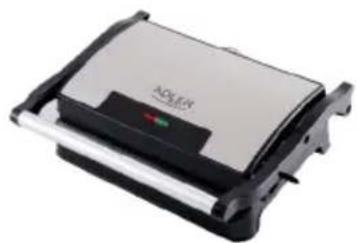
ELECTRIC GRILL AD 3052
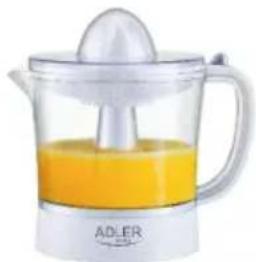
CITRUS JUICER AD 4009
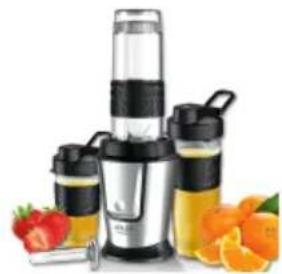
PERSONAL BLENDER AD 4081
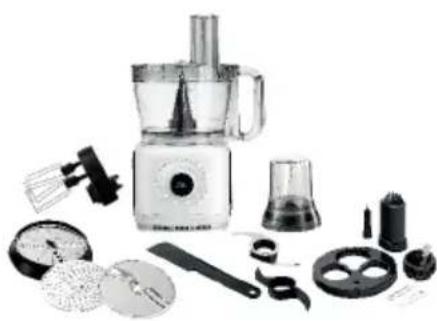
FOOD PROCESSOR AD 4224
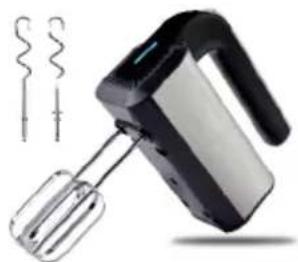
MIXER AD 4225
AIR FRYER AD 6310
PASTEURIZATION POT AD 4496
AIR CONDITIONER AD 7916
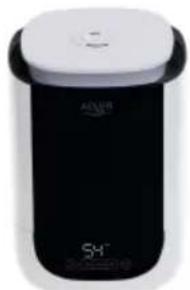
AIR HUMIDIFIER AD 7966
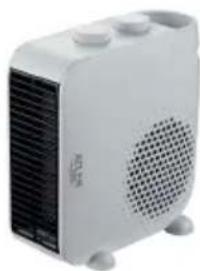
FAN HEATER AD 7725
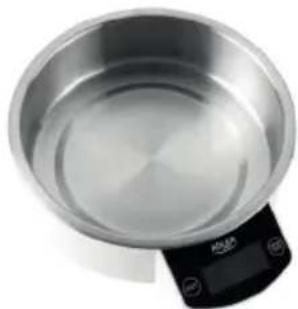
KITCHEN SCALE AD 3166
ADLER
EUROPE
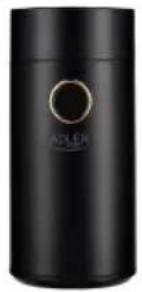
COFFEE GRINDER
AD 4446
TOASTER 2 SLICE
AD 3214
HAND BLENDER
Ad4625
MIXER WITH BOWL
AD 4222
AIR FRYER OVEN
AD 6309
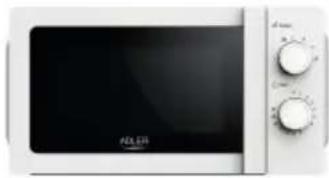
MICROWAVE OVEN
AD 6205
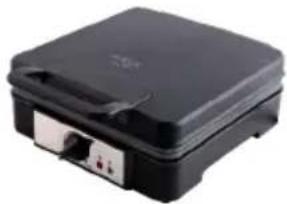
WAFFLE MAKER
AD 3049
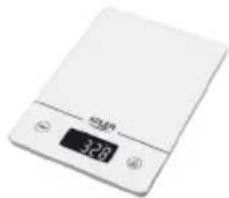
KITCHEN SCALE
AD 3170
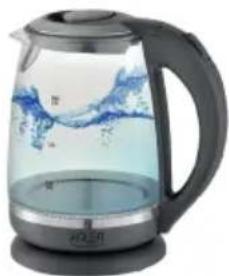
ELECTRIC KETTLE AD 1286
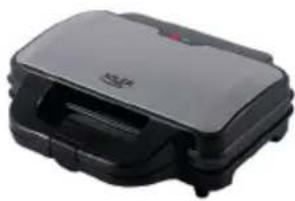
SANDWICH MAKER AD 3043
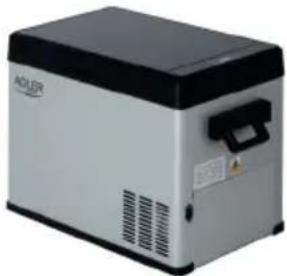
PORTABLE FRIDGE AD 8077
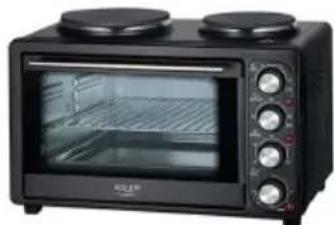
Electric Oven With HOB AD 6020
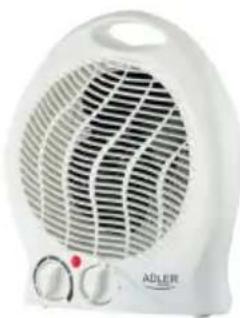
FAN HEATER AD 7728
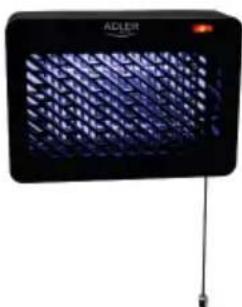
MOSQUITOLAMP AD7938
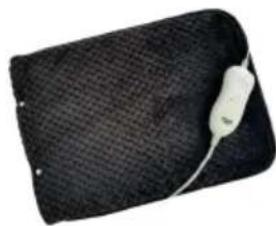
HEATED PAD AD 7433
ORAL IRRIGATOR AD 2176
ADLER
EUROPE
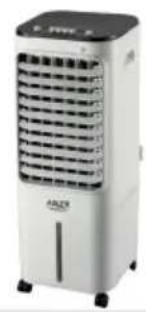
AIR COOLER
AD 7913
FOOT SPA
AD 2177
HAIR CLIPPER
AD 2831
HAIR DRYER
AD 2265
HEATED PAD
AD 7412
CERAMIC FAN HEATER
AD 7731
OIL-FILLER RADIATOR
AD 7811
KITCHEN SCALE
AD 3171
CHOCOLATE FOUNTAIN AD 4487

HAND BLENDER
AD 4617
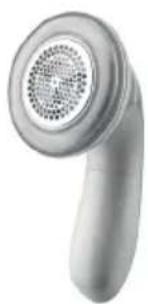
LINT REMOVER
AD 9616
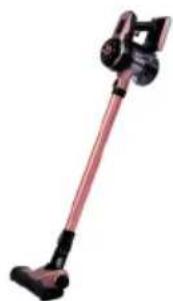
VACUUM CLEANER
AD 7044
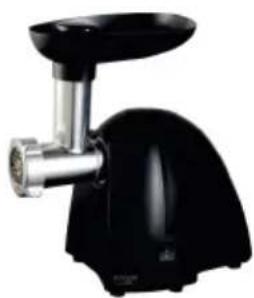
MEAT MINCER
AD 4811
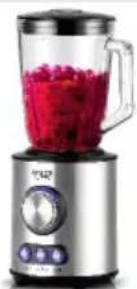
Blender
AD 4078
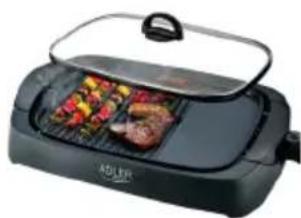
ELECTRIC GRILL
AD 6610
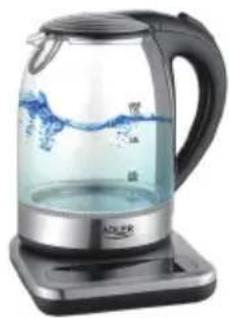
ELECTRIC KETTLE
AD 1293
| AFTER SALE SERVICE NOTICE | |
| GB | If you want to buy spare parts or make any complaints, please contact the seller who issued the receipt directly. |
| DE | Wenn Sie Ersatzteile kaufen oder reklamieren möchten, wenden Sie sichitte direkt an den Verkäfer, der die Quittung ausgestellt hat. |
| FR | Si vous souhaitez acheter des pièces de changée ou faire des réclamations, veuillez contacter directement le vendeur qui a émis le reçu. |
| ES | Si desea comprar repuestos o presentation alguna queja, comuníquese directamente con el vendedor que emitió el recibo. |
| PT | Se você quiser comprar peças de reposicao ou fazer alguma reclamação, entre em conta diretamente com o vendedor que emitiu o recibo. |
| LT | Jei norite jsigyti atsarginiu daliu ar pateikti nusiskundimu, susisiekite tiesiogiai su kvita išdavusiu pardavéju. |
| LV | Ja vélatosie igadāties rezerves dalas vai izteikt pretenzijas, lūdzu, szainieties tieši ar pärdevēju, kurš izsniedza Čeku. |
| EST | Kui soovite osta varuosi viô esitada pretensioone, võtke otse ühendust kviltungi väljastanud Müüjaga. |
| HU | Ha póltalkrészeket szeretne vásárolni, vagy panaszt szeretne tenni, forduljon kòzvetlenül a bizonylatot kiàllito eladóhoz. |
| BS | Ako Želite kupiti rezervne dijelove il napravitì reklamaciju, obratite se direktno prodavaču koji je izdao račun. |
| RO | Eclín Bly xohitne kynitb zámpactn iñn predejávítB káknie-líbo prpehen3ni, noxjalnyiasta, cbrjckitec bnaprámuy c nopodabzomb, býidabzimmчek. |
| CZ | Chcete-li zakoupit náhradni dilly nebo uplatnit jakoukoli reklamaci,kontaktujte prímo prodejce, ktery učtenku dystavil. |
| RU | Dacă doriti sã cmparațipiese de schimb sau sã faceti vre reclamatione, ∀rugâm sã contactati direcţu vânzatorul care a emis chitanța. |
| GR | Eáν ΕθελεTE VA ayorapáθETE AVTALAKTIKA ἡ VA KAVETE OTTOIABHITOTE TAPATIOVα, ΕΤΙΚΟΥNWYθOTE aTTUθΕIAC ΜE TOV TIIλθΠη ΠΟU ΕθδωθE Θγι αΤΟβΕIΩη. |
| MK | Ako cakata De kynitpe pesebrnii delobnii iñn da podnece Te kackbs biño nopllakni,kontaktiipajte dinpeKTHO co nopodabayot koj ja iñdalen smetkata. |
| NL | Als u reserveonderdelen wilt kopen of een klacht wilt indienen, neem danrechtstreeks contact op met de verkoper die de bon heft afgegeben. |
| SL | Če Želite kupiti nadomestne dele al vložiti reklamacije, se obrnite neposredno na prodajalca, ki je izdal račun. |
| FI | Jos haluat ostaa varaosia tai tehdä valituksi, ota yhteyttä suoraan kuitin antaneeseen myyjään. |
| PL | W przypadku checi zakupu częsci zamiennych lub zgloszenia ewentualnych reklamaciji naležykontaktowac si bezpošrednio ze sprzedawca, kóry wystawii paragon. |
| IT | Se desideri acquiretare pezzi di ricambio o presentare reclami, contatta direttamente il venditore che ha emesso la ricevuta. |
| HR | Se desideri acquiretare pezzi di ricambio o presentare reclami, contatta direttamente il venditore che ha emesso la ricevuta. |
| SV | Om du vill köpa reservdlar erller góra nàgra reklamationer, ∀nligen kontakta sällaren som utfärdat kvittot direkt. |
| DK | Hvis du ønsker at købe resovedeleller reklamere, bedes du kontakte sælgerten, som har udstedt kvitteringen, direkte. |
| UA | Якшо ви чоне рindбати зац当中у abо podати удь-якп петенци, зевнітся бezносядь doПробався, який виданчek. |
| SR | Ako jeniTE da kynITE pezeberne.Deelobne илда улочITE pekmamaциу, obpatITE ce dinpeKTTHOПробався кожи щьndao paун. |
| SK | Ako si chcete kúpit' náhradné diely alebo uplatnit akúkolvek reklamáciu,kontaktujte priamo predajcu, ktorý učtenku vystavil. |
| AR | ### |
| BG | Ako nscate da zákyntte pezebernhi 查�tiи илда наразавпite onplakbaлиь, моля, свржete сдиpeKTTHC C noprodabca, кочу оздад касовата bo melexka. |

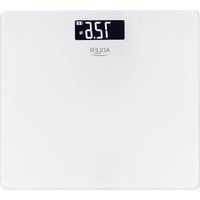
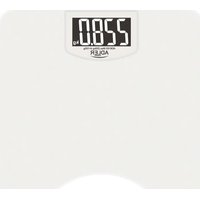
- SAFETY CONDITIONS. IMPORTANT INSTRUCTIONS ON SAFETY OF USE PLEASE READ CAREFULLY AND KEEP FOR FUTURE REFERENCE
- DESCRIPTION OF THE DEVICE (Fig. 1)
- BEFORE FIRST USE
- WEIGHING
- SETTING MEASUREMENT PARAMETERS
- WEIGHING WITH MEASUREMENT
- AUTOMATIC USER IDENTIFICATION
- SELECTING UNITS OF MEASURE (Fig.2):
- MESSAGE
- CLEANING AND MAINTENANCE
- TECHNICAL DATA
- DEUTSCH
- OPIS UREDAJA (SI. 1)
- LCD DISPLAY (SI. 3):
- PRE PRIMENE
- TEZINA
- PYOMIISHAPAMETPQN METPHH
- TeKHa
- IOCTABYBA PARE HA IAPMETEPITE HA MEPKI
- Texinha co Mepehe
- NdeHTnФнKaUJaHa aBtOMaTcKn KOpnCHNK
- 136OPHNA EINHUNTE 3A MEPKN (Cn.2):
- IIPAUAA
- CESKY
- BEZPECNOSTNI PODMINKY. DULEZITE POKNY PRO BEZPECNOST POUZIVANI PRECTETESI POZORNE PRECTETESIA UCHOVÁVAJTE PRO BUDOUCI
- REFERENCE
- B3BeUBAHnC n3MepeHnEM
- ABTOMATUUECKA INDEHTNOKAUJI NIOJB3OBATEJI
- NEDERLANDS
- VEILIGHEIDSVOORWAARDEN. BELANGRIJKE INSTRUCTIES VOOR VEILIGHEID VAN GEBRUIK
- LCDzaslon (Sl. 3):
- PRIJE PRVE UPOTREBE
- VAGANJE
- VAEGTNING MED MALING
- ONIC PNPCTPOHO (pnc.1)
- PK-dncnnei (pnc.3):
- IOIIEPLOTOBVKOPNCTAHH
- 3BaXyBaHHa
- BctaHOBJIeHHI npaMeTpIB BmIpHOBaHHI
- 3BaKyBaHH3 BIMiPioBaHHM
- CTaHbTe Ha Barax pibHomipHo
- ABTOMATUHA IIDEHTNΦIKALI KOPNUCTYBAHA
- BUNIP MEPEKIB MEPEKI (Pnc.2):
- IOBIDOMJIEHHA
- 3AMIHA BATEPII (pnc.2):
- OuHENHIOBCJYTOBYAHHH
- TEXHUII DAHI
- (AR)
- (BG)БылгAPСКИ
- UCIOBNA 3A BE3OJACHOCT. BAXHN YKA3AHN 3A BE3ONACHOCT HA YIOTPE6A
- ADLER
- EUROPE
Brand : ADLER
Model : AD 8165
Category : Scale