
AD 8143 - Scale ADLER - Free user manual and instructions
Find the device manual for free AD 8143 ADLER in PDF.


| Product Type | Digital Kitchen Scale |
| Brand | Adler |
| Model | AD 8143 |
| Maximum Capacity | 5 kg / 11 lb |
| Graduation | 1 g / 0.1 oz |
| Display | LCD, backlit |
| Tare Function | Yes |
| Auto-Off | Yes, after 2 minutes of inactivity |
| Overload Indication | Yes ("EEEE") |
| Low Battery Indication | Yes |
| Units of Measurement | g, kg, lb, oz, ml (water) |
| Power Supply | 2 x AAA batteries (included) |
| Platform Material | Stainless steel |
| Dimensions (W x D x H) | 15 x 20 x 2 cm |
| Weight (without batteries) | 320 g |
| Cleaning | Wipe with damp cloth; do not immerse |
| Safety Features | Overload protection, auto-off, scratch-resistant platform |
| Spare Parts | Batteries (AAA); contact Adler service for replacement |
| Repairability | Repairs only by authorized Adler service centers |
| Environmental Information | WEEE compliant; recycle per local regulations |
Frequently Asked Questions - AD 8143 ADLER
User questions about AD 8143 ADLER
0 question about this device. Answer the ones you know or ask your own.
Ask a new question about this device
Download the instructions for your Scale in PDF format for free! Find your manual AD 8143 - ADLER and take your electronic device back in hand. On this page are published all the documents necessary for the use of your device. AD 8143 by ADLER.
USER MANUAL AD 8143 ADLER
AD 8143
(GB) user manual
(F) mode d'emploi
B
ENGLISH
SAFETY RULES
1. Before using the product, please read carefully and always comply with the following instructions. The manufacturer is not responsible for any damages due to misuse. 2. The product is only to be used indoors. Do not use the product for any purpose that is not compatible with its application. 3. The applicable voltage is 230V, ~50Hz with grounding. For safety reasons, it is not appropriate to connect multiple devices to one power outlet. 4. Please be cautious when using around children. Do not let children play with the product. Do not let children or people who do not know the device use it without supervision. 5. This appliance is not intended for use by persons (including children) with reduced physical, sensory or mental capabilities, or lack of experience and knowledge, unless they have been given supervision or instruction concerning use of the appliance by a person responsible for their safety. 6. After you are finished using the product, always remember to gently remove the plug from the power outlet while holding the outlet with your hand. Never pull the power cable! 7. Never leave the product connected to the power source without supervision. 8. Never put the power cable, the plug, or the whole device into water. Never expose the product to atmospheric conditions such as direct sunlight or rain, etc. Never use the product in humid conditions. 9. Periodically check the power cable condition. If the power cable is damaged, the product should be taken to a professional service location to be replaced in order to avoid hazardous situations. 10. Never use the product with a damaged power cable or if it was dropped or damaged in any other way, or if it does not work properly. Do not try to repair the defective product yourself because it can lead to electric shock. Always take a damaged device to a professional service location for repair. All repairs can be done only by authorized service professionals. Incorrect repair can cause hazardous situations for the user. 11. Never put the product on or close to hot or warm surfaces or kitchen appliances like electric ovens or gas burners. 12. Never use the product close to combustibles. 13. Do not let the cord hang over the edge of a counter. 14. Always unplug the device after use and before cleaning.

To protect your environment: please separate carton boxes and plastic bags and dispose of them in corresponding waste bins. Used appliances should be delivered to dedicated collection points due to hazardous components that may affect the environment. Do not dispose of this appliance in the common waste bin.
DEUTSCH
(date of sale)
CENTRAL SERVICE
- Avoid device contact with water and other liquids.
- Do not leave the device under load for longer periods of time.
- Do not use in strong magnetic fields.
- Use only to weigh objects.
DEVICE CONSTRUCTION [FIG A]
| A1 - Display | A2 - Power button |
| A3 - Scale handle | A4 - Holding bracket |
| A5 - Battery compartment | A6 - Strip |
| A7 - Hook |
WARNING INDICATORS [FIG B]
The warning signs may appear on device display A1.
- In the case shown on fig. B1 the device informs about exhausting battery. Replace the batteries according to section BATTERY REPLACEMENT
- Figure B2 shows the message displayed if the device is overloaded (weight above 50kg). Remove at least part of the load.
BATTERY REPLACEMENT
Device operates on 3V CR2032 battery
1) Remove the battery compartment A5 while holding the scales by the handle A3 2) Remove the used battery 3) Insert a new battery, keeping the polarity shown on the figure 4) Reinsert the battery compartment C5
SCALE OPERATION
1) After pressing A2 button once, the display A1 should show the 0 value. If this is not the case, reset the device by pressing button A2 2) Put the strip A6 through the handle of the weighed luggage 3) Attach the hook A7 to the holding bracket A4, so that the weighed luggage is held by the strip A6 4) Lift the luggage, holding the scale by the scale handle A3 5) After 2-3 seconds the scale will sound double beep, indicating the weighing is finished. Read the luggage weight on the scale display. 6) After use disattach the hook A7 and remove the luggage from the strip A6 7) The unloaded device will automatically switch off after 2 minutes
MEASUREMENT SCALE CHANGE
The device indicates the weight of weighed luggage in kilograms or pounds. The indication kg or lb is shown on the display, below the weighed value. Originally, the device is set to kilograms. In order to change the measurement scale from kilograms to pounds, or reverse, push and hold the button A2 for 5 seconds while the device is off. The weight unit will flash. Single press of button will change the weight unit.
SCALE TARRING
The device has the capability of deducting the package weight (tare) from the total weight. In order to set tare:
1) Put the strip A6 through the handle of the package that should be set as tare 2) Lift the package, holding the scale by the scale handle A3 3) Push the button A2 to turn the device on 4) After setting the tare, press once the button A2 5) The loaded device should indicate 0 weight (kg or lb), and a "T" mark should appear in bottom left display corner. 6) Weigh the luggage according to above mentioned procedure. 7) The package weight (tare) will be deducted from the total weight 8) The result, diminished by tare, will be shown on display A1
TECHNICAL DATA
maximum load: 50 kg or 120 lb
measurement accuracy: 50 g or 0.1 lb
power supply: 1x CR2032
Device is made in class III of insulation.
Device is compliant with EU directives:
- Electromagnetic compatibility (EMC)
Device marked CE mark on rating label
GERMAN
DESCRIPTION OF THE DEVICE (IMAGE A)
A1 - Display
A2 - Power button
A3 - Handle
WARNINGS (IMAGE B)
ELECTRIC GRILL AD 6602

STEAM COOKER AD 634

OIL HEATER AD 7801

ELECTRIC SHAVER AD 2905

CYCLONE VACUUM CLEANER AD 7006

ELECTRIC OVEN AD 6003

COFFEE MAKER AD 4452

COFFEE GRINDER AD 443

FAN HEATER AD 77
ADLER
EUROPE
STEAM MOP
AD 7003

HAIR DRYER AD 2224

HAIR DRYER AD 2228

HAIR IRON 2 IN 1 AD 2101

HAIR DRYER AD 2232

hair dryer Ad2230
shaver Ad2905
hair clipper Ad2813

portable cooler Ad806
hair styler Ad2011

table fan Ad7302

steam iron Ad5014

bathroom scale Ad8122

bathroom scale Ad8121

lint remover Ad9601

convection heater Ad7501
ADLER
EUROPE

kettle AD 1205

kettle AD 1203

kettle AD 1207

steam iron AD 5011

steam iron AD 5014

convection heater AD 7501

coffee maker AD 4451

coffee grinder AD 443

fan heater AD 77
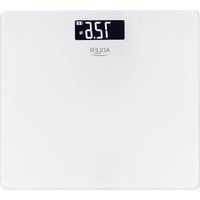
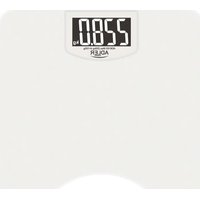
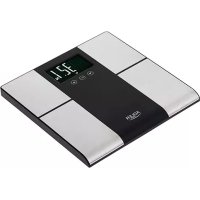
Brand : ADLER
Model : AD 8143
Category : Scale