
RoninS External GPS Module - GPS module DJI - Free user manual and instructions
Find the device manual for free RoninS External GPS Module DJI in PDF.
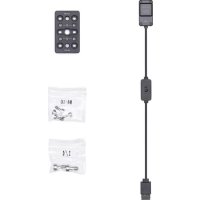



| Product Type | External GPS Module |
| Brand | DJI |
| Model | RoninS External GPS Module |
| Weight | 38 g |
| Operating Voltage | 12 V |
| Input Current | 60 mA |
| GNSS System | GPS + GLONASS |
| Main Function | Improves Ronin-S gimbal stability during rapid accelerations for smoother videos |
| Compatibility | DJI Ronin-S Gimbal |
| Mounting Method | Mount directly on the Ronin-S via the auxiliary power port or mount on the top mounting bracket (optional) using the universal mounting plate |
| Connection | CAN bus cable connected to the Ronin-S auxiliary power port 12 V/2 A |
| Package Contents | External GPS module ×1, universal mounting plate with thread ×1, M4 screws ×4, 1/4"-20 screws ×2 |
| Usage Precautions | Avoid electromagnetic fields, direct sunlight, heat sources, liquid spills, and external pressure. Do not cover during use. |
| Maintenance | Clean with a soft, dry cloth. Avoid solvents. |
| Safety | Keep out of reach of children. Use according to instructions. |
| General Information - Manufacturer | SZ DJI Osmo Technology Co., Ltd. (DJI OSMO) |
| General Information - EU Contact | DJI GmbH, Industriestrasse 12, 97618 Niederlauer, Germany |
| General Information - Compliance | Compliant with EU directive 2014/53/EU |
Frequently Asked Questions - RoninS External GPS Module DJI
User questions about RoninS External GPS Module DJI
0 question about this device. Answer the ones you know or ask your own.
Ask a new question about this device
Download the instructions for your GPS module in PDF format for free! Find your manual RoninS External GPS Module - DJI and take your electronic device back in hand. On this page are published all the documents necessary for the use of your device. RoninS External GPS Module by DJI.
USER MANUAL RoninS External GPS Module DJI

Contents
EN User Guide 2
CHS 使用说明 6
CHT 使用者指南 10
JP ユーザーガイド 14
KR 사용자 가이드 18
Congratulations on purchasing your new DJI OSMO™ product. The information in this document affects your safety and your legal rights and responsibilities. Read this entire document carefully to ensure proper configuration before use. Failure to read and follow instructions and warnings in this document may result in serious injury to yourself or others, damage to your DJI OSMO product, or damage to other objects in the vicinity. This document and all other collateral documents are subject to change at the sole discretion of DJI OSMO.
By using this product, you hereby signify that you have read this disclaimer and warning carefully and that you understand and agree to abide by the terms and conditions herein. You agree that you are solely responsible for your own conduct while using this product, and for any consequences thereof. You agree to use this product only for purposes that are proper and in accordance with all applicable laws, rules, and regulations, and all terms, precautions, practices, policies and guidelines DJI OSMO has made and may make available.
DJI OSMO accepts no liability for damage, injury or any legal responsibility incurred directly or indirectly from the use of this product. The user shall observe safe and lawful practices including, but not limited to, those set forth in this document.
Notwithstanding above, your statutory rights under applicable national legislation are not affected by this disclaimer.
OSMO is a trademark of SZ DJI OSMO TECHNOLOGY CO., LTD. (abbreviated as “DJI OSMO”) and its affiliated companies. Names of products, brands, etc., appearing in this document are trademarks or registered trademarks of their respective owner companies. This product and document are copyrighted by DJI OSMO with all rights reserved. No part of this product or document shall be reproduced in any form without prior written consent of or authorization from DJI OSMO.
Warning
- DO NOT place the External GPS Module next to sources of electric and magnetic fields.
- Keep the External GPS Module away from direct sunlight and other sources of heat.
- Liquid spills may cause permanent damage to the External GPS Module.
- DO NOT apply external pressure to the External GPS Module.
Introduction
With the DJI RONIN™-S External GPS Module, the Ronin-S will offer more stability during fast acceleration and deceleration, allowing for smoother videos with better horizon hold. The External GPS Module provides a signal for a more responsive gimbal stability that can react to sudden or quick movements.
In the Box
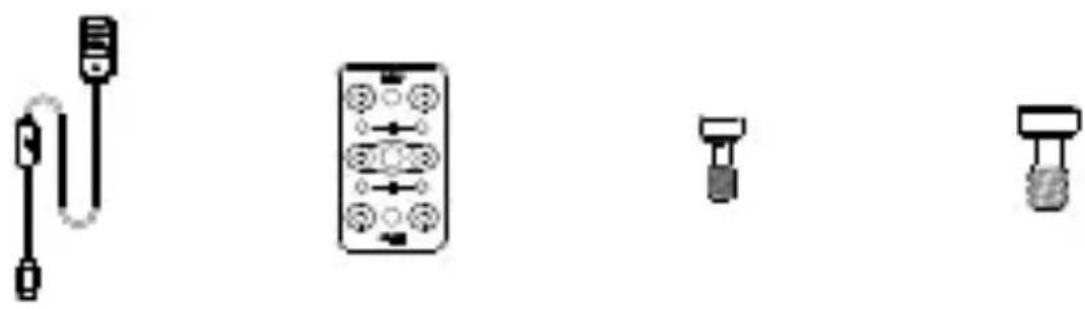
External GPS ×1, Cheese Plate ×1, M4 Screw ×4, 1/4"-20 Screw ×2
Usage
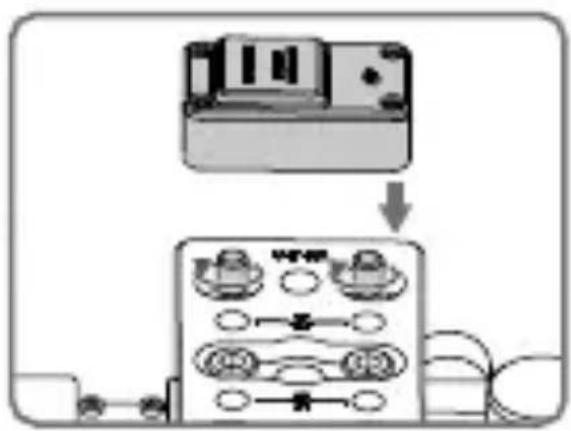
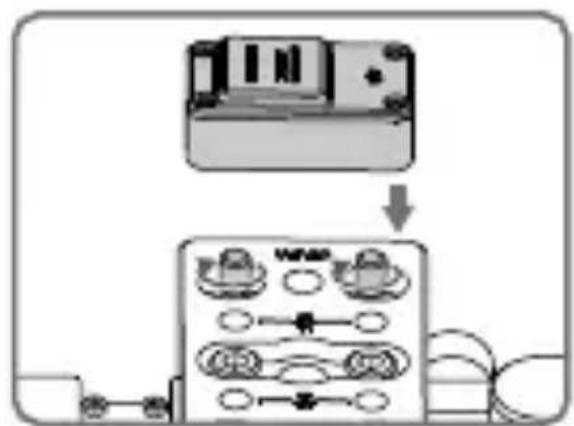
Method 1:
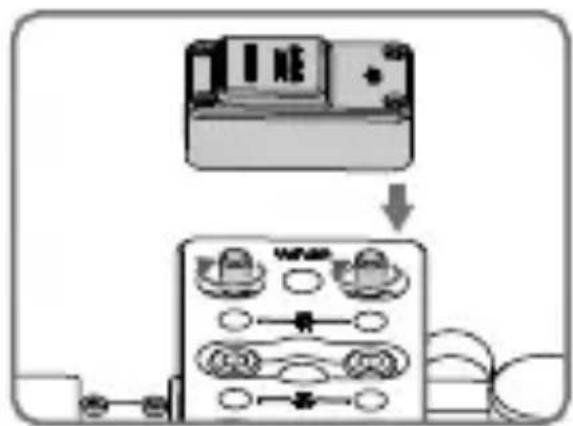
- Connect the CAN Bus cable on the External GPS Module to the Ronin-S 12V/2A Accessory Power Port.
- Make sure the External GPS Module is secure. The side with the DJI logo should be facing upwards.
Method 2:
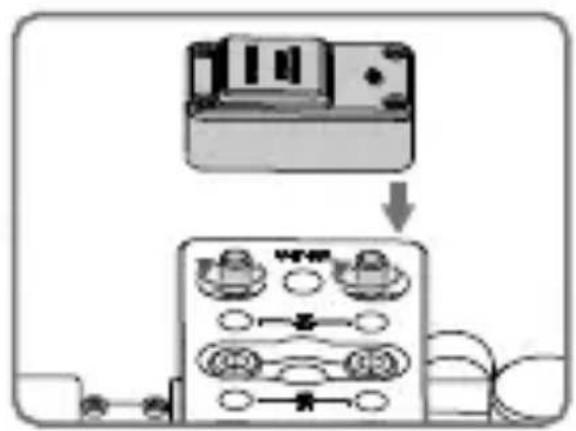
The External GPS Module can also be mounted on the optional Ronin-S Top Hotshoe Bracket.
- Place the Cheese Plate onto the Top Hotshoe Bracket and insert the M4 screws.
- Insert the M4 screws from underneath the Cheese Plate, and place the External GPS Module (the side with the DJI logo facing outward) onto the Cheese Plate. Make sure to align the two screws with the holes on the back of the External GPS Module. Turn the screws until the External GPS Module is secure.
![graph TD A["Device 1"] --> B["Control Unit"] B --> C{Control} C -->|Yes| D["Device 2"] C -->|No| E["Device 3"] D --> F["Output"] E --> G["Output"]](/content/2026/03/537498/images/7cb957869dd708f5c7671c45a6d8cac098ab7230156a02ebdc2606a45894b18c.jpg)
- After mounting, connect the CAN Bus cable on the External GPS Module to the Ronin-S 12V/2A Accessory Power Port.

• Make sure the CAN Bus cable is inserted correctly to avoid damaging the port. • DO NOT cover the External GPS Module during use. - Other equipment can connect to the CAN Bus port on the External GPS Module.
Specifications
Weight: 38 g
GNSS: GPS+GLONASS
Working Voltage: 12 V
Input Current: 60 mA
This content is subject to change.
Download the latest version from
http://www.dji.com/ronin-s
RONIN is a trademark of DJI OSMO.
Copyright © 2018 DJI OSMO All Rights Reserved.
Copyright © 2018 DJI OSMO All Rights Reserved.
Notice
Copyright © 2018 DJI OSMO All Rights Reserved.
Disclaimer
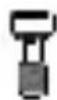
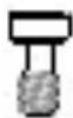
M4 screw ×4 1/4" -20 ×2 screw

Usage
Method 1:

EU Compliance Statement: SZ DJI Osmo Technology Co., Ltd. hereby declares that this device is in compliance with the essential requirements and other relevant provisions of the Directive 2014/53/EU.
A copy of the EU Declaration of Conformity is available online at www.dji.com/euro-compliance
EU contact address: DJI GmbH, Industriestrasse 12, 97618, Niederlauer, Germany
CAUTION: RISK OF EXPLOSION IF BATTERY IS REPLACED BY AN INCORRECT TYPE. DISPOSE OF USED BATTERIES ACCORDING TO THE INSTRUCTIONS
Environmentally friendly disposal
Old electrical appliances must not be disposed of together with the residual waste, but have to be disposed of separately. The disposal at the communal collecting point via private persons is for free. The owner of old appliances is responsible to bring the appliances to these collecting points or to similar collection points. With this little personal effort, you contribute to recycle valuable raw materials and the treatment of toxic substances.
This device complies with ICES-003 standard. Operation is subject to the following two conditions: (1) this device may not cause interference, and (2) this device must accept any interference, including interference that may cause undesired operation of the device.
CAN ICES-3(B)/NMB-3(B)
Supplier's Declaration of Conformity
Product name: Ronin-S External GPS Module
Model Number: DJIRGPS
Manufacturer's Name: SZ DJI OSMO TECHNOLOGY CO., LTD.
Manufacturer's Address: 14th floor, West Wing, Skyworth Semiconductor Design
Building NO.18 Gaoxin South 4th Ave, Nanshan District, Shenzhen, Guangdong, China
Responsible Party: DJI Technology, Inc.
Responsible Party Address: 201 S. Victory Blvd., Burbank, CA 91502
Contact person: Mingyu Wang
Telephone: (650)812-0559
We, DJI Technology, Inc., being the responsible party, declares that the above mentioned model was tested to demonstrate complying with all applicable FCC rules and regulations.
This device complies with part 15 of the FCC Rules. Operation is subject to the following two conditions: (1) This device may not cause harmful interference, and (2) this device must accept any interference received, including interference that may cause undesired operation.
Signed for and on behalf of: DJI Technology, Inc.
Name: Mingyu Wang
Position: VP of R&D
Date: 2018-10-1
Signature:

DJI Support
DJI Technical Support
DJI Technical Support
DJI Support
DJI Support
DJI Support
If you have any questions about this document, please contact DJI by sending a message to DocSupport@dji.com.
Brand : DJI
Model : RoninS External GPS Module
Category : GPS module