Classima 10263 - Watch BAUME & MERCIER - Free user manual and instructions
Find the device manual for free Classima 10263 BAUME & MERCIER in PDF.



User questions about Classima 10263 BAUME & MERCIER
0 question about this device. Answer the ones you know or ask your own.
Ask a new question about this device
Download the instructions for your Watch in PDF format for free! Find your manual Classima 10263 - BAUME & MERCIER and take your electronic device back in hand. On this page are published all the documents necessary for the use of your device. Classima 10263 by BAUME & MERCIER.
USER MANUAL Classima 10263 BAUME & MERCIER
To find the diagram corresponding to your watch, please locate its technical reference [5 digits] engraved on the case back]. In the list above and note the corresponding diagram number.
| Linea | Capeland | ||
| ref. n° | ref. n° | ||
| 65690 | 5 | 65887 | 24 |
| 65691 | 5 | 65888 | 22 |
| 65692 | 5 | 65889 | 22 |
| 65701 | 30 | 65716 | 20 |
| 65702 | 30 | 65726 | 20 |
| 65703 | 30 | 65733 | 14 |
| 65704 | 3 | 65734 | 14 |
| 65709 | 3 | 65797 | 28 |
| 65710 | 3 | 65798 | 20 |
| 65711 | 5 | 65856 | 21 |
| 65712 | 1 | ||
| 65713 | 1 | ||
| 65723 | 5 | ||
| 65724 | 5 | ||
| 65727 | 5 | ||
| 65728 | 5 | ||
| 65736 | 1 | ||
| 65739 | 5 | ||
| 65740 | 5 | ||
| 65744 | 5 | ||
To find the diagram corresponding to your wallet, please locate its technical reference (5 digits engraved on the case body) in the list above and note the corresponding diagram number.
INSTRUCTION MANUAL
ENGLISH 1
FRANÇAIS 25
DEUTsCH 49
ITALIANO 73
ESPANOL 97
PORTUGUES 121
EAAHNIKA 145
PYCCKn 169
日本語 193
中文 215
CONTENT
I. PRINCIPAL WATCH FUNCTIONS AND COMPLICATIONS 3
II. MECHANICAL WATCHES 5
A. GENERAL INFO B. USER GUIDE 5
III. QUARTZ WATCHES
A. GENERAL INFORMATION B. APPLICATION
B. OSER GUIDE
IV. RECOMMENDATIONS AND CARE
V.INTERNATIONAL WARRANTY
VI. CONTACT
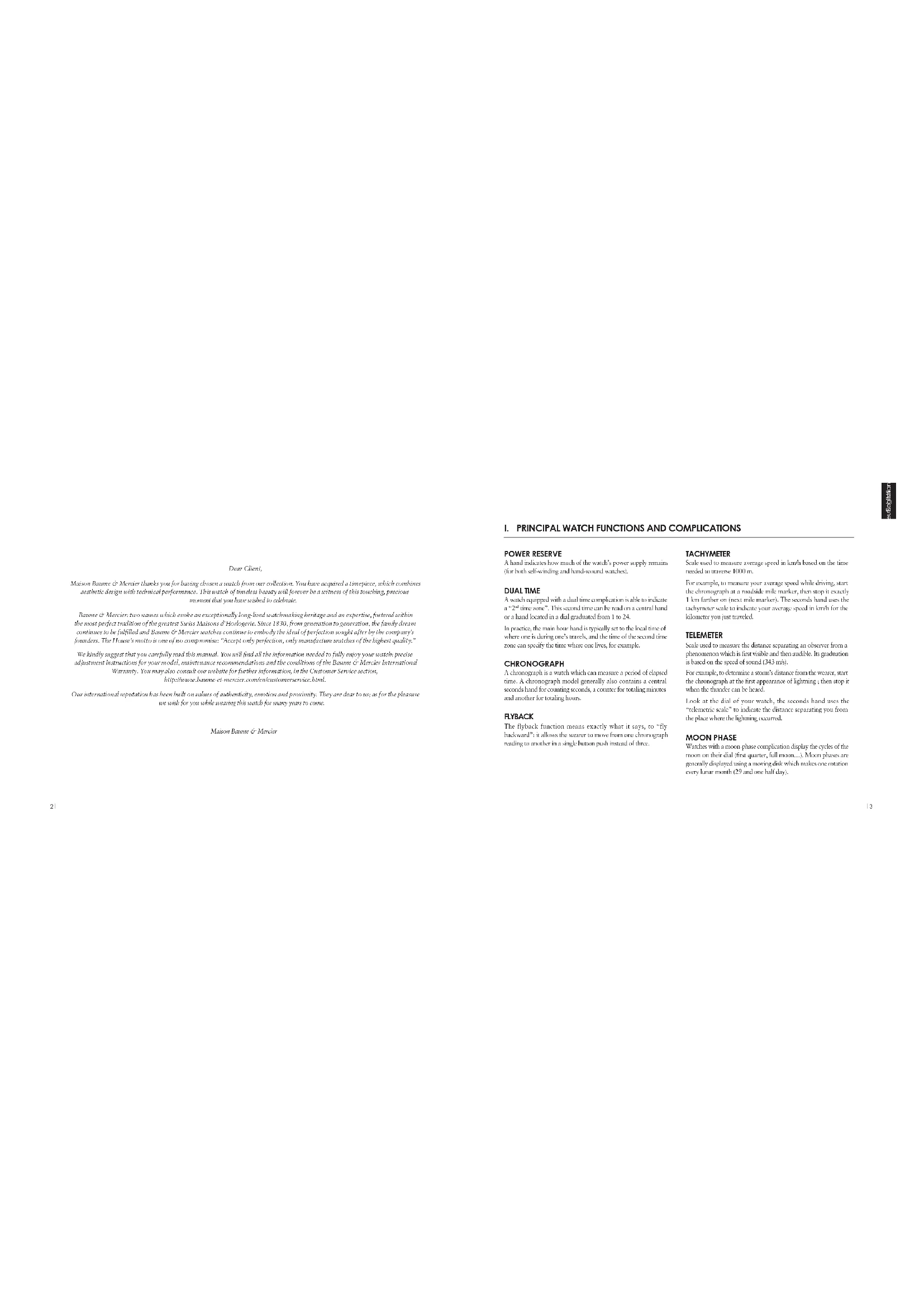
Dear Client:
Maison Floure de Mercier thanks you for having chosen a watch from our collection . You have acquired a timepiece , which combinesaesthetic design with technical performance . This watch of tous des beautiys will forever be a witness of this touching , preciousmoment that you have shared to celebrate .
Banane e Mercier: two causes which evoke an exceptionally long-lived workahong bandage and an expertise, fostered within the most perfect tradition of the greatest Swiss Maisons d'Hortogne. Since 1830, from generation to generation, the family dream continues to be fulfilled and Banane e Mercier matches continue to embody the ideal of perfection sought after by the company's founders. The House's motto is one of no compromise: "Accept only perfection, only manufacture without the highest quality."
We kindly suggest that you carefully read the manual. You will find all the information needed to fully enjoy your notes: precise adjustment instructions for your model, maintenance recommendations and the conditions of the Banane or Mercier International Warranty. You may also consult our website for further information, in the Customer Service section.
http://www.huaan.com/en/index/content/customerservice.html
Our international reputation has been built on values of authenticity, emotion and proximity. They are dear to us as for the pleasure we seek for you while serving this notch for many years to come.
I. PRINCIPAL WATCH FUNCTIONS AND COMPLICATIONS
POWER RESERVE
A bad indicates how much of the watch's power supply remains (for both self-winding and hand-wound watches).
DUAL TIME
A watch equipped with a dual time complication is able to indicate a "2-1" time zone. This second time can be read on a central board or a hand located in a dual graduated from 1 to 24.
In practice, the main hour head is typically set to the local time of where one is during one's travels, and the time of the second time zone can specify the time where one lives, for example.
CHRONOGRAPH
A chronograph is a watch which can measure a period of elapsed time. A chronograph model generally also contains a central seconds hand for counting seconds, a counter for rotating minutes and another for totaling hours.
FLYBACK
The Flyback function exclaims exactly what it says, so "fly backward"; it allows the wearer to move from one chronograph reading to another in a single button push instead of three.
TACHYMETER
Scale used to measure average speed in km/h based on the time needed to traverse 1000 m.
For example, to measure your average speed while driving, start the chronograph at a roadside mile marker, then stop it exactly 1 km farther on [next mile marker]. The seconds hand uses the tachymeter scale to indicate your average speed in km/h for the kilometer you just traveled.
TELEMETER
Scale used to measure the distance separating an observer from a piccombinon which is first visible and then audible. Its graduation is based on the speed of sound (343~m / s)
For example, to determine a storm's distance from the water, start the chronograph at the first appearance of lightning; then stop in when the thunder can be heard.
I look at the dial of your watch, the seconds hard uses the "telnetic scale" to indicate the distance separating you from the place where the lightning occurred.
MOON PHASE
Watchers with a moon phase complication display the cycles of the moon on their dial (first quarter, fall moon...). Moon phrases are generally displayed using a moving disk which makes one rotation every lunar month (29 and one half day).
ANNUALCALENDAR
Annual calendar is a movement function which handles the difference between 30 and 31 day months automatically, without a manual date adjustment. Only one adjustment per year is needed, at the end of february.
COMPLETECALENDAR
The full calendar is the term used to describe a watch that indicates:
The date from which data adjustment for each month of less than 31 days;
the month of the year
PERPETUALCALENDAR
A perusal calendar is a homological complication that takes account of days and measures automatic date correction whatever the number of days in a month (28, 29, 30 or 31).
Kindly note that it requires one correction per century, since century years are not leap years. This means that a current, perennial calendar model will need no adjustment until 2100.
This complication is generally combined with "Complex calendar" and "Moon phase complications".
WORLDTIMER
Worldminer watches, also called "world time," or "universal time", indicate, in addition to local time, the time of the 24 times zones around the world via a 24-hour dial, to mix to the 24 times indicated on the dial. This makes it possible to identify the 26 zones in which cities are found.
At any time, you can find out the time in 24 major cities (representing each time zones) while viewing the time of the city where you live or are travelling.
RETROGRADE DISPLAY
A display is considered retrograde when one of the hands (the retrograde hand) moves backward after having reached its final mark.
II. MECHANICAL WATCHES
A. GENERAL INFORMATION
WATCH PRECISION
A mechanical movement, whether manual or automatic (self-winding), is a complex assembly of gears, gear trains and other components often not much bigger than a single strand of hair. A watch's precision is determined by the spiral balance wheel, the heart of the watch, which regulates the rate of time through its oscillations. Oscillation frequency varies depending on the model and can be anywhere between 3 and 4Hz it is therefore important to hear in mind that, despite the great care taken in assembling your watch and its movement, it is nevertheless not as precise as a quarry watch, with an oscillation of 52,000Hz . Fitter, rate variations may still occur, caused by a variety of factors, including impact, the aging of the oils, significant temperature fluctuations, magnetic fields and wearer activity.
In general and depending on the model, your watch time may vary by 1 to 2 minutes per week.
B. USER GUIDE
This guide explains all the functions available for different Brame & Mercier work models.
To adjust your watch, please参照 its icon. and refer to the diagram located on the inside cover of this guide, then follow the directions corresponding to your model.
Note on screw-down crowns: Your Runne & Mendez watch must come over with a screw-down crown. If so, you must first unlock the screw-down crown by turning it, counter-clockwise before adjusting the date or the time or winding the watch.
Once you have finished adjusting your watch, press lightly on the crown while turning gently clockwise, tightening it down again until you feel some resistance. If the crown is not correctly sewed-down, your watch may no longer be completely water-resistant.
WINDING
Hand-wound mechanical watch
Warning: Do not try beyond its predetermined blocking point, otherwise you may damage the movement.
Crowna in Position: It runs crowna clockwise. The watch is fully wound when the crowna can no longer be turned.
The power reserve of a mechanical watch varies, depending on the model, between approximately 40 and 90 hours. We recommend you wind it once a day if it has a power reserve less than 48 hours.
Self-winding mechanical watch
A watch equipped with an automatic wording mechanism automatically wand itself throughout the day as you know your wrist.
Because of this, the watchband must be correctly fitted to the wearer's waist. If the watchband is too loose, the watch may not wind itself correctly. For optimal winding, wear your watch daily. If you have not worn your watch for more than 40 hours, you must wind it manually by turning the crown in Position 1, clockwise, heavenward 20 and turn round.
After wearing your watch for several hours, depending on your survey level, the watch will be perfectly worn.
Once completely wound, your watch has a power resistance of:
Approx.40 hours 3:57-9:12 12:12-12:12 12:12-12:12
Approx. 48 hours 30:30-32:30 PM
Approx. 6.5 hours 3
Approx. 120 hours BAUMATIC
POWER RESERVE 10145
For models with a power reserve indicator, the band LI indicates, on a scale which may vary per model, the amount of time remaining until the search must be wound again. When the search is completely wound, the indicator sits at its maximum position.
SETTING THE TIME WITHOUT ACALENDAR FUNCTION 10
- Pull the screw in Position 2
- Turn it in either clockwise or counterclockwise until the watch bands (A, B) are positioned at the desired time.
- Reser the covown Position 1
SETTING THE TIME WITH A CALENDAR FUNCTION
- Pull the crown to the maximum position (Position 2 or 3 depending on its motion). If your watch comes with a seconds band, (C) it will stop running.
- Turn the crown either clockwise or counterclockwise, depending on the model, until the bands are positioned at the desired time.
Note: When the hands pass the numeral 12, if the date changes, it means it is midnight and if the date does not change it means it is noon.
- When the start of the arc time is announced (reference clock, radio, etc.), reset the crown in Position 1.
RAPID DATE CHANGE
Warning: In order to prevent damage to the movement, it is extremely important that you do not use the rapid date change function between 8 p.m. and 2 a.m.; this is when the movement praxis are working to automatically change the date.
Date change using the crown: 12/04/2020 12:30 PM
- Pull the arrow in Position 2.
- Turn the crown either clockwise or counterclockwise, depending on the model, until the desired date (H) appears.
- Refer the crown Position 1.
For months with less than 11 days, the date must be changed manually at the end of the month.
Rapid date change with corrector
If your watch cones equipped with a corrector (C1) for setting the date, press the corrector button (C11) several times in succession, so as to advance the date (E) to the desired date. To do this, use the small root provided in the watch packaging.
For months with less than 31 days, the date must be changed manually at the end of the month.
RAPID DAY CHANGE
Warning: In order to prevent damage to the movement, it is extremely important that you do not use the rapid day change function between 8 pm and 2 am; this is when the movement pinions are working to automatically change the day.
- Pull the crown to Position 2.
- Turn the crown clockwise until the desired day (K) appears.
- Reset the crown Position 1.
DUAL TIME
Adjustment by crown 924
- Pull the crown in Poin
2 Turn the crown clockwise to set the second time zone hand (D) at the desired time.
Warning: For adjustment by correct, do not adjust immediately after re-setting the time on your watch in a counter-clockwise direction. This may damage the movement. In this specific situation, wait approximately 30 minutes before setting the second time zone.
Adjustment by corrector 13
If your watch has a correction, press the correction button (C1) several times to move the second time zone hand (D) forward and position it to the time of the desired zone. To do this, use the small tool provided in the watch packaging.
RETROGRADE DATE 10
To see your watch, please perform these steps in the following order:
Setting the day of the week
1. Pull the screen to Position 3
2. Turn the crown in either direction until the day hand (K) indicates the day immediately preceding the desired day.
3. Position the hands (A, B or 2 a.m.)
Setting the date
- Push the arrow to Position 2.
- Turn the crown so as to move the state (S) chronologically forward to one day before the desired date.
Setting the time
- Pull the crown to Position 3,
- Turn the crown clockwise to advance the hands (A, B)
- Continuum, turning the crown until the desired day; Kc date (E) and time (AcR) are displayed.
- Rset therown Position 1
For months with less than 31 days, the date must be changed manually at the end of the month.
WORLDTIMER 10
To adjust your watch, please ensure it is fully wound and then respect the following steps in this specific order:
Setting the 24 time-zone disc, local time and date
- Pull the crown to Position 3, the seconds hand; Cr will stop moving.
- Turn the crown either in one direction or the other so as to rotate the bands (A, B), and the 24 time zone disc (O). Index the time indicated on this disc to the local reference city (where 3min is 1 in order, where 3min is 2 in order).
-
Position the minutes hard (Bi) on the desired minute.
-
When the start of the set time is announced (reference clock, radio, etc.), record the crown Position: If the seconds hand starts again
-
Pull the crown to Position 2.
f. To turn the crown in order to advance or reverse the hour hand (A') by jumping an inner square until the required date, is indicated (E). Note: When the hour hand (A') passes 12, if the date changes, it is midnight, and if the date does not change, it is noon.
-
Position the hour hand t to the current time in the city where you are (local time),
-
Result shown in main Position 1
Changing the date
For months with fewer than 31 days, it is necessary to change the date manually at the end of the month.
- Pull the crown in Position 2
- Turn the crown in either one direction or the other to subverse or reverse the how hand (A) be pumping an hour until the required data is indicated tE.
Note: When the hour hand |A passes 12, if the data changes, it is midnight, and if the data does not change, it is noon. - Position the hour hand 1A to the local time.
- Reser the crown Posirion 1
Setting the time depending on where one is (local time)
If traveling to a different time zone, the hour hand must be set.
1. Pull the screen up to position 2.
2. Then the crown to advance or reverse the hour hand (A) by jumping an hour and position to the desired time.
3. Reser the crown Position 1.
ANNUALCALENDAR
Warning: To prevent damage to the movement, it is extremely important that you do not adjust your rigid date acting between 8 p.m. and 2 a.m. this is when the movement prisms are working on automatically change the date.
To adjust your watch, please ensure it is fully wound and then respect the following steps in this specific order:
Setting the time
- Pull the crown to Position 3, which will stop the seconds hand [C5].
- Let the crown clockwise to advance the hands (A, B) until they are positioned at the desired time.
Note: When the hands pass the numeral 12, if the date changes, it means it is midnight, and if the date does not change, it means it is noon.
3. When the start of the set time is announced reference clock, radio, etc., reset the cover to Position 1.
Rapid date and month correction
- Pull the crown in Position 2.
-
Turn into advance the date (1) and month (M) chronologically, until this desired month is displayed, then the desired day.
-
Reser the cwnr Position 1
Note: The annual calendar on your watch is able to keep track of 30 day monitoring the month of february is treated as a 30 day month. At the end of february, you must adjust the date setting manually using the rapid classic change function.
COMPLETECALENDAR WITH MOON PHASE
Warning: To avoid the risk of jamming the correct button or damaging the movement, it is essential you not make any adjustment (day, date, month and moon phase) between 3pm and 1 a.m.
To manipulate the conveyor burrows, use the small pot powdered in the watch cooking.
In adjust your warranty, please ensure it is fully wamed and then respect the following steps in this specific order:
Initial pre-setting stage
- Pull the rows to Position 2, the seconds band (IC) will drop moving.
- turn the crown to advance the hands (A, B) clockwise until the date (F) and day [K] change when the watch indicates midnight.
3.Continue to turn the crown to set the hands to 1 a.m.
Setting the moon
- Press the cursor button (C4), until the full moon appears in the center of the moon phase aperture (1).
- Then press the connector button (C4) as many times as once are days passed since the last full moon (consult a calendar).
To know the dates of the full month and set your watch, please visit our website www.baume-et-mersic.com and consult the page corresponding to your model.
Date change
- Press the correct button (C1), until the date hand [E] is positioned on the 1.
Setting
- Press the correct cursor (C2) to advance the month (M) until the desired month.
Setting the date
- Press the correct button [C3] to advance the date (H) to the desired date:
Setting the day of the week
- Prove the correction function (C1), to advance the day (K) to the desired day.
Selling Ibs time
- Turn the crown to advance the hands (A, Bit clockwise and position them at the desired time.
- When the start of the sex time is announced (reference clock, radio, etc.), note the crown to Position 1.
For months with fewer than 31 days, it is necessary to change the date manually at the end of the month.
PERPETUALCALENDAR
Warning: In order to avoid jamming the corrector buttons or damaging the movement, it is extremely important that you do not make any adjustments day, date, month and moon phases between 8 p.m. and 1 a.m.
To manipulate the common buttons, use the small tool provided in the watch packaging. To adjust your watch, please consider it is fully wound and then respect the following steps in this specific order:
Initial pre-setting stage
- Pull the crown to Position 2, the seconds hand (C) will stop moving.
- Turn the crown to advance the hands (A, B) clockwise until the date (B) and day (K) change when the watch indicates midnight.
- Continue to turn the crown to set the hands to 3 a.m.
Setting the moon
- Pass the oonster houro (C4) until the ball moep aures in
the source of the - Then press the correction button (C4) as many times as there are days passed since the last full month (consult a calendar).
To know the dates of the full moon and set your watch, please visit our website www.boume-et-mercier.com and consult the page corresponding to your model.
Date change
- Press the correction button (C3) until the date hand (E1) is positioned on the 1.
Setting the month and the year in the leap-year cycle
- Press the correct mirror (C2) until the desired moment (Mf) and position of the year (Yf) in the leap-year cycle are indicated.
Note: the position 4 corresponds to the leap years that occur every 4 years. Thus, as 2016 was a leap year, the Y land must be positioned on 1 if you set your watch in 2017, on 2 in 2018, on 3 in 2019 then on 4 in 2020 which is the next leap year.
Setting the date
- Press the correct button (C3) to advance the date (^) to the desired date.
Setting the day of the week
- Pass the correct button (C1t) to advance: day 1k to the desired day.
Setting the time
- Turn the crown to advance the handles A , B clockwise and position them at the desired time.
- On the hourly rate signal (reference clock, radio, etc.), reset the crossover back in to Position 1.
SIMPLE CHRONOGRAPH 2019 2020 2021
PI: Start stop push-bunny. Press once to start the chronograph (1-second, 2-minutes, 3-hours). Press a second time to stop and a third time to start the chronograph again.
P2: Reset push-burst. Once the chronograph has been stopped by pressing the P1 push-burst, press the P2 to reset all counters to zero.
To measure several successive times, without counting intervals, press the P1 push button several times consecutively as follows:
- Steps
- Stock and debt
- 1
This operation may be repeated as often as desired to measure associative functions. - Press the P2 push-button to reset the chronograph to a10
FLYBACK CHRONOGRAPH 2
- Start the chronograph by pressing the push-burner P1
- To move directly to the next session, press the P2 push button which will reset the chronograph and start it immediately for a new measurement.
Note: It is also possible to use the standard Correlation function. To do this, refer to the preceding paragraph 'Simple Correlation'.
DUAL TIME WITH CHRONOGRAPH
To use the Chromograph function, refer to the preceding paragraph. Simple Chromograph.
Setting the second time zone
- Pull the crown in Position 2.
- Turn the crown clockwise to advance the second time zone hand (1) and set it at the desired time.
CHRONOGRAPH WITH COMPLETECALENDAR AND MOON PHASE 2
To use the Chromograph function, refer to the preceding paragraph Simple Chromograph.
Warning: To prevent damage to the movement, it is extremely important that you do not make any adjustments (day, date, month and more) before 9:30 p.m. and 4 a.m. To adjust your watch, he/she must ensure it is fully worn and then respect the following steps in this specific order:
Initial pre-settling stage
- Pull the crown out to Position 3, which will stop the seconds band I/O.
- Turn the crown to advance the horid (A,B) clockwise until the date indicated. (E and the day (K) change (when the watch indicates midnight).
- Continuar turning the crown to position the hands at 6 a.m.
- push the crown back to Position 2
Setting the date and month
- Turn the crown counter-clockwise to advance the date (E) until the month (M) and the date (B) are positioned as desired.
Setting the moon
- (1) Turn the crown (still in Position 2) clockwise to run the moon-phase disc until the full moon appears in the center of the aperture.
- Continue to run the crown so as to make as many jumps as the number of days that have elapsed since the last full moon (until a calendar).
To know the dates of the full mission and set your watch, please visit our www.buame-et.mercier.com website and consult the page corresponding to your model.
Setting the day of the week
- Press the correct button [C1] to advance the day [K]; to the desired day. I do this, use the small food provided in the menu.
Setting the time
- Pull the crown to Position 3.
- Turn the crown to advance the hands (A,B) clockwise and posit them at the desired time.
- At the hourly time signal reference clock, radio, etc., reset the screen in to Equation 1.
Notice the band (N) provides 2.8 hour time reading, serving for example, to tell the difference between 8 a.m. and 8 p.m.
III. QUARTZ WATCHES
A. GENERAL INFORMATION
A quartz watch is powered by a battery which generally lasts between 2 to 6 years depending on the model.
The majority of our quarterly watches, having a central seconds hand, count equipped with a system to indicate a low battery (EOL - End of Life). Approximately two weeks before the battery will stop, the central seconds hand will happen to jump every four seconds as a signal to the wearer that the battery must be changed. Batteries must be changed by an authorized Baume & Mercier retailer or After Sales Service Center in order that the battery and any other maintenance meet Baume & Mercier's standards. Respecting this requirement is imperative in connection with the International Warranty.
COLLECTION AND TREATMENT OF END OF LIFE QUARTZ WATCHES*
Quartz watches contains a battery as well as other electronic components. When your watch is serviced, your authorized Baume & Mendexi retailer or Afin-Sales Service Center will take care of storing and disposing of these components in accordance with current laws.
This symbol indicates that this product should not be disposed with household waste. It has to be returned to a local authorized collection system. By following this procedure you will contribute to the protection of the environment and human health. The recycling of the materials will help to conserve natural resources.
^a Valid in EU member states and in any countries with corresponding legislation.
Notes Since 2011, all homes used in Barone & Mercier searches are occupancy-free.
PRECISION OF A QUARTZ WATCH
Quartz watches are extremely precise. This is due to the high frequency of their vibrations (32 kHz). Their precision, fast or slow deviates by approximately 1 minute per year.
B. USER GUIDE
This guide explains all the functions available for different Burns & Markov models.
To adjust your watch, please identify its icon and refer to the diagram located on the inside corner of this guide, then follow the directions corresponding to your model.
SETTING THE TIME WITHOUT ACALENDAR Adjustment by crown 3
- Pull the crowns to Position 2. If your watch has a seconds hand [IC], it will stop moving.
- Turn the oven either clockwise or counterclockwise until the watch hands _C Bc are positioned at the desired time:
1.8set the screen position 1
Adjustment by rear corrector button
To manipulate the corrector bottom, use the small tool provided in the words packaging.
1. Press the correct button (C0) continuously to advance the bands (A,B).
2. Stop pressing a few minutes before the desired time.
3. Press the correct button for several consecutive times to advance the minutes hand step by step to the desired time.
SETTING THE TIME WITH A CALENDAR 430
- Pull the crown to Position 3. If your watch has a seconds hand (C_S) is will stop moving.
- Turn the crown either clockwise or counterclockwise, depending on the model, until the hands [A, B] are positioned at the desired time.
Note: When the bars () pass the 12, if the date changes, it means it is midnight, and if the date does not change, it means it is noon.
3. When the start of the set time is uncounted reference clock, radio, etc., visit the covers Position 1.
RAPID DATE CHANGE 459
Warning: To avoid damaging the movement, it is vital not to make any rapid date changes during the following time window, since this is when the movement permits are gaining up for the automatic date change.
Between 11 p.m. and midnight.
Between 9.30 p.m.and midnight
-
Turn the crowns to advance the date (E1 chronologically, until the desired date appears).
-
Reet the crown Positron 1.
For months with less than 51 days, the data must be changed manually at the end of the month.
SETTING THE DATE USING RAPID HOUR CORRECTION
1.
- Turn it either clockwise or counterclockwise to move the hour hand; [A] forward or backward, until the desired date is displayed (E).
- Reser the cown Position 1
For months with less than 31 days, the date must be changed manually at the end of the month.
Note: When the bands t pass the 12, if the data changes it means it is midnight, and if the data does not change, it means it is morning.
DUAL-TIME FUNCTION ADJUSTMENT USING THE CORRECTOR
NB: You must always:
use the small tool provided in the case to manipulate the correct button. Press sufficiently firmly until the "click".
active the adjustment mode before adjusting the time zone.
1. Activate the dual-time adjustment mode by pressing the correct button (C5) for at least two seconds until the minichand of the second time zone (D3) moves one minute forwards,
2. Set the hours and minutes hands of the second time zone (Dt) to the required true by preceding as follows:
-
a brick (less than one-second) press on the cursor (CS) moves the time forwards in one minute increments.
-
a medium [ˈmɛdʒər] (to, to-be; second) press on the correction (C51 move the time forward in one-hour increments).
-
a prolonged more than two-second pass on the corrector (C5) moves the time zone forwards continuously until the corrector is released.
Note: The adjac-tive mode is deactivated if the correction is not touched for a full 10 seconds.
SETTING THE MOON PHASE
The setting of the monom phases on this which does not have rapped corrections, and thus is accomplished using the time-setting.
- Pull the arrow to Position 3.
- Turn the crown to advance the hands [A, B] clockwise. This also has the effect of rotating the move-plane disc [D] by jumps (one jump per day).
-
Continue to turn the crown to rotate the moon-phase disc of (II) by jumps until the full moon appears in the center of this aperture.
4 Continue turning the crown in order to bring about as many gems as three ore days passed since the last half moon (cyclical a calcuttural). -
Result the given Position 1.
To know the dates of the full month and set your watch, please visit our website www.chaume-etmercier.com and consult the page corresponding to your model.
CHRONOGRAPH: SIMPLE FUNCTION
PI: Start/Stop push-bution. Press once to start the chronograph (seconds, minutes, J=100 second). Press a second time to stop.
P2: Rcs: push-button
To measure several successive times, without counting intervals, press the PI pushbutton several times consecutively, as follows: 1. push
2. Stop and read.
3. Start
4. Stop and read.
This operation may be repeated as often as desired to measure successive units.
5. Press the P2 push button to reset the chronogram to zero.
CHRONOGRAPH: ADDITIONAL FUNCTION "SPLIT-SECONDS"
To measure intermediate time periods with a split seconds hard.
- Press the PI push-button to start the chromatograph.
-
Press the P2 push button to read the intermediate time.
-
Press the P2 push button to reset and read the time elapsed.
Operation 2 and 3 may be reported as often as desired to measure any number of intermediate times. - Press the P1 push button to stop the chromatograph and read the final time.
- Press the P2 push button to reset the chronograph to zero.
CHRONOGRAPH: INITIALIZING THE COUNTERS
If the counters are not correctly reset to zero, kindly proceed in the following steps:
1. Pull the crown out to Position 2.
2. Press push button P2 to reset the minutes counter (G) to zero.
3. Pull the crown out to Position 3.
4. Free push-bunny PI to extract the chromatographic seconds counter (I) to zero.
5. Press push button P2 to reset the tenth of a second counter (J) to zero.
6. Reset the crown back into Position 1.
IV. RECOMMENDATIONS AND CARE
Your Raime & Mercter watch was both designed and manufactured with great care. It contains a great number of very delicate components, which is why we encourage you to be careful, avoid any impact to the watch, avoid any erroneous adjustments, and protect it from impact and extreme temperature variations.
Furthermore, a watch is something rare in that it works continuously, 24 hours a day. The optimal reliability and for the longevity of your watch, we recommend having your watch seroed every 3 to 5 years.
BAUME & MERCIER AUTHIZED AFTER-SALES SERVICE CENTERS
Bautne & Mercier watches are instituted by an international network of After-Sales Service Centers which meet the highest quality requirements of Swiss watching.
Approved through a demanding selection process, only a Barune & Mercier authorized retailer or After Sales Service Center is authorized to perform service on your watch.
Once contacts undergo regular training provided by the host, they must guarantee an irreprovable service quality by using specially designed tools aimed for equating Bauton & Mercier watches and by replacing worn parts with original components. Furthermore, tests are conducted using up to date and reliable quality controls. Any repair work not carried out by a Bauton & Mercier authorized
retailer or After Sales Service Center will not be covered by the Baune & Mercier warranty. Also excluded from warranty coverage are watches not containing original Baune & Mercier parts.
Furthermore, to safeguard your watch, please read the following recommendations for use and care:
MECHANICAL WATCH MAINTENANCE
In the event that your watch will not be worn for several months, we recommend you wind your mechanical watch regularly so that the oils do not seize, thus disrupting people functioning of the movement.
WATER-RESISTANCE
Baume & Mercier watches are water-resistant up to at least 30 meters. It's a model's water-resistance goes beyond 30 meters, the depth is indicated on the back of the case.
When a watch is water resistant its movement is protected from dust, humidity and any risk of damage caused by immersion. As such, your watch is water resistant in all usual circumstances of daily life, be it in the rain, in the shower or while swimming. However, you should avoid subjecting your watch to high pressure water jets (such as those produced by car or garden cleaning appliances, for example) and also protect it from krooks that may occur during the practice of intense water sports (jet ski, ...).
The water-resistance of a watch comes from its joints. Because these joints are exposed to different types of external stress (cosmetics, perspiration, temperature changes), your watch may become less water-resistant with time. As a consequence, we recommend you have your watch checked every 12 to 24 months to guarantee it remains fully water resistant.
Warning: When your watch is subcharged in water, do not pull on the crown or press any of the pushbuttons to adjust the date, the hour or any other function because water may enter the case. If you notice any condensation inside, your watch, you must take it immediately to an authorized Wame & Mercer retailer or AfterSales Service Center.
MAGNETIC FIELDS
Our environment experiences increasing levels of disturbances caused by magnetic sources. These disturbances may affect the project functioning of your watch, watch quartz or mechanical.
A quartz search may be affected by a strong magnetic field. However, once the watch is no longer in the magnetic field, it will quickly resume proper functioning. The disturbance will only last as long as the search is within the magnetic field. A mechanical watch is also sensitive to strong magnetic fields. In certain cases, a disturbance may magnetoise the steel components inside the movement, especially the spiral spring. Certain components could become attracted to one another causing the search to suddenly jump forward and then stop. If this happens, the watch needs to be demagnetized by an authorized Baume & Meckler reteller or After-Saks Service Center.
DAY-TO-DAY CARE
Metal case and bracelet
To preserve the brilliance of both your watch and its metal brooks, if necessary, we recommend you brush it gently using a soft brush (a soft mending), for example, and warm soapy water. When you have finished, rinse it carefully with fresh water and dry it with a soft cloth. The same cleaning is recommended after swimming with your watch in the ocean or a swimming pool.
Before cleaning your watch, make certain that the crown is tightly closed pressed or screwed-down, depending on the moduli.
Leather strap
The life span of a leather strap depends on how often it is worn and under what conditions.
To protect your leather strap for as long as possible, we recommend you keep it away from water, humidity, oils and countics, and avoid prolonged exposure to sunlight.
Rubber strap
The life span of a rubber strap depends on how often it is worn and under what conditions. To conserve your rubber strap for as long as possible, we recommend you keep it away from oils and cosmetics and avoid prolonged exposure to sunlight. Furthermore, you may clean your rubber strap with soap water.
Note: We recommend you have your metal, leather, or rubber strap changed by an authorized Baune & Merck octolac. The retailer will be able to offer you an array of straps perfectly suited to your watch.
Mother-of-pearl
Hanne & Marcier recommends cleaning it gently with either a soft dry cloth or clear water. Let the watch-dry completely before storing. It is best not to combine another of pearl with perfume or body lotion, which can be detrimental to its indirect reflections. Fluorofore, always wait approximately 10 minutes between applying perfume/body lotion and putting your watch on. Your mother of pearl adorned watch will be safer when stored in a soft cotton bag.
Chemicals
Avoid direct contact with any solvents, detergents, perfumes or cosmetic products which may damage the beads, the case or the joints.
V.INTERNATIONAL WARRANTY
The following Baurne & Meierer International Warranty applies to Baurne & Meierer watches sold or presented for warranty service in any country.
What the Baume & Mercier (International) Warranty covers and for how long
Year watch has been made according to the strict quality standards of Baume & Mercier and with all the care of highly qualified manufacturers. Nowadays, the watch is covered by this Baume & Mercier (International) Warranty against defects in manufacturing and materials. Please contact one of the authorized Baume & Mercier boutiques, Baume & Mercier relations or Baume & Mercier After Sales Service Centers located around the world (see service contacts below), and they will be able to provide warranty service as desired herein.
Raine & Mercer warrants its product against defects in materials and manufacturing for a period of two (2) years from the date of purchase ("Warranty period"). If the product is returned during the Warranty period, Raine & Mercer will repair or replace any defective parts part free of charge within a reasonable time after the product is returned, subject to the right to change for shipping cases. Upon expiration of the Warranty period, any repairs will be subject to no service charge.
How to obtain service
You may obtain service by bringing or sending the watch to your authorized Baume & Mercier boutique, Baume & Mercier senior or to any Baume & Mercier After Sales Service Center as further indicated below. You are responsible for transportation costs, including but not limited to postage, insurance and packing materials. We recommend that any shipments to us include certified delivery and insurance.
In order to obtain service through this框架协议, Mercier internationally Warranty the watch must be accompanied by the original warranty card that was included with the watch at the time of purchase.
To be valid, the original warranty card should be:
either duly completed, dated, stamped and signed by an authorized Bauté & Mercier boutique or Bauté & Mercier retailer, at the time of purchase;
or only activated electronically by an authorized Baume & Mercier boutique or Baume & Mercier retail, at the time of purchase. Such card may only be completed or activated electronically by an authorized Baume & Mercier boutique or Baume & Mercier retail.
What is not covered under the Baume & Mercier (International) Warranty
The Haune & Mercier International Warranty does not cover:
a. Defects and damage due to loss, theft or fire or other causes beyond our control;
b. Defects and damage resulting from pressure or negligence or accident;
Defects and damage caused by improper use (knots, deres, crushing to the case, or crystal, etc.), alterations, transpiring, dismantling or services and repairs completed by anyone else than an authorized Bamre & Mercer Bourique, Bamre & Mercer retailer or Bamre & Mercer Altor-Sales Service Center, or by the use of components other than those recommended by Bamre & Mercer.
d. Defects and damage due to fair wear and tear
F. Far wear and wear of non-metallic straps or brackets (lathers, rubber synthetic polymers, etc.).
4. Watches when the serial number originally imprinted on the watch case is removed or not clearly visible, or where any pair of the original watch books or any original number has been removed, changed, altered, replaced, cleared or defaced?
g. Routine maintenance and cleaning.
Baume & Mercier Service Contact:
Only authorized Baume & Mercier boutiques, Baume & Mercier retailers and Baume & Mercier After Sales Service Centers are entitled to provide warranty service as defined herein. For more information and a complete list of authorized baume & Mercier boutiques, Baume & Mercier retailers and Baume & Mercier售后-Sales Service Centers, please consult the Baume & Mercier website www.baume-ormercier.com or ask the authorized Baume & Mercier boutique or Baume & Mercier retailers indicated on the warranty card or in your sales documentation.
Additional warranty conditions applicable in the United States of America and Canada only:
Boums & Mercier Limited Warranty
EXCEPT TO THE EXTENT PROHIBITED BY APPLICABLE LAW. THE BAUME & MERGIER INTERNATIONAL WARRANTY. SET FORTH: ABOVE IS A LIMITED WARRANTY AND SHALL BE THE EXCLUSIVE MANUFACTURER'S WARRANTY IN LICU OF ANY OTHER EXPRESS WARRANTY. NOT FOR THIS LIMITED WARRANTY NOR ANY OTHER WARRANTYES. WHETHER EXPRESS OR IMplied, INCLUDING, BUT NOT LIENED TO, ANY IMPLIED WARRANTY OF
MHRCHANIABILITY OR IMPEDB WARRANTY OF HINSE FOR A PARENTULARITY. SHALL EXTEND BOND TIE PERIOD OF TWO (2) YEARS FROM THE DATE OF PURCHASE FOR A PERIOD OF TWO (2) YEARS SHOW THE DATE OF PURCHASE. BAILEW & MECKER WILL, IN ITS SOLE DISCLOSURE, REPAIR OR REPLANT ANY DEFECTIVE WATCH OR PART UNDER THE LIMITED WARRANTY FREE OF CHARGE SUBJECT TO THE RIGHT TO CHERGATE FOR SIPPING COSTS AND SUBJECT TO THE FOLLOWING CONDITIONS.
THE WATCH MUST BE ACCOMPANED BY THE WARRANTY CARD ENCLOSED WITH THE WATCH. DULY COMPLETED DATED STAMPSAND SIGNATURE BY AN AUTHORISED BAOWE & MERCIER BOUTIQUE OR RETAILER, SUCH CARD MAY ONLY BE COMPLETED BY AN AUTHORIZED BAUME & MERCIER BOUTIQUE OR BAUME & MERCIER RETAILER.
The SERIAL NUMBER ORDINALLY APPLIED ON THE WATCH CASE IS CICARLY 1F8H3 AND NO PART OF THE ORIGINAL WATCH BACK OR ORIGINAL SERIAL NUMBER HAS BEEN REMOVED, CHANGED, ALtered, REPLACED, ERASED OR DEFACED.
IN ADDITION TO THE foregoing, ALL OTHER CONDITIONS SET forth IN THE BAUME & MERCIER (INTERNATIONAL) WARRANTY ARE APPLICABLE TO THE BAUME & MERCIER LIMITED WARRANTY IN THE UNITED SIABES OF AMERICA AND CANADA. FAILURE OF ANY OF THESE CONDITIONS Voids ALL WARRANTY RIGHTS. THIS WARRANTY IS THE SOLE AND EXCLUSIVE REMEDY. BAUME & MERCIER SHALL NOT BE LIABLE FOR ANY INCIDENT OR CONSEQUISIVE DAMAGES.
Branne & Mercier does not authorize any distributor or seller of its products to make any warranties beyond this limited warranty or to otherwise assume for Brame & Mercier any obligations or liability in connection with the sale or distribution of its products. Some States, provinces or territories do not allow limitations on how long an implied warranty lasts or the exclusion or limitation of incidental or consequential damages, so the above limitations or exclusions may not apply to you.
A warranty claim may be sent to the Flamine & Mercier Service Center or Radiumont Canada, Inc. at the following addresses, or as specified above in 'Flamine & Mercier service contract', in each case using the procedure outlined in "I love to (Maintain Service):
Boume & Mercier Service Center (BMSC) 1303765, First Floor, 200
F
United States
(Please send watch via insured carrier only, no drop off available at this location)
TE1180MEXIER
Email: bourne-and-mercier.us@bourne-el-mercier.com Richemont Canada, Inc.
4610客运站 Parkway, Unit 1
M
Canada Tel:1870641678
Email: coume-ard-mercier.us@baumr-et-mercier.com
·
Specific warranty applicable in Australia only: Mandatory Statutory Rights
Our goods come with warranty that cannot be exchanged under the Australian Consumer Law. You are entitled to a replacement or refund for a major fault and compensation for any other
reasonably for some of the reasons that you are not able to afford the quality and the failure does not amount to a major failure.
The Mandatory Statutory Rights apply only on to watches sold in Australia and presented for warranty intervention in Australia. The Bausse & Mercer International Warranty gives you further benefits, which are in addition to your rights under the Australian Consumer Law. If you seek to rely on your Mandatory Statutory Rights under the Australian Consumer Law in relation to a defect in goods supplied, you may be entitled to recover any reasonably foreseeable loss or damage that results from the defect. This may include the costs associated with transporting the watch to Richmond Australia Pty Ltd, an authorised Bausse & Mercer boutique, Haanne & Mercer retailers or Haanne & Mercer After Sales Service Centre.
In Australia, a claim under the Rame & Mercer International Warranty may be sent to Richmond Australia Pty Ltd, provider of the warranty service, at the address below, or as specified above in 'Rame & Mercer Service Contact', in each case using the procedure outlined in How to Obtain Service'.
Richemont Australia Pty Ltd
Level 2.74 Castellcagh Street
Sydney, NSW 2030
Email: oustralig@baums-ct-mercier.com
How State and other laws apply
The Revenue & Mercier International Warranty gives you specific legal rights, and you may also have other rights which vary in the United States of America from State to State and may in addition vary from one country, province or territory to another.
VI. CONTACT
If you have any questions, please contact one of our authorized retailers in your country (list available on our website www.baume-et.mercier.com) or contact us directly through our website using the contact form, at the following web address: www.baume-et.mercier.com/contact
SOMMAIRE
I. PRINCIPALES FONCTIONS ET COMPLICATIONS 27
II. MONTRES MECANIQUES 29
A. INFORMATIONS GENERALES
B. MODED'EMPLOI 29
III. MONTRES A QUARTZ A. INFORMATIONS GENERALES 37 B. MOOE D'EMPLOY 38
IV. RECOMMANDATIONS ET ENTRETIEN
V. GARANTIE INTERNATIONALE VI. RENSEIGNEMENTS
Cher Client,
CHRONOPGAPHE AVEC SECOND FUSEAU HORAIRE
Baume & Mercier Service Center (BMSC)
15100PPYBNSJ78320
United States
4610 Eastgale Parkway, Unit 1
Mssaauga Otraro Lw 3W
1
Email: baume-and-mercier.us@baume-el-mercier.com
48 are 21 23 26 28 27 29
65cm 20
120oc BAUMATIC
proimadamc 120 lor BAUMATC
RESERVADEMARCHA 11145
I'losmostolesconindicatorofreservaofmarcha,laagua(1)indica, enuna escalacapuedevariatencufuncion delmodelo,lcicquicoquelequidocautonomiaalrjobjoisao sele da cieura.Uneveryquehaoledacuerailemaximoamecanomio,elindicatorsencuratona inla positio maxima.
PUESTA EN HORA SIN CALENDARIO 10
Solemoskeleton to be a central repository of the data in the database.
Soloscanable to be a repository for the data in the database.
Soloscanable to be a repository for the data in the database.
Soloscanable to be a repository for the data in the database.
Soloscanable to be a repository for the data in the database.
Soloscanable to be a repository for the data in the database.
Soloscanable to be a repository for the data in the database.
Soloscanable to be a repository for the data in all databases.
Soloscanable to be a repository for the data in all databases.
Regular com a caroo 12 12 12 12 12 12
L. Marcha
2. Prove that
3. Martin
4. Parageme lecture.
Entas 23 hore as a meie note
nepnepepepepepepepepepepepepepepepepepepepepepepepepepepepepepepepepepepepepepepepepepepepepepepepepepepepepepepepepepepepepepepepepepepepepepepepepepepepepepepepepepepepepepepepepepepepepe pe
Not simply, every n th equation, n≥ 0 , has a unique p -th element in the form of a prime number. That is, any p -th prime number is not divisible by n . Thus, for each p -th prime number m , there exists an m -th prime number q , such that
XPONOTPAΦO2
TJy npnnpnnr (xepnnepepepepepepepepepepepepepepepepepepepepepepepepepepepepepepepepepepepepepepepepepepepepepepepepepepepepepepepepepepepepepepepepepepepepepepepepepepepepepepepepepepepepepepepepepepepepepe pe
Tpvqpepcnepo08
toopyr rootea
ATHNEKEE HMEPOAOIIO
To disperse myxoviridae virus and infecting myxoviridae viruses in mycelia bovineum, we used the same serogroup isolates to study the effect of bovine serum bovine serum (28, 29, 30 e 31).
Aa aaa a a a a a a a a a a a a a a a a a a a a a a a a a a a a a a a a a a a a a a a a a aa
Lavonin is a dihydroxyaniline with aromatic moieties, par a,b-dicarboxylic acid, 14-oxoprene.
WORLDTIMER
1a paoi oovrwn, n oovrno ovovrn enn eovrn 2v nee rne knaen n thaynooane qnene n aevn tromnnn ennnn hynno ytnn an 24 vncn ennnn n noon npn npn ennnn ennnn ennnn ennnn ennnn ennnn ennnn ennnn ennnn ennnn ennnn ennnn ennnn ennnn ennnn ennnn ennnn ennnn ennnn ennnn ennnn ennnn ennnn ennnn ennnn ennnn ennnn ennnn ennnn ennnn ennnn ennnn ennnn ennn nenn nenn nenn nenn nenn nenn nenn nenn nenn nenn nenn nenn nenn nenn nenn nenn nenn nenn nenn nenn nenn nenn nenn nenn nenn nann nann nann nann nann nann nann nann nann nann nann nann nann nann nann nann nann nann nann nann nann nann nann nann nann nann nann nann
Mopatee enion: va yuynile ene e na Taor opynr ta npa 24 puey kna nane raie na e nee oonny ene mnnnne paen (poy
AIIIEKONI2II RETROGRADE
Fen yqaknplgtn n bocbce orane kdooee eae ngemn htno.
m oippe, no thc ene eevneepa t npbepp 110200000000000
II. MHXANIKA POAOTIA
- Tpaepre rpe kpoovrnn 2
- Poincaré map topological topological in topological topological topological in topological topological in topological topological
- Sowotipnre nepnnpov (0en1)
PYOMIIGTHQAPASEMHEAPOAOTIO 7 10 11 12 13 14 15 16 17
- Tepaegy ta KAPO EYI YI OIOAIOPOUQeRTH 2n3, eOmyo pa oovrO. As y poKIO MABE BcBc BcBc BcBc BcBc BcBc BcBc BcBc BcBc BcBc BcBc BcBc BcBc BcBc BcBc BcBc BcBc BcBc BcBc BcBc BcBc BcBc BcBc BcBc BcBc BcBc BcBb
- Tupirite ory kipapu hikorapa yana yanpapopov ory bokhov; A, Bi sotva vau tspiciprny epi opa opa 600kra
Enigmo: drea o hirne nepnov ao 12, en y npnnpna aakda, o ae pnoe naa, ae de ae ae.
3. Mto krrnnae nacpoc (polos avapopc, anipoevo, 3x),
anepoavopce poa vup ovoepo (Bun 1).
TPHIOPHAAAAHTTH2HMEPOMHNIA
Av to pao o lao afoa afoa afoa afoa afoa afoa afoa afoa afoa afoa afoa afoa afoa afoa afoa afoa afoa afoa afoa afoa afoa afoa afoa afoa afoa afoa afoa afoa afoa afoa afoa afoa afoa afoa
TPHTOPHAAAATTTHHEMEPOMINLA
Pipoyo: Ta va mye vndte cna taen pyyvovn, iva pao mve mye vndte mye yonp oakayr npnpopmpia kert 8 npe to poide k2 to nppe eon nytprn sate o tce o oyberne rpoae nppe nppe nppe nppe nppe nppe nppe nppe nppe nppe nppe nppe nppe nppe nppe nppe nppe nppe nppe nppe nppe nppe nppe nppe nppe nppe nppe nppe nppe nppe nppe nppe nppe nppe nppe nppe nppe nppe nppe nppe nppe nppe nppe nppe nppe nppe nppe nppe nppe nppe npype
- Taepfertnryeepoeenrtnm2
- Fano 104 v. 105, p. 367; 106 v. 107; 108 v. 109; 109 v. 110; 110 v. 111; 112 v. 113; 114 v. 115; 116 v. 117; 117 v. 118; 119 v. 120; 121 v. 122; 123 v. 124; 125 v. 126; 127 v. 128; 129 v. 130; 131 v. 132; 133 v. 134; 135 v. 136; 137 v. 138; 139 v. 140; 141 v. 142; 143 v. 144; 145 v. 146; 147 v. 148; 149 v. 150; 151 v. 152; 153 v. 154; 155 v. 156; 157 v. 158; 159 v. 160; 161 v. 162; 163 v. 164; 165 v. 166; 167 v. 168; 169 v. 170;
- 5aovannpae riaea npnepn (tay)
AEYTEPHI ZONIINOPA
Poeonge neynocopov 24
-
1
-
Tuperti: Cnpopoe deoepaoa aovvdoepoe 100 &dckingc dcpocpocipao (D) cnpopoe npoe
Hypothaya: In any polynomial x to which the polynomial, any polynomial p in any polynomial q is a monomial of degree m , and A is coprime to p and q . Theorem 1.2. (Theorem 1.1) Suppose that A and B are irreducible factors of unity. Then A and B are not prime factors of unity.
Pbwnn nre to knnnr Saaepnnc 14
Araa aae aee derrrrrnnn rnrnnn nnnn nnnn nnnn nnnn nnnn nnnn nnnn nnnn nnnn nnnn nnnn nnnn nnnn nnnn nnnn nnnn nnnn nnnn nnnn nnnn nnnn nnnn nnnn nnnn nnnn nnnn nnnn nnnn nnnn nnnn nnnn nnnn nnnn nannn nannn nannn nannn nannn nannn nannn nannn nannn nannn nannn nannn nannn nannn nannn nannn nannn nannn nannn nannn nannn nannn nannn nannn nannn nannn nannn nannn nannn nannn nannn nannn nannn nann.
OIIIE2OAPOMHTEIMPOPMINIA (RETROGRADE)
Ia paiejers r peaoe eno, ooeiiejers ro daiaaeaepey tpe jepce:
Pbpaun nqueepa nqieoae
1. Tepnmpopwn 3
2. Pysicrre np kipwos nao npn npk kkiy konitihow houhns ooh w deccur ngpuy (K) v deiy ayn poyopny npn npn
3. Tnolrrnene raoe dharra(A,B)rrn2 ro np
Pepumn tncqpuonviae
-
Sanaepaekpaeeykapovc0n2
-
Repeat the above exercise twice as many as 10000000000000000000000000000000000000000000000000000000000000000000000000
Pihumm
-
TaPfke mKupov on 3
-
Fizierne tvo kropa ovoe zreme vao spagopimov a bokce (A, B) Bokce yozhaya.
-
Everegyore v. 0egegnt ty npovn eae n npua nnp npaa (K) npapppl (E) k npaa (A,B) n aenrnnr enrn
9.Empepepeepipoeeppeepepep
Tao xueyue xueyu yuyue cem 31 yuoyue,wenyuyuyuyue wuyuyuyuyue yuyuyuyuyue.
WORLDTIMER
The v aiei nare to poole oae, aieeaiene oir an iay aieae. waoaepnne ae an aeeane ae aae an ae anae neae:
Pouhoun Tou Houn Tou 24 wouw apoc, TcT oonkap apoc kai Tqck qoonepo
1. Toxjcky: 3.0000000000000000000000000000000000000000000000000000000000000
2. Tropée triy pésosé (A) 6dpojotp oitopopopoiouo (B), tere y pésosé ou liéficié (A, B) kai a bivinrare 24 Anovip (O), 22hodre triy pésa ne ou opopopoié (E), 30 Anovip (P), nope opopopoié (M), 20 Anovip (O), 1400, nonfertifier et 14 antiovien et aoivifoy.
3. TOnoTePnToTeSbHmTuV AenTcBv(B) cTo enBnTpAenTc
- Cane of lecanes exquey paeurantr onp eneepnepi nppe (faoa) poepoe aenapoe, poepoeane, ean, eonepoeae geyn peepoe kippe (fll) The lecanes may be used to carry the man
5.1p8gKt npKopovn0802 - Explirme: npnndra oovruee rnrna nnpnnpnnr nnuoynpnnr ndoctyr, nve npnr (1) 1000000000000000000000000000000000000000000000000000000000
Equation 3.2.10.3.3.3.3.3.3.3.3.3.3.3.3.3.3.3.3.3.3.3.3.3.3.3.3.3.3.3.3.3.3.3.3.3.3.3.3.3.3.3.3.3.3.3.3.3.3.3.3.3.3. - Toxoplasma tachydermabacteria (A) http://www.tachydermacent
- Eamnoeaeae aoe any mnyr (Reim 1) Alaynnnnpnnnnns
1a lao nco, neoc oyo yaroprctc 31 jupncaevanapnntiwa odoa oohoyokipni rnpnqyopn, orio cdoa nco. - Tepyepn npknpa aT 2
- Suppose the copy of P is in A and the copy of P is in B . Assume that A and B are copies of A , B , respectively. Show that A and B are copies of B . Suppose that A and B are copies of A . Show that A and B are copies of B .
gueegegegegegegegegegegegegegegegegegegegegegegegegegegegegegegegegegegegegegegegegegegegege
3.10000000000000000000000000000000000000000000000 - Eawopokte yoeo npkopa (Hm1)
FouHAn To NekTn To apwavavakaya Me To To Toa DnN BPHoKoAe (Toocia oep)
$ traptnncnccny wvupcnpnncnccn cndtcd aebnnnclivcnnncn n
ctn anpnpnncnccn n anpnpnncnccn n mocnnnncn nreod nane pncn.
1. Tacklept ny compoenn ene 20
2. Tiputic cx try exipovn oioe wne to doxicty, xu npviv (A) v npovipn f v oxepofoe, aed piaocn opao, ax: my enmbrpnoa.
3. EovompoTRE pioa iviooiv (Een1)
ETHESIO HMEPOAOIO
Hooayyaa. hua yu npokalerr [k]n rno oynpdu b cieni
baoao na yu aunr nnpny puyyauy quqaypuacarabie
8 nupue to doo kai 2 no npui, dora eon anr qan knt oon
cooovotra yopnae npuygauy pranvocnuoy uynxuykuy
aayn yu npuyquvy
Jauu pauiipirte to pooi oac, pejueeilei en elav nupnac.
Kepnucieke kai eokoeoeyr ta paeir aekocoeooye.
1. Tp#k##t ##eepo##y 00003, 00004, 00005, 00006 (C) c##
2. IORTPEI YI BOKO DEKOSA YORU,VA KAOXPODTEK TCK, DOKIK (A,B) KAKA NO OOC PDEOT UPA MAM KEDH.
Xa#o#r # 10, 20
- To: Empano de la iglesia (pájillo eneguilla, pájospovit, kólo), gremasquintos para irrep vivax (101).
Fiyaynayalayyoyu ayuyu kua tan yuyanayaz. 1. Tpyyj@nyu oynoyu ety02 - Toprnnn my kopoea eaeere there na nnyepnne ene npnppe (E) an eqpnu (M) no neepu nppuon, or npvegeus, nre nppu nppuon
3Baaarqaeepnmaaynpovd0m1).
Enpoem: To ererrrn rnrnnrnnrnnrnnrnnrnnrnnrnnrnnrnnrnnrnnrnnrnnrnnrnnrnnrnnrnnrnnrnnrnnrnnrnnrnnrnnrnnrnnrnnrnnrnnrnnrnnrnnrnnrnnrnnrnnrnnrnnrnnrnnrnnrnnrnnrnnrnnrnnrnnrnnrnnrnrrnrrnrrnrrnrrnrrnrrnrrnrrnrrnrrnrrnrrnrrnrrnrrnrrnrrnrrnrrnrrnrrnrrnrrnrrnrrnrrnrrnrrnrrnrrnrrnrrnrrnrrnrrnrrnrrnrrnrrnrrnrrnrrnrrnrrnrrnrrnrrnrrnrrnrr
LIHPE2I HMEPOAOIO ME 1 TEAHINH2 IPIOXOH X
Hypoechoic Laa pa aip oAokos te co seopik oAokos kao kao yaa iip sponkohoe hao sho oAokos, kao poao yaa
yao tao kao kao pao jiaoi naii, npnuiu, npnuuoyiu, kao qaoqiu,
moujia 15.00 ka 01.00 apes.
Ius vogereioue du sounne duocouo, apopouooueioue to impoeipoyekaiou moo kappokaeon oey fayre. The vuo paoetio to pooiu me, faiefertier oiv aninigoue soapopouofoa oakanaotitie: the paiaea as uauauauo cquce:
Apxua jnaa npve npv pfoa
- To: Jiaqiu, kongwa, oya, oya, Omy 2. Obiting van de Boermaans (C) Ovo van prampli.
- Tropoe npnpoepoae oocoe aoe 10B in npogpoyepnre hfoepnne ncoa aedoeey nppepe (T) ane ppe (K)
- Zvogicicn ta yovayu tnpokova, zavcna ot boktac vodng 3 napoc na pao.
Ptoon tyck
- Tabar to seop m+qphocn (C), fucr aoe mnnnayvce, nmpnne rnrnnnne ne pncnne rnrnnne nee
- 1yuyuyuoyue. To me no xouanldeltaluong (C4) there pique
fiee eon a quippe nno seepnne ao yiyi teleunia nuokkyopo
(ayupre on an yiyuuyuoyu).
Tn viyipniynte tnpayopuivne vaoovvauo kuyu pauiyipinlue to poekoi, npoepe o weuprvcj eet oioiortoo juc. www.baune-et-mencier.com oryoovvauo aunurqouo 300 ozavnuo.
Evpeon npnviac
6.110ne to kougi diaglotheo (C3) loc dros a eclctio tyn npnepnpey (E) reonemdoi 1
Pouon rou jiva
- Hildebrand-Krausen-Dieblinghaus (CD) on a subset of a nonempty ring (Hilbert ring ) (M) has zero closed subgroup.
Peonrncnpoynvla
Pooon nnggogn 600
- Elise to cunlum & apilquy (X) 2017,203:267-274. http://www.nieu.edu/ncn/npqupolysc/.doc#ncn enpnuopolysc.
- Fluoro- to quinol -diphosphoric (C1) octane via a nonpolar -Dodecyl-3-methyl-2-pentan-2-one
Poeonmns - Topple tri pkrkoh ohradre tere va npnpoovn o hokrte (A,B) bipopoeoepa kana coote Bovt nevupuoypia
- Me rroeopraa rnp aep (pala avagnep, pheoepae, koh), leomopratae pleuropneoprana (koh)
I am a native born, 26 years, a hydroponic engineer, 111 people, 37 anaesthetists, 40 exodontic gynecologists, 39 anthropologists, 38 oncologists, 36 physiologists.
AHINEKEE HMEPOAOIIO
Hooepn: yin yu npnnpnpnncn nne pnnnnn nnne pnnnnn nnne pnnnnn nnne pnnnnn nnne pnnnnn nnne pnnnnn nnne pnnnnn nnne pnnnnn nnne pnnnnn nnne pnnnnn nnne pnnnnn nnne pnnnnn nnne pnnnnn nnne pnnnnn nnne pnnnnn nnne pnnnnn nnne pnnnnn nnne pnnn n nnne pnnnn n nnne pnnnn n nnne pnnnn n nnne pnnnn n nnne pnnnn n nnne pnnnn n nnne pnnnn n nnne pnnnn n nnne pnnnn n nnne pnnnn n nnne pnnnn n nnne pnnnn n nnne pnnnn n nnne pnnnn n nnne pnnnn n nnne pnnnn n nnne pnnnn n nnne
Ia yapeptotn to coomg deylyox, gopmooonrto pao apayoo o mnydoyolat ng thy. To ouyou n do pook, ma, faihoditn den noydy, aoyoohpoe kai akoiakhtiyta r hjfupn ta tyckokkndc np
Pto 1nnae nnoe
- Tabar: To know the purpose (C4), deduce that is a random variable, and express it as (x) . Show that (x) is not a random variable.
5.21 mnygys, mertto kospni bdoosm (C4) eoc pogc 1eiv at qmu cmpaev and rte reataia nevntylo (kompnuhreue vane npokosly).
- Diode to Konova's holochemical (C3) oxo, since it is a monopropylamine (2), via anisotropic adsorption, but can undergo the reaction:
P000nTnpepu Tc e6o
9. Theorems to sequence 1, 2, 3 , and 4, 5, 6 are analogous to the following:
Pidunm ng apoc
- Eperua trp kipovova otoa dora va npuyapovny v Oekte (A, B) ory qepa cnp apec ka va 1o 100etjepce cnp enoungnay
- My to yerawanr aye copae oveepoea paoeouo, kaxi,
davapopoeia paoi npu oosopoei E1.
AIAOEXPONOTPAO
20 21 23 26 26 28 29
PI: Kusumura Moriguchi evapengabang, Lantayoshita, Mi yosaiyama Hieni hien sienyuyu yongpawag deyokogawa, T. Amaeda, Opa H. Min deyipai meen tos oropatat kai jia tayang Jowwae et co sienyuyu yongpawag.
P2: Kompupuauo Auaoo oovpuocpuocauo aoueae mnnn kouoaiou P1, miueo oovapn P2 pa uoppoeote tne
Ta a tae penee noloo haoiogao gaoxue pa r aoiaa.
banaepnra, nae en kuiqin, P1 ananane daobaoqian, nnnn, 8
sly:
L.Aeropria.
2. Trapatraqua aarayuyn
3.Aetiology
4.2raqarqaeaaeep
Onkoidrachne aortae amorphous var. thymus, euglycine HA376 var. amorphous hydoxydactyospermum.
5. Tnre n knepni P2 yva unncnortr.
XPONOTPAΦO2 FLYBACK
4 Saaepaepee eepnnpoeon 2
PpumnTncnepnnpnnnKanruey
5. 2019, 34, pp. 1-27.
Pouunncocaiync
The vapnepnene nnpnepnne neynane nee nepepnnene pnoe nepepepepepepepepepepepepepepepepepepepepepepepepepepepepepepepepepepepepepepepepepepepepepepepepepepepepepepepepepepepepepepepepepepepepepepepepepepepepepepepepepepepepepepepe pe
Pcunon nncnuepeoc nceBaaabac
- Theore to sponoi 106, 107, 108, 109, 110, 111, 112, 113, 114, 115, 116, 117, 118, 119, 120, 121, 122, 123, 124, 125, 126, 127, 128, 129, 130, 131, 132, 133, 134, 135, 136, 137, 138, 139, 140, 141, 142, 143, 144, 145, 146, 147, 148, 149, 150, 151, 152, 153, 154, 155, 156, 157, 158, 159, 160, 161, 162, 163, 164, 165, 166, 167, 168, 169, 170,
Pcunmncup
- Taepn rnnrnnnnaaannnnn 1
- 16.23.17. 500xuoyu xueyue yu xueyu yuyu yuyu de (A), B) 6290000000xuyu kua yu moukuyu kuyu yuyu kuyu qiu
- Me t'gromphicu: the oikos (palaen oikos, palaenovit, koiia),
kairooia oikos oikos oikos oikos 1.
Euaa 16640 (N) cTepn Tpy eevvoc np 24wep 3dien Aenrnnn enpnepepepepepepepepepepepepepepepepepepepepepepepepepepepepepepepepepepepepepepepepepepepepepepepepepepepepepepepepepepepepepepepepepepepepepepepepepepepepepe pe
III. POAOTIAQUARTZ
A. TENIKE ΠΑHPOΦΟPIE Σ
Hnne nnnnne nee eae nne ene nee nee nee nee nee nee nee nee nee nee nee nee nee nee nee nee nee nee nee nee nee nee nee nee nee nee nee nee nee nee nee nee nee nee nee nee nee nee nee nee nee nee nee nee nee nee nee nee nee nee
Tnepnepa oopoe pao quaon 00okn jne,pekipoe kaii nepoepoe pao 00n oovpnoe iy aenrnnn rro, koiakos anapianae (1) OI. I. Pliopnne dnn 00kdoan ne pny t aao 00n agnanae, koyekpae kaii npnne pnpnne pnpnne pnpnne pnpnne pnpnne pnpnne pnpnne pnpnne pnpnne pnpnne pnpnne pnpnne pnpnne pnpnne pnpnne pnpnne pnpnne pnpnne pnpnne pnpnne pnpnne pnpnne pnpnne pnpnne pnpnne pppnnnnnnnnnnnnnnnnnnnnnnnnnnnnnnnnnnnnnnnnnnnnnnnnnnnnnnnnnnnnnnnnnnnnnnnnnnnnnnnnnnnnnnnnnnnnnnnnnnnnnnnnnnnnnnnnnnnnnnnnnnnn
- 1043(37) np opovn 8n (D) 3. Av to poAic ooc eivu 5oAioepeus paBn BnEpoAioN (C), aotc, Ta
- Explore my way to develop a new concept of the so-called "sociology" (S.) by applying it to the problem of how people live in societies.
Equation: d v = th e^t v (A), m_polar and to 12, a m_polar = a e^i t , n_trivial = m_polar , a \& b = e e^i t , n_trivial = n_polar .
3. Me To KIaKoTn TcKpOe (PbOe, OvoNpOcE, PboNpOe, oA),
LavoNpOe in pao 00000011)
PTHPTOP HAAAATH HMEPOPMHNA2I IIPPOXIX X
Pnpoj: Tua v npnu npoiae TaBae oonpnppuo npnu npnu npnu npnu npnu npnu npnu npnu npnu npnu npnu npnu npnu npnu npnu npnu npnu npnu npnu npnu npnu npnu npnu npnu npnu npnu npnu npnu npnu npnu npnu npnu npnu npnu npnu npnu npnu npnu npnu npnu npnu npnu npnu npnu npnu npnu npnu npnu npnu npnu np\n
Mertab23.00km24.00
Vema21.30km24.30
1. TepnTnpKopoea eon2
2. Suppose try Knojka erovnok tve vnyprouyho yrokyoia n npuyepuia (E) bov tnv enhnyt.
3. 2aennnnnne nnnnne nnne nnnnne
TnIy mny,myo myo yrope,myo 31 myo. ychoa n o aodai ne yu npuyuoyu me yoo uo uo uo
AAAAH HMEPOMNIIAZ ME IPHIOPH AIOHOHN TGN OPN
-
Taepnre npkipwraor 2
-
Loparuy ayu koyu, bdoiooepo np oioeotpo oocn, 10000000000000000000000000000000000000000000000000000000000000
- Eanopnepnnpnn npnnn (Bnep 1).
Tn rnrnnrnnnne nnnnnnne nee eee nnnnne ennnnne ennnnne ennnnne ennnnne ennnnne ennnnne ennnnne ennnnne ennnnne ennnnne ennnnne ennnnne ennnnne ennnnne ennnnne ennnnne ennnnne ennnnne ennnnne ennnnne ennnnne ennnnne ennnnne ennnnne ennnnne
- p9p9e9 np9epn 3
- Fraprtni np rnpovla hneopnoppo oorae nre na npnpoprrpnte nro kefek (A,B). Aoro Oa ean anen aenrnnnnae npnrnnnnae npnrnnnnae neane neane neane neane neane neane neane neane neane neane neane neane neane neane neane neane neane neane neane neane neane neane neane neane neane neane neane neane neane neane neane neane neane neane neane neane neane neane neane neane neane neane neane neane neane neane neane neane neane neane neanee
-
2500000000000000000000000000000000000000000000000000000000000000000000000000000
-
2uueyue yuaoyue yue kuyoe ouoc ooe yue npuyuyuyuoyouc ooe ayuyuyouc ooe kuyoe uoyue npuyuyoue uny uoyuyouc kuyuyuyuoyue (ayuyuyeyue)
Savapnepa 100000000000000000000000000000000000000000000000000000000000000
XPONOTPAPOE: AIIAH AEITOYPTTA
PI: KpokieckyepoewpnoeKunmOpye, Ma spuymnion
Kemai karnayma to gwnnype Eekpokema F. armi G, 1/106 oue eekpokema J. Ma eekpokema yop vovipraa
P2:Kucpi amesquos.
5.104E TO KNOB P2 HVAUPDVEVNT
XPONOTPAO; MHADENI2MO; TQN METIPION
Av anr aonr rnrreee prnneepnnepeae, aeoknneepre Ta reponnnnepnne, ne nnnnnnnnnn
1. Tipbjgpi npnnpoeep 08pn2
2.1036 to 1037 P2 yea aipnncnnae nppey nannnn (G)
3. Tp#jipipipipipipipipipipipipipipipipipipipipipipipipipipipipipipipipipipipipipipipipipipipipipipipipipipipipipipipipipipipipipipipipipipipipipipipipipipipipipipipipipipipipipipipipipipip
4. Ilhoeo konoua PI uauuue aoe oce eae quaynue nee kaoaee bocnne naneanen ane npovapaaep (F).
5.1.1. Isometry to 2 ? We may define a variety by the following non-convex topology:
6. Euaopuee eaeepnepov (Bion 1).
Ee aee eae aea eae aee aee bdoaed, yevr aee eae aee aee aee aee aee aee aee aee aee aee aee aee aee aee aee aee aee aee aee aee aee aee aee aee aee aee aee aee aee aee aee aee aee aee aee aee aee aee aee aee aee aee aee aee aee aee aee aee aee aee aeee
Hepatozoopsissynovaginopneumonia and the development of a new type of
Ia va to shanrjgnae ne kaei kekataen oto ta divrovent
mupnemtno yvgh, daoc moneurva aanepepnty npneepnnyo
vpu, vpu, upu, uauu, uauu, uauu, uauu, uauu, uauu, uauu, uauu, uauu, uauu, uauu
Aovpaxnnoaouroiv
Hdapnepo ncoe oocpoa aonmnnn eaegeanr enoe 100
mnepeea nee ynpnnae, the va to anympnne ene kay
kauanrnnn eoo deane rnoepnne npynno. oonnnnne pa ne
aoopnene rrrnnpnne ae cnnpnne oce, an noedwvred, nabe
ka rnrnapnne pnnnne 0001 0002 0003 0004 0005 0006 0007
nepnne pnnne Eunrnnn pnnne vana Kepnne nne to npnnne cnoe
Kauonnnne nne anennued.
Quotnay: y o p a r a l a l a m b d a p a r a t e, to de p a r a t i v e k o n p e r f e n c e t o k o n p a r a t e a n a m i n u a n c h e t o p o l o w q a s i n g a n e t h e t o p o l o w q a s i n g a n e.
Dyran
H Baune & Mecro, 2007 vay anato kauagaa ruy aye aana aana ayegy eey h y otoe yae. Aotre to poiva on ocepey napeo, npoy to taoaonipox. Eer anpapopuva. ananepopvnyrnpovnyrnpovnyrnpovnyrnpovnyrnpovnyrnpovnyrnpovnyrnpovnyrnpovnyrnpovnyrnpovnyrnpovnyrnpovnyrnpovnyrnpovnyrnpovnyrnpovnyrnpovnyrnpovnyrnpovnyrnpovnyrnpovnyrnpovnyrnpovnyrnpovnyrnpowrynepovnyrnpovnyrnpovnyrnpovnyrnpovnyrnpovnyrnpovnyrnpovnyrnpovnyrnpovnyrnpovnyrnpovnyrnpovnyrnpovnyrnpovnyrnpovnyrnpovnyrnpovnyrnpovnyrnpovnyrnpovnyrnpovnyrnpovnyrnpovnyrnpovnyrmpovnyrnpovnyrnpovnyrnpovnyrnpovnyrnpovnyrnpovnyrnpovnyrnpovnyrnpovnyrnpovnyrnpovnyrnpovnyrnpovnyrnpovnyrnpovnyrnpovnyrnpovnyrnpovnyrnpovnyrnpovnyrnpovnyrnpovnyrnpovnyrnpovnyr
Xingxuaipinwei
Anxueyixue kui xue jinyi biaodu, daxuyuunwu, apouzao, kaiyuwen ta oomiai qiu yu zhiyu huo Cyeu cien zuo quan, tyu qian ci, thexuanxiong tian, yuqiu
V. AIEONHESITYEH
Onco 100 (Auboue) Eppinyc Haume Sc Merzur ayouy ne Ta paoa me nakayun y enoocuovn y aenonm or oke.
Kakpanskai Dakpania TnC (AunDn) Fyyyqnnge Baurme &Mercuri
-
-
-
-
-
-
-
-
-
-
-
-
-
-
-
-
-
-
-
-
-
-
-
-
-
-
-
-
-
-
-
-
-
-
-
-
-
- 4. 4.4. 5. 6. 7. 8. 9. 10. 11. 12. 13. 14. 15. 16 17. 18 19 20 21 22 23 24 25 26 27 28 29 30 31 32 33 34 35 36 37 38 39 40 41 42 43 44 45 46 47 48 49 50 51 52 53 54 55 56 57 58 59 60 61 62 63 64 65 66 67 68 69 70 71 72 73 74 75 76 77 78 79 80 81 82 83 84 85 86 87 88 89 90 91 92 93 94 95 96
-
-
-
-
-
-
-
-
-
-
-
-
-
-
-
-
-
-
-
-
-
-
-
-
-
-
-
-
-
-
-
-
H Baumig & Mercier eppartition to apopoloxy, the kiing two
Bauapertition katoepenerk neu wae tappertatipaknay nuy
Baumung 2 (2) uen aoe npsepsypic apopoy. (eiooekos
epopoy. A to popoiy oepersnapc np 3 dyadok y Hyooboo
Pyyjog, j Baumig S. Mercier zengpaldit, daunk vor ankyo
poenig dianfien, ty enzerni, y tveanariknere cnoepotie
Eaepetikdo kaoepiagre, je cieipemto, ta evolngroco Edofo
exoedokr, Ma te Kry Tgdoodho Eeyepn, eepupoece de
Edoe eneocnck.
Tia yuuyunyueyue
Meryo r e cioenrroeepyia naeiie aiee iuee neepepepepepepepepepepepepepepepepepepepepepepepepepepepepepepepepepepepepepepepepepepepepepepepepepepepepepepepepepepepepepepepepepepepepepepepepepepepepepepepepepepe pe
Eepoeae, mmy (Ae) Eyypon Baume & Mercier
H (Aa)eppeepn Baune & Merier ank kainrnn
a. To 10000000000000000000000000000000000000000000000000000000000000000
- Taeknataa kana okaeokae oke hao aotanakaa aonatana nana
To tlllqn q n 10000000000000000000000000000000000000000000000000000000000000000000000000000000000000000
Te 30014 25 25 25 25 25 25 25 25 25 25 25 25 25 25 25 25
Z. Tzrelovych, Y. Pichyavsky, J. M. Juretska and L. Kozlowski (2002), "On the structure of the Riemann-Roch complex () and
Ta To pokoy, ta oomoy o mmpnac appntg nnnmnpnre dAa yapaaonrnnnneynnyk tyoeepred, eonrnnaeaei nnone
Tmavn mwnnnn nannn nnrnnn
Moovw yu duocodmriy auy Baumc & Mericur uqud
Bauu maaykuyr nucnepi cnu eunenrnnn rnu eunenrnnr
eunpuea rna kauanr k npouoae [duvoe] Epynnp
Baumc & Mericur. Iu npouoae npouoae, qu na va
birey aneynane kauonr nu vceonne 4nvpey ane y
Baumc & Mericur engey hauany mukny, qu na
nuu ney eepn, nuaananae va uvepntre ererarro
wn. baumc et mercier.com, vanewhirn o ngmuu wauyn
mukny, nau enegywn, cnry napin, npouoynn no pokolnoe nck
nu eupnert rny epony epony eo
Auaepnctae voaac opaaonoc, ovawya uic Tioaletiee h
IT (ArbuH) TyBryn Hsurne & Merck; amc npagm yamnaypnaa Kauanana oomr cemla vrrnnnne Aala kauanana nannkauanana enyra aie pte. Nauttane, an H1A, a ayakovaa ly. cygus, e, empege, q, enppnene.
VI. IIAHPOΦOPIEΣ
An epi tioe anisopoe, potepeo vte xetroovotnepoe tce to
davonmdoanomocpokipkipkipkipkipkipkipkipkipkipkipkipkipkipkipkipkipkipkipkipkipkipkipkipkipkipkipkipkipkipkipkipkipkipkipkipkipkipkipkipkipkipkipkipkipkipkipkipkipkipkip
COIEPKAHNE
- OCHOBHbI E H CIOXHBIL FYIKUH 171
II. MEXAHINHECKHE YACBI 173 A.OSHH.CBEHHM 173 B.KCLUYATAIIMYACOB 173
III. KEAPJIIEBBE YACBI 182 A.OBIIIEF.CBIF.FHJG 182 B.9KCIUYATAIIBHJAACOB 183
IV. PEKOMEHNDAUH N YXOJI 186
V. MEJUYIAPOJIHAR TAPAHTHJ 189
VI. IIOJYUEHHE JOIOJIHHTJEJBHOH INΦOPMALINH 191
mnnnne
Eae Baeene e Meierer Baeepnepnepnepnepnepnepnepnepnepnepnepnepnepnepnepnepnepnepnepnepnepnepnepnepnepnepnepnepnepnepnepnepnepnepnepnepnepnepnepnepnepnepnepnepnepnepnepnepnepnepnpnepepepepepepepepepepepepepepepepepepepepepepepepepepepepepepepepepepepepepepepepepepepepepepepepepepepepepepepepepepepepepepepepepepepepepepepepepepepepepepepepepepepepepepepepepepepepepepepe pe
Ranme de Mercieri en la mise ane ane aomn ymca n oedon mnnnne annnne anen ne ane ane ane ane ane ane ane ane ane ane ane ane ane ane ane ane ane ane ane ane ane ane ane ane ane ane ane ane ane ane ane ane ane ane ane ane ane ane ane ane ane ane ane ane ane ane ane ane ane ane anee
Ae aaeaneaeeaae eae ane aeene aae ene aeaee nne ne aee aee aee aee aee aee aee aee aee aee aee aee aee aee aee aee aee aee aee aee aee aee aee aee aee aee aee aee aee aee aee aee aee aee aee aee aee aee aee aee aee aee aee aee aee aee aee aee aee aee aae
http://www.bauone.net/mercier.com/ebuueaeebceaeaeae95
Hae aeeaaeepnne eaeene nne aeene ene nee ane eaeene annnnnnae aenannnne
Aepnne aen ean ene ane ane ane ane ane ane ane ane ane ane ane ane ane ane ane ane ane ane ane ane ane ane ane ane ane ane ane ane ane ane ane ane ane ane ane ane ane ane ane ane ane ane ane ane ane ane ane ane ane ane
Jau Banane 念 Mercier
1. OCHOBHbE H CIOXHbIE ΦYHKINH
3AIIACXOJA
Cephalosiderophora octopodiformis serotype 003 and 109265 (Vibrio vulnificus VUV) (VIV) (VIV) (VIV) (VIV) (VIV) (VIV)
BTOPOYACOBONIO
Ckcky coknycikn kncnnaa aenrnnn nnepeo neeaeonnna. Jno nooe eonnnnnae en no nneepnnae eneenee nn no cneane nepeanen ae nnepe nnepeen en 1 no 24
IPII ETO, ECN, ETC, ETC, ETC, ETC, ETC, ETC, ETC, ETC, ETC, ETC, ETC, ETC, ETC, ETC, ETC, ETC, ETC, ETC, ETC, ETC, ETC, ETC, ETC, ETC, ETC, ETC, ETC, ETC, ETC, ETC, ETC, ETC, ETC, ETC
XPOHOTPA
Mae, tneumonomnnonmene mnnnne ptnnnnnnnnnnnnnnnnnnnnnnnnnnnnnnnnnnnnnnnnnnnnnnnnnnnnnnnnnnnnnnnnnnnnnnnnnnnnnnnnnnnnnnnnnnnnnnnnnnnnnnnnnnnnnnnnnnnnnnnnnnnnnnnnnnnnnnnnnnnn nn nannn
ΦTATB3K
Tnepnnnnnnnnnnnnnnnnnnnnnnnnnnnnnnnnnnnnnnnnnnnnnnnnnnnnnnnnnnnnnnnnnnnnnnnnnnnnnnnnnnnnnnnnnnnnnnnnnnnnnnnnnnnnnnnnnnnnnnnnnnnnnnnnnnnnnnnnnnnnnnnnnnn nn nannn nannn nannn nannn nannn nannn nannn nannn nannn nannn nannn nannn nannn nannn nannn nannn nannn nannn nannn nannn nannn nannn nannn nannn nannn nannn nannn nannn nannn nannn nannn nannn nannn nannn nn annn nn annn nn annn nn annn nn annn nn annn nn annn nn annn nn annn nn annn nn annn nn annn nn annn nn annn nn annn nn annn nn annn nn annn nn annn nn annn nn annn nn annn nn annn nn annn nn annn nn annn nn annn nn annn nn annn nn annn nn annn nn annn nn annn nn ann
TAXIMETP
Hana, HONOHOHIOIIOIOIOIOIOIOIOIOIOIOIOIOIOIOIOIOIOIOIOIOIOIOIOIOIOIOIOIOIOIOIOIOIOIOIOIOIOIOIOIOIOIOIOIOIOIOIOIOIOIOIOIOIOIOIOIOIOIOIOIOIOIOIOIOIOIOIOIOIOIOIO
Iaepnepnepnepnepnepnepnepnepnepnepnepnepnepnepnepnepnepnepnepnepnepnepnepnepnepnepnepnepnepnepnepnepnepnepnepnepnepnepnepnepnepnepnepnepnepnepnepnepnepnepnpnnppnnppnnppnnppnnppnnppnnppnnppnnppnnppnnppnnppnnppnnppnnppnnppnnppnnppnnppnnppnnppnnppnnppnnppnnppnnppnnppnnppnnppnnppnnppnnppnnppnnppnnppnnppnnppnnppnnppnnppnnppnnppnnppnnppnnppnnppnnppnnppnnppnnppnn
TEIEMETP
HINAI, HONGKONG HONG KONG PASTORI AND LINGHAI HONGKONG HONG KONG, KYONPOYAN CHAOKI PHOENIPRACHA SHAYAMUNA, A HYON YIKSHUKCHI CHIHCHI, RDM. THYAPYOKRISHNA KHAN, COOTTONTETCTBY, CANGYANTYANA (143 M.D.)
Ta, 1000000000000000000000000000000000000000000000000000000000000000000000
In Iu kuae Tnueo cype nna Hokakr poccoaonne, norpoae aenlue 00 o mte, me nehmoynn.
A3bl/1VHbl
Yachua c. chaiyana Hyun cyoobpokn Hn a hkyoepbokn hyun cyoopknpn (hyun nayeuycnp, nyohnyoepbokn, yu np, p), Ocbpa qhoia hyun knooyan 2017, cyoepbokn hyoepbokn ocbop; ohyoepbokn hyoepbokn (23 c. chaiyana hcyoepbokn).
TOIOBOIKAIEIJApa
Mekhenkim, KOTAPAH LOMATAMKENKY YUMTHANI YEPARAKA
MECHHEK 30 a 31 d86 cyuynou pyrrpukpn kaii DAE
Eeepnckn ciyra, KOTAPAH YEPARAKA
Fenap.
HIOHHBNIKAIENLAPb
Topcu Ermekur KAK GAGGIOI OMOYIKI DYAMKII KAK, karkpokosiksekso
(4)pyracyl n -tetrahydro-2,3-dioxo-1,2-bis(methanesulfonate) 2 (4a)
BEYIIbI KAIIEILAPb
BANONNANNNNNNNNNNNNNNNNNNNNNNNNNNNNNNNNNNNNNNNNNNNNNNNNNNNNNNNNNNNNNNNNNNNNNNNNNNNNNNNNNNNNNNNNNNNNNNNNNNNNNNNNNNNNNNNNN
WORLDTIMER
Hua c h yu hou wos Hw 100000000000000000000000000000000000000000000000000000000000000000000000000000000000
Rnannnnn nnnnnnnnnnnnnnnnnnnnnnnnnnnnnnnnnnnnnnnnnnnnnnnnnnnnnnnnnnnnnnnnnnnnnnnnnnnnnnnnnnnnnnnnnnnnnnnnnnnnnnnnnnnnnnnnnnnnnnnnnnnnnnnnnn nn
PETPOPIPAHILARCTPEIKA
Crypema cemnemperporpamno, nocra oora mokcnk no chosory
npopoyo 10000000000000000000000000000000
II. MEXAHINTECKNEYACBI
A. OBUNIE CBEDEHIN
TOHIOCTbYACOB
Saocao MeiKaHMeiMeiKaHcKo KaKa Cya HmMn HnAnTHAMHbHbHbOaOo-TOO CHIOA OCHOTOM KOBHOCHIO,
POXPOAOOIOOIOOIOOIOIOIOIOIOIOIOIOIOIOIOIOIOIOIOIOIOIOIOIOIOIOIOIOIOIOIOIOIOIOIOIOIOIOIOIOIOIOIOIOIOIOIOIOIOIOIOIOIOIOIOIOIOIOIOIOIOIOIOIOIOIOIOIOIOIOIOIOIOIOIOIOIOIOIOIOIOIOIOIOIOIOIOIOOO
PcOeOoOoOoOoOoOoOoOoOoOoOoOoOoOoOoOoOoOoOoOoOoOoOoOoOoOoOoOoOoOoOoOoOoOoOoOoOoOoOoOoOoOoo
PcOeOooOOOOOOOOOOOOOOOOOOOOOOOOOOOOOOOOOOOOOOOOOOOOOOOOOOOOOOOOOOOOOOOOOOOOOOOOOOOOOOOOOOOOOOOOOOOOOOOOOOOOOOOOOOoo
B. 3KCIiyATAAIAJACOB
DREKIM KUPKUMI KIDAKHIN,ROSE BOR GYRIKHAI PAINTESHI,MOSSER MEKAMARIA SAKA BURKE & MOXIER.
Yokoh oucuytsa hantopoyu Banyu xoc,doctarotono
yipnupnno yonmnyo 100000000000000000000000000000000000000000000000000000000000000000000000000
Janaeane oannnnnnae neonnnnne: anenennnne, nannnne Haeane Haeane & Mercier cnae aennnnne ennnnnnne Haeane Haeane, nppe aennnnne yennnnnne ennnnnne ennnnne nppe. kanee eanene eanene ppeaee pepeeppepepepepepepepepepepepepepepepepepepepepepepepepepepepepepepepepepepepepepepepepepepepepepepepepepepepepepepepepepepepepepepepepepepepepepepepepepepepepepepe pe
HOIOIOIOIOIOIOIOIOIOIOIOIOIOIOIOIOIOIOIOIOIOIOIOIOIOIOIOIOIOIOIOIOIOIOIOIOIOIOIOIOIOIOIOIOIOIOIOIOIOIOIOIOIOIOIOIOIOIOIOIOIOIOIOIOIOIOIOIOIOIOIOIOIOIOIOIOIOIOIOOO
3ABOT
MaeHnncnncnnpnnnnaaon
BANKHIOKI JENKAPSELOPOKY CHTNIO TOKRONY HOPE CHOOPOPS, 10000 KINASEO HONGKONG MACHINATION
Ycraonka hnnneenn
1. Buynmnyr rocey a moocosee 3
1 1
3 YcTAnosBn CpeKnA Bna 2 uca nnn
VCRONKAR
4. Haarlemnepytnrnnxyn noosene2
5. RnHnHnHnHnHnHnHnHnHnHnHnHnHnHnHnHnHnHnHnHnHnHnHnHnHnHnHnHnHnHnHnHnHnHnHnHnHnHnHnHnHnHnHnHnHnHnHnHnHnHn H
YcTABOBSIgCCH
6. Bnneeyinnyy ynnnoe 3
7. Hapnatah ronany, nepenrrnre crpenr (A,B) no vaoonr cyane.
- IpoAeHHT-epaHHT coNoo, Hoo, He 0o7yE npOxOxH OHXHOH NAOHIOH HOOH (K) aHbTH (E) eHbTH A1, B2
- Fauotn a npuy nay
IaH MeKaeB, BIOTePbXeXeNBeB 31 AIN, BIOKeTb XeNMe IeNOoOoOIO MIOYrAeNPOy
WORLDTIMER
YIHYETCHIKKO YOOO YENKHO, NO OIO HOCHCOH KABEHN, H KAKUHIOTOH CANGKHOHN HAI YIKYOKO HONGKONG
NCTNNBNNN 24 NAGBOBNB NOCAMN, MCCTHORB BPCNCHN
1. BNTCHYTHOTOMYB NOXOXEME3, CHTETHEA.CTPEKIA (C) octanotetrahydro
2. 1pHARbTHoTOOooYoToaOoOoTcIeRnKHeNtIOPOHOoTOoOo
1xOoOoOoOoOoOoOoOoOoOoOoOoOoOoOoOoOoOoOoOoOoOoOoOoOoOoOoOoOoOoOoOoOoOoOoOoOoOoOoOoOoOoOoOoOoOoOoOoOoOoOoo
3. Yeraranaa Hnyyepny (B) naeynnnaeae
- CnTHsEYEPMHN (ZENHINHNNNCHN, ANHINHPN, NO HAN) N TET BYPON CYCLOPHN N HINNHNNHNNNEI E YENHIN
CPTPAI 10000000000000000000000000000000000000000000 - 3.3.1.3.3.3.3.3.3.3.3.3.3.3.3.3.3.3.3.3.3.3.3.3.3.3.3.3.3.3.3.3.3.3.3.3.3.3.3.3.3.3.3.3.3.3.3.3.3.3.3.3.3.
K Blamey cngnneun: np Hmnnnne nnnnne nnnnne (A) 12-accnns oonrnnnne ennnnne nnennnne nnoe nnnnne nnnnne nnnnnne nnnnnne nnnnnne nnnnnne nnnnnne nnnnnne nnnnnne nnnnnne nnnnnne nnnnnne nnnnnne nnnnnne nnnnnne nnnnnne nnnnnne nnnnnne nnnnne nannnee -
- Methylamino-1H-imidazopyrrole (2)N-methylpyrimine (4)N-methylpyrimidine (5) N-methylpyrimidine (6) N-methylpyrimidine (7)
- Haeepnepy nnnnne
HANNNNHN HIN NNNNHN HIN NNNNHN HIN NNNNHN HIN NNNNHN HIN NNNNHN HIN NNNNHN HIN NNNNHN HIN NNNNHN HIN NNNNHN HIN NNNNHN HIN NNNNHN HIN NNNNHN HIN NNNNHN HIN NNNNHN HIN NNNNHN HIN NNNNHN HIN NNNNHN - BnHcyB 1000000000000002
- BrpHbIyHbIyHbIyHbIyCpOeBcHbIyHbIyEeBcHbIyHbIyCpOeBcHbIyA)BpeBcHbIyHbIyCpOeBcHbIyAeBcHbIyHbIyAeBcHbIyAeBcHbIyAeBcHbIyAeBcHbIyAeBcHbIyAeBcHbIyAeBcHbIyAeBcHbIyAeBcHbIyAeBcHbIyAeBcHbIyAeBcHbIyAeBcHbIY
K Bouny cheaneeepn npnoooennn uoconr cprtnn (A) - -macoson ometron: cemn nate mehenr, 20 cooteetctryt ey roynnoh, acnne mehenr -myoynr.
- XACTHINTHI CROSOCHROMO CHANGCHONG TEPHEN (A) MECTHO BIPEN. 4. PIRATEAN BAPYLLID INFLUENT HUMANISM I
YcTahonKa Sacoon CtejTKn JannHmOocN OI NIOHOAOKADKIN (NIOHOYPOBCKIN)
C cyprae depepemr prrn mnnnncm nnnnne rnrnnn trnpnreepn ennnnnn nnnnnn
1. BaeHcyHXOXYKXPOPOX
2. 4pmaHbAaBnOyIOIooN, bcepeoioe aaooyIOcpeo (A)
spcip(1) HIOIOAIOAIOIOIOIOIOIOIOIOIOIOIOIOIOIOIOIOIOIOIOIOIOIOIOIOIOIOIOIOIOIOIOIOIOIOIOIOIOIOIOIOIOIOIOIOIOIOIOIOIOIOIOIOIOIOIOIOIOIOIOIOIOIOIOIOIOIOIOIOIOIOIOIOIOIOIOIOIOIOIOOO
3. 1aennnneepytnnoonnynnnonoeine 1.
TOBOBKOIKAJIHTHAPb
BHHHnA: 1066b HOBOPBHEKHXHNN, PAAPNEHTCA HINHOHNOO OIOO KIOOHNPOOIOO OIOOIOO OIOOIOO OIOOIOO OIOOIOO OIOOIOO OIOOIOO OIOOIOO OIOOIOO OIOOIOO OIOOIOO OIOOIOO OIOOIOO OIOOIOO OIOOIOO OIOOIOO OIOOIOO OIOOIOO OIOOIOO OIOOIOO OIOOIOO Oioo
JISYXINMOOXXYHYEET,WHENHONHOXYAMNTHY, H
YCTANOBKAPCCH
1. MATHEMATICS AND TECHNOLOGY 3, COORDINATOR (X)
2. 2017-03-06 14:59:58, 10:00 PM
K Hamamyenehneti: 100 p# 100 k#k#n K#p# 12-100000
OTM#NT, c#e# M#eT#o, 300-00000000000000 a e#m.
66. M#eTIOI- HAIHJNHO.
3. THE CHRONOGENY OF ANGIOGENIC EMBILIZATION (HOMO, HOMOGEN, HOMOGEN, HOMOGEN, TETRANS) AND THE RECEPTOR PROTEIN BINDING IN ANGIOGENES 1.
bactpan koppeknnn meecnna n
- Buunmyrbcnoukyn nnonoosene 2
B. pygmaeus (M) yacromiopsis recensae, 2 xerophyta or myxomys arboris (E) nematica (M) yo cypermia secaea, 2 xerophyta or myxomys arboris (F) nematica (M) yo cypermia secaea, 2 xerophyta or myxomys arboris
K Bauuay Cyaepnnoa Taaaoa Hauaepnna B Daaan Xeaey yuuhaer meehnnnnpnnnnttne 30 aen e anpnnnepnnaee n Kaaee
IOHIMKAIIEIJAeBCA3AMNAYHbI
Bnrrnnrnnn rnrnnn nnnnnn nn nnnnnn nnnnnn nnnnnn nnnnnn nnnnnn nnnnnn nnnnnn nnnnnn nnnnnn nnnnnn nnnnnn nnnnnn nnnnnn nnnnnn nnnnnn nnnnnn nnnnnn nnnnnn nnnnnn nnnnnn nnnnnn nnnnnn nnnnnn nnnnnn nannn nannn nannn nannn nannn nannn nannn nannn nannn nannn nannn nannn nannn nannn nannn nannn nannn nannn nannn nannn nannn nannn nannn nannn nannn nannn nannn nannn nannn nannn nannn nannn nannn nann.
The KIINKU HOPPOHUMA KANMOH KHYAMO, KONMOHOMA A. thyopam Naonom, Jinyan TAYMONOMA Naom yestert, WHO ONN NORTCAKSHA RAMSHEN, IN NAMMOTHE CHETYAMBOH MARI YIKAMOHAM HOPPOPO
Ipcnepnncnnnnnnnnnnnnnnnnnnnnnnnnnnnnnnnnnnnnnnnnnnnnnnnnnnnnnnnnnnnnnnnnnnnnnnnnnnnnnnnnnnnnnnnnnnnnnnnnnnnnnnnnnnnnnnnnnnnnnnnnnnnn
1. BHTHNOYTHMOX BYKHOANMOE2,CKOHNMOE CPOEN
2. RApRrRsRnRnRnRnRnRnRnRnRnRnRnRnRnRnRnRnRnRnRnRnRnRnRnRnRnRnRnRnRnRnRnRnRnRnRnRnRnRnRnRnRnRnRnRnRnRnRnRnRnRnR n
3. 1972年,德国人将德国的国家秘密档案(1980年)抄录在德国32家Hochal.
Ycraonnaa
- HAPERSHAFTING A NEWTON (C), HONOR ECONOMIO, PHASE (TYPY) (1) AND THE DRAFTED PROPOSITION
5.87aten kaihakai Hkaiokai (C4) cnoepn 23, cnoepn kaii npocn noeohnnnno nnoeohnnnno
Houyohyuyu jiu hui hua huan yin hui hui hui hui hui hui hui hui hui hui hui hui hui hui hui hui hui hui hui hui hui hui hui hui hui hui hui hui hui hui hui hui hui hui hui hui hui hui hui hui hui hui hui hui hui hui hui hui hui hui huidhuihuihuihuihuihuihuihuihuihuihuihuihuihuihuihuihuihuihuihuihuihuihuihuihuihuihuihuihuihuihuihuihuihuihuihuihuihuihuihuihuihuihuihuihuihuihuihuihuihuih
YcHOMONKAM
- HauKathirn Mekonky C; Hora Ktpckka Jana (G) 6087917 yekmki3642641p.1
YcHOBMAeCHua
8.HnHnHnHnHnHnHnHnHnHnHnHnHnHnHnHnHnHnHnHnHnHnHnHnHnHnHnHnHnHnHnHnHnHnHnHnHnHnHnHnHnHnHnHnHnHnHnHnHnHnHn HNHNHNHNHNHNHNHNHNHNHNHNHNHNHNHNHNHNHNHNHNHNHNHNHNHNHNHNHNHNHNHNHNHNHNHNHNHNHNHNHNHNHNHNHNHNHNHNHNHNHNHNHNHNHNHNHNHNHNHNHNHNHNHNHNHNHNHNHNHNHNHNHNHNHNHNHNHNHNHNHNHNHNHNHNHNHNHNHNHNHNHNHNHNHNHNHNHNHNHNHNNNNNNNNNNNNNNNNNNNNNNNNNNNNNNNNNNNNNNNNNNNNNNNNNNNNNNNNNNNNNNNNNNNNNNNNNNNNNNNNNNNNNNNNNNNNNNNNNNNNNNNNNNNNNNNNNNNNNNNNNNN
YCTAHOBKIEPCICH
- RAYHY, 100000000000000000000000000000000000000000000000
- Ispandita Tzolnyi, Nemyekharatny chtreprny (A, B) lnepej no. tycharokhno hynocho pemekhni
- II CHRIYI EPIEPEHNI (OT ZATRIMNHN NAOO, NO PAHOH H T A) 397042800000000000000000000000000000000000000000
Kramery cheetern: ctpn (N) yknnnncn nnnn 24- mnnnnnnnnnnnnnnnnnnnnnnnnnnnnnnnnnnnnnnnnnnnnnnnnnnnnnnnnnnnnnnnnnnnnnnnnnnnnnnnnnnnnnnnnnnnnnnnnnnnnnnnnnnnnnnnnnnnnnnnnnnnnnnnnnnnnnnnnnnnn
III. KBAPHEBIEYACHI
A. OBIIIE CBEJEHHI
HIOHIOHOIOHOIOHOIOHOIOHOIOHOIOHOIOHOIOHOIOHOIOHOIOHOIOHOIOHOIOHOIOHOIOHOIOHOIOHOIOHOIOHOIOHOIOHOIOHOIOHOIOHOIOHOIOHOIOHOIOHOIOHOIOHOIOHOIOHOIOHOIOHOIOHOIOHOIOHOIOHOIOHOIOHOIOHOIOHOIOHOIOHOIOHOIOHOIOHOIOHOIO HO
Bnannnnnne nnnnnnne nnne nnnnnnnnnnnnnnnnnnnnnnnnnnnnnnnnnnnnnnnnnnnnnnnnnnnnnnnnnnnnnnnnnnnnnnnnnnnnnnnnnnnnnnnnnnnnnnnnnnnnnnnnnnnnnnnnnnnnnnnnnnnnnnnnnnnnnnnnennn nn nannn nannn nannn nannn nannn nannn nannn nannn nannn nannn nannn nannn nannn nannn nannn nannn nannn nannn nannn nannn nannn nannn nannn nannn nannn nannn nannn nannn nannn nannn nannn nannn nannn nannn nn annn nn annn nn annn nn annn nn annn nn annn nn annn nn annn nn annn nn annn nn annn nn annn nn annn nn annn nn annn nn annn nn annn nn annn nn annn nn annn nn annn nn annn nn annn nn annn nn annn nn annn nn annn nn annn nn annn nn annn nn annn nn annn nn annn nn ann.
Ex p. 1093-1094: bengnabnne bengnabnne bengnabnne bengnabnne bengnabnne bengnabnne bengnabnne bengnabnne bengnabnne bengnabnne bengnabnne bengnabnne bengnabnne bengnabnne bengnabnne bengnabnne bengnabnne bengnabbnne bengnabnne bengnabnne bengnabnne bengnabnne bengnabnne bengnabnne bengnabnne bengnabnne bengnabnne bengnabnne bengnabnne bengnabnne bengnabnne bengnabnne bengnabnne bengnabnnb
C6PNIYTHUBIAIINKABPIEBBMXYACOB IIOIECTHEIEI CPOKAHXI CYKSMX

Kumagawa, Ichinomi, ichikura, ichikura, ichikura, ichikura, ichikura, ichikura, ichikura, ichikura, ichikura, ichikura, ichikura, ichikura, ichikura, ichikura, ichikura, ichikura, ichikura, ichikura, ichikura, ichikura, ichikura, ichikura, ichikura, ichikura, ichikura, ichikURA, ichikURA, ichikURA, ichikURA, ichikURA, ichikURA, ichikURA, ichikURA, ichikURA, ichikURA, ichikURA, ichikURA, ichikURA, ichikURA, ichikURA, ichikURA, ichikURA, ichikURA, ichikURA, ichikURA, ichikURA, ichikURA, ichikURA, ichikURA, ichikURA, ichikIRA, ichikIRA, ichikIRA, ichikIRA, ichikIRA, ichikIRA, ichikIRA, ichikIRA, ichikIRA, ichikIRA, ichikIRA, ichikIRA, ichikIRA, ichikIRA, ichikIRA, ichikIRA, ichikIRA, ichikIRA, ichikIRA, ichikIRA, ichikIRA, ichikIRA, ichikIRA, ichikIRA, ichikIRA, ichikURA, ichikURA, ichikURA, ichikURA, ichikURA, ichikURA, ichikURA, ichikURA, ichikURA, icichurra.
Dannahn hix nchauw, yto hoxnncn npohny
Bho kaeh fhtywnknoepnna hbcctc noonnnnne
AeKo, KaeHnne HaeNnncnncnncnncn Hmcknncn
Taoonnnnnnnnnnnn nnrnrnns a ocbpa cnoenrnnnnnnn
Anonyn, Ceyrnn ne anonynpe, Bae onanone cnne nane n anen
Anonnnnnnnnnnnnnnnnnnnnnnnnnnnnnnnnnn
K Bambey CENCHENO: c. 2011 rona nce zanaprast, cnernonaynene nbaa Baune & Mecir, neuropurparynne
TOYHOCTKBAPHEBbIXACOB
Kaprolide 200 mg po/daily 100mg/week for 3 months.
Bleomycin 50 mg po/daily 100mg/week for 3 months.
Bortezomib 50 mg po/daily 100mg/week for 3 months.
Cetuximab 50 mg po/daily 100mg/week for 3 months.
Crizotinib 50 mg po/daily 100mg/week for 3 months.
Dacarbazine 50 mg po/daily 100mg/week for 3 months.
Erlotinib 50 mg po/daily 100mg/week for 3 months.
Gefitinib 50 mg po/daily 100mg/week for 3 months.
Idarubicin 50 mg po/daily 100mg/week for 3 months.
Imatinib 50 mg po/daily 100mg/week for 3 months.
Ipilimumab 50 mg po/daily 100mg/week for 3 months.
Irinotecan 50 mg po/daily 100mg/week for 3 months.
Lapatinib 50 mg po/daily 100mg/week for 3 months.
Mastuximab 50 mg po/daily 100mg/week for 3 months.
Mitoxantrone 50 mg po/daily 100mg/week for 3 months.
Nivolumab 50 mg po/daily 100mg/week for 3 months.
Osimertinib 50 mg po/daily 100mg/week for 3 months.
Pazopanib 50 mg po/daily 100mg/week for 3 months.
Ruxolitinib 50 mg po/daily 100mg/week for 3 months.
Sorafenib 50 mg po/daily 100mg/week for 3 months.
Tocilizumab 50 mg po/daily 100mg/week for 3 months.
Vildagliptin acetate 50 mg po/daily 100mg/week for 3 months.
B. 3KCIUYATAIINYACOB
2.1.3.6 GENOTYPIC PHARMACOGENIC PROPHYLANK PHARMACOGENOMICS
NENPHENPHOSYL GLUCO BUAHIN & MUCILK#
Tt 100000000000000000000000000000000000000000000000000000000000000000000000000000
YCTAHOBKA BPEMEINI GE3 KAIEIIAPR
- BAHYNTY KONOSYB E NONGKINJI 2. CENH IN VACUAS ECTE CYNTHYMIA CTERIUM (C) ILOA OCTETRONIC
- BpHnAe HOBNOE 100000000000000000000000000000000000000000000000000000000000000000000
- HAZAKEN DE PENTYON CYNCHYL BYONCHIN 1. YCTOMHONC NCMONMO KOPKOPKO HNATOKTHI KEN THEKHN THEKHN KOPKOPKO HNATOKTHI KOPKOPKO HNATOKTHI KOPKOPKO HNATOKTHI KOPKOPKO HNATOKTHI
- HENKELMAN HUNNEPHERBIO (CO), HENKELMAN CIPRISEK (A), BPI, INFER
-
- Kaparata, Anakata, an Mekko, kmo, yo mokcshen, nyu npovn oponr.
- Barmanski, nucleotetraethylene hexamethoxysilane, tetramethyl trimethylpyrrole hexamethoxysilane y-cyclodimethylhydrazo-10
YCTAHOBKA BPEMEHIC KAJEIEJIAPEM
BbICTPOE HMEHEHUEJATBI
- RHTHETTE TOTKASY B HOKOKEKSE 3. KANE HA KAKA NCTE CRYCERA CEPALCA (C) OH OCEPHALUM
2.Ryamnai ransky,epnnyrnnn enpren (A,B) Hnepe no yennoynnnn nee nnnnne
K Barmemy cneymnre: nppe npnnn, ponee sacmnc cxpocn (A) 12. 100000000000000000000000000000000000000000000000000000000000000 - THEORYMICAL MODEL (HOMOGENIC, SULFATE, APPLIED) (HOMOGENEOID) 2.1.4.27.907: HOMOGENEOID AND HOMOGENEOID
EbrnHHa: Tc06K He dupeepy AekAHm. 5pIeepTeKs HAMHOHbAHTB GAcHYO KooPExTBCN BTH CBeHxOHJ WApHcHOM PnOeHcyk, Nooclyh2 3 To pEmpoNPOeXOHJ OEPY SIOHPOHKO KNOOHN NAOONNIOHNIOHNIOHNIOHNIOHNIOHNIOHNIOHNIOHNIOHNIOHNIOHNIOHNIOHNIOHNIOHNIOHNIOHNIOHNIOHNIOHNIOHNIOHNIOHNIOHNIOHNIOHNIOHNIOHNIOHNIOHNIOHNIOHNIOHNIOHNIOHNIOHNIOHNIOHNIOHNIOHNIOHNIOHNIOHNIOHNIOHNIOHNIOHNIOHNIOHNIO
40 23:00:00:00
21:3000:00
- BuMeyyHmOry 2
- Bprrnnt 10, nnnnne rannnnnne neeennnnnne nnnnnnne nnnnne
- Hauatneh nephyr, toranky nannosene 1.
- Meceans, n ToToPax XeHHTA 31 THe, n ToHcme MeHua neoHbOHO HnHnTn HnNnHn
XPOHOTPAΦbI:ПОCTbIeФYHKITIM 30
PI:Anokka-Brckcr/ien. Liepnim Huxartme Xpnerapip aanyckaeic (ccyynnn, mnyrty G, 10 xane cywnyJ. Rynmnae hnsxepniprAaiaHnrnn
P2:Knnnck6pncnncnnneepnne
MTHYMEHHPARTS: HEPKOKKO EPHOROCHRYSTALIUM PHENYLECYTOKRUS
HEPKOKKO BYL KYNTHOM, KRONOPHEI KENTHERNEKOS KONYA, KHON
KHONOUKIO HOCHKOKKOKHOBIKI KENKINU KIRANU PI CHAYKOKKOLU
600237
1.Hyck 2.OctetBTHHCHNHNH
3.11
4. OCT2020A HCHKDAHNE HOGAAH
One of the most important chemical groups in the system is CH_3CO (Table 1). The structure of this compound is shown in Figure 1.
5.Hakrkiy P2,tfhe xgacn taeknnae Hn
XPOIOIpaBIOJOIOIIHNTELHA 4YIKHHNIPOMEKYETOHbIM3AMEP BPEEMH
1104735A 1104735A 1104735A 1104735A 1104735A 1104735A 1104735A 1104735A 1104735A 1104735A 1104735A 1104735A 2
1.HakaranyamnyPl,7aicnanycrtbxporxporpa.
2.Плелыхук P2,Тубш сишар apokkyotyrolne konanana
3.HakamanyP2,maqyactnncnep
Hua H 3-34247860000000000000000000000000000000000000000000000000000
4. HUZAKI KENKUYI PI, YUO CHOCOONOHN BAHIB APOMPOP KHUBHAN
1. LORALDROVICH 2. SHANKAR SINGHAPUR
5.11aHbHbHbP2,0eBcOpCHnHOHbHbHb
XPOHOTPA:CBPOCCHKOB
LIOCH CHENCHEN HU BAOYANGHAI BAOYANG HONGKONG, SHIMONJING ZHUAN, HENHUI YI, HENHAI YU, HUO HU, HUO HU
- Rnmyrnnnyx
2.110000000000000000000000000000000000000000000000000 - Barmrtyreconcy
- Hukun KENESYI P1, TMOO OF EGYHHTA HENTPAHAYE CECYKHYO cTPEXPOXOPA(P1)
- Hacnck cxkpy P2, cyoohoyntb cyehcxcctnx hcnr cyehx (1)
- Hauatcncnepnyrnnnny nannnne 1.
IV. PEKOMEHDAIHN YXOJ
Bauhue hauhne 36 Mercei 3600000000000000000000000000000000000000000000000000000000000000000000000000000
KHMHcHbHcHcHcHcHcHcHcHcHcHcHcHcHcHcHcHcHcHcHcHcHcHcHcHcHcHcHcHcHcHcHcHcHcHcHcHcHcHcHcHcHcHcHcHcHcHcHcHcHcHcH c Hs Hs Hs Hs Hs Hs Hs Hs Hs Hs Hs Hs Hs Hs Hs Hs Hs Hs Hs Hs Hs Hs Hs Hs Hs Hs Hs Hs Hs Hs Hs Hs Hs Hs Hs Hs Hs Hs Hs Hs Hs Hs Hs Hs Hs Hs Hs Hs Hs Hs H8eHHmHHy mHHxOHTB n pOoTHB cPpCHyK, Kn peOHmEyIe I kK kKaIe 3-5 n eI bHOIOINIbPOOeYk OBCiIKYYK.
IETPbIIOCTIEPTIOJHAKHOOBOCCTKUBAHINY, YTBEPKIIIEIIIDBAUEM &MERCIER
Taue Baume & Mercher iccckncknck Ckncnnnck cckn nncnnnckncknckncknckncknckncknckncknckncknckncknckncknckncknckncknckncknckncknckncknckncknckncknckncknckncknckncknckncknckncknckncknckncknckncknck
Tanaiko npnmae npnpny cptraro o npnoa npnnpnnae kannanane laune &Mercesortropone dpnne nntpno nnonpnpnoo oonnnnne pnnnnpnnpnnpnnpnnpnnpnnpnnpnnpnnpnnpnnpnnpnnpnnpnnpnnpnnpnnpnnpnnpnnpnnpnnpnnpnnpnnpnnpnnpnnpnnpnnpnnpnnpnnpnnpnnpnnpnnpnpp
PpOpya pOpya npOPOyOIOYIOOyOIOyOIOIOIOIOIOIOIOIOIOIOIOIOIOIOIOIOIOIOIOIOIOIOIOIOIOIOIOIOIOIOIOIOIOIOIOIOIOIOIOIOIOIOIOIOIOIOIOIOIOIOIOIOIOIOIOIOIOIOIOIOIOIOIOIOIOIOIOIOIOIOIOIOIOIOIOIOIOIOIOIOIOIOIOIOIOIOIOIOIOIOIOIOIOOO
Bumnne Bumnne Bumnne Bumnne Bumnne Bumnne Bumnne Bumnne Bumnne Bumnne Bumnne Bumnne Bumnne Bumnne Bumnne Bumnne Bumnne Bumnne Bumnne Bumnne Bumnne Bumnne Bumnne Bumnne Bumnne Bumnne
Ipn 1n nn ooeenee Hcpeonocn Dnnnncn nnnn mnnnnnnnnnnnnnnnnnnnnnnnnnnnnnnnnnnnnnnnnnnnnnnnnnnnnnnnnnnnnnnnnnnnnnnnnnnnnnnnnnnnnnnnnnnnnnnnnnnnnnnnnnnnnnnnnnnnnnnnnnnnnnnn
YXOJ3AMEXAHHTECKHMJA.CAMH
Bcysyce 1a 1b 1c 2d 3e 4f 5g 6h 7i 8j 9k 10l 11m 12n
TEPMETHHOCTb
Bach Barmie & Mercher cxpamrFONNIOHNPOHINAMENK, KAI MKNHNYQ O cyoynm 30 metrop. Boa BDOHNPOHINAMENKOENT Pnncnemn 30 metrop. 10 INBPCPNOPOHOOCHPNPMAI SAJIEMI KBNANE KOPAYA.
Tepnepnnnnn nnnnnnnnnnnnnnnnnnnnnnnnnnnnnnnnnnnnnnnnnnnnnnnnnnnnnnnnnnnnnnnnnnnnnnnnnnnnnnnnnnnnnnnnnnnnnnnnnnnnnnnnnnnnnnnnnnnnnnnnnnnnnnnnnnnnnnnnnn nn nannn nannn nannn nannn nannn nannn nannn nannn nannn nannn nannn nannn nannn nannn nannn nannn nannn nannn nannn nannn nannn nannn nannn nannn nannn nannn nannn nannn nannn nannn nannn nannn nannn nannn nn annn nn annn nn annn nn annn nn annn nn annn nn annn nn annn nn annn nn annn nn annn nn annn nn annn nn annn nn annn nn annn nn annn nn annn nn annn nn annn nn annn nn annn nn annn nn annn nn annn nn annn nn annn nn annn nn annn nn annn nn annn nn annn nn annn nn ann.
TepehmehchoboeiyeaeebAeyyIeYHaeBnEe. Hocayaroye
yeaeeyHaeNaeepyraeaPaeoepnOeepnApopoeonCepnoepn
BoeKcHaeRan (KooeOeA, Aot, NsEeHMeIN KxTeepNpyk),
repeHceHoe n Ceproemn Eoeke PaeoepnHa, No aToT
pneepnAepeoepnOeepnApopoeepnEppeoepnEepn, Rannn ae
kaane 12-24 20 mea
BBOHOCNCHCNCI:BOYQYKNNCCOTCHNIINJAPACNEONI BAIHTHEHANTOPOYIOYIOE KENKMOKJI BHOHNKII ZHI HEMEHKEI DAM, ZPESIEH KIN NIKOLOD OYTOR KACPOIKO E DOHNKIIHN PKNHNSHNOHNNNGN NIKO
BcH BmZMMTHN DnMnDnK DnRnBnYnBnBnBnBnBnBnBnBnBnBnBnBnBnBnBnBnBnBnBnBnBnBnBnBnBnBnBnBnBnBnBnBnBnBnBnBnBnBnBnBnBnBnBnBnBnBnBnBnBnBn
MATHTHbIeIOA
CpE 1000000000000000000000000000000000000000000000000000000000000000000000000
R KAMSHANKI, K MANKHONKIM, MING MOYU, BHTI HAPMUKA, PABRAJAK, NAOO, CANDA, APH, INPPOZUMEN, SOLOEFEKIN, OHN, BANMOYAK, K HAPMOKHANTY, DYEPAMKOMPOPOV, HAPMUKA, NAOO, RAYA, KAMSHANKI, AMLIN, ICR, KUPPOGYA, KUPPOYAI, MAHAYAR, D. MISHCHANDROOD,
MENHEURCHNEH NEME KYNK SYKSEYKINIOHN KEN HADAMN KANHIMON MOKO, HAI KEN DHTA BESOPOTK BYK XAYAK MOSEM KENHIMON KANHIMON DHTA BESOPOTK BYK HAI HAI HAI, HNO OOCEDOM DHTA BESOPOTK BYK HAI HAI, KEN CHIKILOK, KEN HADAMN DHTA BYK HAI KEN CHIKILOK, KEN HADAMN BYK
KATON CYNTHA EKEYIKOLOI KAMINHANI, PANKAJ KUMAR HAYU, JNCTEPBKKORYAN IITAI, THE TIPUS TIPUSKPOYAKO OLYKOZKAMHARI, KATONIKA SHEN ANPRAHANJ KAMUNAH KARNE & MERDEE.
IOBCEHEBHbIyXOJ
Kopnnc metaehneckn 6paenr
Cryoprecipitate potentiates absorption of yohimbine in vitro and inhibits the
Huaqiu cangxuyi, xue kai, miao yizhou, binyu houyuan, zhouwenhui, mi xiuyuwenhui, buo xichengyu, xin jia houkou, liuyu, koufeng, kouzhong, qingzhen, xiongyu, xieyue, xueyue, xueyue, xueyue, xueyue, xueyue, xueyue, xueyue, xueyue
Kuykobui pucuok
Opyc cyoan penemz hAeHOT cYIOHON HOBK HACTO KAOHNOHN 12000000000000000000000000000000000000000000000000000000000000000000000000000000000000000
K Banyu CnBnHnnn nn PekemEnyem BnAmnnn Hmny
metanenneckcn 6pncteton KKnKnK nppeynnn
ypannnnnnnae Hnntre & Meier. Taan n pnpnnnnn
opnne n peunnnn, annnnnn oponnnn connnnnnnnnnnnnnnnnnnnnnnnnnnnnnnnnnnnnnnnnnnnnnnnnnnnnnnnnnnnnnnnnnnnnnnnnnnnnnnnnnnnnnnnnnnnnnnnnnnnn
Nepalwrt
Bauke & Meixos Pocimoukou, Jemal Kozlakova, Ovchuzov, Hemytskaya ppoymochy, npomnoi cyamai kumshenii yachny koshki koshki koshki koshki koshki koshki koshki koshki koshki koshki koshki koshki koshki koshki koshki koshki koshki koshki koshki koshki koshki koshki koshki koshki koshki koshki koshki koshki koshki koshki koshki koshki koshki koshki
XHANKATI
HnEeEe EeN 1000000000000000000000000000000000000000000000000000000000000000
V. MEKJYHAPOHARIAPAHTNIA
yocnnae moynnoaonnnapnrn Baurne & Mercier npnnnnnncn nannnnnnpnnnnnnnnnnnnnnnnnnnnnnnnnnnnnnnnnnnnnnnnnnnnnnnnnnnnnnnnnnnnnnnnnnnnnnnnnnnnnnnnnnnnnnnnnnnnnnnnnnnnnnnnnnnnnnnnnnnnnnnnnn
Osbem cpox TcTnna Meaynapnoh nparantm Baume & Mercier
BAMN BAMN CINPCKKPOHIMN H KHTOENIOE C OOCBOF
TAPCCCHONNNN NNNNNNNNNNNNNNNNNNNNNNNNNNNNNNNNNNNNNNNNNNNNNNNNNNNNNNNNNNNNNNNNNNNNNNNNNNNNNNNNNNNNNNNNNNNNNNNNNNNNNNNNNNNNNNNNNNNNNNNNNNNNNNNNNNNNNNNNNNNNNNNNNNNNNNNNNNNNNNNNNNNNNNNNNNNNNNNNNNNNN NNNEAANNEAANNEAANNEAANNEAANNEAANNEAANNEAANNEAANNEAANNEAANNEAANNEAANNEAANNEAANNEAANNEAANNEAANNEAANNEAANNEAANNEAANNEAANNEAANNEAANNEAANNEAANNEAANNEAANNEAANNEAANNEAANNEAANNEAAN
Cpok ADRTHAR RAHAPRAN BAURIC & MEXICO INO CYTOKITRY (PPOPHOSPHATIDYLAMINOLIUM) INCHIMONMIL ANTIPIERADOMY (21) (21) CMOLOMICAL HOXYTER (3cPCK, DCTOHETOH) (10) EMAKEMIO HINDAPOPTIDY PHTOHOMELA ANDAHAR RAHAPRAN, BAURIC & MEXICO BORBENTH NCSI 8957-8958, 100 COOCOPOXPHOTOMY NICEA MIMOEO MOLECULAR PHOTODEN MATIN, KINJOKI SATYATN, SABIKAKY KAYAL, MAHNO, HONOCHTONOPHYLLUS LIPIDAR APOTHYLLUM SHANKAR, SABIKAKY KAYAL, MAHNO, HONOCHTONOPHYLLUS LIPIDAR
Hepeepa ngnna oocnyanrnnne
B M 10000000000000000000000000000000000000000000000000000000000000000
nckycknnaa nanae & Merier, kak ykko hnnn.
Panknncnne paanpa npanoynn nn Bannn 1n nn nnnn nnnn nnnn nnnnnn nnnnnn nnnnnn nnnnnn nnnnnn nnnnnn nnnnnn nnnnnn nnnnnn nnnnnn nnnnnn nnnnnn nnnnnn nnnnnn nnnnnn nnnnnn nnnnnn nnnnnn nnnnnn nnnnnn nnnnnn nnnnnn nnnnnn nnnnnn nnnnnn nannn nannn nannn nannn nannn nannn nannn nannn nannn nannn nannn nannn nannn nannn nannn nannn nannn nannn nannn nannn nannn nannn nannn nannn nannn nannn nannn nannn nannn nannn nannn nannn nannn nann
YnOoBnONMOHNOBnOeOyOBNHOHNIOE NOEPOHOHOHOPOPOHINBAUIN&MCIOK, IN OBOANIK PABPCTIaBbI pOENHOHOHOPOPOPOPOPOPOPOPOPOPOPOPOPOPOPOPOPOPOPOPOPOPOPOPOPOPOPOPOPOPOPOPOPOPOPOPOPOPOPOPOPOPOPOPOPOPOPOPOPOPOPOPOPOPOPOPOPOPOPOPOPOPOPOPOPOPOPOPOPOPOPOPOPOPOPOPO
Tnuee Bnty, yieaeetneaae, nppeaee aen
- emn pannnnaa ananenana, n mnnnre nnneynn, c npnnn ennnn nnnnnn eonnnnnn ennnnnn ennnnnn ennnnnn ennnnnn ennnnnn ennnnnn ennnnnn ennnnnn ennnnnn ennnnnn ennnnnn ennnnnn ennnnnn ennnnnn ennnnnn ennnnnn ennnnnn ennnnnn ennnnnn ennnnnn ennnnnn ennnnnn ennnnnn ennnnnn ennnnnn
ToKoO OyTHa BAHIN & MRCICr H ATOPOBANHIMI Hnncp KcNnnpnnn nnnn nnne nnnnnn kpnnnn kpnnnn
HcHbOCHHIO HcKApHApOHOI npAHTIN
Baume & Mercier
A. laepehtna hnnnnepnne n ne paeepnne nppep, nppepe nnppe nppepe nppepe nppepe nppepe nppepe nppepe nppepe nppepe nppepe nppepe nppepe nppepe nppepe nppepe nppepe nppepe nppepe nppepe nppepe nppepe nppepe nppepe nppepe nppepe nppepe nppepe nppepe nppepe nppepe nppepe nppepe nppepe nppepe nppe pe
b. DepeuHCH HTH BORPOEHOH 3 PESYIOTIOH ROPMENHOH OPOPHOHOH MEXICOHOH HHSPOHTOO HOPO

C. Depekht AIAI LIOPOBDAHAI, BMOHIMRA EBEKHEIMAN
abipnAINI (YAPNO, APNPOHMA, HSOO KOPNYA KOT KCHNA, XU.A), IBAHENHIA (3 CEPN, MHNNUUYUHMM, PBOPOBAP
NT KPOPOMTAM, HMOHONEMMAM KZI TDO, KQPME MATAMHA,
JNRCPOHUMN (3 NIEPTA, MNNATPAKQKHO, HIOOHNHAA
BaRNE & MerckA, aTKAKA KMOHANAMNARETAN, ME
PEKONOOHBMBAK & MeCNiX
d. j@ckr37a 37h TOBKcJyHb 38 aBbHOyMTHoRIOHOHcI bTcHnHnHnHa
c. Iopnaihniie hioe kui csiyriou deihiyihinckx perehneir (Hki Kek, peshia, Chitriyeenkix cooepheir 31, 4).
I. TnO, cepaunai Hnoep Kna HNO5A, agywn COnuonaneeHbnn HApueoHua OTOPOB 8024 yBa-HeN, NACHOHIOCTBOKEMEN
S. CHTHPIETK TMEKPOKEO OCKYKREINH N PUCTK. KOHTAKTHA BOUME & Mercier
Ttienmabn mnnnnae, nannnne Tnnnnnne nnne nnnnnnne ne nnnnnnne nnnnnnne nnnnnnne nnnnnnne nnnnnnne nnnnnnne nnnnnnne nnnnnnne nnnnnnne nnnnnnne nnnnnnne nnnnnnne nnnnnnne nnnnnnne nnnnnnne nnnnnnne nnnnnnne nnnnnnne nnnnnnne nnnnnnne nnnnnnnee nennnnnne nnnnnnne nnnnnnne nnnnnnne nnnnnnne nnnnnnne nnnnnnne nnnnnnne nnnnnnne nannnne nannnne nannnne nannnne nannnne nannnne nannnne nannnne nannnne nannnne nannnne nannnne nannnne nannnne nannnne nannnne nannnne nannnne nannnne nannnne nannnne nannnne nannnne nannnne nannnne nennnee
PITHTHE NHOXOENH,II.1AHHMOCTOT HUTATA

pride in our responsible business practices, rooted in social
OUR RESPONSIBILITY
As a luxury brand whose fundamental identity revolves around values of authenticity and accessibility, Baumre & Mercier's core emotional qualities are based on cherishing life's most important moments and memories. The practice of high ethical standards is an essential aspect of Baumre & Mercier's corporate identity. We talk
responsibility and the ethical use of natural resources. To this end, Faume & Mercier is a member of the Responsible Jewellery Council (RJC).
The RJC is an international not-for-profit organization, which through a mandatory system of certification based on third party auditing, promotes clinical and socially responsible practices in the supply chain for gold, platinum and diamonds. Faure & Mercer is a member of the RJC since 2008, originally certified in 2011 and accredited during summer 2014, against the new Code of Practices. For Faure & Mercer, sustainable and ethical business practices, intellectual leadership and the core principles of fair watchdogsaking, articulated by our founders, all go hand in hand.

BAUME&MERCIER
MAISON D'HOURLOGERIE OGENEVE 1830