SUB18A - Speaker IBIZA SOUND - Free user manual and instructions
Find the device manual for free SUB18A IBIZA SOUND in PDF.



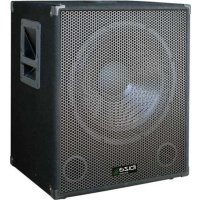
| Product type | Active subwoofer (amplified) |
| Brand | Ibiza Sound |
| Model | SUB18A |
| Speaker | 18 inches (46 cm) |
| Max. power | 1200 W |
| Frequency response | 20 Hz to 180 Hz |
| Max. SPL | 129 dB |
| Power supply | 220-240 V~ 50 Hz, 500 VA |
| Fuse | T2AL 250 V |
| Dimensions | 63 x 58 x 65 cm |
| Weight | 31.75 kg |
| Inputs | 2 x Line (6.35 mm jack), 1 x Micro (6.35 mm jack), 1 x Aux (RCA) |
| Outputs | 2 x Satellite Speakon, 2 x Line (RCA left and right) |
| Equalizer | 2 bands (bass and treble), adjustment from -12 dB to +12 dB |
| Volume controls | Separate for subwoofer and satellites |
| Indicators | POWER indicator (on), CLIP indicator (distortion) |
| Protection | Class I, mandatory grounding |
| Usage | Indoor use only, dry closed room |
| Operating temperature | 5 °C to 35 °C |
| Maintenance | Disconnect before cleaning, do not use liquids |
| Repairability | Fuse replaceable by user (same specifications) |
Frequently Asked Questions - SUB18A IBIZA SOUND
The maximum SPL is 129 dB.
User questions about SUB18A IBIZA SOUND
0 question about this device. Answer the ones you know or ask your own.
Ask a new question about this device
Download the instructions for your Speaker in PDF format for free! Find your manual SUB18A - IBIZA SOUND and take your electronic device back in hand. On this page are published all the documents necessary for the use of your device. SUB18A by IBIZA SOUND.
USER MANUAL SUB18A IBIZA SOUND
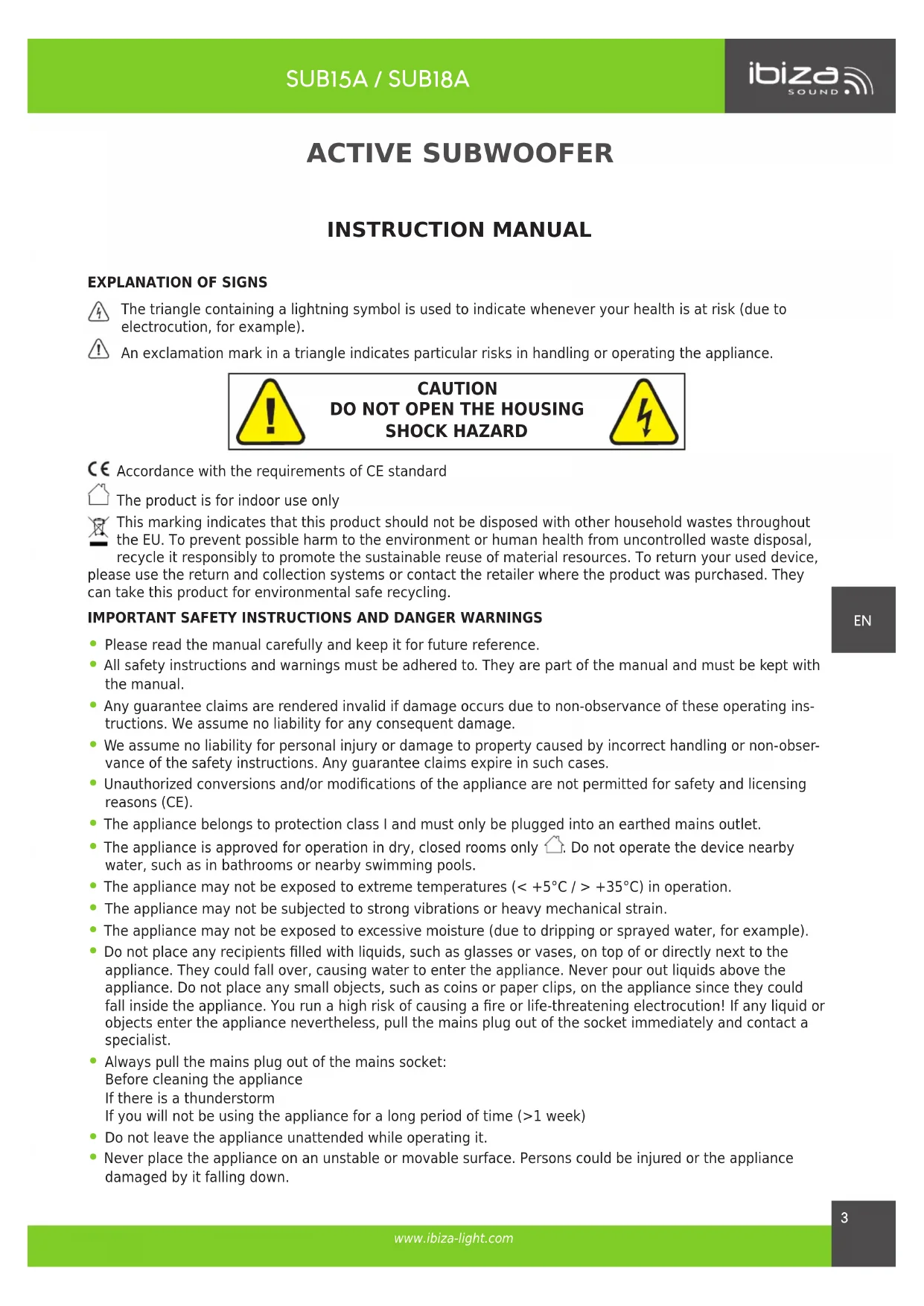
The triangle containing a lightning symbol is used to indicate whenever your health is at risk (due to electrocution, for example).
An exclamation mark in a triangle indicates particular risks in handling or operating the appliance.

CAUTION DO NOT OPEN THE HOUSING SHOCK HAZARD

CE Accordance with the requirements of CE standard
The product is for indoor use only
This marking indicates that this product should not be disposed with other household wastes throughout the EU. To prevent possible harm to the environment or human health from uncontrolled waste disposal, recycle it responsibly to promote the sustainable reuse of material resources. To return your used device, please use the return and collection systems or contact the retailer where the product was purchased. They can take this product for environmental safe recycling.
IMPORTANT SAFETY INSTRUCTIONS AND DANGER WARNINGS
- Please read the manual carefully and keep it for future reference.
- All safety instructions and warnings must be adhered to. They are part of the manual and must be kept with the manual.
Any guarantee claims are rendered invalid if damage occurs due to non-observance of these operating instructions. We assume no liability for any consequent damage.
We assume no liability for personal injury or damage to property caused by incorrect handling or non-observation of the safety instructions. Any guarantee claims expire in such cases.
Unauthorized conversions and/or modifications of the appliance are not permitted for safety and licensing reasons (CE).
The appliance belongs to protection class I and must only be plugged into an earthed mains outlet.
The appliance is approved for operation in dry, closed rooms only. Do not operate the device nearby water, such as in bathrooms or nearby swimming pools.
The appliance may not be exposed to extreme temperatures (< +5^ / > +35^) in operation.
The appliance may not be subjected to strong vibrations or heavy mechanical strain.
The appliance may not be exposed to excessive moisture (due to dripping or sprayed water, for example). - Do not place any recipients filled with liquids, such as glasses or vases, on top of or directly next to the appliance. They could fall over, causing water to enter the appliance. Never pour out liquids above the appliance. Do not place any small objects, such as coins or paper clips, on the appliance since they could fall inside the appliance. You run a high risk of causing a fire or life-threatening electrocution! If any liquid or objects enter the appliance nevertheless, pull the mains plug out of the socket immediately and contact a specialist.
Always pull the mains plug out of the mains socket: Before cleaning the appliance If there is a thunderstorm If you will not be using the appliance for a long period of time (>1 week) - Do not leave the appliance unattended while operating it.
-
Never place the appliance on an unstable or movable surface. Persons could be injured or the appliance damaged by it falling down.
-
When using a rack, make sure it is in a stable position and is transported securely. Installation on uneven, slanted surfaces or stopping the rack abruptly during transport can result in the rack overturning or appliances falling from or out of the rack and injuring people.
Live components can be exposed by opening covers or removing components (unless this can be done without tools). Contact points can also be live. If the appliance has to be opened in order to calibrate, service, repair or replace components or assemblies, all of its poles must be disconnected from all sources of voltage first. If the appliance has to be kept open and under voltage during maintenance or repairs, this work may only be carried out by a specialist who is familiar with the risks involved and the relevant regulations.
Do not place any naked flames such as those of burning candles on or next to the appliance. - Do not place the appliance on soft surfaces such as carpets or beds. Do not cover the air vents of the appliance. Do not obstruct the air circulation with objects such as magazines, table cloths or curtains. This prevents the dissipation of heat from the appliance and can result in overheating.
- Only use the appliance in a moderate climate, not in tropical environments.
All persons involved in operating, installing and servicing the appliance and putting it into service must be trained and qualified accordingly and observe these operating instructions.
Defective mains cables may only be replaced by specialists. Danger of shock hazard!
DISCONNECTION FROM THE MAINS
- Where the MAINS plug or an appliance couples is used as the disconnect device, the disconnect device shall remain readily accessible.
- If a switch is used to disconnect the device, the switch and its function must be clearly identified and remain easily accessible.
FEATURES
- Suitable for a 2-input amplified sound system
2x Line inputs - 1x stereo AUX in- & output
2-Band EQ (bass & treble)
Bi-amp inside the subwoofer for the satellite speaker - Speakon outputs for the satellites
- Separate volume controls for subwoofer & satellite speakers
INSTALLATION
Plug one end of the supplied mains lead into the IEC socket (13) and the other end into a suitable mains outlet.
OPERATION
- Prior to switching the unit on, turn all volume controls down to minimum.
- Connect your audio source to the appropriate input socket.
- Connect the unit to the mains supply.
- Switch on the audio source first, followed by the active speaker.
- Set the volume with the applicable control.
- Adjust the bass & treble.
CONTROLS AND CONNECTIONS
- MIC volume control
- Bass control: Set the level of the low frequencies from -12dB to +12dB
- Treble control: Set the level of the high frequencies from -12dB to +12dB
- Subwoofer volume control
- Master Volume control
- 6.3mm Microphone input
- 6.3mm Line input
- RCA AUX input for units such as CD player, tuner or mixer
- RCA output
-
Satellite Speaker output 1
-
Satellite Speaker output 2
- Fuse compartment
- Fused IEC mains inlet
- Ground lift switch
- Mains power switch
- POWER LED: lights up when the unit is switched on (only SUB18A)
- CLIP LED: When it lights up, the input signal has reached the level of distortion. Reduce the input level to avoid sound distortion (only SUB18A)
CONNECTION OF A MICROPHONE
Connect the microphone to the MIC socket (6) and switch it on.
Note: If you are playing music from any other input, connecting the microphone will not mute the sound output.
FUSE REPLACEMENT
Disconnect the power cord before replacing a fuse. Always replace with the same type of fuse.
SPECIFICATIONS
| Model SUB15A SUB18A | ||
| Woofer 15" / 38cm 18"/46cm | ||
| Max. power 800W 1200W | ||
| Frequency response 20 to 250Hz 20Hz to 180Hz | ||
| SPL/SPL max. 101dB / 127dB 103dB/129dB | ||
| Voltage 220-240V~ 50Hz | ||
| Consumption 280VA 500VA | ||
| Fuse T2AL 250V T2AL 250V | ||
| Dimensions | 38.5 x 38.5 x 57cm | 63 x 58 x 65cm |
| Weight | 21.41kg 31.75kg | |
SUBWOOFER ACTIF
MANUEL D'UTILISATION
EXPLICATION DES SYMBOLS

ATTENTION NE PAS OUVRIR LE BOITIER RISQUE DE CHOC ELECTRIQUE
CORRECTE VERWIIDERING VAN DIT PRODUCT
Imported from China by LOTRONIC S.A.
Avenue Zénobe Gramme 9
B-1480 Saintes


www.ibiza-light.com
Copyright LOTRONIC 2019