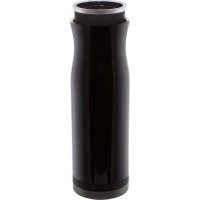
Sound360 PBSC510 - Bluetooth speaker LG - Free user manual and instructions
Find the device manual for free Sound360 PBSC510 LG in PDF.



| Product Type | Portable Bluetooth Speaker |
| Brand | LG |
| Model | Sound360 PBSC510 |
| Dimensions (Diameter x Height) | Φ 67 x 204 mm |
| Weight | 580 g |
| Power Supply | AC adapter 5 V / 1.2 A; built-in rechargeable Li-Ion battery 5000 mAh |
| Battery Life | About 20 hours (at 30% volume) |
| Charging Time | Less than 5.5 hours |
| Bluetooth Connectivity | Bluetooth 4.1 (A2DP profile); multipoint (up to 2 devices) |
| Main Features | Play/Pause, volume control, track skip, 3 equalizer modes (Enhanced Bass, Enhanced Treble, Enhanced Power), dual play (pair two speakers), NFC, LG Sound Sync |
| Ports | Micro USB charging port (only) |
| Sound Power | 12 W (subwoofer 4 Ω, range extended 8 Ω) |
| Charge Indicator | Red LED (less than 60%), purple (over 60%), blue (100%) |
| Operating Temperature | 5 °C to 35 °C |
| Operating Humidity | 5% to 60% |
| Care and Cleaning | Clean with a dry, soft cloth; avoid solvents (alcohol, benzene) |
| Safety | Do not expose to water, fire, extreme temperatures; do not open; use only an LG charger rated at least 1.2 A |
| Spare Parts and Repairability | Built-in battery not user-replaceable; contact authorized service for repair or battery replacement |
| General Information | Limited one-year warranty; design and specifications subject to change without notice |
Frequently Asked Questions - Sound360 PBSC510 LG
User questions about Sound360 PBSC510 LG
0 question about this device. Answer the ones you know or ask your own.
Ask a new question about this device
Download the instructions for your Bluetooth speaker in PDF format for free! Find your manual Sound360 PBSC510 - LG and take your electronic device back in hand. On this page are published all the documents necessary for the use of your device. Sound360 PBSC510 by LG.
USER MANUAL Sound360 PBSC510 LG
All rights reserved. LG Electronics Inc., 2015
Note: Please read all information carefully prior to using the PBS-C510 in order to prevent product damage and to enjoy the best performance.
www/lg.com
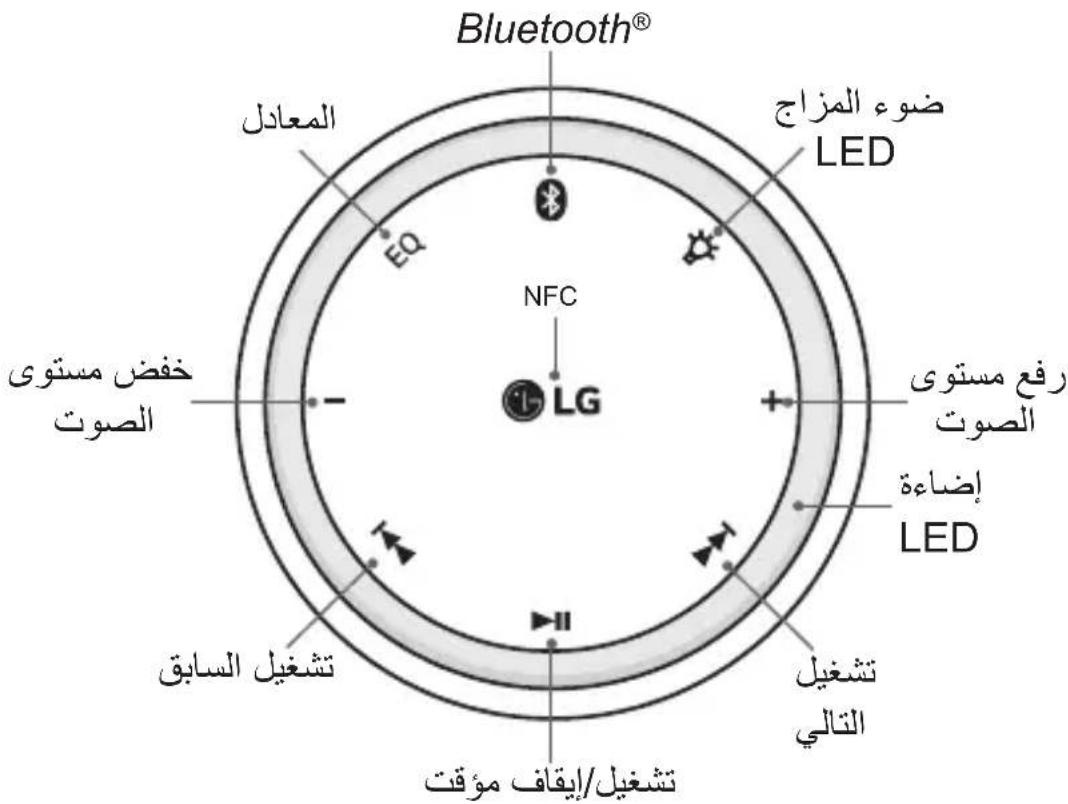
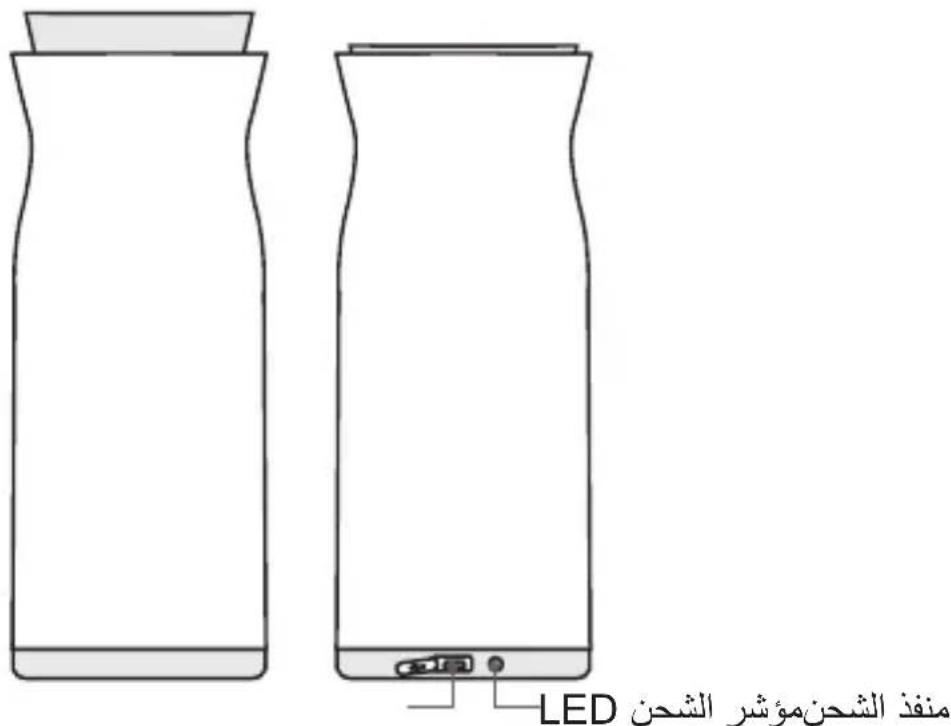
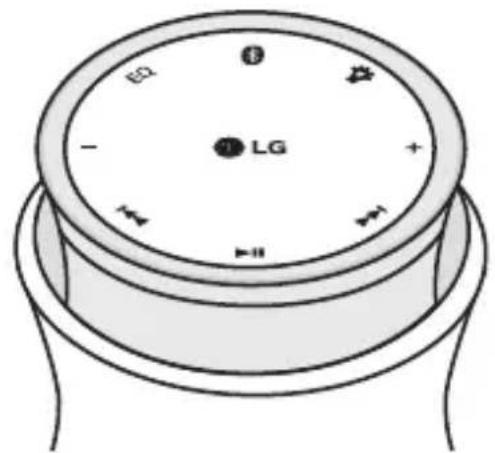
Description of Part
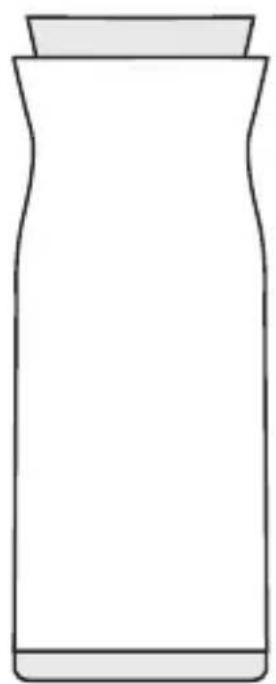
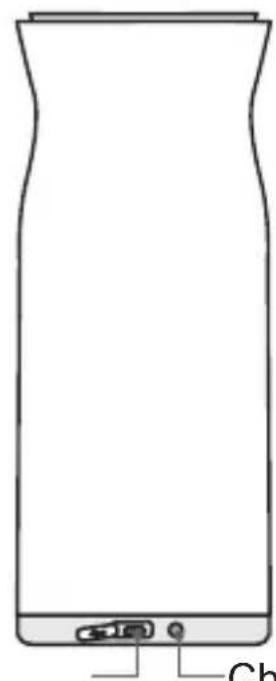
Charging LEDCharging Port
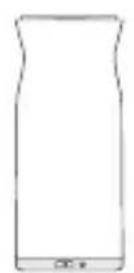
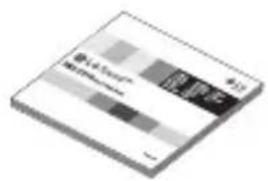
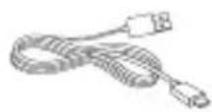
Included in the Package
PBS-C510
Bluetooth
Speaker
Quick
Start Guide
USB
Charging
Cable
NOTE: Actual product design may differ from images shown in this manual.
How to Use
Power On/Off
Power On
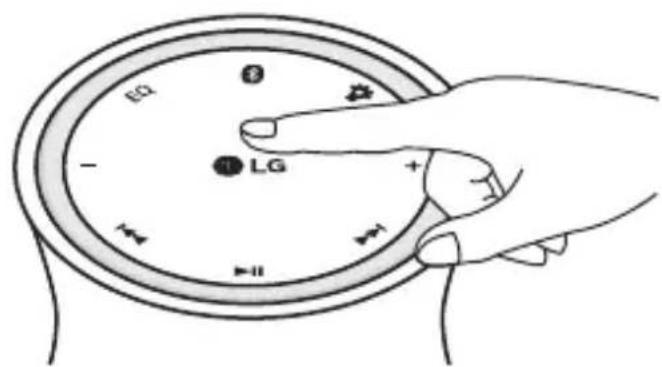
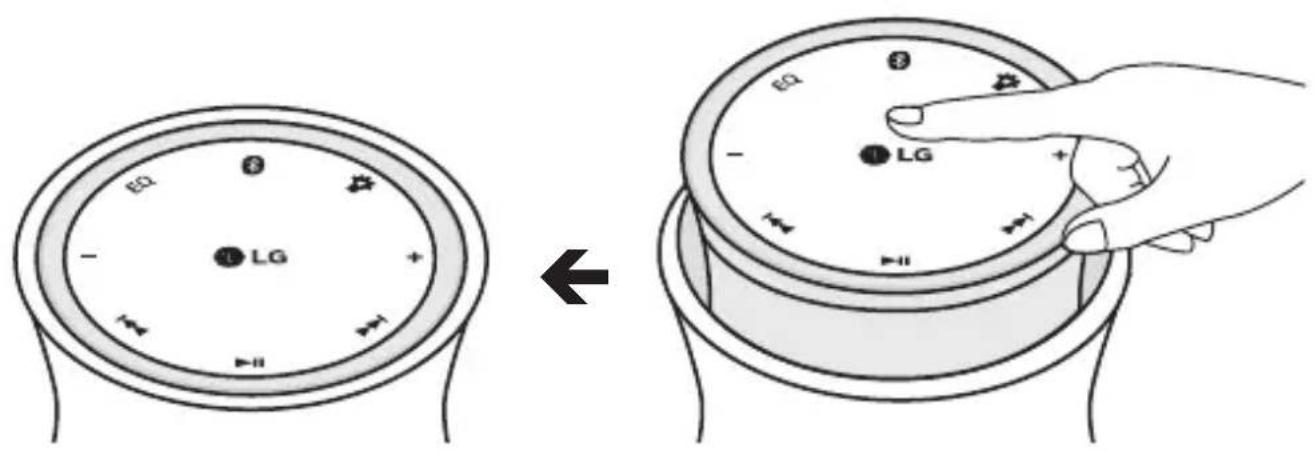
Press the top of the speaker to power on the product.
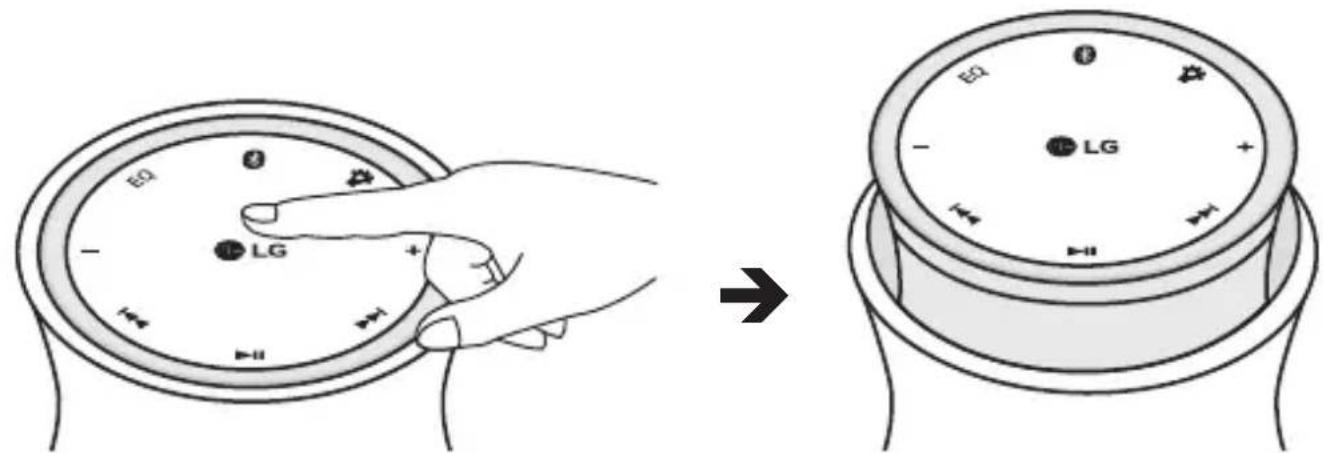
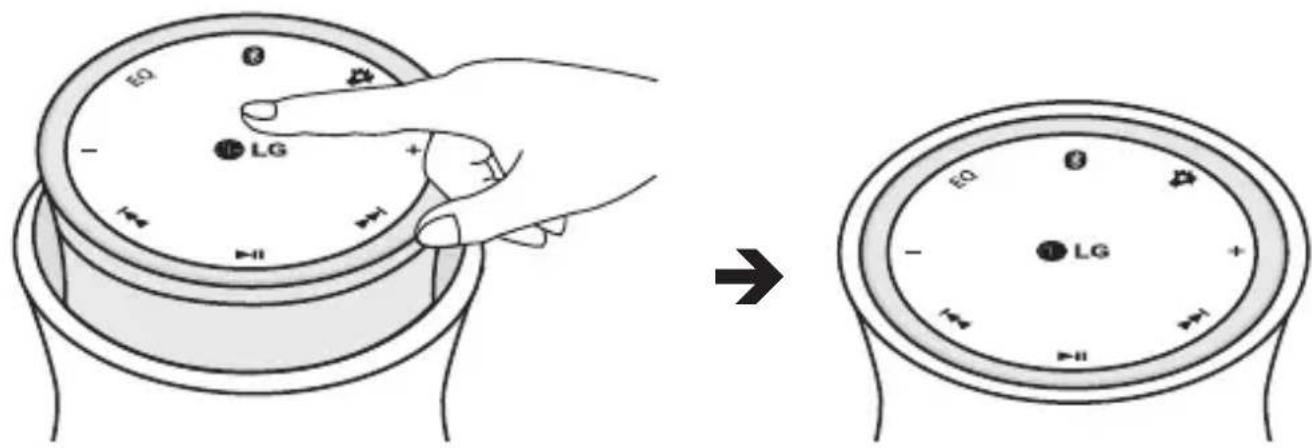
Power Off
If you press the top of the speaker while it is powered on, the power will be turned off.
Charging
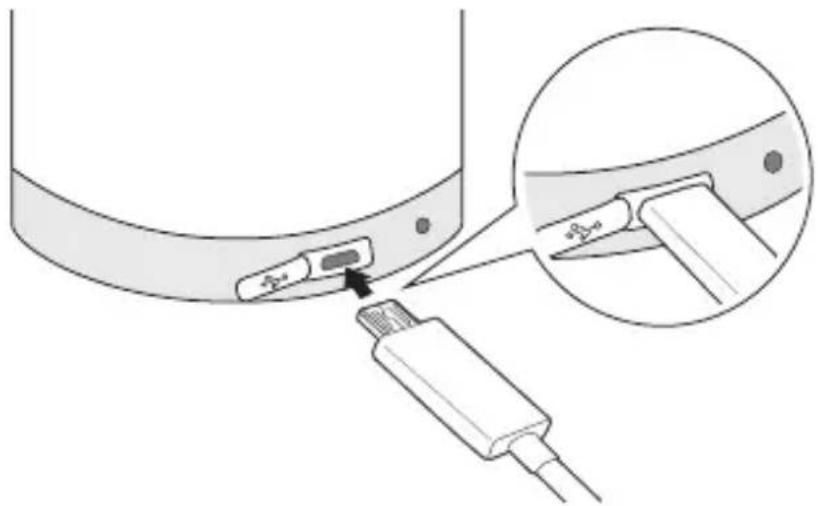
- Connect the USB adapter and USB charging cable.
- Open the USB cover, then plug the USB charging cable (as shown below) into the speaker's charging port.
- Plug the charger into an electrical outlet.
| Charging Status LED Indicator | |
| Under 60% RED light | |
| Above 60% VIOLET light | |
| Fully charged BLUE light | |
Low Battery
- A low battery alert will play once per minute.
- If the battery is not charged, the Speaker will power off.
Battery Status Alert
- Press and hold the - button for 2 seconds to check the battery status of the speaker.
| Battery Status | Low (Under 15%) | Medium (Under 60%) | High (Above 60%) |
| LED display | Red light for 5 seconds | Violet light for 5 seconds | Blue light for 5 seconds |
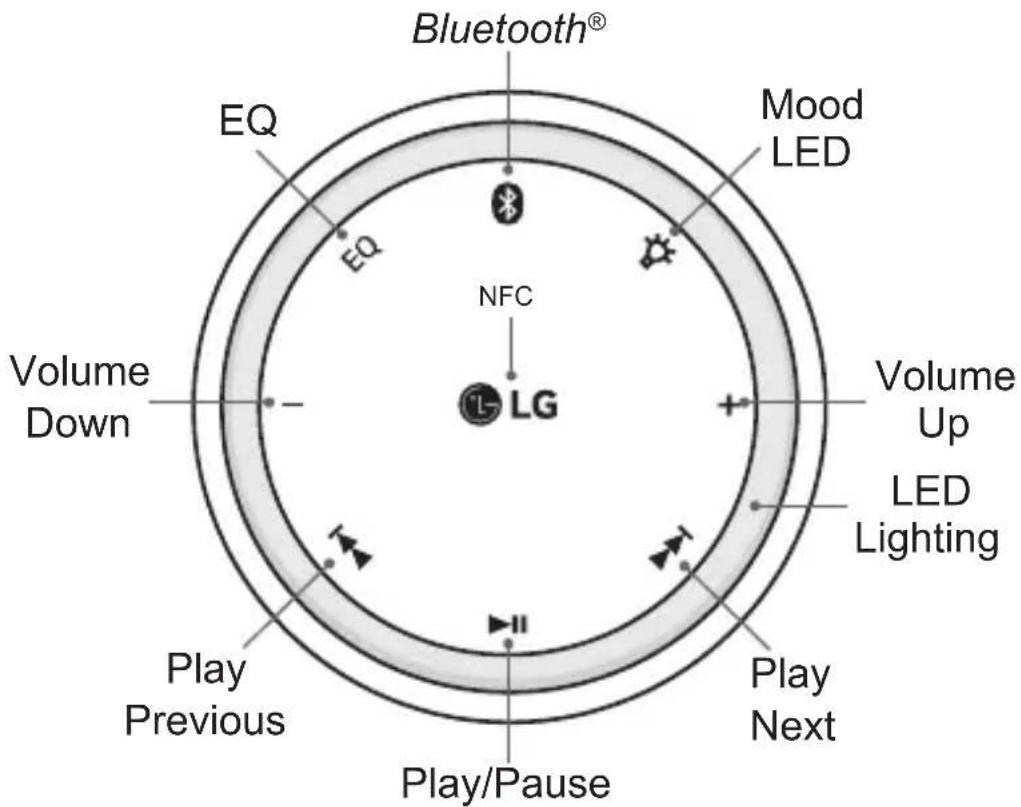
Button Description
| Button Description Button duration | |
| II | Play / Pause Short touch |
| + | Volume Up Short touch |
| - | Volume Down Short touch |
| Display Battery Status Long touch (2 secs) | |
| I | Play Next Short touch |
| K | Play Previous Short touch |
| EQ | Equalization Mode Changes Short touch |
| S | Enter Pairing Mode Long touch (2 secs) |
| * | Change the Mood LED light. Default → Always On → Off |
| 8++ | Dual Play Inquire Long touch (2 secs) |
| 8+- | Change to Dual play |
| Button Description | Button duration | |
| + + or + - | End the Dual Play Long touch (2 secs) | |
| + + | Connect with TV Sync Long touch (2 secs) | |
| + + + + | Reset the Speaker Long touch (5 secs) |
Pairing
To use the speaker, you must first pair it with your mobile device.
Easy Pairing
- Push the power button to the on position. The speaker will enter pairing mode.
- When the speaker enters pairing mode, LED light blinks fast (When the speaker is successfully connected with your Bluetooth device, the LED light change to slow blink).
- With your mobile device, scan for and select the Bluetooth speaker.
- If prompted, enter a password to pair the devices.
Manual Pairing (use when pairing with a second mobile device or re-pairing with a previously paired device)
- Push the power button to the on position.
- Touch and hold the × button.
- Repeat step 2 through 4 of Easy Pairing.
NFC
Bluetooth connection is available through NFC.
In order to use this feature, you need to activate NFC on your mobile device. (The Read/Write item should be checked on the NFC menu on your mobile device.)
- Bring your mobile device close to the LG logo on the top of the speaker.
- Select "Yes" from the pop-up window to pair and connect the mobile device and speaker.
- Once connected via NFC, bringing your mobile device close to the LG logo (NFC) on the speaker will disable the connection.
NOTE:
- Once the speaker and a device have been paired, the next time the speaker is powered on it will automatically try to reconnect with the last device it was paired with.
- If the speaker cannot connect to a previously paired device within 20 minutes, it will automatically power off.
- When the unit is in Bluetooth/LG Sound Sync mode without music playback for 20 minutes, it will automatically power off.
- The speaker can connect upto 2 Bluetooth devices at the same time. If you want to connect the third device when the 2 Bluetooth devices are connected, you need to press key first to disconnect one of the 2 Bluetooth devices connected and you can connect the third Bluetooth device through NFC.
Advanced Multipoint
The speaker can be connected to two devices at the same time.
Pairing with Two Devices
-
Pair the speaker with the Bluetooth enabled mobile device you want to use as your secondary device (see Pairing instructions).
-
Once paired, power off the speaker.
- Pair and connect the speaker with your other Bluetooth enabled mobile device. This will be your primary device.
NOTE:
- When the speaker is connected to two mobile devices at the same time (Multipoint), the speaker will work with the primary mobile device.
- If the speaker fails to connect to the primary mobile device through Easy Pairing, it will enter Pairing mode.
Auto Reconnect
If in range of each other when the speaker is powered on, the speaker and the primary mobile device will automatically reconnect.
The secondary mobile device will need to be manually connected by selecting LG PBS-C510 from the available devices listed in the Bluetooth menu.
Out of Range
If the paired devices are separated by a range of 33 feet (10 meters) or more, the speaker and paired mobile device(s) will disconnect, and the speaker will alert you.
If the speaker and paired mobile device do not automatically reconnect when they are back within the required range, briefly press on the speaker to manually reconnect.
When connected to multiple devices, the paired device that is not in use will disconnect when out of range.
Dual Play (Optional)
You can enjoy stereo sound using two PBS-C510 products.
- Using the Pairing instructions, pair your mobile device with the first speaker A.
- Press the × button and the → button of speaker at the same time for about 2 seconds.
- Press the × button and the lubsuit button of speaker A at the same time for about 2 seconds. When Speaker A connects to Speaker B using Dual Play, a sound effect is generated from Speaker A and Speaker B .
- It takes up to 30 seconds to connect to dual play.
NOTE:
- With Dual Play, you can adjust the volume of both speakers at the same time.
- To disable the Dual Play connection, press the button and the + button (or - button) at the same time for about 2 seconds.
Dual Play is support on Android or IOS devices.
Equalizer Mode Change
PBS-C510 speakers have three types of preset Equalizer modes. Briefly touch the EQ button on the top of the speaker. When you press the EQ button, the EQ settings will be applied in the order as follows:
| EQ Mode LED Blinking | |
| Bass Boost Mode (Low-Band Boost, Default) | 1 |
| Treble Boost (High-Band Boost) 2 | |
| Power Boost Mode (Full-Band Boost) 3 |
Reset the Speaker Setting
You can reset speaker settings such as the paired device list, volume level, equalizer mode, and mood LED as well as restore settings to default.
Press the 串 + 串 + 串 + 串 at the same time for about 5 seconds.
NOTE:
- Reset the speaker to clear the speaker memory.
LG Sound Sync
Sound Sync
LG Sound Sync enables you to control some functions of this unit by your LG TV remote control. Controllable functions are volume up, volume down, and mute. Make sure that your TV has LG Sound Sync logo as shown above.
- Set up the sound output of your TV.
TV setting menu → [Sound] → [TV Sound output] → [LG Sound Sync (Wireless)]
NOTE:
- The setting method of LG Sound Sync may differ depending on the TV. Refer to your TV manual.
- Press the × button and button at the same time for about 2 seconds.
- When in pairing mode, select the LG TV in the available devices list to connect the LG Sound360.
When Using the Product
Bluetooth
- You can connect up to two Bluetooth devices simultaneously.
- Multi-pairing connection (Advanced Multipoint) is only available with Android™ or iOS devices. (Multi-pairing connection may not be available with some devices due to their specifications.)
- If two Bluetooth devices are connected using multi-pairing, you can play and control music by selecting one of the connected devices.
- When two mobile devices are connected to a speaker, each mobile device's volume operates independently of the other device's volume.
Dual Play
- During Dual Play, you can only connect your mobile device to one of the Bluetooth speakers (speaker A or speaker B).
- Dual Play is only available with PBS-C510 speakers for use with Android and iOS devices. Dual Play is not available on other Music Flow series or other smart audio products.
- Multi-pairing (Advanced Multipoint) is not available during Dual Play.
- When Dual Play is connected, the function cannot be changed without first disconnecting from the paired mobile device. Once disconnected, the function can be changed or another mobile device can be pair with the PBS-C510.
- When the speakers are in the process of connecting with Dual Play, the speakers will not be visible to other Bluetooth enabled mobile devices.
LG Sound Sync
- This product recognizes input signals such as Bluetooth and LG sound sync and automatically changes the mode according to the signals.
Energy Saving Features
-
If the speaker cannot connect to a Bluetooth enabled device within 20 minutes, it will automatically power off to save energy.
-
If the speaker powers off to save energy, to power it on again you will need to press the top of speaker twice—once to complete the powering off and a second time to power it on.
Troubleshooting
Does Not Power On
- The battery is discharged. Charge the battery.
Muted or Distorted Sound
- The volume of this product or smart device may be set up to minimum. Adjust the volume of this product or the smart device the speaker is paired with.
- If the volume of the connected device is set up to maximum, the sound may be distorted. Reduce the volume of the connected device.
- If you use this product for purposes other than playing music, it may not work properly or the sound quality may decrease.
Bluetooth Pairing Failed
Bluetooth pairing may not work properly depending on the types of Bluetooth devices or environments.
- Ensure Bluetooth is on.
- Deactivate Bluetooth on the Bluetooth enabled device you are trying to pair with, and then reactivate Bluetooth to try to pair again.
- Remove obstacles between this product and the Bluetooth enabled device you are trying to pair with.
- Ensure that the device you want to pair with isn't already paired with another Bluetooth enabled device. If it is, disable the unwanted connection.
LG Sound Sync Failed
- If the connection fails, check this product and your TV for their power and modes.
- If you turn off the TV and turn it on again, you will need to set up the LG sound sync connection again.
Product Not Properly Working
- If this product works improperly, power it off and then back on again.
- If the battery has been completely discharged, Bluetooth information may be deleted. Always maintain a charge to better ensure Bluetooth information is saved.
- When this product's power is off, the previous settings/mode may not be saved. Reconnect settings/mode using the instructions for this product.
- Do not use this product where temperature and humidity are too high or too low.
- Please contact LG Electronics Customer Service Center if you are still having issues with this product.
Precautions
Do not drop the device.
- Do not modify, repair, or disassemble.
- Do not expose directly to water, alcohol, benzene, etc., for cleaning.
- Do not expose directly to flammable.
- Do not place or keep the device near flammable.
- Keep the device away from excessive humidity and dust.
- Do not place heavy objects on the device.
- Only charge the speaker with an original LG charger, rated current higher than 1.2A, otherwise the product may be damaged. If you use a charger rated under 1.2A, it may cause damage to the device or cause the device to not charge with blinking Red LED.
- Changes or modifications not expressly approved by the party responsible for compliance could void the user's authority to operate the equipment.
- Risk of damage or explosion if incorrect battery is used.
- Dispose of used batteries according to the instructions.
If you have an implanted medical device, consult with a doctor prior to using this product.
- Be careful not to get the product wet with any liquid such as water.
- Do not drop or splash any liquid on the device. It could result in a product malfunction or fire.
Additional Information
Radio frequency exposure
This Bluetooth Stereo Speaker PBS-C510 is a radio transmitter and receiver. When in operation it communicates with a Bluetooth equipped mobile device by receiving and transmitting radio frequency (RF) electromagnetic fields (microwaves) in the frequency range 2.4 to 2.4835 GHz. Your Bluetooth speaker is designed to operate in compliance with the RF exposure guidelines and limits set by national authorities and international health agencies when used with any compatible LG Electronics mobile device.
Potentially explosive atmosphere
Power off your electronic device when in any area with a potentially explosive atmosphere. Although this is uncommon, your electronic device could generate sparks. Sparks in such areas could cause an explosion or fire resulting in bodily injury or even death. Areas with a potentially explosive atmosphere are often, but not always, clearly marked.
Battery information
A rechargeable battery has a long service life if treated properly. A new battery or one that has not been used for a long period of time could have reduced capacity the first few times it is used. Do not expose the battery to extreme temperatures, never above +60ircC (+140ircF) or below -10ircC (14ircF) . For maximum battery capacity, use the battery at room temperature. If the battery is used in low temperatures, the battery capacity will be reduced. The battery can only be charged in temperatures between +10ircC (+50ircF) and +45ircC (+113ircF) . For your safety, do not remove the battery incorporated with the product. If you need to replace the battery, take it to the nearest authorized LG Electronics service point or dealer for assistance.
Recycling the battery in your Bluetooth speaker
The battery in your Bluetooth speaker must be disposed of properly and should never be placed in municipal waste. The LG Electronics service partner who removes the battery will dispose of it according to local regulations.
Conditions
-
The warranty is valid only if the original receipt issued to the original purchaser by the dealer, specifying the date of purchase and serial number, is presented with the product to be repaired or replaced. LG Electronics reserves the right to refuse warranty service if this information has been removed or changed after the original purchase of the product from the dealer.
-
If LG Electronics repairs or replaces the product, the repaired or replaced product shall be warranted for the remaining time of the original warranty period or for ninety (90) days from the date of repair, whichever is longer. Repair or replacement may involve the use of functionally equivalent reconditioned units. Replaced parts or components will become the property of LG Electronics.
-
This warranty does not cover any failure of the product due to normal wear and tear, or due to misuse, including but not limited to use in other than the normal and customary manner, in accordance with instructions for use and maintenance of the product. Nor does this warranty cover any failure of the product due to accident, modification or adjustment, acts of God or damage resulting from liquid.
-
This warranty does not cover product failures due to improper repair installations, modifications or service performed by a non-LG Electronics authorized person. Tampering with any of the seals on the product will void the warranty.
-
THERE ARE NO EXPRESS WARRANTYES, WHETHER WRITTEN OR ORAL, OTHER THAN THIS PRINTING INCLUDING WITHOUT LIMITATION THE IMPLIED WARRANTYES OF MERCHANTABILITY OR FITNESS FOR A PARTICULAR PURPOSE, ARE LIMITED TO THE DURATION OF THIS LIMITED WARRANTY. IN NO EVENT SHALL LG ELECTRONICS OR ITS VENDORS BE LIABLE FOR INCIDENTAL OR CONSEQUENTIAL DAMAGES OF ANY NATURE WHATSOEVER, INCLUDING BUT NOT LIMITED TO LOST PROFITS OR COMMERCIAL LOSS, TO THE FULL EXTENT THOSE DAMAGES CAN BE DISCLAIMED BY LAW.
- Some countries/states do not allow the exclusion or limitation of incidental or consequential damages, or limitation of the duration of implied warranties, so the preceding limitations or exclusions may not apply to you. The warranty provided does not affect the consumer's statutory rights under applicable national legislation in force, nor the consumer's rights against the dealer arising from their sales/purchase contract.
Limited Warranty
SUBJECT TO THE CONDITIONS OF THIS LIMITED WARRANTY, LG ELECTRONICS WARRANTY THIS PRODUCT TO BE FREE FROM DEFECTS IN DESIGN, MATERIAL AND WORKMANSHIP AT THE TIME OF ITS ORIGINAL PURCHASE BY A CONSUMER, AND FOR A SUBSEQUENT PERIOD OF ONE (1) YEAR. SHOULD YOUR PRODUCT NEED WARRANTY SERVICE, PLEASE RETURN IT TO THE DEALER FROM WHOM IT WAS PURCHASED OR CONTACT YOUR LOCAL LG ELECTRONICS CONTACT CENTER TO GET FURTHER INFORMATION.
Important Safety Information

CAUTION
RISK OF ELECTRIC SHOCK DO NOT OPEN

CAUTION: TO REDUCE THE RISK OF ELECTRIC SHOCK, DO NOT REMOVE COVER (OR BACK). NO USER-SERVICEABLE PARTS INSIDE. REFER SERVICING TO QUALIFIED SERVICE PERSONNEL.

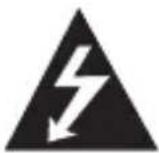
This lightning flash with arrowhead symbol within an equilateral triangle is intended to alert the user to the presence of uninsulated dangerous voltage within the product's enclosure that may be of sufficient magnitude to constitute a risk of electric shock to persons.

The exclamation point within an equilateral triangle is intended to alert the user to the presence of important operating and maintenance (servicing) instructions in the literature accompanying the product.
WARNING:
- To prevent fire or electric shock hazard, do not expose this product to rain or moisture.
- The battery pack shall not be exposed to excessive heat such as sunshine, fire or the like.
- Do not install this equipment in a confined space such as a book case or similar unit.
- This unit contains magnets which can be harmful to some kind of object (Ex: Magnetic card, Pacemaker etc.).
CAUTION:
- Do not block any ventilation openings. Install in accordance with the manufacturer's instructions. Slots and openings in the cabinet are provided for ventilation and to ensure reliable operation of the product and to protect it from over heating. The openings shall be never be blocked by placing the product on a bed, sofa, rug or other similar surface. This product shall not be placed in a built-in installation such as a bookcase or rack unless proper ventilation is provided or the manufacturer's instruction has been adhered to.
- The apparatus should not be exposed to water (dripping or splashing) and no objects filled with liquids, such as vases, should be placed on the apparatus.
- No naked flame sources, such as lighted candles, should be placed on the apparatus.
- Internal lithium battery in the unit should not be replaced by user because of danger of explosion if battery is incorrectly replaced, and must be replaced with the same type battery by expert.
- Only use the AC adapter supplied by LGE, Rated current 1.2A. Do not use a power supply from another device or another manufacturer. Using any other power cable or power supply may cause damage to the device and void your warranty.
- To avoid fire or electric shock, do not open the unit. Contact to qualified personnel only.
- Do not leave the unit in a place near the heating appliances or subject to direct sunlight, moisture, or mechanical shock.
- To clean the unit, use a soft, dry cloth. If the surfaces are extremely dirty, use a soft cloth lightly moistened with a mild detergent solution. Do not use strong solvents such as alcohol, benzine, or thinner, as these might damage the surface of the unit.
-
Do not use volatile liquids such as insecticide spray near the unit. Wiping with strong pressure may damage the surface. Do not leave rubber or plastic products in contact with the unit for a long period of time.
-
Do not place the unit over the vehicle's air bag. When the air bag deploys, it may result in injury. Before using in the car, fix the unit.
- Do not use the hands-free function while driving a car.
- Do not leave the unit on an unstable place such as high shelves. It may fall down because of the vibration of the sound.
- Do not use high voltage products around this product (ex. Electrical swatter). This product may malfunction due to electrical shock.
CAUTION when using this product in environments of low humidity
- It may cause static electricity in environments of low humidity.
- It is recommended to use this product after touching any metal object which conducts electricity.
CAUTION concerning the power cord
- Most appliances recommend they be placed upon a dedicated circuit; That is, a single outlet circuit which powers only that appliance and has no additional outlets or branch circuits. Check the specification page of this manual to be certain.
- Do not overload wall outlets. Overloaded wall outlets, loose or damaged wall outlets, extension cords, frayed power cords, or damaged or cracked wire insulation are dangerous. Any of these conditions could result in electric shock or fire.
- Periodically examine the cord of your appliance, and if its appearance indicates damage or deterioration, unplug it, discontinue use of the appliance, and have the cord replaced with an exact replacement part by an authorized service center. Protect the power cord from physical or mechanical abuse, such as being twisted, kinked, pinched, closed in a door, or walked upon.
- Pay particular attention to plugs, wall outlets, and the point where the cord exits the appliance.
- To disconnect power from the mains, pull out the mains cord plug. When installing the product, ensure that the plug is easily accessible.
-
This device is equipped with a portable battery or accumulator.
-
Replace the battery pack only with a genuine replacement battery pack from LG or an authorized LG dealer. LG cannot warrant the safety and compatibility or assure the operability of batteries from other manufacturers for use in operating this product. Keep battery pack clean and dry.
- The battery needs to be charged before use.
- Always use the correct LG charger, rated current higher than 1.2A, and refer to the manufacturer's instructions or equipment manual for proper charging instructions.
- To prevent contamination of the environment and bring on possible threat to human and animal health, the old battery or the battery put it in the appropriate container at designated collection points.
- Do not dispose of batteries or battery together with other waste. It is recommended that you use local, free reimbursement systems batteries and accumulators.
- The battery shall not be exposed to excessive heat such as sunshine, fire or the like.
NOTICE: For safety information, including product identification and supply ratings, please refer to the main label on the bottom of the apparatus.
Avoiding hearing damage
Permanent hearing loss may occur if you use your speaker at a high volume. Set the volume to a safe level. Over time you can become accustomed to a higher volume that may sound normal but can be damaging to your hearing. If you experience ringing in your ears or muffled speech, reduce the sound volume and have your hearing checked. The louder the volume, the less time is required before your hearing could be affected.
Hearing experts suggest that to protect your hearing:
- Limit the amount of time you use the speaker at high volume.
- Avoid increasing the volume to block out noisy surroundings.
Using speakers safely
Be careful and attentive while driving. Stop using this device if you find it disruptive or distracting while operating any type of vehicle or performing any other activity that requires your full attention.
Declaration of Confirmation
FCC NOTICE TO USERS :
This device complies with part 15 of the FCC rules.
Operation is subject to the following two conditions:
(1) This device may not cause harmful interference and
(2) This device must accept any interference received, including interference that may cause undesired operation.
IMPORTANT NOTE :
To comply with the FCC RF exposure compliance requirements, no change to the antenna or the device is permitted. Any change to the antenna or the device could result in the device exceeding the RF exposure requirements and void user's authority to operate the device.
DECLARATION OF CONFORMITY :
Hereby, LG Electronics declares that this PBS-C510 is in compliance with the essential requirements and other relevant provisions of Directive 1999/5/EC.
A copy of the Declaration of Conformity can be found at http://www.lg.com/global/ declaration
C∈0168
Bluetooth® is a registered trademark of Bluetooth SIG, Inc. worldwide.

Bluetooth
Product Specifications
Power
| Power | - 5 V / 1.2 A (AC adapter) - Built-in rechargeable battery |
| Power consumption 2 W | (typical volume) |
| Size Φ 67 x 204 mm | |
| Weight 580 g | |
| Working temperature 5°C – 35°C | |
| Working humidity 5% – 60% | |
| External port Micro USB | port for battery charging |
| Communication Bluetooth | |
| Amp | - 8 W (4 Ω, 1 kHz) + 4 W (8 Ω, 1 kHz) - THD: Within 10% |
| Speaker | - Type: Built-in type - Impedance: Woofer 4 Ω, full range 8 Ω - Rated power input: 12 W |
| Battery | - Battery capacity: 5000 mAh (min) - Operating time: Approx. 20 hours (Based on 30% volume, 1 kHz signal signal with a fully charged battery) The operating time can be varied depending on the conditions of the battery or operation. - Charging time: Less than 5.5 hours. |
Wireless Bluetooth Speaker
| Company name LG Electronics Inc. | |
| Equipment name (model name) | Specific low power wireless device (PBS-C510) |
| Manufacturer / Manufacturing country | LG Electronics Inc. / Korea |
| Bluetooth version 4.1 (S | speaker/A2DP profiles) |
- Product designs and specifications are subject to change without prior notice.
- As this wireless device may cause electromagnetic interference, safety or medical services will not be provided.
- Li-Ion Battery is a hazardous component which can cause injury.
- Battery replacement by non-qualified professional can cause damage to your device.
- Do not replace the battery by yourself. The battery can be damaged, which can cause overheat and injury. The battery must be replaced by the authorized service provider. The battery should be recycled or disposed separately from household waste.
Removal of waste batteries and accumulators (Product with embedded battery ONLY)
- In case this product contains a battery incorporated within the product which cannot be readily removed by end-users, LG recommends that only qualified professionals remove the battery, either for replacement or for recycling at the end of this product's working life.
To prevent damage to the product, and for their own safety, users should not attempt to remove the battery and should contact LG Service Helpline, or other independent service providers for advice.
- Removal of the battery will involve dismantling of the product case, disconnection of the electrical cables/contacts, and careful extraction of the battery cell using specialized tools. If you need the instructions for qualified professionals on how to remove the battery safely, please visit http://www.lge.com/global/sustainability/environment/takeback-recycling.
Disposal of waste batteries/accumulators
1 This symbol may be combined with chemical symbols for mercury (Hg), cadmium (Cd) or lead (Pb) if the battery contains more than 0.0005% of mercury, 0.002% of cadmium or 0.004% of lead.
2 All batteries/accumulators should be disposed separately from the municipal waste stream via designated collection facilities appointed by the government or the local authorities.
3 The correct disposal of your old batteries/accumulators will help to prevent potential negative consequences for the environment, animal and human health.
4 For more detailed information about disposal of your old batteries/ accumulators, please contact your city office, waste disposal service or the shop where you purchased the product.
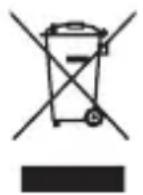
Disposal of your old appliance
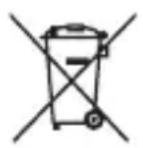
1 This crossed-out wheeled bin symbol indicates that waste electrical and electronic products (WEEE) should be disposed of separately from the municipal waste stream.
2 Old electrical products can contain hazardous substances so correct disposal of your old appliance will help prevent potential negative consequences for the environment and human health. Your old appliance may contain reusable parts that could be used to repair other products, and other valuable materials that can be recycled to conserve limited resources.
3 You can take your appliance either to the shop where you purchased the product, or contact your local government waste office for details of your nearest authorised WEEE collection point. For the most up to date information for your country please see www.lq.com/global/recycling
Contact office for compliance of this product: LG Electronics European Shared Service Center B.V. Krijgsman 1, 1186 DM Amstelveen, The Netherlands
GUIDE DE L'UTILISATEUR
LG Sound360
PBS-C510
Rev 1.0 EU
RISQUE D'ÉLECTROCUTION. NE PAS OUVRIR.

AVERTISSEMENT: AFIN DE RÉDUIRE LE RISQUE D'ÉLECTROCUTION, NE RETIREZ PAS LE CAPOT (OU L'ARRIÈRE). AUCUNE PIECE DE L'APPAREIL N'EST REPARABLE PAR L'UTILISATEUR. CONFIEZ L'ENTRETIEN DE CET APPAREIL À DU PERSONNEL QUALIFIÉ.
lg.com/global/declaration
C∈0168
LG Electronics European Shared Service Center B.V.
Krijgsman 1, 1186 DM Amstelveen, The Netherlands
MANUALE UTENTE
LG Sound360
PBS-C510
Rev 1.0 EU
LG Electronics European Shared Service Center B.V.
Krijgsman 1, 1186 DM Amstelveen, The Netherlands
MANUAL DEL USUARIO
LG Sound360
PBS-C510
Rev 1.0 EU
LG Electronics Inc., 2015
LG Electronics European Shared Service Center B.V.
Krijgsman 1, 1186 DM Amstelveen, The Netherlands
INSTRUKCJA OBSLUGI
LG Sound360
PBS-C510
Rev 1.0 EU
LG Electronics European Shared Service Center B.V.
Krijgsman 1, 1186 DM Amstelveen, The Netherlands
MANUAL DO UTILIZADOR
LG Sound360
PBS-C510
Rev 1.0 EU
LG Electronics European Shared Service Center B.V.
Krijgsman 1, 1186 DM Amstelveen, The Netherlands
HASZNÁLATI UTMUTATÓ
LG Sound360
PBS-C510
Rev 1.0 EU
Minden jog fenntartva. LG Electronics Inc., 2015
LG Electronics European Shared Service Center B.V.
Krijgsman 1, 1186 DM Amstelveen, The Netherlands
BRUGERVEJLEDNING
LG Sound360
PBS-C510
Rev 1.0 EU
Alle rettigheder forbeholds. LG Electronics Inc., 2015
LG Electronics European Shared Service Center B.V.
Krijgsman 1, 1186 DM Amstelveen, The Netherlands
UZIVATELSKA PRIRUČKA
LG Sound360
PBS-C510
Rev 1.0 EU
Vsechna przyva vyhrazena. LG Electronics Inc., 2015
LG Electronics European Shared Service Center B.V.
Krijgsman 1, 1186 DM Amstelveen, The Netherlands
NAVOD NA POUZIVANIE
LG Sound360
PBS-C510
Rev 1.0 EU
Vsetky prava vyhradene. LG Electronics Inc., 2015
LG Electronics European Shared Service Center B.V.
Krijgsman 1, 1186 DM Amstelveen, The Netherlands

P
LG Sound360
aai
PBS-C510
Bluetooth
1
J
USB
J 1
2111111111111111111111111

J 1
1
#
Jgall jglalblnblnblnblnblnblnblnblnblnblnblnblnblnblnblnblnblnblnblnblnblnblnblnblnblnblnblnblnblnblnblnblnblnblnblnblnblnblnblnblnblnblnblnblnblnblnblnblnblnblnbl
.4
()
1
.2
4 2 n j.3
NFC
.()NFCJnBluetooth
4k = 3
Jgall
JgU 1 JgUuljgl UgUul jgl UgUul
.
iil
J 1
Lg PBS-C510 y
.Bluetooth
jbi 2
10) 33
()j()
.
Lg 1 1 1
y
i 15 i
.
()
.PBS-C510 1
A 1
- 2
Ldie.1yjnnn nn n 4aee aagllg A Cgl + jllg
J 1
1
30 1 J 12 j 12 12 12 12 4
4k - 1 = 0( k ≥ 1且k ≠ 1)
ySgusgusu 1j
+
i
IOS Android
Jalal
PbS-C510 8 PSS
L G Soud Sync
L G jai L
LG jai L
LG jai L
LG Soud Sync jai Jai Jai Jai Jai Jai Jai Jai Jai Jai Jai Jai Jai Jai Jai Jai Jai Jai Jai Jai Jai Jai Jai Jai Jai Jai Jai Jai Jai Jai Jai Jai Jai Jai Jai Jai Jai Jai Jai Jai Jai Jai Jai Jai Jai Jai Jai Jai Jai Jai Jai
4k = 3
LG Sound Sync
11 2
Lg jdi 3 LGSound360
Bluetooth
jaiy jaiy blll lalg jn
4k = 0
Jlgl Jn 1ll l jg bilal jll g jll
i 1
Jg Jg jn Jg g
1 1
LG LGJLGGG
1 1
a
J 1
1,2 1 LG no pLall
aannnnn nnnnnnnnnnnnnnnnnnnnnnnnnnnnnnnnnnnnnnnnnnnnnnnnnnnnnnnnnnnnnnnnnnnnnnnnnnnnnnnnnnnnnnnnnnnnnnnnnnnnnnnnn
aaiiogaiia 2 aaii jaa
A
y
J 1
gss
.
y
s
s s 15
e
:
(baa aaaa a baa aagall)
LG 45
y 1
1 1
http://www.lge.com/global/sustainability/environment/ jz
take-back-recycling
a
1
0.002% 0.0005% (Pb)
0.004% 1
2
aallll llll g aagaae eae
3
a
4
y
iiia
aalalal aaii j
J 1
aaii iiaii 1

- All rights reserved. LG Electronics Inc., 2015
- Description of Part
- Included in the Package
- How to Use
- Power On/Off
- Power On
- Power Off
- Charging
- Low Battery
- Battery Status Alert
- Button Description
- Pairing
- Easy Pairing
- NFC
- NOTE:
- Advanced Multipoint
- Pairing with Two Devices
- Auto Reconnect
- Out of Range
- Dual Play (Optional)
- Equalizer Mode Change
- Reset the Speaker Setting
- LG Sound Sync
- Sound Sync
- When Using the Product
- Bluetooth
- Dual Play
- Energy Saving Features
- Troubleshooting
- Does Not Power On
- Muted or Distorted Sound
- Bluetooth Pairing Failed
- LG Sound Sync Failed
- Product Not Properly Working
- Precautions
- Additional Information
- Radio frequency exposure
- Potentially explosive atmosphere
- Battery information
- Recycling the battery in your Bluetooth speaker
- Conditions
- Limited Warranty
- Important Safety Information
- CAUTION
- RISK OF ELECTRIC SHOCK DO NOT OPEN
- WARNING:
- CAUTION:
- CAUTION when using this product in environments of low humidity
- CAUTION concerning the power cord
- Avoiding hearing damage
- Using speakers safely
- Declaration of Confirmation
- FCC NOTICE TO USERS :
- IMPORTANT NOTE :
- DECLARATION OF CONFORMITY :
- Product Specifications
- Wireless Bluetooth Speaker
- Removal of waste batteries and accumulators (Product with embedded battery ONLY)
- Disposal of waste batteries/accumulators
- Disposal of your old appliance
- LG Sound360
- Rev 1.0 EU
- RISQUE D'ÉLECTROCUTION. NE PAS OUVRIR.
- PBS-C510
- Minden jog fenntartva. LG Electronics Inc., 2015
- Vsechna przyva vyhrazena. LG Electronics Inc., 2015
- Vsetky prava vyhradene. LG Electronics Inc., 2015
- #
- gss
Brand : LG
Model : Sound360 PBSC510
Category : Bluetooth speaker