
Digital Laser Rangefinder - Rangefinder THOMSON - Free user manual and instructions
Find the device manual for free Digital Laser Rangefinder THOMSON in PDF.
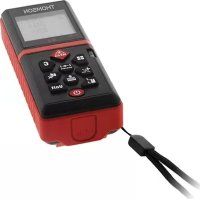



| Product type | Digital laser rangefinder |
| Brand | Thomson |
| Model | Digital Laser Rangefinder (Series 2) |
| Measurement range | 0.2 to 100 m |
| Accuracy | ±1.5 mm |
| Measurement units | m, ft, in, ft+in |
| Laser class | Class 2 (630-670 nm, < 1 mW) |
| Functions | Simple/continuous distance measurement, area, volume, Pythagoras (2 and 3 points), addition/subtraction, memory of 20 values |
| Display | 4 lines with backlight |
| Power supply | 2 AAA 1.5 V batteries |
| Battery life | Approximately 5,000 measurements |
| Automatic shutdown | Laser 30 s, instrument 180 s |
| Operating temperature | 0 °C to 40 °C |
| Storage temperature | -10 °C to 60 °C |
| Dimensions | 120 × 48 × 33 mm |
| Weight | 120 g |
| Button material | Soft rubber |
| Safety | Class 2 laser – do not look directly into the beam with optical instruments |
| Accessories | Accessory clip (integrated) |
| Reparability | In case of hardware defect (code 500), contact the dealer |
| Maintenance and cleaning | Clean with a soft cloth; avoid moisture and shocks |
| Manufacturer contact | Groupe HBF, 719 rue Albert Camus, 31190 Auterive, France - +33 (0)5 61 50 94 40 |
Frequently Asked Questions - Digital Laser Rangefinder THOMSON
User questions about Digital Laser Rangefinder THOMSON
0 question about this device. Answer the ones you know or ask your own.
Ask a new question about this device
Download the instructions for your Rangefinder in PDF format for free! Find your manual Digital Laser Rangefinder - THOMSON and take your electronic device back in hand. On this page are published all the documents necessary for the use of your device. Digital Laser Rangefinder by THOMSON.
USER MANUAL Digital Laser Rangefinder THOMSON
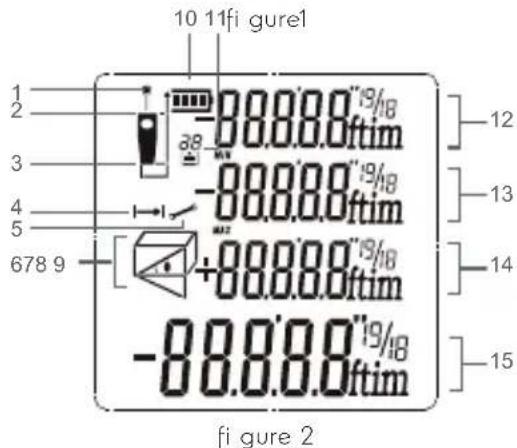
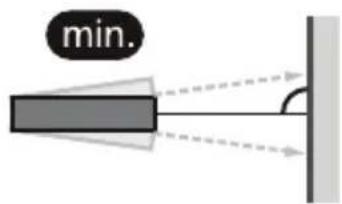
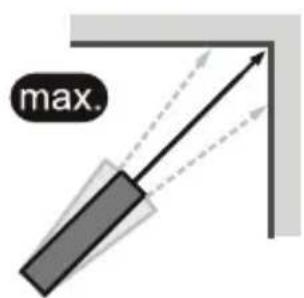
figure 3
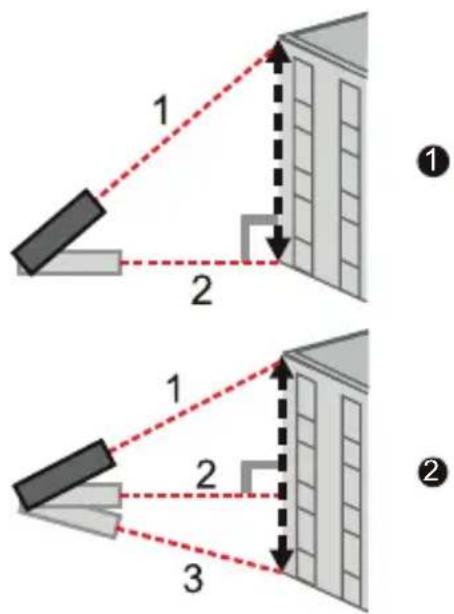
figure 4 - figure 5
figure 6
| 5 | ENGLISH |
| 11 | FRANÇAIS |
| 18 | ESPAÑOL |
| 25 | PORTUGUÊS |
| 32 | POLSKI |
| 38 | NEDERLANDS |
| 45 | DEUTSCH |
| 52 | ROMÂNESC |
| 59 | ČESKÝ |

THOMSON friendly technology
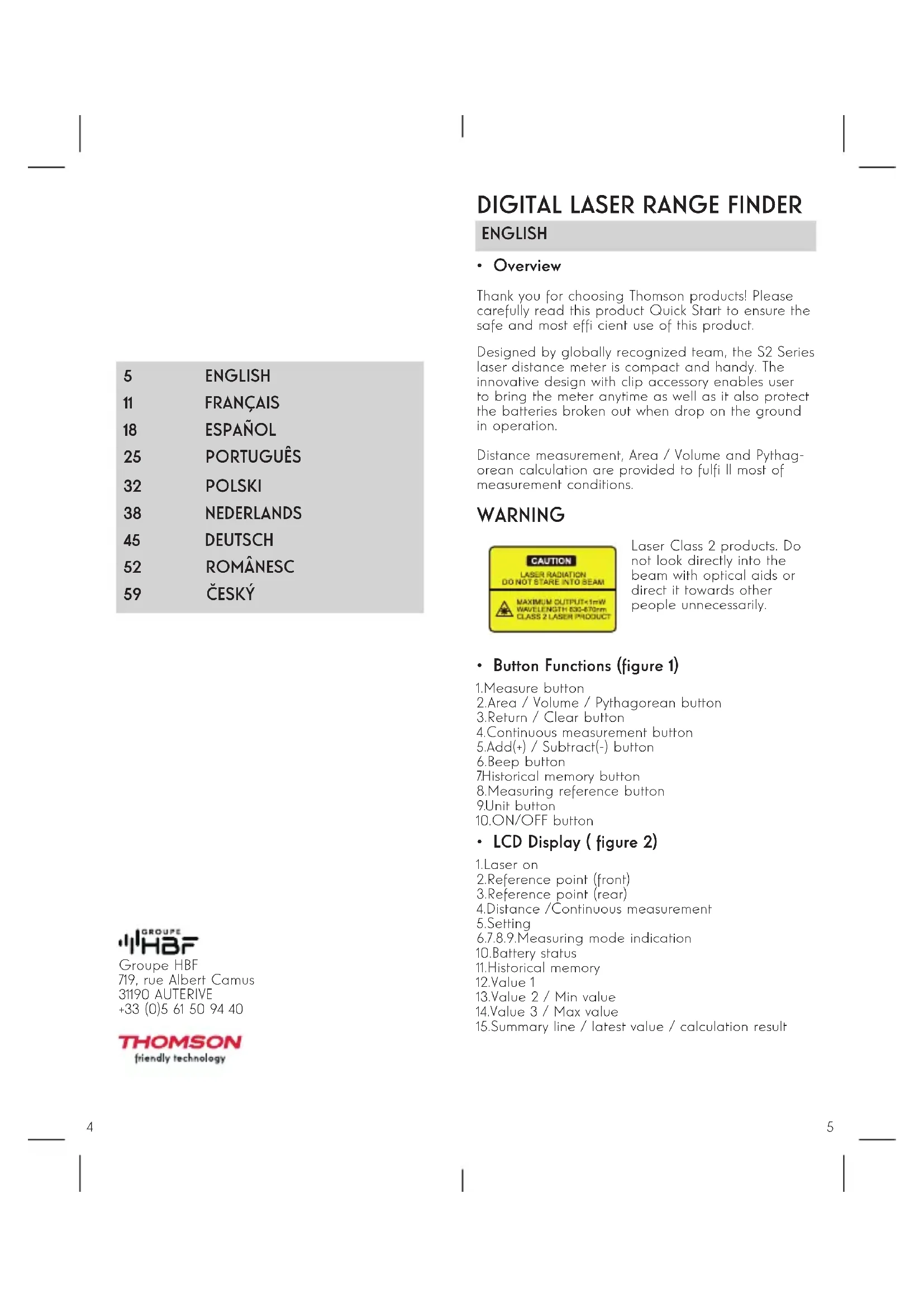
DIGITAL LASER RANGE FINDER
ENGLISH
- Overview
Thank you for choosing Thomson products! Please carefully read this product Quick Start to ensure the safe and most efficient use of this product.
Designed by globally recognized team, the S2 Series laser distance meter is compact and handy. The innovative design with clip accessory enables user to bring the meter anytime as well as it also protect the batteries broken out when drop on the ground in operation.
Distance measurement, Area / Volume and Pythagorean calculation are provided to fulfill most of measurement conditions.
WARNING
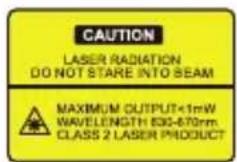
Laser Class 2 products. Do not look directly into the beam with optical aids or direct it towards other people unnecessarily.
- Button Functions (figure 1)
- Measure button 2.Area / Volume / Pythagorean button
- Return / Clear button 4.Continuous measurement button 5.Add(+) / Subtract(-) button 6.Beep button 7.Historical memory button
- Measuring reference button 9. Unit button 10. ON/OFF button
• LCD Display (figure 2)
- Laser on
- Reference point (front) 3. Reference point (rear)
- Distance / Continuous measurement
- Setting 6.7.8.9. Measuring mode indication 10. Battery status 11. Historical memory 12. Value 1 13. Value 2 / Min value 14. Value 3 / Max value
- Summary line / latest value / calculation result
INITIAL OPERATING AND SETTING
- Power On / Off
Power on/off (manually) Long press to switch
on/off the device. Power off (automatically). The instrument switches off automatically after three minutes of inactivity.
- Return / Clear
When measuring, press C to undo the last action or clear measured value.
- Adjusting Measuring Reference
Press to switch reference point between the
front and the rear of the instrument. There is a beep warning tone when reference point is changed.
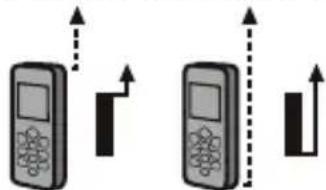
The default reference setting is from the rear of the instrument. The reference point will be set to default every time when it's powered off, i.e. the measuring reference point is from the rear of the instrument every time when it's powered on.
- Unit Change
Press Unit to change distance unit between m, ft, in and ft+in.
- Beep On/Off
Press 📄 switch on/off the beep.
DISTANCE MEASUREMENT
• Single Distance Measurement
Press to activate the laser.
Press again to trigger the distance measurement.
The measured value is displayed immediately.
• Continuous Measurement(Min / Max) (figure 3)
Press key to activate continuous measurement.
The maximum and minimum distances measured are shown in the display. The last measured value is displayed in the summary line. This function will be stopped automatically after 5 minutes of inactivity.
User can press 🖱️ or 📄 to stop the function.
FUNCTIONS
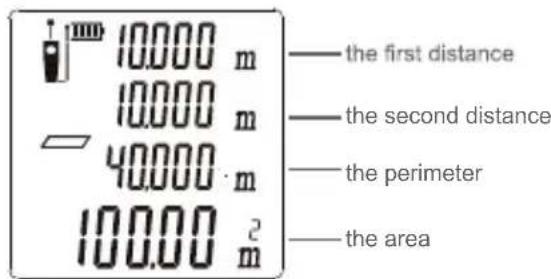
• Area Measurement
Press once, the symbol ☐ appears in the function field of the display.
Press to take the first distance measurement (e.g., Length).
Press again to take the second distance
measurement (e.g., width). The results of length, width, perimeter, and area are displayed on the screen.
• Volume Measurement
Press twice, the symbol appears in the
function field on the display.
Press to take the first distance measurement
(e.g., Length). Next, get the width, then height; the results of length, width, height, and volume are displayed in order.
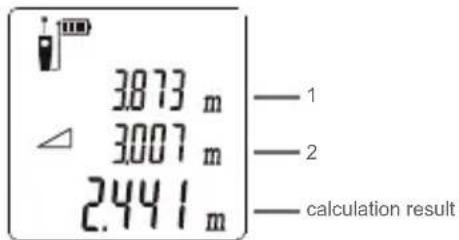
• Pythagorean Method - Two points (figure 4)
Refer to figure 1. Press 3 times to activate the
function, the symbol appears in the function field on the display. Take a measurement with the 2 points shown in the figure below in numeric sequence, the height of the object will be calculated automatically and displayed on screen.
• Pythagorean Method - Three points (figure 5)
Refer to figure 2. Press 4 times to activate the
function, the symbol appears in the function field on the display. Take a measurement with the 3 points shown in the figure below in numeric sequence, the height is calculated and displayed on the summary line.
Press C to delete any measured length and then press MEA to re-measure.
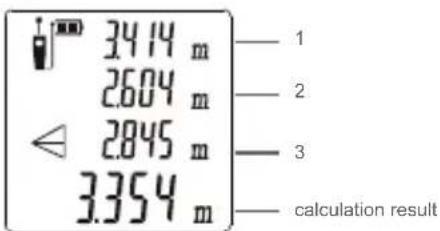
- Addition / Subtraction
Addition: short press Subtraction: long press
Take a measurement, then press ✝, addition / subtraction symbol will appear on display, then
press 🖱️ button to take the second measurement,
the second value will be automatically added to/ subtracted from the first one. Note: This process can be repeated as required.
• Historical memory
Press 📄 to view historical memory, the last 20
measured values will be displayed in reversed order. Press C to quit historical value viewing.
TROUBLE SHOOTING
All errors or failures will be shown as codes. The following table explains the meaning of codes and solutions.
| Code | Cause Corrective measure | |
| 204 | Calculation error | Refer to user manual, repeat the procedures. |
| 208Excessive current | Please contact your distributor | |
| Code | Cause Corrective measure | |
| 220Battery low | Replace new batteries. | |
| 252 | Temperature too high | Let device cool down to operating temperature at 0°C-40°C. |
| 253 | Temperature too low | Warm up the device to operating temperature. |
| 255 | Received signal too weak or measurement time too long | Use target plate or change a good refl ective surface. |
| 256 | Received signal too strong | Target too refl ective, use target plate or do not aim at strong light objective. |
| 261 | Outside of the range of measurement | Select the measurement distance within the range of measurement. |
| 500 Hardware error | Switch on/off the device several times. If the symbol still appears, please contact your dealer for assistance. | |
SPECIFICATION
- The maximum measuring range is determined by the version of the laser distance meter. The exact measuring range is shown on the gift box. During daylight or if the target has poor reflection properties, please use a target plate.
- In favorable conditions (good target surface properties, room temperature), the device can reach up to the rated measuring range. In unfavorable conditions, such as intense sunshine, poorly reflecting target surface (black surface) or high temperature variations, the deviation over 10m of distance may increase.
| The maximum measuring range 1 | 0.2~100m |
| Measuring accuracy 2 ±1.5 mm | |
| Measuring units M / in / ft / ft+in | |
| Laser class Class 2 | |
| Laser type 630-670nm, < 1mW | |
| Area ,Volume Measurement | √ |
| Indirect Pythagorean theorem | √ |
| Addition and subtraction | √ |
| Continuous measurement | √ |
| Min. / max. value | √ |
| Beep | √ |
| 4-line display with backlight | √ |
| Single distance measurement | √ |
| Historical memory 20 sets | |
| Button Soft rubber buttons | |
| Operating temperature 0°C~40°C | |
| Storage temperature -10°C~60°C | |
| Battery life | 5,000 measurement times |
| Battery type AAA 2 x 1.5V | |
| Auto laser off 30 seconds | |
| Auto instrument off 180 seconds | |
| Dimensions (mm) 120*48*33 | |
| Weight(g) 120 | |
CONTACT US
• Copyrights
This product has been manufactured and sold under the responsibility of HBF SAS. Thomson is a trademark of Technicolor (S.A.) or its affiliates and is used under license by HBF SAS.

Groupe HBF
- Addition / Subtraction




Brand : THOMSON
Model : Digital Laser Rangefinder
Category : Rangefinder