PocketJet PJ523 - Printer BROTHER - Free user manual and instructions
Find the device manual for free PocketJet PJ523 BROTHER in PDF.



| Brand | Brother |
| Model | PocketJet PJ523 (compatible PJ-522/523/562/563) |
| Product type | Portable monochrome thermal printer |
| Printing technology | Monochrome thermal |
| Dimensions (L × W × H) | 255 × 55 × 30 mm |
| Weight | Approximately 470 g (with battery) |
| Power supply | Rechargeable Ni-MH battery PA-BT-500 (7.2 V) and AC adapter PA-AD-510 (220-240 V AC) |
| Connectivity | Connection to PC or PDA via cable (serial or USB depending on version) or Bluetooth |
| Paper support | Thermal roll paper |
| Indicator lights | POWER (green/orange/red), DATA (green), ERROR (red) |
| Included accessories | Rechargeable Ni-MH battery, AC adapter, CD-ROM with manual, quick start guide |
| Maintenance and cleaning | Disconnect the adapter before cleaning. Clean with a dry cloth. Avoid water and solvents. |
| Electrical safety | Use only the provided adapter. Do not expose to moisture or shocks. Disconnect during thunderstorms. |
| Battery safety | Use only the specified battery. Do not disassemble, short-circuit, or expose to heat. Recharge every 6 months if unused. |
| Battery maintenance | Charge fully before first use. Replace battery if reduced autonomy. |
| Regulatory compliance | CE (directives 2004/108/EC, 2005/32/EC, 2006/95/EC), recycling according to WEEE |
| Required software | Adobe Reader to view the PDF manual |
| Recommended storage temperature | Maximum 15 °C for the battery |
Frequently Asked Questions - PocketJet PJ523 BROTHER
User questions about PocketJet PJ523 BROTHER
0 question about this device. Answer the ones you know or ask your own.
Ask a new question about this device
Download the instructions for your Printer in PDF format for free! Find your manual PocketJet PJ523 - BROTHER and take your electronic device back in hand. On this page are published all the documents necessary for the use of your device. PocketJet PJ523 by BROTHER.
USER MANUAL PocketJet PJ523 BROTHER
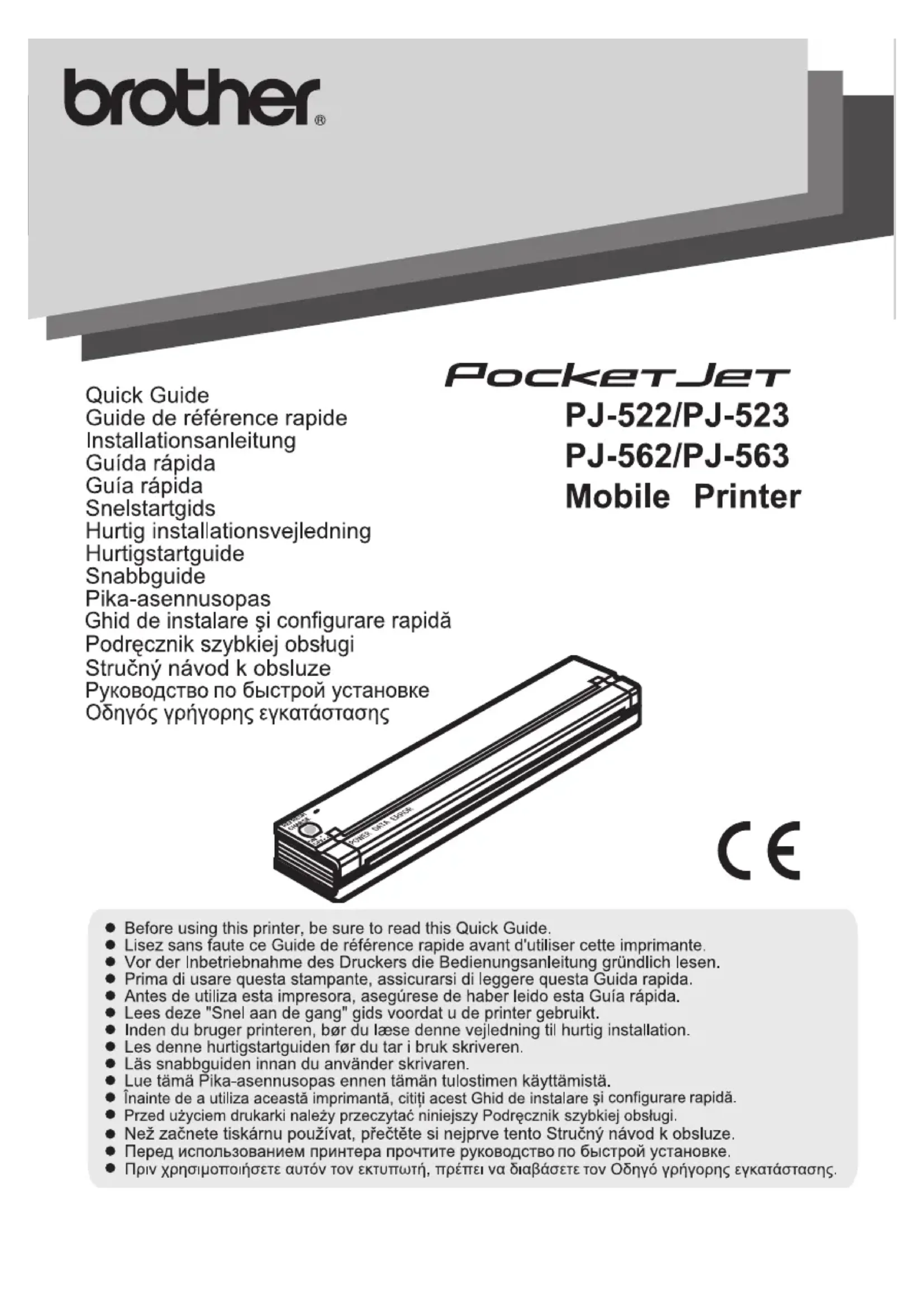
Thank you for purchasing the PocketJet PJ-522 / PJ-523 / PJ-562 / PJ-563 (hereafter referred to as "the printer").
This monochrome thermal mobile printer is ultra-portable and can be connected to a Windows Mobile® device or a Windows® PC (a computer running Windows® operating system) to make quick printouts.
The manuals (this Quick Guide and User's Guide on the attached CD-ROM) contain operating precautions and instructions. Before using this printer, be sure to read this manual for information on its correct operation.
In addition, we suggest that you keep the manuals in a handy place for future reference.
Federal Communications Commission (FCC) Declaration of Conformity (For USA Only)
Responsible Party : Brother Mobile Solutions, Inc.
600 12ht Street, Suite 300
Golden, CO 80401, U.S.A.
TEL:(303)728-0288
Product Name : Thermal Printer
Model Number: PJ-522, PJ-523, PJ-562, PJ-563
This device complies with Part 15 of the FCC Rules. Operation is subject to the following two conditions: (1) this device may not cause harmful interference, and (2) this device must accept any interference received, including interference that may cause undesired operation.
This equipment has been tested and found to comply with the limits for a Class B digital device, pursuant to Part 15 of the FCC Rules. These limits are designed to provide reasonable protection against harmful interference in a residential installation. This equipment generates, uses, and can radiate radio frequency energy and, if not installed and used in accordance with the instructions, may cause harmful interference to radio communications. However, there is no guarantee that interference will not occur in a particular installation. If this equipment does cause harmful interference to radio or television reception, which can be determined by turning the equipment off and on, the user is encouraged to try to correct the interference by one or more of the following measures:
- Reorient or relocate the receiving antenna.
- Increase the separation between the equipment and receiver.
- Connect the equipment into an outlet on a circuit different from that to which the receiver is connected.
- Consult the dealer or an experienced radio/TV technician for help.
Important
- The enclosed interface cable should be used in order to ensure compliance with the limits for a Class B digital device.
- Changes or modifications not expressly approved by Brother Mobile Solutions, Inc. could void the user's authority to operate the equipment.
Model Number: PJ-522, PJ-523
Declaration of Conformity (Europe/Turkey only)
We, BROther INDUSTRIES, LTD.
15-1, Naeshiro-cho, Mizuho-ku, Nagoya, 467-8561, Japan
declare that this product is in compliance with the essential requirements and other relevant provisions of Directives 2004/108/EC and 2005/32/EC.
The Adapter PA-AD-510 is in compliance with the essential requirements and other relevant provisions of Directive 2006/95/EC.
The Declaration of Conformity (DoC) is on our Web site. Please go to http://solutions.brother.com -> choose region (eg. Europe) -> choose country -> choose your model -> choose "Manuals"-> choose Declaration of Conformity (*Select Language when required).
Model Number: PJ-562, PJ-563
Declaration of Conformity (Europe/Turkey only)
We, BROther INDUSTRIES, LTD.
15-1, Naeshiro-cho, Mizuho-ku, Nagoya, 467-8561, Japan
declare that this product is in compliance with the essential requirements and other relevant provisions of Directives 1999/5/EC and 2005/32/EC.
The Adapter PA-AD-510 is in compliance with the essential requirements and other relevant provisions of Directive 2006/95/EC.
The Declaration of Conformity (DoC) is on our Web site. Please go to http://solutions.brother.com -> choose region (eg. Europe) -> choose country -> choose your model -> choose "Manuals"-> choose Declaration of Conformity (*Select Language when required).
CAUTION
RISK OF EXPLOSION IF BATTERY IS REPLACED BY AN INCORRECT TYPE.
DISPOSE OF USED BATTERIES ACCORDING TO THE INSTRUCTIONS.
The contents of this manual are subject to change without notice.
The contents of this manual may not be duplicated or reproduced, partially or in full, without permission.
Please note that we assume no responsibility for damages arising from earthquakes, fire, other disasters, actions of third parties, the user's intentional or negligent operation, misuse or operation under other special conditions.
Please note that we assume no responsibility for damage (such as losses, loss of business profits, lost profits, business disruptions or a lost means of communication) that may result from the use or inability to use this printer.
If this printer should be defective due to faulty manufacturing, we shall replace it during the warranty period.
We assume no responsibility for damages that may result from incorrect operation of this printer by connecting incompatible equipment or using incompatible software.
Microsoft® , Windows® and Windows Vista® are registered trademarks of Microsoft Corporation in the United States and other countries.
The Bluetooth® word mark and logos are owned by the Bluetooth® SIG, Inc. and any use of such marks by Brother Industries, Ltd. under license.
Adobe® and Reader® are either registered trademarks of Adobe Systems Incorporated in the United States and/or other countries.
All other software and product names mentioned are trademarks or registered trademarks of their respective companies.
Precautions
Precautions indicated as shown below contain important safety information and should be strictly observed.
If the printer malfunctions, immediately stop using it, and then contact the sales representative where it was purchased.
The meanings for symbols used in this manual are described below.
| Danger | Failure to accurately observe instructions marked with this symbol lead to an extremely high risk of death or serious injuries. |
| Warning | Failure to observe instructions marked with this symbol may result in death or serious injuries. |
| Caution | Failure to observe instructions marked with this symbol may result in injuries or property damage. |
Meanings for symbols used in this manual
| Indicates danger |
| Indicates danger of fire under certain circumstances |
| Indicates danger of an electric shock under certain circumstances |
| Indicates danger of burns under certain circumstances |
| Indicates an action that must not be performed |
| Indicates danger of combustion if fire is nearby |
| Indicates danger of sustaining injuries if the indicated part of the printer is touched |
| Indicates danger of injuries, such as an electric shock, if the indicated part if the printer is disassembled |
| Indicates danger of an electric shock if the operation is performed with wet hands |
| Indicates danger of an electric shock if the printer is exposed to water |
| Indicates an action that must be performed |
| Indicates that the power supply cord must be unplugged from the electrical outlet |
Concerning this printer (Rechargeable Ni-MH Battery)
Danger
- Do not use this printer with any rechargeable battery other than that specified, otherwise a fire or an electric shock may result.
- Carefully observe the following precautions for the rechargeable Ni-MH battery (PA-BT-500; hereafter, referred to as "rechargeable battery") included with the printer, otherwise heat or cracks may be produced, or a fire, an electric shock or damage may result.
OTo recharge the battery, insert the rechargeable battery into the PocketJet PJ-522 / PJ-523 / PJ-562 / PJ-563, and then use the AC adapter designed specifically for this printer.
ODo not insert or use the rechargeable battery in any equipment other than the PocketJet PJ-522 / PJ-523 / PJ-562 / PJ-563. Do not directly connect it to a power supply, car cigarette lighter or electrical outlet.
ODo not expose the rechargeable battery or the printer with the rechargeable battery installed to pressure, heat or an electric charge (for example, an oven or microwave oven, clothes dryer, high-voltage equipment or electromagnetic cooker).
ODo not place the rechargeable battery or the printer with the rechargeable battery installed near a fire or in a location exposed to heat or high temperatures (for example, near a flame or stove, in the sun, such as in a hot car).
ODo not place the rechargeable battery or the printer with the rechargeable battery installed near water or seawater. In addition, do not drop them in water or allow them to get wet.
ODo not short-circuit the terminals of the rechargeable battery or the printer with the rechargeable battery installed, such as with a metal object.
ODo not pierce or poke a hole in the rechargeable battery or the printer with the rechargeable battery installed with a sharp object, such as a nail.
ODo not hit with a hammer, step on, throw, drop or apply a strong shock to the rechargeable battery or the printer with the rechargeable battery installed.
ODo not disassemble or alter the rechargeable battery or the printer with the rechargeable battery installed.
ODo not use a damaged or deformed rechargeable battery.
ODo not use in a corrosive environment (for example, exposed to salty air or salt water, or acidic, alkaline or corrosive gas).
Warning
- Do not use this printer wherever it is prohibited (for example, on an airplane), otherwise it may affect equipment, resulting in an accident.
- Do not use this printer in special environments, for example, near medical equipment. Electromagnetic waves may cause the equipment to malfunction.
- Do not insert foreign objects into the printer or its connectors and ports, otherwise a fire, an electric shock or damage may result.
4
- If foreign objects are dropped into the printer, immediately turn it off, unplug the AC adapter from the electrical outlet, and then contact the sales representative where it was purchased. If you continue to operate the printer, a fire, an electric shock or damage may result.
4
- Do not operate, recharge or store the printer in the following locations, otherwise it may leak or fire, an electric shock or damage may result.
ONear water, such as in a bathroom or near a water heater, or in an extremely humid loca tion
In a location where it is exposed to rain or moisture
OIn an extremely dusty location
In an extremely hot location, such as naked flames, or heaters or direct sunlight
OIn a closed car under a hot sun
In a location where condensation may form
A
- If you see lightning nearby, unplug the AC adapter from the electrical outlet. If lightning strikes nearby, do not touch the printer, since there is a chance of an electric shock.
| Warning | |
| Liquid leaking from the printer or rechargeable Ni-MH battery may indicate that the rechargeable battery is damaged. Immediately move the printer or rechargeable battery away from flames to avoid the risk of a fire. In addition, do not touch the leaking liquid. This liquid may damage your eyes or skin if brought in contact with them. If the liquid contacts your eyes, immediately rinse them with water and consult a medical professional. If the liquid contacts your skin or clothing, immediately rinse them with water. Place the printer in a bag to isolate it. | |
| Do not try to disassemble or alter this printer, otherwise fire, an electric shock or damage may result. For servicing, adjustments or repairs, contact the sales representative where it was purchased. (The warranty does not cover repairs for damage resulting from disassembly or alterations performed by the user.) | |
| The printer may be damaged if it is dropped or subjected to strong shocks, for example, from being stepped on. If you continue to operate a damaged printer, a fire or an electric shock may result. If the printer is damaged, immediately turn it off, unplug the AC adapter from the electrical outlet, and then contact the sales representative where it was purchased. | |
| If the printer operates abnormally, for example, if it produces smoke, or an unusual odour/noise, stop using it otherwise fire, an electric shock or damage may result. Immediately turn off the printer, unplug the AC adapter from the electrical outlet, and then contact the sales representative where it was purchased for repairs. | |
| Do not charge the printer with a charger other than that specified. | |
| If the printer is not fully charged after the specified amount of time has passed, stop charging it, otherwise fire, an electric shock or damage may result. | |
| Caution | |
| Keep the printer and its accessories (rechargeable battery, consumables, plastic bags, labels, etc.) out of the reach of children, particularly infants, otherwise injuries or accidents (such as ingestion) may result. Stop operating the printer if it leaks or becomes discoloured, deformed or otherwise defective. Do not operate the printer while holding only the paper cassette cover. If the cover comes off and the printer falls, injuries may result. | |
| Others | |
| ● The Rechargeable Ni-MH Battery is slightly charged so that the operation of the printer can be verified; however, the battery should be fully charged with the AC adapter before the printer is used. | |
| ● If the printer will not be used for a long period of time, remove the rechargeable Ni-MH battery from the printer, and then store it in a location where it is not exposed to high humidity, high temperatures (A temperature between 15 and 25 °C and 40% to 60% humidity is recommended) or static electricity. In order to maintain the efficiency and life of the rechargeable Ni-MH battery, recharge it at least every six months. | |
| ● This printer is powered with a Rechargeable Ni-MH Battery. If this printer can only be used for a short period of time, even though it is fully charged, the battery may have reached the end of its service life. Replace the Rechargeable Ni-MH Battery with a new one. When replacing the battery, disconnect it by affixing tape to the terminals that contact the printer. | Ni-MH |
| Note: Marking is compliance with EU Directive 2006/66/EC and EN61429. | |
| ● This battery is marked with the above recycling symbol. It means that at the end of the life of the battery, you must dispose of it separately at an appropriate collection point, and not place it in the normal domestic unsorted waste stream. This will benefit the environment for all. | European Union only |
| Note: Marking is in compliance with EU Directive 2002/96/EC and EN50419. | |
| ● This equipment is marked with the above recycling symbol. It means that at the end of the life of the equipment you must dispose of it separately at an appropriate collection point and not place it in the normal domestic unsorted waste stream. This will benefit the environment for all. (European Union only) | European Union only |
Concerning the AC adapter
| Warning | |
| • Only use the AC adapter designed specifically for this printer, otherwise fire, an electric shock or damage may result. | |
| • Do not plug the printer into an electrical outlet other than a household outlet (AC 220 V - 240 V), otherwise fire, an electric shock or damage may result. | |
| • Do not touch the AC adapter or the power supply plug with wet hands, otherwise an electric shock may occur. | |
| Do not try to disassemble, alter or repair the AC adapter, otherwise fire, an electric shock or injuries may result.For servicing, adjustments or repairs, contact the sales representative where the printer was purchased. | |
| Do not spill water or drinks on the AC adapter. In addition, do not use the adapter in a location where it may get wet, otherwise combustion or an electric shock may result. | |
| If the power supply plug becomes dirty, for example, with dust, unplug it from the electrical outlet, and then wipe it with a dry cloth. If you continue to use a dirty power supply plug, a fire may result. | |
| Caution | |
| When unplugging the power supply cord, do not pull on the cord, otherwise fire or an electric shock may result. | |
| Do not insert foreign objects into the terminals of the AC adapter, otherwise burns or an electric shock may result. | |
| Incorrectly using the AC adapter may result in fire or an electric shock. Therefore, observe the following precautions. ○ Do not damage it. ○ Do not place objects on it. ○ Do not modify it. ○ Do not subject it to heat. ○ Do not twist it. ○ Do not bind it. ○ Do not severely bend it. ○ Do not allow it to be pinched. ○ Do not pull on it. | |
| If the AC adapter is damaged, request a new one from the sales representative where the printer was purchased. | |
| Keep the AC adapter out of the reach of children, particularly infants, otherwise injuries may result. | |
| Do not use the AC adapter near microwave ovens, otherwise damage to adapter or printer may result. | |
| Do not use the AC adapter near flames or heaters. If the covering of the AC adapter cord melts, fire or an electric shock may result. | |
| Before maintaining the printer, for example, when cleaning it, unplug the AC adapter from the electrical outlet, otherwise an electric shock may result. | |
| If the printer is not to be used for a long period of time, be sure to unplug the AC adapter from the unit and the electrical outlet for safety reasons. | |
| Do not wind the AC adapter cable around the adapter or bend the cable, otherwise the cable may be damaged. |
Manual Structure
A User's Guide is provided on the CD-ROM included with this printer. Please find the following directory flow.
"D:\PDF\UGPJ5xxEnglish.PDF"
(If your CD-ROM drive letter is set as "D")
For reading the User's Guide, you have to install Adobe Reader® onto your Windows® PC.
Enclosed Accessories

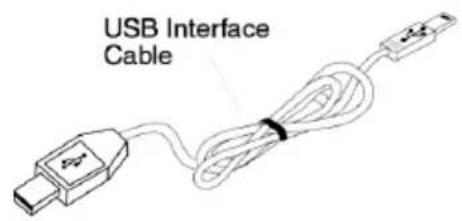
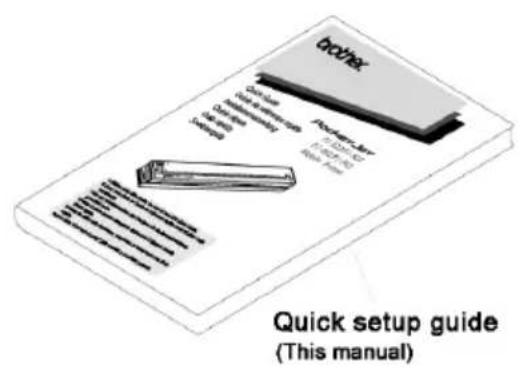
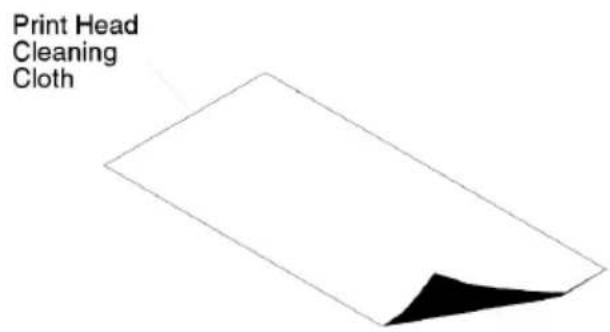
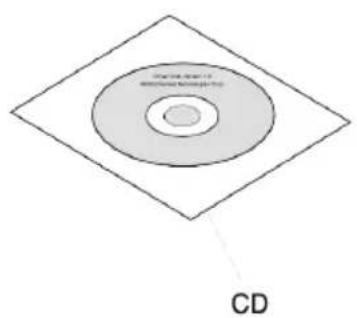
Quick Reference for Indicator Lights:
Indicator Lights
The indicator lights tell you about the current status of the printer.
| Indicator Light table | G = Green O = Orange R = Red ● = Solid = Blinking ◎ G/◎ / R = Alternating Blinking | ||
| POWER DATA ERROR | ○ = Doesn't matter | ||
| ↓ | ↓ | ↓ | |
| ●G | External power in use | ||
| ●O | Battery in use, > 14.0 Volts | ||
| ◎O | Battery in use, > 13.1 Volts | ||
| ●R | Battery in use, > 10.0 Volts | ||
| ◎R | Battery in use, > 6.6 Volts | ||
| ◎G◎O | Battery is discharging | ||
| ◎G | Battery is charging | ||
| ○ | ◎G | Printer is receiving data | |
| ○ | ●G | Unprinted data remains in buffer | |
| ○ | ◎R | Printer is receiving flash upgrade | |
| ○ | ●R | Printer is in "service" mode | |
| ◎R | ◎R | ◎R | Bad checksum of flash data |
| ◎R | ◎O | No battery found when charging | |
| ◎R | ◎G | Time-Out when charging | |
| ○ | ◎R◎G | Low Thermal Head temperature | |
| ○ | ◎R◎O | High Thermal Head temperature | |
| ○ | ◎O | ◎O | Data Receive Error |
Indicator LightWarnings
The POWER indicator light does not light
The printer is receiving no power. If you are using the AC adapter, make sure it is connected properly. Make sure the AC power outlet is "live." If you are using a DC adapter, make sure power is connected and that the fuse is working correctly.
No Battery Found When Charging
If this indication occurs immediately when attempting to charge the battery, the printer did not detect a battery when you tried to initiate a battery charging cycle. Make sure the battery has been installed and connected properly and that there are no broken wires at the battery or connector.
If the battery is connected properly, you may have attempted to charge the battery and it has become overheated during the charge cycle. An internal thermal breaker will open when overheated, and after cooling, will close again. Allow the battery to cool before continuing to charge it. If the problem occurs again, replace the battery.
Introduction
Federal Communications Commission (FCC) Declaration of Conformity (For USA Only)
Responsible Party : Brother Mobile Solutions, Inc.
600 12ht Street, Suite 300
Golden, CO 80401, U.S.A.
TEL:(303)728-0288
Product Name : Thermal Printer
Model Number: PJ-522, PJ-523, PJ-562, PJ-563
This device complies with Part 15 of the FCC Rules. Operation is subject to the following two conditions: (1) this device may not cause harmful interference, and (2) this device must accept any interference received, including interference that may cause undesired operation.
This equipment has been tested and found to comply with the limits for a Class B digital device, pursuant to Part 15 of the FCC Rules. These limits are designed to provide reasonable protection against harmful interference in a residential installation. This equipment generates, uses, and can radiate radio frequency energy and, if not installed and used in accordance with the instructions, may cause harmful interference to radio communications. However, there is no guarantee that interference will not occur in a particular installation. If this equipment does cause harmful interference to radio or television reception, which can be determined by turning the equipment off and on, the user is encouraged to try to correct the interference by one or more of the following measures:
- Reorient or relocate the receiving antenna.
- Increase the separation between the equipment and receiver.
- Connect the equipment into an outlet on a circuit different from that to which the receiver is connected.
- Consult the dealer or an experienced radio/TV technician for help.
Important
- The enclosed interface cable should be used in order to ensure compliance with the limits for a Class B digital device.
- Changes or modifications not expressly approved by Brother Mobile Solutions, Inc. could void the user's authority to operate the equipment.
Numero de modulo: PJ-522, PJ-523
Federal Communications Commission (FCC) Declaration of Conformity (For USA Only)
Responsible Party : Brother Mobile Solutions, Inc.
600 12ht Street, Suite 300
Golden, CO 80401, U.S.A.
TEL:(303)728-0288
Product Name : Thermal Printer
Model Number: PJ-522, PJ-523, PJ-562, PJ-563
This device complies with Part 15 of the FCC Rules. Operation is subject to the following two conditions: (1) this device may not cause harmful interference, and (2) this device must accept any interference received, including interference that may cause undesired operation.
This equipment has been tested and found to comply with the limits for a Class B digital device, pursuant to Part 15 of the FCC Rules. These limits are designed to provide reasonable protection against harmful interference in a residential installation. This equipment generates, uses, and can radiate radio frequency energy and, if not installed and used in accordance with the instructions, may cause harmful interference to radio communications. However, there is no guarantee that interference will not occur in a particular installation. If this equipment does cause harmful interference to radio or television reception, which can be determined by turning the equipment off and on, the user is encouraged to try to correct the interference by one or more of the following measures:
- Reorient or relocate the receiving antenna.
- Increase the separation between the equipment and receiver.
- Connect the equipment into an outlet on a circuit different from that to which the receiver is connected.
- Consult the dealer or an experienced radio/TV technician for help.
Important
- The enclosed interface cable should be used in order to ensure compliance with the limits for a Class B digital device.
- Changes or modifications not expressly approved by Brother Mobile Solutions, Inc. could void the user's authority to operate the equipment.
Modellnummer: PJ-522, PJ-523
Federal Communications Commission (FCC) Declaration of Conformity (For USA Only)
Responsible Party : Brother Mobile Solutions, Inc.
600 12ht Street, Suite 300
Golden, CO 80401, U.S.A.
TEL:(303)728-0288
Product Name : Thermal Printer
Model Number: PJ-522, PJ-523, PJ-562, PJ-563
This device complies with Part 15 of the FCC Rules. Operation is subject to the following two conditions: (1) this device may not cause harmful interference, and (2) this device must accept any interference received, including interference that may cause undesired operation.
This equipment has been tested and found to comply with the limits for a Class B digital device, pursuant to Part 15 of the FCC Rules. These limits are designed to provide reasonable protection against harmful interference in a residential installation. This equipment generates, uses, and can radiate radio frequency energy and, if not installed and used in accordance with the instructions, may cause harmful interference to radio communications. However, there is no guarantee that interference will not occur in a particular installation. If this equipment does cause harmful interference to radio or television reception, which can be determined by turning the equipment off and on, the user is encouraged to try to correct the interference by one or more of the following measures:
- Reorient or relocate the receiving antenna.
- Increase the separation between the equipment and receiver.
- Connect the equipment into an outlet on a circuit different from that to which the receiver is connected.
- Consult the dealer or an experienced radio/TV technician for help.
Important
- The enclosed interface cable should be used in order to ensure compliance with the limits for a Class B digital device.
- Changes or modifications not expressly approved by Brother Mobile Solutions, Inc. could void the user's authority to operate the equipment.
Federal Communications Commission (FCC) Declaration of Conformity (For USA Only)
Responsible Party : Brother Mobile Solutions, Inc.
600 12ht Street, Suite 300
Golden, CO 80401, U.S.A.
TEL:(303)728-0288
Product Name : Thermal Printer
Model Number: PJ-522, PJ-523, PJ-562, PJ-563
This device complies with Part 15 of the FCC Rules. Operation is subject to the following two conditions: (1) this device may not cause harmful interference, and (2) this device must accept any interference received, including interference that may cause undesired operation.
This equipment has been tested and found to comply with the limits for a Class B digital device, pursuant to Part 15 of the FCC Rules. These limits are designed to provide reasonable protection against harmful interference in a residential installation. This equipment generates, uses, and can radiate radio frequency energy and, if not installed and used in accordance with the instructions, may cause harmful interference to radio communications. However, there is no guarantee that interference will not occur in a particular installation. If this equipment does cause harmful interference to radio or television reception, which can be determined by turning the equipment off and on, the user is encouraged to try to correct the interference by one or more of the following measures:
- Reorient or relocate the receiving antenna.
- Increase the separation between the equipment and receiver.
- Connect the equipment into an outlet on a circuit different from that to which the receiver is connected.
- Consult the dealer or an experienced radio/TV technician for help.
Important
- The enclosed interface cable should be used in order to ensure compliance with the limits for a Class B digital device.
- Changes or modifications not expressly approved by Brother Mobile Solutions, Inc. could void the user's authority to operate the equipment.
Numero de modelo: PJ-522, PJ-523
Federal Communications Commission (FCC) Declaration of Conformity (For USA Only)
Responsible Party : Brother Mobile Solutions, Inc.
600 12ht Street, Suite 300
Golden, CO 80401, U.S.A.
TEL:(303)728-0288
Product Name : Thermal Printer
Model Number: PJ-522, PJ-523, PJ-562, PJ-563
This device complies with Part 15 of the FCC Rules. Operation is subject to the following two conditions: (1) this device may not cause harmful interference, and (2) this device must accept any interference received, including interference that may cause undesired operation.
This equipment has been tested and found to comply with the limits for a Class B digital device, pursuant to Part 15 of the FCC Rules. These limits are designed to provide reasonable protection against harmful interference in a residential installation. This equipment generates, uses, and can radiate radio frequency energy and, if not installed and used in accordance with the instructions, may cause harmful interference to radio communications. However, there is no guarantee that interference will not occur in a particular installation. If this equipment does cause harmful interference to radio or television reception, which can be determined by turning the equipment off and on, the user is encouraged to try to correct the interference by one or more of the following measures:
- Reorient or relocate the receiving antenna.
- Increase the separation between the equipment and receiver.
- Connect the equipment into an outlet on a circuit different from that to which the receiver is connected.
- Consult the dealer or an experienced radio/TV technician for help.
Important
- The enclosed interface cable should be used in order to ensure compliance with the limits for a Class B digital device.
- Changes or modifications not expressly approved by Brother Mobile Solutions, Inc. could void the user's authority to operate the equipment.
Modelummer: PJ-522, PJ-523
Federal Communications Commission (FCC) Declaration of Conformity (For USA Only)
Responsible Party: Brother Mobile Solutions, Inc.
600 12th Street, Suite 300
Golden, CO 80401, USA.
TEL: (303)728-0288
Product Name: Thermal Printer
Model Number: PJ-522, PJ-523, PJ-562, PJ-563
This device complies with Part 15 of the FCC Rules. Operation is subject to the following two conditions: (1) this device may not cause harmful interference, and (2) this device must accept any interference received, including interference that may cause undesired operation.
This equipment has been tested and found to comply with the limits for a Class B digital device, pursuant to Part 15 of the FCC Rules. These limits are designed to provide reasonable protection against harmful interference in a residential installation. This equipment generates, uses, and can radiate radio frequency energy and, if not installed and used in accordance with the instructions, may cause harmful interference to radio communications. However, there is no guarantee that interference will not occur in a particular installation. If this equipment does cause harmful interference to radio or television reception, which can be determined by turning the equipment off and on, the user is encouraged to try to correct the interference by one or more of the following measures:
- Reorient or relocate the receiving antenna.
- Increase the separation between the equipment and receiver.
- Connect the equipment into an outlet on a circuit different from that to which the receiver is connected.
- Consult the dealer or an experienced radio/TV technician for help.
Important
- The enclosed interface cable should be used in order to ensure compliance with the limits for a Class B digital device.
- Changes or modifications not expressly approved by Brother Mobile Solutions, Inc. could void the user's authority to operate the equipment.
Modelnummer: PJ-522, PJ-523
Overensstemmelseserklaering (Kun Europa/Tyrkiet)
Vi BROTHER INDUSTRIES, LTD.
15-1, Naeshiro-cho, Mizuho-ku, Nagoya, 467-8561, Japan,
erklær, at ditte produkt er i overensstemmelse med de grundlaeggende krav og andre relevante bestemmelser i direktiverne 2004/108/EF og 2005/32/EF.
Adapteren PA-AD-510 er i overensstemmelse med de grundlaeggende krav og andre relevante bestemmelser i direktivet 2006/95/EF.
Overensstemmelseserklaeringen findes pa vores webside. Gtil http://solutions.brother.com -> vaelg omrade (f.eks.
Europe) -> vaelg land -> vaelg din model -> vaelg "Manualer" -> vaelg Overensstammelseserklaering (*Vaelg sprog after behov).
Takk for at du kjopte PocketJet PJ-522/PJ-523/PJ-562/PJ-563 (heretter kalt "skriveren").
Denne mobile termiske svart/svitt-skriveren erlett a ta med seg og kan kobles til en Windows Mobile®-enhet aller en Windows®-PC (en datamaskin som kjører operativsystemet Windows®) for a ta raske utskrifter.
Federal Communications Commission (FCC) Declaration of Conformity (For USA Only)
Responsible Party: Brother Mobile Solutions, Inc.
600 12th Street, Suite 300
Golden, CO 80401, USA
TEL: (303) 728-0288
Product Name: Thermal Printer
Model Number: PJ-522, PJ-523, PJ-562, PJ-563
This device complies with Part 15 of the FCC Rules. Operation is subject to the following two conditions: (1) this device may not cause harmful interference, and (2) this device must accept any interference received, including interference that may cause undesired operation.
This equipment has been tested and found to comply with the limits for a Class B digital device, pursuant to Part 15 of the FCC Rules. These limits are designed to provide reasonable protection against harmful interference in a residential installation. This equipment generates, uses, and can radiate radio frequency energy and, if not installed and used in accordance with the instructions, may cause harmful interference to radio communications. However, there is no guarantee that interference will not occur in a particular installation. If this equipment does cause harmful interference to radio or television reception, which can be determined by turning the equipment off and on, the user is encouraged to try to correct the interference by one or more of the following measures:
- Reorient or relocate the receiving antenna.
- Increase the separation between the equipment and receiver.
- Connect the equipment into an outlet on a circuit different from that to which the receiver is connected.
- Consult the dealer or an experienced radio/TV technician for help.
Important
- The enclosed interface cable should be used in order to ensure compliance with the limits for a Class B digital device.
- Changes or modifications not expressly approved by Brother Mobile Solutions, Inc. could void the user's authority to operate the equipment.
Modellnummer: PJ-522, PJ-523
Konformitetserklæring (Kun Europa /Tyrkia)
Vi, BROTHER INDUSTRIES, LTD.
15-1, Naeshiro-cho, Mizuho-ku, Nagoya, 467-8561, Japan
15-1, Naeshiro-cho, Mizuho-ku, Nagoya, 467-8561, Japan,
Federal Communications Commission (FCC) Declaration of Conformity (For USA only)
Responsible Party: Brother Mobile Solutions, Inc.
600 12th Street, Suite 300
Golden, CO 80401, USA.
TEL: (303)728-0288
Product Name: Thermal Printer
Model Number: PJ-522, PJ-523, PJ-562, PJ-563
This device complies with Part 15 of the FCC Rules. Operation is subject to the following two conditions: (1) this device may not cause harmful interference, and (2) this device must accept any interference received, including interference that may cause undesired operation.
This equipment has been tested and found to comply with the limits for a Class B digital device, pursuant to Part 15 of the FCC Rules. These limits are designed to provide reasonable protection against harmful interference in a residential installation. This equipment generates, uses, and can radiate radio frequency energy and, if not installed and used in accordance with the instructions, may cause harmful interference to radio communications. However, there is no guarantee that interference will not occur in a particular installation. If this equipment does cause harmful interference to radio or television reception, which can be determined by turning the equipment off and on, the user is encouraged to try to correct the interference by one or more of the following measures:
- Reorient or relocate the receiving antenna.
- Increase the separation between the equipment and receiver.
- Connect the equipment into an outlet on a circuit different from that to which the receiver is connected.
- Consult the dealer or an experienced radio/TV technician for help.
Important
- The enclosed interface cable should be used in order to ensure compliance with the limits for a Class B digital device.
- Changes or modifications not expressly approved by Brother Mobile Solutions, Inc. could void the user's authority to operate the equipment.
Modellnummer: PJ-522, PJ-523
Federal Communications Commission (FCC) Declaration of Conformity (For USA Only)
Responsible Party: Brother Mobile Solutions, Inc.
600 12th Street, Suite 300
Golden, CO 80401, U.S.A.
TEL: +1 (303)728-0288
Product Name: Thermal Printer
Model Number: PJ-522, PJ-523, PJ-562, PJ-563
This device complies with Part 15 of the FCC Rules. Operation is subject to the following two conditions: (1) this device may not cause harmful interference, and (2) this device must accept any interference received, including interference that may cause undesired operation.
This equipment has been tested and found to comply with the limits for a Class B digital device, pursuant to Part 15 of the FCC Rules. These limits are designed to provide reasonable protection against harmful interference in a residential installation. This equipment generates, uses, and can radiate radio frequency energy and, if not installed and used in accordance with the instructions, may cause harmful interference to radio communications. However, there is no guarantee that interference will not occur in a particular installation. If this equipment does cause harmful interference to radio or television reception, which can be determined by turning the equipment off and on, the user is encouraged to try to correct the interference by one or more of the following measures:
- Reorient or relocate the receiving antenna.
- Increase the separation between the equipment and receiver.
- Connect the equipment into an outlet on a circuit different from that to which the receiver is connected.
- Consult the dealer or an experienced radio/TV technician for help.
Important
- The enclosed interface cable should be used in order to ensure compliance with the limits for a Class B digital device.
- Changes or modifications not expressly approved by Brother Mobile Solutions, Inc. could void the user's authority to operate the equipment.
Mallin numero: PJ-522, PJ-523
Federal Communications Commission (FCC) Declaration of Conformity (For USA Only)
Responsible Party: Brother Mobile Solutions, Inc.
600 12th Street, Suite 300
Golden, CO 80401, U.S.A.
TEL: (303)728-0288
Product Name: Thermal Printer
Model Number: PJ-522, PJ-523, PJ-562, PJ-563
This device complies with Part 15 of the FCC Rules. Operation is subject to the following two conditions: (1) this device may not cause harmful interference, and (2) this device must accept any interference received, including interference that may cause undesired operation.
This equipment has been tested and found to comply with the limits for a Class B digital device, pursuant to Part 15 of the FCC Rules. These limits are designed to provide reasonable protection against harmful interference in a residential installation. This equipment generates, uses, and can radiate radio frequency energy and, if not installed and used in accordance with the instructions, may cause harmful interference to radio communications. However, there is no guarantee that interference will not occur in a particular installation. If this equipment does cause harmful interference to radio or television reception, which can be determined by turning the equipment off and on, the user is encouraged to try to correct the interference by one or more of the following measures:
- Reorient or relocate the receiving antenna.
- Increase the separation between the equipment and receiver.
- Connect the equipment into an outlet on a circuit different from that to which the receiver is connected.
- Consult the dealer or an experienced radio/TV technician for help.
Important
- The enclosed interface cable should be used in order to ensure compliance with the limits for a Class B digital device.
- Changes or modifications not expressly approved by Brother Mobile Solutions, Inc. could void the user's authority to operate the equipment.
Numar model: PJ-522, PJ-523
Declarata de conformitate (Numai Europa/Turcia)
Noi, BROther INDUSTRIES, LTD.
15-1, Naeshiro-cho, Mizuho-ku, Nagoya, 467-8561, Japonia
Numar model: PJ-562, PJ-563
Declarata de conformitate (Numai Europa/Turcia)
Noi, BROther INDUSTRIES, LTD.
15-1, Naeshiro-cho, Mizuho-ku, Nagoya, 467-8561, Japonia
Federal Communications Commission (FCC) Declaration of Conformity (For USA Only)
Responsible Party: Brother Mobile Solutions, Inc.
600 12th Street, Suite 300
Golden, CO 80401, U.S.A.
TEL: (303)728-0288
Product Name: Thermal Printer
Model Number: PJ-522, PJ-523, PJ-562, PJ-563
This device complies with Part 15 of the FCC Rules. Operation is subject to the following two conditions: (1) this device may not cause harmful interference, and (2) this device must accept any interference received, including interference that may cause undesired operation.
This equipment has been tested and found to comply with the limits for a Class B digital device, pursuant to Part 15 of the FCC Rules. These limits are designed to provide reasonable protection against harmful interference in a residential installation. This equipment generates, uses, and can radiate radio frequency energy and, if not installed and used in accordance with the instructions, may cause harmful interference to radio communications. However, there is no guarantee that interference will not occur in a particular installation. If this equipment does cause harmful interference to radio or television reception, which can be determined by turning the equipment off and on, the user is encouraged to try to correct the interference by one or more of the following measures:
- Reorient or relocate the receiving antenna.
- Increase the separation between the equipment and receiver.
- Connect the equipment into an outlet on a circuit different from that to which the receiver is connected.
- Consult the dealer or an experienced radio/TV technician for help.
Important
- The enclosed interface cable should be used in order to ensure compliance with the limits for a Class B digital device.
- Changes or modifications not expressly approved by Brother Mobile Solutions, Inc. could void the user's authority to operate the equipment.
Numerator: PJ-522, PJ-523
Numerator: PJ-562, PJ-563
Federal Communications Commission (FCC) Declaration of Conformity (For USA Only)
Responsible Party: Brother Mobile Solutions, Inc.
600 12th Street, Suite 300
Golden, CO 80401, U.S.A.
TEL: (303)728-0288
Product Name: Thermal Printer
Model Number: PJ-522, PJ-523, PJ-562, PJ-563
This device complies with Part 15 of the FCC Rules. Operation is subject to the following two conditions: (1) this device may not cause harmful interference, and (2) this device must accept any interference received, including interference that may cause undesired operation.
This equipment has been tested and found to comply with the limits for a Class B digital device, pursuant to Part 15 of the FCC Rules. These limits are designed to provide reasonable protection against harmful interference in a residential installation. This equipment generates, uses, and can radiate radio frequency energy and, if not installed and used in accordance with the instructions, may cause harmful interference to radio communications. However, there is no guarantee that interference will not occur in a particular installation. If this equipment does cause harmful interference to radio or television reception, which can be determined by turning the equipment off and on, the user is encouraged to try to correct the interference by one or more of the following measures:
- Reorient or relocate the receiving antenna.
- Increase the separation between the equipment and receiver.
- Connect the equipment into an outlet on a circuit different from that to which the receiver is connected.
- Consult the dealer or an experienced radio/TV technician for help.
Important
- The enclosed interface cable should be used in order to ensure compliance with the limits for a Class B digital device.
- Changes or modifications not expressly approved by Brother Mobile Solutions, Inc. could void the user's authority to operate the equipment.
Cislo modelu: PJ-522, PJ-523
Federal Communications Commission (FCC) Declaration of Conformity (For USA Only)
Responsible Party: Brother Mobile Solutions, Inc.
600 12th Street, Suite 300
Golden, CO 80401, U.S.A.
TEL: (303)728-0288
Product Name: Thermal Printer
Model Number: PJ-522, PJ-523, PJ-562, PJ-563
This device complies with Part 15 of the FCC Rules. Operation is subject to the following two conditions: (1) this device may not cause harmful interference, and (2) this device must accept any interference received, including interference that may cause undesired operation.
This equipment has been tested and found to comply with the limits for a Class B digital device, pursuant to Part 15 of the FCC Rules. These limits are designed to provide reasonable protection against harmful interference in a residential installation. This equipment generates, uses, and can radiate radio frequency energy and, if not installed and used in accordance with the instructions, may cause harmful interference to radio communications. However, there is no guarantee that interference will not occur in a particular installation. If this equipment does cause harmful interference to radio or television reception, which can be determined by turning the equipment off and on, the user is encouraged to try to correct the interference by one or more of the following measures:
- Reorient or relocate the receiving antenna.
- Increase the separation between the equipment and receiver.
- Connect the equipment into an outlet on a circuit different from that to which the receiver is connected.
- Consult the dealer or an experienced radio/TV technician for help.
Important
- The enclosed interface cable should be used in order to ensure compliance with the limits for a Class B digital device.
- Changes or modifications not expressly approved by Brother Mobile Solutions, Inc. could void the user's authority to operate the equipment.
BHIMAHNE!
YΓPO3A B3PbIBA IPN YCTAHOBKE BATAPEI HECOOTBETCTBYIO TIIA. YTNJIIN3AUZIO NcOJb3OBAHHbIX BATAPEI PPOBOIDTE B COOTBETCTBNI C INHCTPYKUJAMN.
○Copepkahne 3Toro pykoBocTBa moKet 6bItb n3MeHeHO 6e3 yBeDomJIeHn.
O KonipobAHne IIN BOCnpon3BeJeHne CoepKaHn DaHHoro pyKOBoDCTBa NOJIHOCTbIO IIN YACTNUHO 6e3 COOTBeTCTByoJero pa3peSeHn 3anpeJHo.
OImeIte B BVdy, yTO MbI He Hecem OTBeTCTBHeHOctn 3a y6bITKN, BO3HNKUne BCJeDCTBNE 3eMJIETpIeHnna, IOKapa n dpynx CTxNnHBix 6eDCTBn, a TaKKe DeIcTBn TpeTBnx IuC, HamepeHHoro IOBpeXdEHNn INn He6peXHOJ 3KcPlyaTuAn NOnb3OBaTeJeM, HEnpaBnJIbHOr OcNoJIb3OBaHnN INn pa60tbl pni dpynx CneuΦnuecknx ycIOBnax.
O NMeIe B BVdy, yTO MbI He Hecem OTBETCTBEHHOCTH 3a y6bITKN (HaNPIMep, nOTepIO DeIOBOI np6blnn nn CpeIcTB CBra3N), BO3HNIKUne BCJeCDTBNE NCNOJb3OBaHnI INn HEBO3MOXHOCTN NCNoJIb3OBaHnI 3TOrO pInHTepa.
OecnB npHtepe 6hApxkaTc npOn3BOcTBeHHbI DeΦeKtbl, Mbl 3aMeHm ero B TeueHne rapaHTnHorO cpoKa.
O Mbl He Hecem OTBETCTBEHHOCTn 3a y6bITKN, BO3HNKUHe BCJIeDCTBHe HenpaBUNbHOro NCpONb3OBaHnA 3TOTO pInHTepa, NOdkIIOUeHnA HECOBMeCTUMORO o6OpyIDOBAHnA JIN NcPONb3OBaHnA HECOBMeCTUMORO pporpAMMHorO o6ecneHnA.
Tobaphe 3HaKn
Microsoft Windows Windows Vista 3apertcnpobHHbIMTOBapHbIMn 3naKamn Kopnpaun Microsoft B CUSA n npynx ctpaHax.
O CNoBecHbI 3nA K n 3m6nema Bluteoth® npHaadneKAT Kopnpaunn Bluteoth® SIG, IIO6oe HcnoJIb3OBaHHe 3Tnx 3NaKOB KOMnAHnei Brother Industries noDnaaet noD deNCTBVE IINCeH3nn.
Adobe Reader 3apeHnCTpnpOBaHHbIMN TOBapHbIMN 3HaKaMn KOpnpaun Adobe Systems Incorporated B CUSA nIIN dpynx cTpaHax.
O BCE Ha3BaHnI pyrTO npoRpaMMHOrO o6ecneueHnI nI npOyKToB, yNOMHaEmbIe BpyKOBoCTBe, YBJIaHTcra TOBapHbIMN 3HaKaAMn IJIIN 3apeHNCpnpoBAHHbIMN TOBapHbIMN 3HaKaAMn COOTBeTCTByIOuX NlaDeJIbUeB.
MepbI npeIoocToPOxHocTn
3TO yCTpoIcTBO pa3pa6oTaHO dnia 6e30nacHOrO cyHKUHOHPOBaHnB yCNOBnX o6bIuHORIOcNoJIb3OBaHnB B NOMEueHn. 3KcPlyatauaB CpeDe DpyrO Tnna MoKet npNBecTN K BO3HnKHOBeHnO HncnpabHocTe nIIcDenatb pa6Oty cYCTpoIcTBOM He6e30nacHOH.
IpeueinHbIe Hxke MepbI npedocopXHOCTn coedeKAT BaxHbIe CbeJeHnaOacHocTn IpoJIeKaT cTporomy co6JIouDeHIO. EcIn npInTeP pa6OtaET HeNCpPaBHO, HeMeJNeHNO npEkpATnte erO 3KcIIyatauHIO n O6paNTecb K TOpROBOMy npedctabHTeHIO, y KOtOPOrO OH 6blI npno6peTeH.
Hnke npBBeJeHbI 3HaueHnra CmBOJOB, nCNoJIb3yEmbIX B 3TOM pyKOBoIDCTBE.
Responsible Party: Brother Mobile Solutions, Inc.
600 12th Street, Suite 300
Golden, CO 80401, U.S.A.
TEL: (303)728-0288
Product Name: Thermal Printer
Model Number: PJ-522, PJ-523, PJ-562, PJ-563
This device complies with Part 15 of the FCC Rules. Operation is subject to the following two conditions: (1) this device may not cause harmful interference, and (2) this device must accept any interference received, including interference that may cause undesired operation.
This equipment has been tested and found to comply with the limits for a Class B digital device, pursuant to Part 15 of the FCC Rules. These limits are designed to provide reasonable protection against harmful interference in a residential installation. This equipment generates, uses, and can radiate radio frequency energy and, if not installed and used in accordance with the instructions, may cause harmful interference to radio communications. However, there is no guarantee that interference will not occur in a particular installation. If this equipment does cause harmful interference to radio or television reception, which can be determined by turning the equipment off and on, the user is encouraged to try to correct the interference by one or more of the following measures:
- Reorient or relocate the receiving antenna.
- Increase the separation between the equipment and receiver.
- Connect the equipment into an outlet on a circuit different from that to which the receiver is connected.
- Consult the dealer or an experienced radio/TV technician for help.
Important
- The enclosed interface cable should be used in order to ensure compliance with the limits for a Class B digital device.
- Changes or modifications not expressly approved by Brother Mobile Solutions, Inc. could void the user's authority to operate the equipment.
15-1, Naeshiro-cho, Mizuho-ku, Nagoya, 467-8561, IaTwvia
OJWv204/108/EK 2005/32/EK.
To tropoobotiko PA-AD-510 oumuoppwetai e Tc baikec aattnoeic kai tis loinec ouvaepic diataceic nC Odyiaac 2006/95/EK.
H oumuoppwongc ivai diaoioiun otny toTOnoia mac oTo Web. Etniakeptite Tn dieuuvon http://solutions.brother.com->EtiAeTe pIoxn (π.x.Europe) -> ETIaEeXwpa -> EIIAETE TO movteAoac -> ETIAETe "Manuals (Eyxepidia)"-> ETIaEeDeclaraton of Conformity (Anawon oumuoppwongc) (*EtiAeTe yawooa otav oac zntnthetai).
ApiOoC oovTeλωv: PJ-562, PJ-563
15-1, Naeshiro-cho, Mizuho-ku, Nagoya, 467-8561, IaTwvia
OJWoupe OTO TAPov PPOIOV OUMOPWVEaIe TIC BaoIKc aattnoEic KAI TIC LAOTIEc Ouvapeic DIATAEIC TOW Odyiw 1999/5/EK KAI 2005/32/EK.
To tropoobotiko PA-AD-510 oumuopwveai e TIC baokc attaithoeic kai tis loitec ouvaepic diataceic tnc Odyiaac 2006/95/EK.