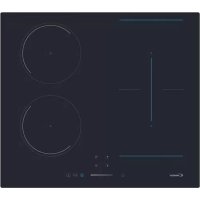
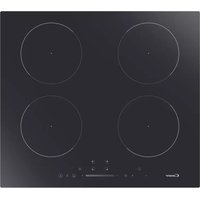
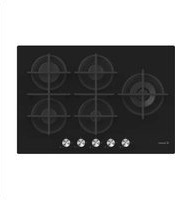
CTP643SC - Cooker CANDY - Free user manual and instructions
Find the device manual for free CTP643SC CANDY in PDF.
Download the instructions for your Cooker in PDF format for free! Find your manual CTP643SC - CANDY and take your electronic device back in hand. On this page are published all the documents necessary for the use of your device. CTP643SC by CANDY.
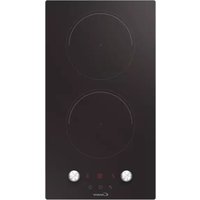
USER MANUAL CTP643SC CANDY
Thank you for purchasing the CANDY induction hob. Please read this instruction manual carefully before using the hob and keep it in a safe place for future reference.
Návod na použitie indukčnej varnej dosky SLOVENSKY CTP634SC, CTP643SC, CCTP644S, CTP644SCWIFIENGLISH 3Metallic objects such as knives, forks, spoons and sauce pan lids must not be placed on the hob surface as they can get hot. Any spillage should be removed from the lid before opening. The hob surface must be allowed to cool down before closin
the lid. After use, switch off the hob element by its control. Do not rely on the pan detector. This appliance is not intended to be operated by means of an external timer or separate remote - control system. The means for disconnection must be incorporated in the fixed wiring in accordance with the wiring rules. The instructions state the type of cord to be used, taking into account the temperature of the rear surface of the appliance. If the supply cord is damaged, it must be replaced by the manufacturer, its service agent or similarly qualified persons in order to avoid a hazard.
WARNING: If the surface is cracked, switch off the appliance to
avoid the possibility of electric shock. Do not use a steam cleaner for cleaning operations CAUTION: In order to avoid a hazard due to inadvertent resetting of the thermal cutout, this appliance must not be supplied through an external switching device, such as a timer ,or connected to a circuit that is regularly switched on and off by the utility.
WARNING: Use oly hob guards designed by manufacturer of
the cooking appliance or indicated by the manufacturer of the appliance in the instructions for use as suitable or hob guards incorporated in the appliance.The use of inappropriate guards can cause accidents. - Always use the appropriate cookware. - Always place the pan in the center of the unit that you are cooking on. - Do not place anything on control panel. - Do not use the surface as a cutting board.
1. Heating zone selection controls
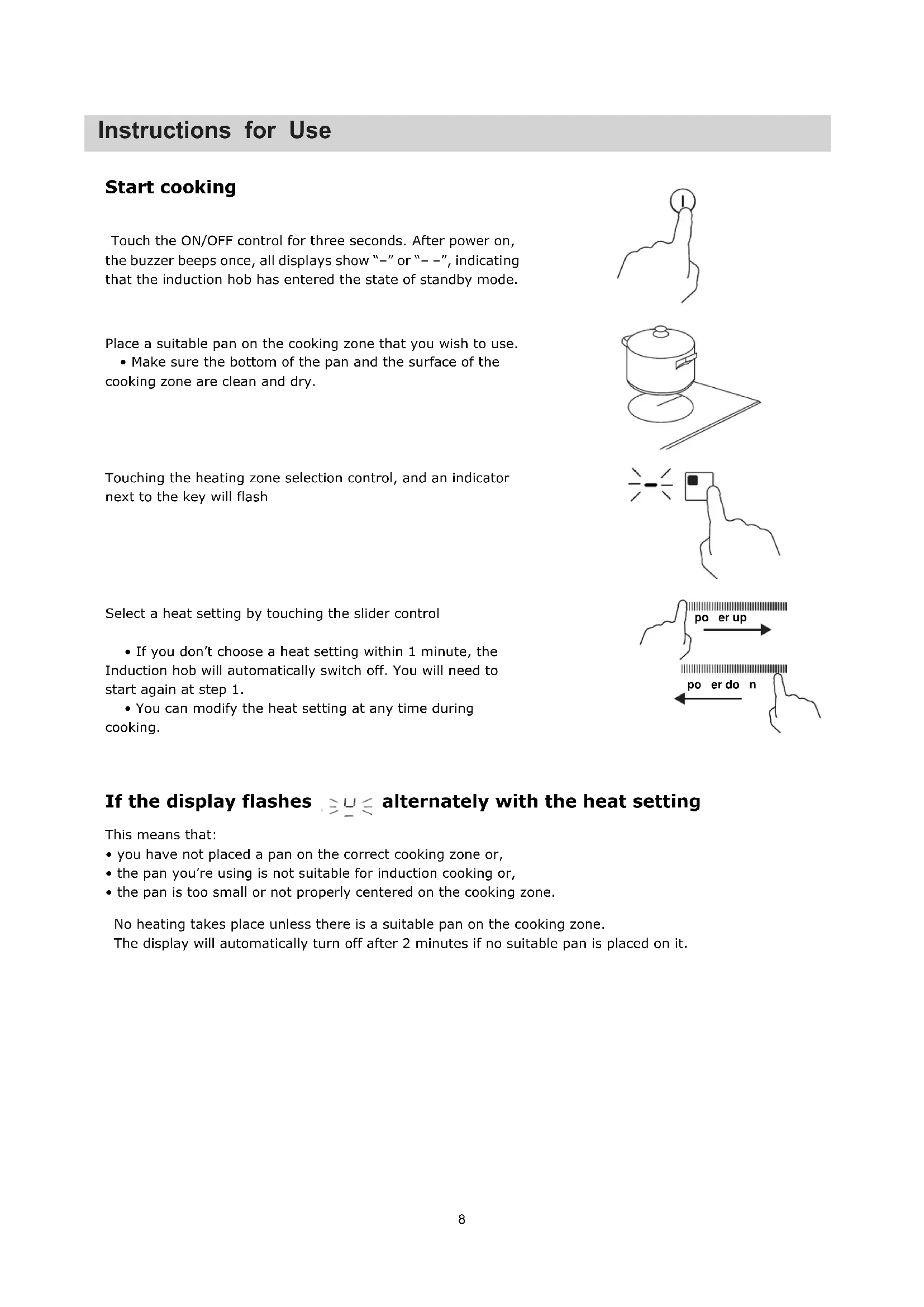
7Start cooking Touch the ON/OFF control for three seconds. After power on, the buzzer beeps once, all displays show “–” or “– –”, indicating that the induction hob has entered the state of standby mode. Place a suitable pan on the cooking zone that you wish to use. • Make sure the bottom of the pan and the surface of the cooking zone are clean and dry. Touching the heating zone selection control, and an indicator next to the key will flash Select a heat setting by touching the slider control • If you don’t choose a heat setting within 1 minute, the Induction hob will automatically switch off. You will need to start again at step 1. • You can modify the heat setting at any time during cooking. If the display flashes alternately with the heat setting This means that: • you have not placed a pan on the correct cooking zone or, • the pan you’re using is not suitable for induction cooking or, • the pan is too small or not properly centered on the cooking zone. No heating takes place unless there is a suitable pan on the cooking zone. The display will automatically turn off after 2 minutes if no suitable pan is placed on it. E`efdgUf[a`e Xad NeW
pow er uppow er dow n 8ENGLISH Turn the whole cooktop off by touching the ON/OFF control. Beware of hot surfaces H will show which cooking zone is hot to touch. It will disappear when the surface has cooled down to a safe temperature. It can also be used as an energy saving function if you want to heat further pans, use the hotplate that is still hot. Timer control You can use the timer in two different ways: You can use it as a minute minder. In this case, the timer will not turn any cooking zone off when the set time is up. You can set it to turn one or more cooking zones off after the set time is up. The timer of maximum is 99min. a) Using the Timer as a Minute Minder If you are not selecting any cooking zone Make sure the cooktop is turned on. Note: you can use the minute minder even if you’re not selecting any cooking zone. Touch timer control, the “10” will show in the timer display and the “0” flashes. Set the time by touching the slider control. (e.g. 5)
Finish cooking Touching the heating zone selection control that you wish to switch off.
Turn the cooking zone off by touching the slider to “○”. Make sure the display shows “0”.
9When the time is set, it will begin to count down immediately. The display will show the remaining time Buzzer will beep for 30 seconds and the timer indicator shows “- -” when the setting time finished. b) Setting the timer to turn one or more cooking zones off Set one zone Touching the heating zone selection control that you want to set the timer for. Touch timer control, the “10” will show in the timer display and the “0” flashes.
Set the time by touching the slider control. (e.g. 5) Touch timer control again, the “1” will flash.
Set the time by touching the slider control (e.g.9), now the timer you set is 95 minutes.
Touch timer control again, the “1” will flash Set the time by touching the slider control (e.g.9), now the timer you set is 95 minutes.
10ENGLISH The steps for setting more zones are similar to the steps of setting one zone; When you set the time for several cooking zones simultaneously, decimal dots of the relevant cooking zones are on. The minute display shows the min. timer. The dot of the corresponding zone flashes. The shown as below: (set to 15 minutes)
(set to 45 minutes) Once the countdown timer expires, the corresponding zone will switch off. Then it will show the new min. timer and the dot of corresponding zone will flash. The shown as right:
(set to 30 minutes) Touch the heating zone selection control, the corresponding timer will be shown in the timer indicator. c) Cancel the timer Touching the heating zone selection control that you want to cancel the timer. Touching the timer control, the indicator flash. Touch the slider control to set the timer to “00”, the timer is cancelled. When the time is set, it will begin to count down immediately. The display will show the remaining time . NOTE: The red dot next to power level indicator will illuminate indicating that zone is selected. When cooking timer expires, the corresponding cooking zone will be switched off automatically.
Other cooking zone will keep operating if they are turned on previously. set more zones:
11Pause Mode You can pause the heating instead of shutting the hob off. When entering the Pause mode, all the controls except the ON/OFF control are disabled. To enter pause mode Touch the lock/pause control. All the indicator will show “ 11“ To exit pause mode Touch the lock/pause control. When the hob is in the pause mode, all the controls are disable except the ON/OFF , you can always turn the induction hob off with the ON/OFF control in an emergency. The hob will shut down after 10min if you don’t exit the pause mode. Locking the Controls You can lock the controls to prevent unintended use (for example children accidentally turning the cooking zones on). When the controls are locked, all the controls except the ON/OFF control are disabled. To lock the controls Touch and hold the lock control for a while. The timer indicator will show “ Lo ” To unlock the controls Touch and hold the lock control for a while.
When the hob is in the lock mode, all the controls are disable except the ON/OFF , you can always turn the induction hob off with the ON/OFF control in an emergency, but you shall unlock the hob first in the next operation. 12ENGLISH As two independent zones
(b)Put two pans on both sides of the flexible zone. Notice: Make sure the pan is bigger than 12cm.
To use the flexible area as two different zones, you can have two choices of heating. (a) Put a pan on the right up side or the right down side of the flexible zone.
2. As a big zone, we suggest the used as the follow:
Cookware: 250mm or 280mm diameter cookware (Square or Oval cookware are acceptable) We don’t recommend other operations except for above mentioned three operations because it might effect the heating of appliance
1. To activate the free area as a single big zone, Touching the Flexible Area control .
- This area can be used as a single zone or as two different zones, accordingly to the cooking needs anytime.• Free area is made of two independent inductors that can be controlled separately.As big zone FLEXIBLE AREA (Only model CTP634SC) Double zones In this zone can be used a cookware with the diameter between 160mm and 290mm in order to have more flexibility on the zone.” 13Note: It is recommended that the cooker hood suction is switched on few minutes prior to cooking and switched off few minutes after terminating cooking. Pause Mode
- You can pause the heating instead of shutting the hob off.
- When entering the Pause mode, all the controls except the ON/OFF control are disabled. Touch the lock/pause control. All the indicator will show “ 11“
When the hob is in the pause mode, all the controls are disable except the ON/OFF , you can always turn the induction hob off with the ON/OFF control in an emergency.
To enter pause mode To unlock the controls Touch the lock/pause control. Select a heat setting by touching the slider control. Touching the heating zone selection control that you wish to cancel the boost function Cancel the Boost mode
- The function can work in any cooking zone.
- The cooking zone returns to its original setting after 5 minutes.
- If the original heat setting equals 0, it will return to 9 after 5 minutes.
First of all, you should download Simply-Fy and install to your portable device. Then enroll your induction hob. Refer to annex for details. To use the WIFI function, switch the hob on and press the WIFI key. The wifi LED flash fast for 5 seconds which means the WIFI module is booting. If the WIFI module connects the router, the wifi LED will remain on all the time. Otherwise, the WIFI LED will be flashing in cycles of 1 second on 1second off. If connect correctly, you can find many hob information from Simply-Fy, e.g. Zone power, remaining heat time. WIFI function( ONLY FOR CTP644SCWIFI) @oost mode Touching the heating zone selection control Touching the slider to “b”. Make sure the display shows “b”. Activate the boost function
pow er uppow er dow n 14ENGLISH Confirmation and Exit Power Management Function Press at the same time the Timer control and key lock for confirmation. Then the hob will be turned off. Power Management Function
- it is possible to set a maximum power absorption level for the induction hob, choosing up to different power ranges.
- induction hobs are able to limit themselves automatically in order to work at lower power level, to avoid the risk of overloading. To enter Power Management Function Turn on the hob, then Press at the same time the Timer control and key lock. The timer indicator will show “ P5“ which means power level 5. The default mode is on 7.0Kw. To switch to another level Select a power level by touching the slider control.There are 5 power levels, from “P1” to “p5”. The timer indicator will show one of them. “P1” : the maximum power is 2.5Kw. “P2” : the maximum power is 3.5Kw. “P3” : the maximum power is 4.5Kw. “P4” : the maximum power is 5.5Kw. “P5” : the maximum power is 7.0Kw. pow er uppow er dow n
Hhed fbWj[ LW^WUf[a` aX Uaa][`Y hWeeW^e Use pans whose diameter is as large as the graphic of the zone selected.
Using a pot a slightly wider energy will be used at its maximum efficiency.If you use smaller pot efficiency could be less than expected.Pot less than 140 mm could be undetected by the hob. Hj ckij ^Wl[ W \bWj Xejjec m_j^ W Z_Wc[j[h e\ ceh[ j^Wd 69 Yc3 16H\ Wdo WXdehcWb_jo eYYkhi1 j^[ _dZkYj_ed ^eX m_bb WkjecWj_YWbbo ]e _dje fhej[Yj_l[ ceZ[ WdZ Z_ifbWoed[ e\ j^[ \ebbem_d] YeZ[i?E84E9AXdehcWbj[cf[hWjkh[C^[Ya j^[ fWdR^[ WXel[ jWXb[ i^emi ^em je Wii[ii WdZ Y^[Ya Yecced \Wkbji3De dej Z_icWdjb[ j^[ Wffb_WdY[ oekhi[b\1 ej^[hm_i[ oek cWo ZWcW][ j^[ _dZkYj_ed ^eX3 F54F64F7E64E7E:4E;FWd \W_bkh[CedjWYj j^[ ikffb_[hR[cf[hWjkh[i[dieh \W_bkh[CedjWYj j^[ ikffb_[hAXdehcWb lebjW][ _dfem[h ikffboC^[Ya _\ fem[h ikffbo _idehcWb3Oem[h ed W\j[h fem[h ikffboh[jkhdi je dehcWb3Oeeh ^[Wj hWZ_Wj_ed_d Yeea_d] ped[P[ijWhj m^[d Yeea_d]ped[ Yeebi ZemdF82F= CS[^gdW A[eb^Sk S`V E`ebWUf[a` CSg^f Jaee[T^W USgeW La^gf[a`eH\ W \Wkbj i^ekbZ eYYkh1 X[\eh[ YWbb_d] A\j[h QWb[i Q[hl_Y[1 fb[Wi[ Ze j^[ \ebbem_d]?2C^[Ya j^Wj j^[ Wffb_WdY[ _i Yehh[Yjbo fbk]][Z _d2P[WZ j^[ \W_bkh[ WdZ Z_ifbWo jWXb[ WXel[H\ oek Wh[ ij_bb kdWXb[ je h[iebl[ j^[ fheXb[c1 im_jY^ e\\ j^[ Wffb_WdY[1 Ze dej jho je Z_icWdjb[ _j1WdZ YWbbA\j[h QWb[i Q[hl_Y[3 @gefa_Wd @SdW LWdh[UW K_]^j Hcc[hi[ _d ^ej mWj[h WdZ m_f[ Zho Cb[Wd_d] ifed][P_d]i WdZ b_c[iYWb[Qm[[jc[Wj1 c[bj[ZWbkc_d_kc ehfbWij_YiAffbo m^_j[ l_d[]Wh je j^[ Wh[W1 m_f[ m_j^W ie\j Ybej^ eh ki[ W Yecc[hY_WbboWlW_bWXb[ fheZkYjSi[ W if[Y_Wb iYhWf[h \eh Y[hWc_Y ]bWiije h[cel[ h[i_Zk[ .W i_b_Yed fheZkYj _iX[ij/Qf[Y_Wb WZ^[i_l[ \eh Y[hWc_Y]bWiiQf[Y_Wb WZ^[i_l[ \eh Y[hWc_Y]bWii MZW egdXSUW aX fZW [`VgUf[a` ZaT _Sk TW WSe[^k U^WS`WV [` fZW Xa^^ai[`Y iSk= MB? D_iYedd[Yj j^[ fem[h ikffbo X[\eh[ Yb[Wd_d]3 MkbW aX Ua`fS_0[`Sf[a`GWfZaV aX U^WS`[`Y@^WS`[`Y _SfWd[S^e @^WS``Wee S`V GS[`fW`S`UW ENGLISH 17R^[ Yedj[dji e\ j^_i cWdkWb ^Wl[ X[[d YWh[\kbbo Y^[Ya[Z3 Gem[l[h1 j^[ YecfWdo YWddej X[ ^[bZ h[ifedi_Xb[ \eh Wdo c_ifh_dji eh ec_ii_edi3 Abie1 Wdo j[Y^d_YWb ceZ_\_YWj_edi cWo X[ _dYbkZ[Z _d W h[l_i[Z l[hi_ed e\ j^[ cWdkWb m_j^ekj dej_Y[3 R^[ Wff[WhWdY[ WdZ Yebekh e\ j^[ Wffb_WdY[ _d j^_i cWdkWb cWo Z_\\[h \hec j^[ WYjkWb ed[3 LbWU[S^ AWUESdSf[a` DISPOSAL: Do not dispose this product as unsorted municipal waste. Collection of such waste separately for special treatment is necessary. This appliance is labelled in compliance with European directive 20 2/ /EC for Waste Electrical and Electronic Equipment (WEEE). By ensuring that this appliance is disposed of correctly, you will help prevent any possible damage to the environment and to human health, which might otherwise be caused if it were disposed of in the wrong way. The symbol on the product indicates that it may not be treated as normal household waste. It should be taken to a collection point for the recycling of electrical and electronic goods. This appliance requires specialist waste disposal. For further information regarding the treatment, recovery and recycling of this product please contact your local council, your household waste disposal service, or the shop where you purchased it. For more detailed information about treatment, recovery and recycling of this product, please contact your local city office, your household waste disposal service or the shop where you purchased the product.
ManualGo.com