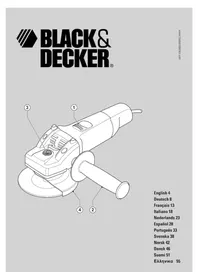
FG005 - Sander BLACK & DECKER - Free user manual and instructions
Find the device manual for free FG005 BLACK & DECKER in PDF.



| Product Type | Angle Grinder / Sander |
| Brand | Black & Decker |
| Model | FG005 |
| Supply Voltage | 230 V AC |
| Power Consumption | 701 W |
| No-load Speed | 10 000 min⁻¹ |
| Disc Diameter | 115 mm |
| Disc Bore | 22 mm |
| Shaft Size | M14 |
| Max. Grinding Disc Thickness | 6 mm |
| Max. Cutting Disc Thickness | 3.5 mm |
| Weight | 2.1 kg |
| Insulation | Double insulation (no earth required) |
| Safety Equipment | Protective guard, side handle, spindle lock |
| Switch Type | Slide on/off switch with lock |
| Intended Use | Domestic: grinding, cutting, sanding |
| Maintenance | Clean ventilation slots with a soft brush or dry cloth |
| Spare Parts | Sanding pads available from Black & Decker dealers |
| Warranty | 24 months, repair or replacement of defective parts |
| Compliance | CE, EN 50144, EN 55014, EN 61000 |
| Sound Pressure Level (LpA) | 89.9 dB(A) |
| Sound Power Level (LwA) | 102.9 dB(A) |
| Hand/Arm Vibration | < 2.5 m/s² |
Frequently Asked Questions - FG005 BLACK & DECKER
User questions about FG005 BLACK & DECKER
0 question about this device. Answer the ones you know or ask your own.
Ask a new question about this device
Download the instructions for your Sander in PDF format for free! Find your manual FG005 - BLACK & DECKER and take your electronic device back in hand. On this page are published all the documents necessary for the use of your device. FG005 by BLACK & DECKER.
USER MANUAL FG005 BLACK & DECKER
Your Black & Decker angle grinder has been designed for cutting metal and masonry using the appropriate type of cutting or grinding disc. This tool is intended for consumer use only.
Safety instructions
Warning! When using mains-powered tools, basic safety precautions, including the following, should always be followed to reduce the risk of fire, electric shock, personal injury and material damage.
Read all of this manual carefully before operating the tool.
Retain this manual for future reference.
Remove the plug from the socket before carrying out any adjustment, servicing or maintenance.
Keep work area clean
Cluttered areas and benches can cause accidents.
Consider work area environment
Do not expose the tool to rain. Do not use the tool in damp or wet conditions. Keep the work area well lit. Do not use the tool where there is a risk of causing fire or explosion, e.g. in the presence of flammable liquids and gases.
Keep children away
Do not allow children, visitors or animals to come near the work area or to touch the tool or mains cable.
Dress properly
Do not wear loose clothing or jewellery, as these can be caught in moving parts. Preferably wear rubber gloves and non-slip footwear when working outdoors. Wear protective hair covering to keep long hair out of the way.
Personal protection
Always use safety glasses. Use a face or dust mask whenever the operations may produce dust or flying particles. Hearing protection should be worn.
Guard against electric shock
Prevent body contact with earthed or grounded surfaces (e.g. pipes, radiators, cookers and refrigerators). Electric safety can be further improved by using a high-sensitivity (30mA / 30mS) residual current device (RCD).
Do not overreach
Keep proper footing and balance at all times.
Stay alert
Watch what you are doing. Use common sense. Do not operate the tool when you are tired.
Secure workpiece
Use clamps or a vice to hold the workpiece. It is safer and it frees both hands to operate the tool.
Connect dust extraction equipment
If devices are provided for the connection of dust extraction and collection facilities, ensure that these are connected and properly used.
Remove adjusting keys and wrenches
Always check that adjusting keys and wrenches are removed from the tool before operating the tool.
Extension cables
Before use, inspect the extension cable and replace if damaged. When using the tool outdoors, only use extension cables intended for outdoor use. Up to 30m of Black & Decker extension cable can be used without loss of power.
Use appropriate tool
The intended use is described in this instruction manual. Do not force small tools or attachments to do the job of a heavy-duty tool. The tool will do the job better and safer at the rate for which it was intended. Do not force the tool. Do not use the tool for purposes not intended, for example, do not use a circular saw to cut tree limbs or logs.
Warning! The use of any accessory or attachment or performance of any operation with this tool other than those recommended in this instruction manual may present a risk of personal injury.
Check for damaged parts
Before use, carefully check the tool and mains cable for damage. Check for misalignment and seizure of moving parts, breakage of parts, damage to guards and switches and any other conditions that may affect its operation. Ensure that the tool will operate properly and perform its intended function. Do not use the tool if any part is damaged or defective. Do not use the tool if the switch does not turn it on and off. Have any damaged or defective parts repaired or replaced by an authorised repair agent. Never attempt any repairs yourself.
Unplug the tool
Unplug the tool when it is not in use, before changing any parts of the tool, accessories or attachments and before servicing.
Avoid unintentional starting
Do not carry the tool with a finger on the on/off switch. Be sure that the tool is switched off when plugging in.
Do not abuse cord
Never carry the tool by its cord or pull it to disconnect from the socket. Keep the cord away from heat, oil and sharp edges.
Store idle tools
When not in use, tools should be stored in a dry, locked up or high place, out of reach of children.
Maintain tools with care
Keep cutting tools sharp and clean for better and safer performance. Follow the instructions for maintenance and changing accessories. Keep handles and switches dry, clean and free from oil and grease.
Repairs
This tool complies with relevant safety requirements. Repairs should only be carried out by qualified persons using original spare parts; otherwise this may result in considerable danger to the user.
Electrical safety

This tool is double insulated; therefore no earth wire is required. Always check that the power supply corresponds to the voltage on the rating plate.
Additional safety instructions for angle grinders

Read the instruction manual before use.

Wear safety glasses or goggles when operating this tool.

Wear ear protection when operating this tool.
Always use eye and ear protection when operating this tool.
Personal protective equipment such as dust mask, gloves, helmet and apron should be worn.
Do not cut or grind light metal with a magnesium content exceeding 80% since this type of metal is flammable.
Only use grinding and cutting discs and other accessories recommended in this manual.
Make sure that the maximum speed of the grinding or cutting disc exceeds the no-load speed of the tool.
Do not use grinding and cutting discs that do not conform to the dimensions stated in the technical data. Do not use separate reducing bushings or adapters or make unauthorised modifications to adapt large hole abrasive wheels.
Do not cut workpieces requiring a maximum depth of cut exceeding that of the cutting disc.
Do not use cutting discs for side grinding.
Inspect grinding and cutting discs before each use. Do not use chipped, cracked or otherwise defective discs.
Ensure that mounted wheels and points are fitted in accordance with the manufacturer's instructions.
Ensure that the abrasive product is correctly mounted and tightened before use and run the tool at no-load for 30 s in a safe position, stop immediately if there is considerable vibration or if other defects are detected. If this condition occurs, check the machine to determine the cause.
Ensure that blotters are used when they are provided with the bonded abrasive product and when they are required
- When applying a threaded hole disc, ensure that the thread is long enough to accept the spindle length.
- Never use the tool without the guard.
- Check that the workpiece is properly supported.
Do not exert side pressure on the grinding or cutting disc.
Ensure that sparks resulting from use do not create a hazard e.g. do not hit persons, or ignite flammable substances
Beware that after switching off the tool the wheel continues to rotate for a short period.
Ensure that ventilation slots are kept clear when working in dusty conditions. If it should become necessary to clear dust, first disconnect the tool from the mains supply. Avoid damaging internal parts, use a soft brush or dry cloth, do not use metallic objects.
- Abrasive wheels shall be stored and handled with care in accordance with manufacturer's instructions and always store grinding and cutting discs in a dry place.
Features
This tool includes some or all of the following features.
- On/off switch
- Side handle
- Spindle lock
- Guard
Assembly
Warning! Before assembly, make sure that the tool is switched off and unplugged.
Fitting and removing the guard (fig. A & B)
Fitting
Place the tool on a table, with the spindle (5) facing up.
Place the spring washer (6) over the spindle and locate it on the shoulder (7).
Place the guard (4) onto the tool as shown.
- Place the flange (8) over the spindle with the protruding pips towards the guard. Make sure that the holes in the flange align with the screw holes.
Secure the flange with the screws (9). Make sure that the screws are fully tight and that the guard can be rotated.
Removing
- Use a screwdriver to remove the screws (9).
Remove the flange (8), guard (4) and spring washer (7). Store these parts carefully.
Warning! Never use the tool without the guard.
Fitting the side handle
Screw the side handle (2) into one of the mounting holes in the tool.
Warning! Always use the side handle.
ENGLISH
Fitting and removing grinding or cutting discs (fig. C - E)
Always use the correct type of disc for your application.
Always use discs with the correct diameter and bore size (see technical data).
Fitting
Fit the guard as described above.
- Place the inner flange (10) onto the spindle (5) as shown (fig. C). Make sure that the flange is correctly located on the flat sides of the spindle.
- Place the disc (11) onto the spindle (5) as shown (fig. C). If the disc has a raised centre (12), make sure that the raised centre faces the inner flange.
Make sure that the disc locates correctly on the inner flange.
- Place the outer flange (13) onto the spindle. When fitting a grinding disc, the raised centre on the outer flange must face towards the disc (A in fig. D). When fitting a cutting disc, the raised centre on the outer flange must face away from the disc (B in fig. D).
Keep the spindle lock (3) depressed and tighten the outer flange using the two-pin spanner (14) (fig. E).
Removing
Keep the spindle lock (3) depressed and loosen the outer flange (13) using the two-pin spanner (14) (fig. E).
Remove the outer flange (13) and the disc (11).
Fitting and removing sanding discs (fig. E & F)
For sanding, a backing pad is required. The backing pad is available from your Black & Decker dealer as an accessory.
Fitting
Place the inner flange (10) onto the spindle (5) as shown (fig. F). Make sure that the flange is correctly located on the flat sides of the spindle.
Place the backing pad (15) onto the spindle.
Place the sanding disc (16) onto the backing pad.
Place the outer flange (13) onto the spindle with the raised centre facing away from the disc.
- Keep the spindle lock (3) depressed and tighten the outer flange using the two-pin spanner (14) (fig. E). Make sure that the outer flange is fitted correctly and that the disc is clamped tightly.
Removing
- Keep the spindle lock (3) depressed and loosen the outer flange (13) using the two-pin spanner (14) (fig. E).
Remove the outer flange (13), the sanding disc (16) and the backing pad (15).
Use
Warning! Let the tool work at its own pace. Do not overload.
Carefully guide the cable in order to avoid accidentally cutting it.
Be prepared for a stream of sparks when the grinding or cutting disc touches the workpiece.
Always position the tool in such a way that the guard provides optimum protection from the grinding or cutting disc.
Switching on and off
To switch on, slide the on/off switch (1) forward. Note that the tool will continue running when you release the switch.
To switch off, press the rear part of the on/off switch.
Warning! Do not switch the tool off while under load.
Hints for optimum use
Firmly hold the tool with one hand around the side handle and the other hand around the main handle.
When grinding, always maintain an angle of approx. 15^ between the disc and the workpiece surface.
Maintenance
Your tool has been designed to operate over a long period of time with a minimum of maintenance. Continuous satisfactory operation depends upon proper tool care and regular cleaning.
Warning! Before performing any maintenance, switch off and unplug the tool.
Regularly clean the ventilation slots in your tool using a soft brush or dry cloth.
Regularly clean the motor housing using a damp cloth. Do not use any abrasive or solvent-based cleaner.
Mains plug replacement (U.K. & Ireland only)
If a new mains plug needs to be fitted:
Safely dispose of the old plug.
Connect the brown lead to the live terminal in the new plug.
Connect the blue lead to the neutral terminal.
Warning! No connection is to be made to the earth terminal. Follow the fitting instructions supplied with good quality plugs. Recommended fuse: 5 A.
Protecting the environment
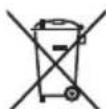
Separate collection. This product must not be disposed of with normal household waste.
Should you find one day that your Black & Decker product needs replacement, or if it is of no further use to you, do not dispose of it with household waste. Make this product available for separate collection.

Separate collection of used products and packaging allows materials to be recycled and used again. Re-use of recycled materials helps prevent environmental pollution and reduces the demand for raw materials.
Local regulations may provide for separate collection of electrical products from the household, at municipal waste sites or by the retailer when you purchase a new product.
Black & Decker provides a facility for the collection and recycling of Black & Decker products once they have reached the end of their working life. To take advantage of this service please return your product to any authorised repair agent who will collect them on our behalf.
You can check the location of your nearest authorised repair agent by contacting your local Black & Decker office at the address indicated in this manual. Alternatively, a list of authorised Black & Decker repair agents and full details of our after-sales service and contacts are available on the Internet at: www.2helpU.com
Technical data
| AST6 CD105 CD110 CD115 | ||||
| Voltage V | AC | 230 | 230 | 230 |
| Power input W 701 701 701 710 | ||||
| No-load speed min | -1 | 10,000 | 10,000 | 10,000 |
| Disc diameter mm 115 115 100 115 | ||||
| Disc bore mm 22 22 16 22 | ||||
| Max disc thickness | ||||
| grinding discs mm 6 6 | 6 6 | |||
| cutting discs | mm | 3.5 | 3.5 | 3.5 |
| Spindle size | M14 | M14 | M10 | |
| Weight | kg | 2.1 | 2.1 | 2.1 |
EC declaration of conformity
AST6/CD105/CD110/CD115
Black & Decker declares that these products conform to: 98/37/EC, 89/336/EEC, EN 50144, EN 55014, EN 61000 L_pA (sound pressure) 89.9 dB(A), L_WA (acoustic power) 102.9 dB(A), hand/arm weighted vibration < 2.5m / s^2
Kevin Hewitt
Director of Consumer Engineering Spennymoor, County Durham DL16 6JG, United Kingdom 1-5-2005
Guarantee
Black & Decker is confident of the quality of its products and offers an outstanding guarantee. This guarantee statement is in addition to and in no way prejudices your statutory rights. The guarantee is valid within the territories of the Member States of the European Union and the European Free Trade Area.
If a Black & Decker product becomes defective due to faulty materials, workmanship or lack of conformity, within 24 months from the date of purchase, Black & Decker guarantees to replace defective parts, repair products subjected to fair wear and tear or replace such products to ensure minimum inconvenience to the customer unless:
The product has been used for trade, professional or hire purposes;
The product has been subjected to misuse or neglect;
The product has sustained damage through foreign objects, substances or accidents:
Repairs have been attempted by persons other than authorised repair agents or Black & Decker service staff.
To claim on the guarantee, you will need to submit proof of purchase to the seller or an authorised repair agent. You can check the location of your nearest authorised repair agent by contacting your local Black & Decker office at the address indicated in this manual. Alternatively, a list of authorised Black & Decker repair agents and full details of our after-sales service and contacts are available on the Internet at:
www.2helpU.com
Please visit our website www.blackanddecker.co.uk to register your new Black & Decker product and to be kept up to date on new products and special offers. Further information on the Black & Decker brand and our range of products is available at www.blackanddecker.co.uk
DEUTSCH
Director of Consumer Engineering
Spennymoor, County Durham DL16 6JG
Spennymoor, County Durham DL16 6JG
Royaume Uni
1-5-2005
Garantie
Spennymoor, County Durham DL16 6JG
Regno Unito
1-5-2005
Garanzia
Director of Consumer Engineering
Spennymoor, County Durham DL16 6JG
Verenigd Koninkrijk
1-5-2005
Garantie
No permitted to be taken up by the owner.
Spennymoor, County Durham DL16 6JG
Reino Unido
1-5-2005
ESPANOL
Garantía
Retire as chaves de aperto
Utom rackhall for barn
Kevin Hewitt
Director of Consumer Engineering
Spennymoor, County Durham DL16 6JG,
Storbrittannien
1-5-2005
Reservdelar / reparationer
Director of Consumer Engineering
Spennymoor, County Durham DL16 6JG
Storbritannien
1-5-2005
Reservedele / reparationer
Kevin Hewitt
Director of Consumer Engineering
Spennymoor, County Durham DL16 6JG,
Iso-Britannia
1-5-2005
Spennymoor, County Durham DL16 6JG
Ayyia
1-5-2005
Eyyunon
H Black & Decker eivai oiyoun yia tvn noiotnta twv npoiovtwv nC kai napexei onmuavtkn eyyunon. H napouoa ypantn nyuunon anotelepiopotheo dikaiwaqaac kai dev zniwve ta ouvtaymuataocdkawmuata. H eyyunon loxuei evtoc nC enkpatiaac twv Kpatw Meawv ts Eupwnaiknc EvongkaiqNzwnc Eauepowv Suvaalayov.
επeipintwn nou kanoio npoiov mC Black & Decker napouiaoei εaiaac eataikwv uikwv, noiotntac epyaiaac n eaauicouwviac me tnc pobiayapcEc vtoC 24 mnuw ano tv nuepounvia ayopac, n Black & Decker eyyuatai mv avtikataotaon twv eaattwaatikwv tmuaTsw, mv eniakuei npoiovtwv nou exouv unooetie EUOy mΦopá loyw xphoc n tv avtikataotaon twv npoiovtwv npokevouva Eaopaiaei tv EAixotn evoxnon otous nealatec mS, ektoc av:
To npoiov exi xpnoononthe o epyaiako, eayeuaiko nepiabauov n av exevoikaoTei
ExivEeapalevXpOnTou npoiovtoc n av ExeipapaeAe
To npoiov exei unootei ano aaaaavtkieeva, ano ouicn loyaw atuxmuatos
Exi yiveipnoaheia eiokeunc ano un eoouioodmueva Kevtpa eiokeuw n ao npoownko nou dev avnkei oTo npoownko Tnc Black & Decker
Ia va loxuoei n evyunon, npenei va unoabaale ta oobdiayopac otov nolnnt to eouoiobotmevo kevtpo enikekuwv. Evnpewte yia to naiotepo kevtpo enikkeuwv mC nepioxnc aoc, nkoivwvwvtae me ta ypaepia tC Black & Decker on thieuvon nou avaypapetai oTo eyxepidio. Enionc, ia va nnpopopnpheite yia ta eouoiodotmeva kevtpa enikkeuwv tC Black & Decker, tic aeToupeiec kai touc apoioiouc twv umpeawv nou napexovtai meTa mV nnnon, npopeite va avatpeTe oTo diaiktuo oTn dieuvon: www.2helpU.com
IapakaAouue va eiokeptte TnV IOToeAiaa ma
www.blackanddecker.com ia va kataxwpnoTe To VEO aoc
npoiov Black & Decker ka ia va evneepowote yia ta vea
npoiovta ka tic iDikec npoopopc.
PiepiooTepeC nnpopopieC oxetika eTn npapka
Black & Decker ka tn oipapnpoiovtwv pa c tha bpseite ot
dsuohuvon www.blackanddecker.com
| Australia Black & Decker (Australia) Pty. Ltd. Tel. 03-8720 510020 Fletcher Road, Mooroolbark, Victoria, 3138 Fax 03-9727 5940 | ||
| België/Belgique Black & Decker (Belgium) N.V. Tel. 015 - 47 92 11Campus Noord, Schaliënhoevedreef 20E Fax 015 - 47 92 102800 Mechelen | ||
| Danmark Black & Decker Tel. 70 20 15 15Sluseholmen 2-4, 2450 København SV Fax 36 94 49 01Internet: www.blackanddecker.dk | ||
| Deutschland Black & Decker GmbH Tel. 06126/21 - 0Black & Decker Str. 40, D - 65510 Idstein Fax 06126/21 29 80 | ||
| Ελλάδα Black & Decker (Ελλάς) A.E. Tnλ. 210 8981616Στράβωνος 7 & Αεωφ. Bουλιαγμένης 159 Φαξ 210 8983285166 74 Γλυράδα - Αθήναwww.blackanddecker.gr | ||
| Espana | Black & Decker Ibérica, S.C.A.Parque de Negocios "Mas Blau"Edificio Muntadas, c/Bergadá, 1, Of. A608820 El Prat de Llobregat (Barcelona) | Tel. 934 797 400Fax 934 797 419 |
| France | Black & Decker (France) S.A.S.B.P. 21, 69571 Dardilly Cedex | Tel. 04 72 20 39 20Fax 04 72 20 39 00 |
| Helvetia | ROFO AGGewerbezone Seeblick3213 Kleinbosingen | Tel. 026-6749391Fax 026-6749394 |
| Italia | Black & Decker Italia SpAViale Elvezia 220052 Monza (MI) | Tel. 039-23871Fax 039-2387592/2387594Numero verde 800-213935 |
| Nederland | Black & Decker BeneluxJoulehof 12, 4622 RG Bergen op Zoom | Tel. 0164 - 283000Fax 0164 - 283100 |
| New Zealand | Black & Decker Tel. 09 579 760081 Hugo Johnston DrivePenrose, Auckland, New Zealand | Fax 09 579 8200 |
| Norge | Black & Decker (Norge) A/SPostboks 4814, Nydalen, 0422 OsloInternet: www.blackanddecker.no | Tlf. 22 90 99 00Fax 22 90 99 01 |
| Österreich | Black & Decker Vertriebsges.m.b.HErlaerstraße 165, 1231 Wien | Tel. 01 66116-0Fax 01 66116-14 |
| Portugal | Black & Decker Tel. 214667500Rua Egas Moniz 173S. João do Estoril2766-651 Estoril | Fax 214667575 |
| Suomi | Black & Decker OyKeilasatama 3, 02150 EspooBlack & Decker Oy,Kägelhamnen 3, 02150 Esbo | Puh.: 010 400 430Faksi: (09) 2510 7100Tel: 010 400 430Fax: (09) 2510 7100 |
| Sverige | Black & Decker ABFabriksg. 7, 412 50 Göteborg | Tel: 031-68 60 60Fax: 031-68 60 80 |
| Türkije | İntratek Mühendislik ve Düş Tic. A.§Atatürk Mah. Girne Cad. No. 4534750 Küçükbakkalköy Kadiköy Istanbul | Tel. 0216 456 60 60Faks 0216 456 60 84 |
| United Kingdom | Black & Decker Tel. 01753 511234210 Bath RoadSlough, Berkshire SL1 3YD | Fax 01753 551155Helpline 01753 574277 |
| Middle East & Africa | Black & Decker (Overseas) A.G.PB 5420, Dubai, United Arab Emirates Fax +971 4 2826466 | Tel. +971 4 2826464Fax +971 4 2826466 |
Dealer address Date of purchase
Handleradresse Kaufdatum