SW288 - Sports smartwatch OREGON SCIENTIFIC - Free user manual and instructions
Find the device manual for free SW288 OREGON SCIENTIFIC in PDF.



| Product type | Sport smartwatch |
| Brand | Oregon Scientific |
| Model | SW288 |
| Main use | Swimming with automatic lap counter, strokes and calories |
| Power supply | 1 CR2032 lithium battery |
| Water resistance | Up to 50 meters (5 ATM) |
| Display | LCD with backlight |
| Clock | Real time, 12/24 hour format |
| Lap counter | 0 to 999 laps |
| Stroke counter | 0 to 9,999 strokes |
| Calorie calculation | 0 to 9,999 kcal |
| Memory | Last 7 workout records |
| Modes | Main, Setting, Swimming, Calibration, Memory |
| Control buttons | SET, MEM, WIM, backlight/lock |
| Pool lengths | 25 m or 50 m |
| Swimming styles | Freestyle, Backstroke, Breaststroke, Butterfly |
| User weight setting | 20 to 225 kg (44 to 495 lb) |
| Alarm | Yes, adjustable |
| Beep | Enable/disable |
| Key lock | Yes, by holding the backlight button |
| Operating temperature | 0°C to 40°C |
| Storage temperature | -20°C to 60°C |
| Maintenance | Clean with warm water and mild soap |
| Precautions | Do not disassemble, avoid shocks and abrasive products |
| Spare part | Replacement CR2032 battery |
Frequently Asked Questions - SW288 OREGON SCIENTIFIC
User questions about SW288 OREGON SCIENTIFIC
0 question about this device. Answer the ones you know or ask your own.
Ask a new question about this device
Download the instructions for your Sports smartwatch in PDF format for free! Find your manual SW288 - OREGON SCIENTIFIC and take your electronic device back in hand. On this page are published all the documents necessary for the use of your device. SW288 by OREGON SCIENTIFIC.
USER MANUAL SW288 OREGON SCIENTIFIC
Arena by Oregon Scientific
Model: SW288
User Manual
Arena by Oregon Scientific
SWIMWATCH (SW288)
USER MANUAL
CONTENTS
Introduction 3
Control buttons 3
LCD 4
Getting started 5
Activate watch (first-time use only) 5
Set time and user data .... 5
Main mode 5
Setup mode 6
Swim mode 7
Calibration mode 9
Memory mode 10
Silence alarm 11
Backlight and keypad lock 11
Use in the water 12
Battery replacement 13
Specifications 14
Precautions 14
About Oregon Scientific 16
About Arena 16
EU-Declaration of Conformity 17
INTRODUCTION
Thank you for selecting this Arena Swimwatch (SW288). This is a specially designed watch for swimming purpose, and is equipped with automatic lap counter, stroke counter, calorie counter, exercise timer and memory function.
CONTROL BUTTONS
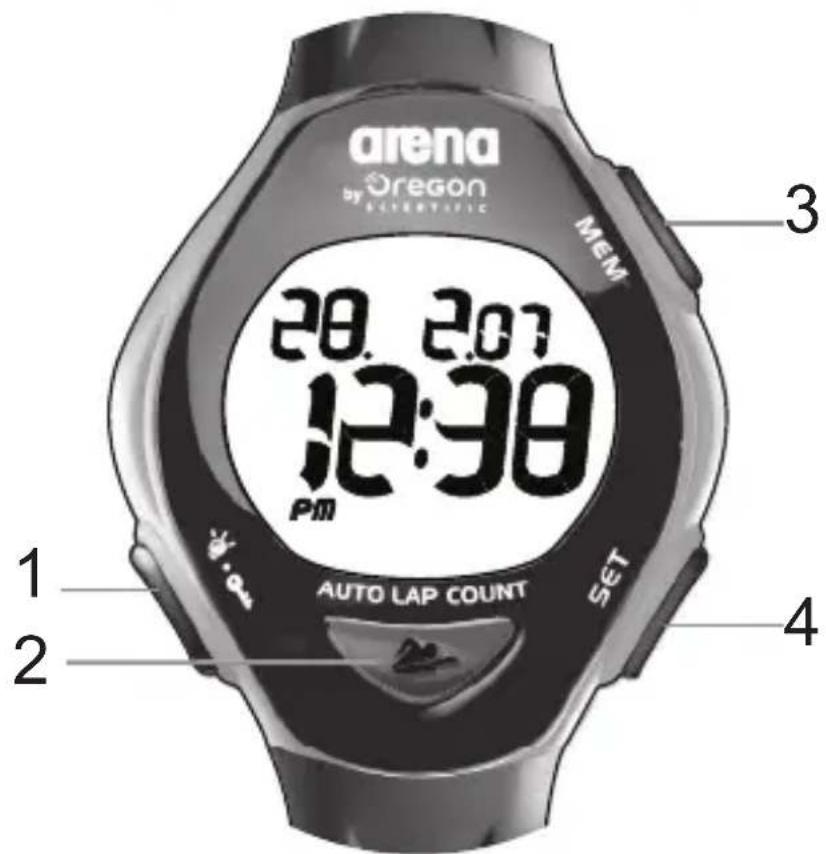
- :Activate backlight; lock / unlock keypad
- (SWIM): Enter Swimming Mode; start / stop exercise timer; immediate exit; decrease values
-
MEM: Enter Memory Mode; view memory record; increase values
-
SET: Enter Setting Mode; move to next page or setting option
LCD
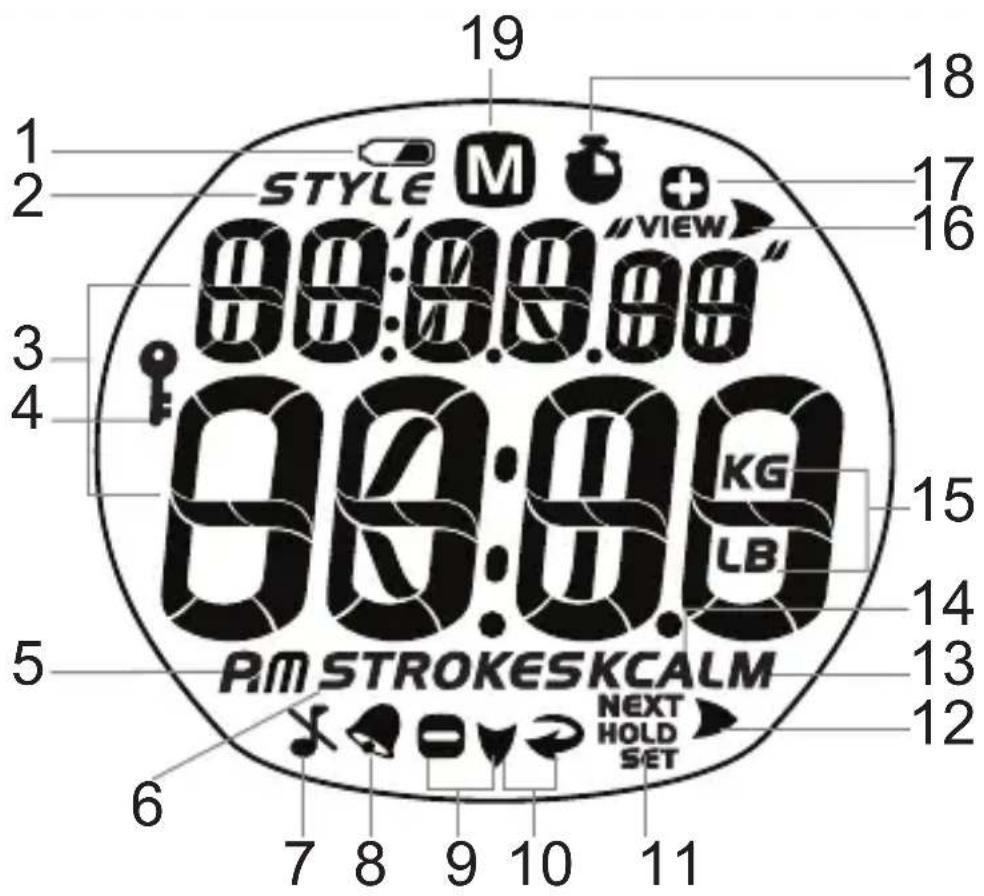
- or: Indicates battery power is low
- 5 indicates swimming style is displayed
- Displays mode banners and numerical values
- Indicates keypad is locked
- R/m 2/24 hour clock
- STROKES: the number of strokes is displayed
- Indicates beep tone is Off
-
Indicates alarm is On
-
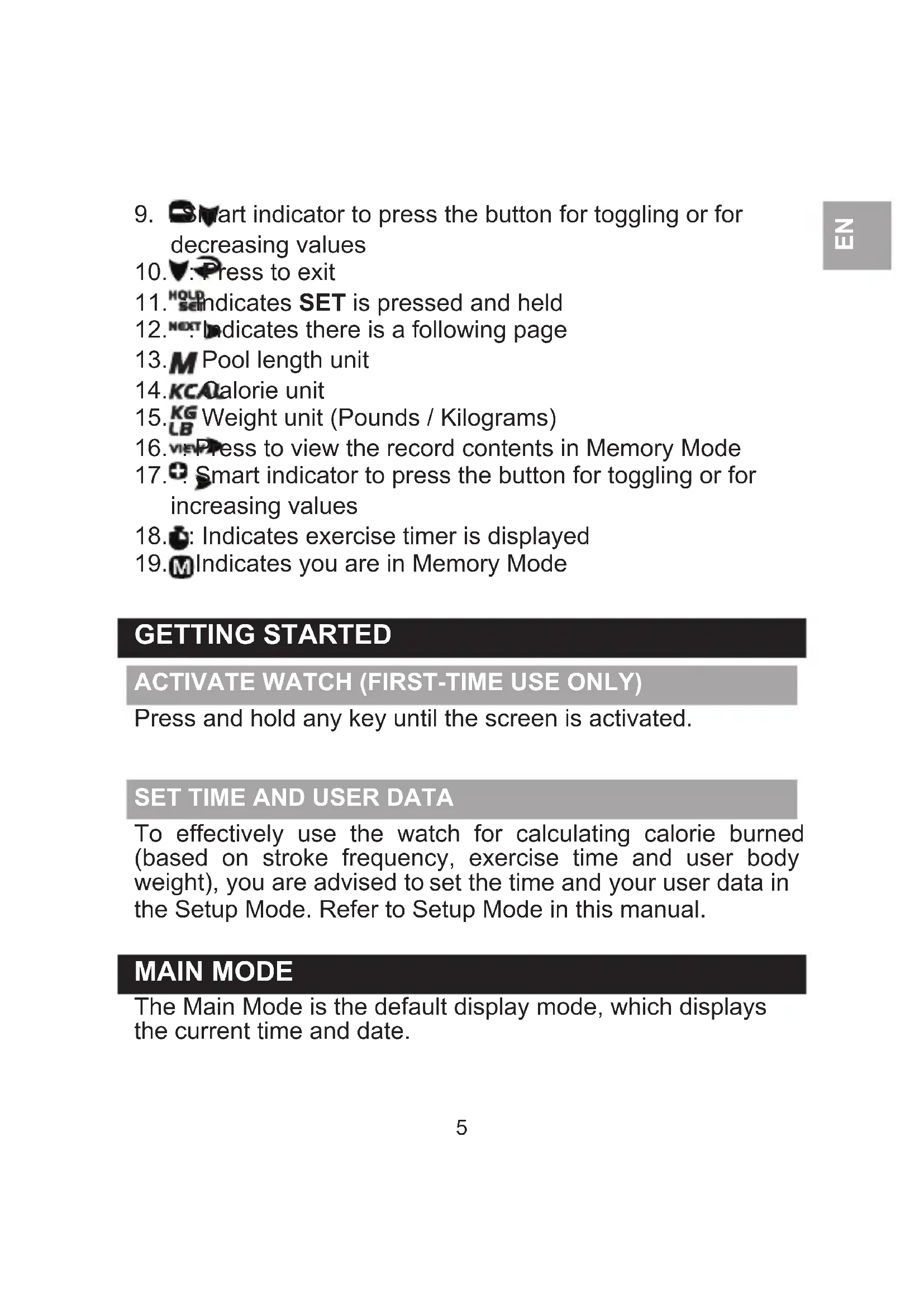
Smart indicator to press the button for toggling or for decreasing values
- ▼: Press to exit
- HOLD SEM indicates SET is pressed and held
- NEXT indicates there is a following page
- M Pool length unit
- KCALorie unit
- KG Weight unit (Pounds / Kilograms)
- VIEW Press to view the record contents in Memory Mode
- Smart indicator to press the button for toggling or for increasing values
- Indicates exercise timer is displayed
- M Indicates you are in Memory Mode
GETTING STARTED
ACTIVATE WATCH (FIRST-TIME USE ONLY)
Press and hold any key until the screen is activated.
SET TIME AND USER DATA
To effectively use the watch for calculating calorie burned (based on stroke frequency, exercise time and user body weight), you are advised to set the time and your user data in the Setup Mode. Refer to Setup Mode in this manual.
MAIN MODE
The Main Mode is the default display mode, which displays the current time and date.
SETUP MODE
In the Setup Mode, you can set the user's weight, time, date, alarm On/Off and alarm time, and beep tone On/Off.
- Press SET to enter Setup Mode.
- Wait for the screen to appear.
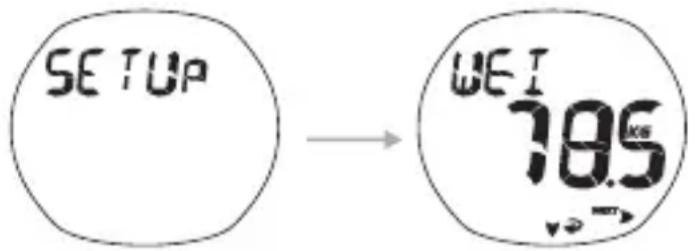
- Press and hold SET to set values in each setting option (or press SET once to skip to the next setting option). Press MEM to increase values or decrease values. The setting options (in sequence) are:
• Weight - weight unit, weight value
• Time - 12/24 format, hour and minute
- Date - year, month-day/day-month format, month and day
- Alarm - alarm On/Off (press MEM to toggle), hour and minute
- Beep - beep tone On/Off (press MEM to toggle)
- Press SET to confirm.
IMPORTANT
- Set the time and your user data after every battery replacement.
- Re-set the user data when used by a different user.
REMARK Press anytime to return to Main Mode.
SWIM MODE
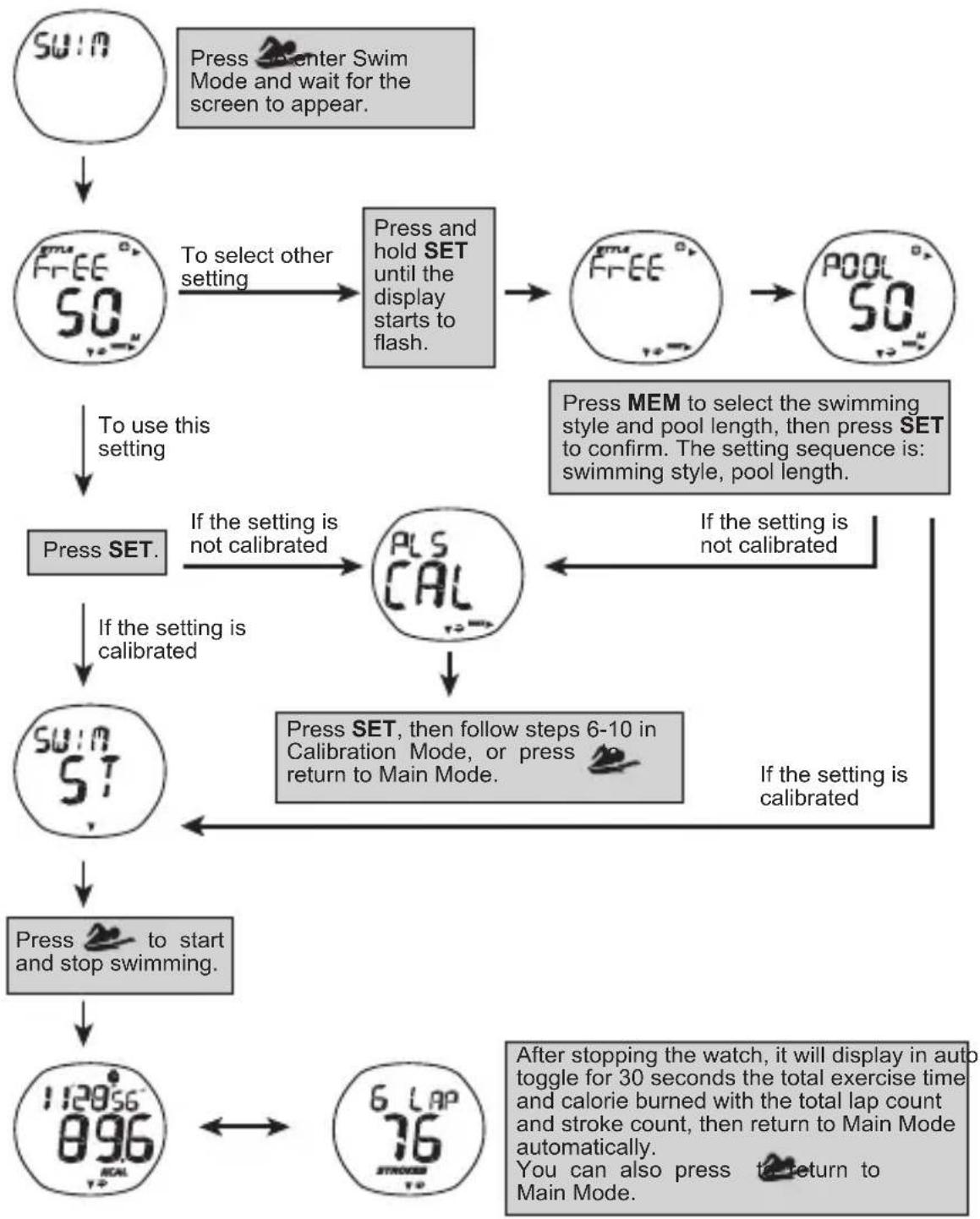
flowchart
graph TD
    A["Swin"] --> B["Free50"]
    B --> C["To select other setting"]
    C --> D["Press and hold SET until the display starts to flash."]
    D --> E["Free50"]
    E --> F["Pool50"]
    F --> G["Press MEM to select the swimming style and pool length, then press SET to confirm. The setting sequence is: swimming style, pool length."]
    G --> H["Press SET."]
    H --> I["If the setting is not calibrated"]
    I --> J["PLS CAL"]
    J --> K["If the setting is not calibrated"]
    K --> L["Swin ST"]
    L --> M["Press SET, then follow steps 6-10 in Calibration Mode, or press return to Main Mode."]
    M --> N["Press SET to start and stop swimming."]
    N --> O["After stopping the watch, it will display in auto toggle for 30 seconds the total exercise time and calorie burned with the total lap count and stroke count, then return to Main Mode automatically. You can also press to return to Main Mode."]
    O --> P["6 Lap 76"]
    P --> Q["12856 896"]
IMPORTANT
- The watch must be calibrated when it is to be used by a different user.
- Swimming should be continuous and make sure to use the same swimming style and pool length as calibrated.
REMARK
- Except in swimming, press any time to return to Main Mode; the watch will also return to Main Mode if idled for 30 seconds.
- The watch is water-resistant up to 50 metres and allows for pressing of buttons under 1 metre deep maximum.
- While swimming, the watch will display the exercise time and stroke count.
- The pool lengths available are 25m and 50m.
• The swimming styles available are:
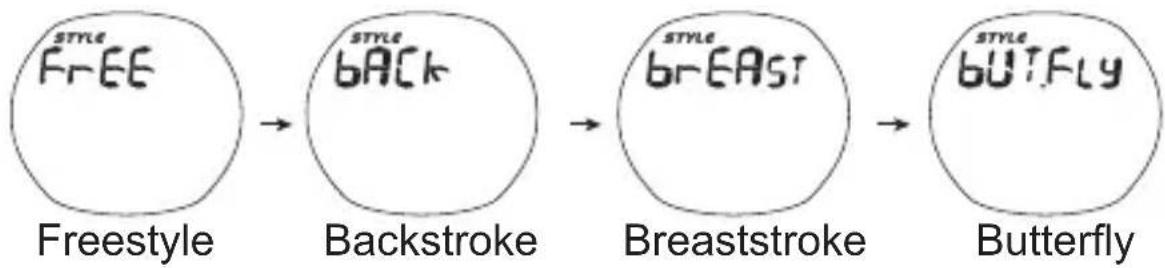
flowchart
graph LR
    A["Freestyle"] --> B["Backstroke"]
    B --> C["Breaststroke"]
    C --> D["Butterfly"]
CALIBRATION MODE
The watch must be calibrated when it is to be used by a different user or used in a different setting (different swimming style and pool length).
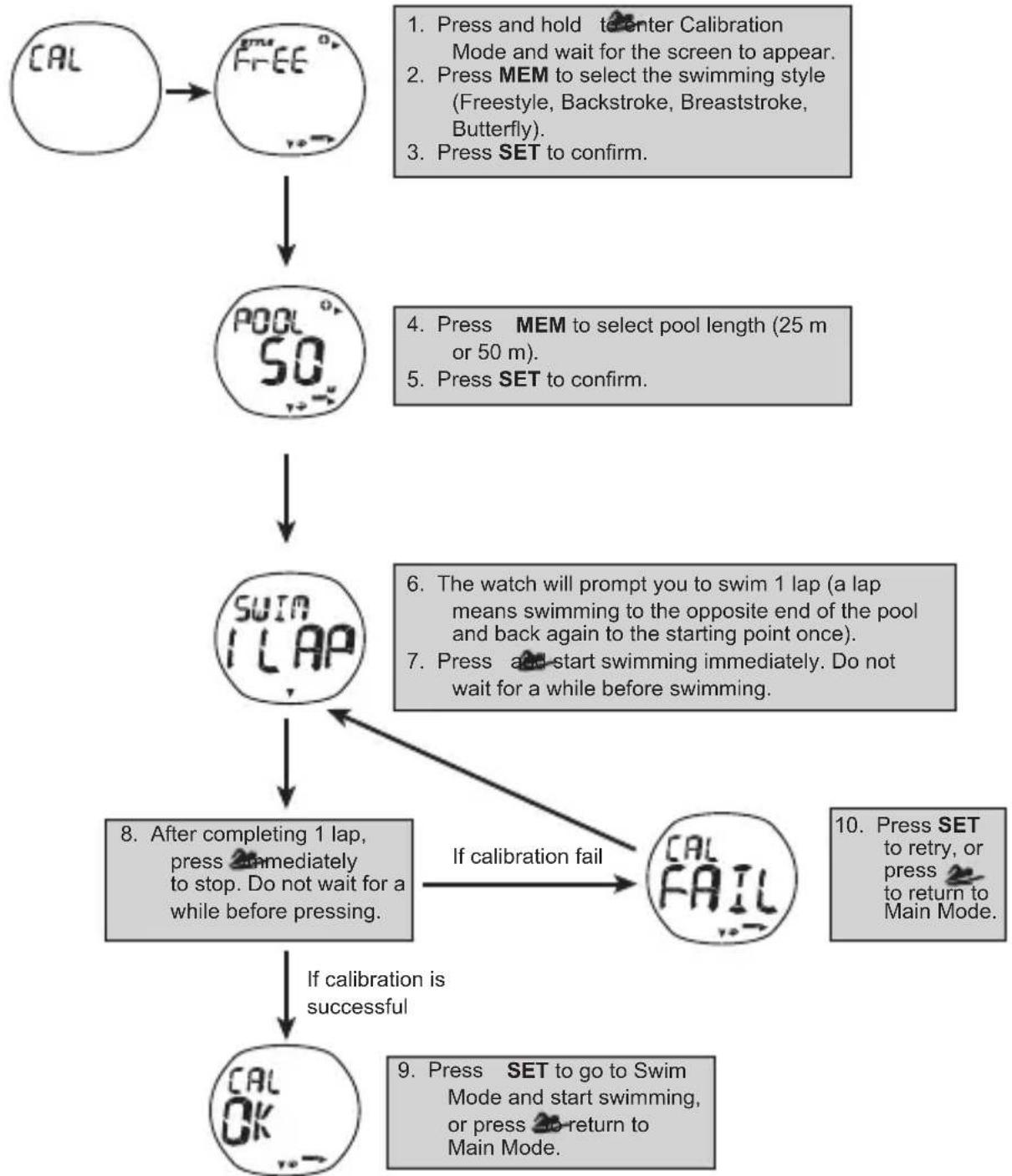
flowchart
graph TD
    A["CAL"] --> B["FREE"]
    B --> C["POOL 50°"]
    C --> D["SWIN 1 LAP"]
    D --> E["After completing 1 lap, press immediately to stop. Do not wait for a while before pressing."]
    E --> F["If calibration is successful"]
    F --> G["OK OK"]

    H["Press and hold to enter Calibration Mode and wait for the screen to appear."] --> I["Press MEM to select the swimming style (Freestyle, Backstroke, Breaststroke, Butterfly)."]
    I --> J["Press SET to confirm."]

    K["Press MEM to select pool length (25 m or 50 m)."] --> L["Press SET to confirm."]

    M["Press and start swimming immediately. Do not wait for a while before swimming."] --> N["The watch will prompt you to swim 1 lap (a lap means swimming to the opposite end of the pool and back again to the starting point once)."]
    N --> O["Press and start swimming immediately. Do not wait for a while before swimming."]

    P["If calibration fail"] --> Q["CAL FAIL"]

    R["Press SET to retry, or press to return to Main Mode."] --> S["End"]
IMPORTANT
- Calibrate the watch after being reset and after battery replacement.
- The calibration should reflect your actual swimming style and pool length.
- While calibrating, swimming should be continuous and swimming style should maintain the same.
REMARK Except in swimming, press anytime to return to Main Mode; the watch will also return to Main Mode if idled for 30 seconds.
MEMORY MODE
The watch stores the latest 7 exercise records. Each record contains the swimming style, total distance, total lap count, total stroke count, total exercise time and calorie burned.
- Press MEM to enter Memory Mode.
- Wait for the screen to appear.
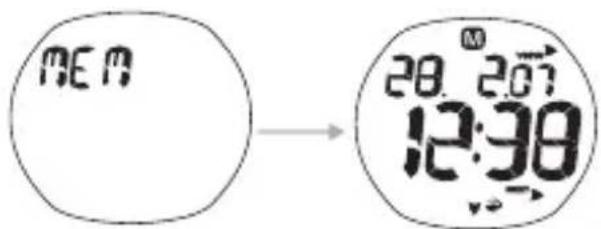
- Press SET repeatedly to select the record to view.
- Press MEM repeatedly to view the 3 content pages of the selected record and to return to the record page.
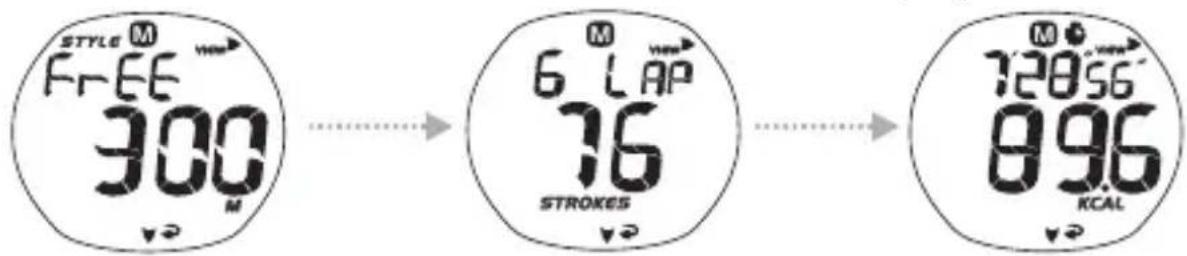
The watch will also automatically toggle for 3 seconds among the content pages, but it cannot return to the record page. Press MEM to return.
REMARK Press anytime to return to Main Mode.
To reset records:
You cannot reset the records manually. The watch is designed to automatically reset the records.
SILENCE ALARM
Press any button to silence an alarm. If the alarm is not deactivated, it will turn on at the same time the following day.
To activate backlight:
Press -to-tom backlight On for 3 seconds.
NOTE The backlight function will not operate if “” or “” is displayed.
To toggle keypad lock On or Off:
Press and hold 🔍 for 2 seconds. Indicates keypad is locked.
USE IN THE WATER
The SW288 is water-resistant up to 50 meters (164 feet).
 |  | 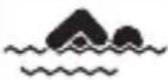 |  | 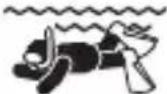 | |
| RAIN | SHOWERING(WARM/COOLWATERONLY) | LIGHTSWIMMING/SHALLOWWATER | SHALLOWDIVING/SURFING/WATERSPORTS | SNORKELING/DEEPWATERDIVING | |
| 50M/164 FEET | OK | OK | OK | OK | NO |
NOTE The watch is water-resistant up to 50 metres and allows for pressing of buttons under 1 metre deep maximum.
BATTERY REPLACEMENT
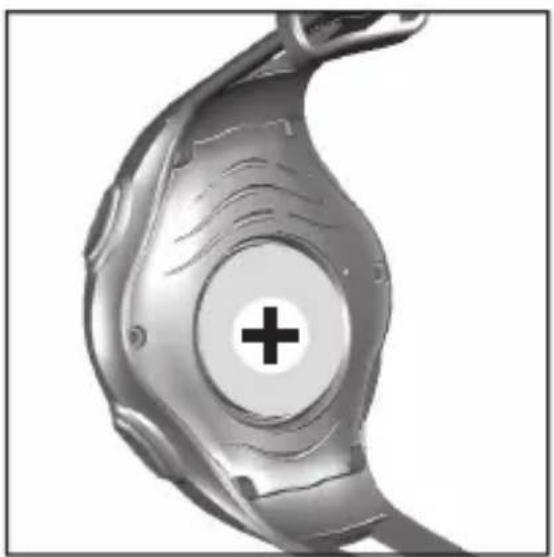
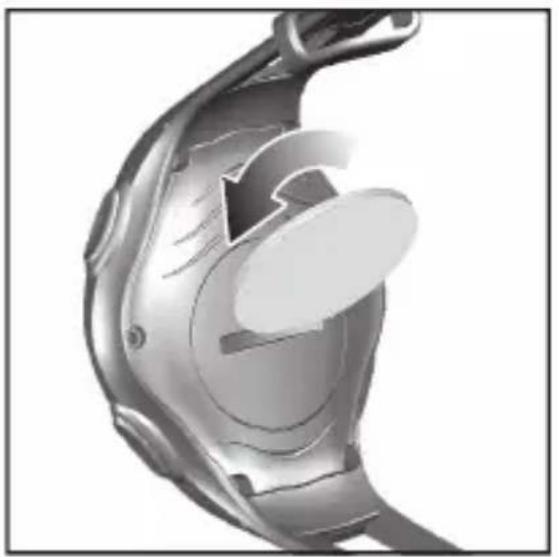
The SW288 uses a CR2032 lithium battery, which has already been installed.
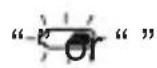
Indicates battery power is low.
To replace battery:
natural_image
3D rendered mechanical component with internal cutaway view (no text or symbols)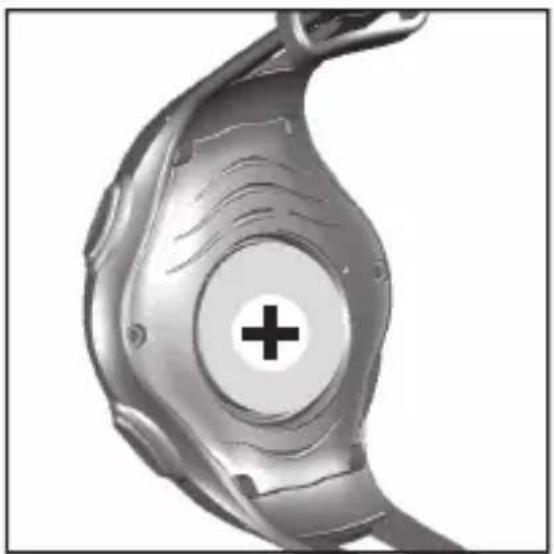
natural_image
Close-up of a metallic mechanical component with a central plus sign (no text or symbols visible)NOTE When the battery compartment is opened or battery is replaced, all data in the watch will be reset.
SPECIFICATIONS
| Real time clock | 12 / 24 format with hour / minute |
| Lap measurement range 0 – 999 laps | |
| Stroke measurement range | 0 – 9 999 strokes |
| Exercise timer range 99:59'59" | |
| Calorie measurement range | 0 – 9 999 kcal |
| Body weight range 20 – 225 kg (44 – 495 lb) | |
| Power 1 x CR2032 lithium battery | |
| Operating temperature | 0°C to 40°C (32°F to 104°F) |
| Storage temperature | -20°C to 60°C (-4°F to 140°F) |
PRECAUTIONS
To ensure you use your product correctly and safely, read these warnings and the entire user manual before using the product:
- Use a soft, slightly moistened cloth. Do not use abrasive or corrosive cleaning agents, as these may cause damage.
Use lukewarm water and mild soap to clean the device thoroughly after each training session. Never use the product in hot water or store it when wet.
- Do not subject the product to excessive force, shock, dust, temperature changes, or humidity. Never expose the product to direct sunlight for extended periods. Such treatment may result in malfunction.
- Do not tamper with the internal components. Doing so will terminate the product warranty and may cause damage. The main unit contains no user-serviceable parts.
- Do not scratch hard objects against the LCD display as this may cause damage.
• Take precautions when handling all battery types. - Remove the batteries whenever you are planning to store the product for a long period of time.
- When replacing batteries, use new batteries as specified in this user manual.
- The product is a precision instrument. Never attempt to take this device apart. Contact the retailer or our customer service department if the product requires servicing.
- Do not touch the exposed electronic circuitry, as there is a danger of electric shock.
- Check all major functions if the device has not been used for a long time. Maintain regular internal testing and cleaning of your device. Have your device serviced by an approved service centre annually.
- When disposing of this product, ensure it is collected separately for special treatment and not as normal household waste.
- Due to printing limitations, the displays shown in this manual may differ from the actual display.
- The contents of this manual may not be reproduced without the permission of the manufacturer.
NOTE The technical specifications for this product and the contents of the user manual are subject to change without notice.
NOTE Features and accessories will not be available in all countries. For more information, please contact your local retailer.
ABOUT OREGON SCIENTIFIC
Visit our website (www.oregonscientific.com) to learn more about Oregon Scientific products. If you're in the US and would like to contact our Customer Care department directly, please visit: www2.oregonscientific.com/service/support
OR
Call 1-800-853-8883.
For international inquiries, please visit: www2.oregonscientific.com/about/international
ABOUT ARENA
Visit our website (www.arenainternational.com) to learn more about the Arena Brand and products, such as swimwear and accessories for both pool competition and leisure. The site also includes a wide overview of Arena history and company philosophy, as well as the profiles of top athletes and federations swimming in Arena, a glossary of swimming and all contact information to reach us.
EU-DECLARATION OF CONFORMITY
Hereby, Oregon Scientific, declares that this Swimwatch (Model: SW288) is in compliance with EMC directive 89/336/CE. A copy of the signed and dated Declaration of Conformity is available on request via our Oregon Scientific Customer Service.

Arena by Oregon Scientific
natural_image
3D rendered mechanical component with internal cutaway view (no text or symbols)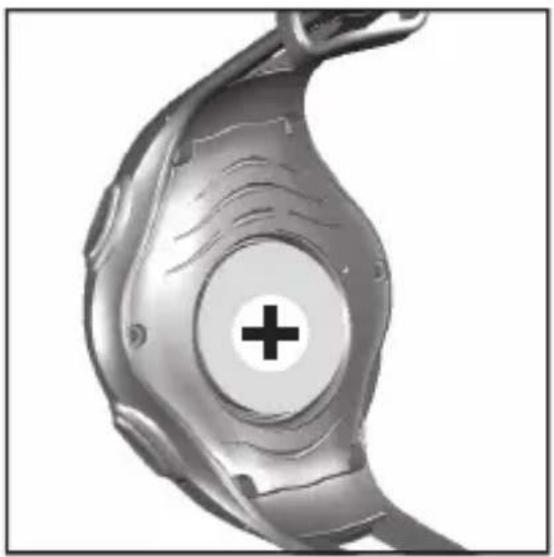
natural_image
Close-up of a metallic mechanical component with a central plus sign (no text or symbols visible)Arena by Oregon Scientific
Interrumpir alarma ....11
natural_image
Close-up of a mechanical component with a circular feature and internal structure (no visible text or symbols)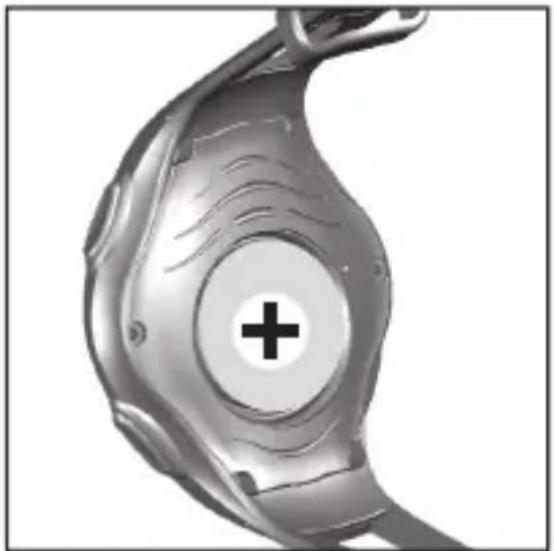
natural_image
Close-up of a metallic mechanical component with a central plus sign (no text or symbols visible)Arena by Oregon Scientific
MONTRE DE NATATION (SW288)
MANUEL DE L'UTILISATEUR
TABLE DES MATIÈRES
Introduction 2
Bouttons de commande .... 2
Ecran LCD 3
Au commencement 4
natural_image
3D rendered mechanical component with internal cutaway view (no text or symbols)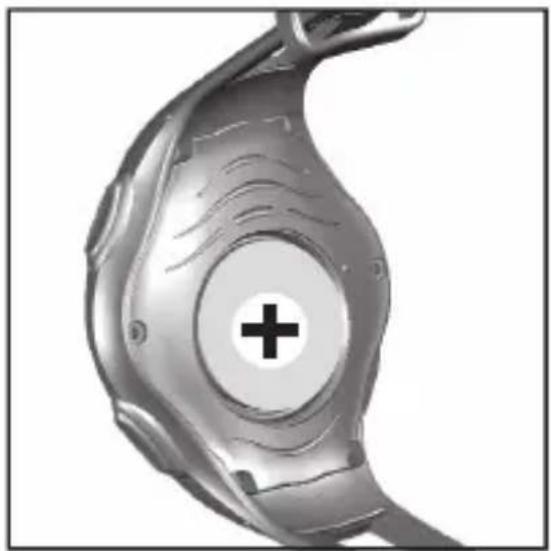
natural_image
Close-up of a metallic mechanical component with a central cross symbol (no text or labels)www2.oregonscientific.com/service/support.asp
OU
site: www2.oregonscientific.com/about/international.asp
À PROPOS D'ARENA
DÉCLARATION DE CONFORMITÉ EU
Arena by Oregon Scientific
SWIMWATCH (SW288) MANUALE PER L'UTENTE
INDICE
ACCENSIONE DELL'OROLOGIO (SOLO LA PRIMA VOLTA
natural_image
3D rendered mechanical component with cutaway view showing internal structure (no text or symbols)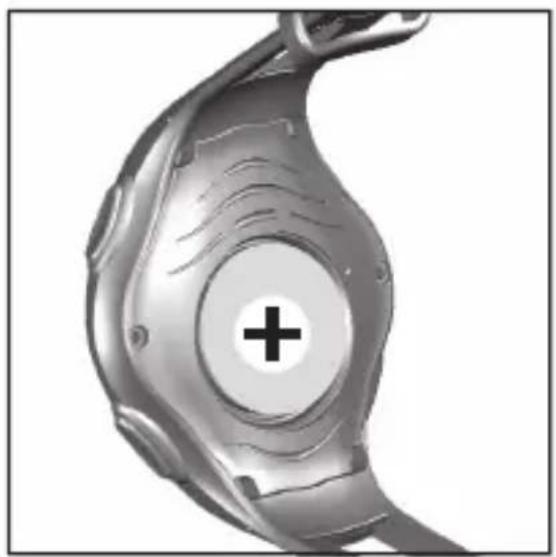
natural_image
Close-up of a metallic mechanical component with a central plus sign (no text or symbols visible)Arena by Oregon Scientific
ZWEMHORLOGE (SW288)
HANDLEIDING
INHOUD
Inleiding 2
Besturingknoppen 2
LCD 3
Starten 4
natural_image
3D rendered mechanical component with internal curved structure and highlighted section (no text or symbols)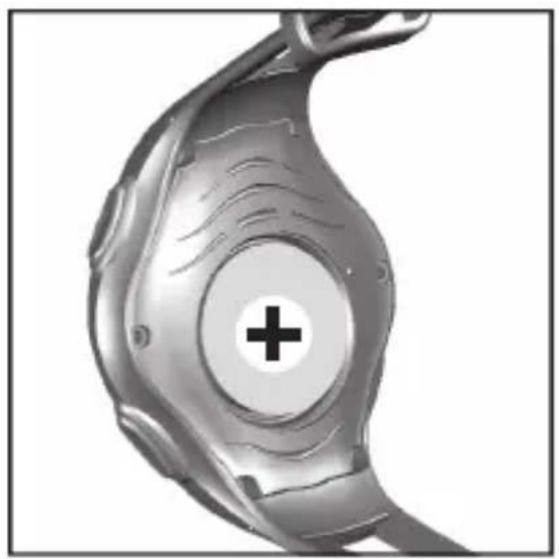
natural_image
Close-up of a metallic mechanical component with a central cross symbol (no text or labels)Arena by Oregon Scientific
natural_image
3D rendered mechanical component with internal cutaway view (no text or symbols)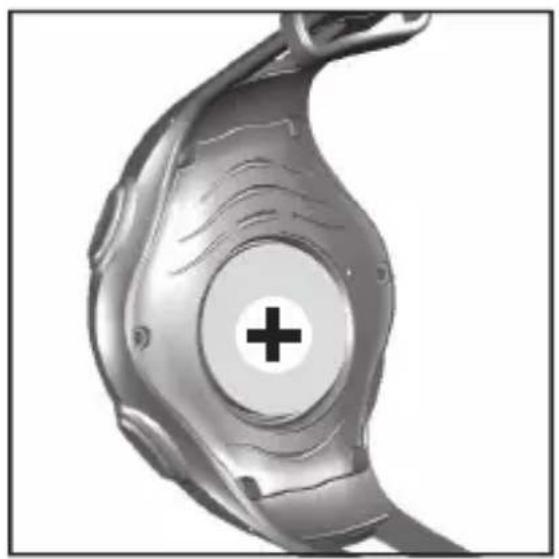
natural_image
Close-up of a metallic mechanical component with a circular center marked by a plus sign (no text or symbols visible)Arena by Oregon Scientific
KLOCKA FÖR SIMMARE (SW288)
BRUKSANVISNING
INNEHÅLL
Introduktion 2
Kontrollknappar 2
LCD 3
Att komma igång 4
natural_image
3D rendered mechanical component with internal cutaway view (no text or symbols)