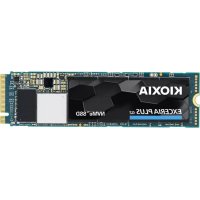
EXCERIA PLUS Portable SSD - External hard drive Kioxia - Free user manual and instructions
Find the device manual for free EXCERIA PLUS Portable SSD Kioxia in PDF.



| Product Type | External SSD (Solid State Drive) |
| Brand | Kioxia |
| Model | EXCERIA PLUS Portable SSD |
| Interface | USB 3.2 Gen 2 (compatible with USB 3.2 Gen 1, USB 2.0) |
| Dimensions (approx.) | 105.3 x 45.0 x 14.0 mm |
| Weight (approx.) | 97 g |
| Power | USB bus-powered (self-powered) |
| Compatibility | Windows, Mac, PS4, PS5, Xbox Series X/S, iPad Air/Pro, Android |
| Included cables | USB Type-C to A, USB Type-C to C |
| Software | SSD Utility (password lock, Windows only) |
| Access indicator | On (powered), blinking (read/write) |
| Maintenance and cleaning | Clean the USB connector with a soft, dry cloth |
| Security | Password lock function (Windows), safe removal required |
| General information | Manual available in multiple languages, support at personal.kioxia.com/support |
Frequently Asked Questions - EXCERIA PLUS Portable SSD Kioxia
User questions about EXCERIA PLUS Portable SSD Kioxia
0 question about this device. Answer the ones you know or ask your own.
Ask a new question about this device
Download the instructions for your External hard drive in PDF format for free! Find your manual EXCERIA PLUS Portable SSD - Kioxia and take your electronic device back in hand. On this page are published all the documents necessary for the use of your device. EXCERIA PLUS Portable SSD by Kioxia.
USER MANUAL EXCERIA PLUS Portable SSD Kioxia
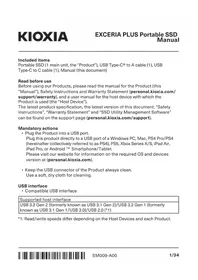
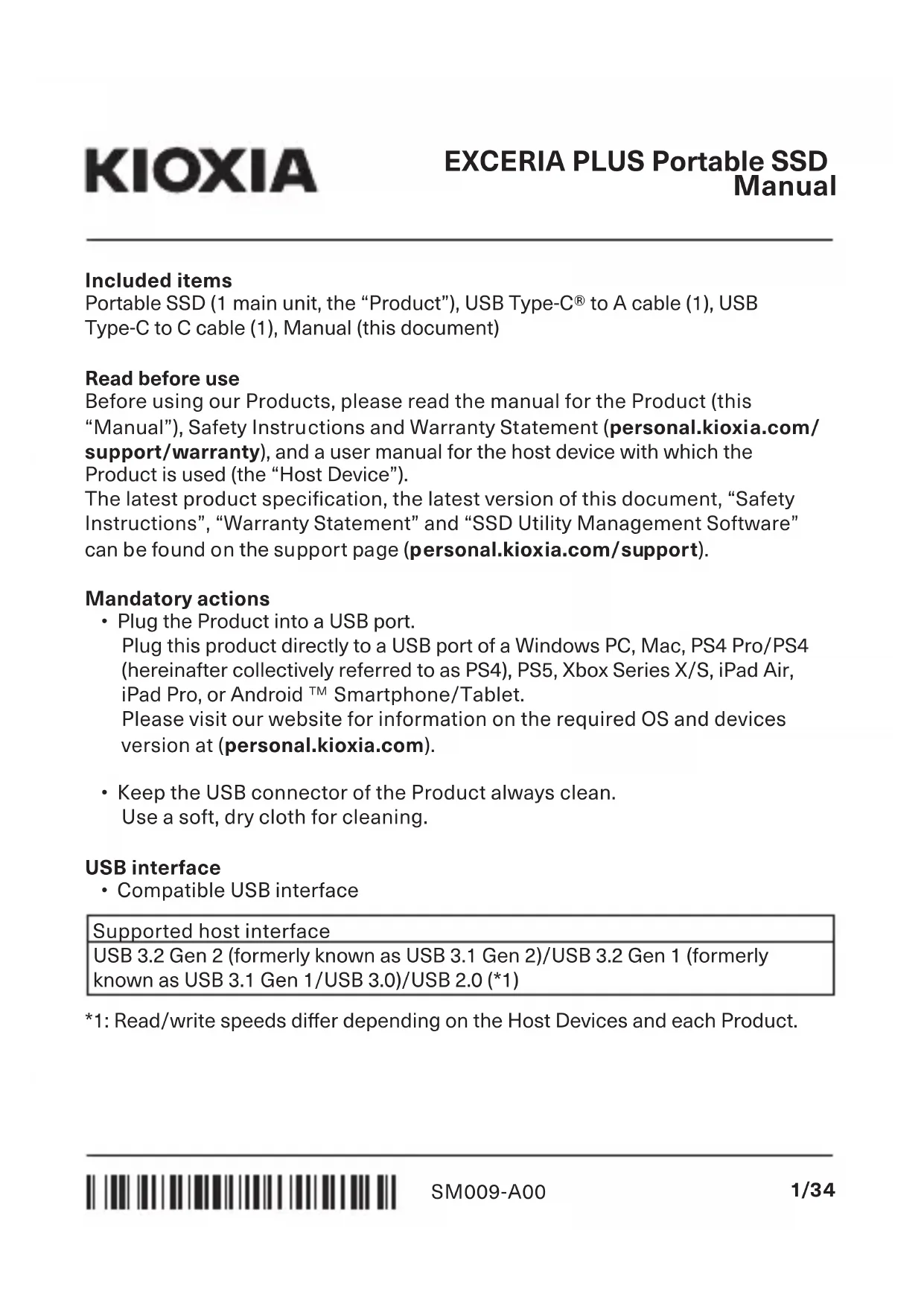
Portable SSD (1 main unit, the "Product"), USB Type-C® to A cable (1), USB Type-C to C cable (1), Manual (this document)
Read before use
Before using our Products, please read the manual for the Product (this "Manual"), Safety Instructions and Warranty Statement (personal.kioxia.com/support/warranty), and a user manual for the host device with which the Product is used (the "Host Device").
The latest product specification, the latest version of this document, “Safety Instructions”, “Warranty Statement” and “SSD Utility Management Software” can be found on the support page (personal.kioxia.com/support).
Mandatory actions
- Plug the Product into a USB port.
Plug this product directly to a USB port of a Windows PC, Mac, PS4 Pro/PS4 (hereinafter collectively referred to as PS4), PS5, Xbox Series X/S, iPad Air, iPad Pro, or Android ^TM Smartphone/Tablet.
Please visit our website for information on the required OS and devices version at (personal.kioxia.com).
- Keep the USB connector of the Product always clean. Use a soft, dry cloth for cleaning.
USB interface
- Compatible USB interface
Supported host interface
USB 3.2 Gen 2 (formerly known as USB 3.1 Gen 2)/USB 3.2 Gen 1 (formerly known as USB 3.1 Gen 1/USB 3.0)/USB 2.0 (*1)
*1: Read/write speeds differ depending on the Host Devices and each Product.
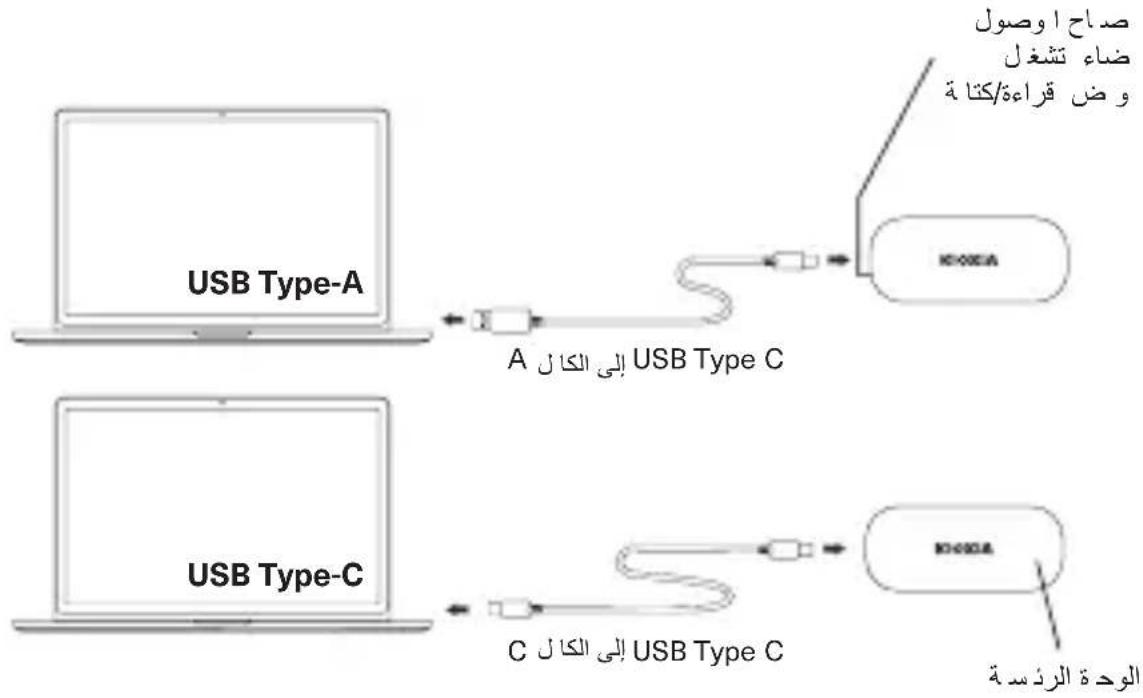
Names and connection method (the illustrations are conceptual drawings)
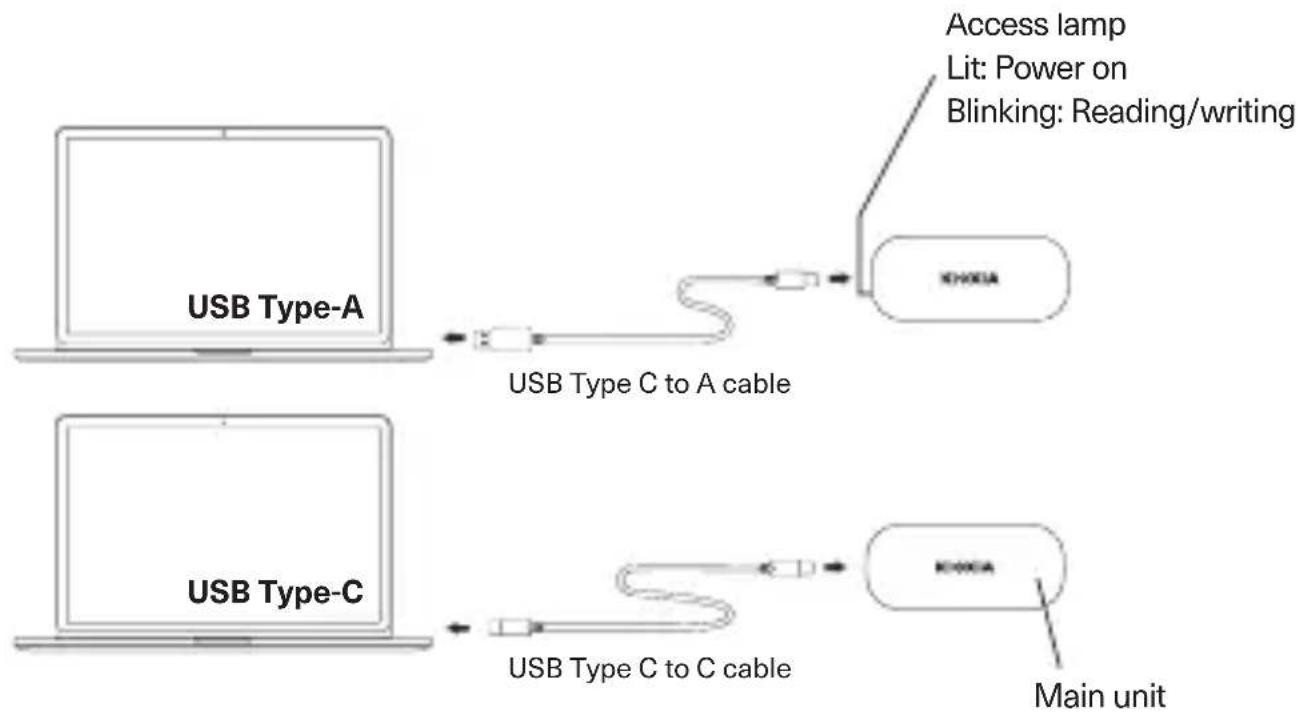
flowchart
graph LR
    A["USB Type-A"] --> B["USB Type C to A cable"]
    C["USB Type-C"] --> D["USB Type C to C cable"]
    B --> E["KEY00EA"]
    D --> F["KEY00EA"]
    E --> G["Main unit"]
    F --> G
    H["Access lamp"] --> I["Lit: Power on Blinking: Reading/writing"]
- Plugging and unplugging
To properly plug the Product into and unplug it from a compatible Host Device, follow the procedure in the user manual of the Host Device.
Plugging:
Plug the Product into a USB port on your Host Device according to the user manual of the Host Device.
Forced plugging can damage or break the Product and/or the USB port.
Orienting the Product properly, plug the Product into a USB port on a Host Device as far as it goes.
The Product will not work properly if plugged poorly or oriented improperly.
Unplugging:
Follow the steps below to unplug the Product from a USB port on a Host Device while the Host Device is up:
* The steps or descriptions may vary depending on the version of operating system.
- Windows
- Click "Safely Remove Hardware" icon on the taskbar.
- Click "Remove KIOXIA".
- Check "Remove Hardware" appearing on the window.
- Unplug the Product.
- Mac
- Drag and drop "KIOXIA" icon on the desktop to the trash icon.
- Check that the "KIOXIA" icon is disappearing and inactive. Unplug the Product.
- Other Host Devices
- Safely remove the product according to the user manual.
Password lock function
- The password lock function can be used by using “SSD Utility Management Software”. This function is available only on Windows. Please visit our website for information on the required OS version
(personal.kioxia.com/support).
natural_image
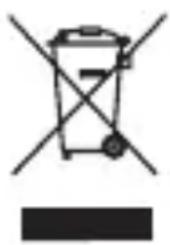
Symbol of a trash bin with crossed lines indicating no waste or discharge (no text or labels)DISPOSAL OF PRODUCTS
This symbol indicates that this product must not be treated as household waste. By ensuring this product is disposed of correctly, you will help prevent potential negative consequences for the environment and human health, which could otherwise be caused by inappropriate waste handling of this product. For more detailed information about recycling of this product, please contact your local city office, your household waste disposal service or the shop where you purchased the product.

UK Contact:
KIOXIA Europe GmbH, Branch Office UK
31 Chertsey Street, Guildford, GU1 4HD, United Kingdom
TECHNICAL SUPPORT
Need help?
Please contact us at our regional support page:
personal.kioxia.com/support
Mac, iPad Air and iPad Pro are trademarks of Apple Inc
USB Type C is a trademark of USB Implementers Forum, Inc
Android is a trademark of Google LLC
Windows and Xbox are either registered trademarks or trademarks of Microsoft Corporation in the
United States and/or other countries
All other company names, product names, and service names may be trademarks of their respective
companies
© 2021 KIOXIA Corporation
FCC Information
This equipment has been tested and found to comply with the limits for a Class B digital device, pursuant to part 15 of the FCC Rules. These limits are designed to provide reasonable protection against harmful interference in a residential installation. This equipment generates, uses and can radiate radio frequency energy and, if not installed and used in accordance with the instructions, may cause harmful interference to radio communications. However, there is no guarantee that interference will not occur in a particular installation. If this equipment does cause harmful interference to radio or television reception, which can be determined by turning the equipment off and on, the user is encouraged to try to correct the interference by one or more of the following measures:
- Reorient or relocate the receiving antenna.
- Increase the separation between the equipment and receiver.
- Connect the equipment into an outlet on a circuit different from that to which the receiver is connected.
- Consult the dealer or an experienced radio/TV technician for help.
Caution
Changes or modifications made to this equipment, not expressly approved by KIOXIA Corporation or parties authorized by KIOXIA Corporation could void the user's authority to operate the equipment.
FCC conditions
This device complies with part 15 of the FCC Rules. Operation is subject to the following two conditions: (1) This device may not cause harmful interference, and (2) this device must accept any interference received, including interference that may cause undesired operation.
US Contact
Name: KIOXIA America, Inc.
Address: 2610 Orchard Parkway, San Jose, CA 95134, USA
Phone: +1 408-526-2700
For Australia and New Zealand:
Warranty Period: Three (3) years from date of Purchase.
How to Obtain Service: Your proof of purchase is required to receive warranty service. If the Product fails during normal and proper use within its warranty period, return the Product to your place of purchase for replacement or refund. If your place of purchase is no longer trading contact the Support Centre.
The return of your product will result in loss of any user-generated data. It includes, but not limited to, for example: music, photos, videos, and other electronic documents. Please ensure you have made a back-up copy of any data saved on your product.
Consumer Guarantees (Australia only)
Our goods and services come with guarantees that cannot be excluded under the Australian Consumer Law. For major failures with the service, you are entitled:
• to cancel your service contract with us; and
- to a refund for the unused portion, or to compensation for its reduced value.
You are also entitled to choose a refund or replacement for major failures with goods. If a failure with the goods or a service does not amount to a major failure, you are entitled to have the failure rectified in a reasonable time. If this is not done, you are entitled to a refund for the goods and to cancel the contract for the service and obtain a refund of any unused portion. You are also entitled to be compensated for any other reasonably foreseeable loss or damage from a failure in the goods or service.
This Warranty is not intended to and does not limit your rights with respect to the Consumer Guarantees (in Australia) or Consumer Guarantees Act (in New Zealand).
natural_image
Symbol of a trash bin with no text or labelsnatural_image
Symbol of a trash bin with crossed-out lines and a solid black rectangle below (no text or numbers)ÉLIMINATION DES PRODUITS
natural_image
Symbol of a trash bin with crossed-out lines and a solid black rectangle below (no text or labels)natural_image
Symbol of a trash bin with no text or labelsDESECHO DE LOS PRODUCTOS
natural_image
Symbol of a trash bin with crossed lines indicating no waste or discharge (no text or numbers present)natural_image
Symbol of a trash bin with crossed lines indicating no waste or discharge (no text or labels)UTYLIZACJA PRODUKTU
natural_image
Symbol of a trash bin with crossed-out lines and a solid black rectangle below (no text or labels)УТИЛИЗАЦИЯ ИЗДЕЛИЙ
natural_image
Symbol of a trash bin with crossed-out lines and a solid black rectangle below (no text or numbers)제품의 폐기
الأ مء وطر قة الاتصل (الارmult)fundهHydroهHydroهHydroهHydroهHydroهHydroهHydroهHydroهHydroهHydroهHydroهHydroهHydroهHydroهHydroهHydroهHydroهHydroهHydroهHydroهHydroهHydroهHydroهHydroهHydroهHydroهHydroهHydroهHydroهHydroهHydroهHydroهHydroهHydroح
flowchart
graph LR
    A["USB Type-A"] -->|A إلى الكال ل USB Type C| B["USB Type C"]
    C["USB Type-C"] -->|C إلى الكال ل USB Type C| D["USB Type C"]
    B --> E["USB Type C"]
    D --> F["USB Type C"]
    style A fill:#f9f,stroke:#333
    style C fill:#f9f,stroke:#333
    style E fill:#ccf,stroke:#333
    style F fill:#ccf,stroke:#333