ManualGo.com
Nespresso Essenza Plus XN5101 - Coffee machine KRUPS - Free user manual and instructions
Find the device manual for free Nespresso Essenza Plus XN5101 KRUPS in PDF.



Download the instructions for your Coffee machine in PDF format for free! Find your manual Nespresso Essenza Plus XN5101 - KRUPS and take your electronic device back in hand. On this page are published all the documents necessary for the use of your device. Nespresso Essenza Plus XN5101 by KRUPS.
USER MANUAL Nespresso Essenza Plus XN5101 KRUPS
Specifications/ 3 Safety Precautions/ 4-9 Packaging Content/ 10 Essenza Plus/ 10 Machine Overview/ 11 Get the App/ 12 Pairing/ 12 Connectivity Functions/ 12 First Use or after a long period of non-use/ 13-14 Coffee Preparation/ 14-15 Programming the Water Volume/ 16 Energy Saving/ 17 Reset to Factory Settings/ 17 Cleaning/ 18 Descaling/ 18-20 Water Hardness Setting/ 21 Emptying the System before a period of non-use and for frost protection, or before a repair/
Set Up Your One-Touch Order/ 22-23 Connectivity Activation/Deactivation/ 23 Troubleshooting/ 24-25 Disposal and Environmental Protection/ 26 Limited Guarantee/ 26 Contact Nespresso/
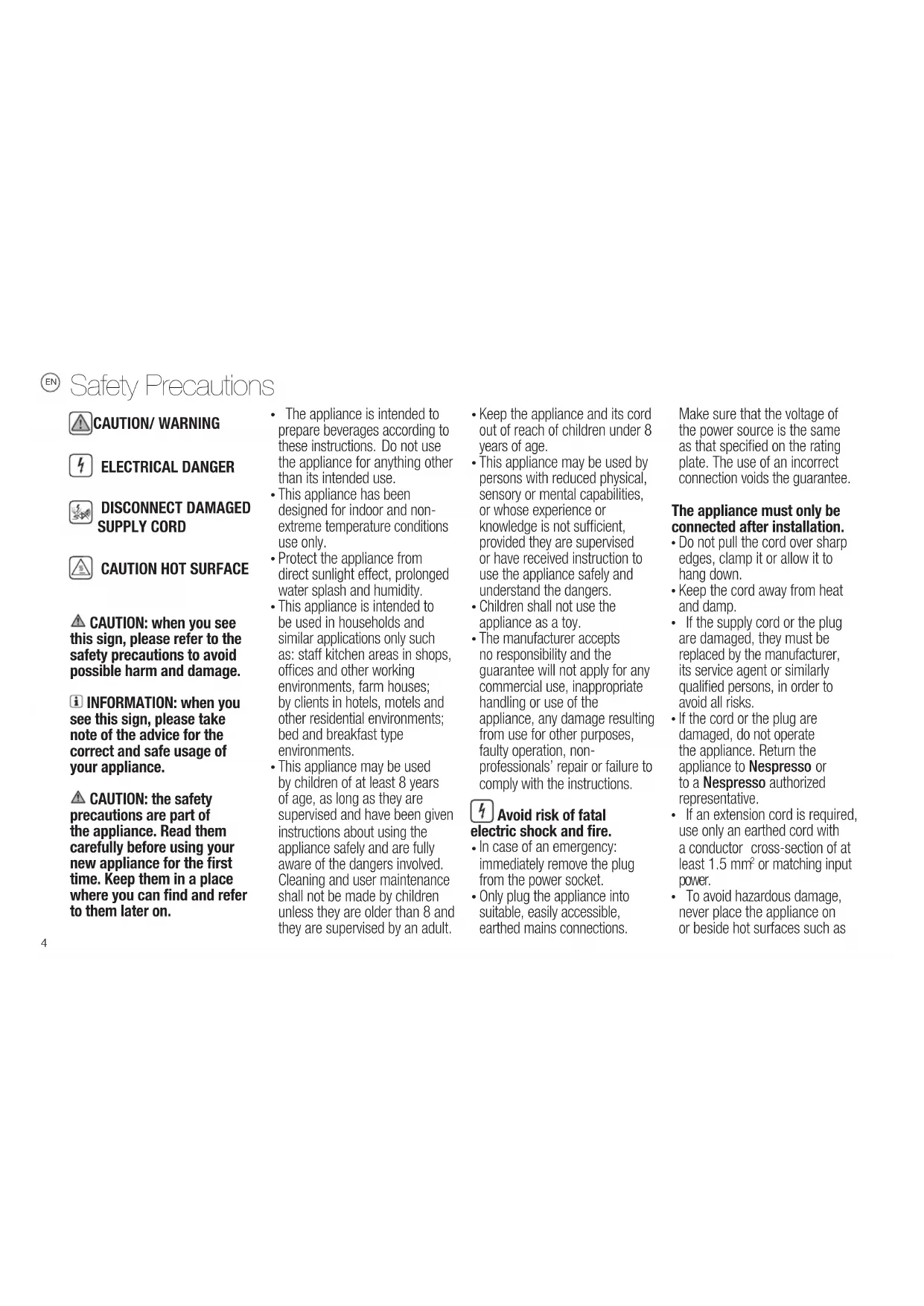
23/08/2018 14:27 Black44 CAUTION: when you see this sign, please refer to the safety precautions to avoid possible harm and damage. INFORMATION: when you see this sign, please take note of the advice for the correct and safe usage of your appliance. CAUTION: the safety precautions are part of the appliance. Read them carefully before using your new appliance for the first time. Keep them in a place where you can find and refer to them later on.
The appliance is intended to prepare beverages according to these instructions. Do not use the appliance for anything other than its intended use.
This appliance has been designed for indoor and non- extreme temperature conditions use only.
Protect the appliance from direct sunlight effect, prolonged water splash and humidity.
This appliance is intended to be used in households and similar applications only such as: staff kitchen areas in shops, offices and other working environments, farm houses; by clients in hotels, motels and other residential environments; bed and breakfast type environments.
This appliance may be used by children of at least 8 years of age, as long as they are supervised and have been given instructions about using the appliance safely and are fully aware of the dangers involved. Cleaning and user maintenance shall not be made by children unless they are older than 8 and they are supervised by an adult.
Keep the appliance and its cord out of reach of children under 8 years of age.
This appliance may be used by persons with reduced physical, sensory or mental capabilities, or whose experience or knowledge is not sufficient, provided they are supervised or have received instruction to use the appliance safely and understand the dangers.
Children shall not use the appliance as a toy.
The manufacturer accepts no responsibility and the guarantee will not apply for any commercial use, inappropriate handling or use of the appliance, any damage resulting from use for other purposes, faulty operation, non- professionals’ repair or failure to comply with the instructions. Avoid risk of fatal electric shock and fire.
In case of an emergency: immediately remove the plug from the power socket.
Only plug the appliance into suitable, easily accessible, earthed mains connections. Make sure that the voltage of the power source is the same as that specified on the rating plate. The use of an incorrect connection voids the guarantee. The appliance must only be connected after installation.
Do not pull the cord over sharp edges, clamp it or allow it to hang down.
Keep the cord away from heat and damp.
If the supply cord or the plug are damaged, they must be replaced by the manufacturer, its service agent or similarly qualified persons, in order to avoid all risks.
If the cord or the plug are damaged, do not operate the appliance. Return the appliance to Nespresso or to a Nespresso authorized representative.
If an extension cord is required, use only an earthed cord with a conductor cross-section of at least 1.5 mm
To avoid hazardous damage, never place the appliance on or beside hot surfaces such as Safety Precautions CAUTION / WARNING ELECTRICAL DANGER DISCONNECT DAMAGED SUPPLY CORD
Always place it on a horizontal, stable and even surface. The surface must be resistant to heat and fluids, like water, coffee, descaler or similar.
The appliance shall not be placed in a cabinet when in use.
Disconnect the appliance from the mains when not in use for a long period. Disconnect by pulling out the plug and not by pulling the cord itself or the cord may become damaged.
Before cleaning and servicing, remove the plug from the mains socket and let the appliance cool down.
To disconnect the appliance, stop any preparation, then remove the plug from the power socket.
Never touch the cord with wet hands.
Never immerse the appliance or part of it in water or other liquid.
Never put the appliance or part of it in a dishwasher.
Electricity and water together is dangerous and can lead to fatal electrical shocks.
Do not open the appliance. Hazardous voltage inside!
Do not put anything into any openings. Doing so may cause fire or electrical shock!
The use of accessory attachments not recommended by the manufacturer may result in fire, electric shock or injury to persons. Avoid possible harm when operating the appliance.
Never leave the appliance unattended during operation.
Do not use the appliance if it is damaged, has been dropped or not operating perfectly. Immediately remove the plug from the power socket. Contact Nespresso or Nespresso authorized representative for examination, repair or adjustment.
A damaged appliance can cause electrical shocks, burns and fire.
Always completely close the lever and never lift it during operation. Scalding may occur.
Do not put fingers under coffee outlet, risk of scalding.
Do not put fingers into capsule compartment or the capsule shaft. Danger of injury!
Water could flow around a capsule when not perforated by the blades and damage the appliance.
Never use an already used, damaged or deformed capsule.
If a capsule is blocked in the capsule compartment, turn the machine off and unplug it before any operation. Call Nespresso or Nespresso authorized representative.
Always fill the water tank with cold, fresh drinking water.
Empty water tank if the appliance will not be used for an extended time (holidays, etc.).
Replace water in water tank when the appliance is not operated for a weekend or a similar period of time.
Do not use the appliance without the drip tray and drip grid to avoid spilling any liquid on surrounding surfaces.
Do not use any strong cleaning agent or solvent cleaner. Use a damp cloth and mild cleaning agent to clean the surface of the appliance.
To clean machine, use only clean cleaning tools.
When unpacking the machine, remove the plastic film and dispose.
This appliance is designed for Nespresso coffee capsules available exclusively through Nespresso or your Nespresso authorized representative.
All Nespresso appliances pass stringent controls. Reliability tests under practical conditions are performed randomly on selected units. This can show traces of any previous use.
Nespresso reserves the right to change instructions without prior notice. Descaling
Nespresso descaling agent, when used correctly, helps ensure the proper functioning of your machine over its lifetime and that your coffee experience is as perfect as the first day.
Nespresso descaling agent has been specifically developed
23/08/2018 14:27 Black6 for Nespresso machines; the use of any unsuitable descaling agent may lead to machine component damage or an insufficient descaling process.
Your Nespresso machine calculates when a descale is necessary based on the amount of water used and your water hardness level. This is set at the first use with the help of the water hardness test stick. Make sure to test the water hardness again if you use your machine in another state / region.
Make sure you descale your machine as soon as the machine requests it; a late descaling procedure may not be completely efficient.
Descale according to user manual recommandations.
SAVE THESE INSTRUCTIONS
Pass them on to any subsequent user. This instruction manual is also available as a PDF at nespresso.com
23/08/2018 14:27 Black1010 Nespresso is an exclusive system creating the ultimate Espresso, time after time. Each parameter has been calculated with great precision to ensure that all the aromas from each capsule can be extracted, to give the coffee body and create an exceptionally thick and smooth crema. CAUTION: when you see this sign, please refer to the safety precautions to avoid possible harm and damage. Essenza Plus/Packaging Content/ ❷ Tasting Box of Nespresso Capsules ❸ Nespresso Welcome Brochure ❹ User Manual ❺ 1 Water Hardness Test Stick, in the User Manual ❶ Coffee Machine NOTE: when you see this sign, please note that you can also use the App for this function. Consult App for more information. INFORMATION: when you see this sign, please take note of the advice for the correct and safe usage of your coffee machine.Welcome ESSENZAMINIMY MACHINEESSENZAPLUS MY MACHINE
23/08/2018 14:27 Black11 Machine Overview/ *Americano is a new recipe feature making a long mild coffee based on coffee extraction first followed by hot water. To make an Americano, press both the Espresso (or Lungo for Americano XL) and Hot water buttons simultaneously. **Available only with a connected machine. Beverage buttons Coffee & hot water outlet Lever Water tank & lid Capsule container for 9-11 capsules One-Touch Order button for capsules reordering** Descaling alert Hot water Lungo Espresso Adjustable water tank arm Drip Base Drip tray Drip grid Americano XL* Americano*
Get the App/ ❷ Launch the App. ❸ Click on the Machine Icon. Pairing/ Connectivity Functions/ - Recipe Management- Capsules reordering- Maintenance notifications- Descaling alert- And more to see via the App When the pairing is complete, the One-Touch Order button will blink 3 timesPairing confirmed: WHITE LED blinking; Pairing failed: ORANGE LED blinking.
Download the Nespresso App. If you have it already, please update the AppTo check your device’s compatibility, go on www.nespresso.comPlease remember that the Bluetooth mode must be activated beforehand on your smartphone or tablet. To benefit from all features, pair your machine with your smartphone or tablet and connect it to Wi-Fi, following the instructions via the App.
23/08/2018 14:27 Black1313 First, read the safety precautions to avoid risks of fatal electrical shocks and fire. First use or after a long period of non-use/ Factory settings: Espresso: 40 ml, Lungo: 110 ml, Americano: 150 ml (25 ml coffee, 125 ml hot water), Americano XL: 200ml (40 ml coffee, 160 ml hot water), Hot water: 200ml. ❸ Plug the machine into the mains. ❷ Adjust the cable length and store the excess under the machine. Insert the remaining cable in the guide under water tank left or right socket, depending on the position chosen for the water tank. Ensure machine is in the upright position. ❺ Place the water tank on its arm and place the drip tray and the capsule container in position. ❹ Fill the water tank with fresh drinking water. ❶ Remove the water tank and capsule container to clean them (see Cleaning section).
23/08/2018 14:27 Black14 First use or after a long period of non-use/ ❼ To rinse the machine, place a container (min. 1 L) under coffee outlet. Press the Lungo button. Repeat 3 times. Press the Hot water button. Repeat 2 times. ❻ To turn the machine on, press either the Espresso, Lungo, or Hot water button. - Blinking Lights: heating up (approx. 30 seconds) - Steady Lights: ready ❽ To connect your machine, please follow the instructions in sections “Get the App” and “Pairing” on page 12. Multiple devices can be connected to your Essenza Plus machine only if using a unique Club Members number. To pair these additional devices, please follow the instructions in the sections “Get the App” and “Pairing”. ❶ To turn the machine on, press either the Espresso, Lungo or Hot water button. Blinking Lights: heating up (approx. 30 seconds) Steady Lights: ready Coffee Preparation/ ❸ Close the lever and place a cup under the coffee outlet. To accommodate a tall recipe glass, remove the drip tray. ❷ Lift the lever completely and insert the capsule. ❾ To turn the machine off before automatic Auto Off mode, press both the Espresso and Lungo buttons simultaneously (short press - less than 1 second). The machine will turn into OFF mode automatically after 9 minutes of non-use.
23/08/2018 14:27 Black15 Press the desired beverage button to start. Preparation will stop automatically. To stop the coffee flow at any time, press any beverage button. ❺ Remove the cup. Lift and close the lever to eject the capsule into the used capsule container. Coffee Preparation/ Espresso (40ml) Lungo (110ml)
(simultaneous press) Americano (25ml coffee, 125 ml hot water)
(simultaneous press) Americano XL (40ml coffee, 160ml hot water) Hot Water (200ml)
Never lift the lever during operation and refer to the important safeguards to avoid possible harm when operating the appliance. During heat up, you can press any beverage button while blinking. The coffee will then flow automatically when the machine is ready. For hot water preparation only, it is recommended to eject any remaining used capsule into the used capsule container before pressing the hot water button.
Turn the machine on and wait for it to be in ready mode (steady lights). Fill the water tank with fresh drinking water and insert the capsule. Programming the Water Volume/
Place a cup under the coffee outlet. To program Espresso and Lungo volumes: Press and hold the Espresso or Lungo button. Release button once the desired volume is served. LEDs will blink fast 3 times to confirm new setting. Water volume level is now stored. To program Americano and Americano XL volumes: Press both the Espresso (for Americano) / or Lungo (for Americano XL) and Hot water buttons simultaneously. Release both buttons once desired coffee volume is reached. Hot water will start flowing automatically. Press Hot water button once desired water volume is reached. LEDs will blink fast 3 times to confirm new setting. To program Hot water volume: Press and hold the Hot water button until desired volume is reached. LEDs will blink fast 3 times to confirm new setting. Espresso: from 20 to 70 ml Lungo: from 70 to 130 ml
Americano and Americano XL: coffee from 20 to 110 ml, hot water from 25 to 300 ml
Hot water: from 50 to 300 ml
23/08/2018 14:27 Cyan Magenta Yellow Black17 If you reset to factory settings, this will cancel the Bluetooth and Wi-Fi pairing and reset the water hardness level. Factory settings are: Espresso: 40 ml, Lungo: 110 ml, Americano: 150 ml (25 ml coffee, 125 ml hot water), Americano XL: 200ml (40 ml coffee, 160 ml hot water), Hot water: 200ml. The water hardness set by default is hard. Reset to Factory Settings/ Energy efficient: Machine minimizes power use when not making a beverage. The machine will enter low energy mode after 2 minutes of no use. After 9 minutes the machine will turn into OFF mode automatically. ❶ With machine turned off, press and hold the Espresso button for 5 seconds.To do it via your machine: ❷ LEDs will blink fast 3 times to confirm machine has been reset to factory settings. Machine will then switch off automatically. Energy Saving/ The machine is equipped with an energy saving feature.The machine will automatically enter Auto Off mode after 9 minutes.
23/08/2018 14:27 Cyan Magenta Yellow Black18 Risk of fatal elec trical shock and fire. Never immerse the appliance or part of it in water. / Be sure to unplug the machine before cleaning. / Do not use any strong cleaning agent or solvent cleaner. / Do not use sharp objects, brushes or sharp abrasives. / Do not place in a dishwasher. ❶ Empty the drip tray, the drip base and the capsule container every day. Also remove the water tank with its lid and clean them all with odorless detergent and rinse with warm / hot water. ❷ Dry with a fresh and clean towel, cloth or paper and reassemble all parts. Clean the coffee outlet and inside the machine regularly with a damp cloth. Cleaning/ Read the safety precautions on the descaling package and refer to the table for the frequency of use.The descaling solution can be harmful. Avoid contact with eyes, skin and surfaces. Please refer to the table on the "water hardness" section that indicates the descaling frequency required for the optimum performance of your machine, based on water hardness. For any additional questions you may have regarding descaling, please contact Nespresso. Descaling/ www.nespresso.com/descaling
23/08/2018 14:27 Cyan Magenta Yellow Black19 ❷ Lift and close the lever to eject the capsule into the used capsule container. ❸ Empty the drip tray, drip base and used capsule container. ❹ Fill the water tank with fresh drinking water up to the half level (approx. 0.5 L). Pour 1 Nespresso descaling liquid sachet into the water tank. ❺ Place a container (min. volume 1 L) under the coffee outlet. ❻ To enter the descaling mode, while the machine is turned on, press the Espresso, Lungo and hot water buttons for 5 seconds. ❶ Descale the machine when descaling alert blinks in ready mode. Descaling/ www.nespresso.com/descaling Duration approximately 15 minutes.
23/08/2018 14:27 Cyan Magenta Yellow Black20 When the rinsing cycle has finished, machine will switch off automatically. Empty the drip base. ❿ When ready, repeat steps 5 and 8 to now rinse the machine. ❾ Empty and rinse the water tank. Fill with fresh drinking water up to the max. level. ❼ All three LEDs blink. Descaling alert will remain on during the entire descaling process. Descaling/ www.nespresso.com/descaling
❽ To exit the descaling mode at this stage, press either the Espresso or Lungo button. To start the descaling process, press the Hot water button and wait until the water tank is empty.
23/08/2018 14:27 Cyan Magenta Yellow Black21 ❶ With machine turned off, press and hold the Hot water button for 5 seconds. The beverage buttons will blink to indicate the current setting. ❸ To validate and exit the water hardness setting mode, press either the Espresso or Lungo button. Water Hardness Setting/ The water hardness level can be tested with the water hardness stick available on the first page of the user manual. To set the water hardness via your machine:
- On the App, the water hardness can be adjusted any time under “Water status”. A strong use of Americano or hot water function may lead to an earlier descaling. Water hardness* / Descaling after:*/ App. fH dH CaCO
Cups/ (40 ml) Soft/ Level 0/ < 5 < 3 < 50 mg/l 4000 fH French degree Medium/ Level 1/ > 7 > 4 > 70 mg/l 3000 dH German Grade Level 2/ > 13 > 7 > 130 mg/l 2000 CaCO3 Calcium Carbonate Hard/ Level 3 / > 25 > 14 > 250 mg/l 1500 Level 4/ > 38 > 21 > 380 mg/l 1000 ❷ To change the water hardness setting, press the Hot water button as many times until the appropriate level is reached: Espresso, Lungo, Hot water blinking: Hard
23/08/2018 14:27 Black22 ❶ Remove the water tank and open the lever. Place a container under the coffee outlet. ❸ Emptying process begins. Machine switches off automatically when procedure is finished. ❷ With the machine turned off, press both the Espresso and Lungo buttons for 5 seconds. All three LEDs blink alternatively. ❹ Close the lever. Empty and clean the used capsule container, the drip tray and the drip base. ❶ Connect your machine, following the instructions in sections “Get the App” and “Pairing” on page 12. Multiple devices can be connected to your Essenza Plus machine only if using a unique Club Members number. To pair these additional devices, please follow the instructions in the sections “Get the App” and “Pairing”. The One-Touch Order button allows you to order your predefined capsules basket directly from your machine each time you press the button. To set it up: ❷ Configure an order template via the App to activate the One-Touch Order button. Emptying the System before a period of non-use and for frost protection, or before a repair/ Set up your One-Touch Order/
and Wi-Fi are activated by default on the machine. ❸ Press the One-Touch Order button if you want to order capsules. Order confirmed: WHITE LED steady Order failed: ORANGE LED If order confirmed, the WHITE LED will remain steady for 2 hours. During this time, you can cancel your order if needed via the App. The One-Touch Order button will be active again once your current order is shipped. You can manage and follow your order via the App. In case of questions, call Nespresso. - To deactivate the Bluetooth
and Wi-Fi functions from your machine: - With machine turned off, press and hold the One-Touch Order button for 5 seconds. - LED will blink 3 times in ORANGE to confirm that connectivity has been deactivated. - To reactivate the Bluetooth
and Wi-Fi functions: - With the machine turned off, press and hold the One-Touch Order button again for 5 seconds. - LED will blink 3 times in WHITE to confirm that connectivity has been activated.
23/08/2018 14:27 Black24 Troubleshooting Pairing has not succeeded.
Check that the Bluetooth
on the smartphone or tablet is activated. - Check the compatibility of your smartphone or tablet with the machine (see page 12). - Ensure the smartphone or tablet is placed next to the machine (max distance 20 cm) during the pairing. - Make sure to not turn on any microwave close to the machine during pairing. If you want to unpair your machine, via the App.
Go on the App “Name”, click on “Machine status”, then click on “Unpair this machine”. - Click on “unpair this device” to confirm the unpairing. - Note: In case of an unpairing, all the setups and specifications will be lost and the machine will be reset to factory settings. No light indicator. - Check the power outlet, plug, voltage, and fuse. In case of problems, call Nespresso. No coffee, no water. - First use: fill water tank with warm water (max. 55° C) and run through machine according to instructions on page 13. - Water tank is empty. Fill water tank. - Descale if necessary; see Descaling section. Coffee comes out very slowly. - Flow speed depends on the coffee variety. - Descale if necessary; see Descaling section. Coffee is not hot enough. - Preheat cup. - Descale if necessary. Capsule area is leaking (water in capsule container). - Position capsule correctly. If leakages occur, call Nespresso. All 3 beverage buttons blinking fast. - It means machine is overheating or in an environment below 0°. Please wait for all buttons to stop blinking, this will take a few minutes. During this time the machine cannot be used. - If problem persists, call Nespresso. Descaling alert blinking (descaling alert level 1). - Machine triggers descaling alert according beverages consumption usage. Descale machine. Descaling alert steady light (descaling alert level 2). - Machine triggers descaling alert according beverages consumption usage. Descale machine. One-Touch Order button ORANGE LED.
Check that the machine is paired with your smartphone or tablet and that the Wi-Fi is connected to the machine. You can check the connectivity status of the machine via the App. - Check that an order is configured and linked to the machine via the App. - Check if an order is already ongoing. The One-Touch Order button will be active again once your current order is shipped. Irregular blinking. - Send appliance to repair or call Nespresso. No coffee, just water runs out (despite inserted capsule). - In case of problems, call Nespresso. All 4 buttons blinking alternatively (from front to back).
Firmware update in progress. Please wait a few minutes until the update has been completed. During this time the machine cannot be used. Once update has been completed, blinking will stop and machine will switch off. Videos are available on the App and on www.nespresso.com - Go to section “services”.
23/08/2018 14:27 Black26 Limited Guarantee/ Krups guarantees this product against defects in materials and workmanship for a period of two years from the date of purchase. During this period, Krups will either repair or replace, at its discretion, any defective product at no charge to the owner. Replacement products or repaired parts will be guaranteed for only the unexpired portion of the original guarantee or six months, whichever is greater. This limited guarantee does not apply to any defect resulting from accident, misuse, improper maintenance, or normal wear and tear. Except to the extent allowed by applicable law, the terms of this limited guarantee do not exclude, restrict or modify, and are in addition to, the mandatory statutory rights applicable to the sale of the product to you. If you believe your product is defective, contact Krups for instructions on where to send or bring it for repair. Contact Nespresso/ As we may not have forseen all uses of your appliance, should you need any additional information, in case of problems or simply to seek advice, call Nespresso or your Nespresso authorized representative. Contact details for your nearest Nespresso or your Nespresso authorized representative can be found in the «Welcome to Nespresso» folder in your machine box or at nespresso.com