SB200BT - Bluetooth speaker THOMSON - Free user manual and instructions
Find the device manual for free SB200BT THOMSON in PDF.

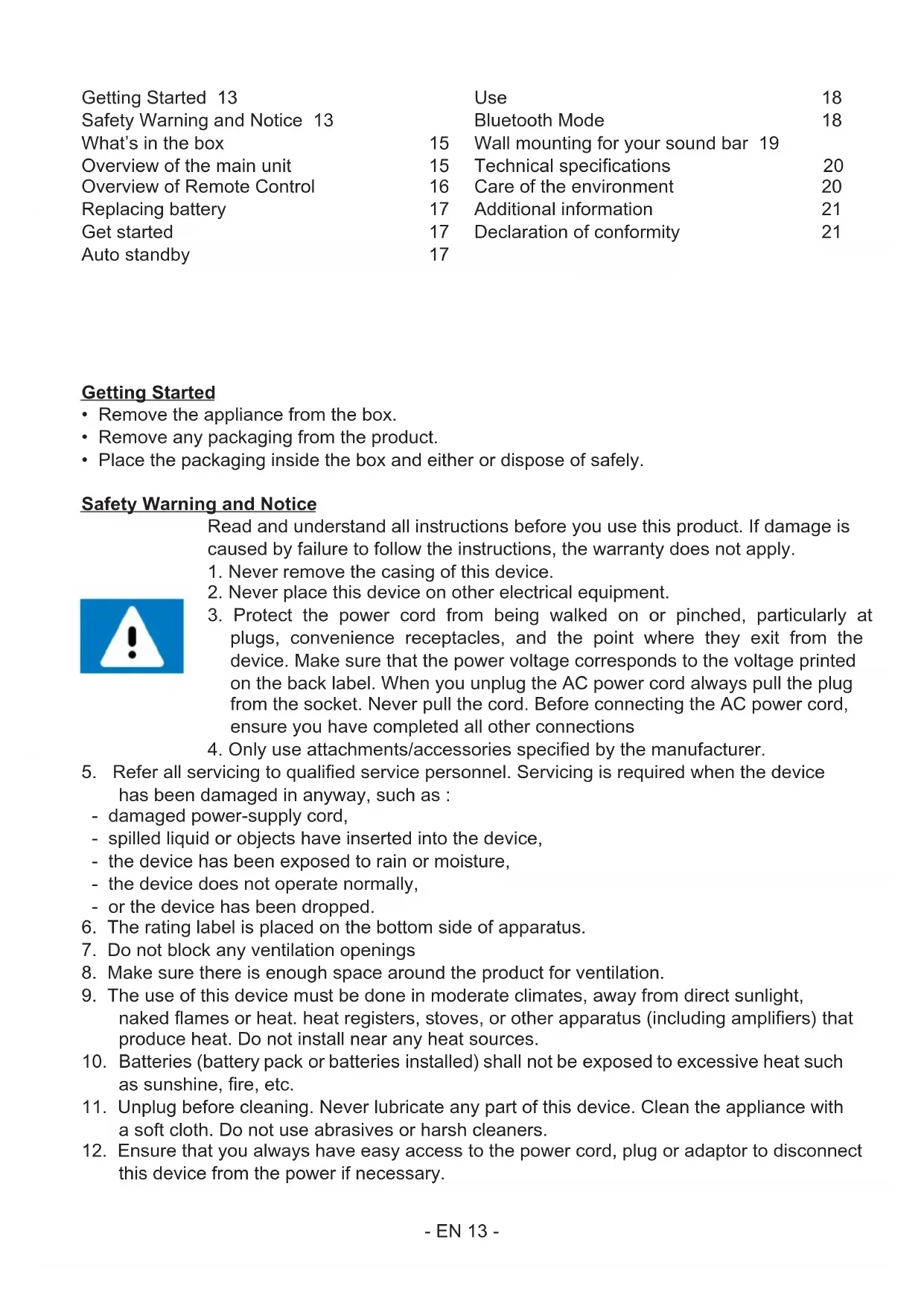


| Brand | Thomson |
| Model | SB200BT |
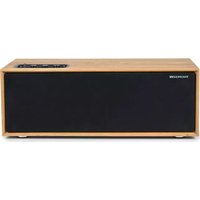
| Device type | Bluetooth 2.1 speaker with subwoofer |
| Bluetooth version | 5.0 |
| RMS output power | 2 x 15 W |
| Peak power | 90 W |
| Frequency response | 20 Hz - 20 kHz |
| Signal-to-noise ratio | >75 dB |
| Harmonic distortion | <0.5% (1 kHz, 1 W) |
| Speaker impedance | 8 ohms |
| Input sensitivity (Aux/Line) | 700 mV |
| Power supply | AC 230 V~ 50 Hz, 1.1 A |
| Power consumption | 75 W |
| USB port | 5 V, 0.3 A |
| Remote control | CR2025 lithium 3V battery |
| Inputs | Bluetooth, USB, Optical, Aux (RCA), Line (3.5 mm) |
| Wall mount | Yes, kit included |
| Auto standby | After 10 minutes of inactivity |
| Bluetooth transmission range | 10 m |
| Pairing name | SB100BT / SB200BT |
Frequently Asked Questions - SB200BT THOMSON
User questions about SB200BT THOMSON
0 question about this device. Answer the ones you know or ask your own.
Ask a new question about this device
Download the instructions for your Bluetooth speaker in PDF format for free! Find your manual SB200BT - THOMSON and take your electronic device back in hand. On this page are published all the documents necessary for the use of your device. SB200BT by THOMSON.
USER MANUAL SB200BT THOMSON
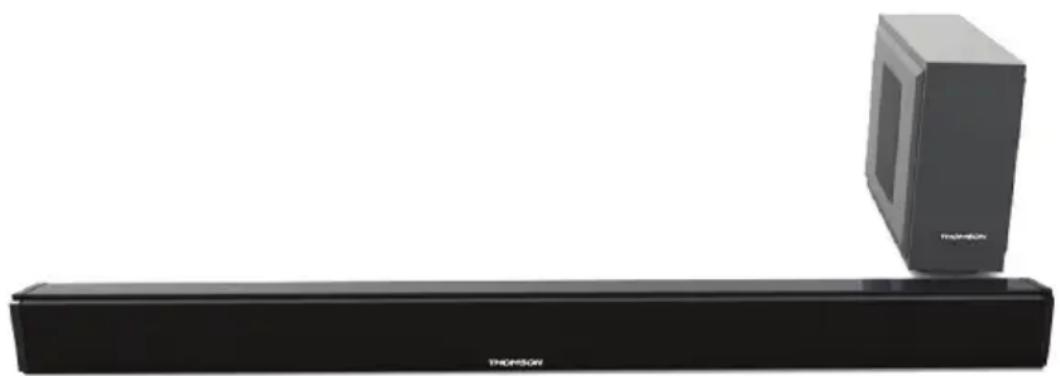
SB100BT (SYSTEME 2.0) / SB200BT
Specifications techniques
Waterloo Office Park / Batiment H
Dreve Richelle 161 bte 15 1410 Waterloo, Belgium
Bigben Interactive NEDERLAND b.v.
BELGIQUE, customerservice@bigben-interactive.be
NEDERLAND, customerservice@bigben-interactive.nl
ESPANA, sat@bigbenespana.es
ITALIA, support@bigbeninteractive.it
www/bigben.eu
SB100BT (SYSTEME 2.0) / SB200BT
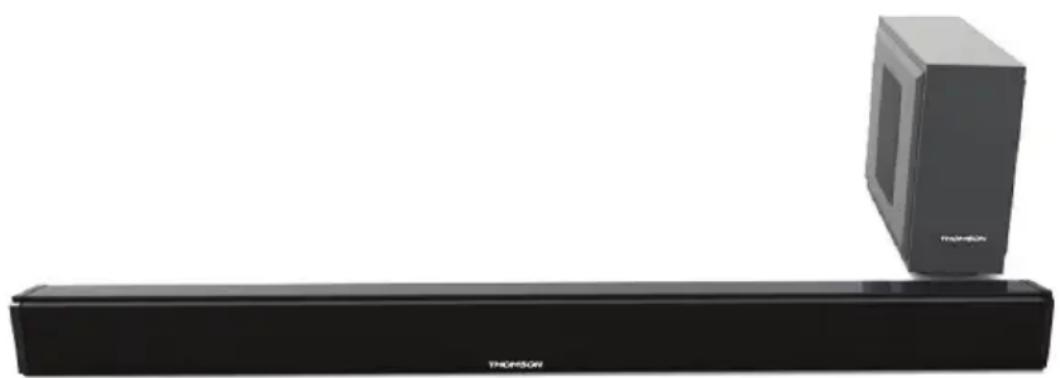
(SYSTEME 2.1 with subwoofer)
BLUETOOTH / USB / OPTICAL / AUDIO IN
OPERATING INSTRUCTIONS
PLEASE READ THIS USER MANUAL COMPLETELY BEFORE OPERATING THIS UNIT AND RETAIN THIS BOOKLET FOR FUTURE REFERENCE.
Getting Started 13 Use 18
Safety Warning and Notice 13 Bluetooth Mode 18
What's in the box 15 Wall mounting for your sound bar 19
Overview of the main unit 15 Technical specifications 20
Overview of Remote Control 16 Care of the environment 20
Replacing battery 17 Additional information 21
Get started 17 Declaration of conformity 21
Auto standby 17
Getting Started
- Remove the appliance from the box.
- Remove any packaging from the product.
- Place the packaging inside the box and either or dispose of safely.
Safety Warning and Notice
Read and understand all instructions before you use this product. If damage is caused by failure to follow the instructions, the warranty does not apply.
- Never remove the casing of this device.
- Never place this device on other electrical equipment.
- Protect the power cord from being walked on or pinched, particularly at plugs, convenience receptacles, and the point where they exit from the device. Make sure that the power voltage corresponds to the voltage printed on the back label. When you unplug the AC power cord always pull the plug from the socket. Never pull the cord. Before connecting the AC power cord, ensure you have completed all other connections
-
Only use attachments/accessories specified by the manufacturer.
-
Refer all servicing to qualified service personnel. Servicing is required when the device has been damaged in anyway, such as:
-
damaged power-supply cord,
- spilled liquid or objects have inserted into the device,
- the device has been exposed to rain or moisture,
- the device does not operate normally,
-
or the device has been dropped.
-
The rating label is placed on the bottom side of apparatus.
- Do not block any ventilation openings
- Make sure there is enough space around the product for ventilation.
- The use of this device must be done in moderate climates, away from direct sunlight, naked flames or heat. heat registers, stoves, or other apparatus (including amplifiers) that produce heat. Do not install near any heat sources.
- Batteries (battery pack or batteries installed) shall not be exposed to excessive heat such as sunshine, fire, etc.
- Unplug before cleaning. Never lubricate any part of this device. Clean the appliance with a soft cloth. Do not use abrasives or harsh cleaners.
- Ensure that you always have easy access to the power cord, plug or adaptor to disconnect this device from the power if necessary.

- Do not use this apparatus near water. It must not be in contact with dripping or splashing. Do not use this unit in wet or damp conditions.
- Unplug this device during lightning storms or when unused for long periods of time.
- This appliance can be used by children aged from 8 years and above and persons with reduced physical, sensory or mental capabilities or lack of experience and knowledge if they have been given supervision or instruction concerning use of the appliance in a safe way and understand the hazards involved. Children shall not play with the appliance. Cleaning and user maintenance shall not be made by children without supervision.
- This appliance must only be supplied at safety extra low voltage corresponding to the marking on the appliance.
- The battery must be removed from the appliance before it is scrapped; The appliance must be disconnected from the supply mains when removing the battery.
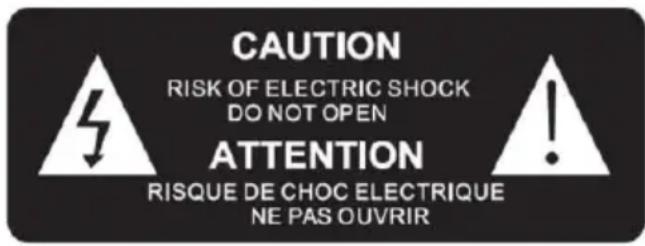
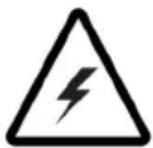
The lightning symbol inside an equilateral triangle warns the user of the presence inside the product of uninsulated hazardous electric voltages powerful enough to represent an electrocution risk.

The exclamation point within a triangle indicates the presence of important operating and maintenance (servicing) instructions in the literature accompanying the unit.
Place the unit in the desired position and unravel the mains cable. Insert the cable into the supply socket and switch on if applicable.
| Class II material |
| Direct current |
| Alternating current |
| For indoor use only |
What's in the box
Check and identify the contents of your package:
Sound Bar and Subwoofer (Option for SB200BT only)
Remote control
- User manual
RCA cable
Line in cable
Audio cable for sub
Overview of the main unit
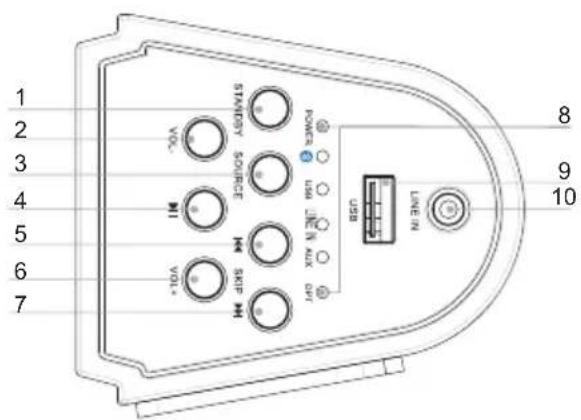
- Standby
Turn on the unit, switch to Standby mode
- VOL
Adjust the Volume
- Source
Select a source: Bluetooth, USB, AUDIO IN
4.
Start or pause play.
5.
Skip to the previous track.
- VOL +
Adjust the Volume+.
7.
Skip to the next track.
- LED indicator
Show the current status.
-
USB socket
-
Audio in
Connect an external audio device.
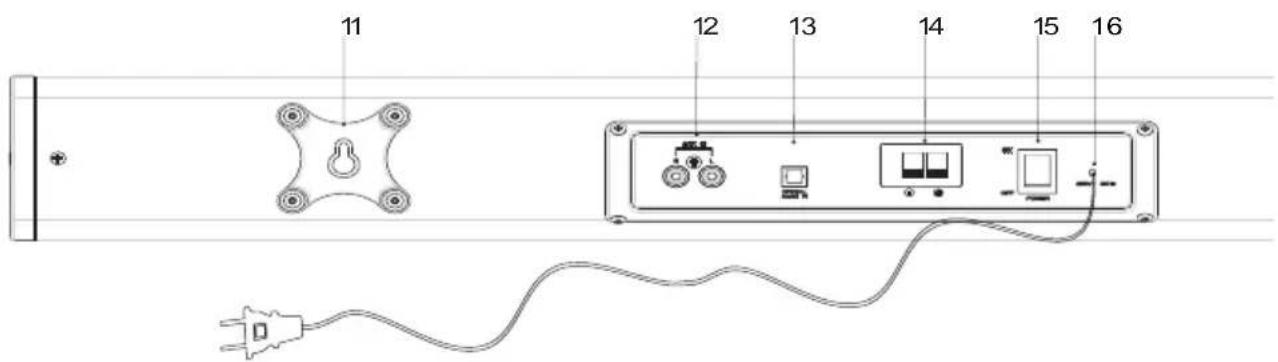
- Wall mount bracket
- AUX In
Connect an external audio device.
- Optical In
Connect an Optical digital audio input
- Subwoofer out (Option for SB200BT only)
- Power switch
Switch power on/off 16
- Ac~ power cable
Overview of Remote Control
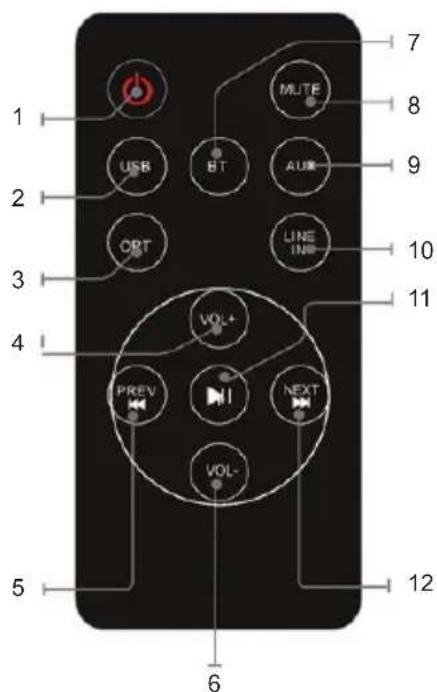
- POWER
Press to power the tower off and on.
- USB
Press to USB mode
- OPT
Press to Optical input mode
- VOLUME+
Press to adjust the volume+
5.
Skip to the previous track.
- VOLUME-
Press to adjust the volume
- BT
Press to Bluetooth mode.
- MUTE
Press to Mute or restore volume.
- AUX
Press to Aux input mode.
- LINE IN
Press to Line input mode
11.
start or pause play.
12.
Skip to the next track.
Replacing battery
The remote control works with lithium button cell CR2025 3V batteries. When the remote no longer works you need to replace the batteries as follows:
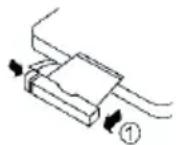
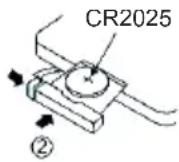
- Press the tab on the side of the battery cover to release it and allow the battery support to come out.
- Replace the battery paying attention to the correct orientation of the poles.
- Replace the battery support pushing it inside until you hear a "click".
ATTENTION : Danger of explosion if batteries are not inserted correct.
Get started
Power

CAUTION :
- Risk of product damager! Make sure that the power voltage corresponds to the voltage printed on the back label.
- Risk of electric shock! When you unplug the AC power cord always pull the plug from the socket. Never pull the cord.
- Before connecting the AC power cord, ensure you have completed all other connections.
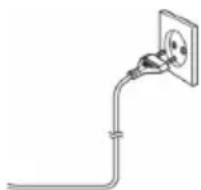
Place the unit in the desired position and unravel the mains cable. Insert the cable into the supply socket and switch on if applicable.
Auto standby
When playing media from a connected device, the Tower automatically switches to standby if
-
No button is pressed for 10 minutes,
-
No audio from a connected device for 10 minutes.
It can be switched ON by using the POWER selector again.
Use
Play from external audio
You can play from an external audio device such as MP3 player through this unit.
A. Optical in Jack (Requires an optical cable)
- Connect an Optical cable to the optical jack on back panel. Connect the other end of the Optical cable to the digital audio device.
- Press the button to turn the unit on.
- Press the SOURCE button to switch to Optical In mode.
- Use the controls on the connected device to begin playing audio routed through the unit.
B. Line in Jack (Requires a 3.5mm cable)
- Connect a 3.5mm cable to the Line jack on top panel. Connect the other end of the 3.5mm cable to an Mp3 player or other audio device.
- Press the button to turn the unit on.
- Press the SOURCE button to switch to Line In mode.
- Use the controls on the connected device to begin playing audio routed through the unit.
C. Auxiliary Input RCA (Requires an RCA cable)
- Connect an RCA cable to the Auxiliary Input. Connect the other end of the RCA cable to the audio output on your DVD player, stereo system, gaming system or television.
- Press the power button to turn the unit on.
- Press the SOURCE button to switch to Aux In mode.
- Use the controls on the connected device to begin playing audio routed through the unit.
D. Using the USB input
- Plug your USB flash drive to the USB socket.
- Press SOURCE button to select USB mode, the unit can play automatically.
- Press the tselect track.
- Press the VOL+VOL- to adjust the volume.
Remarks: USB port is easy to sensitive equipment, will cause the equipment work is not stable.
Bluetooth Mode
A. Pairing with a Bluetooth cell phone
Please make sure your cell phone is Bluetooth-enabled. Specific pairing steps may vary with different cell phones. Please refer to the user manual of your cell phone for further information. The general pairing steps are as follows:
- Keep SB100BT/SB200BT and Bluetooth cell phone within 1 meter when pairing.
- Press , button, and press the SOURCE to select the Bluetooth mode.
- Switch on your cell phone's Bluetooth function and search for Bluetooth devices. After the search is completed, select "SB100BT/SB200BT from the Bluetooth device list.
- According to indication, enter password or PIN No: "0000" and press "Yes" or "confirm".
- After successful pairing, select "SB100BT/SB200BT" from the Bluetooth device list and press "connect".
B. Pairing with a Bluetooth stereo transmitter
Different Bluetooth transmitters have different pairing ways. Please refer to the user manual of your Bluetooth transmitter for further information. The general pairing steps are as follows:
- Keep SB100BT/SB200BT and Bluetooth transmitter within 1 meter when pairing.
- Press , button, and press the SOURCE to select the Bluetooth mode.
- Switch on your Bluetooth transmitter and let it enter pairing mode.
- The transmitter will search and connect with SB100BT/SB200BT automatically. After successful connecting, the Bluetooth voice will change when connected successfully.
Remarks : SB100BT/SB200BT will return to pairing mode automatically after disconnecting from a Bluetooth device.
C. Music Playback
Connecting with a A2DP cell phone or Bluetooth transmitter.
- Connect your cell phone or Bluetooth transmitter with SB100BT/SB200BT.
- You can listen to your music from SB100BT/SB200BT now when playing it back.
- Press Vol+ to turn up the volume, press Vol- to turn down the volume.
- Press skip to the previous song.
- Press skip to the next song.
Wall mounting for your sound bar
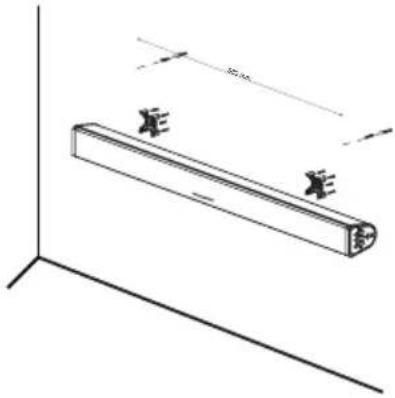
Please tear off the sticker, Use the wall attachment kit to mount your sound bar on the wall. Wall attachment kit.
- 2 wall brackets.
- 8 attachment screws (for sound bar with bracket)
- 8 EVA cover the screw
- 2 lona screws
- 2 wall anchors.
You will need :
- Electric drill.
- Screwdriver
- Pencil
- Spirit level
Note: Use the spirit level to ensure the wall mount plate are both horizontal.
- Tear off the sticker on back plate, screw in the 4 screws with bracket to the sound bar, and take the EVA cover the screws.
- Mark the holes to be drilled.
- Drill holes at the marketed points then insert the wall anchors.
- Screw in the 2 screws to the wall, then attach the sound bar and make sure it is stable.
Technical specifications
| Power input AC | 230 V~ 50 Hz 1,1 A | Bluetooth Version | 5.0 |
| Speaker driver 3° | 5W,4Ω Pair name SB100BT / SB200BT | ||
| Speaker output RMS | 2x15W | Bluetooth frequency | 2402-2480MHz |
| Peak Speaker 90W | Transmission distance | 10m | |
| Power consumptions | 75W EIRP 3.98dBm | ||
| USB output 5V 0.3A THD(1KHz, 1W) >0.5% | |||
| S/N ratio >75dB | Remote control source | CR2025 Lithium 3.0V | |
| Speaker frequency | 20Hz-20KHz Battery weight 0.03g | ||
| Input sensitivity | AUX IN 700MV LINE IN 700MV | Speakers impedance | 8ohm |
Care of the environment

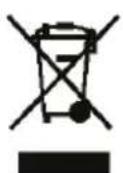
Your product is designed and manufactured with high quality materials and components, which can be recycled and reused.
Attention should be drawn to environmental aspects of battery disposal.
When this crossed-out wheeled bin symbol is attached to a product it means that the product is covered by the European Directive 2002/96/ EC. Please inform yourself about the local separate collection system for electrical and electronic products. Please act according to your local rules and do not dispose of your old products with your normal household waste.
Correct disposal of your old product helps to prevent potential negative consequences for the environment and human health.
Additional information
- If there is an incoming call while SB100BT/SB200BT is connected to your cell phone for music playback, it will pause at once when you answer the call and resume after the call ended. (Sometimes it will pause after end the call, it depend on your cell phone.)
- The Bluetooth® word, mark and logo are registered trademarks owned by Bluetooth SIG, Inc. and any use of such marks by Bigben Interactive is under license. Other trademarks and trade names are those of their respective owners.
- THOMSON is a trademark of TECHNICOLOR SA or its affiliates used under license to Bigben Interactive.
Declaration of conformity
The undersigned, Bigben Interactive declares that the radio equipment of the SB100BT/ SB200BT type complies with the 2014/53/EU directive. The complete text is available at https://www/bigben-interactive.co.uk/support/
Manufactured by BIGBEN INTERACTIVE SA
396, Rue de la Voyette
CRT2-FRETIN
CS 90414
59814 LESQUIN Cedex - France
www/bigben.eu
Made in China






Fabricant:BigbenInteractiveFRANCE
- Rue de la Voyette, C.R.T. 2, Fretin, CS90414 - 59814 Lesquin Cedex, France
Waterloo Office Park / Batiment H
Drève Richelle 161 bte 15 1410 Waterloo, Belgium
Bigben Interactive NEDERLAND b.v.
BELGIQUE, customerservice@bigben-interactive.be
NEDERLAND, customerservice@bigben-interactive.nl
ESPANA, sat@bigbenespana.es
ITALIA, support@bigbeninteractive.it
www/bigben.eu
SB100BT (SYSTEME 2.0) / SB200BT
Waterloo Office Park / Batiment H
Dreme Richelle 161 bte 15 1410 Waterloo, Belgium
Bigben Interactive NEDERLAND b.v.
BELGIQUE, customerservice@bigben-interactive.be
NEDERLAND, customerservice@bigben-interactive.nl
ESPANA, sat@bigbenespana.es
ITALIA, support@bigbeninteractive.it
www/bigben.eu
THOMSON
IT
SB100BT (SYSTEME 2.0) / SB200BT
Waterloo Office Park / Batiment H
Dreme Richelle 161 bte 15 1410 Waterloo, Belgium
Bigben Interactive NEDERLAND b.v.
BELGIQUE, customerservice@bigben-interactive.be
NEDERLAND, customerservice@bigben-interactive.nl
ESPANA, sat@bigbenespana.es
ITALIA, support@bigbeninteractive.it
www/bigben.eu
SB100BT (SYSTEME 2.0) / SB200BT
(SISTEMA 2.1 com subwoofer)
BLUETOOTH / USB / OTICO / ENTRADA DE AUDIO
Waterloo Office Park / Batiment H
Dreve Richelle 161 bte 15 1410 Waterloo, Belgium
Bigben Interactive NEDERLAND b.v.
BELGIQUE, customerservice@bigben-interactive.be
NEDERLAND, customerservice@bigben-interactive.nl
ESPANA, sat@bigbenespana.es
ITALIA, support@bigbeninteractive.it
www/bigben.eu
SB100BT (SYSTEME 2.0) / SB200BT
Waterloo Office Park / Batiment H
Drève Richelle 161 bte 15 1410 Waterloo, Belgium
Bigben Interactive NEDERLAND b.v.
BELGIQUE, customerservice@bigben-interactive.be
NEDERLAND, customerservice@bigben-interactive.nl
ESPANA, sat@bigbenespana.es
ITALIA, support@bigbeninteractive.it
www/bigben.eu
SB100BT (SYSTEME 2.0) / SB200BT
Waterloo Office Park / Batiment H
Drève Richelle 161 bte 15 1410 Waterloo, Belgium
Bigben Interactive NEDERLAND b.v.
BELGIQUE, customerservice@bigben-interactive.be
NEDERLAND, customerservice@bigben-interactive.nl
ESPANA, sat@bigbenespana.es
ITALIA, support@bigbeninteractive.it
www/bigben.eu
- Specifications techniques
- BLUETOOTH / USB / OPTICAL / AUDIO IN
- OPERATING INSTRUCTIONS
- Getting Started
- Safety Warning and Notice
- What's in the box
- Overview of the main unit
- Overview of Remote Control
- Replacing battery
- Get started
- Power
- CAUTION :
- Auto standby
- Use
- Play from external audio
- Optical in Jack (Requires an optical cable)
- Line in Jack (Requires a 3.5mm cable)
- Auxiliary Input RCA (Requires an RCA cable)
- Using the USB input
- Bluetooth Mode
- Pairing with a Bluetooth cell phone
- Pairing with a Bluetooth stereo transmitter
- Music Playback
- Wall mounting for your sound bar
- Care of the environment
- Additional information
- Declaration of conformity
- THOMSON
Brand : THOMSON
Model : SB200BT
Category : Bluetooth speaker