V 2170 SL BK - Cooker NODOR - Free user manual and instructions
Find the device manual for free V 2170 SL BK NODOR in PDF.



| Features | Details |
|---|---|
| Product type | Cooker |
| Dimensions | Width: 60 cm, Depth: 60 cm, Height: 85 cm |
| Cooking type | Gas |
| Number of burners | 4 burners |
| Oven | Electric, 60 L capacity |
| Oven features | Convection, grill |
| Energy consumption | Energy class A |
| Safety system | Automatic shut-off, gas safety |
| Materials | Stainless steel |
| Maintenance | Easy cleaning, smooth surface |
| Warranty | 2 years |
Frequently Asked Questions - V 2170 SL BK NODOR
User questions about V 2170 SL BK NODOR
0 question about this device. Answer the ones you know or ask your own.
Ask a new question about this device
Download the instructions for your Cooker in PDF format for free! Find your manual V 2170 SL BK - NODOR and take your electronic device back in hand. On this page are published all the documents necessary for the use of your device. V 2170 SL BK by NODOR.
USER MANUAL V 2170 SL BK NODOR
Operating and maintenance instructions for hobs
FR
THIS APPLIANCE IS DESIGNED FOR DOMESTIC USE ONLY. THE MANUFACTURER SHALL NOT IN ANY WAY BE HELD RESPONSIBLE FOR WHATEVER INJURIES OR DAMAGES ARE CAUSED BY INCORRECT INSTALLATION OR BY UNSUITABLE, WRONG OR ABSURD USE.
The manufacturer declares that this product meets all basic requirements regarding low-voltage electrical equipment established in the 2014/35/EU Directive and electro-magnetic compatibility established in the 2014/30/EU Directive.
PRECAUTIONS
- When one makes use of heating elements, we advise receptacles with flat bottom having same diameter or lightly higher than that of the hot area.
- Avoid overflows of liquid, therefore when boiling has happened, or in any case when liquid is heated, reduce the heat supply.
- Don't leave the heating elements on without receptacles on the top or with void pots and pans.
- Do not use any aluminum foil or place any foodstuffs wrapped in aluminum foil directly on the hob - do not place any metal objects such as knives, forks, spoons and lids on the hob surface as they will heat up.
- When cooking in a non-stick pan without seasoning, do not exceed 1-2 minutes' pre-heating time.
-
When cooking food that may easily stick, start at a low power output level and then slowly increase while regularly stirring.
-
If the surface of the hob is damaged, immediately disconnect the appliance from the mains to prevent the possibility of electric shock.
- Never use a steam cleaner to clean the hob.
- The appliance and accessible parts may be hot during operation.
- Take care to avoid touching the heating elements.
- Children less than 8 years of age should be kept at a safe distance unless continuously supervised.
- This appliance may be used by children aged 8 or over and by persons with reduced physical, sensory or mental capabilities or lack of experience and knowledge, if they are supervised and have received suitable instructions on safe use of the appliance and understand the dangers involved. Children must not play with the appliance. User maintenance and cleaning should not be carried out by children except under constant supervision.
- Cooking with grease or oil may be dangerous and cause a fire if left unattended. NEVER try to extinguish a fire with water. Rather, disconnect the appliance and then cover the flames with a cover or sheet, for example.
- The cooking process has to be supervised. A short term cooking process has to be supervised continuously.
- Unattended cooking on a hob with fat or oil can be dangerous and may result in a fire.
- Fire hazard: do not store elements on cooking surfaces.
- Only counter top protectors designed for use with the cooking appliance and listed in the manufacturer's instructions
should be used as suitable protection for the counter top incorporated in the appliance. Use of unsuitable protectors may cause accidents.
- WARNING: Accessible parts will become hot when in use. To avoid burns and scalds children should be kept away. Insert in the fixed wiring a mean for disconnection from the supply mains having a contact separation in all poles that provide full disconnection under overvoltage category III conditions, in accordance with the wiring rules. The plug or omnipolar switch must be easily reached on the installed equipment. This appliance is not intended to be used via an external timer or a remote control system.
The manufacturers decline any responsibility in the event of noncompliance with what is described above and the accident prevention norms not being respected and followed.
To avoid all risk, if the power cable becomes damaged, it must only be replaced by the manufacturer, by an authorized service centre, or by a qualified electrician.
User's Instructions
Installation
All operations relative to installation (electric connection) should be carried out by skilled personnel in conformity with the rules in force.
As for the specific instructions see part pertaining to installer.
Use
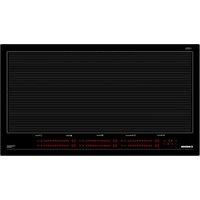
Touch sensitive keys
All operations can be performed using touch sensitive keys (capacitive sensors) located on the front of the control board; each key has a corresponding display. All actions are confirmed by an audible signal.
TOUCH CONTROL (Fig. 1)
1 Power ON/Power OFF
2 Cooking zone
3 Setting display
4 Minus
5 Plus
6 Dual circuit
7 Timer
8 Timer display
9 Lock function
10 Dual circuit indicator light
11 Timer indicator lights
12 Lock indicator light
13 Decimal point
Switching the Touch Control ON/OFF
After mains voltage is applied the control initializes for approx. 1 second before it is ready for operation. After a reset all displays and LEDs glow for approx. 1 second. When this time is over all displays and LEDs extinguish and the control is in the stand-by mode.
By operating the ON/OFF key the control can be turned into the ON-mode. The cooking zone displays show a static "0". If a cooking zone is in the "hot" status, the display shows a static "H" instead of "0". The bottom right dot is blinking in 1 second intervals on all cooking zone displays to indicate that no cooking zone is selected at the moment.
After switching-ON the electronic control remains activated for 10 seconds. If no cooking zone or timer selection follows within this period of time, the electronic control automatically switches back into the stand-by-mode.
The control can only be switched-ON if it identifies the ON/OFF key (1) alone being operated. Should it recognize key activation other than that, the control remains in the standby-mode.
If the child safety feature is active when switching on, all cooking zones show "L", (LOCKED). (also refer to 1.11). If the cooking zones are in a "hot" status, the display shows "L" and "H" in alternation. When the Touch Control is ON it can be switched-
OFF at any time by operating the ON/OFF key (1). This is also valid if the control has been locked (activated child safety feature).
The ON/OFF key (1) has always priority in the switch-OFF function.
Automatic switch-OFF
When the control is ON it automatically switches-OFF after 10 seconds if no cooking zone or select key has been operated within this period of time.
Switching a cooking zone ON and OFF
If the control is ON the respective cooking zone can be selected by operating a cooking-zone-select-key (2). There is a static dot indication in the respective display. If the
cooking zone is "hot "0" is displayed instead of H".On all other cooking zone displays the blinking dot extinguishes. After selection of a cooking zone the setting can be increased by continuously pressing the PLUS-key (5), starting at step "1" it is increased by 1 step every 0,4 seconds.When setting "9" is reached the setting will not be changed further (end stop).
If the selected cooking zone will be switched ON by means of the MINUS key (4), the cooking zone starts at the maximum setting "9" ("reverse switching-ON").
When the key is continuously operated, it decreases by 1 step every 0,4 seconds. When setting "0" is reached, there will be no further setting changed (end stop). Only a renewed operation of the MINUS (or PLUS) key changes the setting.
Switching OFF an individual cooking zone
To switch off an individual cooking zone, the respective cooking zone has to be selected with the cooking-zone-select key (2). The selection is indicated with the static dot (13) in the respective cooking zone display. If the control recognizes that the PLUS (5) and the MINUS (4) key have been activated simultaneously the setting of the selected cooking zone will be put back to "0". Alternatively, the MINUS-key can be used to count down the setting to "0". If all cooking zones are at "0", all decimal points in the cooking zone displays are blinking. If a cooking zone is "hot", "H" will be displayed instead of "0".
Switching-OFF all cooking zones
Immediate switching-OFF of all cooking zones can be achieved anytime by means of the ON/OFF key (1). In the standby- mode an "H" appears on all cooking zones which are "hot". All other cooking zone displays are not illuminated.
Wattage settings
The output of the cooking zones can be set in 9 steps which are indicated by the figures "1" thru "9" by means of LED sevensegment-displays.
Automatic heat-up function (selectable)
When the automatic heat-up function is activated the wattage of the cooking zone is at 100% ED for a certain heat-up time which is dependent on the selected (continuous) setting. At the end of the heat-up time the electronic control switches back to the preselected simmering setting.
Starting process of the automatic heat-up:
-
Control is ON and a cooking zone will be selected
-
The automatic heat-up will be activated by operating the PLUS-key for a second time.
-
The requested continuous setting will be selected with the PLUS- and MINUS-key, the chosen setting appears in the
display.
- 3 seconds after the last key operation (selection of the setting) and within 16 seconds after activation of the heat-up function, the symbol "A" (which stands for the heat-up boost) appears on the display, in alternation with the chosen setting.
- If a lower setting will be selected with the MINUS-key after the "A" has appeared in the display, the automatic heat-up function will be interrupted.
- By means of the PLUS-key a higher continuous setting can be chosen, here the duration of the heat-up boost will be automatically adapted to the actual selected setting.
- When the heat-up time is over, the selected (continuous) setting will be indicated on the display.
Residual heat indicator
It is meant to indicate to the user that the glass ceramic has a dangerous touch temperature in the circumference of a cooking zone. The temperature will be determined following a mathematical model and the remaining residual heat will be indicated by means of "H" on the corresponding 7-segmentdisplay. Heating-up and cooling down will be calculated dependent on
- the selected setting (,0^u to ,9^u)
- the ON/OFF time.
After switching-OFF the cooking zone the respective display shows "H" until the assigned cooking zone temperature is mathematically in a uncritical level. (≤ 60^)
Automatic power OFF function (operating time limitation)
Dependent on the selected setting, every cooking zone will be switched-OFF after a defined maximum operation time if no operation of the assigned cooking zone follows within this time period. Every change of the cooking zone condition (by means of the PLUS-, MINUS- or BOOSTER key) puts back the maximum operation time of this cooking zone to the initial value of the operating time limitation.
Protection against unintended switching-ON
- If the electronic control realizes a continuous operation of keys for approx. 10 seconds, it switches OFF automatically. The control sends out an audible failure signal for 10 seconds, so that the user can remove the object which has been mistakenly placed onto the operation surface. The displays show the failure code "E R 0 3". If the failure carries on for more than 10 seconds, only the code "E R 0 3" will be displayed as long as the failure will be recognized by the electronic control. If the cooking zone is in the "hot" status, "H" will appear on the display in alteration with the failure notice.
-
If no cooking zone will be activated within 20 seconds after switching-ON by means of the Power-key, the control switches back from the ON-condition into the stand-by-mode.
-
When the control is switched ON the ON/OFF-key has priority over all other keys, so that the control can be switched-OFF anytime, even in case of multiple or continuous operation of keys.
- In the stand-by mode a continuous operation will not be signalized. However, before the electronic control can be switched-ON again, it has to recognize that all keys are not operated.
Key Lock
The actuation of the key lock key (9) in the wait or active mode locks the keyboard and the assigned key-lock LED (12) is statically illuminated. Here, the actuation times of the key-lock key have to be taken into account. The control continues to work in the set mode, but may no longer be operated with any key, except the key-lock key (9) itself or the on/off key (1).
The switching OFF with the on/off key (1) is also possible in the locked condition. The assigned key-lock LED (12) fades when switching off the control. The key-lock function included LED is active again when switching on (in wait mode 10 s) until this is deactivated by a repeated actuation of the key-lock key. The activation/deactivation of the key-lock function in the off mode is not possible.
When programmed timers expire the respective timer alarms may be confirmed by actuating any key without needing to unlock the control.
The repeated actuation of the key-lock key in the wait or active mode unlocks the keyboard and the assigned key-lock LED fades. All sensor keys may be operated as usual again.
Multi-circuit cut-off
Depending on the design it is possible to operate dual- or triple-circuit radiant heating elements with the LITE-Touch Control.
When a multi-circuit heating element is put into operation, all heating circuits are switched-ON at the same time. If only the inner heating circuits should be used, the outer heating circuit can be switched-OFF by means of the multi-circuit key or in individual steps.
By operating the multi-circuit key the respective outer circuit of the assigned active cooking zone (setting "0") can be cutoff anytime. An activated outer circuit will be indicated by an additional LED. A renewed operation of the multi-circuit key will add the outer circuit(s) at any time, the assigned LED's glow again (toggle-function)
If a cooking zone other than the one with multi-circuit function will be selected, the multicircuit status will be changed and all cooking zones will be deselected (the decimal point extinguishes).
Behaviour of dual-circuit cut-OFF:
If the heating element to be controlled is a triple-circuit heating element, the course of action is as follows:
- The first activation of the multi-circuit key cuts-off the outer heating circuit and the top LED extinguishes.
- A second activation of the multi-circuit-key cuts-off the middle heating circuit. (also the bottom LED extinguishes.)
- A third activation adds the middle heating circuit again. A further activation adds the third heating circuit as well and the assigned LEDs glow again.
Audible signal (buzzer)
While the control is in operation the following activities will be signaled by means of a buzzer:
normal key activation with a short sound signal.
- continuous operation of keys over a longer period of time (10 seconds) with a longer, intermittent sound signal.
Timer function (optional)
The timer function is realized in two versions:
- Stand-alone timer 1..99 min: sound signal when the time is over (= minute minder). This function is only available when the cooktop is not in operation, i.e. when there is no cooking.
- Cooking zone timer 1..99 min: sound signal when the time is over, four cooking zones can be programmed independently.
Timer as minute minder (stand-alone):
- If the control is OFF the standalone-timer can be operated by activating the timer key. The timer display shows "00". Operation of the Power-key puts the control back into the stand-by mode and the stand-alone-timer will be cut-off.
- Adjustment range (0-99min), it can be set in 1-minute steps with any key, starting at 1 up to 99 (end stop) with the minus-key starting at 99 down to 0 (end stop)
- Continuous activation of the plusor minus-key results in a dynamic increase of the adjustment speed up to maximum value without sound signal.
- When the plus- or minus key is released in the meantime, the adjustment speed starts again from a (low) initial value.
- Adjustment can be made with a continuously activated plus- or minus-key or by tip-operation (with sound signal) After the timer is set the time runs down according to the adjustment. When the time is over there is a sound signal and the timer display blinks.
The sound signal will be stopped
automatically after 2 minutes and/or
- by operating any key. Then the blinking of the timer display stops and the display extinguishes.
Switching-OFF/changing the timer
- The timer can be changed or switched-off anytime by operating the TIMER- or MINUS key (with sound signal). The timer will be switched off by counting down to "0" with the minus-key or by operating the TIMER- and MINUS-key together, which sets the timer directly to "0". For 6 seconds
the timer display remains at "0" before it will be switched-off.
- If the control will be switched ON by means of the Powerkey, the stand-alone timer will be switched-off also.
Timer programming on cooking zones
When the control is switched- ON an independent timer can be programmed for every cooking zone.
- By selecting a cooking zone with the cooking-zone-selectkey, then selecting the setting and finally activating the timerselect-key, the timer can be programmed as a switch-off function for a cooking zone. Around the timer four LEDs are arranged. These indicate for which cooking zone the timer has been activated.
- As soon as the timer has been selected, the assigned timer-LED blinks and the dot in the timer display glows. If a cooking-zone-select-key will be operated, the dot in the timer displays extinguishes and the LED does not blink any longer.
- When switching-over from one cooking zone to another, the timer display always shows the present timer value of the respective cooking zone. However, the programmed timers of other cooking zones remain active.
The further setting behaviour corresponds to the STANDALONE-TIMER. For increasing the adjusted time, the PLUS-key of the respective cooking zone has to be used. (setting "0") - When the timer has run down, there is a sound signal and the timer display shows "00" statically, the assigned cooking zone timer LED blinks. The programmed cooking zone will be cut off and H^ will be displayed if the coking zone is hot, otherwise a stroke will show in the cooking zone display.
The sound signal and the blinking of the timer LED will be stopped
automatically after 2 minutes
by operating any key.
The timer display extinguishes.
The basic behavior follows the description of the "minute minder" (stand-alone-timer).
Maintenance (Fig. 4)
By means of a scraper immediately remove any alluminium foil bits, food spills, grease splashes, sugar marks and other high sugarcontent food from the surface in order to avoid damaging the hob.
Subsequently clean the surface with some towel and appropriate product, rinse with water and dry by means of a clean cloth. Under no circumstance should sponges or abrasive cloths be used; also avoid using aggressive chemical detergents such as oven sprays and spot removers.
Installer's Instructions
Installation
These Instructions are for the qualified technician, as a guide to installation, adjustment and maintenance, according to the laws and standards in force. These operations must always be carried out when the appliance has been disconnected from the electric system.
Positioning (Fig. 5)
1 Front view
2 Front side
The appliance can be fitted into a working area as illustrated on the figure. Apply the seal supplied over the whole perimeter of the working area.
Electrical connection
Prior to carrying out the electrical connection, please ensure that:
the plant characteristics are such as to follow what is indicated on the matrix plate placed at the bottom of the working area;
- that the plant is fitted with an efficient earth connection, following the standards and law provisions in force.
- The earth connection is compulsory in terms of the law. Should there be no cable and/or plug on the equipment, use suitable absorption material for the working temperature as well, as indicated on the matrix plate. Under no circumstance must the cable reach a temperature above 50^ of the ambient temperature.
FR
CE PRODUIT EST CONGUXCLUSIVEMENT POUR UN USAGEDOMESTIQUE. LE CONSTRUCTEURDÉCLINE TOUTE RESPONSABILITÉDANS LE CAS DE DOMMAGES ETBLESSURES CAUSES PAR UNEINSTALLATION INCORRECTE OU PARUN USAGE INAPPROPRIÉ, ERRONÉ OUABSURDE.
HnctpyKunn IJIa IIOJIb3OBaTeJIa MoHTaJ
Bce OIIepaHIN NO MOHTaKy (JIeKtpnueckne IIOIKIIOHHe) IOJKNbI IIPOH3BOIDTBcR TOJIbKO KBAIHΦHIIHPoBAHHbIM IepcoHaJIOM H B COOTBeTCTBHN C cyIeCTByIOUHM HOpMaTHBaMH.
B Pa3IeJIe «IIJIA MOHTaKHHKa» IIpHBeJeHbI BCE IIO,IPO6HOCTM MOHTaJa.
PpimeneHne
3JIEMEHTbI HAFPEBAHnA TOUCH CONTROL (yipabJeHHe npHKoCHOBehm)
Knaa nekozo hcamu
KJIaBnHIN JIeKOrO HaKaTHa (HJH ceHCopb TnHa eMKoCTHBIX DaTCHKOB) IpeJHa3HaueHbI JIIA BblIOJIHeHH JIO60I ONepaUNn H pacIOJOKeHbI Ha pOHTaJIbHOJ YAcTH KApTOUKN, IIpyMe JIJa KaKdoi KApTOUKN IIpeYcMOTpeH COOTBeCTBYIOHN INCIIJE. BblIOJIHeHH JIO60I JeNCTBnI NODTBepKJaetc 3ByKOBbIM CNIHAIOM.
TOUCH CONTROL (Puc. 1)
HnIkaTop ocTaToHOro TeIIJa
Oh yka3bIbae IOJIb3ObaTeJIIO Ha To, YTO cTeKJIO HaxoHTcra IIpy OIIaCHOH TeMIIepaType B cJIyae KOHTaTa C 30HOH Na3OHOH BapKn. 3HaueHne TEMIIepaTypbI OIIpeJeJIeTcR IIO MaTeMaTHueCKo MOJIIN, H B cJIyae HAJIHnR OCTaTOUHOrTo TEJIa, HA COOTBeTCTByIOuEM CeMH ceRMENTHom JHCIIIE NOBHTcra 6O3HaueHne «H».
HarpeBaHHe H oxJaXeHHe paCCHTbIbAOTcHa OCHObcJIeJyIOIIx 3HaueHn:
Bb6paHHbI ypoBeHb MOIHOCTHN (MeKJy “0" H "9") PepnoB BpeMeHN aKTNaHH.
IocJe TOrO, KaK BbI BBIKIOHJIN 30Ny BapKn, Ha COOTBeTCTBYIOJIeM INCHIIIEE BBICBETNTC8 O6O3HaueHHNE "H", Ioka TeMIIepaTypa B 30He He ONyCTNTcR HNKe 3HaueHHN KpHTNHCECKO YoPBOHn (≤ 60^) B COOTBeTCTBHH C MaTeMaTHYeCKOH MoJeJIbIO.
ФункинabTOMaTHueCKO BbIKJIOyeHn (orpaHHeHHe IepHOJa BpeMeHH pa60TbI)
BcIyHae oTcyTCTBnOepaun, Hecn BbHe
peryHpyeTe yPOBeH MOIOHOCTH, KaKJaI3 3OH BapKn 6yJeT BbIKIOUeHa IIO HcTeUeHHN IIpeJbApHTeJIbHO 3aJaHHORO MAKcHMajbHORO IIepHoJaBpMeHN. KaKaJaONepaUNB 30He BapKn (IOcpeCTBOM KJIaBHI BOJIbIIIE n MEHbIIIE) Bo3BpaIaET K ToUke OTCyeTa IIpeJbApHTeJIbHO 3aJaAHHOE 3HaueHHe MaKcHMajbHORO IIepHoJa BpeMeHN pa6oTbI.
3aHNTa B cIyae HeIpoN3BOJbHOrBkJIIOUeHHA
B cIyue, ecIn 3JIeKTPoHHbIKoHTPOJb OIIpeJIHT
fakr HeIpepbIBHOrO HaKaTHra HA KJIaBnHiy B
TeueHne IprN6JIN3HTeJIbHO 10 ceKyH,IpOH3OJDeT
ABTomATHeeCKoe BblKIOHeHHe. IpO3ByHrT
akcTtHeeckn CInHaJI OIN6Kn B TeueHne 10 ceKyH,
TO6bI OIOBECTNTb IIb3OBaTeJIa 06 OIN6Ke,
OBhapyeHHoI ceHCopAMn IO npHnHE IpNCyTCTBnA
IpeIMeta Ha KJIaBnIe. Ha IINcJIeE IIOBHTcR KoID
OIN6Kn E R 03", IN OH He HcYe3Het, IOKa 3JIeKTPoHH
KOHTPOJB He 3apeHCTpnpyeT OIN6Ky. EcJH 30Ha BapKN
"H" NooUepEINO C 06O3NaUeHNem OIN6Kn.
B cIyuece cCIn B TeueHne 20 ceKyHl IocJIe BKJIOUeHHa
Touch Control He 6yET aKTHBnPoBaHa HN OJHa H3 30H
BapKn, KOHTPOJB BCpHET IIINTY B COCTOARHc OxKJaAHn.
PiN BKLIOUeHHOM Touch Control, KJIaBnHa ON/OFF
HMee IpnOpHTet OTHOCHTEJIbHO OCTaJIbHBIX KJIaBHI.
OTo Jaet BO3MOXHOCTb BbIKIOUHTb IIINTY B JIOBOi
MomeHT, DaKe B cIJyae OINOBpeMeHHORo HaKaTHra HA
HECKOJIbKO KJIaBnIH IN JIN DIITeJIbHO RaKaTHra HA HHX.
B pcKHMc OxKJaAHn IocTOARHOCe HaKaTHre Ha
KJIaBnIH IN HE OKAKET HNKAKOTO BO3DCCTBnR. B JIObOM
cIyue, IIN TORO, YTO6bl CHOBA BKJIOUHTb 3JIeKTPoHHbIK
KOHTPOJB, KOHTPOJB CHaHaJa OINpeJIeT, HaKaTa JIN
KaKaar-HNOyDb N3 KJIaBHI.
EIOKHPOBKa KHOHOK
BkIOUOeHHe cyHKINH 6IOKnPOBKN KHOIOK B aKTNBOM pcKHMc HIN pcKHMc OKHDAHHN 6IOKpyET KJIaBnaTpy a CBeTOIHOD DaHHoN KHOIKN 3aIropaeTc. 3Decb Heo6XoJIMHO yHTbIBATb Bpem BkIOUeHHN 6IOKnPOBKN KHOIOK. YnpabJIeHHne IpoIOJIkaet pa60TaTB B yCTaHOBJIeHHOM peKHM, HO yKe He peryJHPyETcH N OHOH N3 KHOIOK, 3a NCKIOUeHHm camo 6IOKnPOBKN KHOIOK HIN KHOIIKN BKJI/BbIKJI. B 3a6IOKnPOBaHHom COCTOHHN BO3MOxHNO TaKKe OTKIOUeHHe camo KHOIKN BKJI/BbIKJI. CBeTOIHOD 6IOKnPOBKN KHOIOK 3aIropaeTcN IIpn BKIOUeHHN (B peKHMe OKHDAHHN 10 cek.), IOKa OH He 6yDet OTKIOUe IOBtOpHBM BKIOUeHHM KHOIIKN 6IOKnPOBKN. BKIOUeHHe/BkIOUOeHHNE KHOIIKN 6IOKnPOBKN KHOIOK HeBO3MOxHOB pexHMe BbIKJI. IocJIe HCTeueHH BpeMeHH TaIMepa COOTBEcTByIOUHe cHrHaJIb TaIMepa MOKHO IOITBepdNTb, HaKaB JIO6yIO KHOIIKY, 63 pa36IOKnPOBKN yIpaBJIeHHN. IIpH IOBtOPHom BKIOUeHHN KHOIIKN 6IOKnPOBKN B peKHMe OKHDAHHN HJIN aKTNBHOM peKHMpe36IOKpyETcR KJIaBHaTpya, a COOTBEcTByIOUHN CBeTOIHOD 6IOKnPOBKN rachet. BCE KOHKn ceHCopa MoKHO BHOBB HCIOJB3OBAtb, KaK paHbIIIE.
OTKJIIOUeHHe MHOIROKOHTypHBIX CXEM
C NMOBIO KOHTPOJIA TouchLite, B 3aBnCHMocTH OT · PpH HeIpepbIBHom HaKaTHN HA KJIaBHH BOJIbIIIE
H3aHa MoJeHN, MOKHO KOHTpOJIHpOBaTB IIHTbIC dyAJBHOH HJIN TPOHON CXEMOH.
IIpn BkIOueHnB paOToy 3JIeMeHTa HArpeBaHHa MHOROKOHypHO cxEMbI, OJHOBepeMHHO BKIOUaTcB paOToY BCE cxEMbI HaPeBaHHa. EcJN BbXOTHTe BKIOUHTb TOJbKO BHyTpEHHIO CXEmy HaPeBaHHa, Bb MOKeTe BbIKJIOHTb BHeIHIOHO CXEmy HaPeBaHHa c NOMOUIBO COOTBeTCTBYIOSe KJIABHNII
IIpn HaaKaTHNa HA KJIaBNIuM MHOROKOHypHO cxEMbI, COOTBeTCTBYIOUaB HBeIHNA CXEma BKIOUeHHO 3OHbI BapKn MoKeT 6bITb OTKIOUeHa B JIO60 MmEHT. INdHKaTOPoM aKTbAUNB HeINHei CXEmbI YBJIeTCa CIEINaJBHbI IOIOJIHNTeJBHbI CBETOBOn INoI. IIpn
IOBTOPHom HaKaTHNa HA KJIaBNIu MHOROKOHypHO cxEMbI, Bb CHOBA BKIOUHTe B paOToy BHeIHIne CXEMbI, H COOTBeTCTBYIOUHe CBETOBbI dHObl 6ydyT BBICBeYeHbI.
Hn HPiun np paobm bpouho cxembl
Ipn Heo6xOHNMOCTN KOHTPOJRA 3JIeMeHTa HArpeBaHHr TpoHIO CXeMbI, CJIeNyET CJIeTaNbTcJIeYIOIIee:
- Pn IepBOM HaKaTHN Ha KJIaBHHIy MHOROKOHTypHO CXEMbl IIPOH3OJIECT BbIKJIIOUChHc BHeIHHeC CXEMbl NCBOBOrO IHOJa, paIOJOXKeHHOrO Ha BCpxHcN qactn HcIIeJ.
Ipn NOBTOPHOM HaKaTHN Ha KJIaBHnHy MHOROKOHTypHO CXEMBI IPOH3OJDeT BbIKIOUeHHe CpeINHe CXEMBI IN CBeTOBOrO JHOJa, pacIOJOKeHHOro HA HnKHeY qactn JHCIIJIe.
Ipn TpeTbem HauKaTHH Ha 3Ty KJIaBnH, cyeHHcXcMa cHOBa BKJIOHTcB pa6Oly. H npn IocJCHeM HauKaTHN BKJIOHTcR TpeTbra CXema n COOTBeTCTByIOHN CBETOBOn DNO.
Akyctnueckn chrhaJI (3BOHOK)
Bo BpemHcIOJIb3OBAHHB,By ycJIbIIINrTe 3BOHOK BCJIeIyIOIIHX CJIyuaX:
HopmaJIbHoe HaKHMaHHe Ha KJIaBnIH - KopOTKn CHrHaJI.
IIOCTOHHHOe HkaTHe Ha KJIaBnHIN B TeueHne 6oJIee 10 ceKHyI - IpepbHbNcTbI JInTeJbHbI cHHaJI.
Функцятаймера
ΦyHKnra TaHmepa MoKeT OcyIeCTBJIaTbcR B IByX BuaX:
He3aBnHmbl TaMep B dHaNa3OHe OT 1 Do 99 MHN: 3ByKOB0 CNrHaJI, KOtOpb yKa3bIbAeT Ha OKOHuaHHe 3aJaHHOro IepHOa BpeMeHH. 3Ta yHKIIu IIpHMehHMa TOJbKO B TO BpeM, IOKa HE HcIOJIb3yETcI IIHTa.
TaNmepIJIa3OHBapKNBINHaa3OHeOT1do99MHHT: BByKOBOCHRHaJI,KOTOpbYka3bIBAeHT HaOKOHaHHe 3aJAHHOIepNoaBpeMeHN.KaKaJnH3YeTbIpex3OH BapKNMOKeT IporpaMMNPOBaTBcHHe3aBNCHMO.
He3a6ucmbtu ma.mep:
EcHn Touch Control BbIKIOueH,JIa HcNOJb3OBaHH He3aBHCMO raimepa cJeIyeT HaKaTb Ha KJIaBbIy TaIMepa.Ha IINCIe BBcBeHTcra00".IIpH HaKaATnHa KHOIKy BKIOUHeHH, Touch Control BepHeTcB COCTOHNHe OxHJaHH, a TaIMep BbIKIOHTcra. H3MeHeHH 3NaueHH (0-99 MHH) ocYIecTBJIaOTcH IOpeJIcTBOM NOMHyTHTO H3MeHeHH C IIMOUIbIO JIOboH3 KJIaBbHI: BOJIbIIIE c 0 do 99 n MEHbIIIE c 99do 0.
HIN MEHbIIIE Mbl 6yDem HnHaMHueCKn yBcJHnHBaTb CKOpOCTb H3McHCHNIO IOCTNHKeHHMaKCHMaJIbHO 3HaueHH, 6e3 3BYKOBBIX CHrHAIOB.
- Pn OTnyckaHH KJIabHIIH BOJIbIIE (HJH MEHbIIE), ckopocTb yBeJIuYeHH (CHJKeHH) 6yJeT oCTHTbIbTaBc, NaHHa C HCXoIHORO 3HaueHH.
MozHO IporpaMMPOBaTb TaHMeK KaHIIpepbIBHbIM HaxaTHem Ha KJIaBHH BOJIbIIE N MEHbIIE, TAK IIIOCEIOBATeJIbHbIMN KOPOTKHMI HAxKaTHMAH (co 3BYKObbIM CHIHAIOM).
IocJe IpOprpAMMPOBaHHaTaimepaHaunHaeTcOTCUeT BpeMeHNIO y6bIBaHHIO.IIO HCTeueHHN 3aDaHHORo IepHOa BpeMeHN Ipo3ByuHT 3ByKOBo CHrHaJI, a IINCIJIe TaIMepa 6yTeMT MRatb.
OcmaHO8ka 36yKO6020 cuHaia
- ABToMaTHUeCKN Hepe3 IBe MHHyTbI.
IIpn HauKaTIN JIO6oN KJIaBnIHIN.
HnHnHnepctaHTMnTaHbN BbIKIOHTcR.
BbIKIOueHue /u3MeHeue 3adaHNO20 nepuOda 6peMeHu maIepa
B JIO60H MOMCHT MOKHO H3MCHHTb 3aJaHHOC BpEmraTaIMcpa HIN BBKJIOUHTb cRO, HaKaAB Ha KJIaBNIIH TAIIMEP IN MEHBIIIE (co 3BYKOBBIM CHTHaJIOM).
Taimep BbIKIOHTcR, HOTcETBpeMeHHBepHeTcK“0" Haxkathem KJIaBIII MEHbIIIE HIN OHOBpeMeHHbIM Haxkathem KJIaBIII TAIIMEP IN MEHbIIIE, IOcJIe Yero OTcET BpeMeHH TaImepa BepHeTc IIpMaO K“0".
B TeueHHe 6 cekyH TaHMeP 6yIeT Ha "0", nocJe Yero OH BBKJIIOHTcra.
-Пин ВКЛIOуeHn Touch Control (HaKaTb Ha KJIaBHIpy IHTaHn) He3aBnCHMbl TaIМep BbKJIIOuHTcR.
Hpozpa.mmupo6anue maMepa 3on 8apku
BkIOuHB Touch Control, MoKHO IIpoIpaMMHpoBaTa Hc3aBHCMBI TaHMeP IJI KAJIOH 3OHb BapKN.
Bb6paTb 30Hy BapKn KJIaBnHcN Bb6opa 30HbI, 3aTcM 3aJaTb yPOBeHb MOUHOCTH N, HAKOHeU, HAXaTb Ha KJIaBnHpy TaHMePa, TAK MOKHO 3aIIporpamMnPoBaTb 6paTHbI OTCuET BpeMeHN IIO y6bIBaHHO JIA BBIKIOUeHHA 30HbI BApKH.
BokpyI hncIIe TaHmepa pacIOJIOKeHbI hOdbI LED, Hx KOJIInueCTBO paBHO YHCJy 3OH BapKN. OH IOKa3bIBaIOT, JIA KaKHX 3OH BapKN aKTHBnPOBaH TaHmep
- Pn BbIbope TaIMepa 3AMHraET COOTBeTCTBYIOHN HINCIJIe, H 6yUT NODCBEHeB1 IHOJI LED, PaCIOIOJKeHHbE BOKpy INcIIJe. Pn BbIbope 3OHbI BapKn INObl LED TaIMepa IORacHyT, INcIIJIe IIpepcTaHET MHRATb.
IIpnHn3MeHeHHBb6opa cOHOH 30HbI Ha npyTuO, HA INcPiue TaHmepa 6yJeT NOKa3aHO BpeMeHHoe 3NaueHne TaHmepa DaHHoN 3OHJI. TaHmepbl, 3aiporpaMMHpOBaHHbIE JIA KaJIOH 30HbI BapKN, TaKKe HaxOJrTcB Ba6OeM COCTOHHN.
Hnke npHBeHeHHbIe xapaKTepehCTHKn TaHmepa COBIIaIOT C XapaKTepehCTHKamH He3aBHCHMOrO TaHmepa. IyBeJIuYeHn 3HaueHn HaKMHTe Ha KJIaBnIy BbIbopa TaHmepa.
IIO HCTeueHH 3aHaHOro NepHOa BpeMeHH BbyCtBHTte 3ByKOBoi CnTHaJI, Ha INcIIeE IIOBHTcra 06O3HaueHHc“00”, aJIOLEDToH 3ObHbBapKn, KOtOpaa paOtaT c TaHMePOM, HauHcT MHRatb. 3OHa BapKn BbIKIOHTcra, a HA INcIIeE IIOBHTcra 06O3HaueHH
"H" B TOM cIyuae, ecIN 3OHa «rOpHT>. B IIpoTHBHom cIyuae Ha INcIIIEE 3OHa IIOBHTcY ePToUka.
3BykoBoH CnHaJI H MnHaHHe IHCIIe IpeKpaTcra. ABtOMaTHueCKH Yepe3 IBe MHHyTbI.
-Пин Нжати Лобов Клавиш.
IHCIIeTaiMepaBbIKJIOHTcA
OchOBHbIe yHKUHN COBIIaIOT c yHKUHMn He3aBNCMHOro TaIMepa.
YxoI (Pnc. 4)
Ipi n IopnadaHnn Ha KOHΦOpKn OCTaTKa aIIOHMHeBOI ΦOJIbH, OCTaTKOB IIIIIN, KHPbIX IYTeH HJIN 6pbI3I KInpa, caxapa HIN OChEB caxapHcTBIX IPOyKTOB, CJIeIyET HX HeMeIJIeHHO YdaJIHTb C BapOuHOI IOBepxHocTH IocpeDCTBOM CIIeIIHaJIbHOrO CKpe6Ka BO H36EkaHne IapapanAHN BapOuHOI IOBepxHocTH. IocJIe 3TOrO IIPOMbITb IOBepxHocTB CIIeIIHaJIbHbIM IPOyKTOM C HICIOJIb3OBAHHem 6ymaxHOrO IIOJIoTEHua, 3aTeM CIOJOscHyTb BOIOH N BBICyIHNTb YHcTOn TpIIOOHKoI.
Kateropnueckn 3aIpeIaTcN HCIOJIb3OBaTb a6pa3HbHbIc ry6Kn HIN IIeTKN, a TaKKe 3aIIpeIaCTcN IOJIb3OBaTbCn arpeCCNBbIMN XHMUeCKHMN HCTAUNMn CpeCTBaMH HIN IITHOBbIOHNTCJIAMN.
HctpyKnnn IIM MOHTaXHHka
MOHTAK
HactoHHe HnctpykuHH npeHa3HaueHbI JILHcIOJIb3OBAHHB IepHOJ MOHTaKa H JILM MOHTaKHNka,TO pyKOBOCTBO JIM MOHTaKa, peYJINpOBKN H yXoJa 3a IIINTo B COOTBcTcTBnc C cyIeCTByOIIHMN HopMaTHBaMH.He 3a6bIBaHTc O TOM, YTO Heo6xOJIMO OTKJIOUHTb IIHTy DIA BBIOJIHcHHa KaKHX-JINBO ONepaHH.
YcTaHOBka(Pnc.5)
1 BnCnepeH
2IpeHnJyacTb
JaHHb annapat IpeHa3HaeH Jy yCTaHOBKn B COOTBeTcByIOUeI 3OHe TaK, KaK 3TO yKa3aHO Ha PhcyHKe. OyeHB BaxHO IOITROBHT bJy yCTaHOBKn BeCb NepHMETp IOBepXHOCTH C HcIOJIb3OBAHHem BOHOHeIIpoHnuaeMOI JIeHKN, BXoJIIeB KOMIIJEKT IOCTaBKn.
3Jektpnueckne nooknoeennr
IpeeIIOIKJIIOHHeHEm K cETn IHTaHHy, y6eIHTecb B TOM, yTO:
- XapaKTepeHCTHKn yCTaHOBKn COBnaIaIO T C XapaKTepeHCTKAMN, INPHeDEHHbIMN Ha yCTaHOBOUHOI IIaCTHHe, HAXOJIeEChr Ha IHe IaHEJIN IJIa BApKN;
-ⅡyctaHOBKn IpeDycmOTpeHo IOCTaTOHOMOIIHOE 3a3eMJIeHHe, B COOTBeTcTBHN C HOpMaTHBaMHN Tpe6oBaHHMN DeIcTByIOIero 3aKOHODaTeJIbCTBa.
3a3eMJIeHHe IpeYcMOrpeHo B yCTaHOBJIEHHbIX HOpMaTHBax.
B TOM cIyae, ecII nIa anIapara He IpeIycMOptpeH HHP HIN PO3eTKA BKIIIOueHnra, Heo6XoIMHOHCIOJIb3OBAtB MaTePnaJI, IIPIROJHbI DIIr 3HaueHnH JIeKtpHueCKOrO TOka, IIpNBBeJEHHbIX Ha ycTaHOBOUHOIJIaCTNHc XapaKTepHCTNkAMn, IN IJIaHHo PA6Oey TEMIIEpaTpybl. 3aIIpeIaTcR HCIOJIb3OBAtB IIHyp B CJIyae erO IpeERPCBaHHn IIpn IIpeBbIIeHHn 50^ TEMIIEpaTpybl OKpyKaHOIIe cpebl.
PL PRODUKT TEN ZAPROJEKTOWANY ZOSTAL DO UZYTKU W GOSPODARSTWIE DOMOWYM. PRODUCENT NIE PONOSI ZADNEJ ODPOWIEDZIALNOSCI ZA EWENTUALNE SZKODY RZECZOWE I OSOBOWE POWSTALE WSKUTEK JEGO NIEPRAWIDLOWEJ INSTALACJI ORAZ NIEWLASIWIIGO, BLEDNEGOLUB NIEUZASADNIONEGO UZYTKOWANIA.