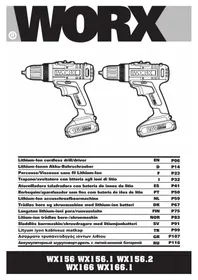
WX156.1 - Drill WORX - Free user manual and instructions
Find the device manual for free WX156.1 WORX in PDF.



| Product type | Cordless drill driver |
| Brand | Worx |
| Model | WX156.1 |
| Nominal voltage | 16 V (max 20 V no-load) |
| No-load speed | 0-400 / 0-1500 rpm (2 mechanical speeds) |
| Number of clutch positions | 15+1 (drilling) |
| Max torque | 35 Nm |
| Chuck capacity | 10 mm |
| Drilling capacity steel | 10 mm |
| Drilling capacity wood | 28 mm |
| Weight | 1.24 kg |
| Power supply | Lithium-ion battery 16 V (20 V max) |
| Battery type | Li-Ion, 1.5 Ah (depending on model) |
| Charger | 30 min charger included |
| Lighting | Front LED with low battery indicator |
| Variable speed | Yes, by trigger pressure |
| Rotation direction switch | Yes, for screwing and unscrewing |
| 2-speed selector | Yes, mechanical (slow/fast speed) |
| Automatic spindle lock | Yes, for manual screwing |
| Overload protection | Motor stop, 30 s no-load cooling |
| Battery thermal protection | Stop if temperature > 75°C |
| Deep discharge protection | Automatic stop by protection circuit |
| Maintenance and cleaning | Clean with dry cloth; no lubrication; no user-serviceable parts |
| Safety | Use auxiliary handle; insulated surfaces; wear hearing, eye protection and mask |
| Spare parts and repairability | Not user repairable; accessories available (bits, drills) |
Frequently Asked Questions - WX156.1 WORX
User questions about WX156.1 WORX
0 question about this device. Answer the ones you know or ask your own.
Ask a new question about this device
Download the instructions for your Drill in PDF format for free! Find your manual WX156.1 - WORX and take your electronic device back in hand. On this page are published all the documents necessary for the use of your device. WX156.1 by WORX.
USER MANUAL WX156.1 WORX
natural_image
Completely dark image with no visible content, text, or symbols.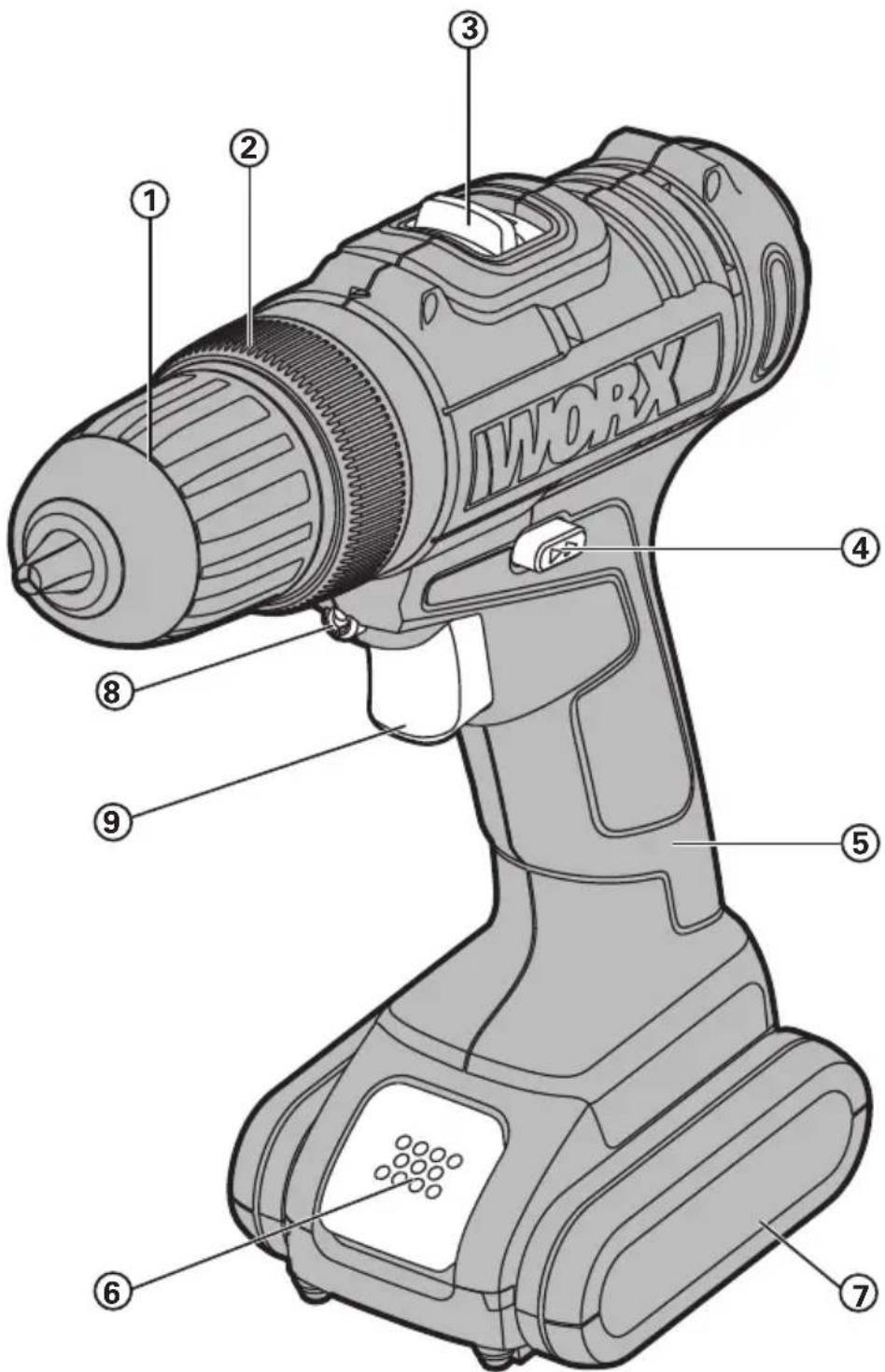
natural_image
Illustration of a handheld electric drill press with a base and two directional arrows indicating motion (no text or symbols)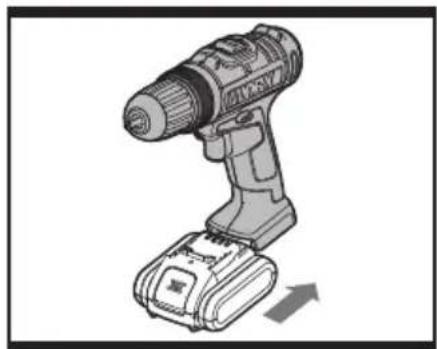
natural_image
Illustration of a handheld electric drill press with a battery and load, showing no text or symbols.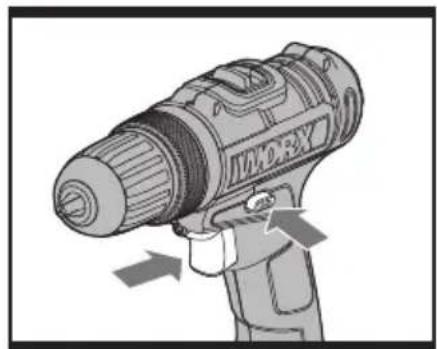
natural_image
Illustration of a handheld device with directional arrows indicating motion or force (no text or symbols)A1A2B
natural_image
Diagram of a mechanical device with rotational arrows indicating motion (no text or symbols)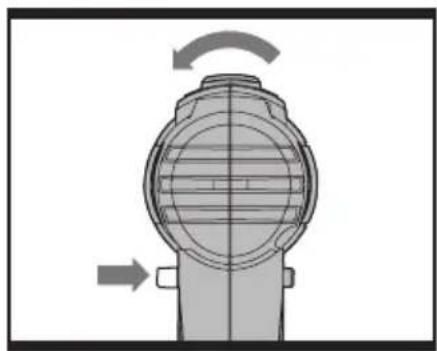
natural_image
Mechanical component diagram showing rotational motion with arrows indicating direction (no text or symbols)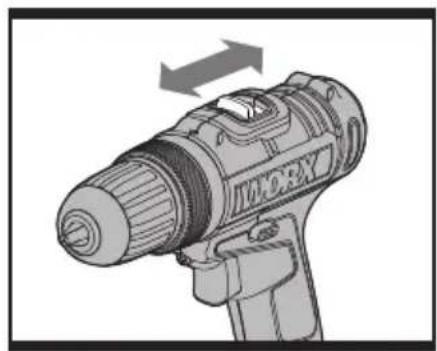
natural_image
Illustration of a handheld device labeled 'IMORX' with directional arrows indicating motion (no text beyond label)C1C2D
natural_image
Illustration of a handheld power tool with a circular arrow indicating rotational direction (no text or symbols)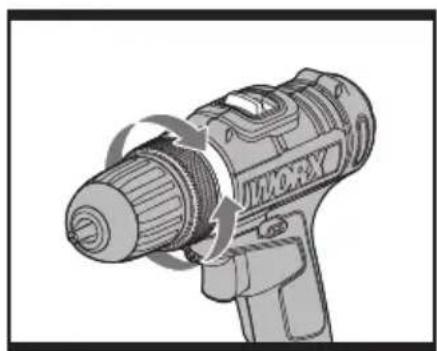
natural_image
Illustration of a handheld electric drill bit with motion arrows indicating rotation (no text or symbols)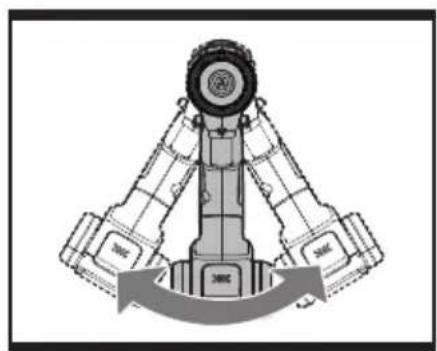
natural_image
Diagram of a mechanical assembly with two arms and a central wheel, showing rotational motion (no text or symbols)E
F
G
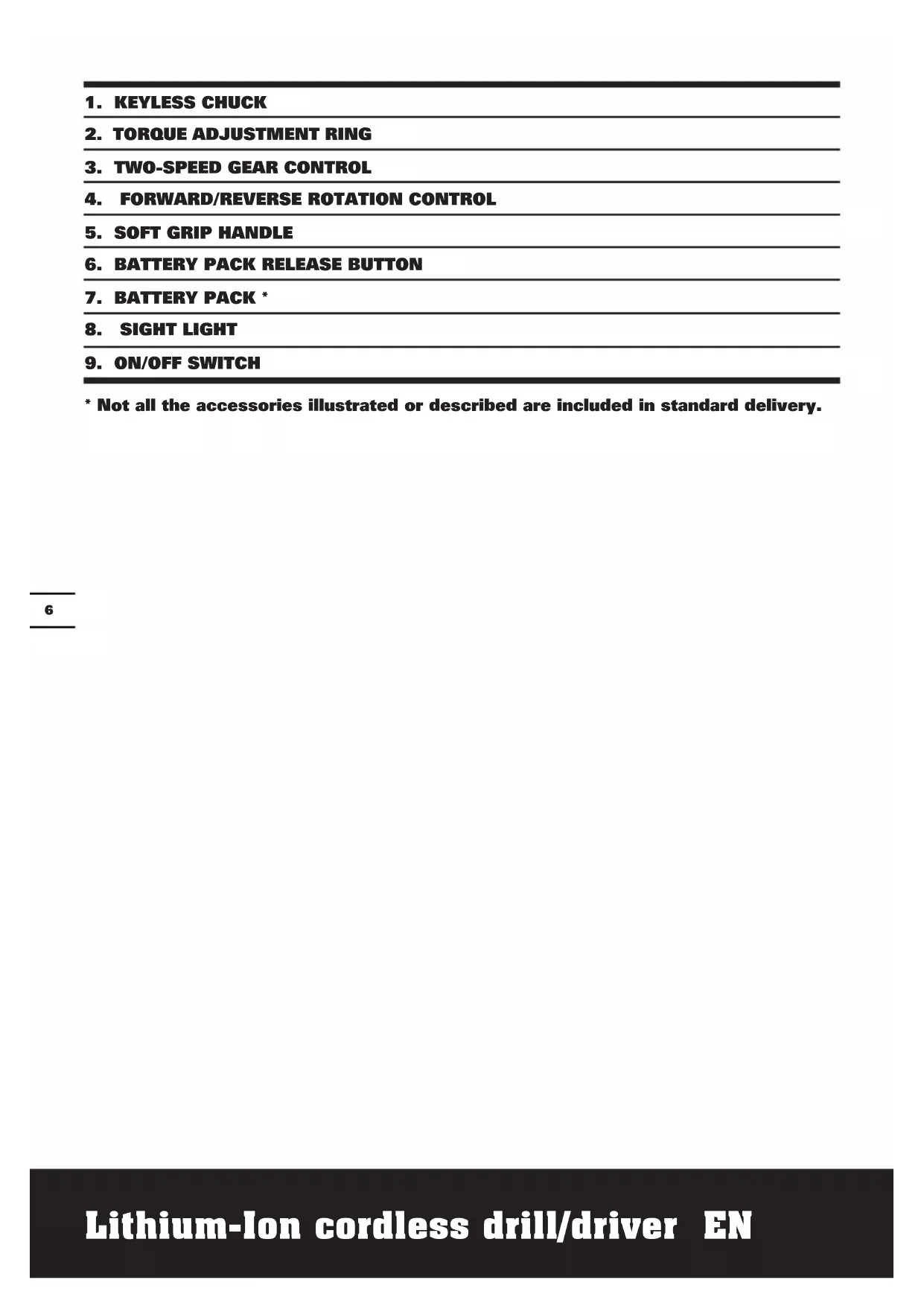
- KEYLESS CHUCK
- TORQUE ADJUSTMENT RING
- TWO-SPEED GEAR CONTROL
- FORWARD/REVERSE ROTATION CONTROL
- SOFT GRIP HANDLE
- BATTERY PACK RELEASE BUTTON
- BATTERY PACK *
- SIGHT LIGHT
- ON/OFF SWITCH
* Not all the accessories illustrated or described are included in standard delivery.
TECHNICAL DATA
Type WX156 WX156.1 WX156.2 WX166 WX166.1 (1-designation of machinery, representative of Cordless Drill)
| WX156 WX156.1WX156.2 | WX166 WX166.1 | ||
| Voltage 16V | --- Max* 20V | Max** --- | |
| No load speed 0-400/0-1500/min | |||
| Number of clutch positions 15+1 | |||
| Max torque 35N.m 40N.m | |||
| Chuck capacity 10mm | |||
| Max. drilling capacity | Steel 10mm | ||
| Wood 28mm | 30mm | ||
| Machine weight 1.24kg | 1.26kg | ||
*Voltage measured without workload. Initial battery voltage reaches Maximum of 16volts. Nominal voltage is 14.4volts.
**Voltage measured without workload. Initial battery voltage reaches Maximum of 20volts. Nominal voltage is 18volts.
NOISE INFORMATION
| A weighted sound pressure | L_pA : 75dB(A) |
| A weighted sound power | L_wA : 86dB(A) |
| K_pA & K_wA | 3.0dB(A) |
| Wear ear protection when sound pressure is over | 80dB(A) |
VIBRATION INFORMATION
| Vibration total values (triax vector sum) determined according to EN 60745: | |
| Drilling into metal | Vibration emission value a_h,D < 2.5m/s^2 |
| Uncertainty K = 1.5m/s2 | |
| Screw driving without impact | Vibration emission value a_h < 2.5m/s^2 |
| Uncertainty K = 1.5m/s2 | |
WARNING: The vibration emission value during actual use of the power tool can differ from the declared value depending on the ways in which the tool is used dependant on the following examples and other variations on how the tool is used:
How the tool is used and the materials being cut or drilled.
The tool being in good condition and well maintained.
The use the correct accessory for the tool and ensuring it is sharp and in good condition.
The tightness of the grip on the handles and if any anti vibration accessories are used.
And the tool is being used as intended by its design and these instructions.
This tool may cause hand-arm vibration syndrome if its use is not adequately managed.
WARNING: To be accurate, an estimation of exposure level in the actual conditions of use should also take account of all parts of the operating cycle such as the times when the tool is switched off and when it is running idle but not actually doing the job. This may significantly reduce the exposure level over the total working period.
Helping to minimize your vibration exposure risk.
ALWAYS use sharp chisels, drills and blades.
Maintain this tool in accordance with these instructions and keep well lubricated (where appropriate).
If the tool is to be used regularly then invest in anti vibration accessories.
Avoid using tools in temperatures of 10^ C or less.
Plan your work schedule to spread any high vibration tool use across a number of days.
ACCESSORIES
| Model No. WX156 WX1 | 66 WX156.1 | WX166.1 | WX156.2 | |
| Li-Ion battery pack 1 1 2 2 | ||||
| 30min Charger 1 1 1 1 | ||||
| Double ended bits 1 1 1 | / | |||
| 158pc Accessories | / | / | / | 1 |
We recommend that you purchase your accessories from the same store that sold you the tool. Use good quality accessories marked with a well-known brand name. Choose the type according to the work you intend to undertake. Refer to the accessory packaging for further details. Store personnel can assist you and offer advice.
DRILL SAFETY WARNINGS
- Use auxiliary handle(s), if supplied with the tool. Loss of control can cause personal injury.
- Hold power tool by insulated gripping surfaces, when performing an operation where the cutting accessory may contact hidden wiring. Cutting accessory contacting a "live" wire may make exposed metal parts of the power tool "live" and could give the operator an electric shock.
SAFETY WARNINGS FOR BATTERY PACK
a) Do not dismantle, open or shred cells or battery pack.
b) Do not short-circuit a battery pack. Do not store battery packs haphazardly in a box or drawer where they may short-circuit each other or be short-circuited by conductive materials.
c) Do not expose battery pack to heat or fire. Avoid storage in direct sunlight.
d) Do not subject battery pack to mechanical shock.
e) In the event of battery leaking, do not allow the liquid to come into contact with the skin or eyes. If contact has been made, wash the affected area with copious amounts of water and seek medical advice.
f) Seek medical advice immediately if a cell or battery pack has been swallowed.
g) Keep battery pack clean and dry.
h) Wipe the battery pack terminals with a clean dry cloth if they become dirty.
i) Battery pack needs to be charged before use. Always refer to this instruction and use the correct charging procedure.
j) Do not maintain battery pack on charge when not in use.
k) After extended periods of storage, it may be necessary to charge and discharge the battery pack several times to obtain maximum performance.
I) Battery pack gives its best performance when it is operated at normal room
temperature (20°C ± 5°C).
m) When disposing of battery packs, keep battery packs of different electrochemical systems separate from each other.
n) Recharge only with the charger specified by POSITEC. A charger that is suitable for one type of battery pack may create a risk of fire when used with another battery pack.
o) When battery pack is not in use, keep it away from other metal objects, like paper clips, coins, keys, nails, screws or other small metal objects, that can make a connection from one terminal to another. Shorting the battery terminals together may cause burns or a fire.
p) Under abusive conditions, liquid may be ejected from the battery pack; avoid contact. If contact accidentally occurs, flush with water. If liquid contacts eyes, additionally seek medical help. Liquid ejected from the battery may cause irritation or burns.
q) Clean the battery pack contacts and also those of the equipment prior to battery installation.
r) Remove exhausted battery pack promptly.
s) Do not use any charger other than that specifically provided for use with the equipment.
t) Do not use any battery pack which is not designed for use with the equipment.
u) Keep battery pack out of the reach of children.
v) After extended periods of storage, it may be necessary to charge and discharge the battery pack several times to obtain maximum performance.
w) Retain the original product literature for future reference.
x) Remove the battery from the equipment when not in use.
y) Dispose of properly.
SYMBOLS

To reduce the risk of injury, user must read instruction manual

Warning

Wear ear protection

Wear eye protection

Wear dust mask

Indoor use only

Do not expose to rain or water

Do not burn
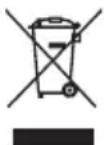
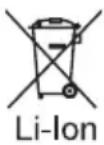
Do not dispose of batteries, Return exhausted batteries to your local collection or recycling point.
OPERATING INSTRUCTIONS

NOTE: Before using the tool, read the instruction book carefully.
INTENDED USE
The machine is intended for driving in and loosening screws as well as for drilling in wood, metal and plastic.
The battery charger supplied is matched to the Li-Ion battery installed in the machine. Do not use another battery charger.
The Li-Ion battery is protected against deep discharging. When the battery is empty, the machine is switched off by means of a protective circuit: The tool holder no longer rotates.
In a warm environment or after heavy use, the battery pack may become too hot to permit charging. Allow time for the battery to cool down before recharging.
When the battery pack is charged for the first time and after prolonged storage, the battery pack will accept a 100% charge after several charge and discharge cycles.
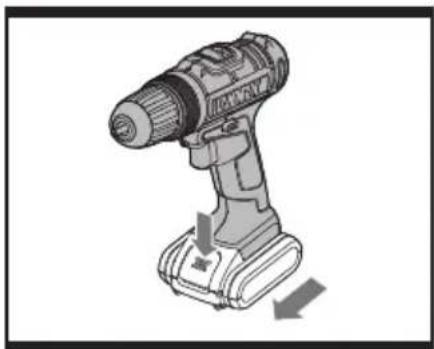
B) TO REMOVE The BATTERy PAcK (See Fig. A1)
Depress the Battery Pack Release Button(6) firmly first and then slide the Battery Pack out from your tool.
c) TO INSTALL The BATTERY PAcK (See Fig. A2)
Slide the fully charged Battery Pack onto the tool with sufficient force until it clicks into position.
OPERATION
1. ON/OFF SwITch (See Fig. B)
Depress the On/Off switch to start and release it to stop your drill. The on/off switch is fitted with a brake function which stops your chuck immediately when you quickly release the switch.
It is also a variable speed switch that delivers
higher speed and torque with increased trigger pressure. Speed is controlled by the amount of switch trigger depression.

WARNING: Do not operate for long periods at low speed because less heat will be produced internally.
2. SWITCH LOCK
The switch trigger can be locked in the OFF position. This helps to reduce the possibility of accidental starting when not in use. To lock the switch trigger, place the rotation control in the center position.
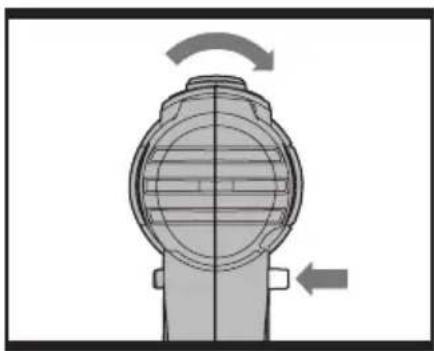
3. REVERSIBLE (See Fig. C1, C2)
For drilling and screw driving use forward rotation marked “◀” (lever is moved to the left). Only use reverse rotation marked “▶” (lever is moved to the right) to remove screws or release a jammed drill bit.

WARNING: Never change the direction of rotation when the wk is rotating, wait until it has ped!
4. TWO-SPEED GEAR CONTROL (See Fig. D)
The drill has a two-speed gear control designed for drilling or driving at LO (mark is 1) or HI (mark is 2) speeds. A slide switch is located on top of the drill to select either LO or HI speed. When using the drill in the LO speed range, the speed will decrease and the drill will have greater power and torque. When using the drill in the HI speed range, the speed will increase and the drill will have less power and torque.
Gear I
Low speed range: For screwdriving or working with large drilling diameter.
Gear II
High speed range: For working with small drilling diameter.

WARNING: To prevent gear damage, always allow the chuck to come to
a complete stop before changing the direction of rotation or the two-speed gear control.
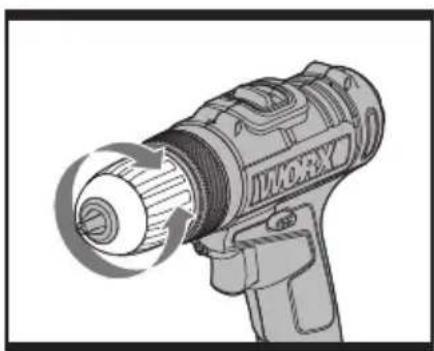
5. CHUCK ADJUSTMENT (See Fig. E)
To open the chuck jaws rotate the front section of the chuck. Insert the drill bit between the chuck jaws and rotate the front section in the opposite direction. Ensure the drill bit is in the center of the chuck jaws. Finally, firmly rotate the front chuck section in the opposite directions. Your drill bit is now clamped in the chuck.
6. TORQUE ADJUSTMENT (See Fig. F)
(Screw driving force of your drill driver) The torque is adjusted by rotating the torque adjustment ring. The torque is greater when the torque adjustment ring is set on a higher setting. The torque is less when the torque adjustment ring is set on a lower setting.
Make the setting as follows:
| 1 - 4 For | driving small screws |
| 5 - 9 For | driving screws into soft material |
| 10 - 15 For | driving screws into soft and hard material |
| For heavy drilling |
7. AUTOMATIC SPINDLE LOCK (See Fig. G)
The automatic spindle lock allows you to use it as a regular screwdriver. You can give an extra twist to firmly tighten a screw, loosen a very tight screw or continue working when the battery energy has expired. For manual screwdriver purposes, the chuck is automatically locked when the tool is off.
8. USING THE SIGHT LIGHT
To turn on the light simply press the on/off switch. When you release the on/off switch, the light will be off.
LED lighting increases visibility-great for dark or enclosed area. LED is also a battery capacity indicator. It will flash when power gets low.
9. DRILLING
When drilling into a hard smooth surface, use a center punch to mark the desired hole location. This will prevent the drill bit from
slipping off center as the hole is started. Hold the tool firmly and place the tip of the bit at the point to be drilled. Depress the switch trigger to start the tool. Move the drill bit into the workpiece, applying only enough pressure to keep the bit cutting. Do not force or apply side pressure to elongate a hole.
Tungsten carbide drill bits should always be used for concrete and masonry. When drilling in metal, only use HSS drill bits in good condition. Always use a magnetic bit holder (not included) when using short screwdriver bits. When screw-driving, apply a small quantity of liquid soap or similar to the screw threads to ease insertion.
10. DISPOSAL OF AN EXHAUSTED BATTERY PACK
To preserve natural resources, please recycle or dispose of the battery pack properly. This battery pack contains Lithium batteries. Consult your local waste authority for information regarding available recycling and/or disposal options. Discharge your battery pack by operating your drill, then remove the battery pack from the drill housing and cover the battery pack connections with heavy-duty adhesive tape to prevent short circuit and energy discharge. Do not attempt to open or remove any of the components.
11. OVERLOAD PROTECTION
When overloaded, the motor comes to a stop. Relieve the load on the machine immediately and allow cooling for approx. 30 seconds at the highest no-load speed.
12. TEMPERATURE DEPENDENT OVERLOAD PROTECTION
When using as intended for the power tool cannot be subject to overload. When the load is too high or the allowable battery temperature of 75^ C is exceeded, the electronic control switches off the power tool until the temperature is in the optimum temperature range again.
13. PROTECTION AGAINST DEEP DISCHARGING
The Li-Ion battery is protected against deep discharging by the "Discharging Protection System". When the battery is empty, the machine is switched off by means of a protective circuit: The inserted tool no longer rotates.
PROBLEM SOLUTION
1. WHY DOES THE DRILL NOT TURN ON WHEN YOU PRESS THE SWITCH?
The forward/reverse rotation control, which is on top of the trigger, is positioned in the lock function. Unlock the forward/reverse rotation control by putting it into the required rotation position. Push the trigger and the drill will start to rotate.
2. THE DRILL STOPS BEFORE THE SCREW IS COMPLETELY TIGHTENED. WHY?
Verify the torque position of the torque adjusting ring, you can find the torque-adjusting ring between the chuck and the drill body. Position 1 is the lowest torque (screw driving force) and position 15 is the highest torque (screw driving force). Position is for drill operation. Regulate the torque adjusting ring to a higher position to reach the best result.
3. REASONS FOR DIFFERENT BATTERY PACK WORKING TIMES
Charging time problems, as above, and having not used a battery pack for a prolonged time will reduce the battery pack working time. This can be corrected after several charge and discharge operations by charging & working with your drill. Heavy working conditions such as large screws into hard wood will use up the battery pack energy faster than lighter working conditions. Do not re-charge your battery pack below 0°C and above 45°C as this will affect performance.
MAINTENANCE
Your tool requires no additional lubrication or maintenance.
There are no user serviceable parts in your power tool. Never use water or chemical cleaners to clean your power tool. Wipe clean with a dry cloth. Always store your power tool in a dry place. Keep the motor ventilation slots clean. Keep all working controls free of dust. Occasionally you may see sparks through the ventilation slots. This is normal and will not damage your power tool.
ENVIRONMENTAL PROTECTION
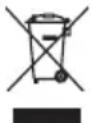
Waste electrical products must not be disposed of with household waste. Please recycle where facilities exist.
Check with your local authorities or retailer for recycling advice.
DECLARATION OF CONFORMITY
We,
POSITEC Germany GmbH
Declare that the product,
Description WORX Lithium-Ion Cordless Drill/Driver
Type WX156 WX156.1 WX156.2 WX166
WX166.1 (1-designation of machinery, representative of Cordless Drill)
Function Drilling
Complies with the following Directives,
Machinery Directive 2006/42/EC
Electromagnetic Compatibility Directive
2004/108/EC
RoHS Directive 2011/65/EU
Standards conform to
EN 55014-1
EN 55014-2
EN 60745-1
EN 60745-2-1
EN 60745-2-2
Name Russell Nicholson
Address Positec Power Tools (Europe)
Ltd, PO Box 152, Leeds, LS10 9DS, UK

2013/02/22
Leo Yue
POSITEC Quality Manager
Typ WX156 WX156.1 WX156.2 WX166
Ltd, PO Box 152, Leeds, LS10 9DS, UK

2013/02/22
Leo Yue
INFORMATIONS RELATIVES AU BRUIT
INFORMATIONS RELATIVES AUX VIBRATIONS
DÉCLARATION DE CONFORMITÉ
Nous,
POSITEC Germany GmbH
Directive RoHS 2011/65/EU
Et conforme aux normes
EN 55014-1
EN 55014-2
EN 60745-1
EN 60745-2-1
EN 60745-2-2
Nom Russell Nicholson
Adresse Positec Power Tools (Europe)
Ltd, PO Box 152, Leeds, LS10 9DS, UK

2013/02/22
Leo Yue
Codice WX156 WX156.1 WX156.2
Ltd, PO Box 152, Leeds, LS10 9DS, UK

2013/02/22
Leo Yue
Modelo WX156 WX156.1 WX156.2
Ltd, PO Box 152, Leeds, LS10 9DS, UK

2013/02/22
Leo Yue
Tipo WX156 WX156.1 WX156.2 WX166
Ltd, PO Box 152, Leeds, LS10 9DS, UK

2013/02/22
Leo Yue
Gestor de Qualidade POSITEC
- SNELSPAN BOORKOP
- KOPPELINSTELLINGEN
- KNOP VOOR INSTELLEN MECHANISCHE SNELHEID
- RECHTS- EN LINKSDRAAIEND
- ZACHTE HANDGREEP
- PAL ACCUPACK
- ACCUPACK *
- WERKLAMPJE
- AAN/UIT-SCHAKELAAR
TECHNISCHE GEGEVENS
VOORDAT U hET APPARAAT IN BEDRIjf NEEMT
Type WX156 WX156.1 WX156.2
Ltd, PO Box 152, Leeds, LS10 9DS, UK

2013/02/22
Leo Yue
Ltd, PO Box 152, Leeds, LS10 9DS, UK

2013/02/22
Leo Yue
Type WX156 WX156.1 WX156.2
WX166 WX166.1 (1- betegner maskin, representerer Batteridrill)
Funksjoner Bore
Ltd, PO Box 152, Leeds, LS10 9DS, UK

2013/02/22
Leo Yue
Typ WX156 WX156.1 WX156.2 WX166
Ltd, PO Box 152, Leeds, LS10 9DS, UK

2013/02/22
Leo Yue
POSITEC Quality Manager
- ANAHTARSIZ MANDAL
- DEĞİŞKEN KAVRAMA
- VITES KONTROLÜ
- İLERİ VE GERI DÖNME
- YUMUŞAK TUTMA YERI
- BATARYA KUTUSU MANDALI
- BATARYA KUTUSU *
- GÖRÜŞ IŞIĞI
- AÇMA/KAPAMA TETIK ANAHTARI
TEKNİK VERİLER
Tipi WX156 WX156.1 WX156.2 WX166 WX166.1 (1- makine tanımı, tipik kablosuz matkap)
Tipi WX156 WX156.1 WX156.2 WX166
Ltd, PO Box 152, Leeds, LS10 9DS, UK

2013/02/22
Leo Yue
Τύπος WX156 WX156.1 WX156.2 WX166
(Europe)Ltd, PO Box 152, Leeds, LS10
9DS, UK

2013/02/22
Leo Yue
Модели WX156 WX156.1 WX156.2
Ltd, PO Box 152, Leeds, LS10 9DS, UK

2013/02/22
Leo Yue
natural_image
Completely dark image with no visible content, text, or symbols.
natural_image
Completely dark image with no visible content, text, or symbols.
natural_image
Completely dark image with no visible content, text, or symbols.
you've got the power
Copyright © 2013, Positec. All Rights Reserved.
2CDT45PPK11000A4

- TECHNICAL DATA
- This tool may cause hand-arm vibration syndrome if its use is not adequately managed.
- DRILL SAFETY WARNINGS
- SAFETY WARNINGS FOR BATTERY PACK
- SYMBOLS
- OPERATING INSTRUCTIONS
- INTENDED USE
- B) TO REMOVE The BATTERy PAcK (See Fig. A1)
- c) TO INSTALL The BATTERY PAcK (See Fig. A2)
- OPERATION
- ON/OFF SwITch (See Fig. B)
- WARNING: Do not operate for long periods at low speed because less heat will be produced internally.
- SWITCH LOCK
- REVERSIBLE (See Fig. C1, C2)
- WARNING: Never change the direction of rotation when the wk is rotating, wait until it has ped!
- TWO-SPEED GEAR CONTROL (See Fig. D)
- Gear I
- Gear II
- WARNING: To prevent gear damage, always allow the chuck to come to
- CHUCK ADJUSTMENT (See Fig. E)
- TORQUE ADJUSTMENT (See Fig. F)
- AUTOMATIC SPINDLE LOCK (See Fig. G)
- USING THE SIGHT LIGHT
- DRILLING
- DISPOSAL OF AN EXHAUSTED BATTERY PACK
- OVERLOAD PROTECTION
- TEMPERATURE DEPENDENT OVERLOAD PROTECTION
- PROTECTION AGAINST DEEP DISCHARGING
- PROBLEM SOLUTION
- WHY DOES THE DRILL NOT TURN ON WHEN YOU PRESS THE SWITCH?
- THE DRILL STOPS BEFORE THE SCREW IS COMPLETELY TIGHTENED. WHY?
- REASONS FOR DIFFERENT BATTERY PACK WORKING TIMES
- MAINTENANCE
- ENVIRONMENTAL PROTECTION
- DECLARATION OF CONFORMITY
- INFORMATIONS RELATIVES AU BRUIT
- INFORMATIONS RELATIVES AUX VIBRATIONS
- DÉCLARATION DE CONFORMITÉ
- TECHNISCHE GEGEVENS
- VOORDAT U hET APPARAAT IN BEDRIjf NEEMT
- TEKNİK VERİLER
Brand : WORX
Model : WX156.1
Category : Drill