
D-Lite WX128.4 - Drill WORX - Free user manual and instructions
Find the device manual for free D-Lite WX128.4 WORX in PDF.


| Product Type | Cordless Drill/Driver |
| Brand | Worx |
| Model | D-Lite WX128.4 |
| Power Source | 4V Lithium-Ion Battery |
| Chuck Type | Keyless, 1/4" Hex |
| Max Drilling Capacity (Wood) | 10 mm |
| Max Drilling Capacity (Metal) | 6 mm |
| Max Torque | 5 Nm |
| Speed Settings | Variable Speed (0-600 RPM) |
| LED Light | Yes, built-in |
| Battery Capacity | 1.5 Ah |
| Charging Time | 3-5 hours |
| Dimensions (L x W x H) | 180 x 40 x 180 mm |
| Weight | 0.3 kg |
| Maintenance | Clean with dry cloth; keep chuck free of debris |
| Safety Features | Overload protection, safety lock-off |
| Spare Parts Availability | Battery, charger, bits available separately |
| Reparability | Designed for professional repair; contact Worx service |
| Included Accessories | USB charging cable, 6 bits, screwdriver bits set |
Frequently Asked Questions - D-Lite WX128.4 WORX
User questions about D-Lite WX128.4 WORX
0 question about this device. Answer the ones you know or ask your own.
Ask a new question about this device
Download the instructions for your Drill in PDF format for free! Find your manual D-Lite WX128.4 - WORX and take your electronic device back in hand. On this page are published all the documents necessary for the use of your device. D-Lite WX128.4 by WORX.
USER MANUAL D-Lite WX128.4 WORX
D-LITE™
PT
P07
EN
P15
WXI28 WXI28.1 WXI28.2 WXI28.3 WXI28.4 WXI28.9


| 1. | MANDRIL |
| 2. | COMUTADOR DE TORQUE |
| 3. | COMUTADOR DE VELOCIDADE MECÂNICO (1 E 2) |
| 4. | ROTAÇÃO PARA DIREITA E ESQUERDA |
| 5. | EMPUNHADURA EMBORRACHADA |
| 6. | TRAVA DO CONJUNTO DE BATERIAS |
| 7. | CONJUNTO DE BATERIAS * |
| 8. | INTERRUPTOR LIGA/DESLIGA |
| 9. | INDICADOR DE LUZ LED |
* Not all the accessories illustrated or described are included in standard delivery.
TECHNICAL DATA
| WX128WX128.1WX128.2WX128.3WX128.4 | WX128.9 | |
| Voltage 12V | --- Max** | |
| No load speed 0-360/0-1350/min | ||
| Number of clutch positions 15+1 | ||
| Max torque 220in-lbs | ||
| Chuck capacity 3/8" | ||
| Max. drilling capacity | Steel 3/8" | |
| Wood 3/4" | ||
| Machine weight 2.2 lbs 1.85 | bs | |
**Voltage measured without workload. Initial battery voltage reaches maximum of 12 volts. Nominal voltage is 10.8 volts.
ACCESSORIES
| WX128WX128.1 | WX128.2WX128.3 | WX128.4 | WX128.9 | |
| Battery pack | 1 2 1 / | |||
| Charger | 1 1 1 / | |||
| Double ended bit | 1 1 / 1 | |||
| 104pcAccessories | // 1 / |
We recommend that you purchase your accessories from the same store that sold you the tool. Use good quality accessories marked with a well-known brand name. Choose the type according to the work you intend to undertake. Refer to the accessory packaging for further details. Store personnel can assist you and offer advice.
GENERAL POWER TOOL SAFETY WARNINGS

WARNING: Read all safety warnings and all instructions. Failure to follow the warnings and instructions may result in electric shock, fire and/or serious injury.
Save all warnings and instructions for future reference.
The term "power tool" in the warnings refers to your mains-operated (corded) power tool or battery-operated (cordless) power tool.
1. WORK AREA SAFETY
a) Keep work area clean and well lit. Cluttered or dark areas invite accidents.
b) Do not operate power tools in explosive atmospheres, such as in the presence of flammable liquids, gases or dust. Power tools create sparks which may ignite the dust or fumes.
c) Keep children and bystanders away while operating a power tool. Distractions can cause you to lose control.
2. ELECTRICAL SAFETY
a) Power tool plugs must match the outlet. Never modify the plug in any way. Do not use any adapter plugs with earthed (grounded) power tools. Unmodified plugs and matching outlets will reduce risk of electric shock.
b) Avoid body contact with earthed or grounded surfaces, such as pipes, radiators, ranges and refrigerators. There is an increased risk of electric shock if your body is earthed or grounded.
c) Do not expose power tools to rain or wet conditions. Water entering a power tool will increase the risk of electric shock.
d) Do not abuse the cord. Never use the cord for carrying, pulling or unplugging the power tool. Keep cord away from heat, oil, sharp edges or moving parts. Damaged or entangled cords increase the risk of electric shock.
e) When operating a power tool outdoors, use an extension cord suitable for outdoor use. Use of a cord suitable for outdoor use reduces the risk of electric shock.
f) If operating a power tool in a damp location is unavoidable, use a residual current device (RCD) protected supply. Use of an RCD reduces the risk of electric shock.
3. PERSONAL SAFETY
a) Stay alert, watch what you are doing and use common sense when operating a power tool. Do not use a power tool while you are tired or under the influence of drugs, alcohol or medication. A moment of inattention while operating power tools may result in serious personal injury.
b) Use personal protective equipment. Always wear eye protection. Protective equipment such as dust mask, non-skid safety shoes, hard hat, or hearing protection used for appropriate conditions will reduce personal injuries.
c) Prevent unintentional starting. Ensure the switch is in the off-position before connecting to power source and/or battery pack, picking up or carrying the tool. Carrying power tools with your finger on the switch or energising power tools that have the switch on invites accidents.
d) Remove any adjusting key or wrench before turning the power tool on. A wrench or a key left attached to a rotating part of the power tool may result in personal injury.
e) Do not overreach. Keep proper footing and balance at all times. This enables better control of the power tool in unexpected situations.
f) Dress properly. Do not wear loose clothing or jewellery. Keep your hair, clothing and gloves away from moving parts. Loose clothes, jewellery or long hair can be caught in moving parts.
g) If devices are provided for the connection of dust extraction and collection facilities, ensure these are connected and properly used. Use of dust collection can reduce dust-related hazards.
4. POWER TOOL USE AND CARE
a) Do not force the power tool. Use the correct power tool for your application. The correct power tool will do the job better and safer at the rate for which it was designed.
b) Do not use the power tool if the switch does not turn it on and off. Any power tool that cannot be controlled with the switch is dangerous and must be repaired.
c) Disconnect the plug from the power source and/or the battery pack from the power tool before making any adjustments, changing accessories, or storing power tools. Such preventive safety measures reduce the risk of starting the power tool accidentally.
d) Store idle power tools out of the reach of children and do not allow persons unfamiliar with the power tool or these instructions to operate the power tool. Power tools are dangerous in the hands of untrained users.
e) Maintain power tools. Check for misalignment or binding of moving parts, breakage of parts and any other condition that may affect the power tool's operation. If damaged, have the
power tool repaired before use. Many accidents are caused by poorly maintained power tools.
f) Keep cutting tools sharp and clean. Properly maintained cutting tools with sharp cutting edges are less likely to bind and are easier to control.
g) Use the power tool, accessories and tool bits etc. in accordance with these instructions, taking into account the working conditions and the work to be performed. Use of the power tool for operations different from those intended could result in a hazardous situation.
- BATTERY TOOL USE AND CARE
a) Recharge only with the charger specified by the manufacturer. A charger that is suitable for one type of battery pack may create a risk of fire when used with another battery pack.
b) Use power tools only with specifically designated battery packs. Use of any other battery packs may create a risk of injury and fire.
c) When battery pack is not in use, keep it away from other metal objects, like paper clips, coins, keys, nails, screws or other small metal objects, that can make a connection from one terminal to another. Shorting the battery terminals together may cause burns or a fire.
d) Under abusive conditions, liquid may be ejected from the battery; avoid contact. If contact accidentally occurs, flush with water. If liquid contacts eyes, additionally seek medical help. Liquid ejected from the battery may cause irritation or burns.
- SERVICE
a) Have your power tool serviced by a qualified repair person using only identical replacement
parts. This will ensure that the safety of the power tool is maintained.
DRILL SAFETY WARNINGS
- Use auxiliary handle(s), if supplied with the tool. Loss of control can cause personal injury.
- Hold power tool by insulated gripping surfaces, when performing an operation where the cutting accessory may contact hidden wiring.
Cutting accessory contacting a "live" wire may make exposed metal parts of the power tool "live" and could give the operator an electric shock.
SAFETY WARNINGS FOR BATTERY PACK
a) Do not dismantle, open or shred cells or battery pack.
b) Do not short-circuit a battery pack. Do not store battery packs haphazardly in a box or drawer where they may short-circuit each other or be short-circuited by conductive materials. When battery pack is not in use, keep it away from other metal objects, like paper clips, coins, keys, nails, screws or other small metal objects, that can make a connection from one terminal to another. Shorting the battery terminals together may cause burns or a fire.
c) Do not expose battery pack to heat or fire. Avoid storage in direct sunlight.
d) Do not subject battery pack to mechanical shock.
e) In the event of battery leaking, do not allow the liquid to come into contact with the skin or eyes. If contact has been made, wash the affected area with copious amounts of water and seek medical advice.
f) Seek medical advice immediately if a cell or battery pack has been swallowed.
g) Keep battery pack clean and dry.
h) Wipe the battery pack terminals with a clean dry cloth if they become dirty.
i) Battery pack needs to be charged before use. Always refer to this instruction and use the correct charging procedure.
j) Do not maintain battery pack on charge when not in use.
k) After extended periods of storage, it may be necessary to charge and discharge the battery pack several times to obtain maximum performance.
I) Battery pack gives its best performance when it is operated at normal room temperature (20°C ± 5°C).
m) When disposing of battery packs, keep battery packs of different electrochemical systems separate from each other.
n) Recharge only with the charger specified by WORX. Do not use any charger other than that specifically provided for use with the equipment. A charger that is suitable for one type of battery pack may create a risk of fire when used with another battery pack.
o) Do not use any battery pack which is not
designed for use with the equipment.
p) Keep battery pack out of the reach of children.
q) Retain the original product literature for future reference.
r) Remove the battery from the equipment when not in use.
s) Dispose of properly.
SYMBOLS
| To reduce the risk of injury, user must read instruction manual | |
| Warning | |
| Wear ear protection | |
| Wear eye protection | |
| Wear dust mask | |
| Indoor use only | |
| Do not expose to rain or water |
 | Do not burn |
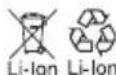 | Do not dispose of batteries, Return exhausted batteries to your local collection or recycling point. |
 | Wear protective gloves |
| [42KW] | Screwdriving |
 | Drilling |
| [07WT] | Wood |
 | Metal |
 | High speed |
 | Low speed |
OPERATING INSTRUCTIONS

NOTE: Before using the tool, read the instruction book crefully.
ASSEMBLY AND OPERATION
| ACTION FIGURE | |
| BEFORE OPERATION | |
| Removing the battery pack See Fig. A1 | |
| Charging the battery See Fig. A2 | |
| Installing the battery pack See Fig. A3 | |
| ASSEMBLY |
CHUCK ADJUSTMENT
WARNING: Always lock off trigger switch and disconnect tool from power source when changing accessories. Always ensure the bit is secure before starting the tool. Damage to the Chuck or a loose bit may cause possible personal injury.
| Removing the bits See Fig. B1 | |
| Inserting the bits See Fig. B2 | |
| OPERATION |
| FORWARD/REVERSE ROTATIONCONTROLWARNING: Never change the direction of rotation when the chuck is rotating, wait until it has stopped! | See Fig.C1,C2,C3 |
| TWO-SPEED GEAR CONTROL | See Fig. D |
| TORQUE ADJUSTMENT SCREWDRIVING, DRILLING | See Fig. E |
| OPERATING THE ON/OFF SWITCHWARNING: Do not operate for long periods at low speed because excess heat will be produced internally. | See Fig. F |
LED LIGHT INDICATOR (9)
Before operation, the LED light will be activated when the On/Off switch is slightly pressed, and will automatically turn off 20 seconds after the On/Off switch is released.
The tool and battery are equipped with a protection system. When the LED Light is quickly flashing 3 seconds and turn off, the system will automatically cut off power to the tool to extend battery life. The tool will automatically stop during operation if the tool and/or battery are placed under one of the following conditions:
• Overloaded: The tool is operated in a manner that causes it to draw an abnormally high current. In this situation, release the Trigger Switch on the tool and stop the application that caused the tool to become overloaded. Then pull the Trigger Switch again to restart.
• Overheated: Under the condition above, if the tool does not start, the Tool and Battery are overheated. In this situation, let the Tool and Battery cool before pulling the Trigger Switch again.
- Low battery voltage: The remaining Battery capacity is too low and the tool will not operate. In this situation, remove and recharge the Battery.

WARNING: To turn on the light, press the On/Off switch and make the Forward/Reverse Rotation rol is on right/left position.
See Fig. F
PROBLEM SOLUTION
1. WHY DOES THE DRILL NOT TURN ON WHEN YOU PRESS THE SWITCH?
The forward/reverse rotation control, which is on top of the trigger, is positioned in the lock function. Unlock the forward/reverse rotation control by putting it into the required rotation position. Push the trigger and the drill will start to rotate.
2. THE DRILL STOPS BEFORE THE SCREW IS COMPLETELY TIGHTENED, WHY?
Verify the torque position of the torque adjusting ring, you can find the torque-adjusting ring between the chuck and the drill body. Position 1 is the lowest torque (screw driving force) and position 15 is the highest torque (screw driving force). Position 2 is for drill operation. Regulate the torque adjusting ring to a higher position to reach the best result.
3. REASONS FOR DIFFERENT BATTERY PACK WORKING TIMES
Charging time problems, as above, and having not used a battery pack for a prolonged time will reduce the battery pack working time. This can be corrected after several charge and discharge operations by charging & working with your drill. Heavy working conditions such as large screws into hard wood will use up the battery pack energy faster than lighter working conditions. Do not re-charge your battery pack below 0° C and above 45° C as this will affect performance.
MAINTENANCE
Your tool requires no additional lubrication or maintenance.
There are no user serviceable parts in your power tool. Never use water or chemical cleaners to clean your power tool. Wipe clean with a dry cloth. Always store your power tool in a dry place. Keep the motor ventilation slots clean. Keep all working controls free of dust. Occasionally you may see sparks through the ventilation slots. This is normal and will not damage your power tool.
WORX you've got the power
www.worx.com
Copyright © 2016, Positec. All Rights Reserved. AR01148400




- D-LITE™
- GENERAL POWER TOOL SAFETY WARNINGS
- SAVE ALL WARNINGS AND INSTRUCTIONS FOR FUTURE REFERENCE
- WORK AREA SAFETY
- ELECTRICAL SAFETY
- PERSONAL SAFETY
- DRILL SAFETY WARNINGS
- SAFETY WARNINGS FOR BATTERY PACK
- OPERATING INSTRUCTIONS
- CHUCK ADJUSTMENT
- LED LIGHT INDICATOR (9)
- PROBLEM SOLUTION
- WHY DOES THE DRILL NOT TURN ON WHEN YOU PRESS THE SWITCH
- THE DRILL STOPS BEFORE THE SCREW IS COMPLETELY TIGHTENED, WHY
- REASONS FOR DIFFERENT BATTERY PACK WORKING TIMES
- MAINTENANCE
- YOUR TOOL REQUIRES NO ADDITIONAL LUBRICATION OR MAINTENANCE
- WORX YOU'VE GOT THE POWER
Brand : WORX
Model : D-Lite WX128.4
Category : Drill