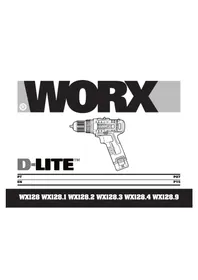
D-Lite WX128.9 - Drill WORX - Free user manual and instructions
Find the device manual for free D-Lite WX128.9 WORX in PDF.


Pick your language and provide your email: we'll send you a specifically translated version.
| Product Type | Cordless Drill/Driver |
| Brand | Worx |
| Model | D-Lite WX128.9 |
| Power Source | Rechargeable lithium-ion battery |
| Voltage | 4 V max |
| Battery Capacity | 1.5 Ah |
| Charging Time | Approximately 3 hours |
| Chuck Type | Keyless, 0.3 - 4 mm |
| No-Load Speed | 0 - 300 RPM |
| Maximum Torque | 5 Nm |
| Weight | 0.32 kg (with battery) |
| Dimensions (L x W x H) | 18 × 4.5 × 16 cm |
| LED Work Light | Yes, integrated LED |
| Rotation Direction | Reversible (forward/reverse) |
| Ergonomic Handle | Soft-grip design |
| Included Accessories | USB cable, screwdriver bits, drill bits, bit holder |
| Maintenance | Keep chuck clean and dry; wipe with a cloth after use |
| Safety Features | Electric brake, low-voltage protection, ergonomic safety switch |
| Spare Parts Availability | Battery, chuck, and charger available from Worx service network |
| Product Category | Drill |
Frequently Asked Questions - D-Lite WX128.9 WORX
How do I charge the Worx D-Lite WX128.9?
Connect the included USB cable to the charging port on the drill and plug it into a USB power adapter. The LED indicator shows charging status; a full charge takes about 3 hours.
Can I use the drill without a battery?
No, this is a cordless drill that requires its rechargeable lithium-ion battery. The battery is integrated and cannot be removed, so you must charge it via USB.
How do I change drill bits?
Loosen the keyless chuck by rotating it, insert the bit, and tighten by hand. Ensure the bit is centered and securely held.
What is the maximum drilling capacity?
The drill can handle holes up to 4 mm in diameter in soft materials like wood, plastic, and drywall. It is not intended for masonry or metal without appropriate bits.
How do I reverse the rotation?
Slide the direction switch located above the trigger to the forward or reverse position. Always wait for the chuck to stop before changing direction.
What should I do if the drill stops working?
Check if the battery is discharged. Charge it fully for up to 3 hours. If the problem persists, inspect the chuck for debris. Low-voltage protection may also stop the motor to protect the battery.
Can I use this drill as a screwdriver?
Yes, with the included screwdriver bits, it can drive screws up to 4 mm in soft materials. Use low speed for better control.
How do I clean and maintain the drill?
Wipe the exterior with a dry cloth after each use. Keep the chuck clean and occasionally apply a drop of light oil to the chuck jaws. Do not use water or solvents.
Is the battery replaceable?
The battery is built-in and not user-replaceable. Contact Worx service for a replacement battery or professional repair.
How should I store the drill?
Store it in a cool, dry place away from direct sunlight and extreme temperatures. Charge it to about 50% before long-term storage and recharge every 3 months.
User questions about D-Lite WX128.9 WORX
0 question about this device. Answer the ones you know or ask your own.
Ask a new question about this device
No questions yet. Be the first to ask one.
Download the instructions for your Drill in PDF format for free! Find your manual D-Lite WX128.9 - WORX and take your electronic device back in hand. On this page are published all the documents necessary for the use of your device. D-Lite WX128.9 by WORX.
USER MANUAL D-Lite WX128.9 WORX


Manual assistant
Powered by Anthropic
Waiting for your message
Product information
Brand : WORX
Model : D-Lite WX128.9
Category : Drill