TRaxx BTPS002 - Saw Batavia - Free user manual and instructions
Find the device manual for free TRaxx BTPS002 Batavia in PDF.


| Product type | Plunge saw |
| Brand | Batavia |
| Model | BT-PS002 (TRaxx) |
| Power supply | 230-240 V ~ 50 Hz, 1200 W |
| No-load speed | 5500 min⁻¹ |
| Max. cutting depth (90°) | 54 mm (with or without guide rail) |
| Max. cutting depth at 45° | 38 mm with rail, 42 mm without rail |
| Miter angle range | 0° – 48° |
| Blade dimensions | 165 × 2.2 × 20 mm |
| Weight | 5.4 kg |
| Protection class | II (double insulation) |
| Protection rating | IP20 |
| Main functions | Plunge cutting, straight cuts, miter cuts, scribing cuts, blade change |
| Safety devices | Switch lock, kickback stop, protective guard, arbor lock |
| Dust extraction system | Dust extraction nozzle (vacuum cleaner connection) |
| Compatible guide rail | Yes (optional), with slide and fine play adjustment |
| Maintenance and cleaning | Clean with a dry cloth or compressed air; replace worn carbon brushes; use compatible saw blades |
| Available spare parts | Original carbon brushes, saw blades, guide rails and accessories (stops, clamps) |
| Warranty | 2 years (except misuse or unauthorized repair) |
| General information | CE compliant; customer service: 0080066477400, service@batavia.eu |
Frequently Asked Questions - TRaxx BTPS002 Batavia
User questions about TRaxx BTPS002 Batavia
0 question about this device. Answer the ones you know or ask your own.
Ask a new question about this device
Download the instructions for your Saw in PDF format for free! Find your manual TRaxx BTPS002 - Batavia and take your electronic device back in hand. On this page are published all the documents necessary for the use of your device. TRaxx BTPS002 by Batavia.
USER MANUAL TRaxx BTPS002 Batavia
Operating instructions
Gebruiksaanwijzing
Mode d'emploi
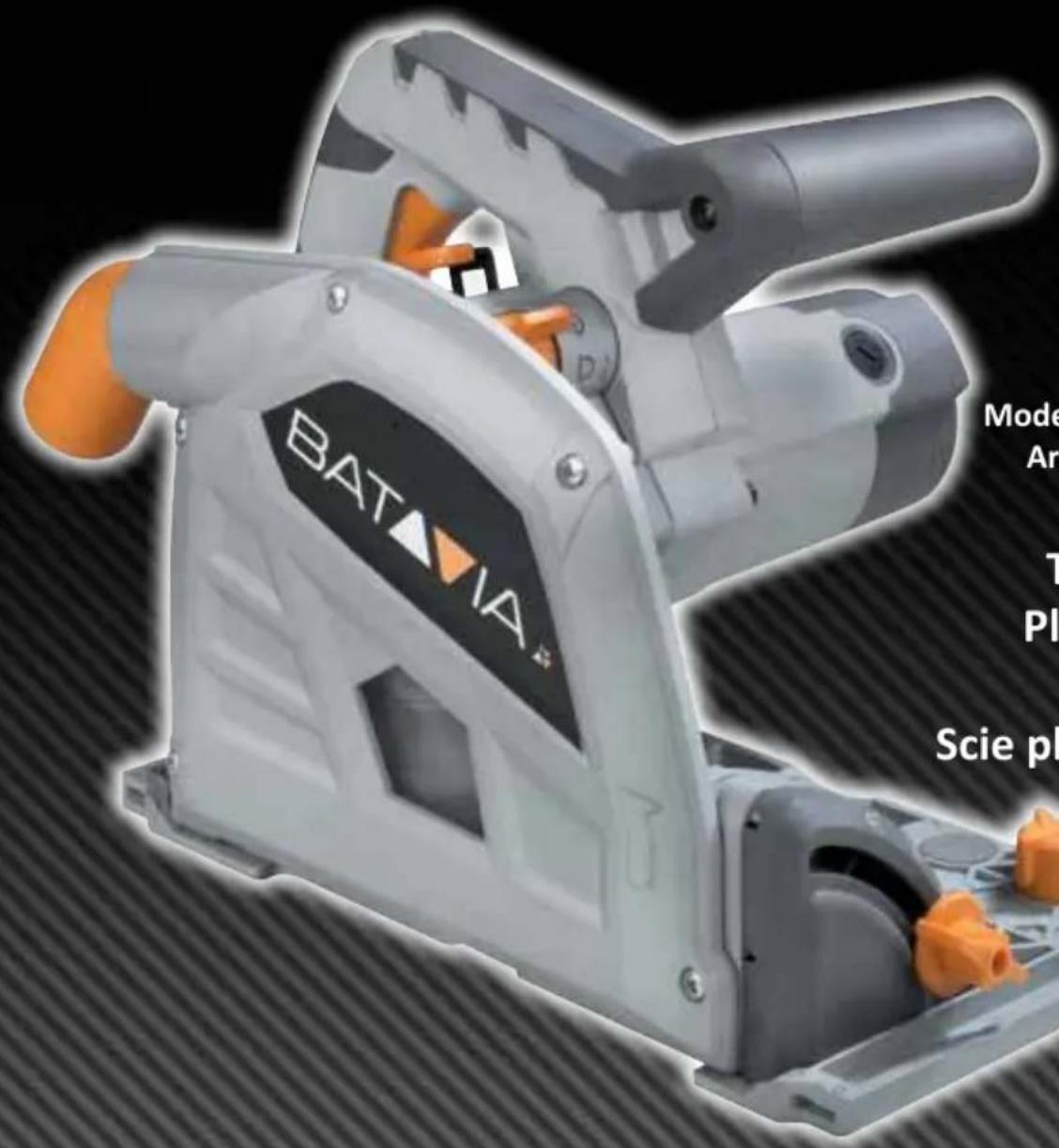
Modelnr. BT-PS002
Art.Nr.7061494
Tauchsäge
Plunge Saw
Invalzaag
Scie plongeante
Inhaltsverzeichnis
Sicherheitshinweise . . . . . . . . . . . . . . . . . . . . . . . . . . . . . . . . . . . . . . . . . . . . . . . . . . . . . . . . . . . . . . . .
Safety instructions Page 21
Before first use Page 24
Intended use.. Page 24
Plunge saw features.. Page 24
Switch plunge saw on/off......Page 25
Set cutting depth.. Page 25
Set cutting angle.. Page 25
Determine cutting line.. Page 25
Preparation Page 26
Correct working
with the plunge saw.. Page 26
Straight cuts (90° cut) Page 26
Miter cuts (up to 48^ ). Page 26
Marked cutting.. Page 27
Plunge cuts.. Page 27
Change saw blade.. Page 27
Guide rail and clamps.. Page 28
Fine adjustment
of plunge saw play on guide rail.....Page 29
Connecting rods for guide rails......Page 29
Determine cutting line.. Page 29
Guide rail splinter guards......Page 29
Kickback stop Page 30
Plunge cut with guide rail......Page 30
90^ Limit stop for guide rail...... Page 30
Miter limit stop for guide rail......Page 30
Parallel limit stop and/or
table expansion.. Page 31
Saw blades.. Page 31
Cleaning and maintenance......Page 31
Change carbon brushes......Page 31
Fine adjustment cutting precision ... Page 32
Technical data.. Page 32
Inhoudsopgave
Preparations.. Page 53
- Plunge Lock Button
- ON/OFF Switch
- Main Handle
- Base
- Anti-kickback Knob
- Fine Adjustment Knob (2x)
- Fence Lock
- Bevel Lock Knob (2x)
- Depth Adjustment Knob
- Track Compensation
- Depth Scale
12.Blade - Auxiliary Handle
- Slot for Track
- Cutting Indicators
- Cutting Width Indicators
- Dust Extraction Outlet
18.Mode Selector - Shaft Lock
- Carbon Brush Cap (2x)
- Allen key and storage
OVERZICH
Please familiarize yourself with the proper usage of the unit by reading and following each chapter of this manual, in the order presented. Keep these operating instructions for further reference.
This operating instruction contains important details for handling the unit. Please pass it on along with the unit if it is handed over to a third party!
Please read all safety instructions! These instructions will make it easier for you to handle the unit and help prevent misunderstandings and possible damage or injury.
GENERAL SAFETY INSTRUCTIONS FOR POWER TOOLS

WARNING! Read all instructions
Failure to follow all instructions listed below may result in electric shock, fire and/or serious injury.
The term "power tool" in all of the warnings listed below refers to your mains operated (corded) power tool or battery operated (cordless) power tool.
Save these instructions for future reference!
1. Work area
a) Keep work area clean and well lit. Cluttered and dark areas invite accidents.
b) Do not operate power tools in explosive atmospheres, such as in the presence of flammable liquids, gasses or dust.
Power tools create sparks which may ignite the dust of fumes.
c) Keep children and bystanders away while operating a power tool. Distractions can cause you to lose control.
2. Electrical safety
a) Power tool plugs must match the outlet. Never modify the plug in any way. Do not use any adapter plugs which earthed (grounded) power tools. Unmodified plugs and matching outlets will reduce risk of electric shock.
b) Avoid body contact with earthed or grounded surfaces such as pipes, radiators, ranges and refrigerators. There is an increased risk of electric shock if your body is earthed or grounded.
c) Do not expose power tools to rain or wet conditions. Water entering a power tool will increase the risk of electric shock.
d) Do not abuse the cord. Never use the cord for carrying, pulling or unplugging the power tool. Keep cord away from heat, oil, sharp edges or moving parts.
Damaged or entangled cords increase the risk of electric shock.
e) When operating a power tool outdoors, use an extension cord suitable for outdoor use.
Use of a cord suitable for outdoor use reduces the risk of electric shock.
f) Always use tool in conjunction with a residual circuit breaker device. The use of a residual circuit breaker device reduces the risk of electric shock.
3) Personal safety
a) Stay alert, watch what you are doing and use common sense when operating a power tool. Do not use a power tool while you are tired or under the influence of drugs, alcohol or medication.
A moment of inattention while operating power tools may result in serious personal injury.
b) Use safety equipment. Always wear eye protection.
Safety equipment such as dust mask, non-skid safety shoes, hard hat, or hearing protection used for appropriate conditions will reduce personal injuries.
c) Avoid accidental starting. Ensure the switch is in the off position before plugging in.
Carrying power tools with your finger on the switch or plugging in power tools that have the switch on invites accidents.
d) Remove any adjusting key or wrench before turning the power tool on.
A wrench or a key left attached to a rotating part of the power tool may result in personal injury.
e) Do not overreach. Keep proper footing and balance at all times.
This enables better control of the power tool in unexpected situations.
f) Dress properly. Do not wear loose clothing or jewellery. Keep your hair, clothing and gloves away from moving parts.
Loose clothes, jewellery or long hair can be caught in moving parts.
g) If devices are provided for the connection of dust extraction and collection facilities, ensure these are connected and properly used.
The use of these pieces of equipment reduce hazards caused by dust.
- Power tool use and care
a) Do not force the power tool. Use the correct power tool for your application.
The correct power tool will do the job better and safer at the rate for which it was designed.
b) Do not use the power tool if the switch does not turn it on and off.
Any power tool that cannot be controlled with the switch is dangerous and must be
repaired.
c) Disconnect the plug from the power source before making any adjustments, changing accessories, or storing power tools.
Such preventive safety measures reduce the risk of starting the power tool accidentally.
d) Store idle power tools out of the reach of children and do not allow persons unfamiliar with the power tool or these instructions to operate the power tool.
Power tools are dangerous in the hands of untrained users.
e) Maintain power tools. Check for misalignment or binding of moving parts, breakage of parts and any other condition that may affect the power tools operation.
If damaged, have the power tool repaired before use. Many accidents are caused by poorly maintained power tools.
f) Keep cutting tools sharp and clean.
Properly maintained cutting tools with sharp cutting edges are less likely to bind and are easier to control.
g) Use the power tool, accessories and tool bits etc., in accordance with these instructions and in the manner intended for the particular type of power tool, taking into account the working conditions and the work to be performed.
Use of the power tool for operations different from intended could result in a hazardous situation.
- Service
a) Please use a qualified expert who uses original replacement parts to repair your power tool.
This will ensure proper functioning of the power tool.
SAFETY INSTRUCTIONS FOR PLUNGESAWS
- Make sure that the mains voltage matches the specifications on the type plate.
- Persons with restricted physical, sensory or mental capabilities are not allowed to use the circular saw unless they are supervised and instructed by a guardian.
- Never leave the powered-on saw unattended and keep them out of reach of children and persons in need of supervision.
- Use only approved extension cords with a suitable cable quality.
- Do not bring your hands in the cutting area and the saw blade.
- Wear appropriate work clothing as well as eye protection, hand protection and hearing protection. Always handle the saw blade with gloves.


- Keepinmindthatevenawornsawbladeis still very sharp. Always grasp the saw blade on the sides. Do not fling the saw blade and do not drop it.
- Never use the circular saw with grinding wheels.
- Do not grip underneath the workpiece. The protective cover cannot protect you from the saw blade under the workpiece.
- Adjust the cutting depth to the thickness of the workpiece. It should be visible less than a full tooth height under the workpiece.
- Do not cut very small workpieces. When cutting round wood, use a device which secures the workpiece from twisting. Never hold the workpiece to be cut in your hand or across your leg. It is important to secure the workpiece properly to minimise the risk of physical contact, jamming of the saw blade or loss of control.
- Hold the saw only by the insulated gripping surfaces when performing an operation
where the cutting tool may come into contact with hidden power lines or its own device cable. Contact with a live wire also exposes the metal parts to tension and leads to an electric shock.
- When cutting longitudinally, always use the parallel stop or a straight edge guide. This improves the cutting accuracy and reduces the possibility that the saw blade gets jammed.
- Use always saw blades in the correct size and with suitable locating bore. Saw blades that do not match the mounting parts of the saw will run unevenly and lead to loss of control.
- Never use a damaged or incorrect outer flange or a damaged clamping screw. The outer flange and the clamping screw have been specially designed for your saw for optimum performance and reliability.
- Start the circular saw and begin cutting when it reaches the full idling speed.
- Never brake the saw blade using lateral pressure after switching it off.
- Set the saw aside only when the saw blade comes to a standstill.
- Do not expose the saw to high temperatures, humidity and strong shocks. The saw can be damaged as a result.
CAUSES AND PREVENTION OF KICKBACK
- A kickback is the sudden reaction as a result of a stuck, jammed or misaligned saw blade which leads to an uncontrolled saw to be lifted and moved from the workpiece out in the direction of the operator.
- A kickback can occur when the saw blade gets stuck or jammed in the saw gap. The saw blade is blocked and the motor force repels the circular saw in the direction of the operator.
- A kickback can occur when the saw blade becomes twisted or misaligned in the saw groove. As a result, the teeth of the back
edge of the saw blade can get stuck in the surface of the workpiece, whereby the saw blade is moved out of the saw gap and the saw jumps back in the direction of the operator.
A kickback is the result of incorrect or faulty use of the saw. It can be prevented by appropriate precautions as described below.
- Hold the saw firmly with both hands and bring your arms into a position in which you can resist the kickback forces. Always hold the saw baldes on the sides, never bring the blade in line with your body. In a kickback, the saw can jump backwards, but the operator can control the kickback forces if appropriate measures were taken.
- If the saw blade jams or sawing is interrupted for any reason, release the ON / OFF switch and calmly hold the saw in the material until the saw blade stands completely still. Never attempt to remove the saw from the workpiece or pull it backwards as long as the saw blade is moving or a kickback might occur. Find the cause of the saw blade jam and eliminate them through appropriate measures.
- When you want to restart a saw that is stuck in a workpiece, center the saw blade in the saw gap and check that the saw teeth are not stuck in the workpiece. If the saw blade jams, it can move out from the workpiece or a kickback can happen if the saw is restarted.
- Prop up large panels in order to minimise the risk of a kickback by a jammed saw blade. Large panels tend to sag under their own weight. Panels must be supported on both sides, both in the vicinity of the saw gap as well as on the edge.
-
Do not use dull or damaged saw blades. Saw blades with blunt or misaligned teeth cause increased friction, jamming of the saw blade and kickback by an excessively narrow saw gap.
-
Tighten the cutting depth position prior to cutting. If the settings change while cutting, the saw blade can jam and a kickback can occur.
- Be especially careful if you perform a "circular cut" in a hidden area, such as an existing wall. The protruding saw blade can get blocked in hidden objects while cutting and cause a kickback.
- Do not place the saw on the workbench or the floor unless the saw blade is at a standstill. An unprotected, running saw blade moves the saw against the cutting direction and cuts whatever is in its way. Thus note the delay time of the saw.
- For this reason, the saw is not suitable for use in reverse position as fixed equipment.
- Do not operate the saw if it is not working properly or has been damaged. In case of technical problems, do not attempt to repair it on your own. Contact the service or have the saw repaired by a professional.
BEFORE FIRST USE
Remove the plunge saw and the accessories from the packaging. Check the saw for transport damage and do not use the saw in case of damages. Keep the packing materials away from children, risk of suffocation!
INTENDED USE
The plunge saw is intended to cut wood and similar materials, gypsum and cement-bonded fiber materials and plastics.
The plunge saw is only to be used with a specifically designed guide rail. Installation in a different or homemade guide rail or workbench can cause serious accidents.
PLUNGE SAW FEATURES
The plunge saw comes with solid shaft electronics with following features:
Selector switch: Use the selector switch (18) to set the respective operation mode.

Change Saw Blade

Plunge Cut

Marked Cut
Only use saw blades with a minimum speed of 5500 rpm.
SWITCH PLUNGE SAW ON/OFF
- Press the switch lock (1) and then the ON/OFF switch (2) to switch the plunge saw on.
- Release the ON/OFF switch (2) to switch the plunge saw off.
Notes: Pressing the switch lock (1) unlocks the plunge cut mechanism at the same time, so that the motor can be moved downwards. The saw blade emerges from the protective cover. When lifting the saw the motor slides back into the initial position.
SET CUTTING DEPTH
The cutting depth can be set between 0 - 54 mm:
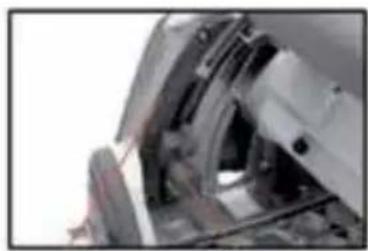
- Loosen the cutting depth limit stop knob (9) and slide it to the desired cutting depth according to the graduated scale (11) to set the cutting depth.
Note: The graduated values on the scale (11) apply for straight cuts (90^ cut).
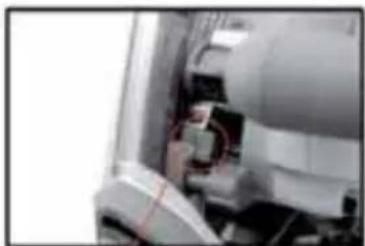
The guide rail track compensation (10) must be tilted up when using the plunge saw without guide rail. Only when using the plunge saw with guide rail the guide rail track compensation is used to compensate for the thickness of the guide rail.
Using the guide rail = guide rail track compensation down.
Not using the guide rail = guide rail track compensation lever up.
(11)
(9)
- Tighten the cutting depth limit stop knob (9). The motor or respectively the saw blade can now be pushed down to the set cutting depth.
For a clean, safe cut set the cutting depth in such way that only max. one saw blade tooth protrudes under the work piece.
(10)
SET CUTTING ANGLE
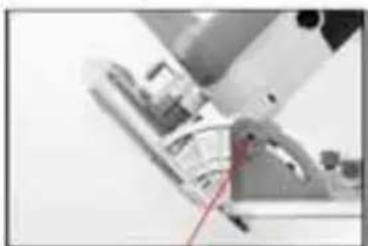
The plunge saw can be swiveled between 0^ and 48^ :
-
Loosen both rotary knobs (8). Swivel the motor to the desired cutting angle on the cutting angle scale.
-
Tighten the rotary knobs (8) again.
(8)
DETERMINE CUTTING LINE
Two cutting lines are marked on the base plate (4) of the plunge saw.
- Align position A (0 mark on base plate) at the front of the base plate with your marked
cutting line when using the plunge saw without guide rail for straight cuts.
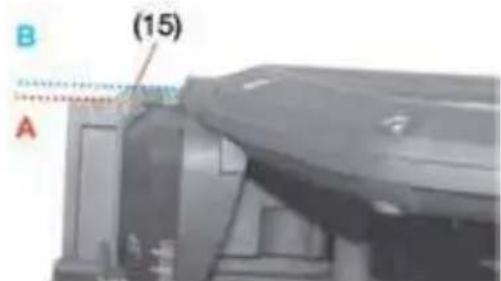
- For 45^ miter cuts align position B (45 mark on base plate) at the front of the base plate with your marked cutting line.
PREPARATION
- Before each use check the proper function of all installation fixtures of the plunge saw and only use the plunge saw if everything works properly.
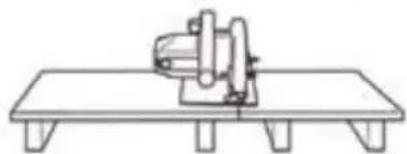
- Attach the work piece in such way that it cannot move or bend during work. Line the work piece respectively.
CORRECT WORKING WITH THE PLUNGE SAW
Always hold the plunge saw with both hands at the hand grips (3) and (13).
Always guide the plunge saw forward. Never draw the plunge saw back!
- Place the plunge saw with the front part of the base plate (4) on the work piece. Guide the plunge saw only against the work piece during operation.
- With the correct forward speed you prevent overheating of the saw blade, and melting when cutting plastics.
STRAIGHT CUTS (90^ CUT)
-
Loosen both rotary knobs (8) and swivel the saw to 0^ position on the scale. Tighten the rotary knobs again.
-
Turn the selector switch (18) to plunge cut function.

- Set the desired plunge depth. Ensure that the guide rail track compensation (10) is up when using the saw without guide rail.
- To switch on the saw press the switch lock (1) and the ON/OFF switch (2) and push the motor down. Guide the saw forward to cut.
MITER CUTS (UP TO 48^ )
- First loosen both rotary knobs (8) and swivel the plunge saw to the desired graduation. Tighten the rotary knobs again.
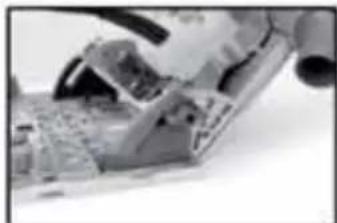
- Switch the plunge saw on.
- Turn the selector switch (18) to plunge cut function.

- Set the desired plunge depth. Ensure that the guide rail track compensation (10) is in up position when using the saw without guide rail.
- To switch the saw on press the switch lock (1) and the ON/OFF switch (2) and push the motor down. Guide the saw forward to cut.
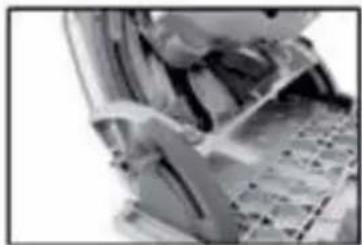
The cut indicator (15) shows the cutting path for 90^ and 45^ miter cuts (without using the guide rail).
MARKED CUTTING
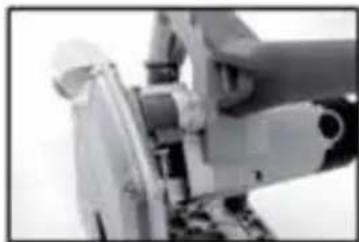
- Turn the selector switch (18) to marked cut function.

- Press the switch lock (1) and push the motor down. The casing stops in 2.5mm cutting depth position.
Note: The marking line should be aligned with cutting line A (0 mark).
PLUNGE CUTS
-
For a straight cut first loosen both rotary knobs (8) and swivel the plunge saw to 0^ position on the scale. Tighten the rotary knobs again.
-
Turn the selector switch (18 to plunge cut function.

- Set the desired plunge depth. Ensure that the guide rail track compensation (10) is up if not using the guide rail.
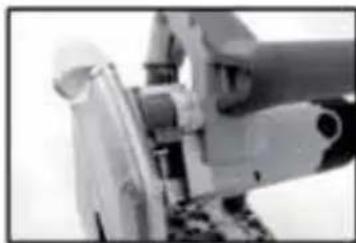
- Press the switch lock (1) and the ON/OFF switch (2) and push the motor down. Guide the saw forward to cut.
Note: To prevent the saw from kicking back during plunge cuts follow these steps:
Always place the plunge saw with the rear edge of the base plate (4) against a fixed limit stop.
- Hold the plunge saw in both hands and slowly lower the saw blade.
- The cutting width marks (16) show the most foremost and rearmost cutting points of the saw blade ( 165 ~mm ) at maximum cutting depth and when using the guide rail.
CHANGE SAW BLADE
Before any maintenance work always switch off the plunge saw and disconnect from mains power.
- Loosen both rotary knobs (8) and swivel the plunge saw to 0^ position before changing the saw blade. Tighten the rotary knobs again.
- Set the selector switch (18) to the change saw blade icon.

- Press the switch lock (1) down and push the motor down.
- Press and hold the spindle arrester down.
- Use a 5 mm Allen key to turn the screw at the saw blade slightly clockwise or counterclockwise until the spindle clicks into place.
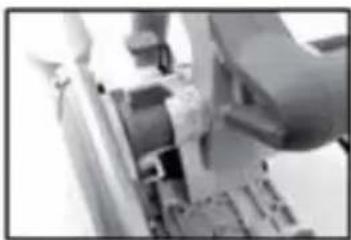
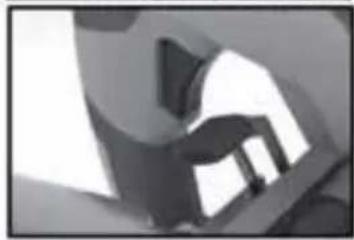
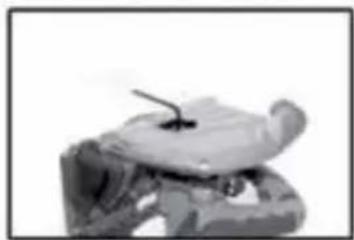
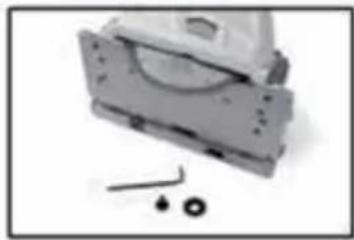
Saw blade
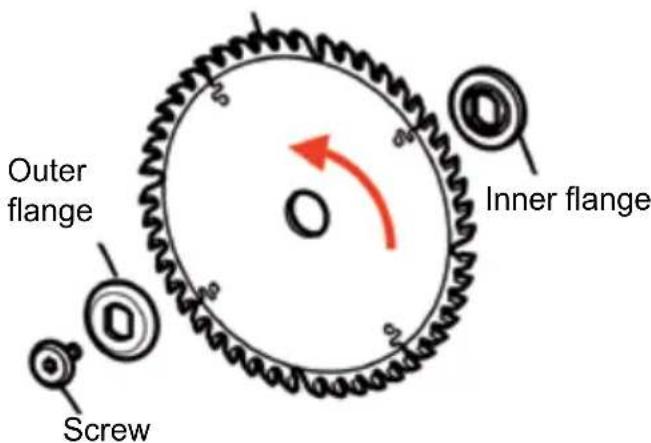
- Use the Allen key to loosen the screw counter-clockwise. Remove the outer flange and the saw blade.
- Clean both flanges and replace the saw blade.
Note: The rotation direction arrows of saw blade and saw must be aligned!
- Replace the outer flange in such way that the slaving pins sit in the recesses of the inner flange.
- Press and hold the spindle arrester and tighten the screw. Press the switch lock (1) for the casing to swivel up again.
GUIDE RAIL(S) AND CLAMPS (OPTIONAL)
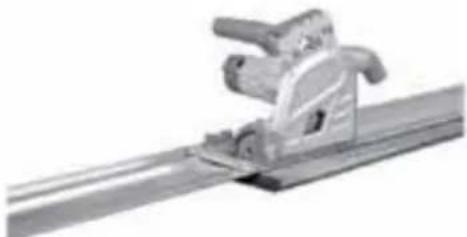
The guide rails allow precise and clean straight cuts, miter cuts and fitting. The rails also protect the work piece surface from damages.
Fixing with the clamps ensures solid grip and safe work.
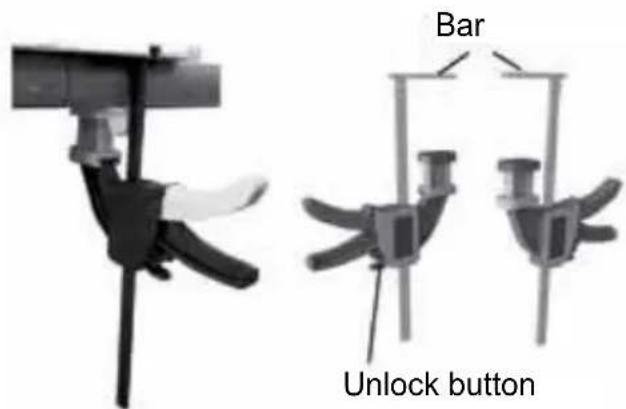
- Unlock the clamps by pressing the unlock buttons. Open the clamps according to the thickness of the work piece.
- Place the guide rail on the work piece and fix the guide rail with the clamps. Slide the bar into the groove of the guide rail and tighten the clamp with the lever.
Note: Place the guide rail with the black foam strips on the work piece.
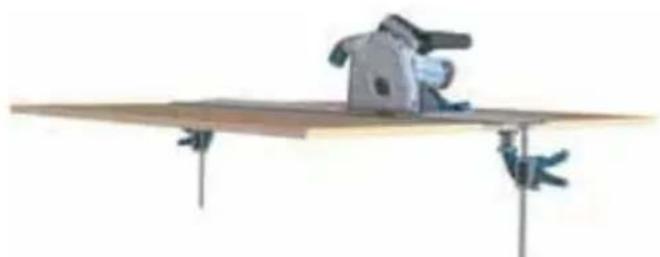
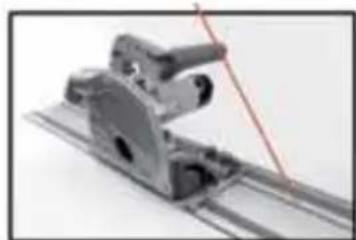
- Place the plunge saw on the guide rail. The base plate has a groove (14), which exactly fits into the guide ridge of the rail.
Guide ridge
FINE ADJUSTMENT OF PLUNGE SAW PLAY ON GUIDE RAIL
The play of the base plate on the guide rail can be reduced to minimum with the fine adjustment screws (6).
- Loosen the fine adjustment screws counterclockwise.
- Turn both fine adjustment screws (6) clockwise to minimize the play between base plate and guide rail, if necessary.
- Fasten the fine adjustment screws clockwise.
CONNECTING RODS FOR GUIDE RAILS (OPTIONAL)
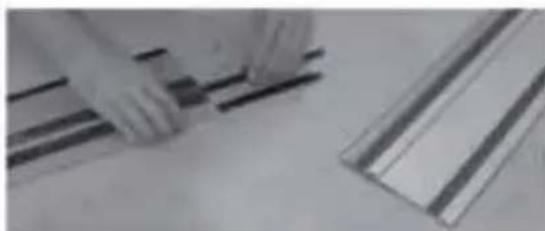
- To connect both guide rails slide the first connecting rod from the bottom into the groove of the guide rail.
- Slide the other connecting rod into the second groove.
- Use the 3 mm Allen key to tighten the stud screws to the limit stop to connect the rails.
DETERMINE CUTTING LINE
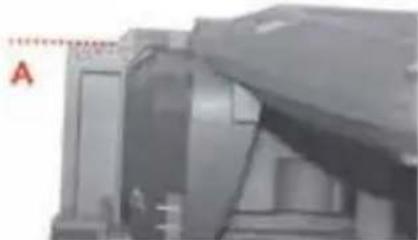
When using the saw with guide rail always align position A (0 mark on base plate) at the front of the base plate with your marked cutting line for straight cuts and 45^ miter cuts.
GUIDERAIL SPLINTER GUARDS
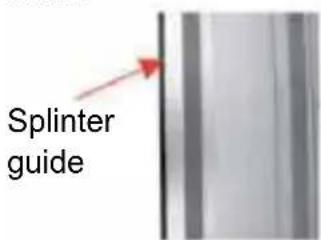
The guide rails come with a splinter guard (black protruding rubber lip). The splinter guard should be cut to size before first use. The splinter guard ensures a tear-free cut, since the wood fibers at the top of the work piece are torn without splinter guard. This is due to the saw blade teeth being directed upward.
After cutting the splinter guard to size it also shows the precise cutting path of the saw blade.
- Mark a cutting line on the work piece and align the guide rail exactly with this cutting line.
-
Fix the guide rail with clamps on the work piece.
-
Set the selector switch to marked cut function. Set the plunge saw speed to 6.
- Place the plunge saw at the rear end of the guide rail.
- Switch the plunge saw on and push the saw down. Cut the splinter guard continuously over the entire length. The edge of the splinter guard now exactly matches the cutting edge.
KICKBACK STOP
The kickback stop is designed to prevent operator injuries due to kickback.
When working with the guide rail the kickback stop (5) automatically clicks into place on the base plate as soon as the base plate is placed on the guide rail. The kickback stop (5) counteracts the movement if you try to guide the plunge saw on the guide rail back or if the saw kicks back, e.g. due to the saw blade jamming.
- Turn the spring-loaded screw of the kickback stop (5) towards 0 to manually unlock. Now the saw can be moved forward and back.
- Release the spring-loaded screw for the kickback stop to click into place on the guide rail again.
After a kickback always check the guide rail for damages and dispose of a damaged guide rail to prevent accidents.
PLUNGE CUT WITH GUIDE RAIL
- Hold the plunge saw with both hands at hand grips (3) and (13).
- Switch the plunge saw on and wait until it runs on full speed.
- Push the saw slowly down and guide the saw towards the plunge position. Note: The cutting width markings (16) at the side of the protective cover show the foremost and rearmost cutting points of the saw blade at maximum cutting depth when using the guide rail and a 165mm diameter saw blade.
90° LIMIT STOP FOR GUIDE RAIL (OPTIONAL)
When using the 90^ limit stop precise cuts are possible.

- Attach the 90^ limit stop from the bottom to the guide rail and tighten the clamping screw to fix the 90^ limit stop in place.
- Place the 90^ limit stop at the straight side of the work piece, as shown in the illustration.
MITER LIMIT STOP FOR GUIDE RAIL (OPTIONAL)
When using the miter limit stop precise miter cuts with angles and fitting are possible. You can use the miter limit stop in such way that either the angle is set from -55^ over 0^ to 55^ by means of the curved angle scale. Alternatively, the miter angle limit stop can be installed on the guide rail in such way that the pre-punched angle settings 0^ , 15^ , 30^ and 45^ can be used.
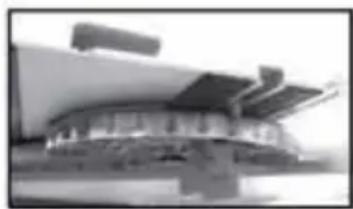
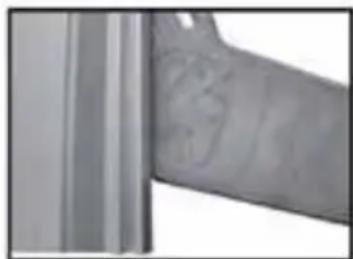
- When installing the miter limit stop on the guide rail first set the desired angle and
slide the miter limit stop into the groove of the guide rail.
- Tighten the front clamping screw to fix the angle setting.
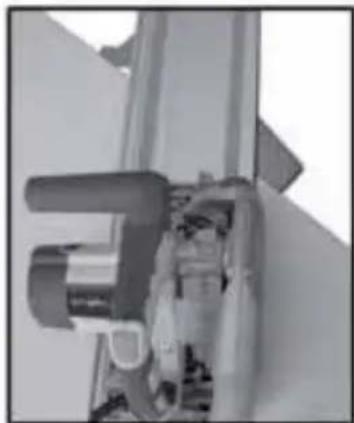
- Place the miter limit stop at the straight side of the work piece.
- Tighten the second clamping screw to fix the miter limit stop tightly on the guide rail.
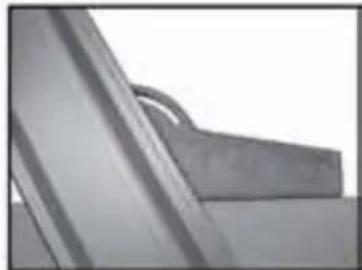
- Slide the miter limit stop into the groove of the guide rail and set the angle by means of the notches from 0^ to 45^ when installing the miter limit stop on the guide rail.
Note: The pre-punched notches match the curved angle scale. - Tighten the second clamping screw to fix the miter limit stop tightly on the guide rail.
PARALLEL LIMIT STOP AND/OR TABLE EXPANSION (OPTIONAL)
For cut-off widths up to 180mm a parallel limit stop can be used. The parallel limit stop can also be used as table expansion.
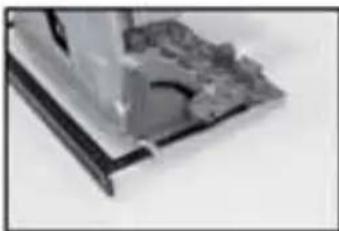
- Slide the parallel limit stop into the respective guides at the front and rear of the base plate.
- Measure the desired distance and fix the parallel limit stop with the clamping screws (7).
SAW BLADES
Compatible saw blades are necessary for the plunge saw to cut different materials fast and clean.
Saw blades with few teeth (approx. 12 - 18 teeth) are suitable for longitudinal cuts.
For cross cuts saw blades with at least 32 teeth are suitable; better are saw blades with 48 teeth.
For cutting other materials such as aluminum special saw blades are necessary.
CLEANING AND MAINTENANCE
Disconnect from mains power before carrying out any maintenance work on the plunge saw! All maintenance and repair work involving opening the motor casing must be carried out by an authorized service center.
Always keep the plunge saw clean. Clean the plunge saw after every use with a dry cloth or compressed air. Do not use any aggressive chemicals for cleaning.
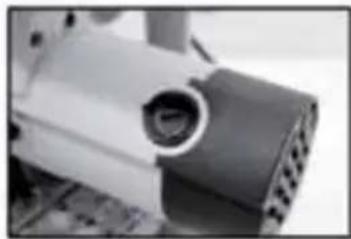
CHANGE CARBON BRUSHES
The saw is equipped with self-isolating special brushes. They are automatically isolated when worn, and the tool stops. Check the carbon brushes regularly. Replace the carbon brushes with genuine spare parts if they are worn to the wear limit (approx. 50% of the block).
Always replace the carbon brushes in pairs.
FINE ADJUSTMENT CUTTING PRECISION
The cutting precision for straight cuts (90^ cuts) is factory-set. Use a 3mm Allen key to adjust the cutting precision at the bottom of the base plate.
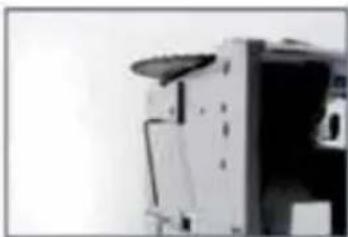
- Use a setsquare to adjust the saw blade to the 90^ angle.
- Swivel the plunge saw to the side and set the cutting precision by means of the stud screws.
The cutting precision for straight 45^ miter cuts is factory-set.
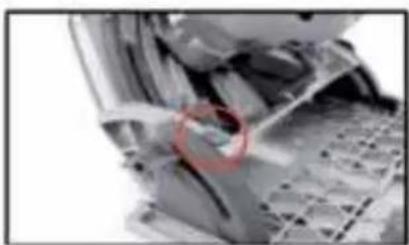
- Swivel the plunge saw to 45^ position to set the 45^ mark arrow (see circle).
- Use a setsquare to check the angle.
- Swivel the plunge saw to the side and set the cutting precision by means of the stud screws.
TECHNICAL DATA
| Mains power: 230-240 V~50 Hz | |
| Power: 1200 W | |
| No load speed: | 5500 min-1 |
| Miter setting: 0° - 48° | |
| Saw blade dimensions: | 165 x 2,2 x 20 mm |
| Weight: 5.4 kg | |
| Protecting class: II | |
| Max. cutting depthwith guide rail: 54 mm at 90° | |
| Max. cutting depthwithout guide rail: 54 mm at 90° | |
| Max. cut with guide rail: 38 mm at 45° | |
| Max. cut without guide rail: 42 mm at 45° | |
| Miter cut 0 - 48° | |
| Noise pressure level (LpA) | 88.53 dB(A), |
| Uncertainty K = 3 dB(A) | |
| Sound power level (LWA): | 99.53 dB(A), |
| Uncertainty K = 3 dB(A) | |
| Hand-Arm-Vibration | |
| Hand grip | 2.713 m/s2K = 1.5 m/s2 |
| Hand-Arm-Vibration | |
| Additional hand grip | 5.838 m/s2 |
| Protecting rating | IP20 |
DISPOSAL

Do not dispose of electric power tools with domestic refuse.
The electric power tool is shipped in packaging to reduce transport damage. This packaging is a raw material and as such can either be reused or can be fed back into the raw material cycle. The electric power tool and its accessories are made from various materials such as metals and plastics. Take defective components to a special refuse collection point. Ask about these at your specialist shop or local council.
EC-Declaration of conformity
We, the Batavia GmbH, Blankenstein 180, NL-7943 PE Meppel, declare by our own responsibility that the product Plunge Saw, Item-No 7061494, Model Nr.
BT-PS002 is according to the basic requirements, which are defined in the European Directives
Electromagnetic Compatibility 2004/108/
EC (EMC), 2006/42/EC (Machinery), 2006/95/EC Low Voltage Directive (LVD)
and their amendments. For the evaluation of conformity, the following harmonized standards were consulted:
EN 60745-1:2009+A11;
EN 60745-2-5: 2010;
EN 55014-1:2006+A1+A2;
EN55014-2: 1997+A1+A2;
EN 61000-3-2: 2006+A1+A2;
EN 61000-3-11: 2000
Meppel, 01 april 2012
Meino Seinen, QA Representative Batavia GmbH, Blankenstein 180, 7943 PE Meppel, Netherlands
The product and the user manual may be subject to changes. Technical data may be changed without prior notice.
GEACHTE KLANT
This product has got a 2 year warranty
Dear Client, if for any reason this product is not working, please ensure you contact our
Client Service Centre. Ensure you have your original receipt of purchase. This warranty covers all defects in workmanship or materials in this Batavia product for a two year period from the date of purchase. The warranty does not cover any malfunction, or defect resulting from misuse, neglect, alteration, or repair.
Other European countries | Customer Services
Monday till Friday from 8 am until 4 pm
00800 66477400
Overige landen Europa | Klantenservice