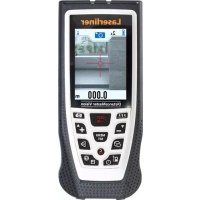
DistanceMaster Vision - Rangefinder Laserliner - Free user manual and instructions
Find the device manual for free DistanceMaster Vision Laserliner in PDF.



| Product type | Laser distance measurer with camera |
| Brand | Laserliner |
| Model | DistanceMaster Vision |
| Dimensions (L x H x D) | 58 x 135 x 30 mm |
| Weight (batteries included) | 210 g |
| Power supply | 3 NiMH AAA 1.2 V rechargeable batteries (rechargeable in the device via USB) |
| Laser class | 2 - < 1 mW, 635 nm |
| Measurement accuracy | ± 2 mm (typical up to 10 m) |
| Measuring range (indoor) | 0.05 m - 80 m |
| Angle measuring range | ± 90° |
| Main functions | Distance, area, volume measurement, continuous min./max. measurement, wall surface function, angle, Pythagoras 1+2+3, addition/subtraction, digital level, marking, timer, camera with 8x digital zoom and viewfinder, 360° inclination sensor, 50 memory slots |
| Settings | Adjustable auto-off, units (m/ft/''/inch, °/%), sound signal |
| Working conditions | -0°C to 40°C, max. humidity 85% RH, max. altitude 2000 m |
| Storage conditions | -20°C to 60°C, max. humidity 80% RH |
| Maintenance and cleaning | Clean with a soft cloth; water must not enter the housing |
| Safety | Laser class 2: do not look into the beam, do not aim at people, do not use optical instruments; observe EMC instructions |
| Spare parts and repairability | No spare parts specified; unauthorized modifications not permitted; use the device only for its intended purpose |
| Package contents | Device, USB charging cable, user manual, booklet "Additional notes and warranty information" |
| Standards | EU compliant (EMC 2014/30/EU, WEEE), EN 60825-1:2014 |
| Warranty | According to the conditions stated in the enclosed booklet |
Frequently Asked Questions - DistanceMaster Vision Laserliner
User questions about DistanceMaster Vision Laserliner
0 question about this device. Answer the ones you know or ask your own.
Ask a new question about this device
Download the instructions for your Rangefinder in PDF format for free! Find your manual DistanceMaster Vision - Laserliner and take your electronic device back in hand. On this page are published all the documents necessary for the use of your device. DistanceMaster Vision by Laserliner.
USER MANUAL DistanceMaster Vision Laserliner

Laser
635 nm
Laserliner
!
natural_image
Top-down view of a black handheld device with ventilation slots and a vertical screwdriver inserted (no text or symbols visible)natural_image
Close-up of a black ergonomic device with textured surface and handle (no visible text or symbols)Längenmessung:
Ergebnisse
Absteckfunktion:

Completely read through the operating instructions, the „Warranty and Additional Information“ booklet as well as the latest information under the internet link at the end of these instructions. Follow the instructions they contain. This document must be kept in a safe place and if the laser device is passed on, this document must be passed on with it.
Function / Application
Laser distance meter with camera function
- For measuring length, area and volume
- Min/Max continuous measurement, wall surface function, angle function, Pythagoras 1 + 2 + 3, addition and subtraction function, digital bubble level, stake out function and 360° inclination sensor
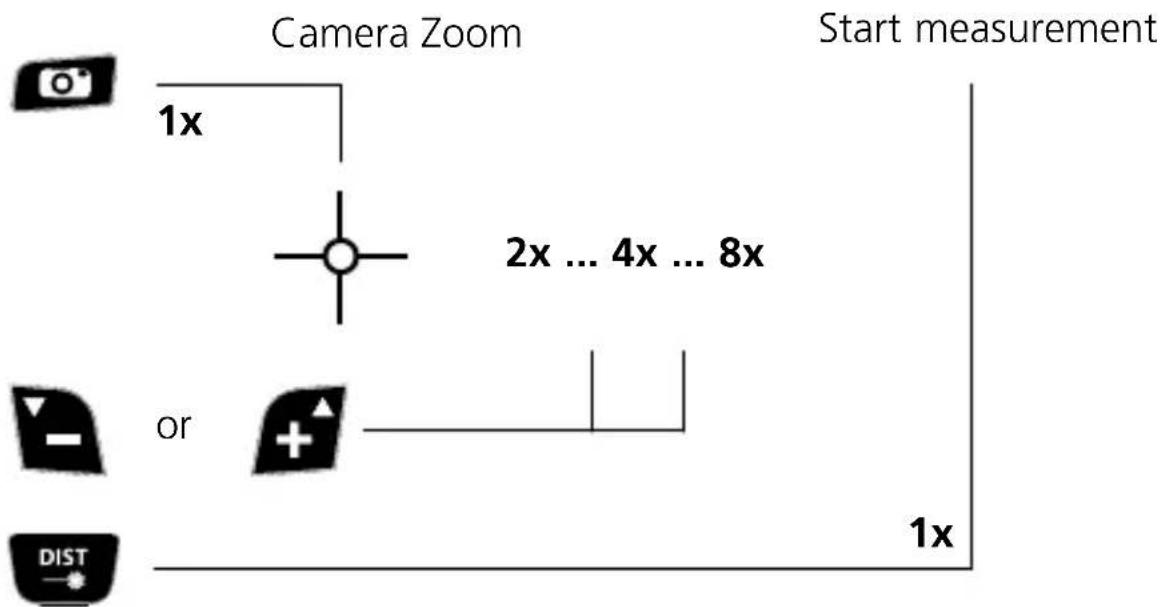
- Camera function with 8x digital zoom and viewfinder to target the measurement area
General safety instructions
- The device must only be used in accordance with its intended purpose and within the scope of the specifications.
- The measuring tools and accessories are not toys. Keep out of reach of children.
- Modifications or changes to the device are not permitted, this will otherwise invalidate the approval and safety specifications.
- Do not expose the device to mechanical stress, extreme temperatures, moisture or significant vibration.
- The device must no longer be used if one or more of its functions fail or the battery charge is weak.
- This device is designed for charging 1.2V AAA rechargeable nickel metal hydride (NiMH) batteries.
- On no account attempt to charge any other batteries as this could irreparably damage the device or cause serious injuries.
- Only charge rechargeable batteries of the same size, of the same type, same capacity and from the same manufacturer together.
- Please ensure compliance with the safety regulations set out by local and national authorities with regard to the correct and proper use of the device.
Safety instructions
Using class 2 lasers

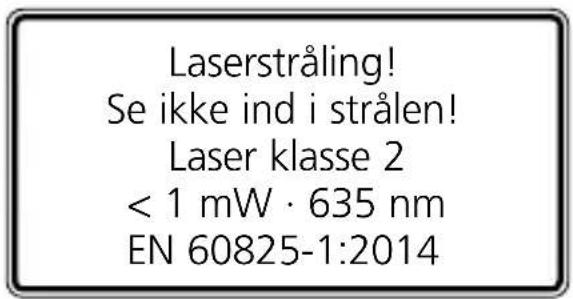
Laser radiation! Do not stare into the beam! Class 2 laser < 1 mW · 635 nm EN 60825-1:2014
- Attention: Do not look into the direct or reflected beam.
- Do not point the laser beam towards persons.
- If a person's eyes are exposed to class 2 laser radiation, they should shut their eyes and immediately move away from the beam.
- Tampering with (making changes to) the laser device is not permitted.
- Under no circumstances should optical instruments (magnifying glass, microscope, binoculars)
Safety instructions
Dealing with electromagnetic radiation
- The measuring device complies with electromagnetic compatibility regulations and limit values in accordance with EMC-Directive 2014/30/EU.
- Local operating restrictions – for example, in hospitals, aircraft, petrol stations or in the vicinity of people with pacemakers – may apply. Electronic devices can potentially cause hazards or interference or be subject to hazards or interference.
- The measuring accuracy may be affected when working close to high voltages or high electromagnetic alternating fields.
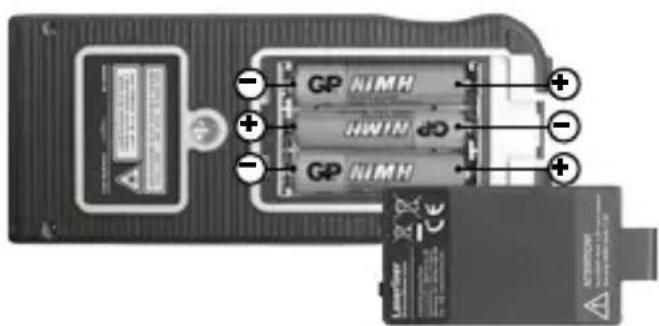
Inserting rechargeable batteries
Open the battery compartment and insert the rechargeable batteries
(3x NiMH, type AAA) as indicated by the installation symbols.
Be sure to pay attention to polarity.
The rechargeable batteries can be charged in the device with the supplied USB charging cable.
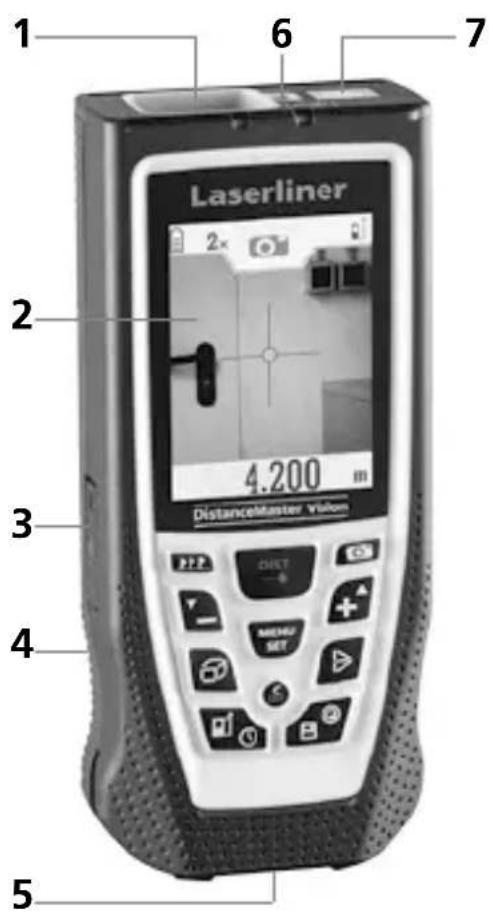
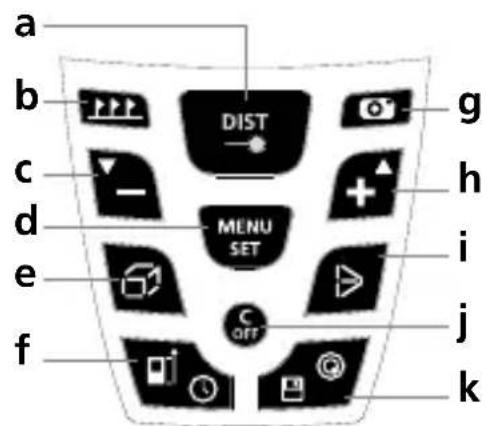
1 Laser reception field
2 Display
3 Connection socket for USB charger
4 Battery compartment (backside)
5 Hinged pin
6 Laser outlet
7 Camera
KEYPAD:
a ON / laser on / measure / min/max continuous measurement
b Stake out function
c Subtraction function / Decrease value / view saved measurements
d Settings menu / Confirm
e Length / area / volume / wall surface function
f Timer function / Measurement point (reference) front / thread / rear / pin
g Camera function
h Addition function / Increase value / view saved measurements
i Angle function / Pythagoras 1 + 2 + 3
j OFF / delete last measurement values
k Memory / Digital bubble level
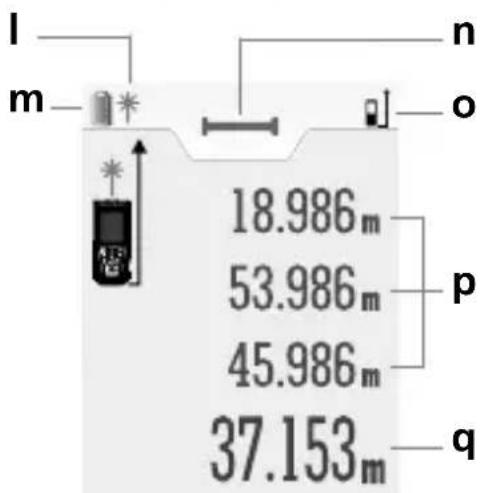
DISPLAY:
I Laser active
m Battery symbol
n Set measuring function
- Measurement point (reference) front / thread / rear / pin
p Intermediate values / min/max values
q Measurement values / Measurement results
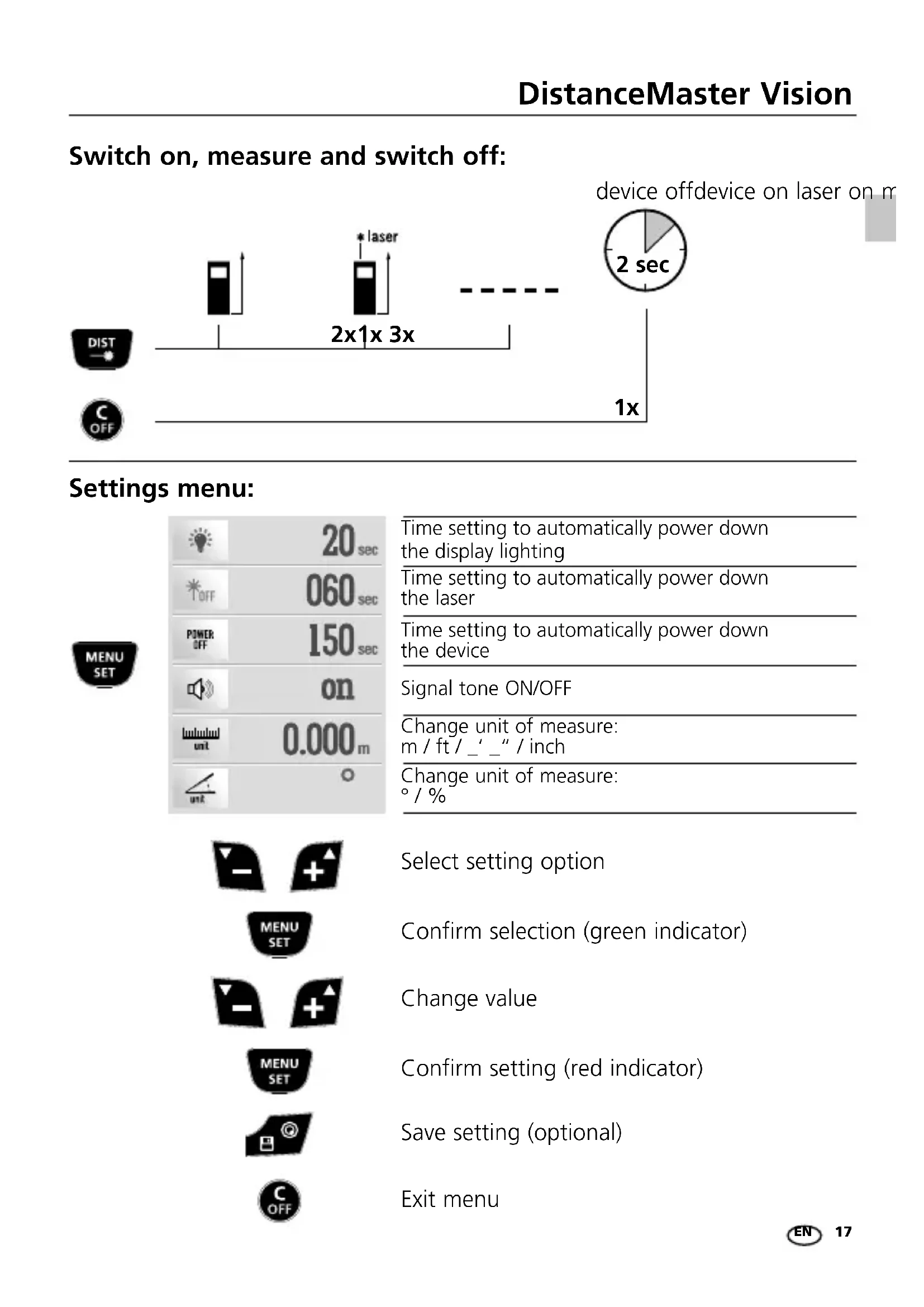
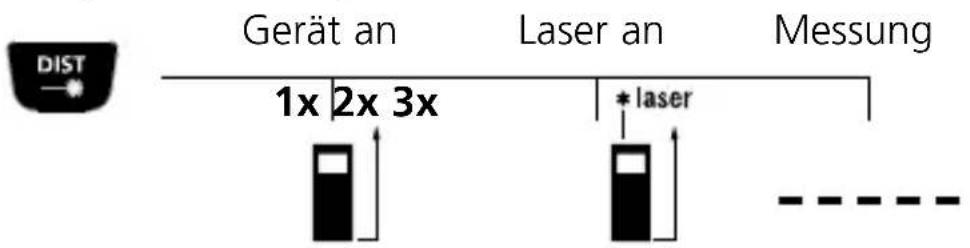
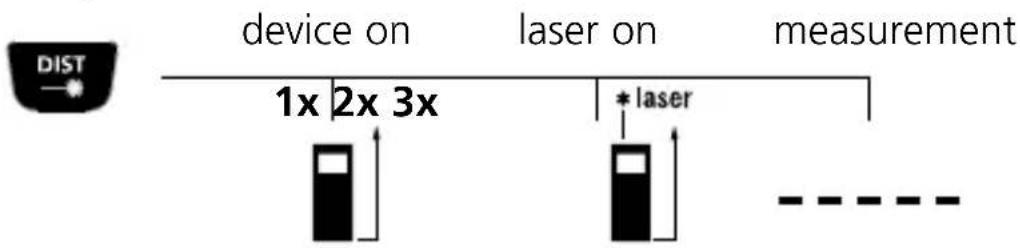
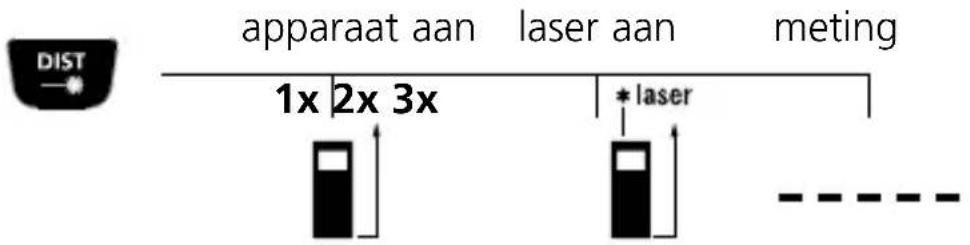
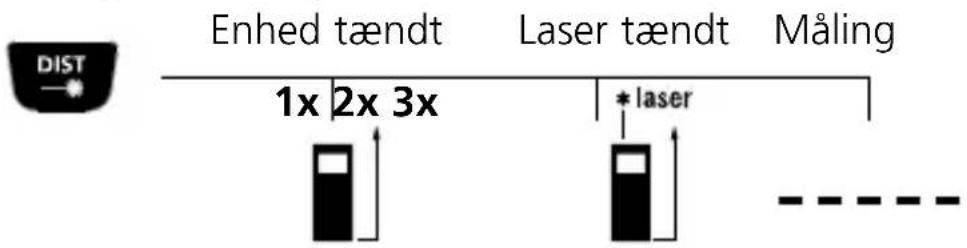
Switch on, measure and switch off:
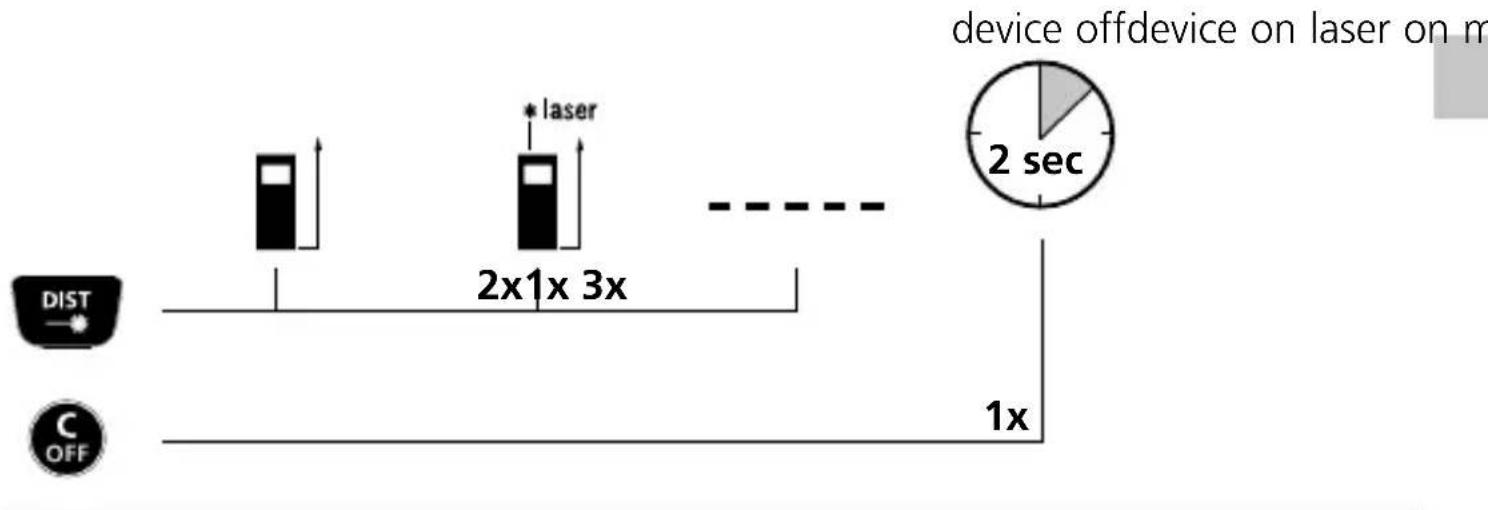
flowchart
graph LR
    A["Device Off Device"] --> B["1x"]
    B --> C["2x1x 3x"]
    C --> D["2 sec"]
    D --> E["Laser on m"]
    F["DIST"] --> G["Input"]
    H["C OFF"] --> I["Output"]
Settings menu:
| 20 sec | Time setting to automatically power down the display lighting | |
| 060 sec | Time setting to automatically power down the laser | |
| 150 sec | Time setting to automatically power down the device | |
| on | Signal tone ON/OFF | |
| 0.000 m | Change unit of measure: m / ft / _'_" / inch | |
| Change unit of measure: °/ % | ||
| Select setting option | ||
| Confirm selection (green indicator) | ||
| Change value | ||
| Confirm setting (red indicator) | ||
| Save setting (optional) | ||
| Exit menu |
Delete the last measured value:

Change measurement point (reference):
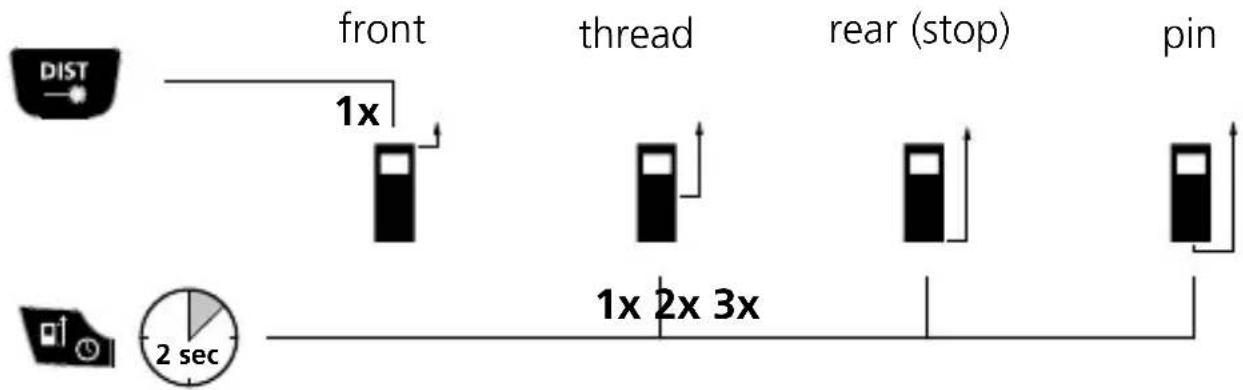
flowchart
graph LR
    A["DIST"] --> B["front"]
    B --> C["thread"]
    C --> D["rear (stop)"]
    D --> E["pin"]
    F["Clock"] --> G["2 sec"]
    style A fill:#f9f,stroke:#333
    style B fill:#ccf,stroke:#333
    style C fill:#ccf,stroke:#333
    style D fill:#ccf,stroke:#333
    style E fill:#ccf,stroke:#333
    style G fill:#cfc,stroke:#333
The device starts up with the last setting.
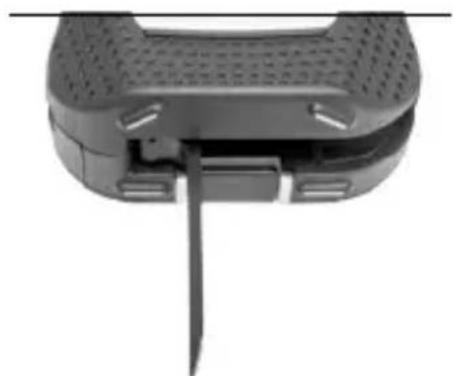
Measuring plane, pin/stop:
For measurements out of a corner, fold down the pin and select the „measurement plane PIN“ setting.
natural_image
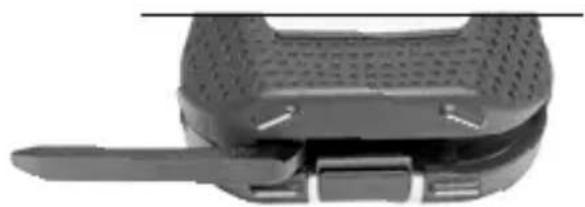
Close-up of a black handheld device with a vertical screwdriver inserted, showing no visible text or symbols.For stop measurements move the pin to the side and select the „measurement plane REAR“ setting.
natural_image
Close-up of a black plastic device with perforated top and side slots, no visible text or symbolsLength measurement:
Addition and subtraction of lengths:
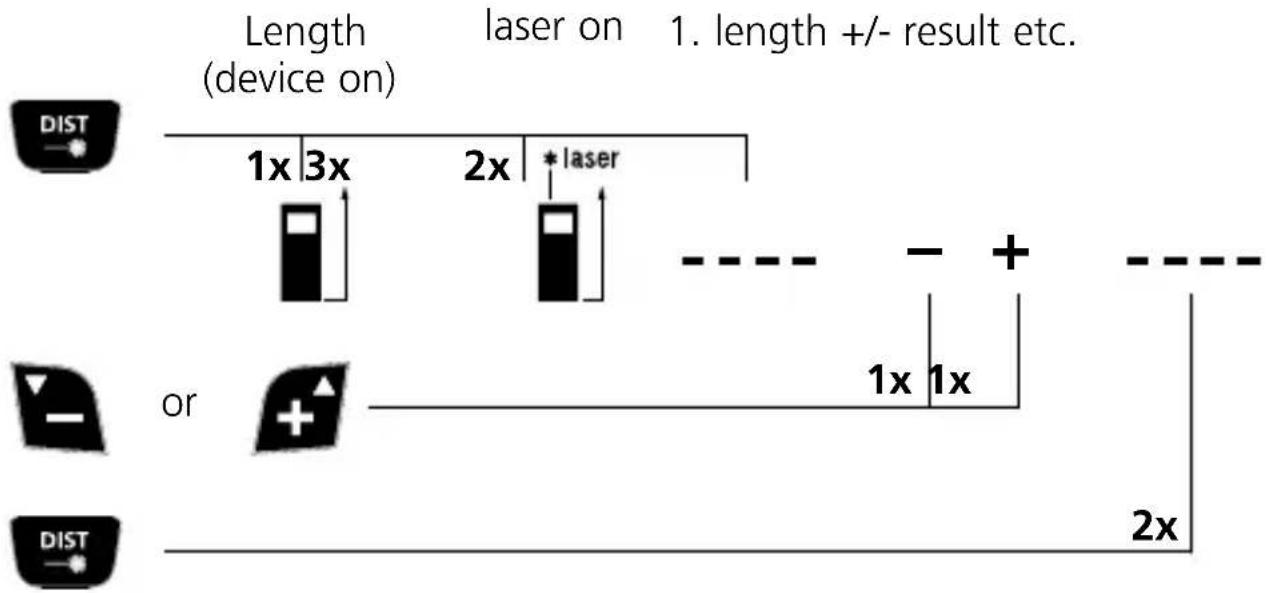
Further lengths are added by pressing the DIST button.
min/max continuous measurement:

The LC display shows the max value, the min value, the differential value and the current value.
Area measurement:
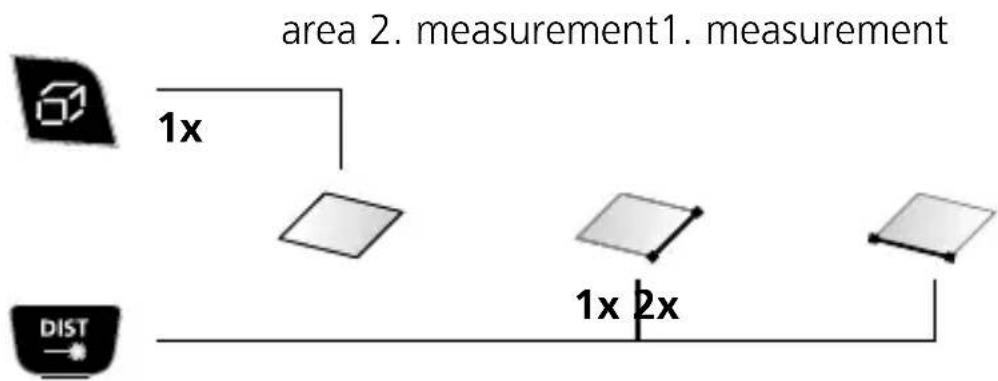
The room perimeter is additionally shown on the LC display.
Laserliner
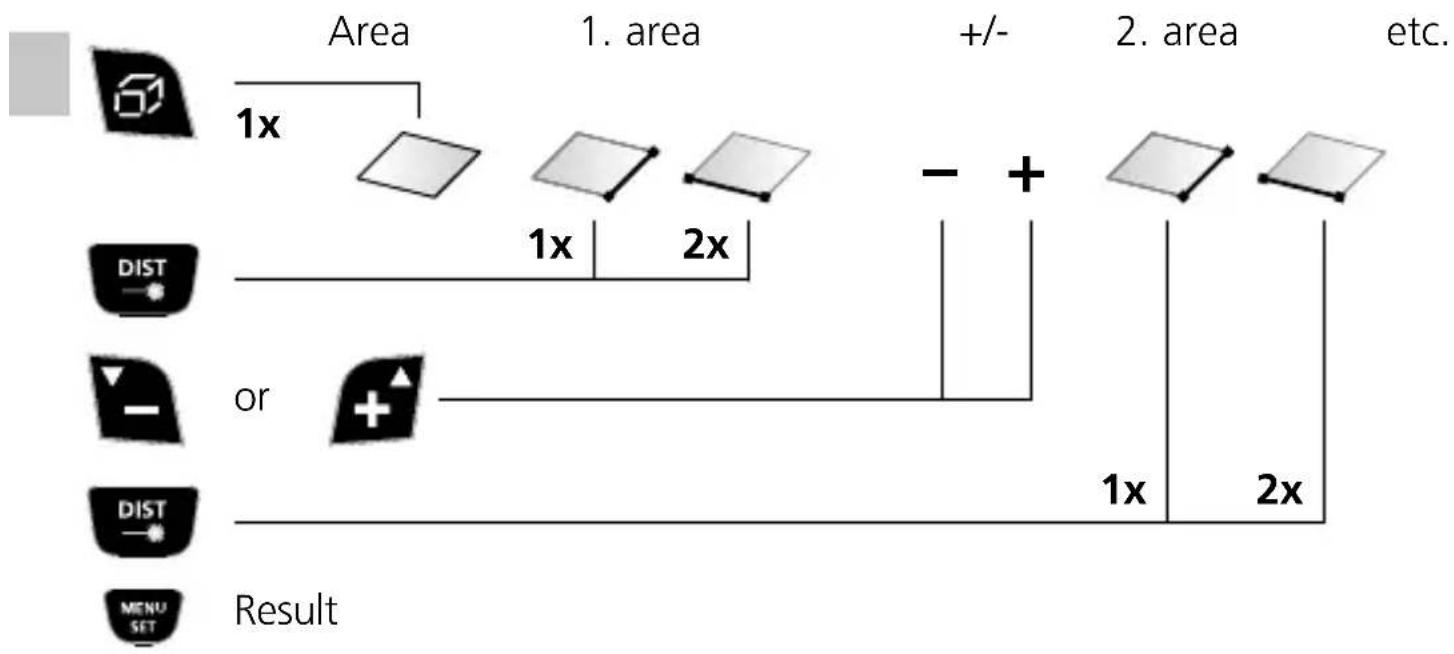
Area calculation:
flowchart
graph TD
    A["Input Image"] --> B["Area 1: 1x"]
    B --> C["1. Area"]
    C --> D["+/-"]
    D --> E["2. Area"]
    E --> F["etc."]
    G["DIST"] --> H["or"]
    I["Dist"] --> J["Result"]
    K["Menu Set"] --> L["Result"]
    M["1x"] --> N["1x"]
    O["2x"] --> P["2x"]
    Q["+"] --> R["1x"]
    S["+"] --> T["2x"]
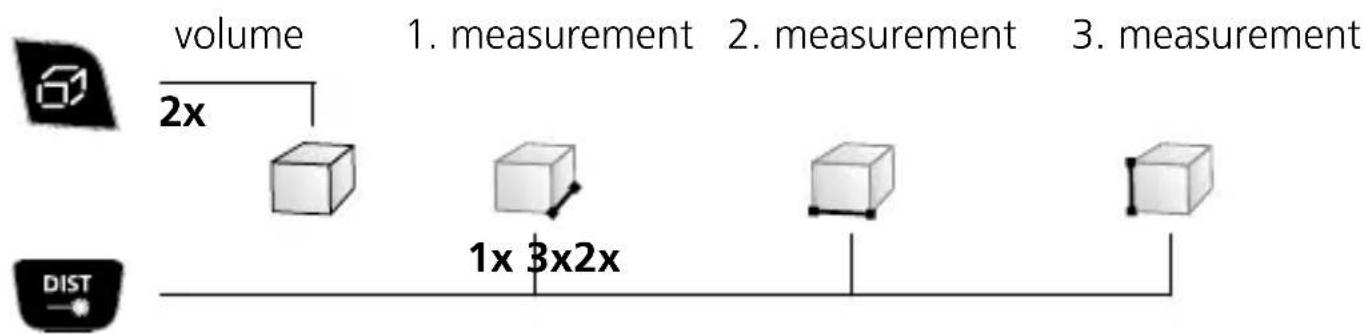
Volume measurement:
Volume calculation:
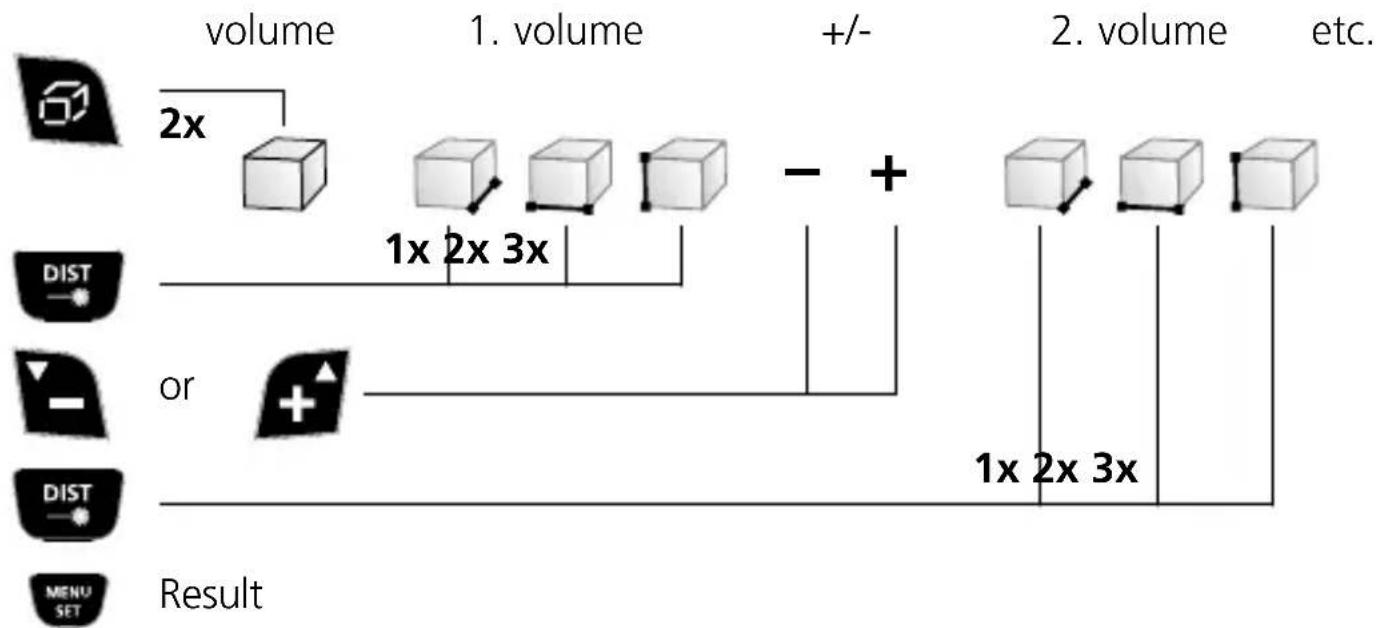
flowchart
graph TD
    A["volume"] --> B["2x"]
    B --> C["Box 1"]
    C --> D["Box 2"]
    D --> E["Box 3"]
    E --> F["Box 4"]
    F --> G["-"]
    G --> H["Box 5"]
    H --> I["Box 6"]
    I --> J["Box 7"]
    J --> K["Box 8"]
    K --> L["Box 9"]
    L --> M["Box 10"]
    M --> N["Box 11"]
    N --> O["Box 12"]
    O --> P["Box 13"]
    P --> Q["Box 14"]
    Q --> R["Box 15"]
    R --> S["Box 16"]
    S --> T["Box 17"]
    T --> U["Box 18"]
    U --> V["Box 19"]
    V --> W["Box 20"]
    W --> X["Box 21"]
    X --> Y["Box 22"]
    Y --> Z["Box 23"]
    Z --> AA["Box 24"]
    AA --> AB["Box 25"]
    AB --> AC["Box 26"]
    AC --> AD["Box 27"]
    AD --> AE["Box 28"]
    AE --> AF["Box 29"]
    AF --> AG["Box 30"]
    AG --> AH["Box 31"]
    AH --> AI["Box 32"]
    AI --> AJ["Box 33"]
    AJ --> AK["Box 34"]
    AK --> AL["Box 35"]
    AL --> AM["Box 36"]
    AM --> AN["Box 37"]
    AN --> AO["Box 38"]
    AO --> AP["Box 39"]
    AP --> AQ["Box 40"]
    AQ --> AR["Box 41"]
    AR --> AS["Box 42"]
    AS --> AT["Box 43"]
    AT --> AU["Box 44"]
    AU --> AV["Box 45"]
    AV --> AW["Box 46"]
    AW --> AX["Box 47"]
    AX --> AY["Box 48"]
    AY --> AZ["Box 49"]
    AZ --> BA["Box 50"]
    BA --> BB["Box 51"]
    BB --> BC["Box 52"]
    BC --> BD["Box 53"]
    BD --> BE["Box 54"]
    BE --> BF["Box 55"]
    BF --> BG["Box 56"]
    BG --> BH["Box 57"]
    BH --> BI["Box 58"]
    BI --> BJ["Box 59"]
    BJ --> BK["Box 60"]
    BK --> BL["Box 61"]
    BL --> BM["Box 62"]
    BM --> BN["Box 63"]
    BN --> BO["Box 64"]
    BO --> BP["Box 65"]
    BP --> BQ["Box 66"]
    BQ --> BR["Box 67"]
    BR --> BS["Box 68"]
    BS --> BT["Box 69"]
    BT --> BU["Box 70"]
    BU --> BV["Box 71"]
    BV --> BW["Box 72"]
    BW --> BX["Box 73"]
    BX --> BY["Box 74"]
    BY --> BZ["Box 75"]
    BZ --> CA["Box 76"]
    CA --> CB["Box 77"]
    CB --> CC["Box 78"]
    CC --> CD["Box 79"]
    CD --> CE["Box 80"]
    CE --> CF["Box 81"]
    CF --> CG["Box 82"]
    CG --> CH["Box 83"]
    CH --> CI["Box 84"]
    CI --> CJ["Box 85"]
    CJ --> CK["Box 86"]
    CK --> CL["Box 87"]
    CL --> CM["Box 88"]
    CM --> CN["Box 89"]
    CN --> CO["Box 90"]
Area addition / wall surface function:
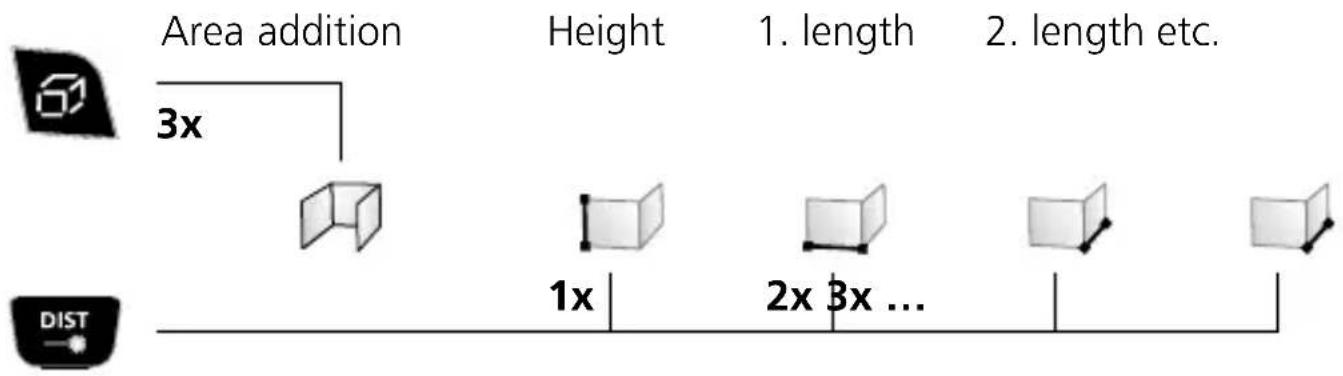
Angle function:
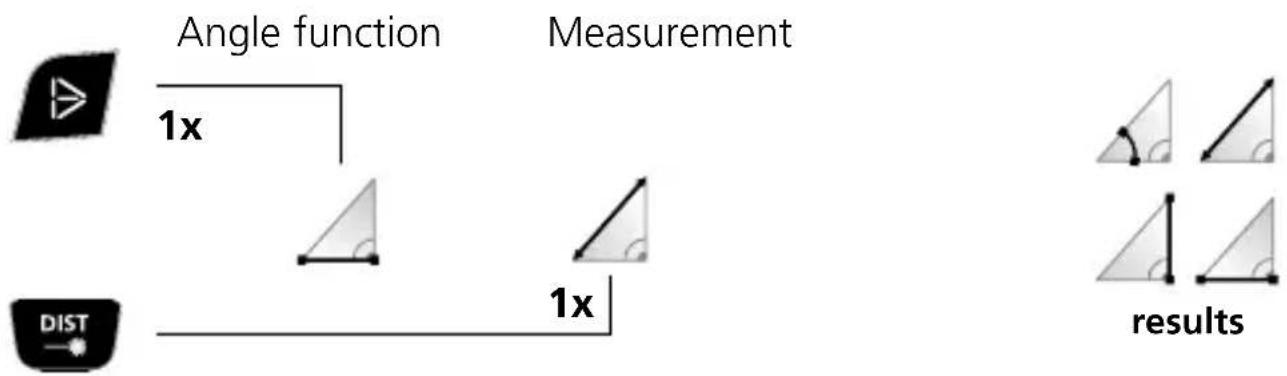
flowchart
graph LR
    A["Angle function"] --> B["Measurement"]
    C["DIST"] --> D["1x scale"]
    E["results"] --> F["Result"]
    style A fill:#f9f,stroke:#333
    style B fill:#ccf,stroke:#333
    style C fill:#cfc,stroke:#333
    style D fill:#fcc,stroke:#333
    style E fill:#ffc,stroke:#333
    style F fill:#fcc,stroke:#333
The measurement results are determined automatically by the 360^ inclination sensor.

The back of the device can be used as a reference surface for measuring angles.
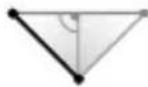
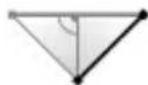
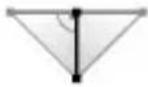
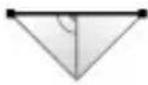
Pythagoras function 1:
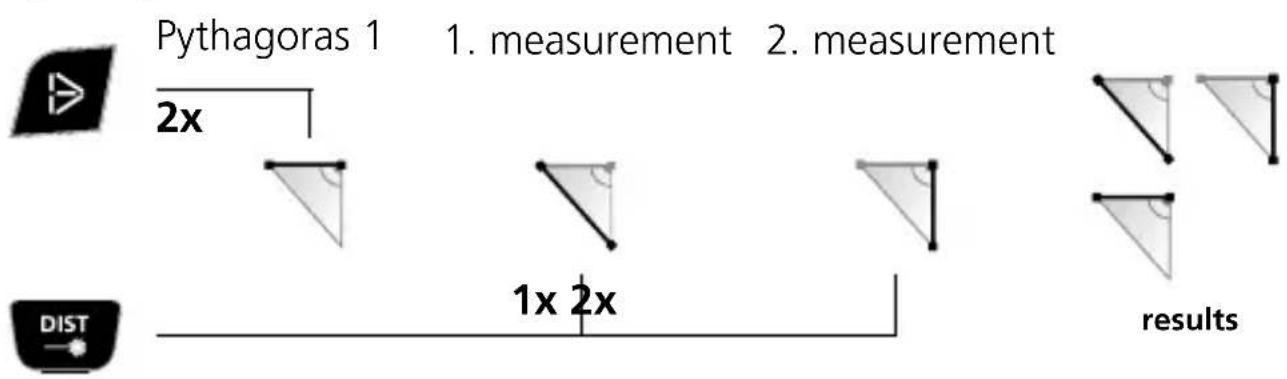
Pythagoras function 2:

Pythagoras 2
3x

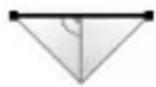
- measurement
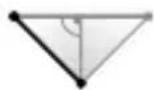
1x
- measurement
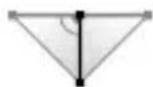
2x
- measurement
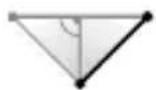
3x
results
Pythagoras function 3:

Pythagoras 3
4x
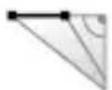
- measurement
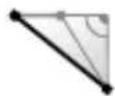
- measurement
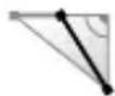
- measurement
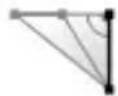
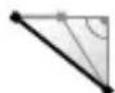
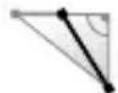
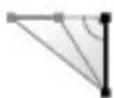
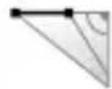

1x 2x 3x
3x
results
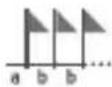
Stake out function:

Stake out function
1x
Coeffinen
distance a
Confirm Define
distance b

or


The Ground Truth image displays a single, solid horizontal line. According to Rule 2 (UNDERSCORE & LINE RULES), this is a stylistic or background line, not a placeholder underscore. Therefore, the OCR result must ignore it and output nothing or only meaningful text. The provided OCR content is "____", which consists of four underscores. This is an incorrect interpretation of the line as a placeholder, violating the rule that stylistic lines must be ignored. The OCR has hallucinated underscores where none should exist based on the GT's visual context. Hence, the OCR result is inconsistent with the Ground Truth.

or


To reach the target move the device in the direction of the arrow

Target reached

To reach the target move the device in the direction of the arrow
Timer function:
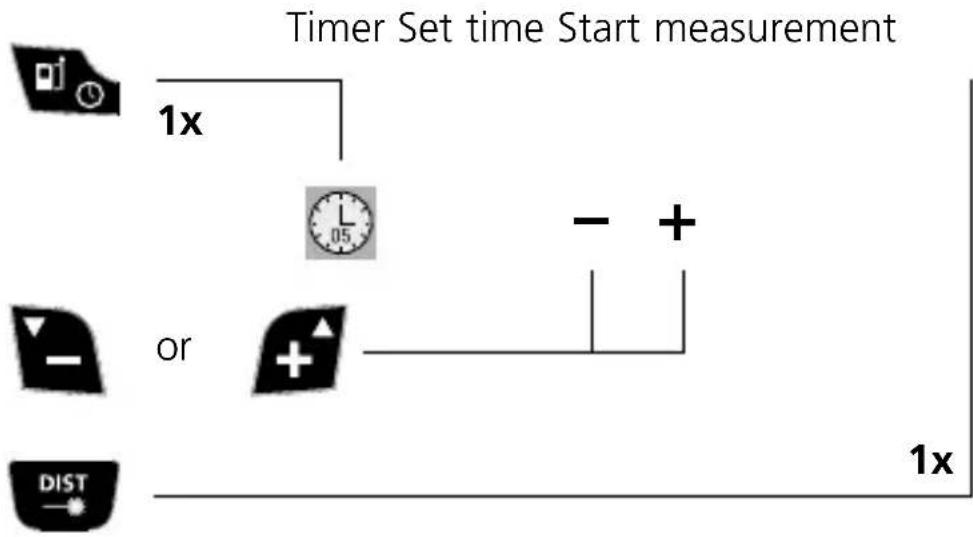
flowchart
graph TD
    A["Timer Set"] --> B["1x"]
    B --> C["Clock with L/05"]
    C --> D["or Gate"]
    D --> E["1x"]
    style A fill:#f9f,stroke:#333
    style B fill:#ccf,stroke:#333
    style C fill:#cfc,stroke:#333
    style D fill:#fcc,stroke:#333
    style E fill:#cff,stroke:#333
Camera function:
Digital bubble level:
The digital bubble level is used to align objects.

Memory function:
The device has 50 storage locations.

Important notices
- The laser points to the location that will be measured.
No objects may get into the laser's line of measurement. - The device compensates the measurement for different room temperatures.
Therefore allow the device a brief adaptation period when changing locations with large temperature differences. - The device is only conditionally useable in outdoor areas and cannot be used in strong sunlight.
- The measurement results of outdoor measurements may be influenced or falsified by rain, fog and snow.
- In unfavourable conditions, e.g. with poorly reflecting surfaces, the maximum deviation may be greater than 3 mm.
- Carpeting, upholstery or curtains will not reflect the laser optimally. Measure to flat surfaces.
- Measurements made through glass (window panes) can falsify measurement results.
- An energy-saving function switches the device off automatically.
- Clean with a soft cloth. Water may not be allowed to penetrate the housing.
Error code:
Err 1: Received signal too weak
Err 2: Received signal too strong
Err 3: Replace the battery
Err 4: Error in memory
Err 5: Error in calculation with Pythagoras' theorem
Err 6: Outside the measuring range
Err 7: Error in camera
Err 8: Error in inclination sensor
| Technical Data (Subject to technical changes without notice. 18W19) | |
| Distance measurement | |
| Precision (typical)* ± 2 mm | |
| Measurement range (inside)** | 0.05 m - 80 m |
| Angle measurement | |
| Measuring range ± 90° | |
| Laser class 2 < 1 mW | |
| Laser wavelength 635 nm | |
| Operating conditions | -0°C...40°C, Max. humidity 20...85% rH,no condensation, Max. working altitude 2000 m above sea level |
| Storage conditions -20°C...60°C | Max. humidity 80% rH |
| Automatic switch-off adjustable | |
| Power supply | 3x nickel metal hydride (NiMH)rechargeable battery, type AAA 1,2V |
| Dimensions (W x H x D) 58 x 13 | 5 x 30 mm |
| Weight (incl. batteries) 210 g | |
* measuring distance up to 10 m with strongly reflective target surface and at room temperature. The measurement deviation may increase by ± 0.2 mm/m for greater distances and under unfavourable measuring conditions such as strong sunlight or weakly reflective target surfaces.
** at max. 10,000 lux
EU directives and disposal
This device complies with all necessary standards for the free movement of goods within the EU.
This product is an electric device and must be collected separately for disposal according to the European Directive on waste electrical and electronic equipment.
Further safety and supplementary notices at:
http://laserliner.com/info?an=dimavi
!
natural_image
Close-up of a black handheld device with a vertical screwdriver inserted, showing no text or symbols.natural_image
Close-up of a black plastic device with perforated top and side slots, no visible text or symbolsLengtemeting:
natural_image
Close-up of a black electronic device with a vertical screw and ventilation slots (no visible text or symbols)natural_image
Close-up of a black plastic device with perforated top and side panel (no visible text or symbols)Længdemåling:
!
natural_image
Close-up of a black electronic device with a vertical screw and ventilation slots (no visible text or symbols)natural_image
Close-up of a black ergonomic device with perforated top and handle, no visible text or symbolsnatural_image
Close-up of a black handheld device with a vertical screwdriver inserted, showing no text or symbols.natural_image
Close-up of a black ergonomic device with a handle and ventilation grille (no visible text or symbols)natural_image
Illustration of a camera on a tripod in a rural landscape with houses and a fence (no text or symbols)SERVICE

Umarex GmbH & Co. KG
- Laserliner -

- !
- Längenmessung:
- Absteckfunktion:
- Function / Application
- General safety instructions
- Safety instructions
- Inserting rechargeable batteries
- KEYPAD:
- DISPLAY:
- Delete the last measured value:
- Change measurement point (reference):
- Measuring plane, pin/stop:
- Length measurement:
- Addition and subtraction of lengths:
- min/max continuous measurement:
- Area measurement:
- Laserliner
- Area addition / wall surface function:
- Angle function:
- Pythagoras function 1:
- Pythagoras function 2:
- Pythagoras function 3:
- Stake out function:
- Timer function:
- Camera function:
- Digital bubble level:
- Memory function:
- Important notices
- Error code:
- EU directives and disposal
- Lengtemeting:
- Længdemåling:
- Umarex GmbH & Co. KG
Brand : Laserliner
Model : DistanceMaster Vision
Category : Rangefinder