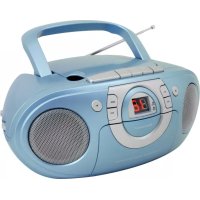
SCD5100BL - Radio Soundmaster - Free user manual and instructions
Find the device manual for free SCD5100BL Soundmaster in PDF.

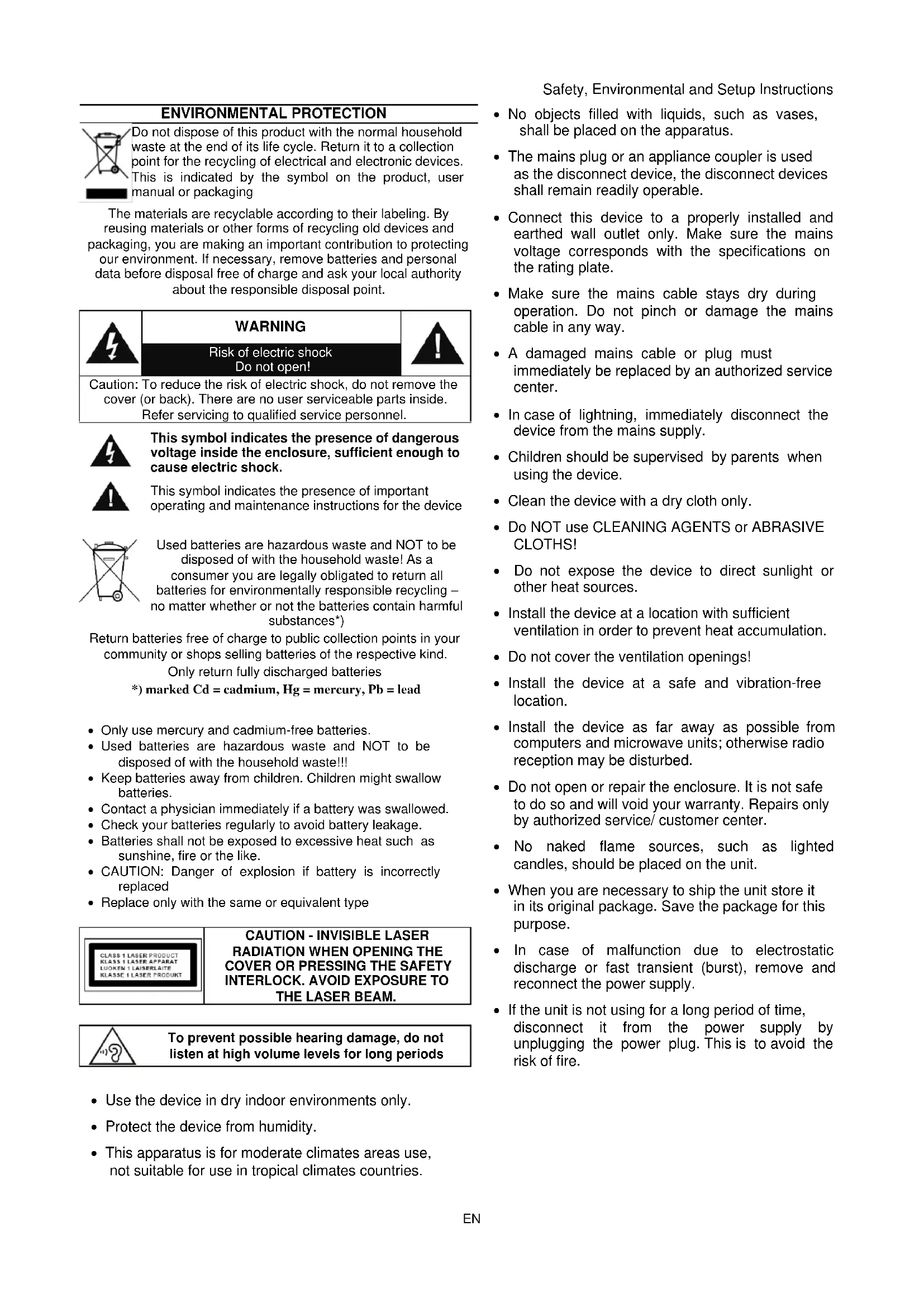


| Product type | Radio cassette with CD player |
| Brand | Soundmaster |
| Model | SCD5100BL |
| Dimensions (W x D x H) | 290 x 215 x 132 mm |
| Weight | Approx. 1.7 kg |
| Mains power | 230 V AC ~ 50 Hz |
| Battery power | 6 x UM-2 (C) 1.5 V batteries (not included) |
| FM frequency range | 87.5 – 108 MHz |
| Output power | 2 x 1 W |
| Built-in speakers | 2 |
| Functions | FM radio (mono/stereo), cassette player, CD player, playback programming (20 tracks), repeat |
| Connectivity | 3.5 mm AUX-IN jack, 3.5 mm headphone jack |
| Antenna | FM antenna |
| Laser (CD player) | Class 1 |
| Safety | Do not open, invisible laser, disconnect mains via plug |
| Cleaning | Dry cloth, no detergents or liquids |
| Automatic shutdown | After 10 minutes of inactivity |
| Carrying handle | Yes |
| Display | LED indicator (stereo, repeat) |
| Repairability | Repair by authorized center only |
| Compliance | Directive 2014/53/EU |
Frequently Asked Questions - SCD5100BL Soundmaster
User questions about SCD5100BL Soundmaster
0 question about this device. Answer the ones you know or ask your own.
Ask a new question about this device
Download the instructions for your Radio in PDF format for free! Find your manual SCD5100BL - Soundmaster and take your electronic device back in hand. On this page are published all the documents necessary for the use of your device. SCD5100BL by Soundmaster.
USER MANUAL SCD5100BL Soundmaster
Email: service@soundmaster.de
Web: www.soundmaster.de
Copyright by Woerlein GmbH, 90556 Cadolzburg, www.soundmaster.de
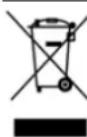
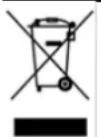
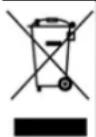
Do not dispose of this product with the normal household waste at the end of its life cycle. Return it to a collection point for the recycling of electrical and electronic devices. This is indicated by the symbol on the product, user manual or packaging
The materials are recyclable according to their labeling. By reusing materials or other forms of recycling old devices and packaging, you are making an important contribution to protecting our environment. If necessary, remove batteries and personal data before disposal free of charge and ask your local authority about the responsible disposal point.
| 警告 | WARNING | |
| Risk of electric shock Do not open! | ||
| Caution: To reduce the risk of electric shock, do not remove the cover (or back). There are no user serviceable parts inside. Refer servicing to qualified service personnel. | ||

This symbol indicates the presence of dangerous voltage inside the enclosure, sufficient enough to cause electric shock.

This symbol indicates the presence of important operating and maintenance instructions for the device
Used batteries are hazardous waste and NOT to be disposed of with the household waste! As a consumer you are legally obligated to return all batteries for environmentally responsible recycling - no matter whether or not the batteries contain harmful substances*)
Return batteries free of charge to public collection points in your community or shops selling batteries of the respective kind. Only return fully discharged batteries *) marked Cd = cadmium, Hg = mercury, Pb = lead
- Only use mercury and cadmium-free batteries.
- Used batteries are hazardous waste and NOT to be disposed of with the household waste!!!
- Keep batteries away from children. Children might swallow batteries.
- Contact a physician immediately if a battery was swallowed.
- Check your batteries regularly to avoid battery leakage.
- Batteries shall not be exposed to excessive heat such as sunshine, fire or the like.
- CAUTION: Danger of explosion if battery is incorrectly replaced
- Replace only with the same or equivalent type
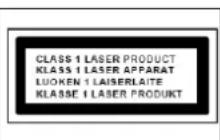
CAUTION - INVISIBLE LASER RADIATION WHEN OPENING THE COVER OR PRESSING THE SAFETY INTERLOCK. AVOID EXPOSURE TO THE LASER BEAM.
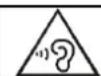
To prevent possible hearing damage, do not listen at high volume levels for long periods
- Use the device in dry indoor environments only.
- Protect the device from humidity.
- This apparatus is for moderate climates areas use, not suitable for use in tropical climates countries.
Safety, Environmental and Setup Instructions
- No objects filled with liquids, such as vases, shall be placed on the apparatus.
- The mains plug or an appliance coupler is used as the disconnect device, the disconnect devices shall remain readily operable.
- Connect this device to a properly installed and earthed wall outlet only. Make sure the mains voltage corresponds with the specifications on the rating plate.
- Make sure the mains cable stays dry during operation. Do not pinch or damage the mains cable in any way.
- A damaged mains cable or plug must immediately be replaced by an authorized service center.
- In case of lightning, immediately disconnect the device from the mains supply.
Children should be supervised by parents when using the device. - Clean the device with a dry cloth only.
- Do NOT use CLEANING AGENTS or ABRASIVE CLOTHS!
- Do not expose the device to direct sunlight or other heat sources.
- Install the device at a location with sufficient ventilation in order to prevent heat accumulation.
- Do not cover the ventilation openings!
- Install the device at a safe and vibration-free location.
- Install the device as far away as possible from computers and microwave units; otherwise radio reception may be disturbed.
- Do not open or repair the enclosure. It is not safe to do so and will void your warranty. Repairs only by authorized service/ customer center.
- No naked flame sources, such as lighted candles, should be placed on the unit.
- When you are necessary to ship the unit store it in its original package. Save the package for this purpose.
- In case of malfunction due to electrostatic discharge or fast transient (burst), remove and reconnect the power supply.
- If the unit is not using for a long period of time, disconnect it from the power supply by unplugging the power plug. This is to avoid the risk of fire.
Location of Controls
Main Unit
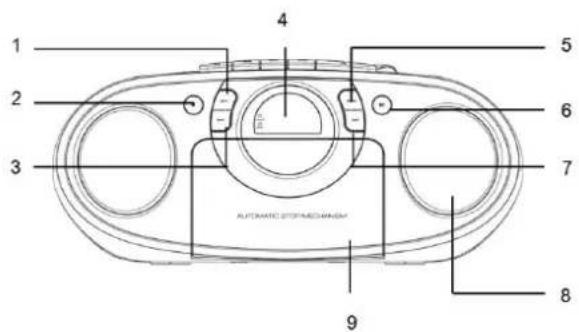
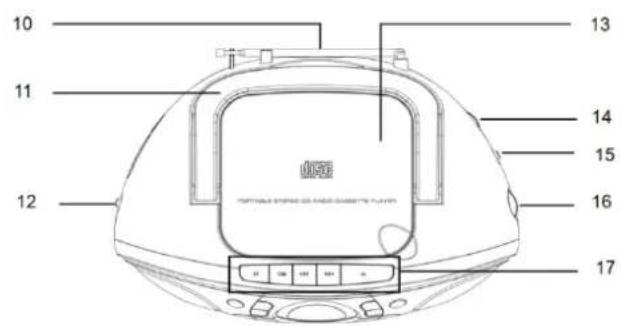
Top View
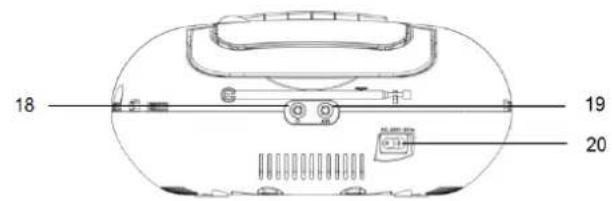
Rear View
- REPEAT
- STOP
- SKIP-
- LED DISPLAY
5.PROGRAM - PLAY/PAUSE
-
SKIP_+
-
SPEAKERS
- CASSETTE DOOR
- FM ANTENNA
- HANDLE
- FUNCTION SELECTOR
- CD DOOR
-
VOLUME CONTROL
-
FM RADIO STEREO SELECTOR
- TUNING CONTROL
- TAPE BUTTON
- HEADPHONE JACK
- AUX-IN JACK
- AC SOCKET
Installation
- Select a suitable location for the device, such as a dry, flat, non-slip surface on which it is easy to operate the machine.
- Ensure that the device is sufficiently ventilated.
- Remove the protective film from the display if it is still present.
Power Supply
- Ensure that the voltage is the same as that indicated on the model identification plate.
- Connect the power cable supplied (see battery compartment if necessary) to a properly installed safety power socket and the mains connector AC on the back of the machine.
Inserting the Batteries (not supplied)
- Open the lid of the battery compartment.
- Insert 6 batteries of type UM-2 ("C" size) 1.5V . Please ensure that the polarity is correct (see the floor of the battery compartment)
- Then close the battery lid.
NOTE:
When a mains cable is connected the batteries are automatically switched off.
CAUTION:
- Batteries can leak and lose battery acid. When not using the system for a long period of time, remove the batteries.
- Different battery types or new and used batteries must not be used together.
- Do not dispose of batteries with household waste. Return old batteries to the respective collection facilities or your dealer.
WARNING:
The batteries shall not be exposed to excessive heat such as sunshine, fire or the like. Danger of explosion!
NOTE:
After about 10 minute without a signal, the device will automatically switch to OFF mode.
Radio Tuner Operation
Listening to the FM Radio
- Set the "FUNCTION" selector to "RADIO" mode.
- Adjust radio frequency to your desired station by using the "TUNING" control.
- Adjust the "VOLUME" control to the desired level.
FM/FM-Stereo reception
Set the "FM RADIO STEREO SELECTOR" to select the MONO or STEREO mode for FM reception.
The Stereo indicator light up to show FM ST. mode when FM-Stereo reception is available.
Cassette Operation
Playing Cassettes
- Turn the function selector switch to the OFF/TAPE position.
- Press the STOP/EJECT button to open the cassette compartment.
- Insert a recorded audiocassette into the compartment with the tape opening facing upwards and the side you wish to listen to facing the front (full spool to the right). Then close the cassette compartment again.
- Press the PLAY key to listen to the tape.
- With the STOP/EJECT key you can stop play-back.
- Wind the tape forwards or backwards if necessary in the direction of the arrow keys.
- Always press the STOP/EJECT key when changing the direction or stopping the tape. This prevents damage to the machine and the tape.
- If the STOP/EJECT button is pressed again the flap of the cassette compartment opens.
- In order to interrupt playback briefly, press the PAUSE button. Pressing again continues playback.
CD Operation
- Set the "FUNCTION" selector to "CD" mode.
- Open the CD door and place a CD disc with the label up on the CD compartment.
- Close the CD door.
- Focus search is performed if disc is inside. Total number of tracks is read and appears on the display.
- Press the "PLAY / PAUSE" button to start playing the CD.
- Adjust the "VOLUME" control to the desired level.
- Press the "PLAY / PAUSE" button again when you want to stop playback temporarily.
- In order to remove a CD, please press the "STOP" button, open the CD compartment and lift the CD out carefully.
Always keep the CD door closed.
NOTE:
- If a disc is inserted the wrong way around, respectively if no disc is inserted, then "No" appears on the display.
Programmed Play
This can be used to program any desired sequence of tracks.
Up to 20 tracks can be programmed for disc play in any order.
Be sure to press the "STOP" button before use.
- Press the "PROGRAM" button, the display will show "01" and flash.
- Select desired track by using the "SKIP +" or "SKIP -" button.
- Press the "PROGRAM" button again to confirm desired track into the program memory.
- Repeat step 2 and 3 to enter additional tracks into the program memory.
- When all the desired tracks have been programmed, press the "PLAY / PAUSE" button to play the disc in the order you have programmed.
- Press the "STOP" button twice to terminate programmed playback.
MODE
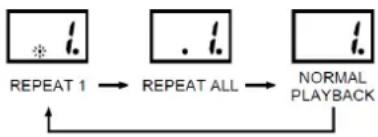
Press the "REPEAT" button before or during playing CD disc, each press switches the mode function as follows:
1 - REPEAT 1 (The repeat indicator is flashing.)
2 - REPEAT ALL (The repeat indicator is steadily on.)
3-NORMAL PLAYBACK
Listening to an External Audio Source
Under "CD" or "RADIO" mode, if you want to play from AUX-IN jack, please connect the external device via 3.5 mm plug jack to the AUX-IN jack. You can hear the sound from the external device through the loudspeakers and you may adjust the volume on the external audio device. For further functions please refer to the user manual of the external audio device.
NOTE:
Adjust the volume of the external device to a comfortable level.
Listening from the Headphone Jack
To listen to music privately, use headphones with a 3.5 stereo jack plug and connect to the headphones socket on the back of the system. The speakers will then be muted.
NOTE:
Adjust the volume of the external device to a comfortable level.
Cleaning and Maintenance
WARNING:
Do not immerse the device in water.
- Always remove the mains plug before cleaning the machine.
- Any marks on the surface can be wiped off with a slightly damp cloth without any additives.
AUTOMATIC STANDBY SWITCHING
If the unit is idle for 10 minutes, it will automatically switch to power saving mode.
Please resetting the FUNCTION" selector again.
Specifications
Radio frequency range FM 87.5-108MHz
Power supply to the unit AC 230V 50Hz
DC UM-2 ("C" size) 1.5 V battery x 6pcs (Batteries not supplied)
Dimension of the unit 290(L) x 215(W) x 132(H)mm
Output power 2x1Watt
Unit weight approx. 1.7Kg
THE SPECIFICATION AND EXTERNAL APPEARANCE OF THE SET ARE SUBJECT TO CHANGE WITHOUT PRIOR NOTICE.
Importer
Wörlein GmbH
Gewerbestasse 12
D 90556 Cadolzburg
Germany
Tel.: +49 9103 71 67 0
Fax.: +49 9103 71 67 12
Email: service@soundmaster.de
Web: www.soundmaster.de
PROTECTION DE L'ENVIRONNEMENT

Website: www.soundmaster.de
CE
Email: service@soundmaster.de
Web: www.soundmaster.de
PROTECCION MEDIOAMBIENTAL
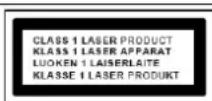
CLASS 1 LASER PRODUCT
KLASSE 1 LASER PRODUKT
LUOKAN 1 LASER LAITE
KCLASS 1 LASER APPARAT
PRODUCTO LASER CLASE 1
PRECAUCION - RADIACION INVISIBLE DE LASER AL ABRIR LA TAPA O PULSAR EL INTERBLOQUEO DE SEGURIDAD. EVITE LA EXPOSICION AL HAZ DE LASER.

Web: www.soundmaster.de
PROTECCAO AMBIENTAL
Web: www.soundmaster.de
MILJOSKYDD
E-post: service@soundmaster.de
Email: service@soundmaster.de
Honlap: www.soundmaster.de
OCHRANA ZIVOTNIHO PROSTREDI
Web: www.soundmaster.de
C E
OCHRANA ZIVOTNEHO PROSTREDA
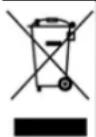
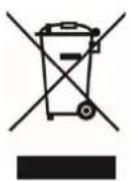
Na konciŽivotnosti vyrobok nelikvidujte s beznym komunálnym opadom. Oodovzdajte ho na zberné miesto na recyklovanie elektrickych a elektronickych zariadení. Je to označené symbolom na vyrobku, v používatelskje prfručke a na obale.
Web: www.soundmaster.de
OCHRONA SRODOWISKA
CPRODUKT Z LASEREM KLASY1
UWAGA - EMITOWANA JEST NIEWIDOCZNA WIAZKA LASEROWA PRZY OTWARTEJ POKRYWIE LUB PRZY NACISNIECIU ZATRZASKOW BEZPIECZENSTWA. UNIKAJ KONTAKTU Z WIAZKA LASERA.

Hereby, Wörlein GmbH declares that this device is in compliance with the essential requirements and other relevant provisions of Directive 2014/53/EU.
A copy of the declaration of conformity can be obtained from the above address.
