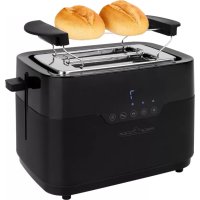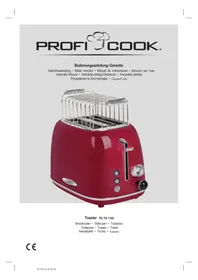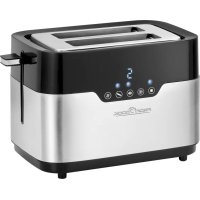
PCTA 1170 - Toaster PROFICOOK - Free user manual and instructions
Find the device manual for free PCTA 1170 PROFICOOK in PDF.



| Brand | ProfiCook |
| Model | PCTA 1170 |
| Product type | Toaster |
| Number of slots | 2 |
| Dimensions (L x W x H) | Approx. 28 x 18 x 20 cm |
| Net weight | Approx. 1.43 kg |
| Power supply | 220-240 V~, 50/60 Hz |
| Power | 770-920 W |
| Protection class | I |
| Browning level adjustment | Yes, by button (7 levels approx.) |
| Special functions | Defrost, reheat, bagel and baguette, stop |
| Rolling support for rolls | Yes, removable |
| Crumb tray | Yes, removable for cleaning |
| Indicator lights | Yes, for active functions |
| Browning level display | Yes, digital? (according to manual) |
| Housing material | Plastic |
| Power cord length | Retractable, approx. 80 cm (estimate) |
| Cleaning | Exterior with damp cloth; crumb tray washable |
| Safety | Automatic shut-off, burn protection, use under supervision |
| Spare parts | Crumb tray, rolling support (accessory) |
| Repairability | Do not repair yourself; contact an authorized technician |
| Usage | Household use only |
Frequently Asked Questions - PCTA 1170 PROFICOOK
User questions about PCTA 1170 PROFICOOK
0 question about this device. Answer the ones you know or ask your own.
Ask a new question about this device
Download the instructions for your Toaster in PDF format for free! Find your manual PCTA 1170 - PROFICOOK and take your electronic device back in hand. On this page are published all the documents necessary for the use of your device. PCTA 1170 by PROFICOOK.
USER MANUAL PCTA 1170 PROFICOOK
Behuizing, broodjesrek
Support roulant amovable
Notes d'utilisation
Boitier, support roulant
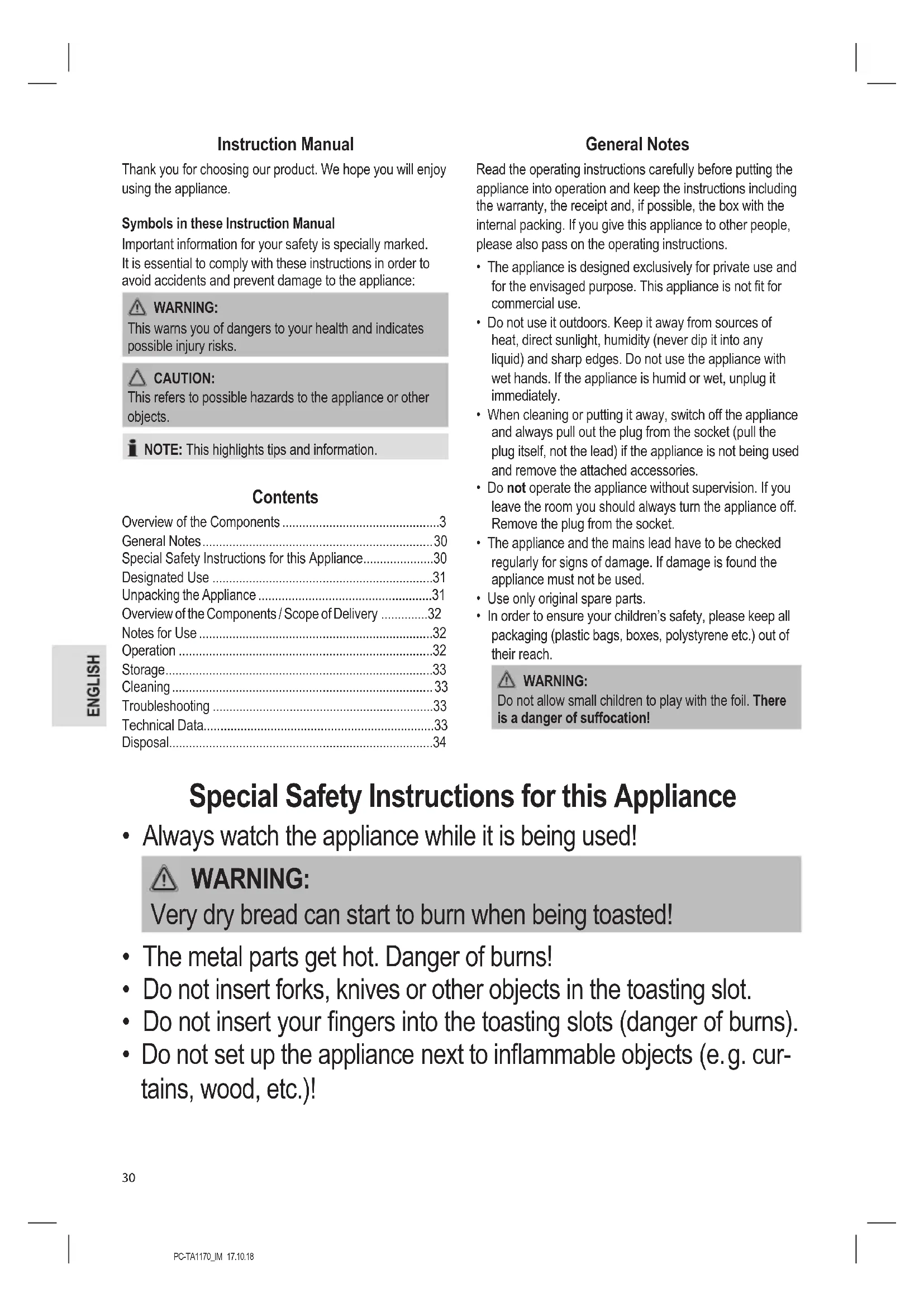
Thank you for choosing our product. We hope you will enjoy using the appliance.
Symbols in these Instruction Manual
Important information for your safety is specially marked. It is essential to comply with these instructions in order to avoid accidents and prevent damage to the appliance:

WARNING:
This warns you of dangers to your health and indicates possible injury risks.

CAUTION:
This refers to possible hazards to the appliance or other objects.

NOTE: This highlights tips and information.
Contents
Overview of the Components 3
General Notes 30
Special Safety Instructions for this Appliance. 30
Designated Use 31
Unpacking the Appliance 31
Overview of the Components / Scope of Delivery 32
Notes for Use 32
Operation 32
Storage 33
Cleaning 33
Troubleshooting 33
Technical Data. 33
Disposal. 34
General Notes
Read the operating instructions carefully before putting the appliance into operation and keep the instructions including the warranty, the receipt and, if possible, the box with the internal packing. If you give this appliance to other people, please also pass on the operating instructions.
- The appliance is designed exclusively for private use and for the envisaged purpose. This appliance is not fit for commercial use.
- Do not use it outdoors. Keep it away from sources of heat, direct sunlight, humidity (never dip it into any liquid) and sharp edges. Do not use the appliance with wet hands. If the appliance is humid or wet, unplug it immediately.
- When cleaning or putting it away, switch off the appliance and always pull out the plug from the socket (pull the plug itself, not the lead) if the appliance is not being used and remove the attached accessories.
- Do not operate the appliance without supervision. If you leave the room you should always turn the appliance off. Remove the plug from the socket.
- The appliance and the mains lead have to be checked regularly for signs of damage. If damage is found the appliance must not be used.
- Use only original spare parts.
- In order to ensure your children's safety, please keep all packaging (plastic bags, boxes, polystyrene etc.) out of their reach.

WARNING:
Do not allow small children to play with the foil. There is a danger of suffocation!
Special Safety Instructions for this Appliance
- Always watch the appliance while it is being used!

WARNING:
Very dry bread can start to burn when being toasted!
- The metal parts get hot. Danger of burns!
- Do not insert forks, knives or other objects in the toasting slot.
- Do not insert your fingers into the toasting slots (danger of burns).
-
Do not set up the appliance next to inflammable objects (e.g. curtains, wood, etc.)!
-
Do not operate the appliance with an external timer or separate remote control system.
- Do not repair the appliance by yourself. Always contact an authorized technician. If the supply cord is damaged, it must be replaced by the manufacturer, its service agent or similarly qualified persons in order to avoid a hazard.
- This appliance can be used by children aged from 8 years and above and persons with reduced physical, sensory or mental capabilities or lack of experience and knowledge if they have been given supervision or instruction concerning use of the appliance in a safe way and understand the hazards involved.
Children shall not play with the appliance. - Cleaning and user maintenance shall not be made by children unless they are older 8 years and supervised.
- Keep the appliance and its cord out of reach of children less than 8 years.

CAUTION:
This appliance is not intended to be immersed in water during cleaning. Please observe the instructions that we have included for you in the chapter "Cleaning".
Designated Use
This appliance is designed to toast slices of bread and rolls by using the toasting attachment.
It is intended for domestic use and use of similar areas. It may only be used in the manner described in this instruction manual. The appliance may not be used for commercial purposes.
Any other use is considered as not intended and may lead to damage of property or even to personal injury.
The manufacturer assumes no liability for damage which may occur through incorrect use.
Unpacking the Appliance
- Remove the appliance from its packaging.
- Remove all packaging material such as plastic films, filler material, cable ties and cardboard packaging.
- Check the content for any missing parts.
- In the event that the packaging content should be incomplete or if damages are noticeable, do not operate the appliance. Return it to the dealer immediately.

NOTE:
There may be dust and production residue on the appliance. We recommend cleaning the appliance as described under "Cleaning".
Overview of the Components / Scope of Delivery
1 Toasting well
2 Carriage lever
3 button "Warming"
4 "Bagel and Baguette" button
5 button "Degree of browning"
6 button "Defrosting"
7 button "Stop"
8 Crumb tray
9 Enclosure
10 Indicator lights
11 "Degree of browning" display
No Illustration
Removable roll rack
Notes for Use
Before Initial Use

CAUTION:
In order to remove the protective layer on the heating coil you should operate the appliance approximately three times when it is empty. Please select the maximum level of browning.

NOTE:
Any smoke or smells produced during this procedure are normal. Please ensure sufficient ventilation.
Mains Lead
Unwind the required mains lead from the base. Pass the cord through the cable guide at the back of the appliance.
Electrical Connection
Check whether the mains voltage that you want to use, corresponds with that of the appliance. You will find the information about it on the rating plate.
Buttons

NOTE:
The buttons on the appliance can only be used if the appliance has been turned on by using the carriage lever.
Operation
- Connect the device only to a correctly installed safety socket.
-
Insert the slices of bread in the toasting slot and lower the slide with the lever until it snaps into place. The indicator lights above the buttons and
-
Press the button repeatedly to adjust the degree of browning from the lightest setting 1 to the darkest setting 7. If you are not sure start with a lower setting.
- The appliance starts the toasting. When the set level of browning is reached, the appliance switches off automatically. The slide pops up automatically.

WARNING:
There is a danger of burns when removing small slices of bread!
- Disconnect the power supply from the socket when you are not using the appliance.
Special Functions
To use the desired special function, press the relevant key, after pressing down the lever.

NOTE:
The relevant LED indicates the function.
| ■ | Stop To stop | toasting in process. |
| ※ | Thawing To thaw and toast deep-frozen bread. | |
| ◇ | Bagel- and Baguette | One-side tasting ◇ NOTE: Cut the bagel or baguette in half. Place the bagel or baguette in the toaster that the outer side faces outward. |
| sss | Warming | To warm bread already toasted. |
Roll Rack (Removable)
Want to warm up or toast some rolls?
- Unfold the metal hooks from the roll rack.
- Place the roll rack onto the toasting slot.

CAUTION:
- Do not overload the roll rack! Place a maximum of one roll on the roll rack!
- Adjust the degree of browning only up to the maximum setting 3.
- Wait for one minute between two toasting cycles.
- Never coat the roll with fat or butter. Fat could drip down and ignite!

WARNING: Danger of burns!
Let the roll rack cool down before storing it again.
Pull the metal hooks apart gently to fold them up again.
Storage

WARNING:
As the housing and the metal parts become hot during operation, allow the appliance to cool down before putting it away.
- Clean the appliance as described and allow to dry completely. We recommend to keep the appliance in the
original packaging if the appliance will not be used for long periods.
- Always keep the appliance out of the reach of children in a dry, well ventilated place.
Mains Cable Take-Up Appliance
The mains cable can be wound up on the base.
Cleaning

WARNING:
- Pull the mains plug out of the mains socket before you clean the appliance and allow the appliance to cool down.
- Do not immerse the appliance in water! Doing so may result in an electric shock or fire.

CAUTION:
- Do not use any wire brush or other abrasive objects.
- Do not use abrasive or aggressive cleaners.
Housing, Roll Rack
Only use a slightly damp cloth to clean the outside of the appliance.
Crumb Tray
The crumb tray is located on the opposite side to the carriage lever.
- Pull the crumb tray out by the handle, remove the small pieces of bread and push the tray back in place.
Troubleshooting
| Problem Possible cause Solution | ||
| The appliance does not function. | The appliance has no power supply. | Test the socket with another appliance. |
| Plug in the mains plug correctly. | ||
| Check the main circuit breaker. | ||
| The appliance is faulty. | Contact our service centre or a specialist. | |
| The bread is too dark. | The toaster setting was too high. | Select a lower toaster setting. |
| The bread is too light. | The toaster setting was too low. | Select a higher toaster setting. |
| Problem Possible cause Solution | ||
| The toast-ing slots no longer rise. | A slice of bread is trapped in the slot. | Disconnect the plug from the socket! Allow the appliance to cool down! |
| Free the slice of bread with an insulated object, e. g. a wooden stick. If necessary turn the toaster over so that the slice of bread falls out. | ||
Technical Data
Model: PC-TA 1170
Power supply: 220 - 240 V~, 50 / 60 Hz
Power consumption: 770-920W
Protection class:
Net weight: ca. 1.43kg
The right to make technical and design modifications in the course of continuous product development remains reserved.
This appliance has been tested according to all relevant current CE guidelines, such as electromagnetic compatibility and low voltage directives, and has been constructed in accordance with the latest safety regulations.
Disposal
Meaning of the "Dustbin" Symbol
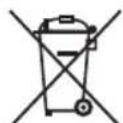
Protect our environment: do not dispose of electrical equipment in the domestic waste.
Please return any electrical equipment that you will no longer use to the collection points provided for their disposal.
This helps avoid the potential effects of incorrect disposal on the environment and human health.
This will contribute to the recycling and other forms of re-utilisation of electrical and electronic equipment.
Information concerning where the equipment can be disposed of can be obtained from your local authority.
Instrukcja obslugi
UcTpaHHe HEnCnpaBHOCTeI 48
TexHHueckme daHHbIe 49
Ytunm3aui 49
06üne 3aMeuHaHn
Ipeed hauanom 3Kcnnyataun npnbopa BHnmaTeIbHO npouHTaTne npnlaraeMyu INCTpykunIO no 3Kcnnyataunm COxpaHNTe ee B HndexHom MeCTe, BMeCTe C rapaHTnHBIM TaIOHOM, KaccOBbIM YekOM N, NO BO3MOXHOCTN, KAPTOHHO KOp6KOc ynaKoBOUHbIM MaTePnANOM. EcIn daeTe KoMy-1No6oNoJIb3OBaTbc np6obpOM, Obra3aTeNbHO daIte B pniDaay DaHHy IOhCTpykUnIO 3KcnNyataun.
-Пользуйтесь пибором только чаТьим орраЗм и по ha3haueHHIO. Пибор He пpeДha3haueHдЯ KMМерчecKORO ИСПОЛьЗOBAHИ.
He nIb3yIeTcB np6OpOM IOJ OTKpbITbIM He6OM. PpeDoxpaHnTe np6Op OT kApbl, pRmblx CoNHeuHbIX LyUey, BnaXHOCTN (HN B KOem cNyueae He nOprpykaTe ero B BoY) n yapob 06 ocTpble yrbl. He npKacaiTeCk K np6OpByBnaXHbIMn pykam. Ecn np6Op ByNaXHnncn HnHAMOK, TyT Xe BbIHbTE BuIKy n3 po3eKn.
- Pocne 3KcIpyaTuM,MOThaKe npHaIeKHOCTe, YNCTKe IIN NIOLOmKe np6bopa Bcerda BbHMaTe BnIKy n3 po3ETKn (TaNHTe 3a BnIKy,a He 3a KaBeJIb).
He octabTnIte yctpoiCTBO 6e3 Hnd30pa BO BpempaObToI.ObraTeNbHO BbIKIOuAte yctpoiCTBO,ecnINokndaete nomueHne.NBNeKaTe BNkky n3 po3ETK.
-ПибориКабeь ceteBOrO nITaHnI Heo6xOДIMOp peryIЯрнообследOBaTbHaHaJIuYne cIeJIOB NOBpeKdENII.ПиObHApUKeHIN NOBpeXdEHN IOnb3OBaTbcrпибopOM 3anpeuaTbcr.
Vicnoj3yuteToIbKOopnHaJIbHbIe3aIuaCTN.
- IV3 coobpaqhen 6e0nacnoctn dIy deTeH He ocTabJIaIte JExaTb ynaKOBky (PiactNKOBbie MeWKIn, KapTOH, NeHONlact n T.D.) 6e3 npncmOTpa.

IPEDYUNPEXDEHNE:
He no3B0JrTe DeTm IrgpaTb C nOIN3TuNEHOBOI nJIeHKO. OnachocTb ydyuBa!
CneuaJIbHbIe yka3aHnI NO 6e3OpaCHocTIN dIy 3tOro np6opa
He octablante npnbop 6e3 na30pa!

ПЕДУПЕЖДЕНЕ:
CnIshkom cyxoi xne6 moKeT KpOme npOyeRo hauaTb ropeTb!
- MetaJIInueckne yactn harpeBaIOTc. OnacHOCTb oXorOB!
- Пожалуньста, He opудуITE BHyTpN TocTepa BnIkaMn, HOxamn nII N T.I.
He cyuTe paIbUb I B waxTy TocTepa (OnacHocTb oXorOB).
He yctaHaBnBaIte np6op B6n3n JeKOBocPJaMeHЯeMbIX npedMeTOB (HaPpIMep: rapdINbI, DepeBO n T.d.).
He ynpabIyTe yCTpoIcTBOM C NOMOuBHeHrTo TaMepa IIN OTDeJIbHOcNTeMbI dNCTaHcNOHHOrO ynpabJeHnA.
He nbItaTeScb cAmOCToTcIbHo OTpeMOHTnPOBaTb yCTpOiCTBO. O6aTeIbHO CBJXITcB C aBTOpN3OBaHHbIM MaCTepOM. Ppi NOBpeXdEHN CTeBOrO shHpa, BO n36eXaHne ONaCHOCTn IopaxeHn 3JIeKTPnueckm TOKOM, shHyp CJIeDyET 3aMeHNTb y IN3ROTOBtJIa, CEPBnCHOrO pPeIcTaBtJIa NN dpyrNX KBaJIuΦn- CuropOBaHHbIX JInC.
- 3TO yCTPOICTBO MOKET NcNoJIb3OBaTbcra DeTbMn C 8 JETNJIoDbMn C ORpaHnueHHbIMN cN3NueCKIMN, Ocra3aTeJIbHbIMN UyMCTBeHHbIMN cNOCO6HOCTaMn, a TaKKe JIOdbMn 6e3 ONbIta N3HaHn, ecNI OHn HaxOJaTc POnCMOTpOM nII N 6bln IpoHNCTpyKTIpOBaHbI O6 NcNoJIb3OBaHmN yCTPOIcTBA 6e3OpaChbIMO6pa3OM N IOHMaIoT BO3MOXHbIe yrPo3bl.
-Детгм He pa3peшаetcngpaTb c yctpoiCTBOM.
-ЧИстka И обслужиBaHne He ДОЛЖHO BblINJHЯТьСЯ DeTbMn, 3a ИКЛюЧенem DeTei Stapwe 8 Not n Pod Na6JIHodeHem B3PocNbIX.
- PacnojaraTe neyb n ceteBOH shHyp BHe doCraeMOCTn deTei MnaDwe 8 jeT.
BHIMAHNE:
3TO yCTPOIcTBO He npedHa3NaYeHO dIy IogpyKeHry B BOy BO BpeM yNcTK. IoxaIyIcTa, cJeDyIe yKa3aHnYm, pa3MeIeHNbIM B pa3dJIe "UIncTkA".
Ha3haeHne
Dahnoe yctpoiCTBO npedha3haueho dny noDPyMaHbAHn JOMTKOB xIe6a n 6byouek C nOMOuBIO pncnoc6JeHH nIy o6xapuBaHn.
YcTpoiCTBOIpeHa3HaueHoIJaDomaUHeroNcNoB- 3OBAHn. Ero MoKHO NcNoJIb3OBAtTOJbKO cNoCobOM, OINcaHHbIM B DaHHOM pyKOBoDCTBE.YcTpoICTBO HeJIb3A INcNoJIb3OBAtIЯ KOMMepecknx ceJIeI.
IIO6oe DpyroE nCNoB3OBaHHe CHTaETcR NcNoB3OBAHNEM He No Ha3NaYeHnIO MOKeT npVBecTN K nopYeIMyUeCTBa NIN DaJke K TpaBMe.
POn3BODNTIb He HecET OTBeTCTBeHHOCTN 3a BO3MOXHbIyUepe6, KOtOpBIMoKet 6bl TpUHHeB pe3yJIbTaTeHnPaBnBHorO nCnONb3OBaHnY cTPOIcTBa.
PacnaKOBka yctpoNCTBa
1.ИЗВЕКИТЕУСТЮСТВОИЗEROУNASKOBKN.
2. YdaJInte BCE ynaKOBOHyIe MaTePnAJIbI, TaKHe KaK IIa-CTNKOBaI pJeHka, HAnONHInTeJIN, CKpyTKN KApTOHHaY naKOBKa.
3. Y6eIntecb B HAnHmN BCEx KOMIOHeHTOB.
4. B cnyae ecn coepkmoe ynapobkn HeonHoe nnn 6hapxkeHbIOBpeKdEHHa, He paOtaTe c npnbopom. HemeIeHNO BepHnte ero dnpepy.

ПРИМЕЧАНО:
Ha yctpoiCTBe Moryt 6bIb N ocTaKn npOn3-BoDCTBENHO npocecca. PeKOMeHdyETc NOUcTNTb yctpoiCTBO, KAK ONmCaHO B rJaBe «UcTka».
O63op DeTale npnbopa / KomnIeKT noCTaBKn
1XopoOee noJxkapuBaHnE
2 Pbyaekok noDbema
3 KhoIka «TpoIorpeB»
4 KhoNka «Бубл«ибаггT»
5 KhoNka «CTeEnb noDpyMaHbHaHnA»
6 KhoNka 念 Pa3MopaxnBaHne
7 KhoNka «CTon»
8 POnDoH nIg KpoWeK
9 Kopnyc
10 INHdMkaTOpHbIe JAmmOuKn
11 Dicnne "CteneHb nodkapnaHnA"
HeT pncyHka
CbeHna peeTeKa dny bynouek
PpimueaHnno nCnoB3OBaHn
Ipeep nepBbIM NOJb3ObaHnEM

BHIMAHHE:
IydaJIeHna 3aunTHoN CMA3Kn C HarpeBaTeJbHoro 3IeMeHTa erO Heo6xOIMo TpN pa3a nporpeTb. Bbi6epuTe IyI 3TOrO MaKcImaJIbHyO TemnepaTypy.

ПРИМЕЧАНО:
IorBHeHne IeKoro Dbima nocToPOHrero 3aNaXa npn 3Toi npOeDpy RaJIeHne HopMaIbHoe. ObecneYbTe DOCTaTOUHyo BEHTINJLcNIO NOMEeHn.
CetBoW uHyp
OTMotaTe Ka6eJIb Ha Heo6xOuIMyIO DnHv Co DHa npB6opa. PpoJeHbTe cTeBOi Ka6eJIb CKB03b HAnpaBnaIooYIO Ha 3aDHe CTHeKe yCTpoCTBa.
3JnEeKtpueckne coeHNHeHn
PpOBeBte,TO HnApXeHHe CeTeBOrO 3NeKToPiTuHaHn, KOTOpoe PpeDnonaraetcNcONb30BaTb,CoOTBeTCTByET
HOMHaIy np6opa.HOMHaJIbHOe HApJxKeHne np6opa yKa3aHO Ha INΦopMaIOHNOHn TabInuKe.
Khonkn

ПРУМЕЧАЦ:
KhONKn Ha np6ope MOxHO NcIOb3OBAbT ToIbKO nocne BKNHouEHH np6opa pbUarom caa3OK.
Pa6ota
1.Подкнюауе усторостBO толбк К правильho установлесно,Исторовп розтke.
2. BCTaBbTe KycOeK (Kn) XnE6a B nA3 (bl) TocTepa n, HaxaB Ha pbUar, ONyCTnte CaIaN 3KN BHN3, Do INx cNkCaun. TOpT INHnKATOPHbIe JAmNoUKN HAD KHOJIKAAM
- NocneIobateJbHo HaxmMaTe KhoNky TdI pyyInpoBaHnCTeEHN NOxkapuBaHnO T CBETIOI Do TEMHOHaCTpoKn.Bcnyae HeyBepHHocTn,HaunHaTe C nepBoro noLoKeHn.
- TocTeHauHaetnoJXapnBaTbXne6.KaKToIbKO OH noJXapntcdo yCTaHOBnEHNOZbeta,TocTeP abTomatUeCKN BbIKIOHTC. CaJa3Kn ABTomATUeCKN BbieyT HabePx.

PENEYIPPEXDEHNE:
PnBbHMaHm MaJIeHbKx JOMTNKOB XNe6a ecTb onachOCTb OxorOB!
- OTKIIOHTe np6op ot po3eKn 3neKtpoNTaHn, KOrda OH He nCIOJIb3yETcR.
CneuaalbHbe yHKm
YTO6bI BOCNoJIb3OBA TbCBc CNEuHaNbHbIMN FyHKUaMn HaKMTe, Iocne OnyckaHnpaBn3, COOTBeTCTByIOUyHO KHOJKy.

ПИМЕЧАнЯ:
COOTBETCTBYUOJAR KOHTPOJIbHJaIaMnOuKa CINHaUN3NpyETo6akTUBN3aUINpeKIMa.
I P E D U N P E X D E H N E:
- Перацьдои чстков Вынмайт e ВИКу n3 рoэтки n дaite npибору OCTыITb.
He norpykaite np6op B Body! Nocne 3toro BO3nkaeT pCK Bo3ropania nn yda pa 3JIeKtpnueckm TOKOM.
BHIMAHNE:
He npimehnTe npBOIOUHbIe UeTKN NIN npEIMtbi c a6pa3NBbIM IOKpbITnEM.
He nCnoJIb3yIte IJRA YNCTKN CINJBHO MOIOUne cpeDCTBA INI NaCTbl.
a aaa a a a a a a a a a a a a a a a a
joo j0 111111111111111111111111
a.s. s.n. 1 a.s. s.n. c.
Jooalol jSe gill slly aalebi ciogalebl de Jgall
aabla ablaal jx jao
10 > 5 < 1 > 0
| الله | الله بعس الحرفية | |
| الله بعس الحرفية .رّه ! | الله بعس الحرفية .رّه ! | الله ! |
| الله بعس الحرفية .دَبْعَن ! | الله ! | الله ! |
| الله بعس الحرفية .دَبْعَن ! | الله ! | الله ! |
| الله بعس الحرفية .دَبْعَن ! | الله ! | الله ! |
| الله بعس الحرفية .دَبْعَن ! | الله ! | الله ! |
| الله بعس الحرفی ! | الله ! | الله ! |
| الله بعس الحرفی ! | الله ! | الله ! |
| الله بعس الحرفی ! | الله ! | الله ! |
| الله بعس الحرفی ! | الله ! | الله ! |
| الله بعس الحرفی ! | الله ! | الله ! |
| الله بعس الحرفية ! | الله ! | الله ! |
| الله بعس الحرفية ! | الله ! | الله ! |
| الله بعس الحرفية ! | الله ! | الله ! |
| الله بعس الحرفية ! | الله ! | الله ! |
| الله بعس الحرفية ! | الله ! | الله ! |
| الله بعس الح註冊 ! | الله ! | الله ! |
| الله بعس الح註冊 ! | الله ! | الله ! |
| الله بعس الح註冊 ! | الله ! | الله ! |
| الله بعس الح註冊 ! | الله ! | الله ! |
| الله بعس الح註冊 ! | الله ! | الله ! |
| الله بعس الح註冊 ! | الله! | الله ! |
| الله بعس الح註冊 ! | الله ! | الله ! |
| الله بعس الح註冊 ! | الله ! | الله ! |
| الله بعس الح註冊 ! | الله ! | الله ! |
| الله بعس الح註冊 ! | الله ! | الله ! |
| الله بعس الح註冊 ! | الله ! | الله ! 2 |
| الله بعس الح註冊 ! | الله ! | الله ! |
| الله بعس الح註冊 ! | الله ! | الله ! |
| الله بعس الح註冊 ! | الله ! | الله ! |
| الله بعس الح註冊 ! | الله ! | الله ! |
| الله بعس الح註冊 ! | الله ! | الله ! |
| الiale ! | الiale ! | الiale ! |
aai
PC-TA 1170.
50/60 240-220
920-770 1
I.
1,43
yabu bglul 3a 3 auaaig aia 1jra j 1
L
olalgill jia aigjyI y elwll caggi gao gai jgal
clalwl lab aaii piig jiaicil gall gabliagyll glgll
= 12 ( 1 - x)
12k = - 1
j4y11 yg00 2
- ..
gallolgoaLdSollal lalbll Jao 1sallg atell algo a5j.2
.5gab1 3gjll jaoegai610g,11111119
3...gaiαe jgSg
- 个成立 y . Cological
jgl 1e jgallg2ab1 gac1 jgl
:aloo
jglal jbiy gogi ljlglil ciaaogj
"ddjjll"jjgill jgl ggl
puluul gbi/ uigkglde aole ojbi
a# 1
2
"Jzssll" jss 3
"21 4
"aaaannnnn 5
"J 6
50
50
50
aole cUdo 30
j 1 j 1 j 1 j 1 j 1 j 1 j 1 j 1 j 1 j 1 j 1 j 1 j 1 j 1 j 1 j 1 j 1 j 1 j 1 j 1 j 1 j 1 j 1 j 1 j 1 j 1 j 1 j 1 j 1 j 1 j 1 j 1 j 1 j 1 j
L
jglpluulwgluwrj3JbLquaIy
1uLsUyI UoUeJgO
L 100000000000000000000000000000000000000000000000000000
yoo

jblao g jnag dianw de jblie loy joa jolia joi
y. hia 3g aibl jolil g oal aluul uol y
.5
(aLw dLo g lalba aouy) aygbjg oolab1 waaall daig 1 Lb jgl 15! .dlaa y glag jgal pao y.0oall b

y
151 (Jogll Lg. aaiy jalil) 101 yjss Jl Jaa
Jyjll jll joo jwolg jil. ajjl ojleu ic lsl
jglall aaiw jie gll lai gil alu wic. alw cdo
Jgllj jI (la2g jjulgl qalll
:
y 1
clogsbglalldgagjol jyoll
- jao jw wllg dai aai gai jai gai li
Lg26b1
53
53. 54
52 1j00000000000000000000000000000000000000
52
51
51
51.
jlll l 100
1,2,3,4 1,3,4
:

1 1
1JxU JyI 1g. jjJzbl
a
()
!(Lg,g,g,j)JUdUdUdUdUdUdUdUdU
Joo 5000
L 15
GARANTIEKARTE
warranty card · garantiekaart · carte de garantie · schedadi garanzia · tarjeta de garantia · cartao de garantia · garantikort · karta gwarancyjna · zaručni list · kartica jamstva · carte de garantie · fapahnouhna Kapta · zaručny list · garancijski list · garanciajegy · rapahtiHmΦopMynp · fapaHTnHbɪŋ TañoH
jiao lei
PC-TA 1170
24 Monate Garantie gemäß Garantiererklarung - 24 months warranty according to warranty declaration - 24 maanden garantie volgens garantieverklaring - 24 mois de garantie selon la déclaration de garantie - 24 messi de garanzia seconde la dichiarazione di garanzia - 24 meses de garantia de acuero con la déclaracion de garantia - 24 menedes garantiet hienhold til garantibetingelsene - 24 misiec gwarancjna podastowie odwicdzcnia gwarancjnego - zaruka 24 meseicu podle prohlasei o zaruce - 24 meseecno jamstvo u skladu s jarnstvenom deklaracionj- 24 luni garantie conform declaratie de garantie - 24 mecaa rapaunmu a cbotertcme c rapaunmuohata deknapaua - 24 meacna zaruka podla vhylasenia o zaruke - 24-mesecnagarcija, skladno z garancjsko izjavo - 24 honap garacia a garanciafeletetelekben leirtak szerint - rapaHTI Ha 24 Mnci iBINOIBHO AINI npo rapaHTIO - rapaHTNIA 24 mecaa cornaco haabneHHBM rapaHTHBMnpaRbAM
Kaufdatum, Handlsterpmel. Unterschied - date of purchase, dealer stamp, signature - aankoepodiumat, dealsterpmel, handlsterkening - date d'achat, tampon du concessionaire, signature - dat di acquisto, limbo del rivendatore, firma - fecha de compra, seilio del distribuidor, firma - data de compra, carimdo do distribuidor, assinatuna - kiosalato, forhandsterpmel, signatur - dat zakuip, pieced sorzadawy, podisp - datum zakuopnl, natalko projecej, podisp - datum kupovine, big trovca, potos - datum o achichizy, stamplia furnizorulii, semnatura - Data na kopykna, Tneiav na Ipozayava, Tpocn - datum nakuip, peciata obchodnitsa/ predajcu, podisp - datum napka, big trovca, podisp - visaslinas datuma, kereskedso belyegedja, alalara - data npd6anen, neyika npdaasai, nainc - Da tare npnoebopeni, lsharn npnojaua, npnojnc- gglu 1234567890123456789012345678901234567890123456789012345678901234567890123456789012345678901234567890123456789
PROFI COOK
www.proficook-germany.de