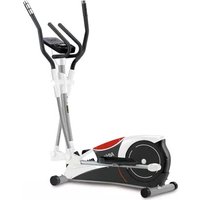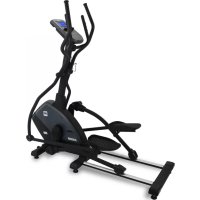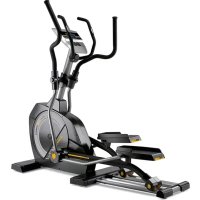
G865N - Elliptical bike BH FITNESS - Free user manual and instructions
Find the device manual for free G865N BH FITNESS in PDF.


| Product type | Elliptical trainer |
| Brand | BH Fitness |
| Model | G865N |
| Usage | Home use |
| Dimensions (L x W x H) | Approx. 180 x 70 x 170 cm |
| Weight | Approx. 80 kg |
| Power supply | Mains adapter 220 V, 24 V AC |
| Display | LCD screen with windows for time, RPM/speed, distance, calories, THR, pulse |
| Training programs | Manual (P1), 12 predefined programs (P2-P13), 4 user programs (P14-P17), 5 heart rate control programs (P18-P22), body fat program (P23) |
| Resistance | 16 brake levels |
| Pulse measurement | Hand-grip handles (hand pulse sensors) and optional telemetry receiver (chest strap) |
| Body Fat function | Yes, calculates body fat percentage, basal metabolic rate (BMR), BMI and body type |
| Recovery test | Yes, measures recovery pulse after exercise and evaluates physical condition (F1 to F6) |
| Auto shutdown | Yes, after 4 minutes of inactivity |
| Reset | Hold ENTER-b (right) key for a few seconds to reset |
| Material | Steel and plastic |
| Maintenance | Clean with a damp cloth, avoid water and direct sunlight on the screen |
| Spare parts | Available from the manufacturer or authorized dealer |
| Warranty | 2 years (according to current legislation) |
| Manual available in | French, German, English, Spanish, Italian, Dutch, Portuguese, and others on request |
Frequently Asked Questions - G865N BH FITNESS
User questions about G865N BH FITNESS
0 question about this device. Answer the ones you know or ask your own.
Ask a new question about this device
Download the instructions for your Elliptical bike in PDF format for free! Find your manual G865N - BH FITNESS and take your electronic device back in hand. On this page are published all the documents necessary for the use of your device. G865N by BH FITNESS.
USER MANUAL G865N BH FITNESS
text_image
BH Fitness 1500 80 0 FDC BMS 40 0 0 0 FDC body-in Start MSG open body-in open body-in playtimeUNIDAD ELECTRÓNICA ELECTRONIC MONITOR UNITÉ ÉLECTRONIQUE ELEKTRONIKEINHEIT UNIDADE ELECTRÓNICA IMPIANTO ELETTRONICO ELEKTRONISCHER MONITOR
Fig.1
text_image
220V 126 m kFig.2
natural_image
Simple line drawing of a trash bin with a crossed X mark and circular base (no text or symbols)Fig.3
text_image
R EAN 0.5m 60 80 100mm 30 20mm 100mm FDC 0.5m 60 80 100mm 30 20mm 100mmFig.4
text_image
R 1:50 2:00 40 7 FDC CFig.5
text_image
123 128 130 B C 46Fig.6
text_image
TEspañol
MONITOR ELECTRÓNICO CONEXIÓN A LA RED.
text_image
Programa-HRC 65%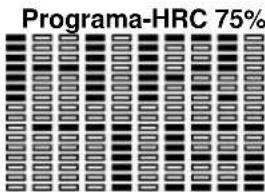
text_image
Programa-HRC 75%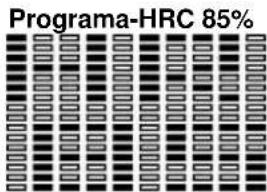
text_image
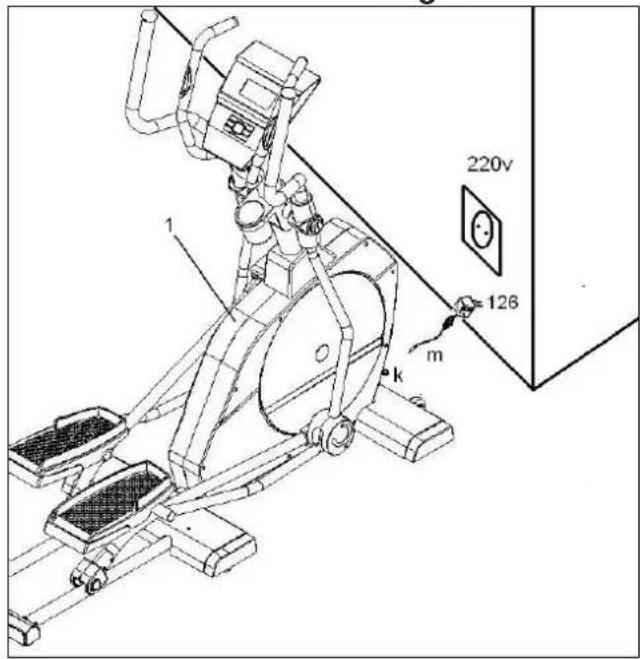
Programa-HRC 85%Insert the jack (m) for the transformer into the connection hole (k) on the main body (bottom, rear of the machine) and then plug the transformer (126) into a 220 V mains supply, Fig.1.
To give you greater control over your exercise, this electronic unit provides simultaneous read-outs of speed, distance, exercise time, calories burnt and pulse rate.
If at any time during exercise you press the START/STOP button then all of the unit's functions will stop. Pressing the START/STOP button again will restart the machine.
The monitor will switch itself off automatically if the unit stands idle for more than 4 minutes.
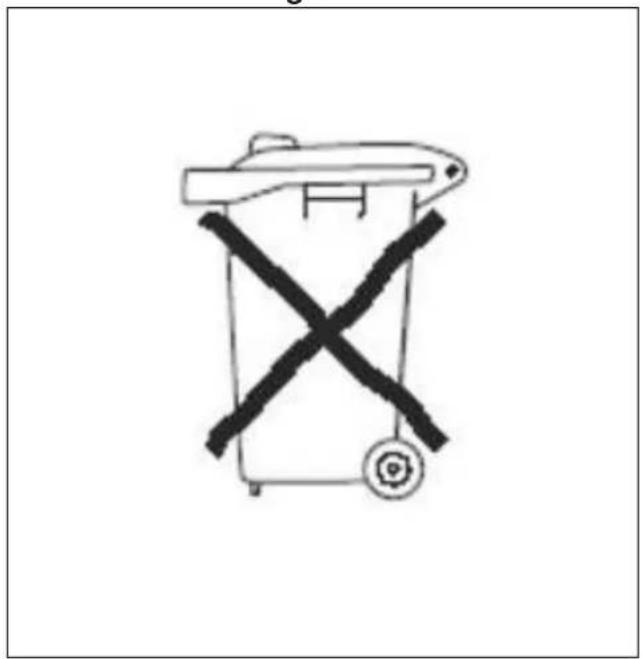
Important: Deposit electronic components in special containers, Fig. 2.
MONITOR FUNCTIONS.-
This monitor has six keys: PULSE/RECOVERY; BODY-FAT; UP▲, START/STOP; DOWN▼; ENTER.
PULSE/RECOVERY; selects the physical condition "TEST".
BODY-FAT; Selects the body fat measurement.
UP▲: To rise levels.
START/STOP: Monitor start/stop.
DOWN▼: To lower levels.
ENTER:
ENTER-b)- Right hand key, with the monitor stopped, keep this key pressed for several seconds to reset all data.
The program level you have selected is shown simultaneously in the central section of the display. The six windows at the bottom of the display show the TIME; RPM/ SPEED; DISTANCE; CALORIES; THR (TARGET HEART RATE); PULSE RATE. This monitor also has 1 manual program, 12 pre-set exertion level programs; 1 BODY FAT program; 5 Heart Rate Control programs; 4 user defined programs.
You can ENTER of all the values back to zero by holding the ENTER-b key down for 3 seconds.
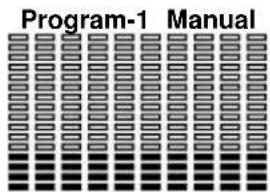
Press the START/STOP key to switch the monitor on, the words Program1 will appear on the screen.
text_image
Program-1 ManualUse the UP/DOWN keys to increase or decrease the exertion level, there are 16 exertion levels.
Programming a time limit:
Press the START/STOP key to switch the monitor on, then press the ENTER key until the time window starts to flash, use the UP/DOWN to specify the duration of the exercise (from 1 - 99 minutes), select the time limit and press START/STOP to begin the exercise. The time will begin to count down until it reaches zero, at which point the monitor will beep several times to advise you that you have reached the programmed value.
Programming a distance limit:
Press the START/STOP key to switch the monitor on, then press the ENTER key until the distance window starts to flash, use the UP▲/DOWN▼ to specify the distance for the exercise (from 0.1-999 km), select the distance and press START/STOP to begin the exercise. The distance will begin to count down until it reaches zero, at which point the monitor will beep several times to advise you that you have reached the programmed value.
Programming a calorie limit:
Press the START/STOP key to switch the monitor on, then press the ENTER key until the calorie window starts to flash, use the UP▲/DOWN▼ to specify the calories for the exercise (from 50-9950 cal), select the calories and press START/STOP to begin the exercise. The calories will begin to count down until they reach zero, at which point the monitor will beep several times to advise you that you have reached the programmed value.
Programming the HEART RATE function:
Press the START/STOP key to switch the monitor on, press the ENTER key until the AGE window starts to flash, use the UP▲/DOWN▼ keys to select your age. When you have entered your age the monitor may suggest a target heart rate for the exercise, this suggested heart rate value represents 85% of the result from 220 minus your age, this means that if your actual heart rate is equal to or greater than this value it will begin to flash, advising you to either slow down or lower the exertion level.
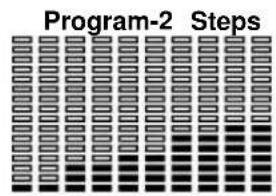
Press the START/STOP key to switch the monitor on, the words Program1 will appear on the screen. Use the UP▲/DOWN▼ keys to select the program graph (2–13) that you wish to use for your exercise.
text_image
Program-2 Steps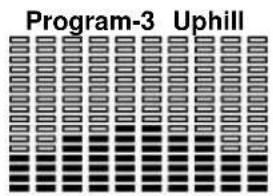
text_image
Program-3 Uphill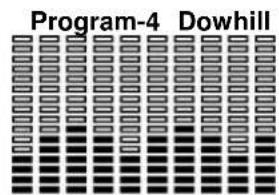
text_image
Program-4 Dowhill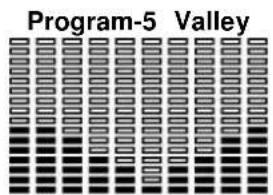
text_image
Program-5 Valley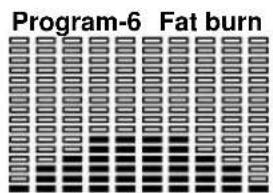
text_image
Program-6 Fat burn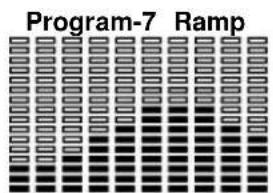
text_image
Program-7 Ramp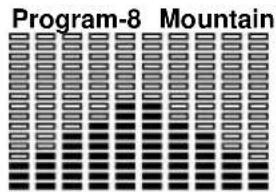
text_image
Program-8 Mountain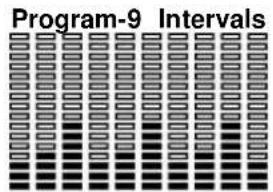
text_image
Program-9 Intervals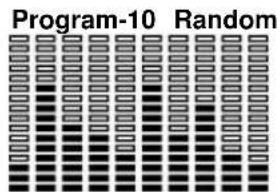
text_image
Program-10 Random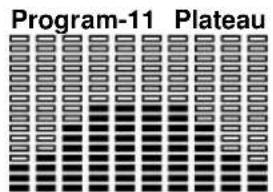
text_image
Program-11 Plateau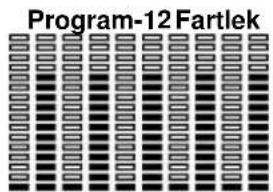
text_image
Program-12 Fartlek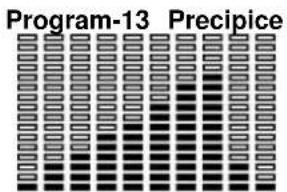
text_image
Program-13 PrecipicePress the START/STOP key to begin.
The duration of the program graph is 30 minutes, divided into ten 3 minute stages. If you decide to specify a time limit for the program, then the duration of this time limit will be divided into ten stages. You can vary the exertion level during the exercise by pressing the UP ▲/DOWN ▼ keys.
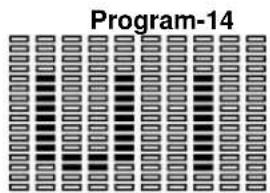
Programs 14 are user defined programs. To use these programs:
Press the START/STOP key to switch the monitor on, the words Program 1 will appear on the screen. Use the UP▲/DOWN▼ keys to select the program graph from 14.
text_image
Program-14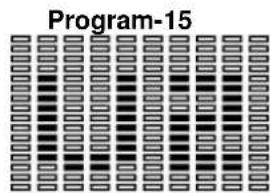
text_image
Program-15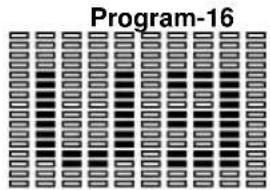
text_image
Program-16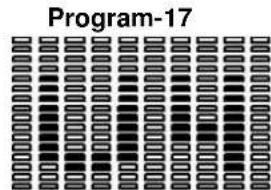
text_image
Program-17Press ENTER and the TIME window flash, you can now specify the duration. Press ENTER to program in the distance. Press ENTER to program in the calories. Press ENTER to program your age. Press ENTER and the first line of the profile Hill flash, use the UP▲/DOWN▼ keys to specify the exertion level you require, press ENTER and the second stage will flash and so on until you have completed the profile for doing your exercise, press START/STOP to begin exercising. If you have not specified a time limit in the TIME programming then the default duration for the whole profile will be 30 minutes, i.e. 3 minutes per stage.
HEART RATE CONTROL PROGRAM P18-P22.-
Program 18 to 22 are used for Heart Rate Control (HRC).
With program 22 you can specify a constant heart rate level, whenever your heart rate goes above the programmed level the machine will automatically decrease the exertion level to maintain your specified value, alternatively, if your heart rate is below the programmed value then the machine will increase the exertion level in order to reach the specified value. With programs 18 to 21 you can specify various maximum heart rate levels based on your age (maximum value calculated from 220 minus your age).
Program 18 is for 55% maximum heart rate level. Program 19 is for 65% maximum heart rate level. Program 20 is for 75% maximum heart rate level. Program 21 is for 85% maximum heart rate level.
To use these programs: Press the START/STOP key to switch the monitor on, the words Program1 will appear on the screen. Use the UP▲/DOWN▼ keys to select the program graph from 18 to 22.
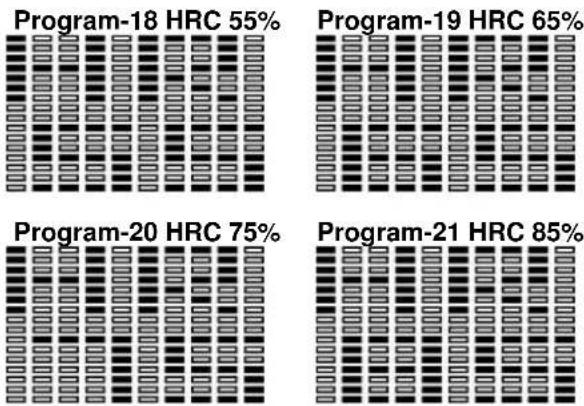
Press ENTER and the TIME window flash, you can now specify the duration. Press ENTER to program in the distance. Press ENTER to program in the calories. Press ENTER to program your age. Press START/STOP and begin the exercise.
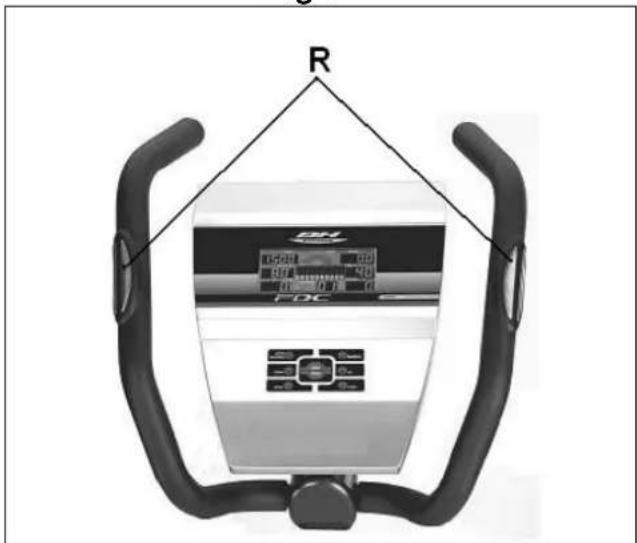
Your hands must be placed on the pulse sensors (R) Fig 3, when using these programs. The lower window on the display (TARGET H.R) will show you the calculated value for your maximum heart rate level.
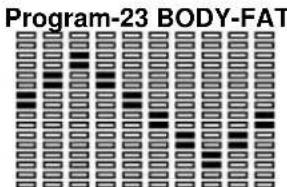
Program number 23 is designed to calculate the user's body fat percentage and then create specific load profiles. Press the START/STOP key to switch the monitor on, the words Program1 will appear on the screen. Use the UP ▲/DOWN▼ keys to select program 23.
text_image
Program-23 BODY-FATPress ENTER and then use the UP▲/DOWN▼ keys to select your sex (1-Male ; 2-Female), press ENTER to confi rm. Use the UP▲/DOWN▼ keys to select your HEIGHT (110-250 cm), press ENTER to confi rm. Use the UP▲/DOWN▼ keys to select your AGE (10-99 years).
Press the START/STOP key and place your hands on the pulse sensors (R) (Hand-grips), as shown in Fig.3, and after a few seconds the lower screens on the display will show your FAT%; BMR (Basal Metabolism Ratio); BMI (Body Mass Index) and BODY TYPE.
The main screen will display the type of profi le for your body type.
If the error code "E-3" appears then this means that an error has occurred, position your hands correctly on the pulse sensors (R), Fig 3.
REFERENCE TABLE: BODY FAT PERCENTAGE %
| SEX / FAT% | LOW | LOW / AVERAGE | AVERAGE | HIGH |
| MALE | < 13% | 13%-25,8% | 26%-30% | >30% |
| FEMALE | <23% | 23%-35,8% | 36%-40% | >40% |
REFERENCE TABLE: BMI
| THIN= | NORMAL+ | SLIGHTLY OVERWEIGHT | OVER WEIGHT |
| <18,5 | =18,5~24,9 | =25~30 | <30 |
BODY TYPE
There are 9 body types based on the percentage of fat calculated.
| TYPE 1 | (5%-9%) Extremely athletic |
| TYPE 2 | (10%-14%) Ideal sportsman |
| TYPE 3 | (15%-19%) Very slender |
| TYPE 4 | (20%-24%) Sportsman |
| TYPE 5 | (25%-29%) Ideal health |
| TYPE 6 | (30%-34%) Slender |
| TYPE 7 | (35%-39%) Very overweight |
| TYPE 8 | (40%-44%) Overweight |
| TYPE 9 | (45%-50%) Extremely obese |
HAND-GRIP (PULSE) INSTRUCTIONS/USE
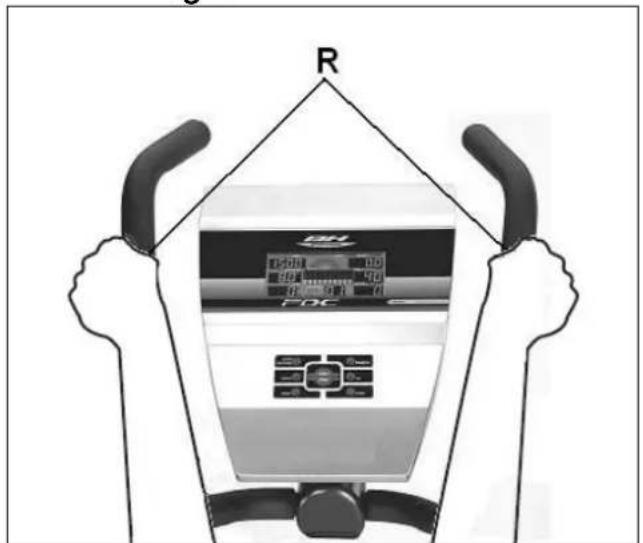
On this model the pulse rate is measured by placing both hands on the sensors (R), located on the handlebar, as shown in Fig.3. When both hands are placed on the sensors the heart symbol on the right-hand side of the screen, marked PULSE, will begin to flash and after a few seconds a heart rate reading will be displayed. If both hands are not placed correctly as shown in Fig.4 then the pulse function will not work. If a "0" appears on the screen or the heart symbol does not flash then make sure that both hands are placed on the sensors and that the connectors (130-C) are connected at the back of the electronic unit.
TELEMETRIC PULSE RATE
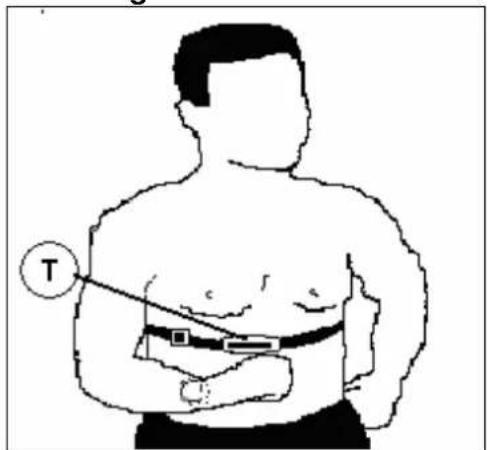
The monitor is equipped to receive signals from a telemetric pulse measurement system.
The system comprises of a receiver and a transmitter (T) (chest band optional) Fig.6.
This telemetric pulse rate system takes precedence over the Hand-grip pulse rate system when both are used together.
(See telemetric pulse rate instruction book).
TEST MEASUREMENTS.- FITNESS.
This electronic device is equipped with a recovery test function. This offers you the advantage of being able to measure how long it takes your heart rate to recover after having fi nished the exercise.
After fi nishing the exercise leave your hands on the pulse sensors (R) and press the "PULSE/RECOVERY" button and this will start a one minute countdown. Only the Time and Pulse rate function read-outs will remain displayed. The electronic device will measure your pulse rate during this minute.
The heart rate recovery time will be displayed on the Heart rate line. If, at any time during this minute, you decide to abandon this test then press the "PULSE/RECOVERY" button and this will take you back to the main screen.
When the minute is up, the electronic device will work out the difference and your fitness rating will be displayed up on the screen: "F1, F2,..., F5, F16; where F1 is the best (fi tness "Excellent") and F6 the worst (fi tness "Very Poor").
Pressing the "PULSE/RECOVERY" button will take you back to the main screen, where the functions will be in the same mode as when the TEST began.
The comparison between the worked heart rate and the recovery heart rate provides a fast, simple method of gauging how fit you are. Your fitness rating is a guideline that shows you how fast your heart recovers after physical exertion. If you exercise regularly then you will see your fitness rating improve.
The test will not work if the sensor is not connected correctly or if the error code "E1" appears on the screen.
The TEST will not work if you do not have both hands placed on the hand-grip sensors (R) Fig.4 after you have stopped doing the exercise.
If the error code "E1" is shown on the screen then this means that you do not have your hands positioned correctly on the hand-grip sensors (R).
If the error code "E2" appears on the screen, this means that you have not stopped exercising.
FITTING THE ELECTRONIC MONITOR
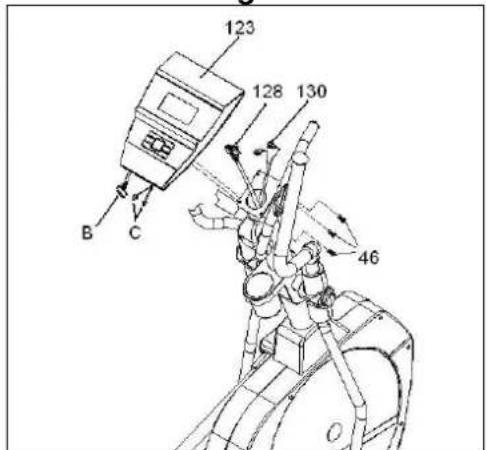
Next, connect terminals (128) (130), sticking out of the handlebar (2), and terminal (B) (C), sticking out of the monitor (123), Fig.5.
Place the monitor (123) on top of the plate on the main post (2), as shown in Fig.5, making sure not to pinch the wires.
Use screws (46) to hold the monitor in place, Fig.5.
TROUBLESHOOTING GUIDE Problem: The display comes on but only the Time function Works.
Solution:
a.-Make sure that the connection cable is connected.
(24 AC Transformer)
Problem: The monitor does not switch on.
Solution:
a.-Check the 220 V mains connection
b.-Check the output connection from the transformer to the monitor.
c.-Check the monitor cable connections.
d.-Check the cable connections for the main post.
Avoid leaving the electronic monitor in direct sunlight as this might damage the liquid crystal display.
Similarly, do not expose it to water or knocks.
BH RESERVES THE RIGHT TO MODIFY THE SPECIFICATIONS OF ITS PRODUCTS WITHOUT PRIOR NOTICE
Français
MONITEUR ÉLECTRONIQUE.-BRANCHEMLENT AU COURANT.
text_image
Programme-18 HRC 75%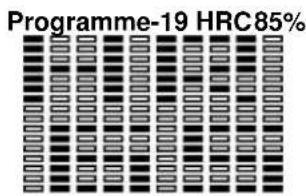
text_image
Programme-19 HRC 85%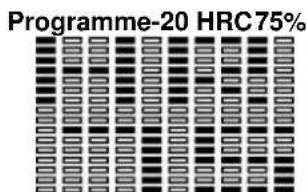
text_image
Programme-20 HRC 75%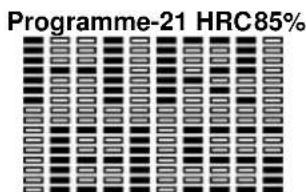
text_image
Programme-21 HRC85%text_image
Programme-18 HRC 55%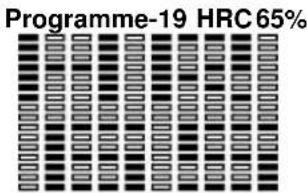
text_image
Programme-19 HRC 65%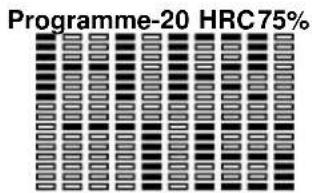
text_image
Programme-20 HRC 75%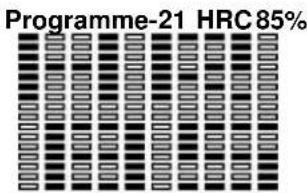
text_image
Programme-21 HRC 85%text_image
Programa-13 Precipíciotext_image
Programa-18 HRC55%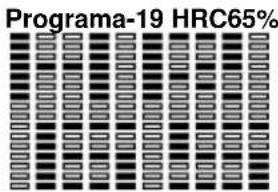
text_image
Programa-19 HRC65%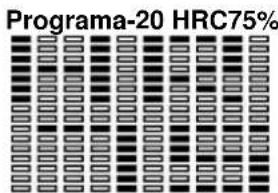
text_image
Programa-20 HRC75%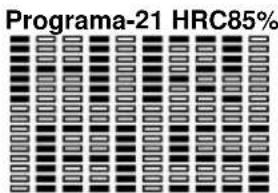
text_image
Programa-21 HRC85%text_image
Programmi-18 HRC55%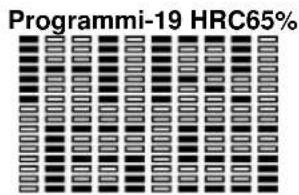
text_image
Programmi-19 HRC65%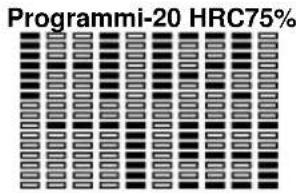
text_image
Programmi-20 HRC75%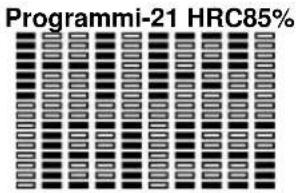
text_image
Programmi-21 HRC85%TIPI DI CORPO / BODY TIPE:
text_image
Programma-18 HRC55%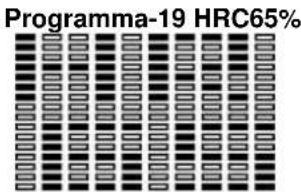
text_image
Programma-19 HRC65%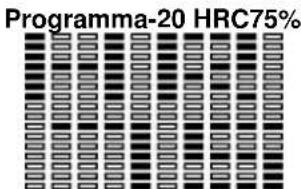
text_image
Programma-20 HRC75%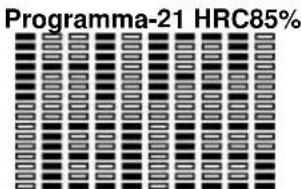
text_image
Programma-21 HRC85%natural_image
Grid of identical rectangular blocks with varying shades of gray and black, no text or symbols present.TESTMETING: LICHAMELIJKE CONDITIE
No.139, Jhongshan Rd.
Daya Township
Taichung 428, Taiwan. R.O.C.
Tel.: +886 4 25609200
Fax: +886 4 25609280
info@bhasia.com.tw
BH FITNESS UK
Unit 1A Brittania Business Park
Union Road, The Valley
Bolton BL2 2HP
UK
Tel.: +44 (0)870 381 0277
Fax: +44 (0)870 381 0278
e-mail: info@bhfitness.co.uk
BH FITNESS FRANCE
Block A, NO.68, Branch Lane 455, Lane 822,
Zhen Nan RD., Li Zi Yuan, Putuo, Shanghai
200331, P.R.C.
Tel: +86-021-5284 6694
Fax:+86-021-5284 6814
BH SE RESERVA EL DERECHO A MODIFICAR LAS ESPECIFICACIONES DE SUS PRODUCTOS SIN PREVIO AVISO.
SPECIFICATIONS MAY BE CHANGED WITHOUT PRIOR NOTICE DUE TO OUR PROGRAMME OF CONTINUOUS PRODUCT DEVELOPMENT.
BH SE RÉSERVE LE DROIT DE MODIFIER LES SPECIFICATIONS DE SES PRODUITS SANS PRÉAVIS.