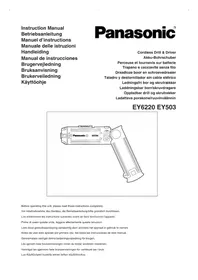
EY503 - Screwdriver PANASONIC - Free user manual and instructions
Find the device manual for free EY503 PANASONIC in PDF.



| Brand | Panasonic |
| Model | EY503 |
| Product type | Cordless screwdriver and drill |
| Overall length | 239 mm |
| Weight (with battery) | 0.4 kg |
| Power supply | Rechargeable Ni-Cd battery 2.2 V (1.2 V × 2 cells) |
| Compatible battery models | EY9021, EY903 |
| Compatible charger | EY0020, RE503 |
| Standard charging time | 1 hour |
| No-load speed (LOW) | 220 min⁻¹ (rpm) |
| No-load speed (HIGH) | 400 min⁻¹ (rpm) |
| Max. torque (LOW) | 2.9 Nm (30 kg-cm) |
| Max. torque (HIGH) | 1.5 Nm (15 kg-cm) |
| Max. torque (position 5) | 2.0 Nm (20 kg-cm) |
| Number of clutch positions | 6 (positions 1 to 5 + direct) |
| Max. drilling diameter (metal) | 2 mm (5/64") |
| Hexagon drive shaft | 6.35 mm (1/4") |
| Main functions | Drilling, screwdriving, use as manual screwdriver with switch in OFF position |
| Maintenance and cleaning | Clean with a dry, clean cloth; do not use water, solvent or volatile product |
| Safety | Wear safety glasses; do not touch the chuck or metal parts if the bit may come into contact with an electric wire; use the plastic handle |
| Spare parts and repairability | Rechargeable battery (EY9021/EY903), charger (EY0020/RE503); battery has limited lifespan |
Frequently Asked Questions - EY503 PANASONIC
User questions about EY503 PANASONIC
0 question about this device. Answer the ones you know or ask your own.
Ask a new question about this device
Download the instructions for your Screwdriver in PDF format for free! Find your manual EY503 - PANASONIC and take your electronic device back in hand. On this page are published all the documents necessary for the use of your device. EY503 by PANASONIC.
USER MANUAL EY503 PANASONIC
Cordless Drill & Driver
Akku-Bohrschuber
Before operating this unit, please read these instructions completely.
Interruptor principal
Afbryderkontakt
Fram/backomkopplare
Bryter for fremover/revers
Battery pack release button
Read "Safety Instructions" booklet and the following before using.
ADDITIONAL SAFETY RULES
1) Be aware that this tool is always in an operating condition, since it does not have to be plugged into an electrical outlet.
2) When drilling into walls, floors, etc., "live" electrical wires may be encountered. DO NOT TOUCH THE CHUCK OR ANY FRONT METAL PARTS OF THE TOOL! Hold the tool only by the plastic handle to prevent electric shock in case you drill into a "live" wire.
3) If the bit becomes jammed, immediately turn the main switch off to prevent an overload which can damage the battery pack or motor. Use reverse motion to loosen jammed bits.
4) During charging, the charger may become slightly warm. This is normal. Do not charge the battery for a long period.
5) Use only a dry, soft cloth for wiping the unit. Do not use a damp cloth, thinner, benzine, or other volatile solvents for cleaning.
6) Wear ear protectors when using the tool for extended periods.
OPERATION
Hexagonal driving shaft…(A)
NOTE: When attaching or removing bit, be sure to set the main switch lock at the lock position.
- Select the suitable bit and lightly push it into the hexagonal driving shaft of the main unit.
(Refer figure 2)
Refer figure 2 for useable bits.
Clutch handle... (B)
When using the tool for driving screws into soft material or for terminal screws, etc., there is the possibility of damaging the material or threads if the torque is too high. To compensate for this, the clutch torque may be adjusted by turning the clutch handle to the required setting.
Clutch position 1 is the minimum and the clutch torque increases with positions 2, 3, 4, and 5. When the device is set at position 6, the clutch will not slip and the connection to the motor will be direct.
CAUTION: If the battery pack loses its power during usage, the clutch may not slip even at positions 4 or 5, if this occurs, recharge the battery pack.
(Refer figure 3)
Bit locking function
With the switch at off, the bit is locked in place, and the tool can be used as a manual screwdriver.
There will be a little play in the driving shaft, but this is not a malfunction.
CAUTION: Exact torque should be verified with a torque wrench for precise limits as the screw can be damaged.
(Refer figure 4)
Main switch (ON/OFF)…(E)
Push the upper half of the switch for forward (U) rotation, or the lower half for reverse (U) rotation.
(Refer figure 5)
Speed selector switch…(C)
To suit the application of this tool, two different rotational speeds are available.
Depending upon use, either the high or low speed should be selected.
| LOW | 200min-1(RPM) | strong torque |
| HIGH | 400min-1(RPM) | less torque |
CAUTION: Check rotational speed selection before operating this tool.
(Refer figure 6)
Main switch lock...D)
After use, set the main switch lock at the lock position to prevent accidental operation.
(Refer figure 7)
Battery pack (EY9021/EY903)…(F)
- Press the battery pack release buttons on both sides and pull the pack away from the tool.
- Carge the battery pack using the battery charger.
- After the charging has been completed, remove the battery pack from the charger and connect it to the tool. Disconnect the charger from the power source when not in use.
Battery pack life
The rechargeable batteries have a limited life. If operation time becomes extremely short after recharging, replace the battery pack with a new one.
NOTE: Use under extremely hot or cold conditions will reduce operating capacity per charge.
Battery Recycling
For environmental protection and recycling of materials, be sure that it is disposed of at an officially assigned location, if there is one in your country.
Battery charger (EY0020/RE503)…(H)
NOTE: When you charge the battery pack for the first time, or after prolonged storage, charge it for about 24 hours to bring the batteries up to full capacity.
- Press the battery pack release button and pull the pack away from the tool. (Refer figure 8)
- Plug the charger into the power source.
- Insert the battery pack firmly into the charger. (Refer figure 9)
- During charging, the charging lamp will be light up.
When the charge is completed, an internal electronic switch will automatically be triggered to prevent overcharging.
-
If the charging lamp does not light, check to determine whether the contacts are clean and the battery pack is inserted completely.
-
When charging is completed, the charging lamp will go out.
- Avoid charging at temperatures below 0^ above 40^ .
- After charging has been completed, remove the battery pack from the charger and reinsert it into the tool. (Refer figure 10)
- If the charging lamp does not turn on immediately after the chager has been plugged in, or if after 2 hours of charging the lamp does not go off, consult an authorized dealer for checking.
NOTE: The battery pack EY9021 can be charged by 15 min. charger EY0202 using adapter EY0890.
CAUTION: Do not use power source from an engine generator.
- Do not cover vent holes on the charger.
- Unplug the charger when not in use.
SPECIFICATIONS
CORDLESS DRILL & DRIVER (EY6220/EY503)
| Motor DC Motor 2.4 V | |
| No load speed | LOW: 200 min-1(rpm) |
| HIGH: 400 min-1(rpm) | |
| Hexagonal driving shaft 6.35 mm, (1/4") across flats | |
| Maximum drilling dia. for metal 2 mm (5/64") | |
| Maximum torque | LOW: 2.9 Nm (30 kg-cm, 26 in.lbs) |
| HIGH: 1.5 Nm (15 kg-cm, 13 in.lbs) | |
| Maximum clutch torque 2.0 Nm (20 kg-cm, 17.5 in.lbs) at 5 position | |
| Overall length 239 mm (9-3/8") | |
| Weight (with battery pack) 0.4 kg (0.9 lbs) | |
BATTERY PACK (EY9021/EY903)
| Storage battery Ni-Cd battery | |
| Battery voltage 2.4 V DC (1.2 V × 2 cells) | |
BATTERY CHARGER (EY0020/RE503)
| Input 120, 220, 230, 240 V AC separately available |
| Charging time Standard 1 hour |
| Mass (Weight) 0.7 kg (1.54 lbs) |
NOTE: For applicable battery packs to this charger, see the label on the charger or the latest general catalog.
ONLY FOR U.K.
ELECTRICAL PLUG INFORMATION
FOR YOUR SAFETY PLEASE READ THE FOLLOWING TEXT CAREFULLY
This appliance is supplied with a moulded three pin mains plug for your safety and convenience.
A 3 amp fuse is fitted in this plug.
Should the fuse need to be replaced please ensure that the replacement fuse has a rating of 3 amp and that it is approved by ASTA or BSI to BS1362.
Check for the ASTA mark or the BSI mark on the body of the fuse.
If the plug contains a removable fuse cover you must ensure that it is refitted when the fuse is replaced.
If you lose the fuse cover the plug must not be used until a replacement cover is obtained.
A replacement fuse cover can be purchased from your local Panasonic Dealer.
IF THE FITTED MOULDED PLUG IS UNSUITABLE FOR THE SOCKET OUTLET IN YOUR HOME THEN THE FUSE SHOULD BE REMOVED AND THE PLUG CUT OFF AND DISPOSED OF SAFELY. THERE IS A DANGER OF SEVERE ELECTRICAL SHOCK IF THE CUT OFF PLUG IS INSERTED INTO ANY 13 AMP SOCKET.
If a new plug is to be fitted please observe the wiring code as shown below.
If in any doubt please consult a qualified electrician.
IMPORTANT: The wires in this mains lead are coloured in accordance with the following code:
Blue: Neutral
Brown: Live
As the colours of the wire in the mains lead of this appliance may not correspond with the coloured markings identifying the terminals in your plug, proceed as follows. The wire which is coloured BLUE must be connected to the terminal in the plug which is marked with the letter N or coloured BLACK.
The wire which is coloured BROWN must be connected to the terminal in the plug which is marked with the letter L or coloured RED. Under no circumstances should either of these wires be connected to the earth terminal of the three pin plug, marked with the letter E or the Earth Symbol 1一
How to replace the fuse: Open the fuse compartment with a screwdriver and replace the fuse and fuse cover if it is removable.

This apparatus was produced to BS800.
(Se reporter aux figures 3)
(Se reporter aux figures 6)
Interruptor principal (ON/OFF)…(E)
Fram/backomkopplare…(E)
Skjut lasknappen fran laslage "lock".
Forfram/back "forward/reverse" rotation,tryck pa knappen som visas nedan.
(Se figur 5)
Varvtalsomkopplare…(C)
Bryter for fremover/revers…(E)
Bryter for lasing…(D)
Matsushita Electric Works, Ltd.
1048, Kadoma, Osaka 571-8686, Japan

- ADDITIONAL SAFETY RULES
- OPERATION
- Hexagonal driving shaft…(A)
- Clutch handle... (B)
- Bit locking function
- Main switch (ON/OFF)…(E)
- Speed selector switch…(C)
- Main switch lock...D)
- Battery pack (EY9021/EY903)…(F)
- Battery pack life
- Battery Recycling
- Battery charger (EY0020/RE503)…(H)
- SPECIFICATIONS
- ONLY FOR U.K.
- ELECTRICAL PLUG INFORMATION
- Interruptor principal (ON/OFF)…(E)
- Fram/backomkopplare…(E)
- Varvtalsomkopplare…(C)
- Bryter for fremover/revers…(E)
- Bryter for lasing…(D)
Brand : PANASONIC
Model : EY503
Category : Screwdriver