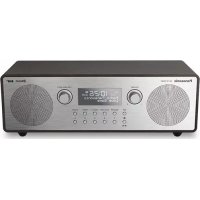
RFD100BT - Hi-Fi System PANASONIC - Free user manual and instructions
Find the device manual for free RFD100BT PANASONIC in PDF.




| Product type | Portable Hi-Fi system |
| Brand | Panasonic |
| Model | RFD100BT |
| Dimensions (WxHxD) | 317 x 110 x 141 mm |
| Weight (with batteries) | 2.3 kg |
| Weight (without batteries) | 2.1 kg |
| Mains power | AC adapter 100-240 V, 50/60 Hz, DC output 9 V, 2 A |
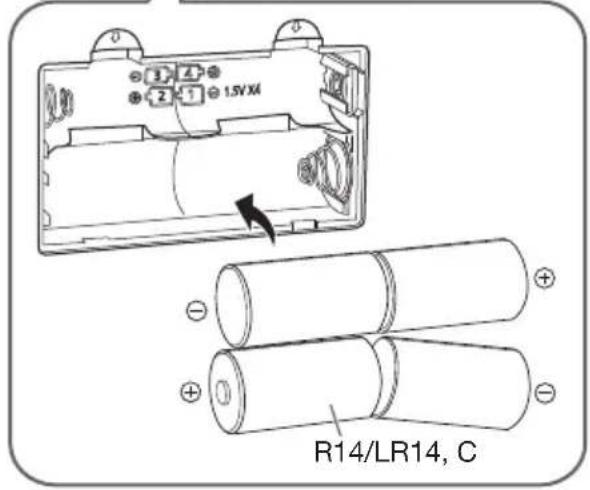
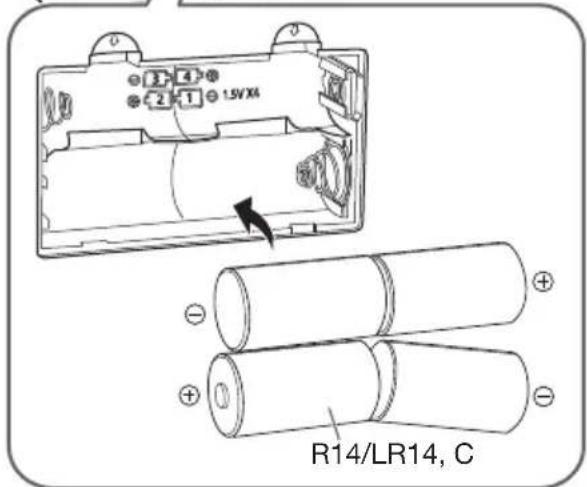
| Battery power | 4 R14/LR14 batteries (alkaline or manganese) |
| Standby consumption | 0.9 W (approx.) |
| Battery life (Bluetooth) | Approx. 3 h (manganese), 8 h (alkaline) |
| Battery life (FM/DAB) | Approx. 3 h (manganese), 8 h (alkaline) |
| Radio | DAB/DAB+ (Band III), FM (87.5-108 MHz) |
| Station memory | 5 presets for DAB, 5 for FM |
| Bluetooth | Version 4.2, class 2, A2DP/AVRCP profiles, range 10 m |
| Auxiliary audio input | 3.5 mm stereo jack (AUX IN) |
| Headphone output | 3.5 mm stereo jack |
| Speakers | 2 x 6.5 cm cone, power 2 x 5 W RMS (mains) or 2 x 2.5 W RMS (batteries) |
| Additional functions | Alarm, kitchen timer, sleep timer, equalizer (sonic, light, clear, vocal, flat) |
| Display | Adjustable backlight (on, 10 s, dimmed) |
| Menu languages | French, English, German, Italian |
| Maintenance | Clean with a soft dry cloth. Do not use alcohol, thinner or benzene. |
| Safety | Do not expose to rain, moisture. Do not remove covers. Use only the supplied adapter. |
| Included accessories | AC adapter |
Frequently Asked Questions - RFD100BT PANASONIC
User questions about RFD100BT PANASONIC
0 question about this device. Answer the ones you know or ask your own.
Ask a new question about this device
Download the instructions for your Hi-Fi System in PDF format for free! Find your manual RFD100BT - PANASONIC and take your electronic device back in hand. On this page are published all the documents necessary for the use of your device. RFD100BT by PANASONIC.
USER MANUAL RFD100BT PANASONIC
natural_image
Line drawing of a portable electronic device with two speakers and a front panel (no text or symbols)natural_image
Line drawing of a cable and plug assembly (no text or symbols)natural_image
Illustration of a portable electronic device with two speakers and a pointer, emitting sound waves (no text or symbols)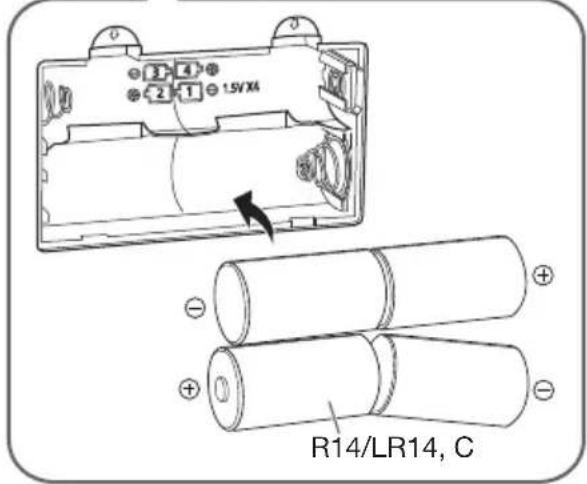
Vorsicht!
natural_image
Line drawing of a cable and plug connected to a terminal block (no text or symbols)Manutenzione
natural_image
Illustration of a portable electronic device with two speakers and a pointer, emitting sound waves (no text or symbols)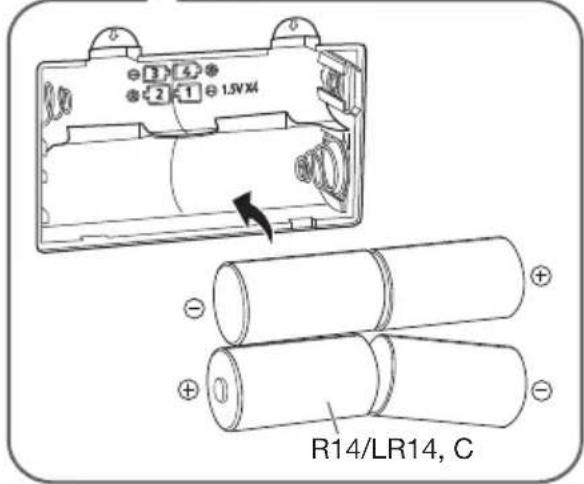
Attenzione!
natural_image
Line drawing of a cable and plug connected to a terminal outlet (no text or symbols)Entretien
natural_image
Illustration of a portable radio with two speakers and a pointer, emitting sound waves (no text or symbols)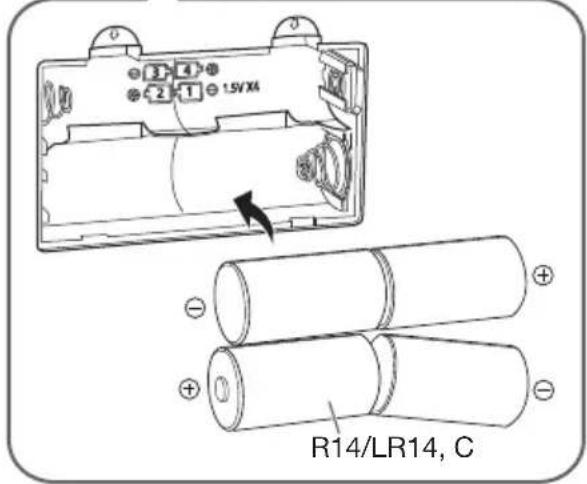
Attention!
natural_image
Line drawing of a cable and plug connected to a terminal block (no text or symbols)Onderhoud
natural_image
Illustration of a portable electronic device with two speakers and a pointer, emitting sound waves (no text or symbols)Signaalstrerkte-indicator
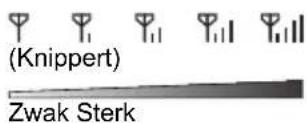
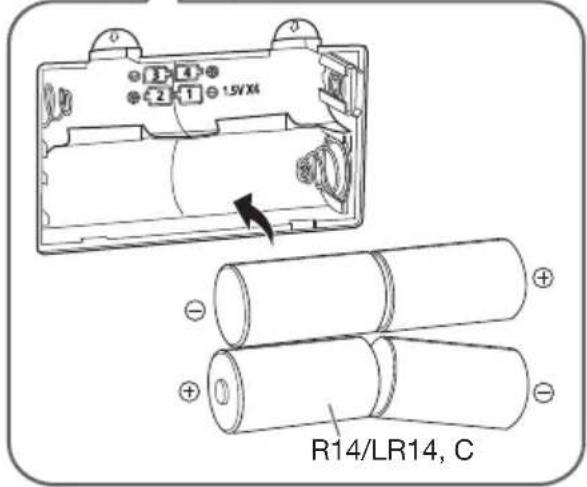
Voorzichtig!
natural_image
Line drawing of a cable and plug connected to a terminal block (no text or symbols)Vedligeholdelse
natural_image
Illustration of a portable electronic device with two speakers and a pointer, emitting sound waves (no text or symbols)Signalstyrkeindikator
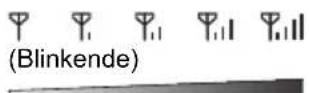
Svag Stærk
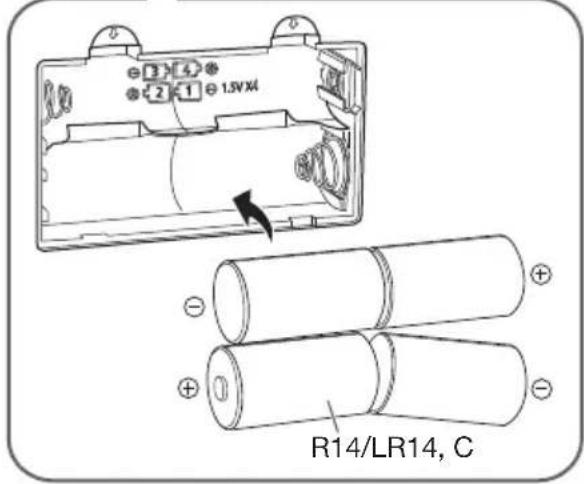
Forsigtig!
Enheden stopper indstillingen, när den finder en station.
"Pairing" (Parring) vises.
For at navigere rundt i menuen
"Alarm Off" (Slukket) vises.
Snooze-funktion
"No DAB Station" (Ingen DAB-station)
natural_image
Line drawing of a cable and plug connected to a terminal block (no text or symbols)Konserwacja
natural_image
Illustration of a portable electronic device with two speakers and a pointer, emitting sound waves (no text or symbols)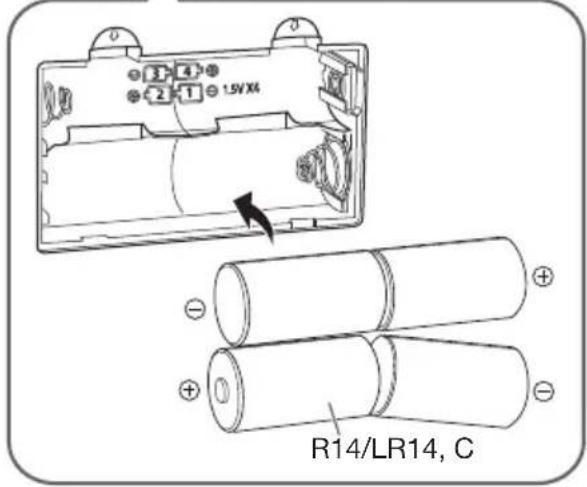
Ostrzeżenie!
natural_image
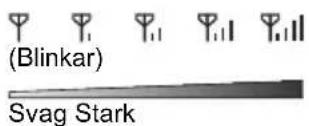
Line drawing of a cable and plug connected to a terminal block (no text or symbols)Underhåll
natural_image
Illustration of a portable radio with two speakers and a pointer, emitting sound waves (no text or symbols)Signalstyrkeindikator
Försiktighet!
"No DAB Station" (Ingen DAB-station)
- Ingen DAB-station tillgänglig.
- Kontrollera antennen.
Systeminnstillinger 8
Feilsøking 10
Spesifikasjoner 11
natural_image
Line drawing of a cable and plug connected to a terminal block (no text or symbols)Vedlikehold
① Bryter standby/på [∅/l]
natural_image
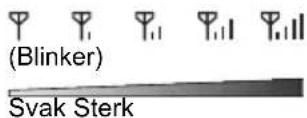
Illustration of a portable radio with two speakers and a pointer, emitting sound waves (no text or symbols)Signalstyrke-indikator
Forsiktig!
"Pairing" (Paring) vises.
Manufactured by: Panasonic Corporation
Kadoma, Osaka, Japan
Importer for Europe: Panasonic Marketing Europe GmbH
Panasonic Testing Centre
Winsbergring 15, 22525 Hamburg, Germany
EU

Panasonic Corporation
Web Site: http://www.panasonic.com



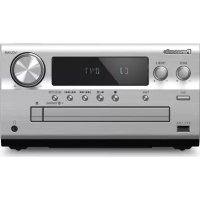
Brand : PANASONIC
Model : RFD100BT
Category : Hi-Fi System