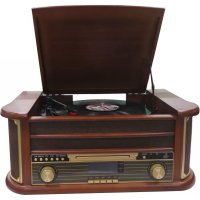
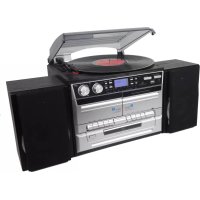
USER MANUAL MRD51 DENVER
Please read this user manual carefully before start using the product.
CAUTION
TO PREVENT FIRE OR SHOCK HAZARD, DO NOT USE THIS PLUG WITH AN EXTENSION CORD, RECEPTACLE OR OTHER OUTLET UNLESS THE BLADES CAN BE FULLY INSERTED TO PREVENT BLADE EXPOSURE. TO PREVENT FIRE OR SHOCK HAZARD, DO NOT EXPOSE THIS APPLIANCE TO RAIN OR MOISTURE.
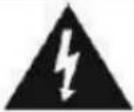
The LIGHTNING FLASH with arrowhead symbol, within an equilateral triangle is intended to alert the user to the presence of uninsulated 'dangerous' voltage within the product's enclosure that may be of sufficient magnitude to constitute a risk of electric shock to persons.
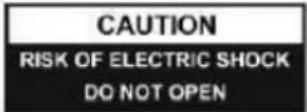
WARNING:TO REDUCE THE RISK OF ELECTRIC SHOCK DO NOT REMOVE COVER (OR BACK),NO USER SERVICABLE PARTS INSIDE REFER SERVICING TO QUALFIED SERVICE PERSONNEL

The exclamation point within an equilateral triangle is in-tended to alert the user to the presence of important operating and maintenance (servicing) instructions in the literature accompanying the appliance.
IMPORTANT SAFETY INSTRUCTIONS
- Read, keep and follow all these instructions in this manual.
- Clean only with dry cloth.
- Do not block any ventilation openings. Install in accordance with the manufacturer's instructions.
- Do not install near any heat sources such as radiators, heat registers, stoves, or other apparatus(including amplifiers) that produce heat.
- Protect the power cord from being walked on or pinched particularly at plugs, convenience receptacles, and point where they exit from the apparatus.
- Unplug this apparatus during lightning storms or when unused for long periods of time.
- Refer all servicing to qualified service personnel. Servicing is required when the apparatus has been damaged in any way, such as power-supply cord or plug is damaged, liquid has been spilled or objects have fallen into the apparatus, the apparatus has been exposed to rain or moisture, does not operate normally, or has been dropped.
- This appliance shall not be exposed to dripping or splashing water and no object filled with liquids such as vases shall be placed on the apparatus.
- Do not overload wall outlet.
- Operate controls and buttons as described in the manual.
- Store your CDs, cassettes in a cool area to avoid damage from heat.
- When moving the set, be sure to first disconnect the power cord.
CLEANING THE CABINET
If the wooden cabinet becomes dusty please wipe it with a so, non-abrasive dust cloth. Also don't use water or spray cleaners as this can damage the cabinet and the plasc/metal parts of the unit.
TECHNICAL SPECIFICATION
- Turntable speed: 33/45/78 RPM (Disc size 17.5/25/30cm)
CD can play CD/CD-R/CD-RW/MP3
USB can play MP3
- Cassee: C60 & C90 (C120 cassee is not recommended)
Output power: 2x4W
PREPARATION FOR USE
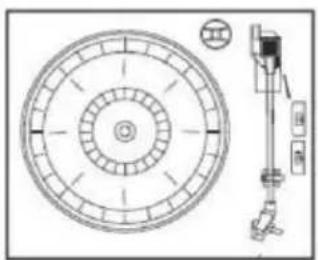
IMPORTANT: RAISING AN LOWERING THE TURNTABLE LID
To open the lid. Raise it as far as it can go unl the lid support bracket locks in the posion.
To close the lid. Pull forward the lid support bracket to release and then gently lower the
TO AVOID DAMAGING THE CABINET OR THE LID, NEVER FORCE THE LID CLOSED. ALWAYS RAISE THE LID TO RELEASE THE LID SUPPORT BRACKET.
LOCATIONS OF CONTROLS AND INDICATORS
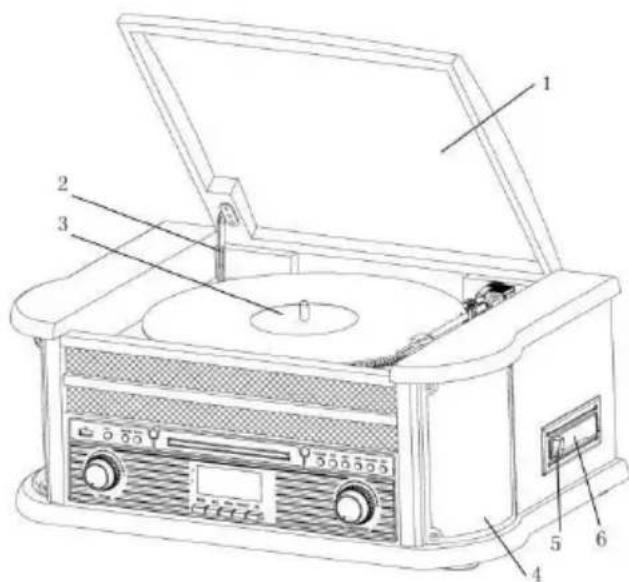
2
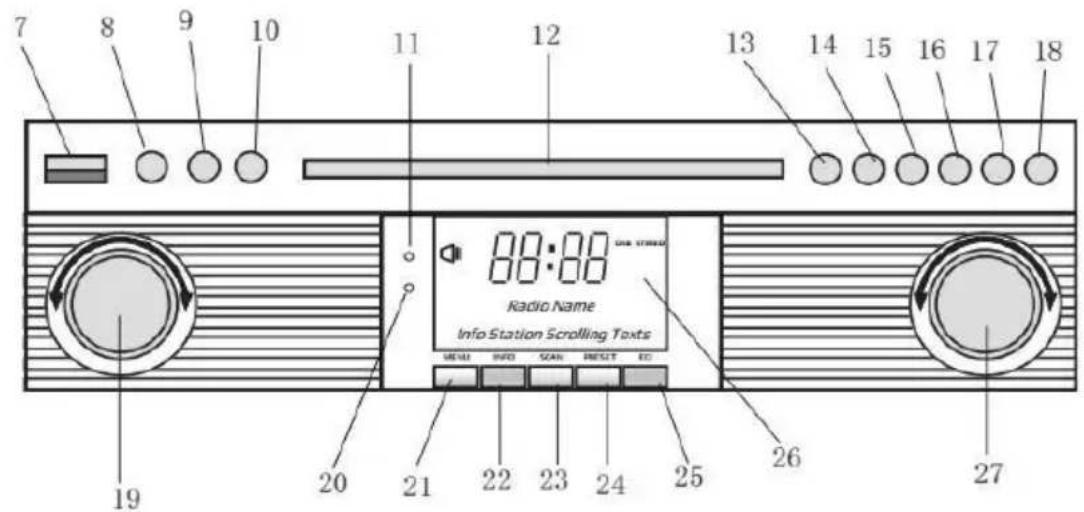
FRONT PANEL
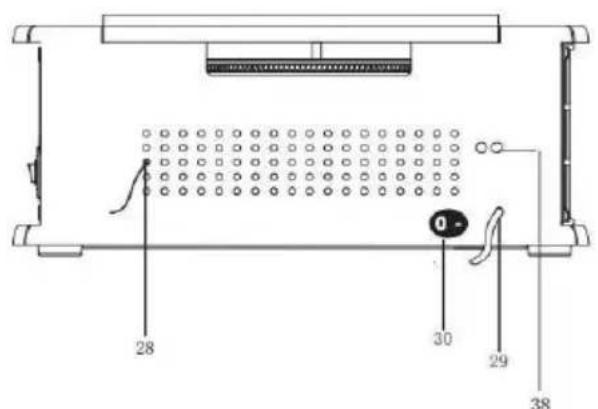
REAR VIEW
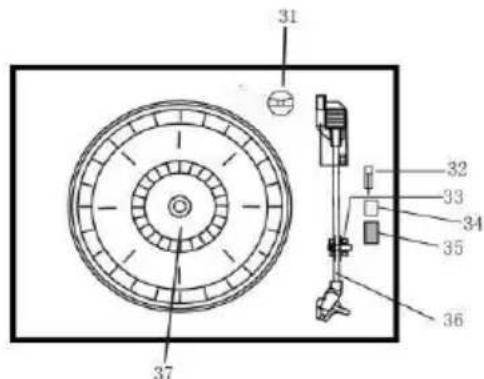
TURNTABLE
LOCATION OF CONTROLS
- DUST COVER
- COVER MECHANISM
3.TURNTABLE
- SPEAKERS
- TAPE STOP/EJECT BUTTON
- CASSETTE MECHANISM
- USB SOCKET
8.AUX-IN
9.3.5mm HEADPHONE JACK
10. FUNCTION BUTTON (DAB/FM/CD/USB/PHONO/TAPE/AUX)
11. REMOTE SENSOR
12.CDDOOR
13. PLAR/PAUSE
14. STOP BUTTON
15.DN/F-R
16. UP/F-F
17. REC/DEL (RECORD BUTTON/DELETE BUTTON)
18. CD DOOR OPEN/CLOSE BUTTON
19. VOLUME KNOB/ POWER STANBY
20. POWER LED
21. DAB MENU BUTTON
22. DAB INFO BUTTON
23. DAB SCAN BUTTON
24.DAB PRESET BUTTON
25. DAB ENTER
26. LCM DISPLAY
27. TUNING BOTTON/PLAY_MODE
28. FM/DAB ANTENNA
29. AC CORD
30. ON/OFF SWITCH
31.ADAPTOR
32. TURNTABLE PAUSE SWITCH
33. PICK-UP HOLDER
34. Auto-stop ON/OFF
35. 33/45/78 RPM SPEED SELECTOR
36. TONE ARM
37. TURNTABLE
38. LINE OUT
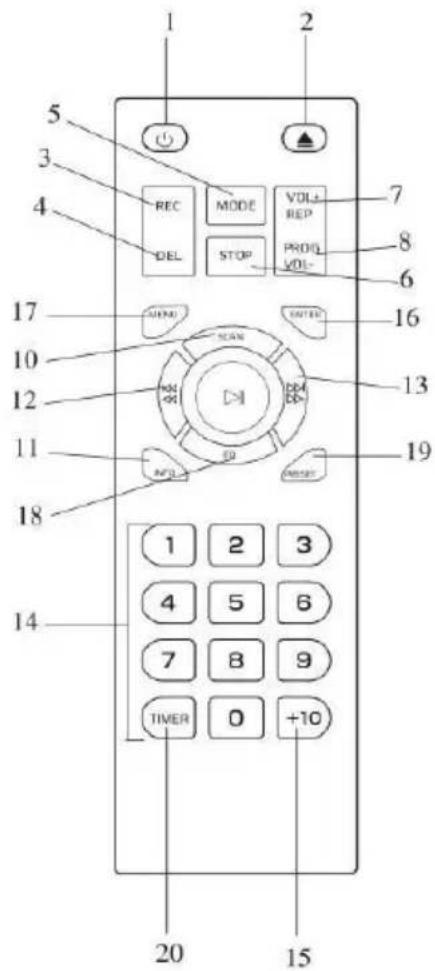
REMOTE CONTROL
- POWER ON/OFF
- CD DOOR OPEN/CLOSE BUTTON
- RECORD BUTTON
- DELETE BUTTON5. MODE BUTTON
- STOP BUTTON
- REPEAT BUTTON/VOL+
8.PROGRAM BUTTON/VOL
- PLAY/PAUSE BUTTON
- DAB SCAN BUTTON
- INFO
- SKIP-BUTION/FAST FORWARD BUTTON
- SKIP+ BUTTON/REWIND BUTTON
- NUMERIC KEYBOARD
- +10
-
ENTER
-
MENU
18.EQ
- PRESET
- TIMER
REMOTE BATTERY INSTALLATION
The infrared remote control requires 2 PCS UM-4 R03, AAA (3V) Baery
POWER ON/OFF
- Press POWER to turn the system on. The power indicator lights up.
- Press the funcon selector buons (DAB/FM/CD/USB/TAPE/PHONO/AUX IN) to select the desired funcon.
- Start to adjust the volume by using the volume control buon.
- When nished listening press POWER again to turn o the system. The power indicator goes o.
Remark: The unit is comply with ERP2, the unit will turn to Standby mode if there is no operon on the unit aer 15 mins, please press POWER buon 2 mes if you want to re-start the unit.
DAB MODE
Press funcon buon (10) (5 on remote) repeatedly to select DAB mode. Press SKIP+/- (16/15) (12/13 on remote) to search the program
Press MENU (21) (17 on remote) to access to the opons.
- Full Scan: select this opon to perform a full scan of the available DAB programs. You can press SCAN (23) to perform the same acon.
- Manual Tune: select this opon to select manually the DAB frequency
- DRC: select this upon to choose between DRC low, DRC high and DRC o.
- Prune: select this upon to choose between PRUNE staons on or o.
DAB PRESET
You can program a maximum of 20 preset radio staons.
- Press and hold PRESET (24) (19 on remote). PRESET STORE will appear on display. Press SKIP+/- (16/15)
(12/13 on remote) to select the preset number. Press ENTER (9) (16 on remote) to conrm.
- Press PRESET (24) (19 on remote) to navigate through the presets.
DAB INFO
Repeatedly press INFO (22) (18 on remote) to see the following informaon: NAME/KBPS/DATE /TIME.
FM MODE
Press funcon buon (10) (5 on remote) repeatedly to select FM mode. Turn the TUNING KNOB (27) to manually select the frequency
Press MENU (21) (17 on remote) to access to the opons.
- Scan Seng: select this opon to choose between scanning all staons or only the strong staons.
- Audio Seng: select this opon to choose between forcing mono audio or allowing stereo Sound.
FM PRESET
See DAB PRESET instrucons.
FM INFO
Repeatedly press INFO (22) (18 on remote) to see the following informaons: KIND OF PROGRAM/FREQUENCY/AUDIO/DATE/TIME.
CD OPERATION
- Press the CD/USB buoy to enter CD mode, the "---" and 'DISC' icon will be shown on the screen. The unit can play CD, CD-R and CD-RW.
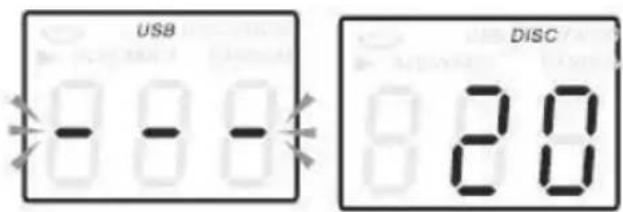
- Press the OP/CL buon top open the CD drawer.
- Place your disc in the CD drawer with the label side facing up.
- Press the OP/CL buon again to close the CD drawer. Playback will automatically start from the rst track.
- MP3 icon will be shown if MP3 le is detected in the disc.
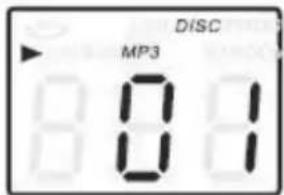
PLAYING CASSETTE
Note: Before inserting the tape in the player be sure that there is no excess slack in the cassee that could jam the mechanism.
- Press POWER to turn the system on.
-
Press TAPE buon to enter TAPE mode.
-
Insert your cassee into the slot located on the right side of the cabinet, as shown in the illustraon, with the side you wish to play facing up and the open end on the right side.
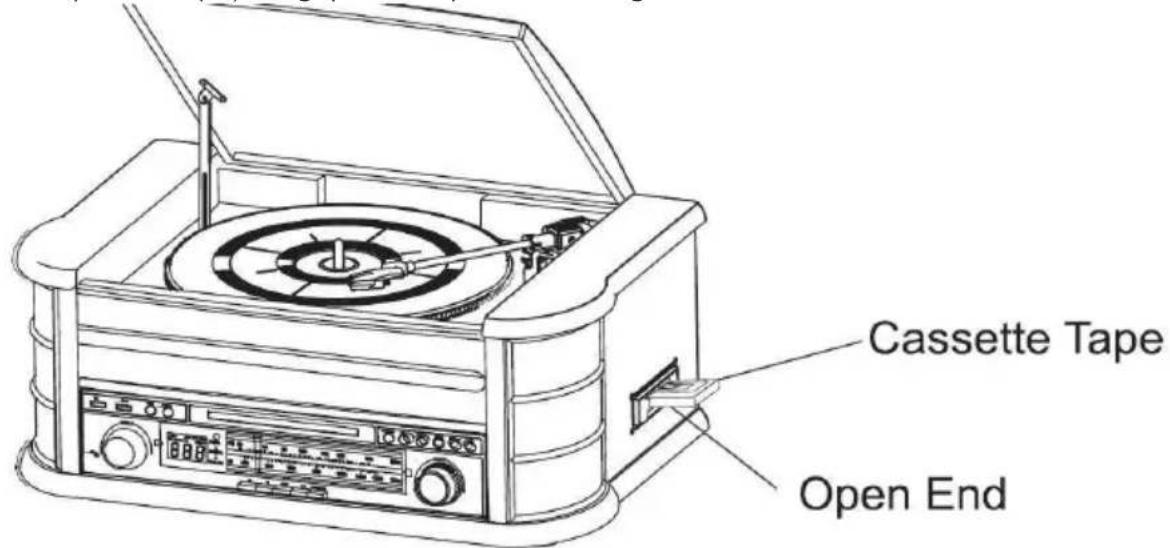
- Cassee playback begins as soon as the tape is inserted. Adjust the VOLUME control to the desired level.
- To advance the tape rapidly, depress the buon approximately half way. The tape will move forward rapidly as long as the buon is depressed. Normal playback will resume when the buon is released
- When the tape ends, the player stops automatically. Depress the buon completely to remove the tape from the player. You may depress buon to stop playing the tape at any me.
- Press POWER again to turn the system o.
PLAYING VINYLS RECORDS
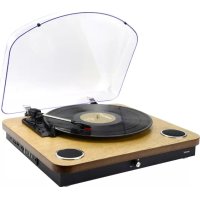
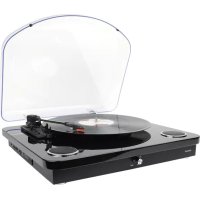
The system includes a full-size, 3 speed, belt-drive turntable. You can play 33, 45 and 78rpm records.
- Press POWER to turn the system on.
- Press the PHONO buon to enter the PHONO mode.
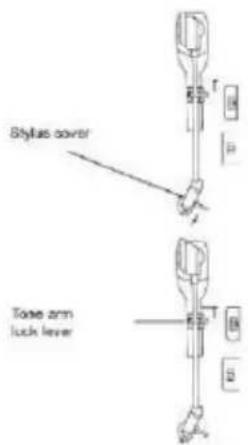
- Make sure you have removed the stylus cover from the stylus and have released the tone arm lock that
- secured the tone arm to the tone arm rest.
- Set the turntable speed selector to appropriate speed 33, 45 or 78rpm. If you are playing 45 rpm singles, place the 45rpm adapter on the centre spindle.
- Place your record on the the centre spindle.
- Raise the cue lever to li the tone arm of its rest. Move the tone arm to the edge of the record. The turntable starts automatically. Use the cue lever to gently lower the tone arm onto the record.
- Adjust the volume control to the desired level.
- Press POWER again to turn the system o. The POWER indicator goes OFF.
Note: Do not turn or stop the turntable manually. Moving or jarring the turntable without securing the tone arm clamp could result in damage to the tone arm.
AUX IN OPERATION
Connect the audio system into the AUX IN jack on the rear panel, Press the PHONO/AUX IN buon. Start playing from the connected device.
USB OPERATION
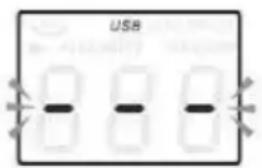
- Press the CD/USB buon rst and the FUNCTION buon to enter USB mode. The '---' and USB icon will be shown.
- Insert a USB ash device into the USB socket.
- PLAY/PAUSE, DN/UP and stop funcons are the same as CD funcons.
Note: You may press the FUNCTION on the panel or long press PLAY/PAUSE buoyon on the remote control for 2 seconds to change the playing mode between CD and USB.
PLAYING IN MP3 MODE (CD/USB)
- Press PLAY/PAUSE buon to start or pause playback selected track.
- While playing the song, the song number and folder number of the selected track will be shown in the display.
- You can stop the playback at any me by pressing the STOP buon.
TRACK SKIP AND HIGH SPEED TRACK SEARCH IN CD/USB MODE
During CD/USB playback press UP/F.F ( ) or DN/F.R ( ) buon on the unit front panel or on the remote control repeatedly to change track. To rapidly search forward or backwards within a track press and hold UP/F.F (press UP/F.F ( ) or DN/F.R ( ) buon. To skip 10 tracks back or forth then press TRACK-10 or TRACK+10 on the remote control.
USB RECORDING
1. CD recording
Insert USB ash drive into the USB socket. Then press CD/USB buon. Place CD into the CD drawer and play the track which will be recorded. Press RECORD buon twice to start recording. If all CD is played, Then all tracks will be recorded. NOTE: Recording will fail if pressing STOP buon during recording
2. MP3 DISC recording
Insert USB ash drive into the USB socket. Then press CD/USB buoy. Place CD with MP3 les into the CD drawer and play the MP3 track which will be recorded. Press RECORD buoy twice to start recording. If all MP3 les is played, Then all tracks will be recorded. NOTE: Recording will fail if pressing STOP buoy during recording
3. Cassee recording
Insert USB ash drive into the USB socket. Then press TAPE buon. Place the cassee into the socket. Play cassee. Press RECORD buon twice to start recording. Press STOP buon to stop recording.
4. Vinyl recording
Insert USB ash drive into the USB socket. Then press PHONO/AUX IN buon. Play the vinyl and press RECORD buon twice to start recording. Press STOP buon to stop recording.
5. AUX IN recording
Insert USB ash drive into the USB socket. Connect the external audio device into the AUX jack on the rear panel. Then press PHONO/AUX IN buon and play audio and press RECORD buon twice to start recording.
DELETE TRACKS FROM USB DISC
Press CD/USB buon on the front panel or long press PLAY/PAUSE on remote control to select USB mode. Select the track and press delete for 2 seconds and the track is deleted.
CLOCK
In standby mode, long press STOP button to display 24H flashing, then short press DN/F-R, UP/F-F key to select 12/24H, then short press STOP button to set MINUTE/HOUR/DAY/MONTH/YEAR.
TIMER
Long press TIMER button under Standby mode to choose Alarm or Clock function, then short press the remote control up and down buttons to enter the alarm debugging, press TIMER reset after complete the alarm debugging, and then press the remote control up and down buttons to select DAB, FM, CD,TAPE, USB, boot mode.
SLEEP
Setting the clock to CD,DAB, FM, TAPE, AUX, USB or PHONO mode first, in CD,DAB, FM, TAPE, AUX, USB, PHONO mode, long press TIMER to display Sleep, Timer, OFF and then press the up and down buttons on the remote control to select the sleep time: 15, 30, 45, 60, 90 min then automatic shutdown.
DENVER
www.denver-electronics.com
Electric and electronic equipment contains materials, components and substances that can be hazardous to your health and the environment, if the waste material (discarded electric and electronic equipment) is not handled correctly.
Electric and electronic equipment is marked with the crossed out trash can symbol, seen below. This symbol signifies that electric and electronic equipment should not be disposed of with other household waste, but should be disposed of separately.
All cities have established collection points, where electric and electronic equipment can either be submitted free of charge at recycling stations and other collection sites, or be collected from the households. Additional informaon is available at the technical department of your city. Hereby, Inter Sales A/S declares that the radio equipment type MRD-51 is in compliance with Direcve 2014/53/EU. The full text of the EU declaraon of conformity is available at the following internet address:
Please enter: www.denver-electronics.com and then click the search ICON on top line of website.
Write model number: MRD-51
Now enter product page, and red direcve is found under downloads/other downloads
Operang Frequency Range: FM:87.5-108MHz DAB:168-240MHz
Max Output Power: 2^*2.5W
DENVER ELECTRONICS A/S
Omega 5A, Soeen
DK-8382 Hinnerup
Denmark
Facebook.com/denverelectronics
DENVER
BRUKSANVISNING
MRD-51
WWW.DENVER-ELECTRONICS.COM
DAB/FM/CD/USB/AUX/PHONO/TAPE
ILEGNING AF BATTERIER I FJERNBETJENINGEN
Den infrarode fjernbetjening bruger 2 stk. batterier UM-4 R03, AAA (3 V)
TAEND/SLUK